
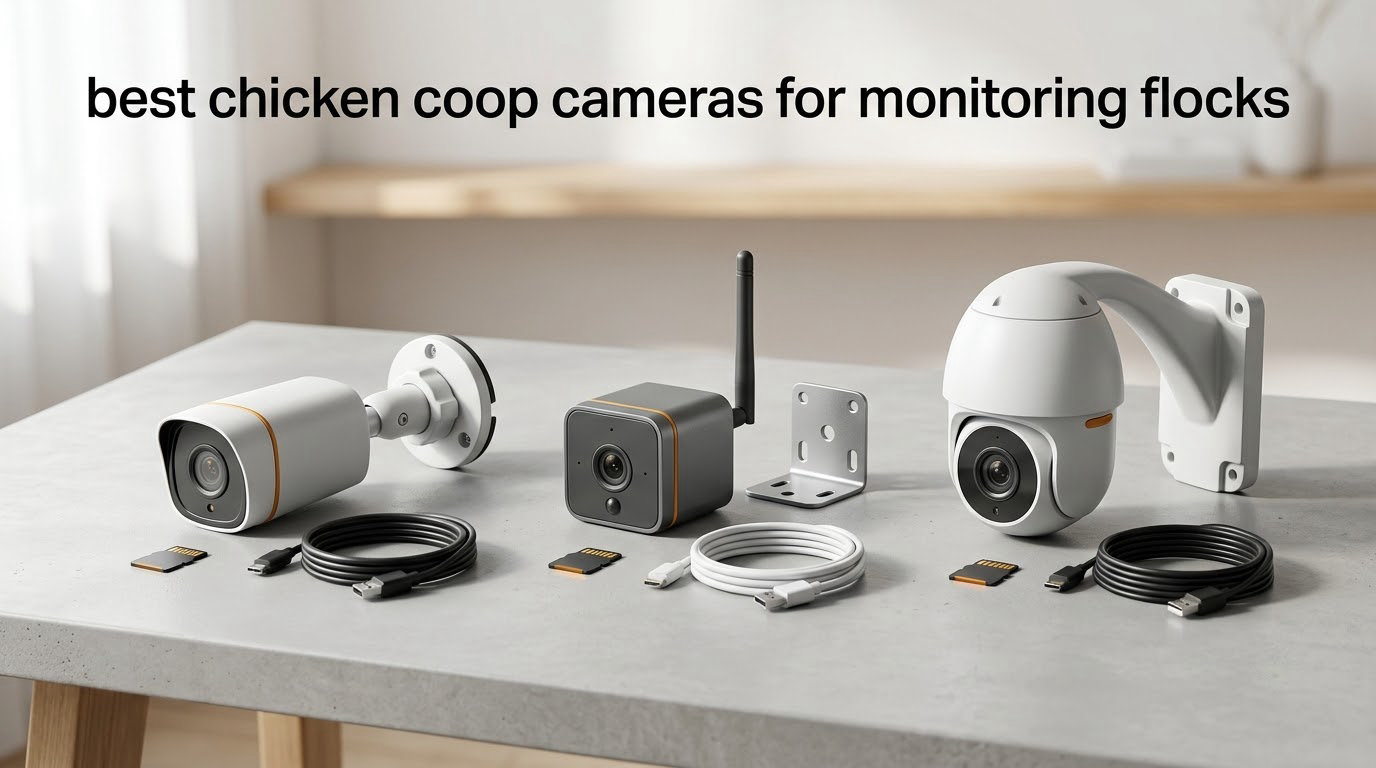
Most predator attacks on a backyard flock happen at night, and almost none of them are witnessed. The best chicken coop cameras for monitoring flocks turn that blind spot into something you can actually check from your phone, whether you are at work, on a trip, or asleep. The catch is that the right camera has very little to do with megapixels. It has to do with whether you have power at the coop, whether your Wi-Fi signal survives the trip out there, and how much alert noise you are willing to live with.
We spent weeks going through owner reviews and spec sheets across eight cameras that cover the four setups that actually exist: power already at the coop, solar and battery, cellular with no Wi-Fi at all, and fully offline trail cameras. That last group is the one most roundups skip, and it is the right answer more often than people expect. If your eggs start disappearing and you have no idea what is taking them, a camera that records to a card and never touches a cloud server may serve you better than a smart camera you have to keep on your Wi-Fi network.
Two things we heard again and again shaped the picks below. First, the most repeated complaint in chicken forums is not image quality, it is constant motion alerts, because a flock never stops moving. Second, the question that comes up most often is whether a subscription is required, and the honest answer is that most of the cameras here can record to a microSD card or onboard memory with no plan at all. The AI bird-recognition category, where you get individual chicken identification and predator alarms, is growing fast but is still thinly reviewed, and the subscription gating on those units is worth understanding before you commit.
One more thing worth saying early: a camera is not predator protection. Hardware cloth, buried apron wire, and latches that a raccoon cannot work open are what keep birds alive. The camera tells you what happened afterward so you can close the gap, and that is genuinely useful. It just does not do the job itself.
If your coop itself is still on the list, start there. Our guide to the 8 best chicken coops tested and compared covers run sizing and predator-resistant construction, and a camera works best when the space it is watching was built with that in mind.
Table of Contents
Top 3 Chicken Coop Cameras for Flock Monitoring

Tapo C120 2K+ Indoor/Outdoor
- IP66 weatherproof
- Invisible IR night mode
- Local microSD up to 512GB


Tapo SolarCam C402 KIT
- Solar panel included
- Color night to 30 feet
- No subscription with microSD
All 8 Chicken Coop Cameras at a Glance
Every camera below is in the list because it solves a specific setup problem, not because it is the newest model on the market. Read the power and connection columns first. Those two answers eliminate roughly half the list before you look at image quality.
| Product | Specifications | Action |
|---|---|---|
| Tapo C120 2K+ Indoor/Outdoor |
|
Check Latest Price |
| eufy SoloCam S340 3K Solar |
|
Check Latest Price |
| Tapo SolarCam C402 KIT |
|
Check Latest Price |
 eufy SoloCam S220 2K Solar eufy SoloCam S220 2K Solar |
|
Check Latest Price |
 eufy 4G LTE Cam S330 eufy 4G LTE Cam S330 |
|
Check Latest Price |
 CHAMUTY Coop Door with Camera CHAMUTY Coop Door with Camera |
|
Check Latest Price |
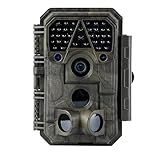 Meidase P70 Trail Camera Meidase P70 Trail Camera |
|
Check Latest Price |
 Arlo Essential Wireless 2K Arlo Essential Wireless 2K |
|
Check Latest Price |
Disclosure: we earn from qualifying purchases, and that does not change the order of these picks. Ratings and review counts are the figures Amazon shows on the product pages at the time of writing, and they are not directly comparable across brands since each company collects feedback differently.
1. Tapo C120 2K+ Review – Best Overall When You Can Run Power to the Coop
Tapo 2K+ Indoor/Outdoor Wired Security Camera, Baby Monitoring, C120
2K QHD 4MP at 20fps
IP66 weatherproof
MicroSD up to 512GB
100 g
Pros
- Sharp 2K image for the money
- Magnetic base repositions easily
- IP66 indoor and outdoor rated
- Free person and pet detection with zones
- Invisible IR night mode
Cons
- Needs a nearby outlet or cable run
- 20fps is below most 30fps rivals
- MicroSD card not included
- Fixed 120 degree view
The Tapo C120 is the one we keep coming back to, and the reason has almost nothing to do with the sensor. It weighs 100 grams, it is rated IP66, and it has a magnetic base that lets you pull it off a metal wall and re-aim it in seconds when the seasons change. Keeper reports in chicken forum threads describe Tapo units holding a connection in the coop with no dropouts, which is the single most common failure in this whole category.
The 20fps frame rate is the one specification that sounds disappointing and then stops mattering. Chickens do not move fast enough for you to notice, and the 2K QHD 4MP sensor gives you enough pixel detail to tell a hen from a hen-shaped shadow at the fence line. This is the resolution question the PAA block asks about, and the practical answer is that 2K is where predator identification becomes reliable, not 3K or 4K.
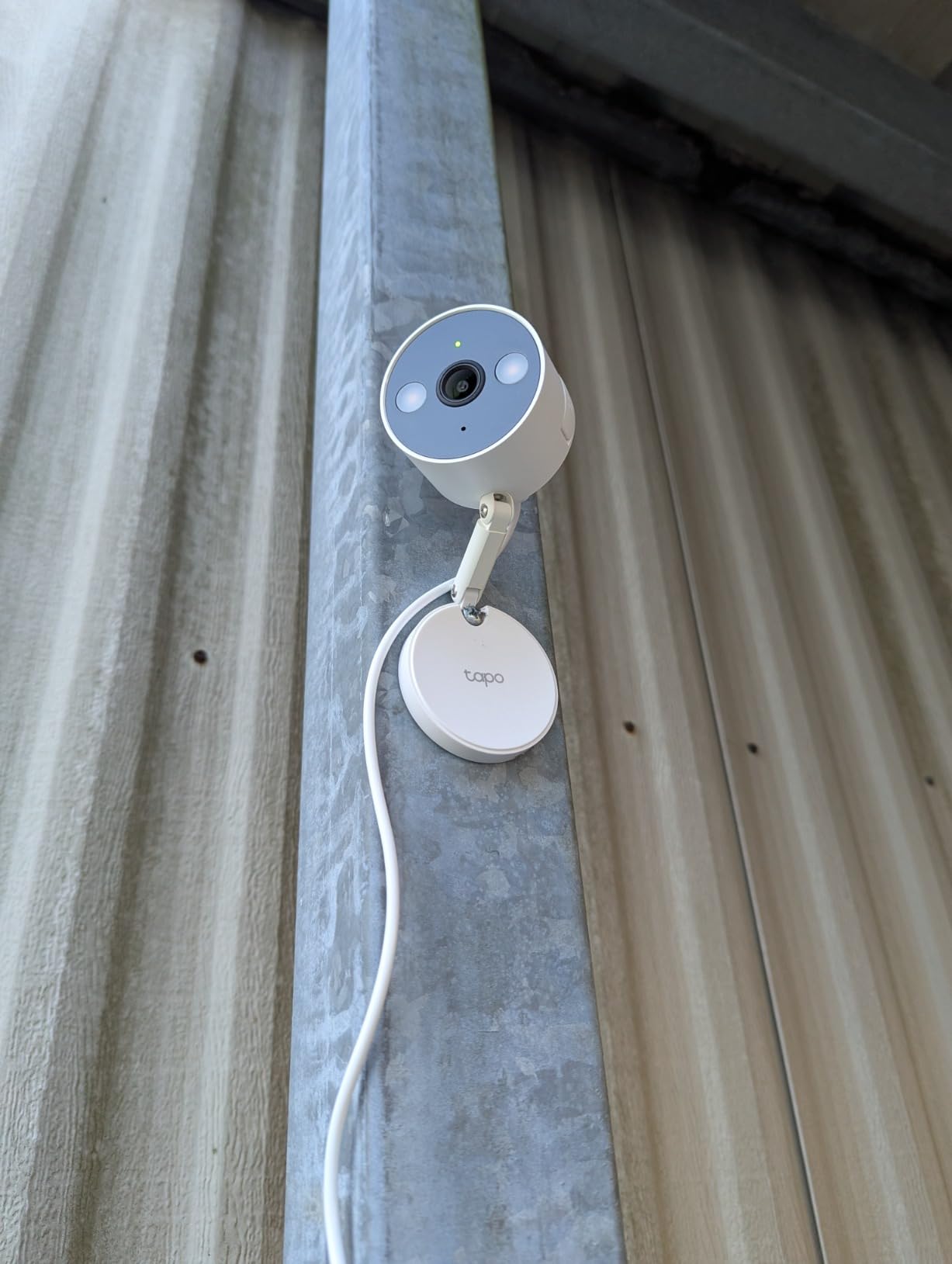
The feature that separates this camera from cheaper wired options is the invisible IR night mode. Most infrared cameras throw a red glow that is visible to birds and to you, and plenty of keepers worry about light spilling onto the roost. Switching to invisible IR gives you a black-and-white image with no visible LEDs, which reviewers consistently describe as the reason the flock settled down and kept using the roost after installation. There is also a starlight sensor for full color night footage when you would rather see detail than preserve darkness.
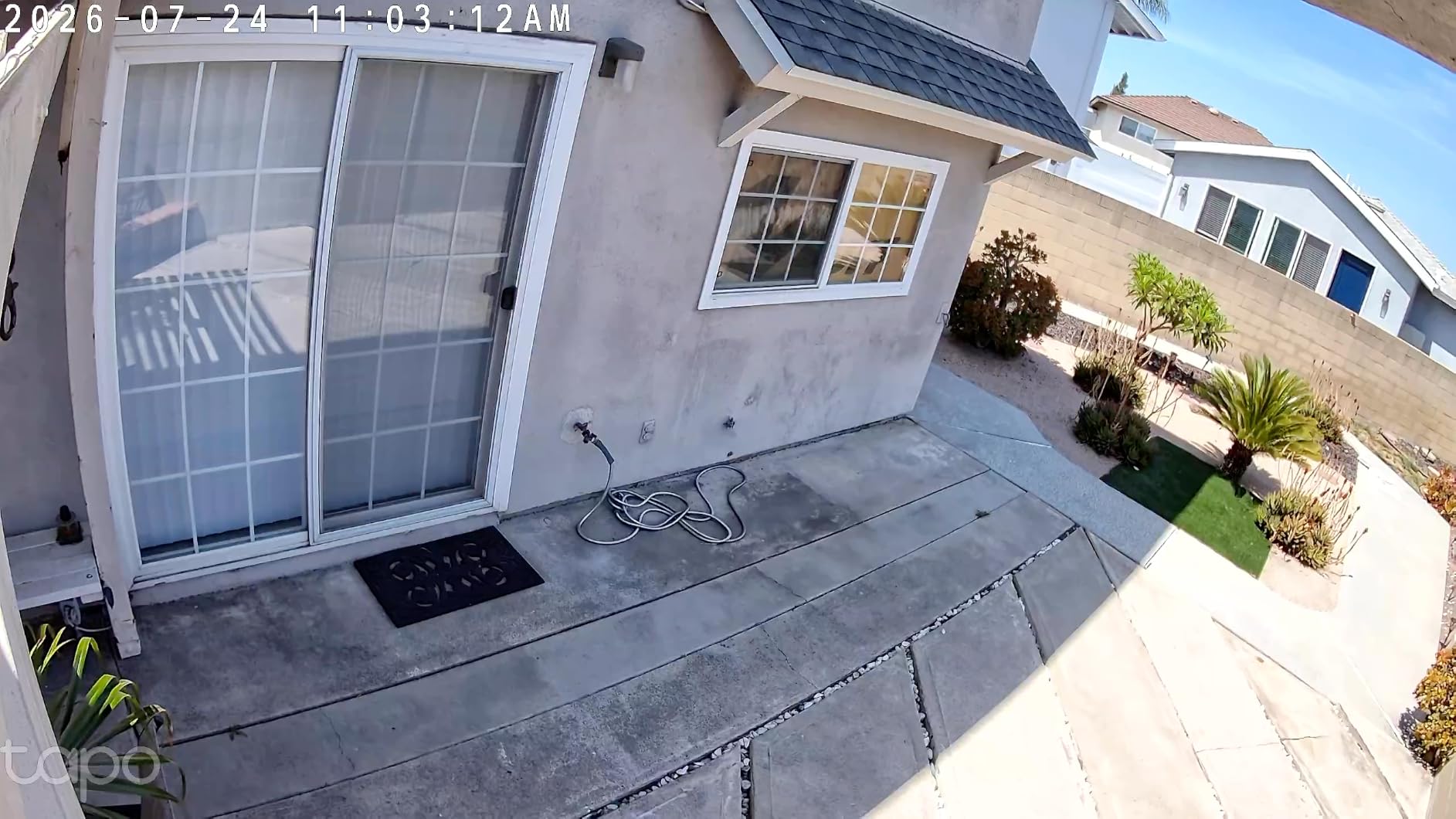
Free person, pet, and vehicle detection with activity zones runs without a plan, and the camera records to a microSD card up to 512GB. You do have to buy the card yourself, which is the most common small complaint in reviews. Tally the cost of a 128GB card against three years of cloud storage and the math is not close.
Is the C120 the right fit for your setup?
It suits coops that already have an outlet, a covered porch light, or a short cable run from a barn. It is also the camera we would put inside a coop on a back wall where birds cannot reach it, since IP66 means rain and dust are not a concern.
Skip it if your only power source is far from the coop, because the cord is the one thing this camera cannot do without. In that case the solar or cellular options further down the list are a better starting point.
What should you know before buying?
There is no pan or tilt motor, so the 120-degree field of view is fixed. Aim it carefully once and leave it alone, and if you later want the run as well as the coop interior, budget for a second unit rather than expecting one to cover both.
The two-year manufacturer warranty from TP-Link is longer than most in this group, which matters for hardware permanently exposed to dust and weather.
2. eufy SoloCam S340 Review – Best Image Quality on Solar Power
eufy Security SoloCam S340, 3K Dual-Lens Solar Security Camera
3K dual-lens with 8x zoom
10000mAh plus removable solar
Color night to 6 meters
8GB onboard storage
Pros
- Very sharp 3K dual-lens image
- Removable solar panel
- 8GB local storage with no fee
- 360 degree pan and tilt
- Accurate AI tracking
Cons
- Plastic mount is flimsy
- Camera can loosen in the mount
- 2.4GHz Wi-Fi only
- Talkback speaker sounds tinny
This is the camera to buy if you want the best picture in this list and you would rather not run a cable to get it. The 3K dual-lens system with 8x hybrid zoom is a genuine step up from a single 2K sensor, and the color night vision out to about six meters is useful when you need to tell a cat apart from a weasel at the run fence.
Pan and tilt with 360 degrees of rotation means one mount can watch a corner of the run and swing to the coop door, which is a real advantage over the fixed-view options. AI detection and tracking follows a moving subject, and you can filter it to record only animals, people, or vehicles, which is the simplest way to cut down the alert noise that drives people to disable their cameras.
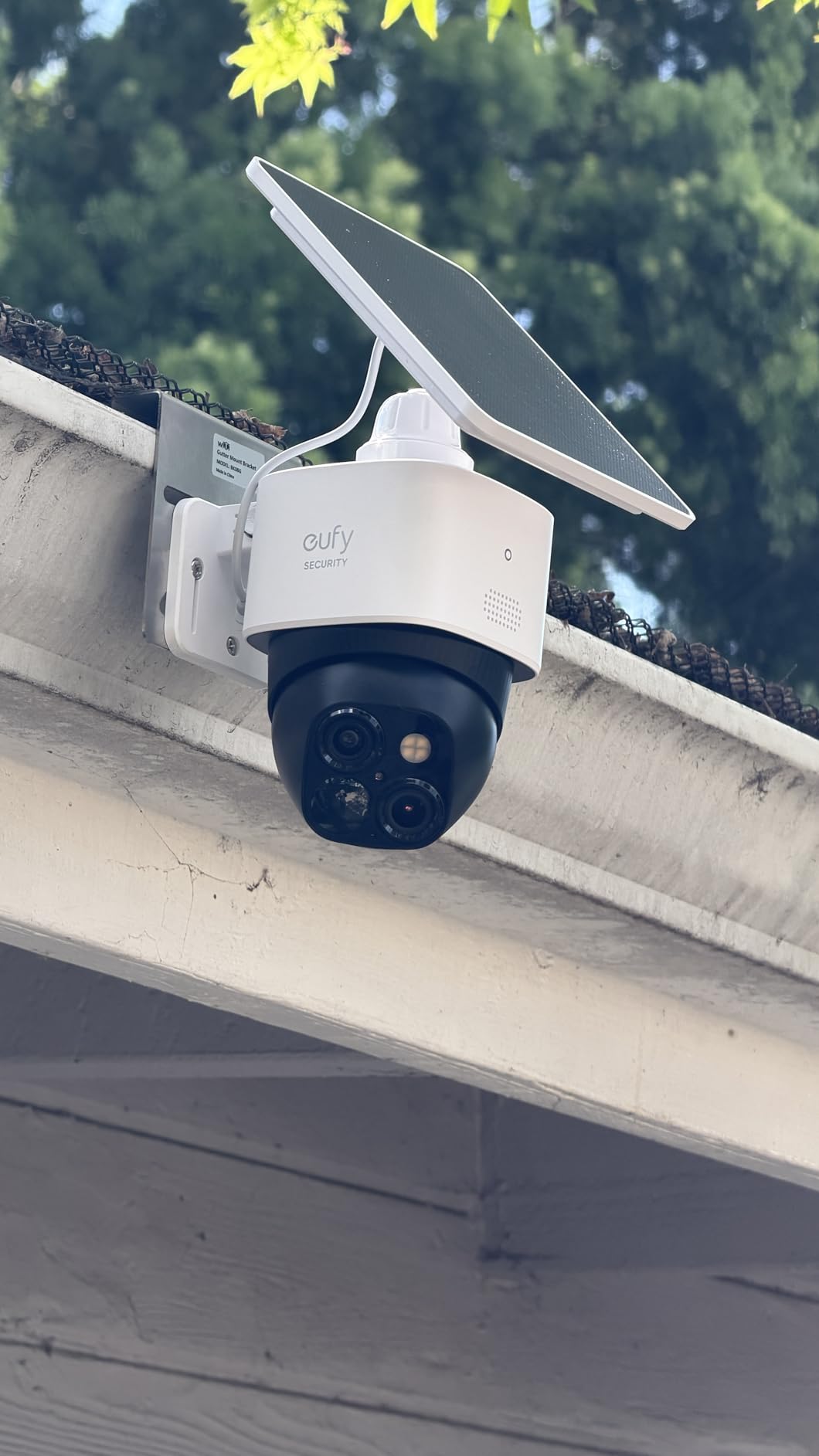
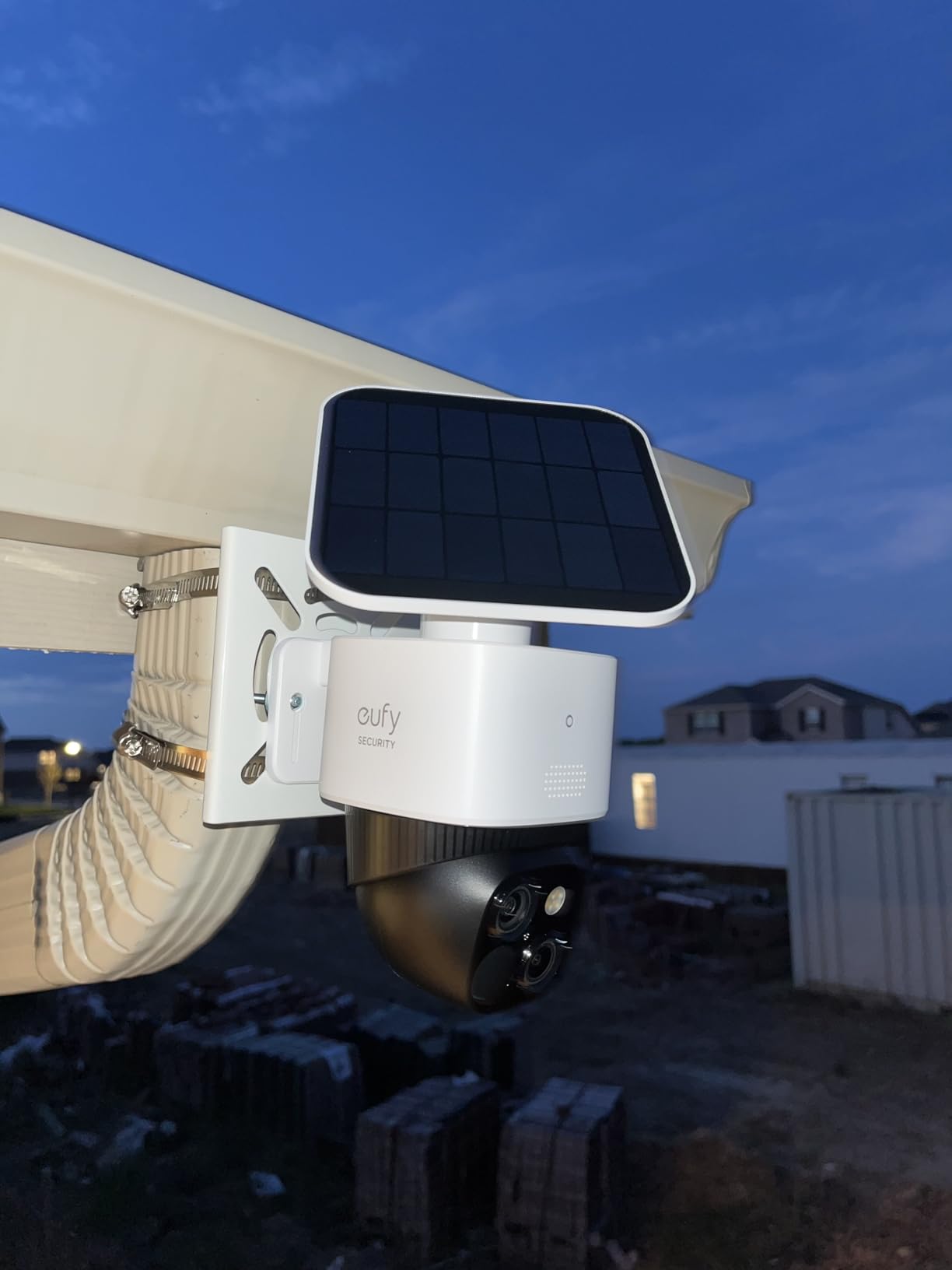
The removable solar panel and 10,000mAh battery are the reason this is the premium pick. The panel detaches, so you can reposition it toward the sun as the seasons change without moving the camera, and the battery capacity means it keeps recording through stretches of cloudy days. The 8GB of onboard storage means no subscription and no card purchase, though the trade-off is that older clips get overwritten once it fills.
Set the detection to animals only and put the sensitivity below maximum if the run is under a tree. Reviewers report a fair amount of alerting from swaying branches, and that is a framing problem rather than a camera fault.
Where the S340 earns its place
It fits runs and pastures where you want to identify the specific animal doing the damage, since 3K detail makes a raccoon unmistakable in daylight and the color night mode helps at closer range. It also works for a barn or outbuilding where you want coverage without an outlet.
Owners running eufy units across multiple pens and coops point to the local storage as the deciding factor, since the alternative is paying for cloud history on every camera.
Where it falls short
The plastic mount is the weak point. It offers no theft resistance, and the camera can loosen and shift its angle after a few months, so check the aim periodically rather than assuming it is still pointed where you left it.
It only joins 2.4GHz networks. If your router splits the bands and only broadcasts 5GHz outdoors, you will need to enable the 2.4GHz band before setup rather than after.
3. Tapo SolarCam C402 KIT Review – Budget Pick Solar Setup
Tapo SolarCam 1080p Security Camera Wireless Outdoor- Battery Power with Solar, Person Detection, Subscription-Free Local Storage or Optional Cloud, Works with Alexa & Google Assistant, C402 KIT
Solar panel included in kit
Up to 180 day battery claim
Color night to 30 feet
IP65 housing
Pros
- Kit includes the solar panel
- Full-color night vision with spotlights
- Activity zones cut alert noise
- No subscription with a microSD card
- IP65 handles rain and dust
Cons
- 1080p sensor only
- Fixed view with no pan or tilt
- Solar needs temperatures above 32F
- 2.4GHz-only pairing
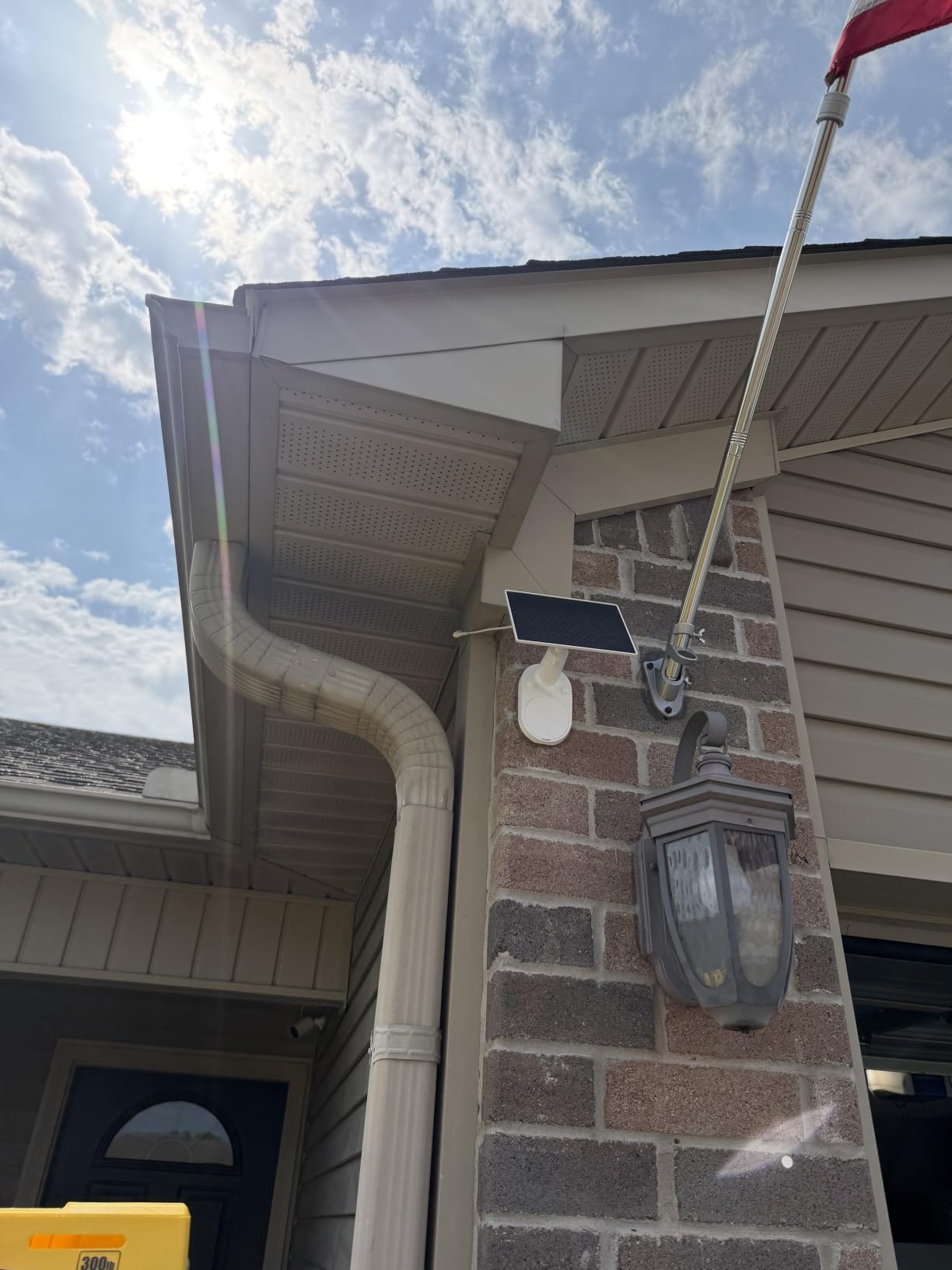
The C402 KIT ships with the camera, a solar panel and bracket, a 13 foot extension wire, mounting hardware, and a USB adapter cable. That is the whole argument for it. Solved solar kits usually mean buying a panel separately and working out the wiring yourself, and this one arrives ready to mount, which is the difference between a weekend project and an abandoned one.
Claimed performance is roughly 45 minutes of direct sunlight for a full day of use and a battery that holds for up to 180 days on one charge. Real numbers depend heavily on your panel angle, how much shade your coop gets, and how often the camera wakes to record, but owners with a sunny, unshaded position report very long intervals between manual charges.
Night performance is the surprise here. Dual spotlights deliver full-color video out to about 30 feet, which is farther than the color night range on most solar cameras, and a built-in siren plus two-way audio let you speak to a visitor or startle something at the fence. Use the siren and the talkback sparingly, since a spotlight shining into a dark coop all night is exactly the kind of light that pushes birds off the roost.
Free person detection with activity zones runs without a subscription, and the camera records to a microSD card up to 512GB or to the optional cloud service if you want off-site history. The IP65 housing is the rating you want for a camera mounted under a coop eave or on an exposed fence post.
Who should buy the C402 KIT
It suits anyone whose coop is beyond reach of an outlet and who wants simple, cable-light solar power with decent night footage. It is also a sensible second camera for a property already running Tapo hardware, since the app setup is identical.
If your priority is fine detail at the fence line rather than a color picture of the whole run, the 3K option earlier in this list serves that job better.
What to watch out for
The 1080p sensor is the honest limitation. It is perfectly adequate for confirming that the automatic door closed or that the flock is on the roost, but it is the wrong tool for identifying a specific predator species at distance.
Solar charging needs temperatures above 32F, and there is no pan or tilt, so placement is a one-time decision. Panel placement matters more than panel size: mount it where it clears the roofline and any leaf shadow from a nearby tree.
4. eufy SoloCam S220 Review – Cheapest to Run Over Three Years
eufy Security SoloCam S220, Solar Security Camera, Wireless Camera Outdoor
2K at 135 degrees
About 3 hours of sun for continuous power
8GB eMMC built in
IP67 waterproof
Pros
- Compact wire-free body mounts anywhere
- Three hours of sun keeps it running
- 8GB built in means no card and no fee
- Clear 2K daytime image
- IP67 for exposed outdoor mounting
Cons
- Black-and-white infrared night only
- 2.4GHz Wi-Fi only
- Fixed bullet view
- Small storage overwrites older clips
When we look at total cost of ownership rather than the sticker, the S220 is the cheapest camera in this list to run for three years. There is no subscription, no card to buy, and no battery to replace, because the solar panel sits directly on the camera rather than in a separate kit.
The 2K sensor covers a 135-degree field of view, which is wide enough to take in a run corner or a nesting box wall from a corner mount, and the f/1.6 aperture helps in the low light of a closed coop at dusk. AI human detection is included, and if you own a HomeBase 3 you can extend that into facial recognition, which is useful for spotting the same intruder over several nights.
The 8GB of onboard eMMC is the quiet advantage and the quiet limitation. It means the camera starts recording out of the box with nothing else to buy, but once the loop fills, older footage is overwritten. For catching a predator that visits every few days, that buffer is usually enough.
Why the S220 makes sense
It is a good fit for a small flock in a short run, a second outbuilding, or a nest box wall you want covered without thinking about it. Owners running several eufy units across a yard cite the built-in storage as the reason they did not need a storage hub.
It also works well as a companion to a color camera, giving you a monochrome wide view of the run plus a detailed color view of one high-risk corner.
Where you will notice the limits
Night video is infrared only, with no color and no spotlight. If you need to tell a possum from a fox in a black-and-white frame, resolution alone will not settle it, and that is where the color night cameras earn their place.
There is no pan, tilt, or zoom, and it joins 2.4GHz networks only. Treat the view as fixed and place it deliberately.
5. eufy 4G LTE Cam S330 Review – Best When the Coop Has No Usable Wi-Fi
eufy Security 4G LTE Cam S330, 4K Cellular Solar Security Cameras Wireless Outdoor, Pan and Tilt, 4G and Wi-Fi Duo-Mode, AI Tracking, with SIM Card and 32GB SD Card, No WiFi, No Problem
4G LTE and Wi-Fi dual mode
4K with 100-lumen spotlight
9400mAh battery with solar
32GB SD included
Pros
- Works with no Wi-Fi signal at all
- 4K detail is sharp
- Battery and panel support long off-grid runs
- AI tracking over 360 degrees
- SIM included to get started
Cons
- Needs a data-only cellular plan for continuous use
- Lowest rating in this group at 4.0
- App and SIM setup takes patience
- Higher running cost than Wi-Fi models
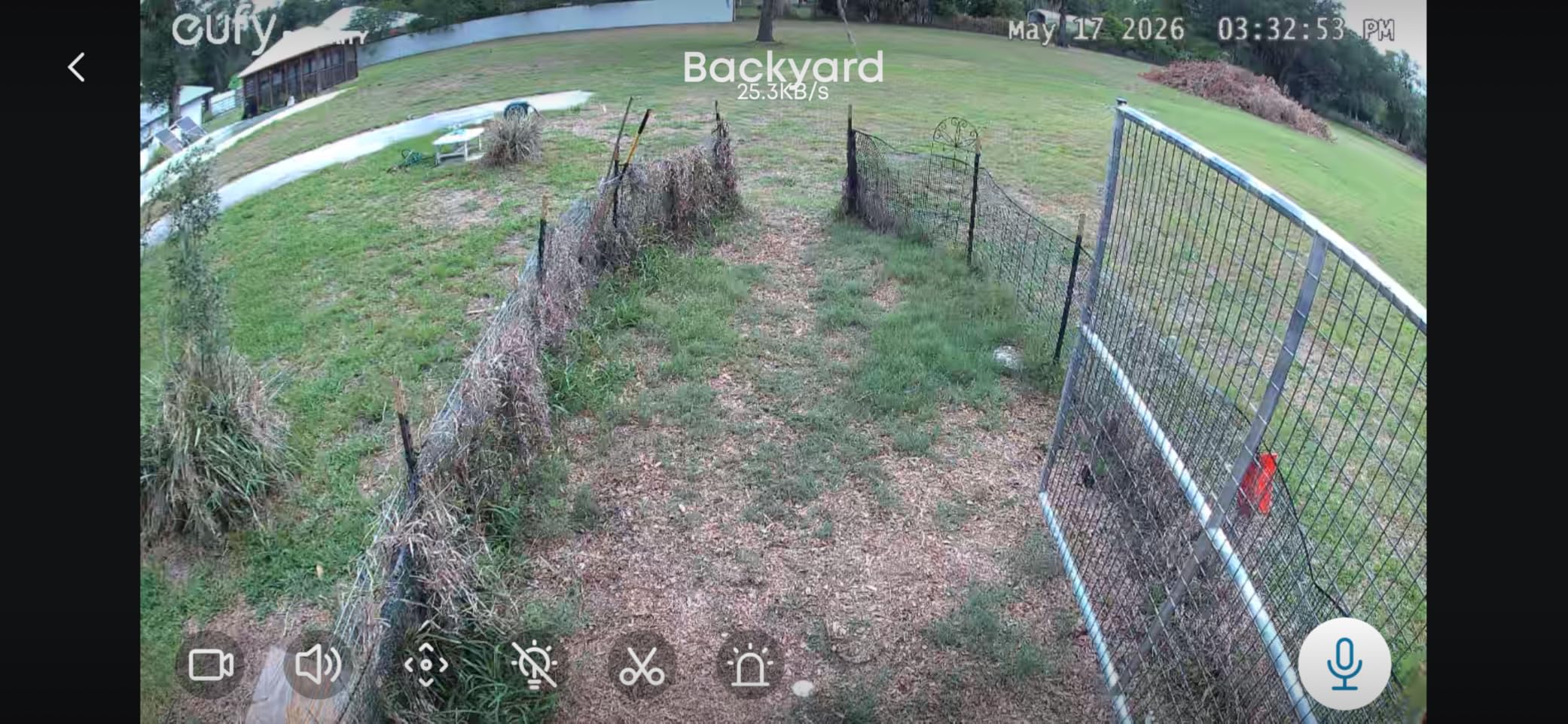
This is the direct answer to the most common question in this category, which is what to use when your coop sits past the edge of your network. The S330 runs on 4G LTE and Wi-Fi together and switches between them automatically, so you can set it up in the house on Wi-Fi and it will fall back to cellular when the coop is out of range.
Video is 4K with a 100-lumen spotlight, and the battery is 9,400mAh with a larger solar panel, which is the combination that makes long off-grid runs realistic. AI person and vehicle tracking follows movement across the 360-degree pan and tilt, and a 32GB SD card is included so local recording works out of the box.
The honest drawback is cost and complexity. A data-only cellular plan is an ongoing expense, and a reviewer base averaging 4.0 with a meaningful share of one-star feedback points at the setup process: SIM activation, carrier compatibility, and an app that some owners find fussy. The bundled EIOTCLUB SIM is compatible with the major US carriers, so you can start with that and switch to your own later.
IP55 is a slightly lower weather rating than the IP66 and IP67 models in this list, so mount it under an eave or behind a drip edge rather than fully exposed.
When cellular is the correct answer
It is correct for a barn, a pasture coop, a split-fence setup, or any building more than a short walk from your router. It is also the easiest path to alerts that reach you when you travel, since cellular coverage is far more widespread than your home Wi-Fi range.
Metadata is not the concern here: with 4K detail and a spotlight, identifying a predator that appears on the fence line is straightforward, and the dual-mode design means you can still view it on Wi-Fi when you are standing next to the camera.
When to choose something else
If your coop already has a solid Wi-Fi signal, this camera is over-engineered and you are paying for a cellular plan you will rarely need. The solar Wi-Fi models in this list deliver better value in that situation.
The 4.0 average rating is the lowest here, and reviews point at connectivity frustration rather than hardware failure. Set it up on Wi-Fi first, confirm the app is happy, then move it to the coop.
6. CHAMUTY Automatic Coop Door with Camera Review – When One Purchase Does Two Jobs
Automatic Chicken Coop Door with Camera, WiFi App, 5000mAh Solar Powered
1080P camera with night vision
7W solar panel plus 5000mAh battery
PIR alerts and alarm
Roll-up door
Pros
- Aluminum build handles outdoor weather
- Timer and light sensor automation
- Anti-pinch sensor stops and reverses
- Quiet motor does not frighten birds
- All screws included
Cons
- Door is not airtight and has flower cutouts
- Light sensor unreliable in rain or snow
- App setup needs a WiFi connection
No competitor in this category covers camera-equipped automatic coop doors, and that is a gap worth closing, because for a lot of keepers it is the obvious first purchase. You get a 1080P camera with night vision built into a roll-up automatic door powered by a 7W solar panel and a 5,000mAh battery, with a USB backup charging port for stretches of bad weather.
The camera angle is fixed and points out from the door, which means it frames the pop door and the ground immediately in front of it. That is not a roost camera, but it is a door camera, and it is the one angle that answers the question keepers ask most: did the door close, and did anything try to get under it while the flock slept.
PIR motion detection with app push notifications and an alarm function means you get a notification at the door rather than a hundred notifications from the whole run. Owners who already own a camera for the run describe this as the piece that finally lets them stop checking the app.
Why this solves two problems at once
If you do not already have an automatic door, adding a camera to the purchase is cheaper than buying a door and a separate camera later, and the power for both comes off one solar panel. The 9.4 by 5 by 13.7 inch footprint and 4.74 pound weight also mean it is a realistic unit for a small backyard coop rather than a farm-scale frame.
The anti-pinch safety is the detail that matters for a flock: the motor stops and reverses if it meets resistance, so a hen that lingers in the doorway is not trapped or injured.
What to know before you commit
The door is not airtight and includes decorative flower cutouts, which is deliberate airflow rather than a defect, but it does mean this unit is not a full predator seal on its own. The light sensor can be unreliable in rain or snow, so use the timer scheduling instead of trusting dusk detection.
App-based setup requires a WiFi connection during configuration, so a coop with no Wi-Fi at all is the wrong place for this particular unit. And if you already have a good interior camera, the value here is the door, not the optics.
7. Meidase P70 Review – Best Fully Offline Camera for Overnight Predator Work
Meidase P70 (Non-Cellular,Non-WiFi) Trail Camera, 64MP 1296p, Game Cameras with No-Glow IR Night Vision, Motion Activated, Waterproof for Wildlife Deer Cams, Hunting
64MP stills and 1296p video
0.1s trigger speed
100ft no-glow 940nm IR
IP66 ABS housing
Pros
- 64MP stills and clear video
- No-glow IR does not spook animals
- Fast 0.1s trigger with side sensors
- Color screen for field review
- Runs many months on 8 AA batteries
Cons
- SD card and batteries sold separately
- Shorter night video trigger distance
- Video can look soft on moving subjects
- No Wi-Fi or cellular at all
The P70 is a trail camera, not a security camera, and that is exactly why it is on this list. When eggs start going missing or a hen disappears and you have no idea when it happened, a trail camera gives you a timestamped record of every visitor through a whole night, with no Wi-Fi to drop out, no app to log into, and no subscription of any kind.
The 100-foot no-glow 940nm infrared illumination is the standout feature for a coop, because it does not produce the red glow that can bother roosting birds or alert a wary predator that something is watching. A 0.1-second trigger speed with side motion sensors catches fast-moving animals before they clear the frame, and reviewers consistently praise how rarely that combination misses something.
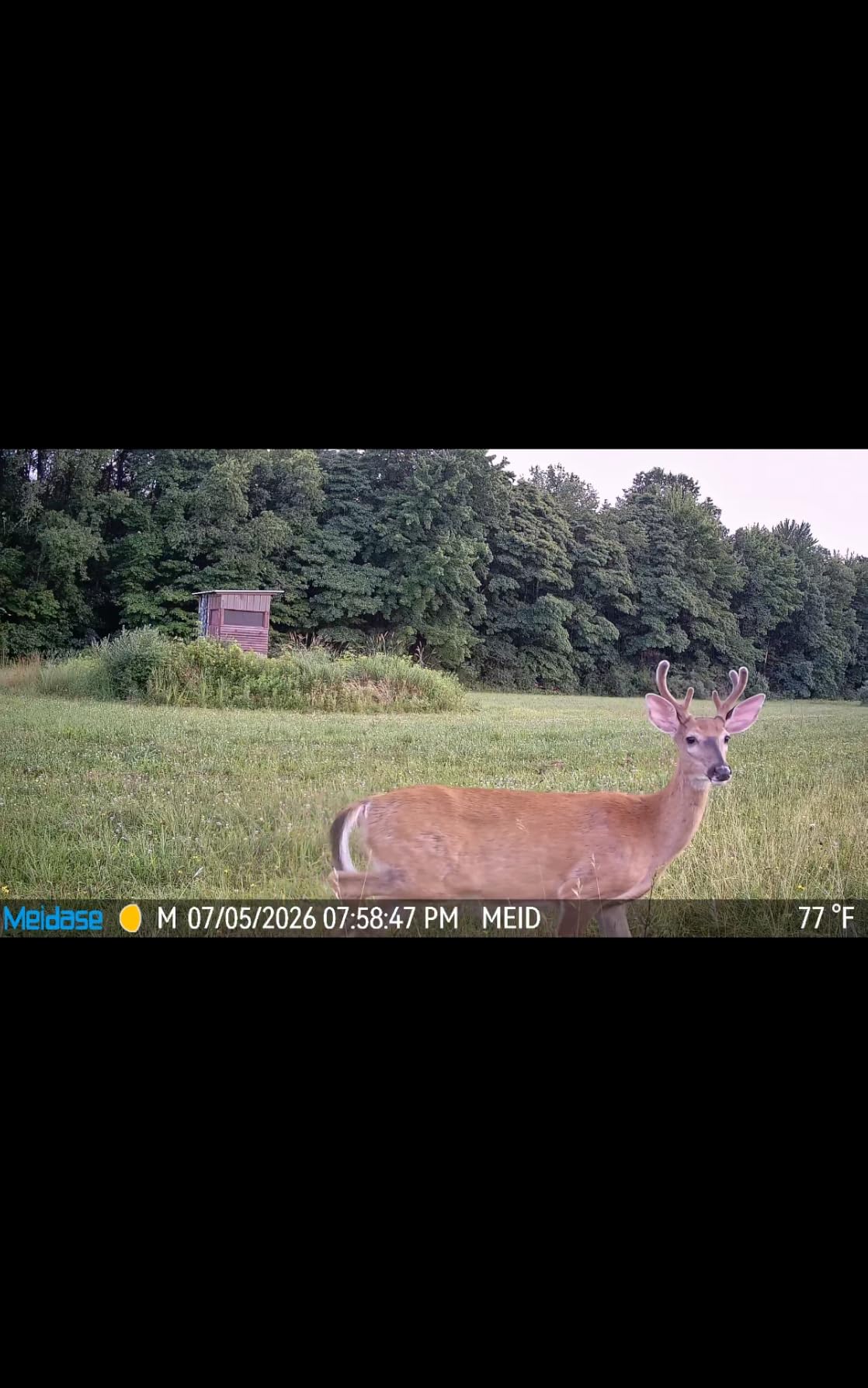
Daylight stills are 64MP and video is 1296p at 30fps in MP4 or MOV with H.264 compression, so playback on a laptop is quick. The 2.4-inch color screen on the back lets you review shots in the field without carrying a computer, which turns this into a genuinely usable tool rather than a device you only check in January.
It runs on 8 AA batteries for many months, or indefinitely with a compatible Meidase solar panel, and the IP66 ABS housing has survived repeated weather exposure. The included 6 foot mounting strap covers most fence posts and coop corners.
When a trail camera beats a security camera
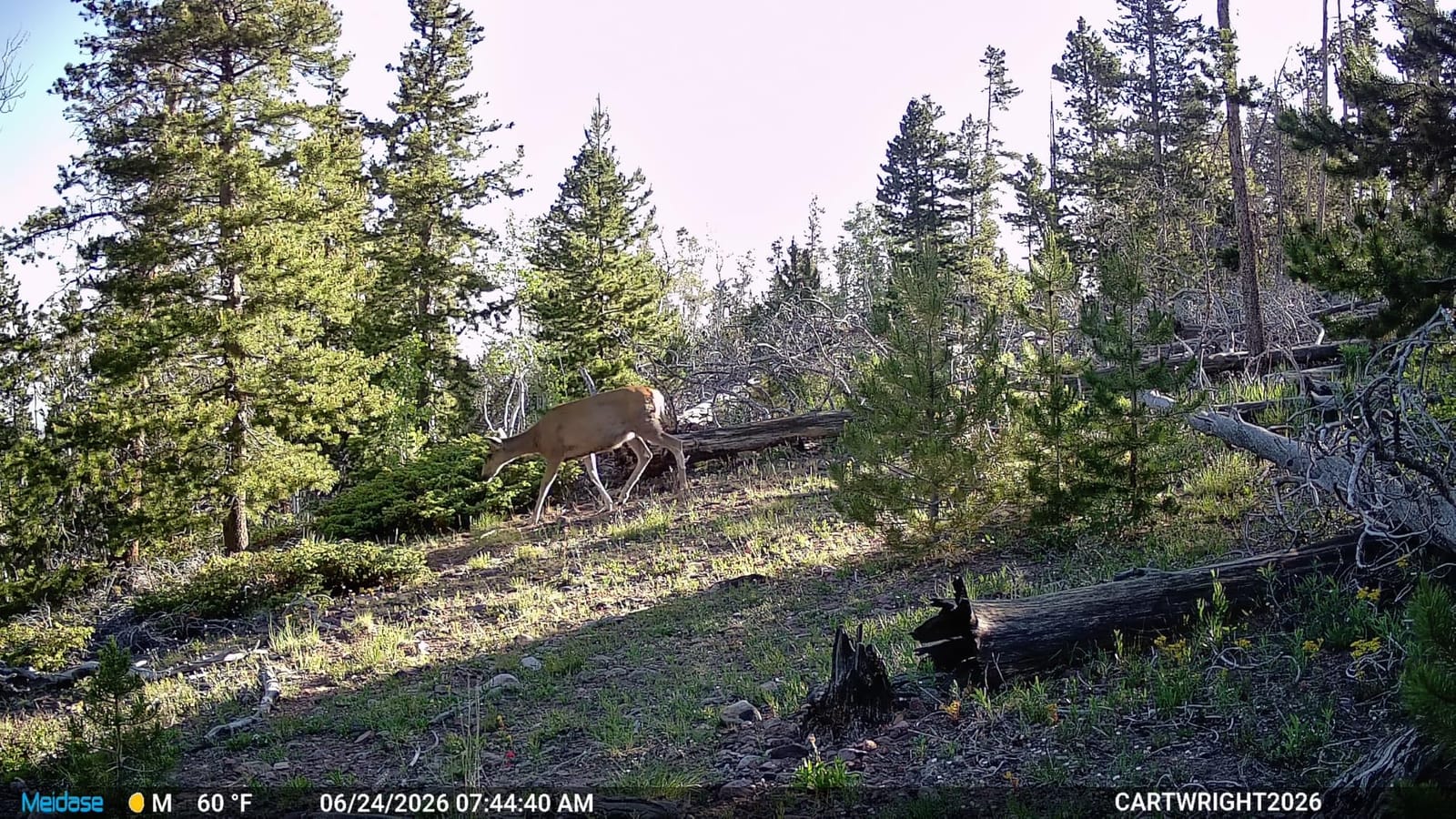
It wins when your problem is evidence rather than monitoring. No live view, no alerts, no app, but a complete record of the night and a card you can pull whenever you choose. Homesteaders with cellular trail cameras cite exactly this when eggs go missing, because the constant connectivity of a smart camera is beside the point when you just want to know what came through.
It also wins as a second camera. A trail camera low on the fence line plus a security camera on the coop covers two very different angles without any network at all.
What it costs you in convenience
The SD card and 8 AA batteries are not included, so budget for both before the first deployment. There is no remote access of any kind, which means you find out what happened when you walk out to the coop.
Night video trigger distance is roughly 15 feet, noticeably shorter than the 100-foot still-photo range, and video can look soft on a subject that is moving. Use it for identification and timing rather than for recording a clean clip.
8. Arlo Essential Wireless 2K Review – Best When 2.4GHz Alone Will Not Hold
Arlo Essential Wireless Security Camera 2K (3rd Gen) – 1-Cam
2K at 24fps with 130 degree view
Dual-band Wi-Fi
Color night to 16 feet
Battery and wireless install
Pros
- Reliable dual-band connection
- Clear 2K daytime image
- Quick wireless install
- Built-in spotlight gives color night
- Works with Alexa and Apple Home
Cons
- Video history and alerts need a paid plan
- Sixteen foot night range is the shortest here
- Fixed view with no pan or tilt
- No local storage included
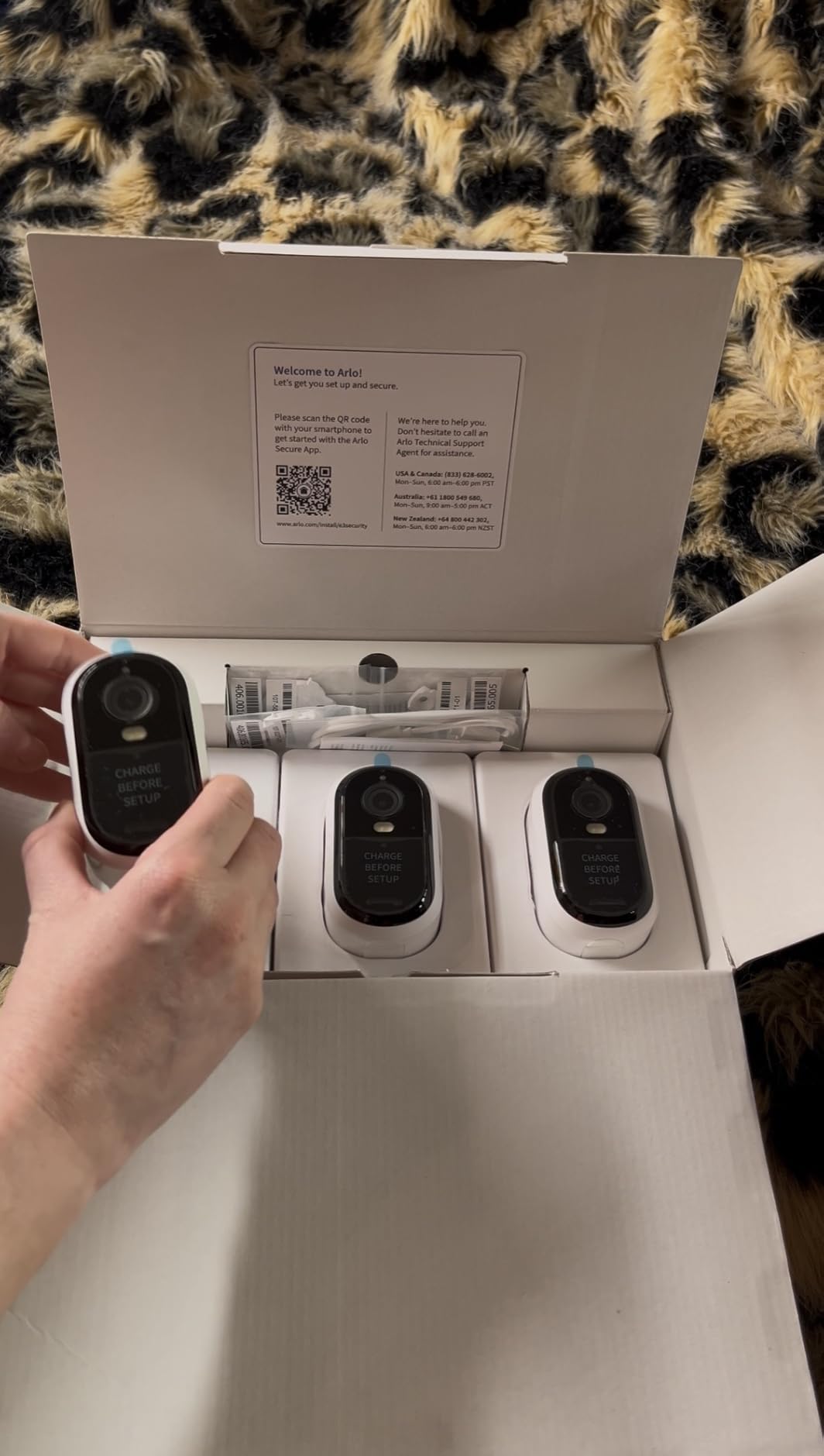
The Arlo is the odd one out in this list, and that is why it is worth a look. It is the only camera here with dual-band Wi-Fi, which matters if your router splits the 2.4 and 5 GHz bands and your outdoor coverage is weak on 2.4 GHz alone. Most of the cameras in this category are 2.4 GHz only, so if yours struggles, this is the model to try before you conclude the coop is simply too far away.
Daytime image is 2K at 24fps across a 130-degree field of view with 12x digital zoom, and a rechargeable lithium battery with a screw-in install means no cable to the camera. The built-in spotlight gives usable color night video, and two-way audio with a remote siren covers the deterrent angle.
Detection covers person, vehicle, pet, and package, and it works with Alexa, Apple Home, Google Home, SmartThings, and IFTTT, which makes it the easiest of the eight to fold into a smart home you already run.
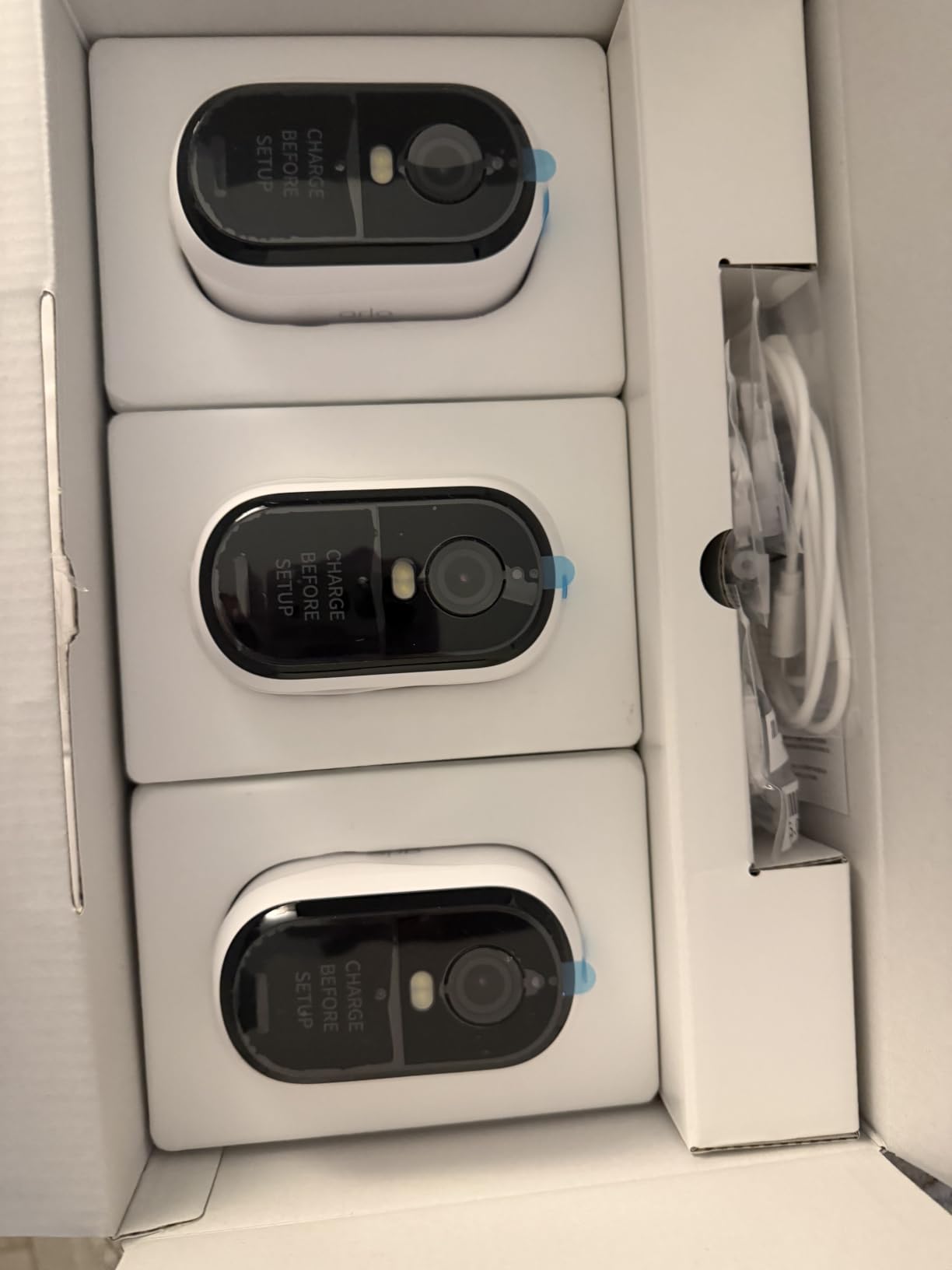
The catch is Arlo’s plan structure. Streaming and basic motion alerts work without a subscription, but features like 60-day video history and emergency response sit behind the Arlo Secure plan after a one-month trial. If your reason for buying a coop camera is alerts while you travel, that is the feature you are actually paying for.
Night range is about 16 feet, the shortest of the group, and the view is fixed. The 2.34 by 2.09 by 3.68 inch body and 0.38 kilogram weight make it easy to place high on a corner post.
When Arlo earns a place at the coop
It fits households already invested in the Arlo ecosystem or in a mixed smart home, and coops where dual-band Wi-Fi is the difference between a stable feed and a constant reconnect. Wireless battery install also means you can move the camera seasonally without an electrician.
Package detection is not relevant to a coop, but the pet detection is, since the most common nighttime visitor in a suburban run is a neighbor’s cat or dog.
Where it falls behind
No local storage ships with it, so without a plan you are relying on whatever the free tier retains. If subscription-free recording is a hard requirement, choose a camera with a microSD slot or onboard memory.
The 24fps rate and 16 foot night range both trail the Tapo and eufy models, and at 496 reviews it carries the thinnest owner feedback base in this list, so treat the reported experience as less settled.
Wi-Fi, Cellular, or Wired: Start With Your Infrastructure
The most useful thing we can tell you is that the camera decision starts with the infrastructure you already have, not with the camera. Answer three questions first. Do you have an outlet at or near the coop? Can you get a usable Wi-Fi signal out there? Do you need to see the flock live, or do you only need a record of what happened overnight?
Those answers narrow the list to two or three models. Buyers who start with resolution and megapixels end up with a camera that cannot hold a connection or a battery that dies in January.
Test the Wi-Fi before you buy. A phone showing four bars at the coop is not a guarantee, because a phone is held at head height close to the access point while a mounted camera sits lower, behind a wall, and inside a metal-roofed structure. The procedure is in the dedicated section below.
One more consideration for rural setups: a coop camera is often the only camera covering a whole property, which is why the privacy question comes up more often in chicken communities than in general security forums. The mitigation is straightforward and covered in the storage section below.
Best Chicken Coop Camera Without Wi-Fi
The best chicken coop camera when there is no Wi-Fi is a cellular model with 4G LTE, mounted on solar power, recording to an onboard SD card. It works because the camera connects over the mobile network instead of your router, and local recording means you still get your footage without paying a cloud subscription. A trail camera is the second option when you only need an overnight record and no live view at all.
Two cautions apply. First, a cellular camera needs a data-only plan for continuous use, which is a recurring cost that Wi-Fi models do not carry. Second, configure the camera on Wi-Fi in the house before you mount it, because SIM activation and app pairing are far easier at a table than on a ladder in the rain.
Watch for a model-number trap here. Several brands use nearly identical numbers for very different hardware, and two different eufy products in particular have been sold under a similar designation, one cellular and one hub-connected. Check the spec list for LTE, not just the model family.
Plug-In vs Battery vs Solar, and What Winter Does to Both
Plug-in power is the most reliable option and the one most coops cannot use, because running a cable to a backyard coop is the single biggest install hurdle most keepers describe. If you already have an outlet, a shaded porch, or a covered light fixture near the coop, wired power removes charging from the equation permanently.
Battery power is the flexible choice, and the number you see printed is measured under ideal conditions. Cold cuts battery capacity, and a camera that records reliably in October may be waking up on reserve in January. Any battery camera in a cold climate should be treated as a camera that needs a charge every few weeks in midwinter.
Solar charging solves the battery problem only in one specific way: it keeps topping the battery up whenever there is light. Note the temperature floor, because it is the detail that catches people out. The Tapo solar model in this list documents charging above 32F, so in a real winter you are relying on stored battery for weeks at a time regardless of the panel.
The practical compromise most experienced keepers land on is a wired camera for the coop interior, where power is easier to run, and a solar or battery camera for the run and fence line where it is not. That pairing also spreads your alert settings across two very different views, which reduces the wall of notifications problem.
Night Vision That Does Not Disturb the Flock
Night vision will not hurt your chickens, but the wrong kind can push them off the roost, and that is the single most common worry in chicken camera threads. Infrared LEDs are outside the visible spectrum for birds in the way household light is not, but most cameras use IR that glows red to the human eye, and that glow is what people notice and worry about.
Invisible 940nm infrared is the answer for inside-the-coop placement. The Tapo C120 in this list has a dedicated invisible IR mode that switches off the visible LEDs while still illuminating in darkness, which is the closest thing to an invisible camera and the feature that most reduces the anxiety about installing a light source over a roosting area.
Color night vision, available on the eufy S340, the Tapo solar model, and the Arlo, uses a starlight sensor or a spotlight. It produces the best-looking footage, and it is also the one most likely to disturb birds if it points at the roost. Aim color night cameras at the run and the fence line, and use invisible IR for the coop interior.
Simple rule: never point a spotlight or color night mode at the roosting bar. A camera watching the run all night in color is fine. A light aimed at birds trying to sleep is not.
Local Storage vs Cloud Subscription
Most of the cameras in this list can record to local storage with no subscription at all, and for a coop camera that is usually the better choice. A microSD card up to 512GB or a few gigabytes of onboard memory will hold weeks of event clips for a flock that is not doing anything unusual, and nothing leaves your property.
Cloud storage buys you off-site history and remote playback when the camera itself has been stolen or destroyed, which during a predator event is a real possibility. It also costs a monthly fee per camera per year that adds up faster than most keepers expect, and several keepers describe subscription fatigue as the main reason they moved to local recording in the first place.
Two failure modes are worth planning around. Some brands publish conflicting maximum card capacities across their own support pages, so confirm the largest card your exact model supports before buying. And if a camera is breached, footage on a card in the coop is gone with the camera, while cloud footage may still exist. Local-first setups reduce your exposure; they do not eliminate it.
Arlo is the clearest case in this list where the plan is central. Streaming and basic alerts are free, while video history and smart alert features sit behind the paid plan after the trial, so work out which of those you actually need before you install it.
Inside the Coop or Watching the Run: How Many Cameras Do You Need?
Most flocks need two cameras, pointed at two different things, and one camera rarely does both jobs well. The interior camera answers behavioral questions: did the birds go to roost, is anyone limping, did the pop door close, are the nest boxes being used. It sits high in a corner, out of reach, angled down.
The exterior camera answers security questions: what came through the fence at two in the morning, is something digging under the run, is the flock clustered in one corner because of a threat. It sits on the run perimeter, higher and further back, with a wider view and, ideally, the ability to pan or tilt.
Watch the run perimeter rather than the pop door for predator work, because that is where intrusion happens. If you are buying one camera only, choose the run view for security or the interior view for flock health, and accept that the other angle goes uncovered for now.
A camera-equipped automatic door covers a third angle that neither of those does, which is why the CHAMUTY unit earns a place in this list even though it is not a conventional security camera.
Trail Cameras vs Security Cameras
Trail cameras win on evidence and lose on convenience. They trigger in under a second, use no-glow infrared that will not spook what you are filming, run for months on batteries, and never touch a network. What you give up is live view, push alerts, and any idea of what happened until you walk out and pull the card.
Security cameras win on immediacy. Live view from your phone, an alert the moment something moves, cloud or card recording on your schedule, and two-way audio if you want to shout at a raccoon. What you give up is a wider trigger speed, a narrower night illumination range that often glows, and a power source that needs attention.
The strongest setup for predator investigation uses both. A trail camera low on the fence line records the visit in detail while the security camera on the coop sends you the alert that something is there at all.
If you already own a trail camera for your property, a coop is a natural place to redeploy it rather than buying new hardware.
How to Test Wi-Fi at the Coop Before You Buy
Do this before you spend anything, because a camera that cannot hold a connection is the most common regret in this category. It takes ten minutes and no equipment beyond your phone.
Stand in the exact spot where you plan to mount the camera, at the height you plan to mount it. Phones hold the device near your head and lean toward the access point, so a good phone reading means very little.
Open a speed test app and run it three times, ten seconds apart. You are looking for consistency, not peak speed. A connection that swings wildly between runs is worse than a lower number that holds steady.
Check your router for 2.4GHz broadcast. Most coop cameras in this category only join 2.4GHz, and a router with separate bands will not always put that band outdoors. If the camera you want is dual-band, like the Arlo, this step matters less.
Watch for interference sources: metal roofing, a foil-backed insulation, a chain link fence, and a microwave or wireless speaker on the same band. Metal roofing is the usual culprit for a coop that technically has Wi-Fi but never holds it.
If the test fails, the fix is an outdoor access point or mesh node mounted within sight of the coop rather than a different camera. Improving the network fixes every camera you might buy later.
The same network thinking applies to the hardware itself. Before you finalise a build, it is worth reading our 8 best mirrorless cameras tested and ranked only if you plan to film your flock directly, and our guide to neutral density filters if daylight filming of the run is part of the plan. Neither substitutes for a fixed monitoring camera, but both help if you want stills or video of the birds rather than footage of a predator.
How to Stop Constant Motion Alerts From a Yard Full of Chickens
Constant alerts are the number one complaint in every chicken camera thread we looked at, and the fix is configuration, not a better camera. Most people solve it by muting the notifications and then wondering why they never check the app.
Set detection to animals, people, or vehicles only, and exclude person and vehicle if you have no need for them. On a run watched for predators, animal-only is the setting that matters.
Draw activity zones around the run fence, the gate, and the pop door, then delete the zones you do not care about. A zone covering the whole yard is the same as having no zones at all.
Drop motion sensitivity below maximum. In a coop full of birds, a lower threshold is the difference between a notification worth reading and one you swipe away without thinking.
Mask fixed movement you cannot control, such as a swinging gate or a tree branch. If you cannot exclude a branch, move the camera or narrow the zone rather than muting the whole camera.
Use schedules. Most of these apps let you go quiet during the day when you are home and enable alerts only for the hours you are away or asleep, which is when you actually want to know.
Common Chicken Coop Camera Mistakes
A dozen keepers would give you the same list, and most of the mistakes cost nothing to avoid. These are the ones that came up repeatedly across the community threads and the reviews.
Testing Wi-Fi from inside the house instead of at the coop. The number on your phone at the kitchen table tells you nothing about the run.
Mounting a camera where a chicken can reach it. Even with a plastic housing, a determined hen will peck at a lens eventually, and the housing is rarely the part that breaks first.
Pointing a spotlight or color night mode at the roost. The birds will move off the bar, and then you have lost the very view you installed the camera for.
Forgetting that dust and ammonia are a real maintenance issue. Lenses fog with dust, cobwebs form in corners, and the housing corrodes faster in a damp coop. A pack of lens wipes and a monthly wipe-down is part of owning a coop camera.
Expecting the camera to stop predators. It cannot. A single chicken loss is usually a gap in hardware cloth, a loose latch, or a digging animal, and the camera is only there to tell you which.
Buying a bird feeder camera by mistake. Feeder cameras in the same shopping results are built for a close-up view of birds at a perch, with a narrow field of view and no night coverage of a whole run. They are the wrong product for a coop.
Ignoring the subscription terms because live view works for free. Several models stream free but hold history and smart alerts behind a plan, so the useful footage is the part that expires.
Placing the panel in shade. A solar panel under a tree canopy or on the shaded side of a roof will disappoint you, and panel position matters more than panel wattage.
Buying the most expensive camera in the list for a small flock. Six birds in a short run are perfectly manageable with a 1080p fixed view, and the budget models here handle it.
Wiring a camera into an automatic coop door circuit without checking voltage. It is a common idea and a common source of fried boards, because door controllers and camera power demands rarely match.
Skipping the seasonal reposition. Sun angles change, foliage grows, and a camera aimed well in July may be shooting through a branch by October.
Frequently Asked Questions
What kind of surveillance camera is best for a chicken coop?
A weatherproof outdoor camera rated IP65 or better, with invisible 940nm infrared for inside the coop and a wide view of the run, records to a microSD card so no subscription is required. The Tapo C120 2K+ is our top pick when you can run power to the coop, because it combines an IP66 rating, invisible IR night mode, and free person and pet detection.
What is the best camera for a chicken coop that doesn’t have Wi-Fi?
A 4G LTE cellular camera on solar power, recording to an onboard SD card. The eufy 4G LTE Cam S330 is our pick because it runs on 4G LTE and Wi-Fi dual mode and switches automatically, so you can set it up indoors and rely on cellular at the coop. A trail camera is the second option when you only need an overnight record.
Which outdoor camera is best without a subscription?
The Tapo C120 2K+ records to a microSD card up to 512GB with no plan required, and the eufy SoloCam S340 and S220 both carry built-in local storage of 8GB with no monthly fee. The eufy 4G LTE Cam S330 ships with a 32GB SD card. By contrast, the Arlo Essential keeps history and smart alerts behind a paid plan.
What resolution is enough to identify a predator?
2K QHD is the practical floor for identifying a predator on a fence line, which is why our top pick uses a 2K 4MP sensor. 1080p is enough to confirm that the automatic door closed or that the flock is settled, but not to tell species apart at distance. 3K and 4K help when the animal is distant or moving.
Will night vision bother chickens?
Infrared night vision will not harm your flock, but red-glowing IR LEDs can push birds off the roost if the camera points at the perching bar. A camera with a dedicated invisible 940nm IR mode, such as the Tapo C120, avoids visible light entirely. Keep color night vision and spotlights aimed at the run, not at roosting birds.
Should a chicken coop camera be inside or outside?
Inside for flock health, outside for predator work. An interior camera answers whether birds are on the roost, whether anyone is limping, and whether the pop door closed, so mount it high in a corner out of reach. An exterior camera should watch the run perimeter and fence line, which is where intrusions actually happen. Most keepers end up wanting both.
Do chicken coop cameras need a subscription?
Most of the cameras in this roundup do not. The Tapo C120 and Tapo solar model record to a microSD card, and the eufy S340 and S220 store footage on 8GB of built-in memory, all with no monthly fee. Cloud plans are optional and mainly add off-site history, which matters if you want footage to survive the theft or destruction of the camera itself.
Can a solar chicken coop camera work in winter?
Partly. Solar panels keep charging the battery whenever there is light, but most models stop charging below about 32F, so midwinter runs on stored battery. The Tapo solar model documents a charging range above 32F. In cold climates, treat a solar camera as a battery camera and check it every few weeks through a cold snap.
Conclusion: Where to Start
Start with your infrastructure. If you can run power to the coop and have tested the Wi-Fi out there, the best chicken coop cameras for monitoring flocks come down to the Tapo C120 2K+, which is our top pick for the invisible IR night mode and free local storage, or the eufy SoloCam S340 if you want 3K detail and color night without a cable. Both record locally with no subscription.
If the coop is beyond your Wi-Fi range, choose the eufy 4G LTE Cam S330 and set it up indoors before mounting it. If you only need a record of what came through the fence overnight and you never want to think about a network again, the Meidase P70 trail camera is the cheapest and most reliable option in this list. If you do not already have an automatic door, the CHAMUTY door-and-camera unit covers an angle nothing else here does.
Whichever you choose, test the connection at the coop before you mount anything, set your detection zones before you leave, and remember that the camera tells you what happened. The hardware cloth and the latches are what keep the birds.