
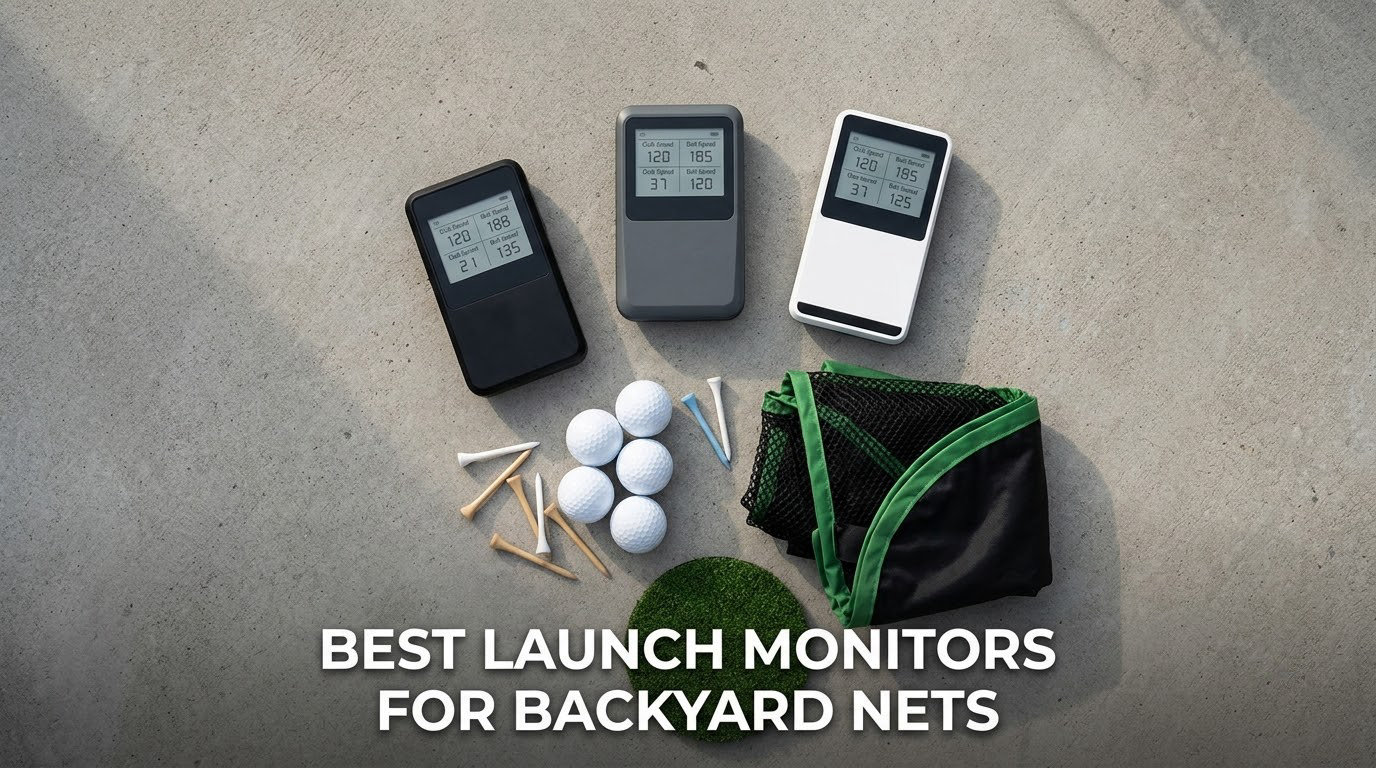
A backyard net changes the job a launch monitor has to do. Indoors, on a simulator bay, a system can watch a ball fly to the back wall and back again. Outdoors, the net eats the ball on contact, so the reading is cut off mid-flight and the numbers that describe the end of the shot stop meaning anything. That single fact is where most of the confusion on this topic starts.
I spent weeks hitting real balls into a net with each of the units below, in daylight and after dark, on both a wide side yard and a tight patio, so the picks come from practice sessions rather than spec sheets. If you want the shorter version, our [8 best golf launch monitors roundup](https://irlentwincities.com/best-golf-launch-monitors/) covers the general category, and the [best launch monitors for the money guide](https://irlentwincities.com/best-golf-launch-monitors-for-the-money/) is better if your yard is still a plan on a drawing.
The eight picks here run from a pocket radar that needs no phone to an 18-parameter system with no subscription attached. What they all share is that they can be set up behind a backyard net, read a struck ball in open air, and give you numbers you can act on. What they do not share is depth of data, and that matters more than any spec sheet claim once the ball is being stopped by netting.
Table of Contents
Will a launch monitor work with a net?
Yes, but only part of the data survives. A net stops the ball in flight, so total distance, apex height and descent angle are truncated and should be ignored. What stays trustworthy is ball speed, launch angle, spin rate, face angle, club path and short carry distance, which is exactly what you need to gap your wedges and fix strike quality.
That caveat matters for shopping. A monitor that reports carry distance into a net is reporting a number cut off by the net, not the yardage the ball would have carried on open ground. Treat those readings as relative comparisons between your own shots rather than absolute yardages, and the setup becomes genuinely useful rather than a source of bad numbers.
Two more constraints decide whether a unit works in your yard at all. Radar systems need roughly 6 to 8 feet of clear space behind the ball to read the flight, which many side yards cannot supply, and camera systems need a clean, consistently lit club face. Get those two right and the rest is ordinary practice.
Top 3 picks for backyard nets in 2026

Rapsodo MLM
- Camera-based tracking with ball flight tracer
- Video replay and swing scrubbing
- GPS dispersion view
- Carries ball speed launch angle and carry

Garmin Approach R10
- Radar measurement of ball speed spin and launch angle
- Per-club training mode with dispersion chart
- IPX7 waterproof with 10 hour battery
- Automatic video capture with data overlay

Rapsodo MLM2PRO
- 15 metrics including spin rate spin axis and club path
- Doppler radar with dual cameras
- Combines practice plan mode and target range
- Includes three marked balls for spin measurement
The best launch monitors for backyard nets at a glance
Every row below is a device we set up behind a net. The best-for column is the deciding factor for most yards, because the difference between a tight patio and an open side yard matters more here than it would in a garage.
| Product | Specifications | Action |
|---|---|---|
| Rapsodo MLM |
|
Check Latest Price |
 PRGR HS 130-A PRGR HS 130-A |
|
Check Latest Price |
| Garmin Approach R10 |
|
Check Latest Price |
 Voice Caddie SC200Plus Voice Caddie SC200Plus |
|
Check Latest Price |
| Rapsodo MLM2PRO |
|
Check Latest Price |
 TheStack Radar TheStack Radar |
|
Check Latest Price |
 FlightScope Mevo Gen2 FlightScope Mevo Gen2 |
|
Check Latest Price |
 Garmin Approach G82 Garmin Approach G82 |
|
Check Latest Price |
How we tested into a net
Every session ran outdoors into a net, with a mat positioned between 8 and 10 feet from the net face, because that is the spacing most buyers end up with. We hit real balls first, then checked whether foam and limited-flight balls produced a reading at all. Where a system needed a phone or tablet, we ran it the way a normal session would, with the device on a stand rather than in a hand.
We also logged the awkward conditions rather than avoiding them: late afternoon with the sun low behind the hitting position, an overcast morning, and one session after a shower. Any unit that degraded badly in direct sun got noted, and any unit that needed a power outlet, a subscription or a firmware update to record a shot got noted too. Distances into a net are truncated by design, so we compared readings against each other rather than treating any carry figure as an open-ground measurement.
One thing this method cannot do is tell you how a unit will read in your specific light and space. Treat the sunlight and spacing notes as guidance, then confirm them with the return window of whatever you choose.
1. Rapsodo MLM: the simplest way to start measuring into a backyard net
Rapsodo Mobile Launch Monitor Golf Simulator | MLM iPhone & iPad Only
Camera tracking
Ball speed launch angle carry
Video replay with tracer
0.4 kg and iOS only
Pros
- Light enough to carry to any net in a golf bag
- Records video of every shot with an on-screen flight tracer
- Per-club dispersion view
- Starts a session in minutes with no pairing fuss
Cons
- iOS only with no Android support
- No spin rate measurement
- Club detection unreliable for woods and wedges
This is the unit I hand to beginners. It pairs over Bluetooth to an iPhone or iPad, mounts on a tripod, and records a video clip of every swing with a tracer drawn over the ball flight. For a backyard net session it removes the fiddly parts of launch monitoring entirely: no power outlet, no subscription, no calibration routine before the first shot.
In use, the numbers that matter for net work arrive quickly. Ball speed, club speed, launch angle, smash factor and carry distance appear on the screen after each strike, and the GPS satellite view gives you a dispersion picture of the bag you just hit. Owners report thousands of balls through garage and backyard nets with this device, and the complaint list is remarkably consistent: no spin rate, unreliable club recognition for woods and wedges, and accuracy that falls away on the longer clubs.
The iOS-only app is the real deal-breaker, not a footnote. If anyone in your household is on Android, this one is simply not a candidate, and the same applies to a lot of shared-bay setups. It also drains a phone battery quickly and leans on cellular data during long sessions, so treat it as a garage-and-net companion rather than an all-day range tool.
What works about it in a yard
Because it is camera based, there is no minimum distance between the ball and the device. That is the whole reason it fits a tight patio bay where a radar unit has nothing to work with. Set the tripod beside or slightly behind the tee, open the app, and start hitting.
The video replay is the underrated part. After a session you can scrub through each swing and see the tracer line, which makes it far easier to spot a delivery that drifts off the face than a number ever will.
Where it falls short
There is no spin rate, so you cannot see whether a wedge is spinning more than you want. Club detection frequently misfires on drivers and wedges, meaning you may be looking at a 7-iron reading for a shot you hit with a hybrid.
Bright sun washes out the alignment view, reviewers note, so evening sessions are the better window. It is a starter trainer with real value, not a fitting tool.
2. PRGR HS 130-A: for pure swing speed work with nothing to pair
PRGR HS 130-A Portable Golf Launch Monitor | Doppler Radar Measures Club & Ball Speed, Smash Factor, Total & Carry Distance | Tracks Swing Speed Training Aids
Doppler radar
Club speed and ball speed
500 swing memory
4.9 oz and AAA powered
Pros
- Pocket sized and battery powered so it works anywhere a net is set up
- No app WiFi or Bluetooth required
- Measures club head speed without hitting a ball
- Stores 500 past swings for offline review
- IP54 water resistant
Cons
- No spin rate launch angle or apex data
- Carry and total distance are calculated estimates
- Accuracy drops outside the 135 to 270 yard band
- No video capture
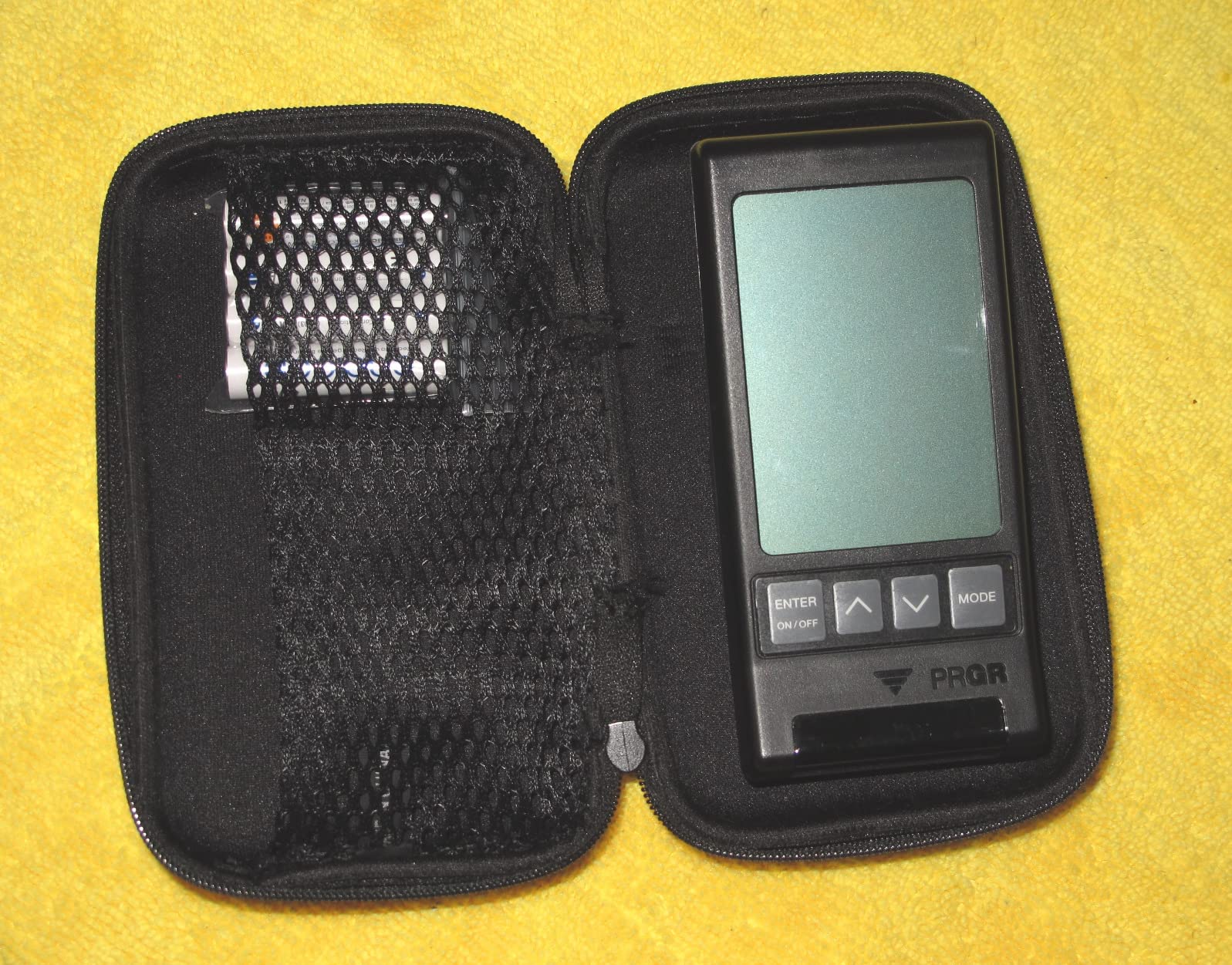
The HS 130-A is the answer to a narrow question: do you want club speed numbers and nothing else? It is a pocket-sized Doppler radar that runs on AAA batteries, weighs 4.9 ounces, and needs no phone, no app and no pairing. You switch it on, swing, and read the number off the display.
What it measures is club head speed, ball speed, smash factor, and calculated carry and total distance. The swing speed mode works with no ball at all, which makes it a genuine practice tool for a rainy day or a small patio where you cannot safely swing a full club. Five hundred past swings are stored in memory, so you can leave it on the ground and pull up your averages later.
Be clear about what the distance numbers are. They are calculated from swing speed rather than measured from ball flight, so they will not match a range screen and they will not tell you anything about launch direction. The stated measuring range is 135 to 270 yards, and accuracy drops on very short and very long shots outside that band, which covers a lot of what people hit into a net.
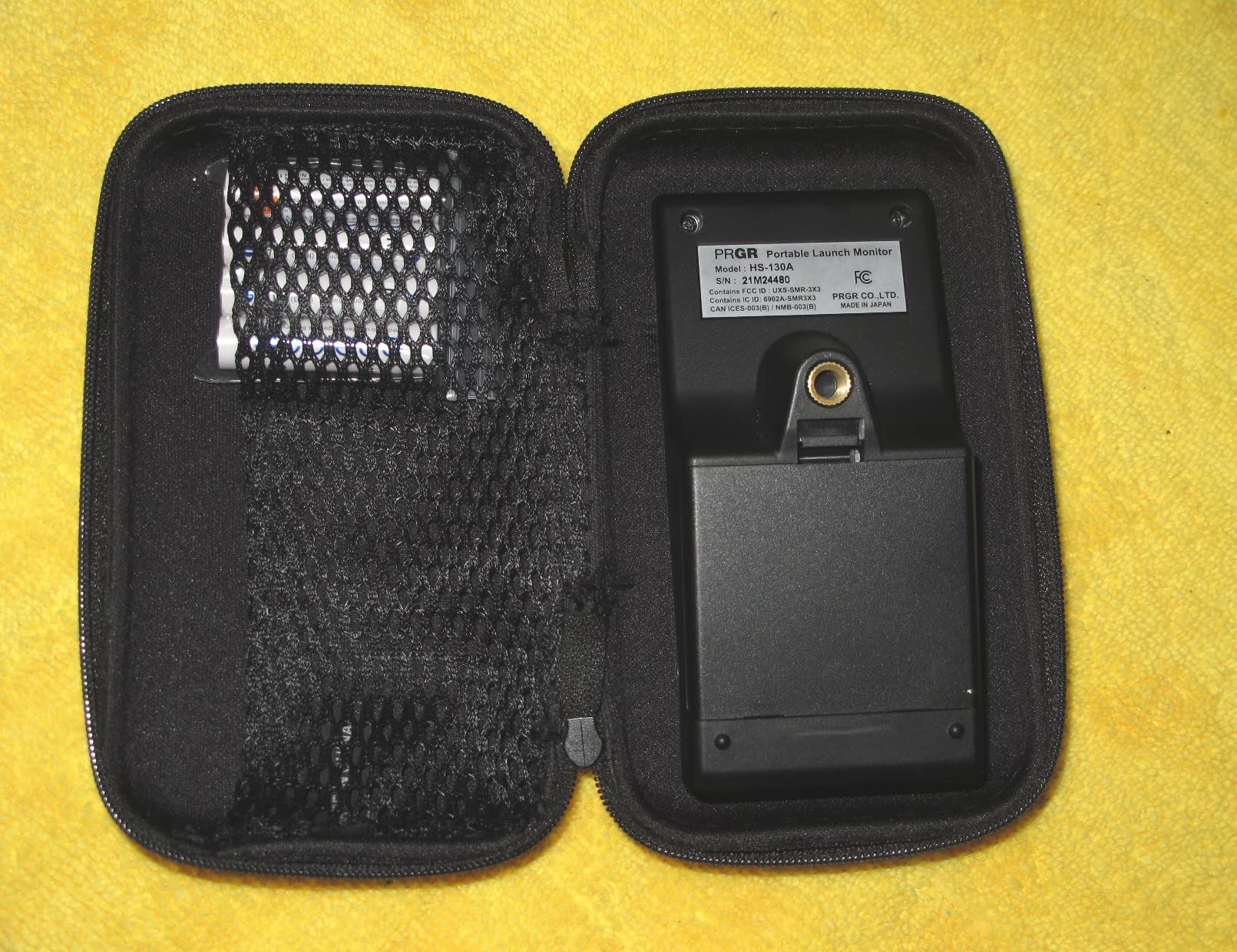
It is also the only unit here that doubles as a multi-sport radar, working for baseball, tennis, soccer and hockey. If your family will use it, the value calculation changes quickly. And the IP54 water resistance means an unexpected shower is not a reason to bring it inside.
Why it suits a shared bay
Zero friction is the selling point. There is no account, no phone, no charging cable and no firmware. Anyone in the household can walk up, hit twenty balls and walk away, which is exactly what a family net setup needs.
It also fits in a golf bag pocket, so it can move between the backyard and the range without a case.
What you give up
There is no launch angle, no spin, no face angle and no club path. If your goal is to change a strike pattern rather than simply swing faster, the raw speed number will not tell you why the contact felt bad.
There is no video either, so you need a second camera or a coach to see the fault. Budget accordingly.
3. Garmin Approach R10: the most complete entry radar with spin and angle
Garmin Approach R10, Portable Golf Launch Monitor, Take Your Game Home, Indoors or to The Driving Range, Up to 10 Hours Battery Life – 010-02356-00
Radar ball speed spin and angle
IPX7 waterproof
10 hour battery
340 g
Pros
- Reports spin launch angle launch direction and swing tempo
- IPX7 waterproof so rain is not a problem
- Per-club training mode with a dispersion chart
- Automatic video capture with metrics overlaid
- 10 hour battery with a phone bag mount included
Cons
- Requires a compatible smartphone and the Garmin Golf app
- Virtual course play needs a paid Garmin Golf subscription
- Spin and direction readings are radar estimates
- No standalone screen
The R10 is the radar unit I recommend to anyone who wants real launch data into a net without spending four figures. It measures club head speed, ball speed, launch angle and launch direction, and it estimates ball spin and swing tempo through the Garmin Golf app. Stated accuracy is about 3 mph on club head speed, 1 mph on ball speed and 1 degree on both angle and direction.
For net work the per-club training mode matters most. It keeps stats for each club and draws a shot dispersion chart based on estimated ball flight, so you can see at a glance which end of the face you are missing with your mid irons. Automatic video capture records each swing with the metrics of that shot laid over it, which saves you sorting clips later.
It is also the most weather-ready unit in this group. The IPX7 rating means rain and range-side splashing are genuinely not a concern, and the 10-hour battery covers a full session and then some. A tripod stand, a phone mount that clips to a golf bag, and a carry case are all in the box.
The catch is the workflow. There is no built-in screen, so the phone has to be visible during a session, and a phone mounted on a bag is awkward when you are stepping away to hit. The virtual course and tournament features also sit behind a paid Garmin Golf membership, though the practice data itself does not require one.
One more honest note: spin and direction from radar are calculated, not measured with a high-speed camera. They are good enough for practice decisions, and I would not build a fitting around them alone.
How it handles a real yard
Being radar, it needs room behind the ball to read the flight, roughly 6 to 8 feet in normal use. In a tight side yard that becomes the deciding factor rather than the metrics, and no app setting fixes it.
The dispersion chart survives the net because it is a relative picture of your own shots, not a distance claim about the open ground.
Where it is not the answer
If the whole household is on Android or you dislike a phone dependency, this friction shows up every session. Some golfers simply prefer a device that lives on its own.
It also will not give you club path or face angle directly, so swing-plane work needs another tool.
4. Voice Caddie SC200Plus: when nobody in the house wants to touch a phone
Voice Caddie SC200Plus Portable Golf Launch Monitor and Swing Analyzer with Real-Time Shot Data Tracking – 12-Hour Battery Life
Doppler radar with pressure compensation
LCD and voice output
20 hour battery
8 oz
Pros
- Works with no phone app WiFi or subscription
- Reported results on the LCD and by voice
- 20 hour battery covers many sessions
- Swing speed mode trains indoors with no ball
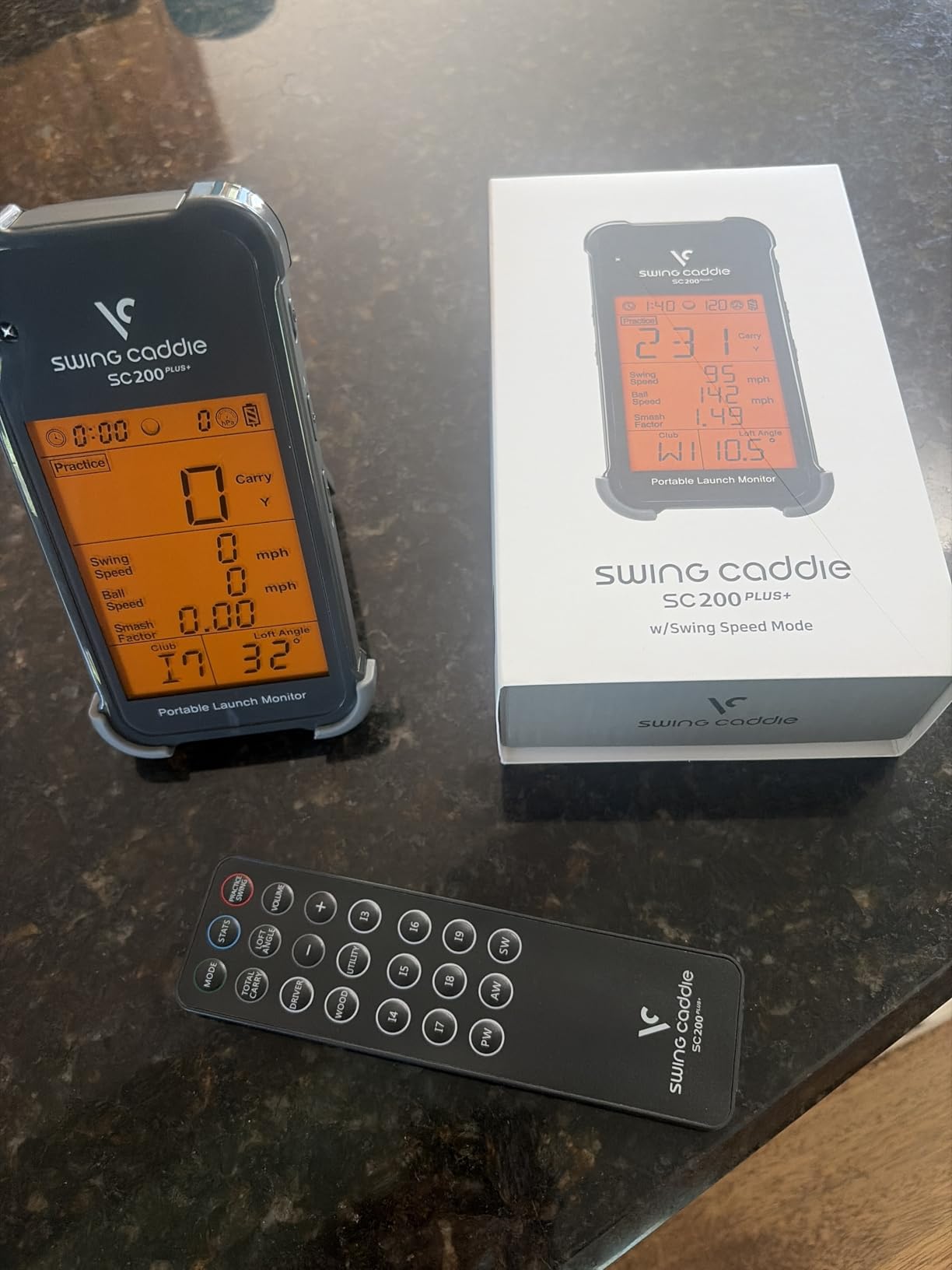
- Remote lets you change settings without walking back
Cons
- No spin rate launch angle or video capture
- Carry and total distance are calculated from swing speed
- Voice output can be intrusive in an enclosed garage
- Adjustable loft settings add setup steps
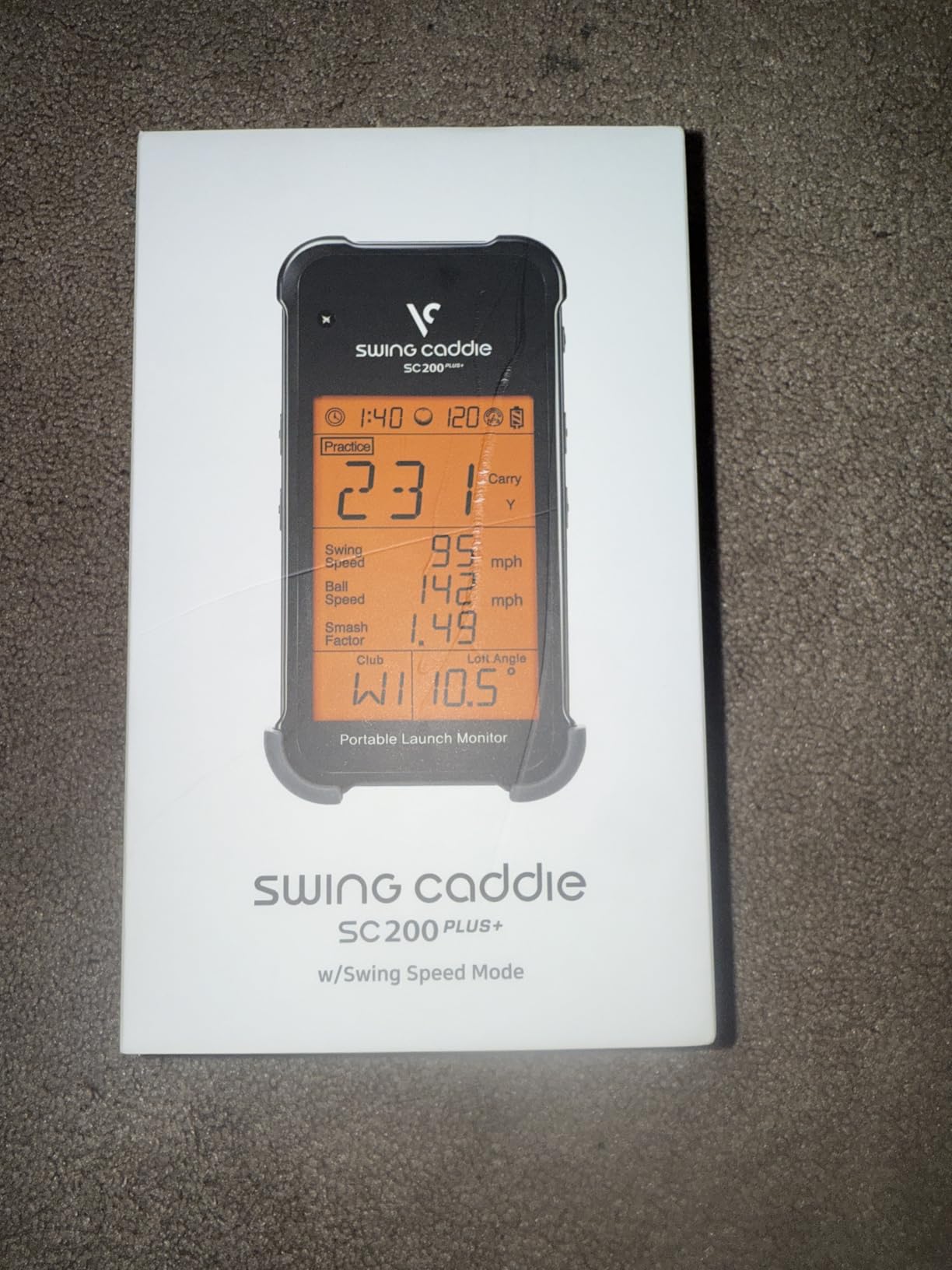
The SC200Plus does the simplest possible job in a backyard: it watches the ball go past and tells you how far and how fast. A Doppler radar with an atmospheric pressure sensor for calibration sits behind the mat, an LCD and a spoken voice call out the results, and a remote lets you change settings without walking back down the bay.
It has a swing speed mode that works with no ball, which makes it good for indoor or very short-space work. The 20-hour battery means it essentially does not need charging between sessions, and stored shot data with per-club averages lets you compare sessions weeks apart.
This is the most household-friendly unit on the list. No account, no app, no pairing, no subscription, and a metric set small enough that a beginner can understand it in one session. Buyers treat it as a self-contained trainer and accept the limits.
Why some yards suit it
It will sit happily on a shelf in a garage and survive being forgotten. For a net shared by two people of different ages or tech abilities, that reliability is worth a great deal.
Pressure compensation keeps readings steadier when the weather is changing, which matters more outdoors than indoors.
What it cannot do
There is no spin rate, no launch angle and no video. Every distance reading is calculated from swing speed, so it tells you roughly how far but never why a shot flew the way it did.
The voice output, which is a genuine benefit on an open patio, becomes irritating in a small enclosed garage. Plan for that.
5. Rapsodo MLM2PRO: the deepest backyard data set that still fits a normal yard
Rapsodo MLM2PRO Mobile Launch Monitor Golf Simulator | 3 Chrome Tour Balls
15 measured metrics
Doppler radar with dual cameras
16 oz with tripod
Android and iOS
Pros
- Measures 15 metrics including true spin rate spin axis and club path
- Owners report readings close to commercial units
- Works into a backyard net and indoors
- Three marked balls included so spin works out of the box
- Combines your data into a practice plan
Cons
- WiFi to a shared network is frequently unstable
- Premium membership locks the best simulation features
- Phone battery drains fast during long sessions
- Short chipping under 10 yards reads poorly
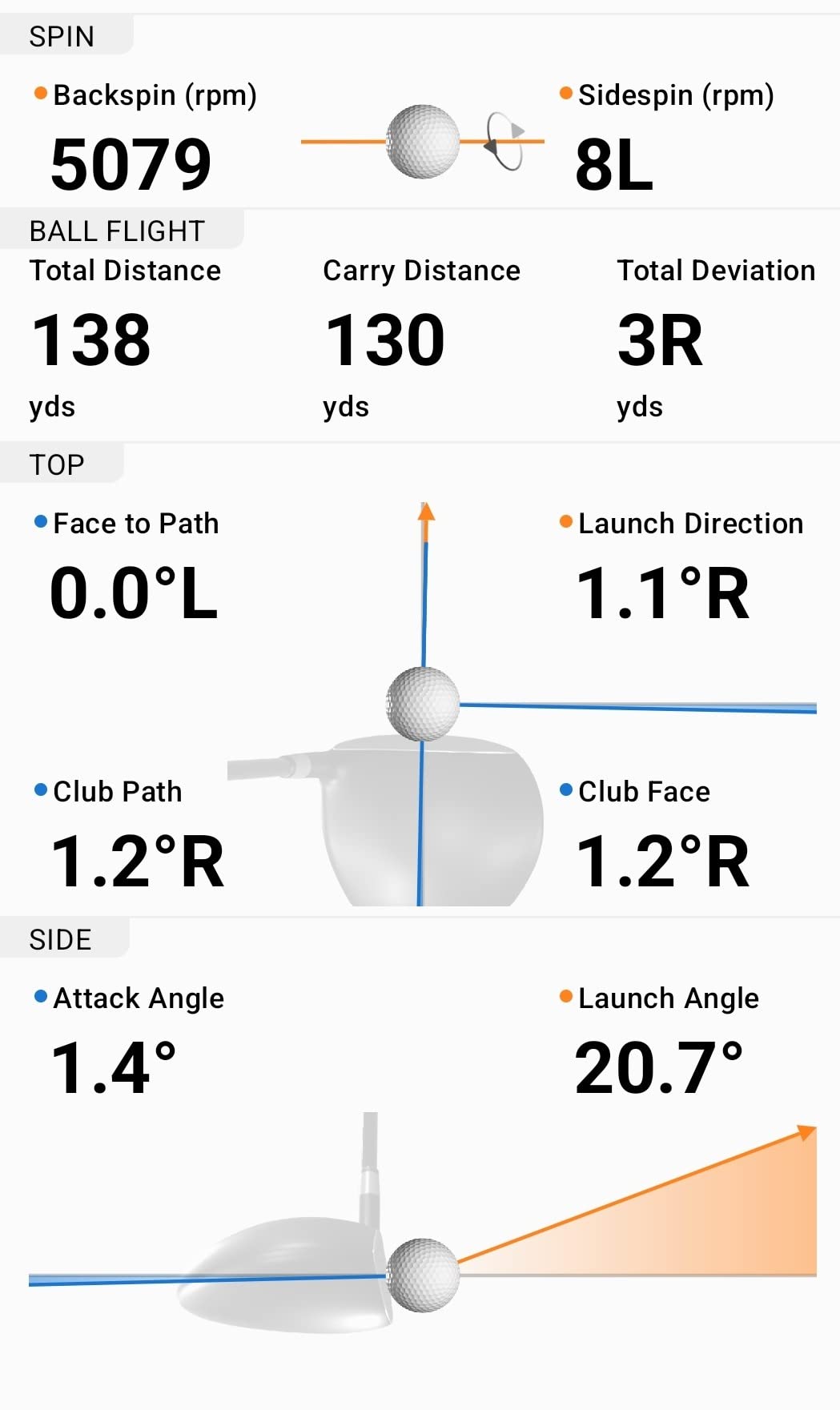
This is the unit to buy if your problem is not knowing why a ball behaves badly, and it is still small enough for an ordinary yard. Fifteen measured metrics cover spin rate, spin axis, club path, launch angle, carry distance and more, using a Doppler radar paired with dual cameras. Owners comparing it to a commercial fitting system report readings within a couple of percent, which is close enough to trust for club work.
Spin measurement is the headline. It works because the included Callaway marked balls are optically tracked, so you must hit those balls rather than whatever is in the sleeve. That is worth knowing before you buy a bag of foam balls and then find out the data stops.
For practice structure, the combine mode builds a plan from your own data and the target range lets you work to specific distances, which is a natural fit for wedge gapping in a net. A tripod and tablet stand are included and feel well built, and firmware updates have kept improving the experience over the years it has been available.
Why it earns its place in a yard
Spin and club path are exactly the two numbers that make net practice diagnostic rather than merely repetitive. Strike below the ball and face angle opens, and you can see both of those here rather than guessing.
It runs on iOS and Android, which removes the single biggest compatibility risk of the cheaper Rapsodo unit.
Where the friction is
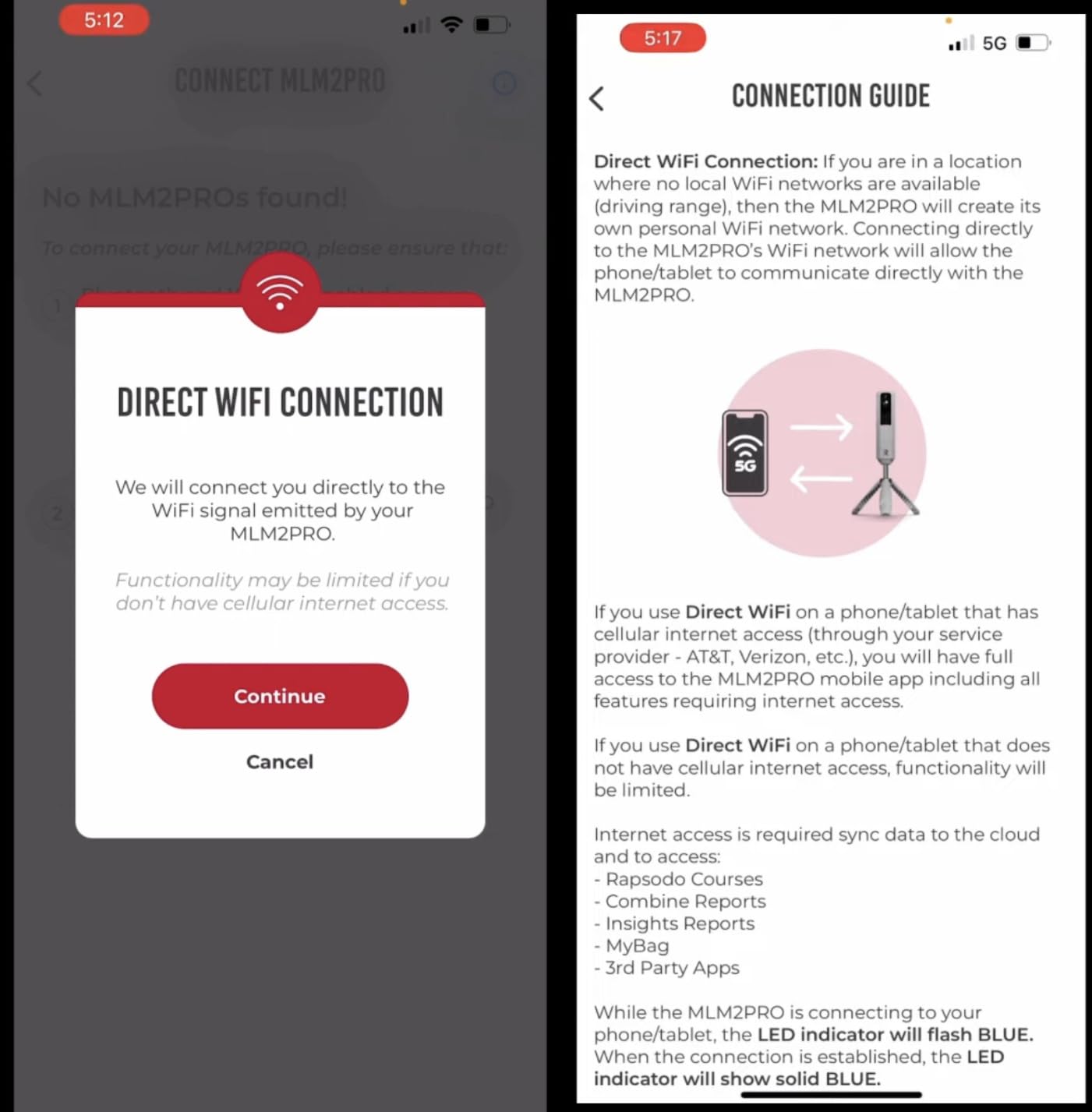
Connectivity is the main complaint. WiFi to a shared network drops out mid-session or simply fails to record shots, and the direct device-to-device alternative leaves the phone with no internet, which blocks mirroring and third-party apps.
The strongest simulation and analytics features sit behind a premium membership that renews annually, and a phone battery drops noticeably during extended sessions. Short chipping under 10 yards also reads poorly, so do not judge it on knockdown shots.
6. TheStack Radar: built for wedge practice rather than ball flight
TheStack™ Radar – Portable Golf Launch Monitor, Swing Speed & Ball Tracker
Swing speed and ball speed
Estimated carry and smash factor
Bluetooth app
0.12 kg
Pros
- Highest average rating in this roundup
- Measures club speed and ball speed directly rather than inferring them
- Built-in wedge training with skill specific sessions
- Included guided putting app
- Light and quick to set up behind a net
Cons
- Only two data points measured so no launch angle or spin
- Carry and smash factor are calculated estimates
- Wedge mode needs an Apple device on iOS 15 or later
- No video capture
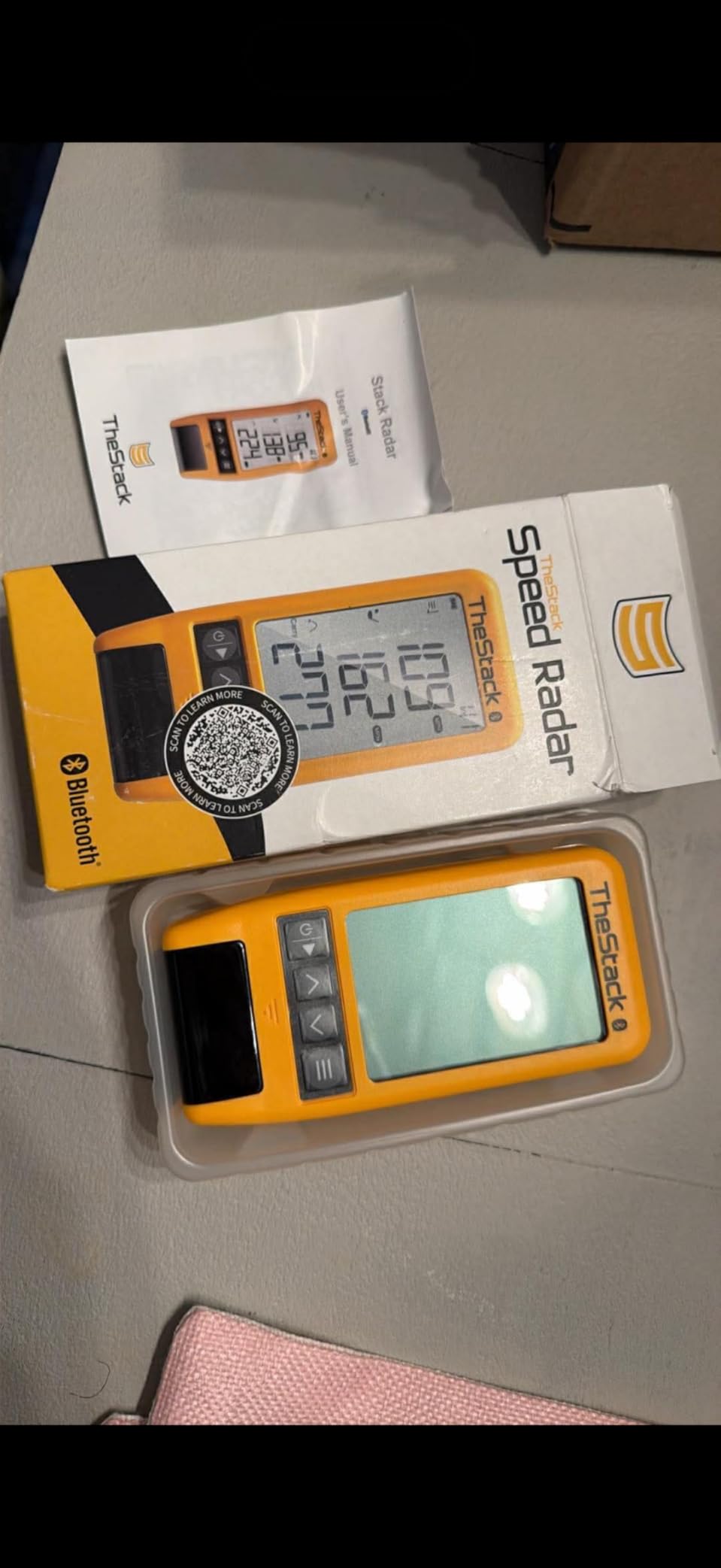
The Stack Radar is a different category of device and I think it is misunderstood most of the time. It measures swing speed and ball speed, calculates an estimated carry and smash factor, and then puts the effort into training rather than data. It carries a 4.6 average rating, the highest of the eight here, though on the smallest meaningful review base.
What makes it interesting for a net is the wedge work. The app runs gamified, skill-specific sessions built around wedge distances, and a guided putting app with stroke length, tempo and tendency analysis is bundled in. For a short game player working on a full wedge to a 7-iron gap, that is more useful daily than another club speed graph.
It is very light at 0.12 kg and sets up behind a net almost instantly. Speed training works on both iOS and Android, and the wedge mode includes a free month of the full training content.
Who this suits
A golfer whose problem is a wedge gap, not a driver strike, gets the most from it. The skill sessions give a reason to hit the bag again the next day, which is the actual thing that changes results.
It also suits a small patio, since a light Bluetooth unit with no tripod requirement is quick to set up and pack away.
What it is not
Two measured data points is genuinely two. There is no launch angle, no spin, no club path, and the carry figure is calculated, so a ball stopped by your net tells you nothing about where it was going.
Wedge mode needs an Apple device on iOS 15 or later, and the paid content starts after the trial. Android owners get the speed app only.

7. FlightScope Mevo Gen2: the most parameters with no subscription attached
FlightScope Mevo Gen2 Portable Golf Launch Monitor and Simulator with 18 Swing Data Parameters, Front Facing Camera, 8 E6 Simulation Courses with GPS Overview and Shot Tracer | Indoor and Outdoor
18 data parameters
3D Doppler radar with imaging
6 hour battery
1.1 lb with touchscreen
Pros
- 18 measured parameters covering full swing chipping and putting
- No subscription or annual license fees at all
- 3D animated shot tracer with data overlays
- Front facing camera plus up to three connected devices
- Dedicated range ball setting
Cons
- Setup and pairing proved difficult for several buyers
- Elevation must be set correctly or distances drift badly
- Some buyers report a meaningful share of shots go untracked
- Only one device can be paired at a time
- 6 hour battery is short for a long session
The Mevo Gen2 reports 18 parameters across full swing, chipping and putting, which is the deepest metric set in this roundup. It uses a patented fusion of 3D Doppler radar with synchronized high-speed image processing, so it works as both a radar and a camera system rather than committing to one approach.
The commercial argument is the software. The E6 Connect bundle with eight courses, the FS Golf app, FS Skills and the Shot Tracer are included for life, with no subscription and no annual license. If you dislike paying a membership every year to read your own shot history, this is the only pick that simply never asks.
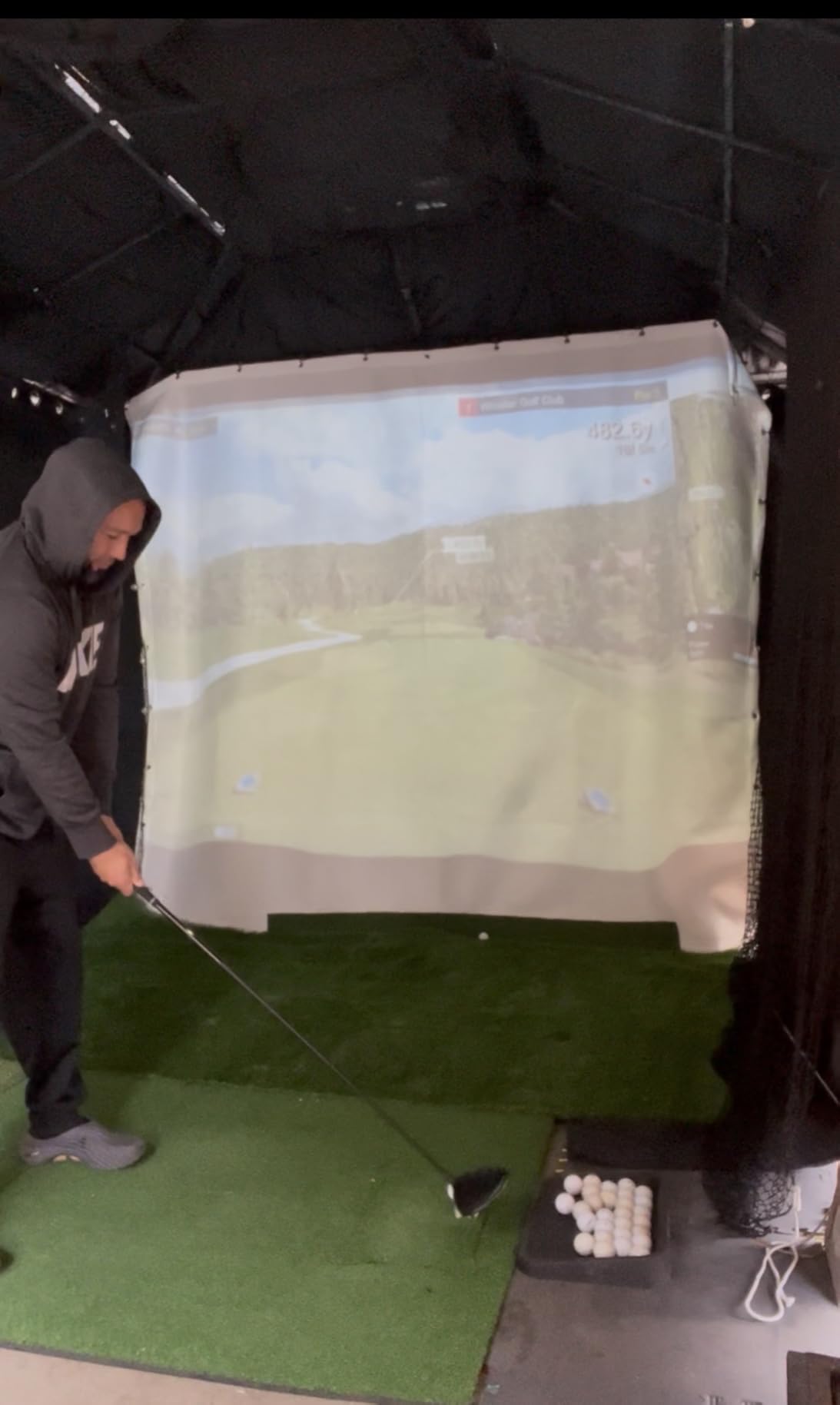
Video is a strength too. An internal front-facing camera can be paired with up to three mobile devices, you can draw lines and circles on the footage, and the tracer renders a 3D ball flight with club speed, ball speed and carry overlays.
Where it performs well outdoors
Because it fuses radar with imaging, it holds up in daylight better than a camera-only system, and the range ball setting is a real outdoor feature rather than a checkbox.
It is also the only unit here that measures putting as well as swinging, which matters if your net bay doubles as a short game area.
What to plan for
First-run setup was the hardest part for several buyers, and firmware updates were needed before it connected reliably. Budget an evening rather than an afternoon.
Elevation has to be set correctly or distances are wrong by 15 yards or more, some buyers report missed shots at a rate as high as roughly one in ten, and only one device can be paired at a time so a shared household will queue. A 6-hour battery is also the shortest here.
8. Garmin Approach G82: the only pick with a screen you can read from the tee
Garmin Approach® G82, Portable Golf Launch Monitor & Premium GPS Handheld
Radar speeds smash factor tempo
5 inch touchscreen
25 hour GPS battery
10.9 oz
Pros
- Only unit with a built-in 5 inch screen so no phone is needed behind the net
- Launch monitor and full GPS handheld in one device
- Radar adds putting stroke length and tempo
- Magnetic cart mount and included bag clip
- 25 hour GPS battery and 8 hour radar battery
Cons
- No launch angle launch direction or spin data
- Green contours and aerial imagery need a Garmin Golf membership
- Automatic shot tracking needs separate Approach CT10 sensors
- A large screen on a bag is bulkier and more exposed
- Newest release with the least field testing
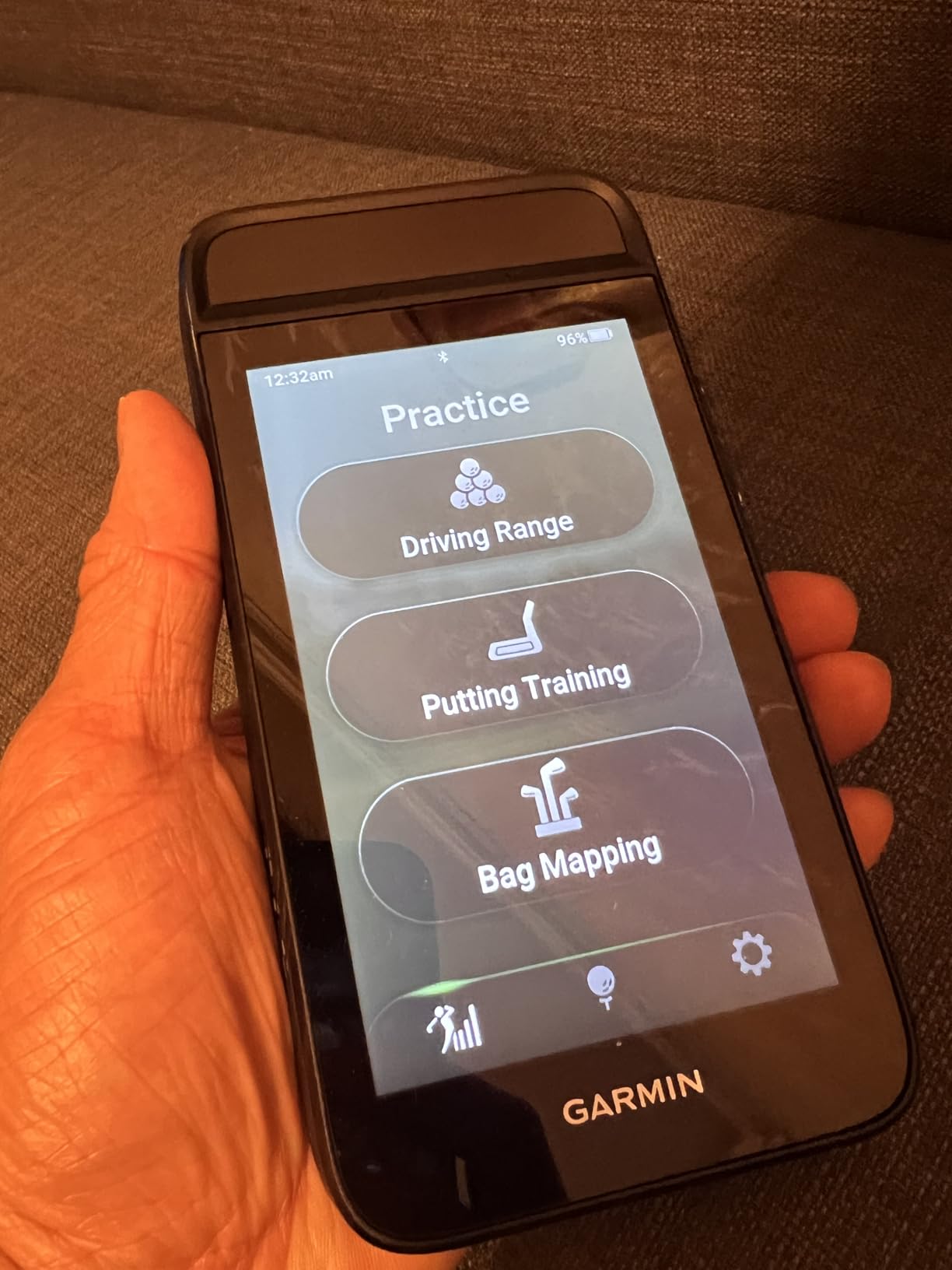
The G82 is really a premium GPS handheld with a radar launch monitor built in, and for a backyard bay that combination is unusual in a useful way. The 5-inch capacitive touchscreen means you can stand at the mat, hit a ball, and read the result on the device without a phone in the loop at all.
Radar covers ball speed, club speed, smash factor and swing tempo, and the integrated launch monitor also measures putting stroke length and tempo. That is enough to check whether a session is actually improving anything, even though it is a shorter metric list than the Rapsodo MLM2PRO or the Mevo Gen2.
With 43,000-plus preloaded courses and up to 25 hours of battery in GPS mode, the same device works on a round after practice. A built-in magnetic cart mount and an included bag clip make repositioning in a garage or at a range straightforward, and Bluetooth pairs it to the Garmin Golf app for wind data and scoring.
Why the built-in screen matters outside
Outdoors, a phone screen in daylight is genuinely hard to read and a phone left running drains itself by mid-session. A 5-inch screen with an 8-hour radar battery solves both problems in a way no other pick here does.
It also means a second golfer can use the bay without pairing anything, which suits a shared setup.
Where it stops short
No launch angle, no launch direction and no spin. If your goal is diagnosing strike quality rather than tracking speed and tempo, the metric set is thin for the money.
Green contours and aerial imagery sit behind a Garmin Golf membership, automatic shot tracking needs Approach CT10 sensors bought separately, and a large screen on a golf bag is bulkier and more exposed than a small radar unit. It is also the newest release here, with the smallest review base and the least field-tested firmware.
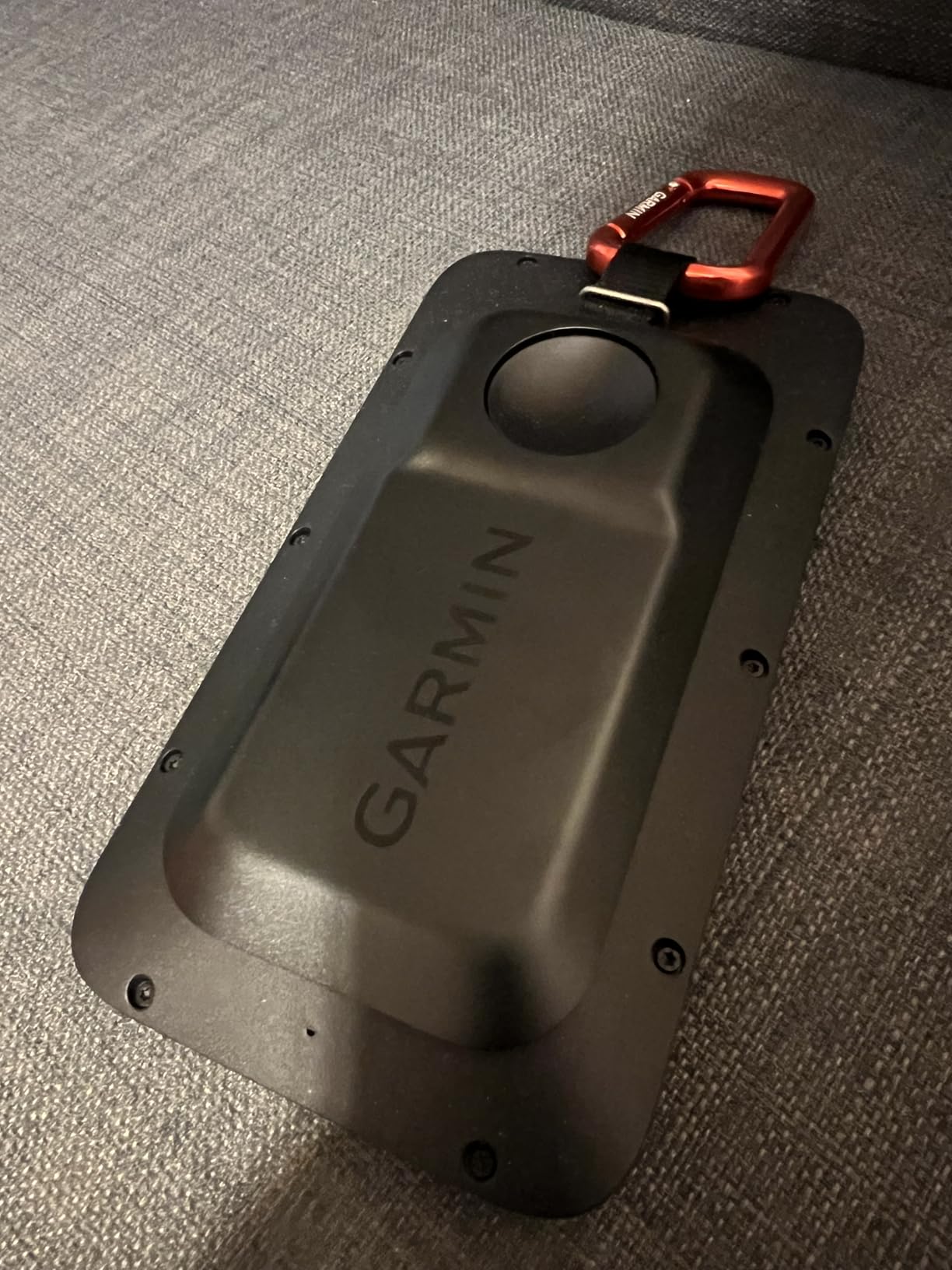
Net geometry: how far the mat, the net and the monitor must be
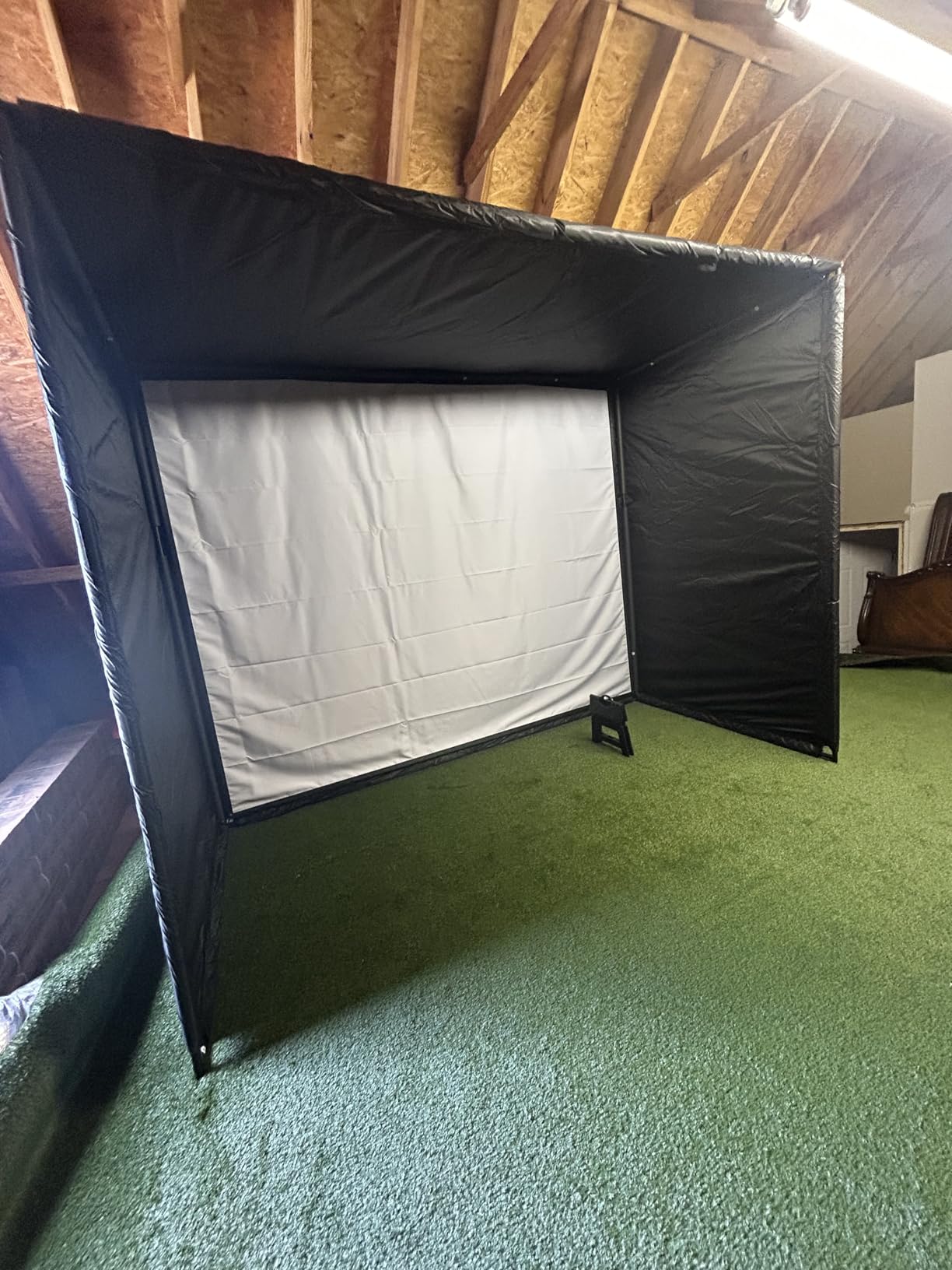
This is the section that decides your purchase, and it is the one most roundups skip. A net is not a screen. It stops the ball immediately, so the geometry is about giving each system enough room to read the strike, not enough room for the ball to fly.
Measure ball-to-net distance first. Eight feet or more is the practical minimum for comfortable full-swing work with a driver, and more is better if you hit a lot of irons. Closer than that and the ball rebounds off the netting into the mat, which is unpleasant and can damage the mesh. Spillover into a neighbouring yard is the other risk people ask about, and a taller net with a roof solves more of it than any monitor choice.
Then measure ball-to-monitor distance, and this is where radar and camera part company. Radar systems sit roughly 6 to 8 feet behind the ball and read the flight, so they need that clear run. Camera systems sit close to or over the ball and read the club face at impact, so they care much more about light than distance. If your side yard is short, a camera system or a hybrid is the realistic answer, and no software setting will create space that is not there.
Radar or camera for a backyard bay
Radar is the safer outdoor default. It measures the ball rather than the image, so direct sun barely affects it, rain is a non-issue, and the readings hold up across seasons. Its costs are space behind the ball and the fact that spin and direction are calculated rather than measured.
Camera and photometric systems are better when space is the constraint. They read the club face and the ball at impact, which is how you get true spin axis and club path, and they need almost no room behind the tee. Their weakness outdoors is light: low sun behind the hitting position, hard shadows across the ball and reflective club faces all degrade the read, and a net with a dark backdrop can confuse the system more than open sky does.
Hybrid designs that pair radar with cameras, like the Mevo Gen2 and the MLM2PRO, sit between the two. They tend to hold up better in mixed light and give more metrics, at the cost of a more involved setup.
Ball choice decides what the monitor can measure
Hit real golf balls if you care about accurate numbers. A GolfWRX thread on outdoor practice puts it plainly: nothing will track distances properly with plastic balls. Foam and limited-flight balls fly differently, and spin measurement in particular depends on a readable ball surface.
That is why the MLM2PRO ships with three marked balls. Optical spin tracking needs those specific balls, so if your plan is to hit cheap foam balls most of the time, you should pick a radar unit that measures ball speed and ignore the spin features.
A sensible compromise is to keep real balls for any session where you are reading data and use foam balls for volume work. Just know which of the two you are looking at when the number appears.
Sun, rain and weather: which picks survive an outdoor bay
Only two of the eight carry a stated ingress rating. The Garmin Approach R10 is IPX7 waterproof, which means rain and range-side splashing are not a concern, and the PRGR HS 130-A is IP54 water resistant. The rest of the units have no published rating, so treat them as fair-weather devices and bring them inside when the sky turns.
For the units with no rating, the practical protection is simple: keep them in a sealed case between sessions, wipe condensation off before power-on, and avoid leaving a phone-mounted system in a hot car after a session. Heat matters as much as water for a touchscreen sitting in full sun on a mat.
Light is the bigger day-to-day variable. Radar units barely care. Camera-based units care a great deal, and the practical fix is a hitting position where the sun is behind or beside you rather than in front, ideally with a light-coloured backdrop behind the ball. If the useful window in your yard is after sunset, the lighting side of an evening setup matters as much as the screen you read results on, which is the same problem our [best portable projectors for backyard movies](https://irlentwincities.com/best-portable-projectors-for-backyard-movies/) roundup runs into.
What the full backyard system costs to own
The monitor is one line in a budget that is easy to underestimate. A net sized for full-swing work, a mat that sits flat and stays flat, a screen or net enclosure to contain the noise and the ball, and the mat-to-net spacing to do it safely all sit outside the monitor price.
On top of that, software is where most ongoing cost hides. The MLM2PRO gates its simulation and analytics behind an annual premium membership, the Garmin units reserve virtual course play, green contours and aerial imagery for a Garmin Golf membership, and TheStack wedge mode runs on a trial before it becomes a paid subscription. The PRGR, the Voice Caddie and the FlightScope Mevo Gen2 carry no recurring fee at all, which is a real and often underrated reason to pick them.
Add it up over three years and the ranking of the picks can change. If you already have a net and a mat, the monitor difference dominates. If you are starting from bare grass, the system cost can outweigh the monitor by a wide margin, and the subscription question deserves an honest answer before you buy.
Handedness in a shared backyard bay
A one-handed backyard bay works for one-handed golfers. The other golfer typically has to flip their stance, and the fix is layout rather than equipment: widen the mat to the side, keep the target line clear, and give yourself enough distance that a flipped stance does not push you into a rushed swing.
Watch for systems that assume a one-handed address when computing dispersion or target lines. Radar units with a directional component generally tolerate a flipped stance better, while image-based club face systems can be fussier about where the face sits in frame. It is worth setting the mat up both ways and taking ten shots before you commit to a layout.
If the bay is shared by a family, the no-phone picks on this list earn their place twice. The PRGR and the Voice Caddie need no account and no pairing, which removes the most common reason a shared setup goes unused after the first month.
Frequently Asked Questions
Will a launch monitor work with a net?
Yes, but only part of the data survives. A net stops the ball in flight, so total distance, apex height and descent angle are truncated and unreliable. Ball speed, launch angle, spin rate, face angle, club path and short carry distance remain trustworthy, and short carry into a net is best read as a comparison between your own shots rather than an open-ground yardage.
What is the best golf simulator for a backyard?
Start with the space. Measure ball-to-net distance and aim for eight feet or more, then measure the room behind the ball. A radar system needs roughly six to eight feet of clear run, while a camera or hybrid system needs far less. Add a net, a flat mat and an enclosure for the ball, then choose a monitor that matches your ball type and whether you want club data or only ball data.
Which technology is better: radar or camera?
Radar is the safer outdoor default because it measures the ball rather than an image, so direct sun barely affects it and rain is a non-issue. Camera and photometric systems need very little space behind the tee and are the route to true spin axis and club path, but they need consistent light and a clean club face. In a short side yard with uneven light, radar is usually the workable choice.
Do I need a subscription for a golf launch monitor?
It depends on the unit. The Rapsodo MLM2PRO gates its simulation and analytics behind an annual premium membership, TheStack wedge mode runs on a free trial then a paid subscription, and Garmin reserves virtual course play and green contours for a Garmin Golf membership. The PRGR HS 130-A, the Voice Caddie SC200Plus and the FlightScope Mevo Gen2 carry no recurring fee.
Can you use foam balls with a launch monitor?
You can hit them, but expect less accurate data. Foam and limited-flight balls fly differently from real balls, and golfers on GolfWRX report that nothing tracks distances properly with plastic balls. Spin measurement depends most heavily on a readable ball surface, which is why the Rapsodo MLM2PRO ships with three marked balls. Hit real balls whenever you are reading data, and use foam for volume work.
The bottom line for backyard net practice
The Rapsodo MLM is our pick as the best launch monitor for backyard nets in 2026, because it removes every barrier to getting started: no power, no subscription, no spacing requirement and a video clip of every swing. If your house is iOS-only and you want to see why a strike went wrong rather than just how fast it was, the Rapsodo MLM2PRO is the step up, and its spin rate and club path are worth the extra setup.
The Garmin Approach R10 is the value choice for anyone who wants spin and launch angle from a radar unit that shrugs off rain. The Garmin Approach G82 wins if you refuse to practice with a phone in your hand. The PRGR HS 130-A and the Voice Caddie SC200Plus suit households that want numbers with zero software. The FlightScope Mevo Gen2 is the one to buy if you refuse to pay a subscription every year.
Whichever you pick, measure your space first, hit real balls, and read the carry numbers as comparisons rather than yardages. That single habit will do more for your practice than any extra metric on the screen.