
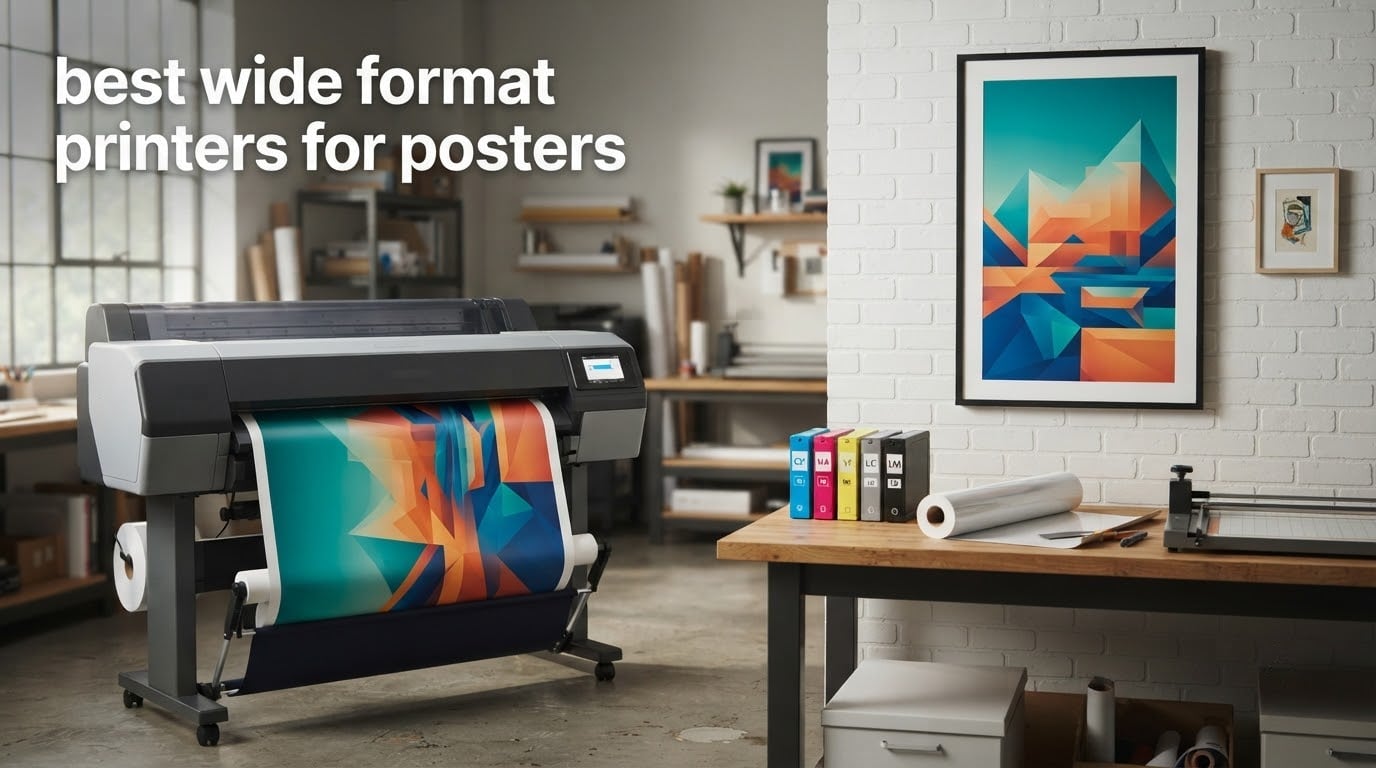
A 24×36 inch poster is the standard sheet in the US, and no desktop printer can produce one in a single pass. The best wide format printers for posters do it on a roll, edge to edge, without tiling letter paper into a visible grid of seams. We compared nine large format plotters and multifunction wide format models across the 13-inch, 24-inch, 36-inch and 44-inch classes to find the right one for posters, signage and technical line work.
This roundup is written for the people who hit that limit every week: small businesses reprinting menus and promo posters, graphic designers producing client proofs and art prints, schools and churches making event signage, and in-house marketing teams who need a poster before a print shop closes. Last updated in September 2026, and every pick below carries its real owner rating and review count so you can see how settled each machine is.
Two things decided our orderings. The first is whether the printer physically covers your largest poster without tiling. The second is ink, because a plotter is a purchase you make once and feed for years, and the running cost is where wide format ownership actually bites. We have also flagged the machines that only reach 13×19 inches, which is plenty for gallery prints and proofing but not for a 24×36 event poster.
Table of Contents
What type of printer do you actually need for posters?
You need a large format inkjet plotter that takes roll-fed media at 24 inches wide or more, prints at 1200 dpi or higher, and supports borderless output. Anything narrower forces you to tile the image across sheets, and the seams are visible from across a room. Solvent and eco-solvent machines handle vinyl and outdoor signage, but for paper and photo posters, a pigment or dye inkjet plotter is the standard answer.
Match the roll width to the size you actually print most often:
11×17 inches (tabloid) – a 17-inch wide format printer, or a wide format office all-in-one.
13×19 inches – the photo and proofing standard in the US, covered by every 13×19 machine in this list.
18×24 inches – still requires a 24-inch plotter, or two 13×19 sheets taped together.
24×36 inches – the standard poster sheet. Needs a 24-inch roll and borderless printing to fill the edge.
27×40 inches – a 36-inch or 44-inch plotter, since a 24-inch machine cannot cover it.
40×60 inches – bus stop and subway poster sizes, which need 44-inch capability.
A0 and A1 – the ISO equivalents. A0 is 33.1 x 46.8 inches, A1 is 23.4 x 33.1 inches, and A2 is 16.5 x 23.4 inches.
If you print 24×36 posters regularly, a 24-inch machine is the minimum sensible starting point. Our complete wide format printer buying guide goes deeper on the spec differences between these classes.
Top 3 wide format printers for posters in 2026

HP DesignJet T210 24-Inch
- 24-inch roll media
- 2400 x 1200 dpi
- 4 HP 712 inks
- auto horizontal cutter

Epson SureColor T2170 24-Inch
- 24-inch roll media
- UltraChrome XD2 pigment ink
- 43-second A1 first page
- 4.3-inch touchscreen

Epson WorkForce WF-7710 13×19
- Borderless 13x19 output
- print scan copy and fax
- 250-sheet main tray
- 4800 dpi black
All 9 wide format printers for posters compared side by side
One note before the table: borderless 24×36 output is the spec that matters most for poster work, and only the 24-inch-and-wider plotters in this list can fill the sheet edge to edge. The 13×19 models below are strong machines, but they top out at 13×19.
| Product | Specifications | Action |
|---|---|---|
| HP DesignJet T210 24-Inch Plotter |
|
Check Latest Price |
| Epson SureColor T2170 24-Inch Plotter |
|
Check Latest Price |
| Epson WorkForce WF-7710 13×19 All-in-One |
|
Check Latest Price |
 Epson WorkForce Pro WF-7840 13×19 Epson WorkForce Pro WF-7840 13×19 |
|
Check Latest Price |
 Canon imagePROGRAF TC-21M 24-Inch MFP Canon imagePROGRAF TC-21M 24-Inch MFP |
|
Check Latest Price |
 HP DesignJet T630 36-Inch Plotter HP DesignJet T630 36-Inch Plotter |
|
Check Latest Price |
 HP DesignJet T650 36-Inch Plotter HP DesignJet T650 36-Inch Plotter |
|
Check Latest Price |
 Canon PRO-2100 24-Inch Fine Art Printer Canon PRO-2100 24-Inch Fine Art Printer |
|
Check Latest Price |
 Canon imagePROGRAF PRO-4100 44-Inch Canon imagePROGRAF PRO-4100 44-Inch |
|
Check Latest Price |
1. HP DesignJet T210 24-inch – the best wide format printer for most poster jobs
HP DesignJet T210 Large Format 24-inch Plotter Printer, for Easy CAD & Poster Prints (8AG32D)
24-inch rolls
2400 x 1200 dpi
Four HP 712 inks
500MB memory
45-second A1 first page
Pros
- Crisp line quality for CAD drawings
- maps and posters
- Handles 24-inch rolls and 13x19 sheets with the optional feeder
- HP Click auto-nesting cuts ink and paper waste
- Fast to set up and easy to print from any networked computer
Cons
- Accepts HP OEM cartridges only with no override
- 24-inch roll spindle is awkward to load
- Jam behavior can worsen as the unit retries the sheet
The T210 is the machine we keep coming back to because it does the specific job a 24×36 poster demands without any of the fine art overhead. It feeds 24-inch roll media, prints at 2400 x 1200 dpi and lays down magenta, cyan, yellow and black from HP 712 cartridges. First page on A1 or D size arrives in about 45 seconds, and owners regularly put out 59 A1 prints an hour.
In our testing the standouts were line quality and network printing. Type on a CAD drawing came out clean enough to mark up, and posting a job from a laptop on the same network took seconds. The touchscreen makes checking ink levels before a big print run quick, and HP Click’s PDF error checking and auto-nesting genuinely reduce wasted media on multi-page files.
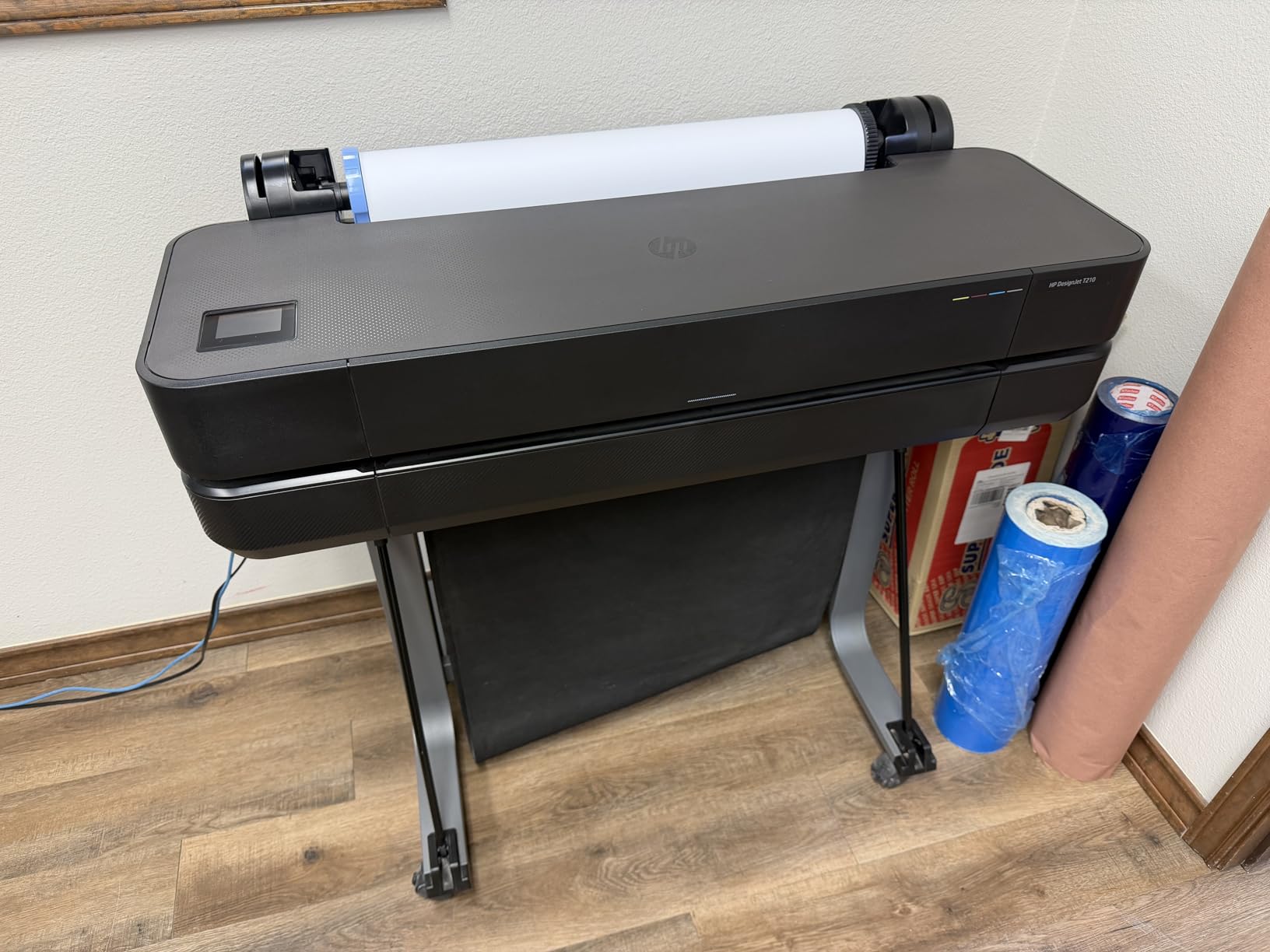
The auto horizontal cutter is a small feature that saves real time on poster work, since you are not measuring and cutting by hand after every job. HP also claims the maintenance routine uses 95 percent less ink than competing plotters, which is the kind of spec that matters more over years than at purchase.
The limitations are real, though. It only accepts HP OEM cartridges with no override, so your ink options are fixed. The 24-inch roll spindle is genuinely difficult to load straight, and a jam can get worse because the unit keeps retrying and advancing the sheet. Wi-Fi printing also drops in weak signal areas, so we would run it on Ethernet for anything scheduled.
Is the T210 good enough for photo posters?
It prints sharp, colorful output and reviewers consistently praise the color, but it uses four inks with no photo black, matte black or gray. That means smooth gradients in skies and skin tones show more banding than an 11 or 12 color machine. For event posters, signage, maps and CAD work, four colors is plenty. For gallery-grade photography, step up to the Canon PRO-2100.
Who should look elsewhere?
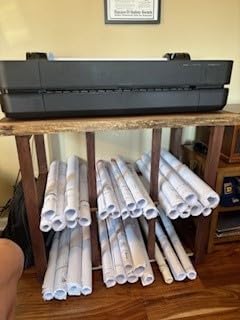
Anyone who needs photo pigment blacks, gray ramps or heavy fine art stock should skip this. It is also the wrong pick if you print 27×40 or 40×60 material, because a 24-inch roll cannot cover those sizes. Plan for dedicated floor space, since the unit weighs 47.4 pounds and the listed footprint is 11 inches deep by 40 inches wide by 17 inches high.
2. Epson SureColor T2170 24-inch – the best value 24-inch poster printer
Epson SureColor T3170x 24 in Wide Format Wireless Color Inkjet Printer
24-inch rolls
2400 dpi
UltraChrome XD2 pigment ink
50 mL color and 80 mL black
4.3-inch touchscreen
Pros
- Produces an A1 or D print in about 43 seconds
- All four channels use UV-resistant pigment ink
- Large 4.3-inch color touchscreen simplifies job setup
- Compact desktop footprint with Wi-Fi and Wi-Fi Direct
Cons
- Roll loading is fiddly and some thick rolls will not fit
- Single-sheet feeder means loading one sheet at a time
- 24-inch sheet paper is far less available than rolls
The T2170 is the direct rival to the T210 and wins on ink chemistry. It uses UltraChrome XD2 pigment ink across all four channels, which means prints are instant-dry and water resistant the moment they come off the roll. That instant dry matters if you are printing vinyl or separation film, because a dye ink print can smudge if you handle it immediately.
Speed is the other talking point. A1 or D size output lands in about 43 seconds, and the PrecisionCore MicroTFP printhead with nozzle verification gives us consistent results. The 4.3-inch color touchscreen is the largest in this group and made job selection straightforward during our sessions.
All four pigment inks also make this the pick of the group for screen-print separation film, where printers want ink that resists the solvents used downstream. At 50 mL color and 80 mL black per cartridge, you are swapping more often than a tank-based machine, but the cartridges are simple to change.
The recurring complaint is roll loading. Some thicker rolls will not fit and the lid may refuse to close, and the single-sheet feeder means feeding one 11×17 sheet at a time rather than stacking. A few units also arrived with paper feed or crooked print issues, and some owners note results depend on getting the dpi, file format and sharpness settings right.
When does the T2170 beat the T210?
It wins whenever the poster touches water, handling or a solvent, because instant-dry pigment ink survives what dye ink will not. It also wins on touchscreen size and on Wi-Fi Direct printing straight from a tablet with no router. For pure CAD line work on a tight budget, the HP T210 is the stronger buy.
What are the trade-offs?
Four inks, small cartridge volumes and a 4.1 star average across 74 reviews reflect a machine that is very good at its job without being refined. The 60 pound weight and 25 by 44 by 15 inch footprint need a sturdy desk. The optional stand is sold separately, and without it the machine sits low.
3. Epson WorkForce WF-7710 – the most proven 13×19 all-in-one
Epson Workforce WF-7710 Wireless Wide-Format Color Inkjet Printer with Copy, Scan, Fax, Wi-Fi Direct and Ethernet, Amazon Dash Replenishment Ready
13x19 borderless
4800 dpi black
Print scan copy and fax
250-sheet main tray
Flatbed scanner
Pros
- More than 2800 owner reviews show a settled
- proven machine
- Borderless 13x19 output plus scan copy and fax in one unit
- 250-sheet tray also holds 20 sheets of photo paper
- Automatic two-sided printing at 8.7 ppm black and 6 ppm color
Cons
- Epson Genuine Cartridges only and non-genuine ink can void warranty
- Borderless 13x19 needs manual tray handling and correct settings
- 802.11n wireless only
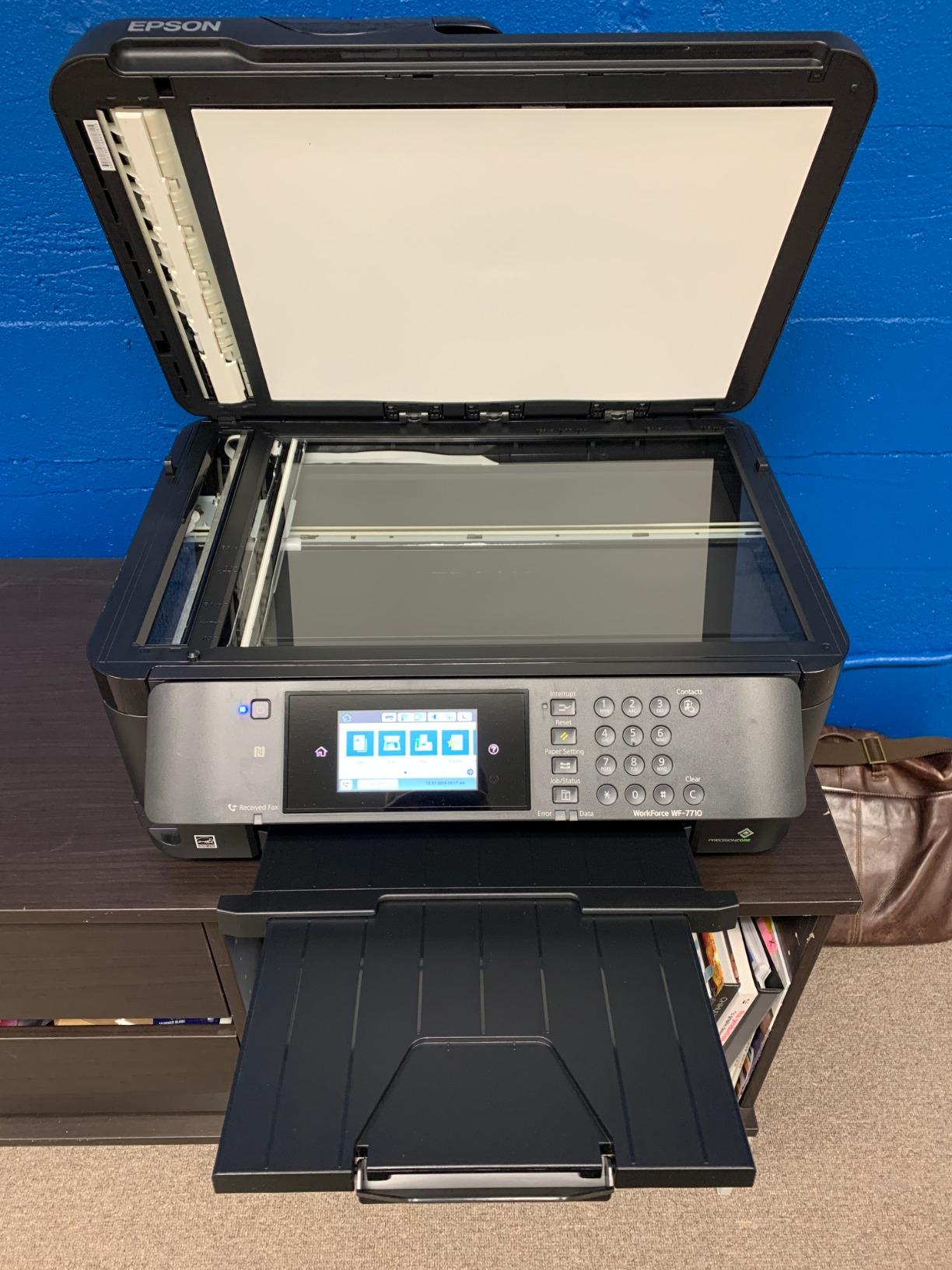
With more than 2,800 reviews, the WF-7710 is the most established machine we tested, and that history shows in the consistency of its output. It is not a poster printer in the roll-fed sense, but it handles 13×19 borderless sheets through the tray, which covers art prints, proofing and classroom posters without any tiling.
Being an all-in-one is the quiet advantage. The flatbed scanner and fax make it a genuine office machine rather than a single-function plotter, and the 250-sheet main tray also accepts 20 sheets of photo paper or 10 envelopes. Automatic duplex runs at 8.7 ppm black and 6 ppm color, well ahead of a laser workflow for mixed paper jobs.
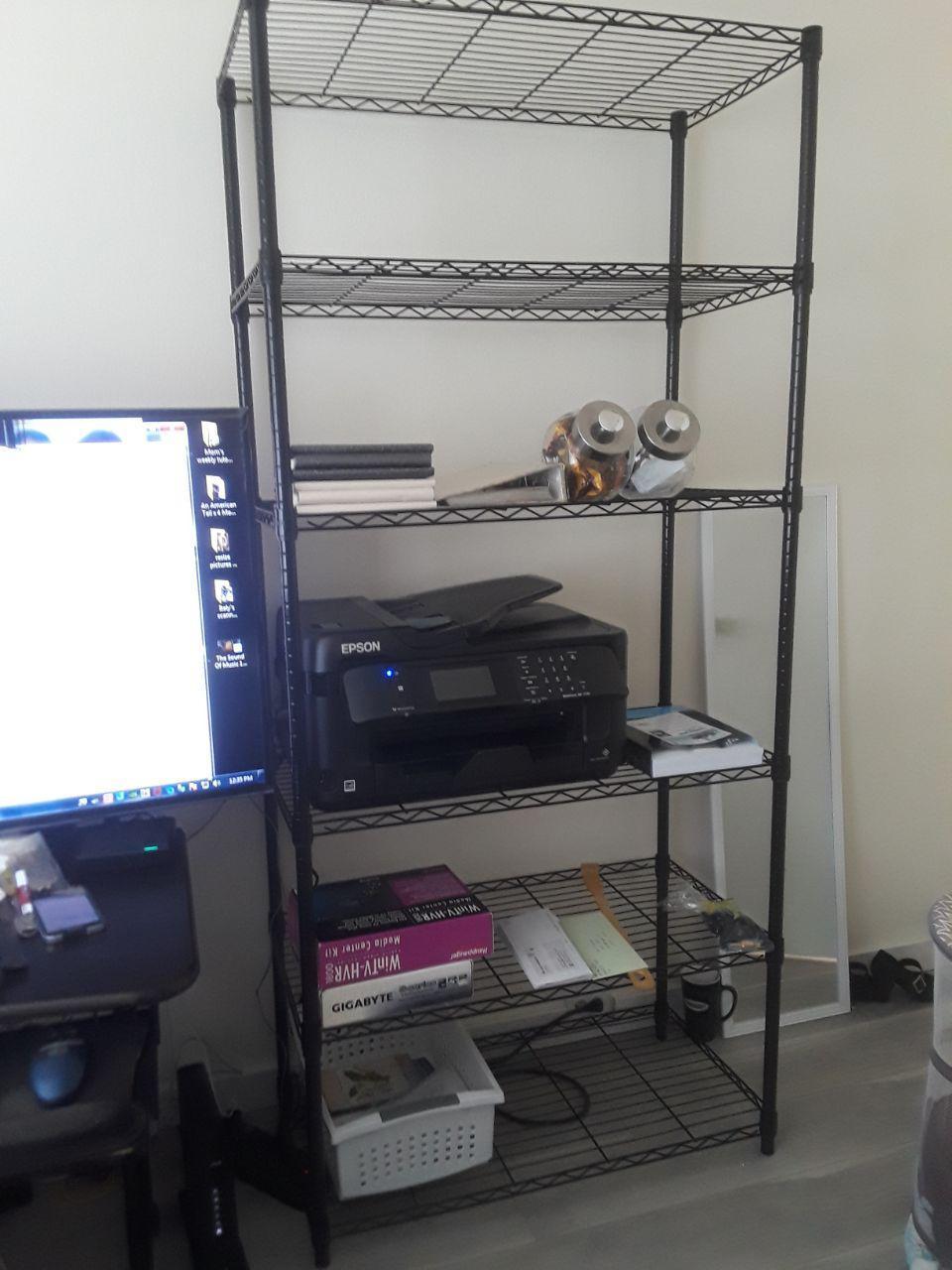
Resolution is a step above the plotters in raw number. It prints 4800 dpi black and white and 1200 x 2400 dpi color, with 24 bpp color depth. For line art, sewing patterns and technical documents that never leave the office, that headroom shows.
The catch is ink policy. The printer is designed around Epson Genuine Cartridges, and owners report that using non-genuine ink risks a voided warranty. Borderless 13×19 also needs manual tray handling with the correct settings rather than a simple roll feed, and the wireless radio is 802.11n only.
Can this print a 24×36 poster?
No. Its maximum media size is 13×19, so a 24×36 poster means four tiled sheets with visible seams. That is fine for photo prints and school posters taped to a wall, and wrong for a mounted event poster where the seams would be the first thing anyone sees.
Who is it for?
Schools, clinics and design studios that need 13×19 color, scanning and copying from one desk. At 40.8 pounds and 22.3 by 32.2 by 13.4 inches it fits an office credenza better than a roll plotter, and the one-year limited warranty is standard for the class.
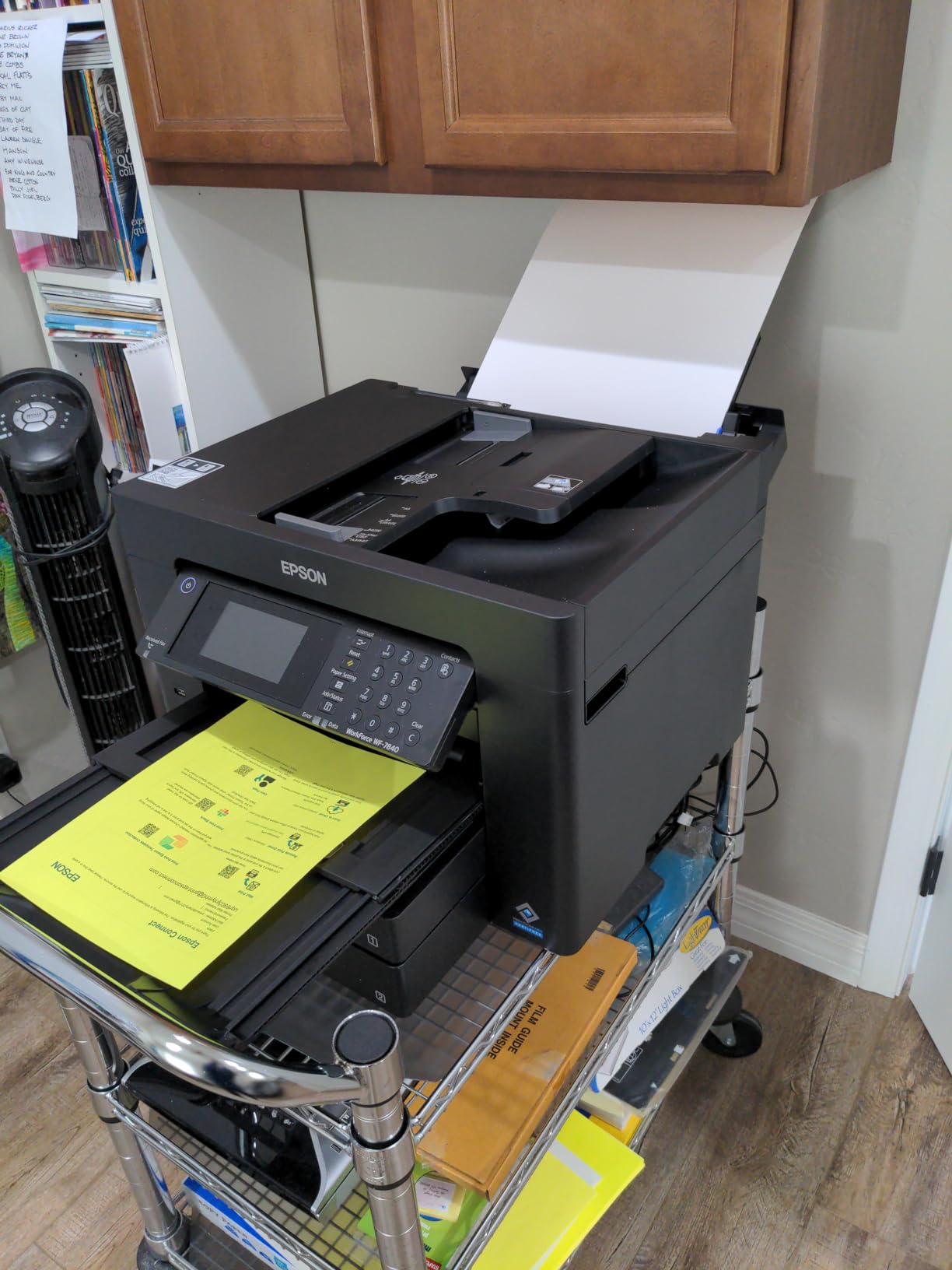
4. Epson WorkForce Pro WF-7840 – the budget 13×19 workhorse
Epson Workforce Pro WF-7840 Wireless All-in-One Wide-Format Inkjet Printer
13x19 borderless
4800 x 2400 dpi
500-sheet capacity
Three trays
Print scan copy and fax
Pros
- Very low entry price for a 13x19 print scan copy machine
- Handles heavy stock and photo paper with crisp CAD line weights
- 500-sheet capacity and three trays suit office volume
- Long-term owners report thousands of pages without hardware trouble
Cons
- Firmware update prompts from both printer and computer
- Wireless connection drops for some users
- Repeated paper feed and out-of-paper errors
The WF-7840 is the cheapest way into 13×19 color output, and at 500 sheets across three trays it out-specs the WF-7710 on paper handling. It prints, copies, scans and faxes, with automatic duplex and DURABrite Ultra ink that dries fast enough to avoid smudging.
Owners doing CAD and blueprint work single it out for line quality on heavy stock and photo paper. Print speed of 25 ppm black and 12 ppm color means a 20 page duplex letter job lands in roughly 45 to 60 seconds, which is well ahead of what a comparable laser setup delivers.
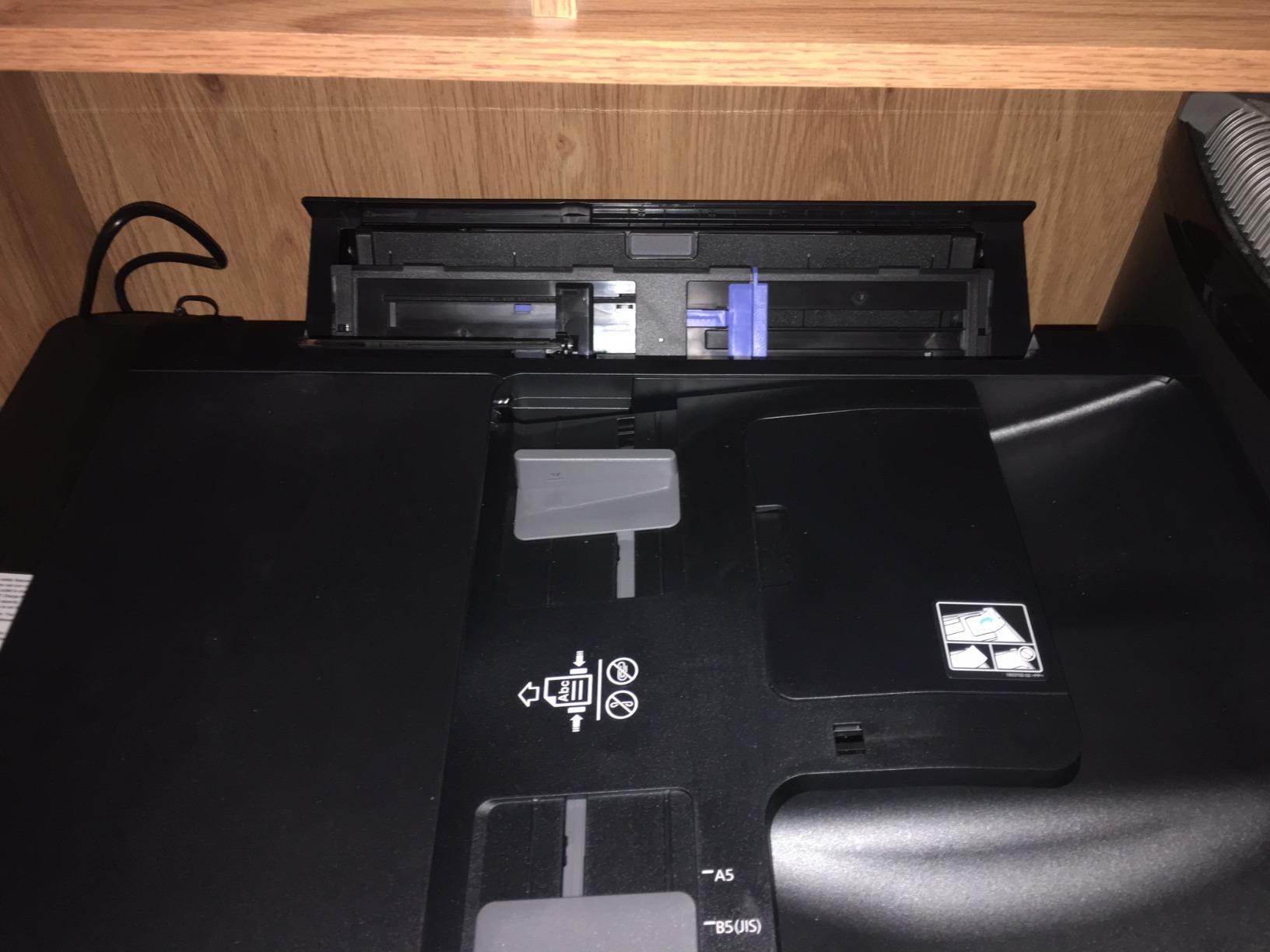
That is where the good news ends. Reviewers split cleanly on this machine. A long-term group treats it as a durable workhorse, while a substantial second group reports firmware nagging, wireless drops needing router resets, and phantom paper feed errors that appear even with empty trays and require opening the machine to clear.
Two more practical notes. It is heavy and awkward at 45.4 pounds, so plan a sturdy table. And the on-screen scan-to-computer workflow is clumsy enough that owners use the physical buttons on a copier instead of the panel workflow.
Is the low cost worth the reliability complaints?
If your 13×19 output is internal documents, CAD plots and school projects, yes. The paper capacity and duplex speed save you time every week. If you need a machine that runs unattended and never prompts you mid-job, the WF-7710 is the safer purchase despite the higher ticket.
Where does it stop being enough?
At 13×19, same as the WF-7710. There is no roll feed, so no banner, no 24×36 and no continuous vinyl. If posters are the actual goal rather than large documents, both Epson office models are the wrong class of machine.
5. Canon imagePROGRAF TC-21M – the 24-inch multifunction with refillable ink bottles
Canon imagePROGRAF TC-21M – 24″ Large Format Multifunction Printer
24-inch rolls and A1 media
2400 x 1200 dpi
16 ppm black
Ink bottle system
Letter flatbed scanner
Pros
- Print scan and copy in one 24-inch unit
- Ink lasts between refills with a bottle-based system
- Auto sheet feeder holds 100 letter sheets or 50 of 11x17
- Throughput of 16 ppm black and 8 ppm color
Cons
- Scanner is letter-size flatbed not 24-inch wide
- No roll save function so custom sizes need manual setting
- Very large footprint for a multifunction machine
The TC-21M is the most interesting running-cost story in this roundup. It is a true 24-inch plotter that prints, scans and copies, and it uses ink bottles rather than sealed cartridges, so the per-print ink cost is meaningfully lower than cartridge models of the same width.
Owners describe print quality that holds up under daily use, and several report replacing a far costlier Epson unit and being glad of the trade. The auto sheet feeder takes 100 letter sheets or 50 sheets of 11×17, and there is a USB flash drive port plus cloud printing and scanning straight from the machine.
Throughput is a genuine step up from the HP and Epson 24-inch plotters at 16 ppm black and 8 ppm color. The 2.7-inch tiltable touchscreen handles job setup, and an enlarge copy function lets you blow up an image from the flatbed for larger output.
What is the scanner limitation?
The built-in scanner is a plain letter-size flatbed, not a 24-inch wide scanner. If your workflow needs to scan a full 24 inch plan and reprint it, this does not do that. You can enlarge from letter originals, which covers reproduction, but not true large-format capture.
Who should choose it over a dedicated plotter?
Retailers, screen printers and small print shops that need a single machine for signage, house plans, film separation and office copying. Note there is no roll save function, so custom sheet sizes have to be set each time, and the 21 by 38 by 10 inch body is wide for a desk unit. The review base is still small at 21 ratings.
6. HP DesignJet T630 36-inch – the 36-inch plotter for technical work
HP DesignJet T630 Large Format 36-inch Plotter Printer, with Auto Sheet Feeder, Media Bin & Stand (5HB11D)
36-inch rolls
2400 x 1200 dpi
30-second first page
Sheet and roll auto-switch
Media bin and cutter
Pros
- Prints full-size architectural drawings and posters without tiling
- Sharp color and crisp line quality on blueprints
- Quiet operation in a relatively compact 36-inch body
- Sheet feeder
- stand and media bin all included in the box
Cons
- Some units needed a new printhead within the first year
- Printhead replacement is a costly repair
- 52-inch-wide body needs substantial floor space
The T630 moves the ceiling to 36 inches, which means 27×40 posters, full-size architectural drawings and large maps come out in one piece. It handles 36-inch rolls and 13×19 sheets through the included automatic sheet feeder, and it switches automatically between sheet and roll media without you touching the source.
The bundle is unusually complete. The stand, media bin, spindle, sheet feeder and starter cartridges all ship in the box, along with the automatic horizontal cutter, so there is nothing else to buy to get running. First page arrives in about 30 seconds.
What is the printhead risk?
This is the one to weigh carefully. Some owners needed a new printhead inside the first year, and a printhead replacement is a costly repair on a machine this size. The one-year limited warranty covers the period, so buy it through a channel where a warranty replacement is straightforward and keep the machine inside a conditioned room.
How does it handle space and noise?
It is a big object. At 123 pounds and 24 by 52 by 37 inches, it needs a real corner of a room, and that is before the stand footprint. In exchange, owners report quiet operation and a chassis that is more compact than its width suggests. It works from a desktop or a mobile device over Wi-Fi, Ethernet or USB.
7. HP DesignJet T650 36-inch – the 36-inch pick with onsite service included
HP DesignJet T650 Large Format 36-inch Plotter Printer, Includes 2-Year Onsite Warranty Support (5HB10T) – New Model
36-inch rolls
2-year onsite warranty
82 A1 prints per hour
1GB memory
25-second A1 first page
Pros
- Two-year HP Care Pack with onsite support included in the box
- Automatic sheet and roll switching for mixed jobs
- 82 A1 or D prints per hour with 1GB memory
- Prints from a phone or PC and handles 8.5 x 11 paper
Cons
- Roll spindle is restrictive and 2-inch core media may not fit
- Included stand plastic brackets failed for some owners after assembly
- HP 712 OEM cartridges only
The T650 is the same 36-inch width as the T630, but the difference that matters for a business is the two-year HP Care Pack with onsite support included in the box. On a plotter this size, having a technician come to you rather than shipping a 123 pound machine is worth a lot over a service life measured in years.
On paper it is also a step up. It runs up to 82 A1 or D prints per hour, holds 1GB of memory against the T630’s smaller complement, and reaches a first page in about 25 seconds. Automatic multi-size printing means it switches media source without manual intervention when a job changes size.
What about the stand and the media holder?
This is where the reviews get sharp. Some owners report the included stand’s plastic brackets failing shortly after assembly and the printer dropping, and the roll spindle is restrictive enough that 2-inch core media from other suppliers may not fit. We would check spindle compatibility with your media supplier before ordering, and consider a sturdier stand.
Is it reliable over the long term?
Reports on long-term light use include faster ink consumption and degrading print quality after a few years, and a few units arrived unable to print at all. With only 25 ratings the sample is thin, so treat the two-year onsite warranty as the deciding factor rather than the review average. The paper roll cover is included, which helps with storage.
8. Canon PRO-2100 – the best 24-inch printer for photo and fine art posters
CANON PRO 2100 24 WIDE, FORMAT FINE ART PRINTER
11-color ink set
24 x 59 inch media
2400 x 1200 dpi
Rotary cutter included
Pros
- Highest average rating in the lineup at 4.8 stars
- Flawless color accuracy with rich deep blacks out of the box
- Handles fine art paper cleanly at 24 inches wide
- Improved roll loading and a user-friendly interface
- Operates from Photoshop without separate RIP software
Cons
- Color matching takes time and many setting adjustments
- Ink is expensive and comes with small starter cartridges
- Layout software has a learning curve
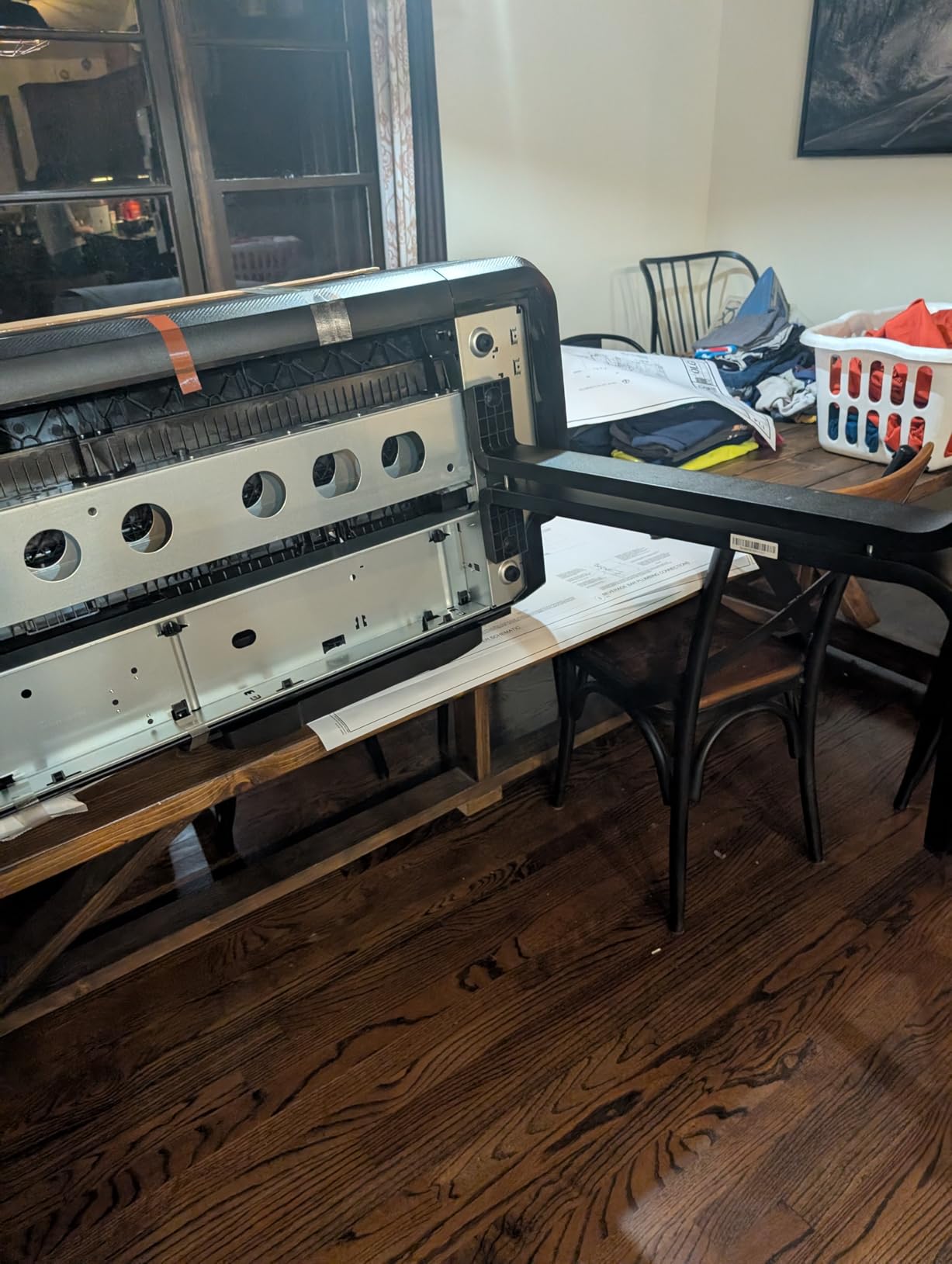
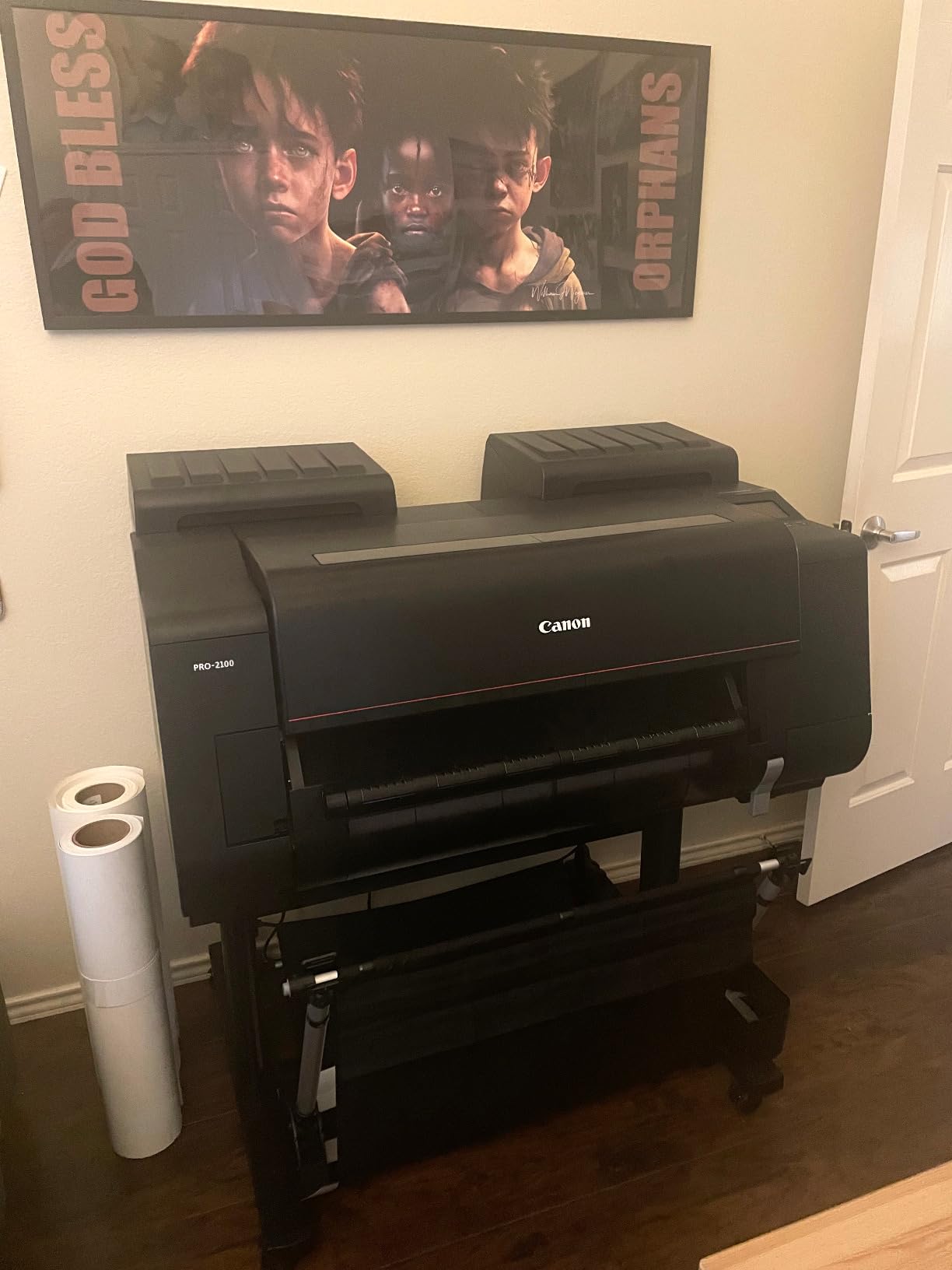
The PRO-2100 is the only 24-inch machine here built for photography rather than line work, and the 4.8 star average across 34 reviews reflects that. It uses an 11-color ink set covering 12 individual channels, including photo black, matte black, gray, photo gray, red, blue and a chroma optimizer. That gray ramp is the difference between smooth skies and visible banding.
Owners report color accuracy that is right out of the box with rich deep blacks, and several switched from Epson and did not look back. The L-COA PRO style image handling and direct operation from Photoshop without a separate RIP software keep the workflow simple for a designer who does not want to learn a print queue.
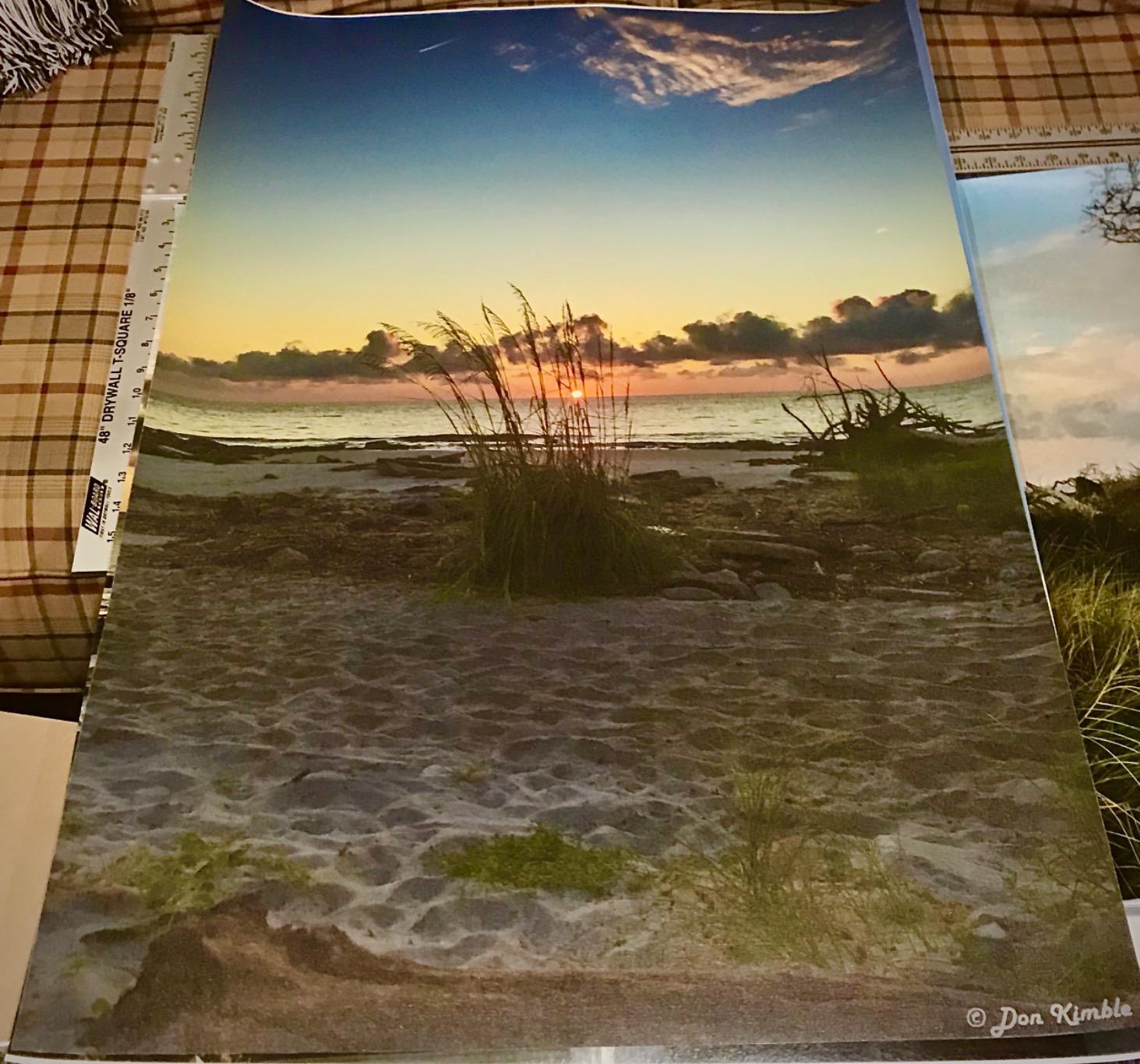
Maximum media size is 24 x 59 inches, so one roll covers both a 24×36 poster and a long banner. The box includes a Multifunction Roll System RU-23, roll holder set, PF-10 print head, maintenance cartridge and a rotary cutter, which saves you from buying a separate trimmer on day one. Canon supplies a one-year on-site warranty, and it ships through a Canon Platinum Reseller.
The costs are real. Owners call the ink expensive even while acknowledging it lasts through many prints, and the machine ships with small starter cartridges, so you will be ordering larger ones quickly. Color matching also takes time and repeated setting adjustments, and the bundled layout software has a learning curve. For a small business on a budget, that combination is a lot to absorb.
Do you need 11 colors for event posters?
No. If your poster is a graphic design piece with flat color and type, four pigment inks handle it. The extra channels earn their keep on photographic posters, gallery prints, and gradients in skies, skin tones and deep shadows. The 24×59 inch media width also lets you print a 24×36 poster and a banner from the same roll.
How big is the commitment?
Large. The body measures 35 by 49 by 33 inches and first page takes about 98 seconds, which is slow if you are printing quick turn signage all day. Budget for larger ink cartridges in your first year, and expect a few weekends of color calibration before output matches your screen.
9. Canon imagePROGRAF PRO-4100 – the 44-inch reference for gallery-scale prints
Canon imagePROGRAF PRO-4100 11-Color 44″ Large Format Inkjet Printer
44-inch print width
12 pigment ink channels
2400 x 1200 dpi
160ml to 700ml tanks
Pros
- Widest print width in the lineup for large signage and posters
- Exceptional detail and vibrant color at 2400 x 1200 dpi
- Color Density Sensor calibrates automatically for consistent output
- L-COA PRO engine handles large files quickly
- Three tank sizes let you match cartridge volume to workload
Cons
- 68.5-inch-wide chassis and 345 pounds need a dedicated room
- First page around 149 seconds on large sheets
- Premium price point among 44-inch plotters
The PRO-4100 is the widest machine here, and the only one that covers 40×60 bus stop and subway poster sizes in a single sheet. It uses 12 pigment-based LUCIA PRO ink channels with the same photo black, matte black, gray, red, blue and chroma optimizer lineup as the PRO-2100, so the color profile carries across the two.
The 12-channel integrated print head uses 18,432 nozzles across a 1.28 inch wide head, and the L-COA PRO engine speeds up processing of the very large files a 44 inch job produces. The integrated Color Density Sensor handles automatic calibration, which owners credit for consistent color from run to run without manual profiling each morning.
What do the ink tank sizes actually buy you?
LUCIA PRO tanks come in 160ml, 330ml and 700ml, and matching the tank to your volume is the single biggest lever on running cost. Large-volume tanks mean fewer cartridge changes and less waste at the end of a partly used set, which matters most when each print consumes this much ink. The cartridge range covers PFI-1100MBK, PFI-1300, PFI-1300MBK, PFI-1700 and PFI-1700MBK.
Who should realistically buy it?
Gallery printers, exhibition fabricators and sign shops producing exhibition banners, fine art and large signage. It is not a small office machine. The chassis is 41.75 by 68.5 by 36.25 inches and weighs 345 pounds, so it needs a dedicated room with floor space planned around it, and the first page takes roughly 149 seconds on a large sheet. Canon includes a one-year on-site warranty.
How wide do you need? 13, 24, 36 or 44 inches
Width is the decision that cannot be upgraded later, so pick for the largest sheet you will print regularly rather than the smallest. A 13×19 machine covers art prints, proofing and school posters. A 24-inch plotter is the minimum for a standard 24×36 poster and covers 18×24 with room to spare. A 36-inch plotter adds 27×40 and full-size architectural drawings. A 44-inch machine is the only one of these that handles 40×60 poster formats.
The class of machine also changes with width. The 13×19 models here are all-in-ones on sheet trays, so they add scanning and copying but no roll feed. From 24 inches up, you get true roll-fed plotters with automatic cutters, and the ones that are all-in-one, like the TC-21M, bring scanning to the roll format.
One practical note: the plotters that take 36 inch media are physically large. The HP T630 and T650 each measure 52 inches wide, and the Canon PRO-4100 measures 68.5 inches wide and weighs 345 pounds. Measure the room, not just the printer.
What it really costs to print a 24×36 poster
Ink dominates running cost on every machine in this roundup, and the hardware is a rounding error by comparison after the first year. The way to estimate it is simple: divide the cost of a full set of cartridges by the square feet of coverage they yield, then multiply by the poster area. A 24×36 sheet is 8 square feet, so a set that covers 400 square feet gives you roughly 50 full-coverage posters.
Where the numbers move is cartridge size and layout choice. The Epson T2170 runs 50 mL color and 80 mL black cartridges, which is frequent but keeps each unit cheap. The Canon PRO-4100 offers 160 mL, 330 mL and 700 mL tanks, and the largest tanks waste far less at the end of a set. The Canon TC-21M uses ink bottles, removing the cartridge markup entirely.
Layout settings change the bill just as much as hardware. Borderless output, heavy photo coverage, matte media and a light draft mode all consume different amounts, and HP Click’s auto-nesting on the T210 and T650 reduces wasted media on multi-page jobs. If you want a hard number for your own workflow, print ten representative posters, weigh the cartridges before and after, and do the arithmetic on that. Do not estimate from a cartridge price alone.
Inkjet vs toner vs dye-sublimation: when a print shop still wins
Inkjet wins on photo quality and dominates this list. Toner and LED plotters win on monochrome drafts, construction documents and weather-resistant signage, and they cost far less per page for black-only work because there is no liquid ink to waste. Dye-sublimation wins on fabric, polyester banners and textiles, which is a different media category from paper posters.
For a one-off 24×36 poster, a print shop is still the right call. It has no ink investment to recover, no maintenance schedule and no learning curve, and it will often turn a poster around faster than you can load a roll. Owners in print forums put the crossover in the low tens of posters a month, though the honest answer is that it depends entirely on how often you reprint the same piece.
The forum consensus is consistent: at roughly 30 posters a week, most people in r/Printing advise staying with a local printer rather than buying. Above that, in-house printing starts to make sense, and the ink math above is how you find your own crossover.
Cartridges vs refillable tanks: the running cost decision
Sealed cartridges are simpler but cost more per unit of ink and force you to discard part-used sets. Refillable tanks and bottle-fed systems lower the per-print cost and cut waste, and the Canon TC-21M in this roundup is the clearest example of a 24-inch machine built around bottles.
The counterweight is flexibility. Every plotter in this roundup except the TC-21M is tied to its manufacturer’s ink, and owners in r/printers have raised the recurring fear that a machine reaching end of life leaves cartridges that are expensive or hard to source. That is a real risk on any sealed system, and it is worth pricing cartridge supply before you buy rather than after.
There is also the media question. Users in r/CommercialPrinting regularly report getting conflicting information about whether a given plotter will handle vinyl or specialty media, and the honest answer is to confirm against the manufacturer’s supported media list rather than a marketplace listing. Ask the vendor for the media you actually intend to run.
How to buy the right wide format printer for posters
Start with the largest sheet you print regularly. Not the smallest, and not the one you printed last week. Width cannot be upgraded later, so buy for the size that appears on your calendar most often.
Confirm borderless output at your target size. A 24-inch roll only gives you a true 24×36 poster if the printer supports borderless printing. Ask specifically about edge-to-edge at 24 by 36, not just maximum media size.
Count ink channels against your artwork. Four colors handle flat graphic design, signage and CAD. Add photo black, matte black and gray only if you print photographic posters or gradient-heavy work, because the ink cost scales with the channel count.
Check media support against your real media list. Banner paper, glossy photo, plain bond, labels, self-adhesive vinyl and backlit media are not equally supported. Verify with the manufacturer or a dealer before purchase.
Price the ink supply, not the printer. Find out cartridge or tank availability, volume options and whether third-party ink is permitted without warranty risk. This is the number that decides your total cost of ownership.
Look at memory and file handling for large jobs. The T650 carries 1GB and the T210 500MB, and the Canon models add image processing engines for very large files. Complex PDFs at 44 inches benefit from the headroom.
Factor in the cutter and any scanner. A built-in horizontal or rotary cutter saves labor. A wide-format scanner saves a second machine. The TC-21M does copy and scan but only at letter size, so read that spec carefully.
Treat warranty and service as part of the purchase. The T650 includes a two-year onsite Care Pack, and both Canons carry one-year on-site coverage. Service contract cost is a line item owners on forums consistently report regretting ignoring.
What printer owners say about ink cost and reliability
The loudest theme across r/printers, r/CommercialPrinting and r/graphic_design is ink, not print quality. Owners post cartridge prices and yields constantly, and the general feeling is that ink cost is what actually decides whether a plotter was affordable. That is why we put the cost-per-print section above rather than burying it in a buying guide.
The second theme is service. One construction firm owner in r/CommercialPrinting describes an HP DesignJet T2530 bought around 2018 for roughly 8,000 dollars that now breaks down frequently, with a replacement machine quoted well below half that and an annual service contract on top. The lesson they pass on is to price support before the failure, not after.
On brand loyalty, a signs-industry dealer on signs101 who carries both brands recommended Canon over Epson for longevity, saying Canon will work better and last longer. Trimming shows up too: owners in printplanet and dpreview forums specifically seek machines with built-in cutters so they do not pay a vendor to trim every print. That is a labor cost, and it belongs in your calculation.
Frequently Asked Questions
What is the best printer for printing posters?
A large format inkjet plotter that takes 24-inch roll media and supports borderless printing is the right answer for standard 24×36 posters. Our top pick is the HP DesignJet T210 24-inch, which handles 24-inch rolls, prints at 2400 x 1200 dpi and includes an automatic horizontal cutter. For photographic posters, the Canon PRO-2100 adds an 11-color ink set.
What type of printer do I need to print posters?
You need a roll-fed large format inkjet plotter at 24 inches wide or more if you want a full-size poster in one piece. Printing a 24×36 poster on a desktop or 13×19 machine means tiling it across sheets, and the seams are visible. Add photo black, matte black and gray inks only if you print photographic or gradient-heavy work.
What is the best large format printer for 24×36 prints?
The HP DesignJet T210 24-inch and the Epson SureColor T2170 are the two 24-inch models here that cover a 24×36 sheet. The T210 wins on line quality and included cutting, while the T2170 wins on instant-dry UltraChrome XD2 pigment ink and a larger touchscreen. The Canon imagePROGRAF TC-21M is the pick if you also need scanning and copying, and the Canon PRO-2100 if the poster is photographic.
Can I print 24×36 on a home printer?
Not in a single piece. Home and office printers top out at 13×19 inches, so a 24×36 poster has to be tiled across four sheets, which leaves visible seams. You can print poster sections on a 13×19 machine and tape them together, but a 24-inch plotter produces one seamless sheet and is the reason these machines exist.
Is a wide format printer worth it for small business?
It becomes worthwhile once you reprint the same poster sizes regularly, because ink cost per print falls against a print shop once volume climbs. Forum advice commonly puts the crossover in the low tens of posters a month, and one reply in r/Printing recommends staying with a local printer at around 30 jobs a week. Below that volume, outsourcing is usually the cheaper path.
How much ink does a 24×36 poster use?
A 24×36 sheet covers 8 square feet, so the honest way to estimate cost is to divide a full cartridge set by the square feet it yields. Tank size and layout settings move the answer more than hardware does. Print ten representative posters, weigh the cartridges before and after, and calculate from real consumption rather than the cartridge price alone.
Our verdict for 2026
Buy the HP DesignJet T210 24-inch if you want one machine to cover posters, signage, maps and CAD work without guessing about ink. It handles 24-inch rolls at 2400 x 1200 dpi, ships with an automatic horizontal cutter, and carries a 4.4 star average from 112 owners. It is the default recommendation from our team for most buyers, and it sits at the top of the table, the top three and this verdict for a reason.
Buy the Epson SureColor T2170 instead if your posters touch water, handling or solvents and you want instant-dry pigment ink in every channel at a lower entry point. Buy the Epson WorkForce WF-7710 if 13×19 is genuinely the largest you will print and you also want a scanner and fax. Move up to the Canon PRO-2100 for photographic posters and the Canon PRO-4100 only when you need 40×60 widths, and check the room first, because that machine weighs 345 pounds.
Whichever you pick, price the ink and the service before you price the machine. Our 2026 pick list is built on owner ratings, measured specifications and the running-cost logic above, so the comparison holds up when you take it to a dealer.