
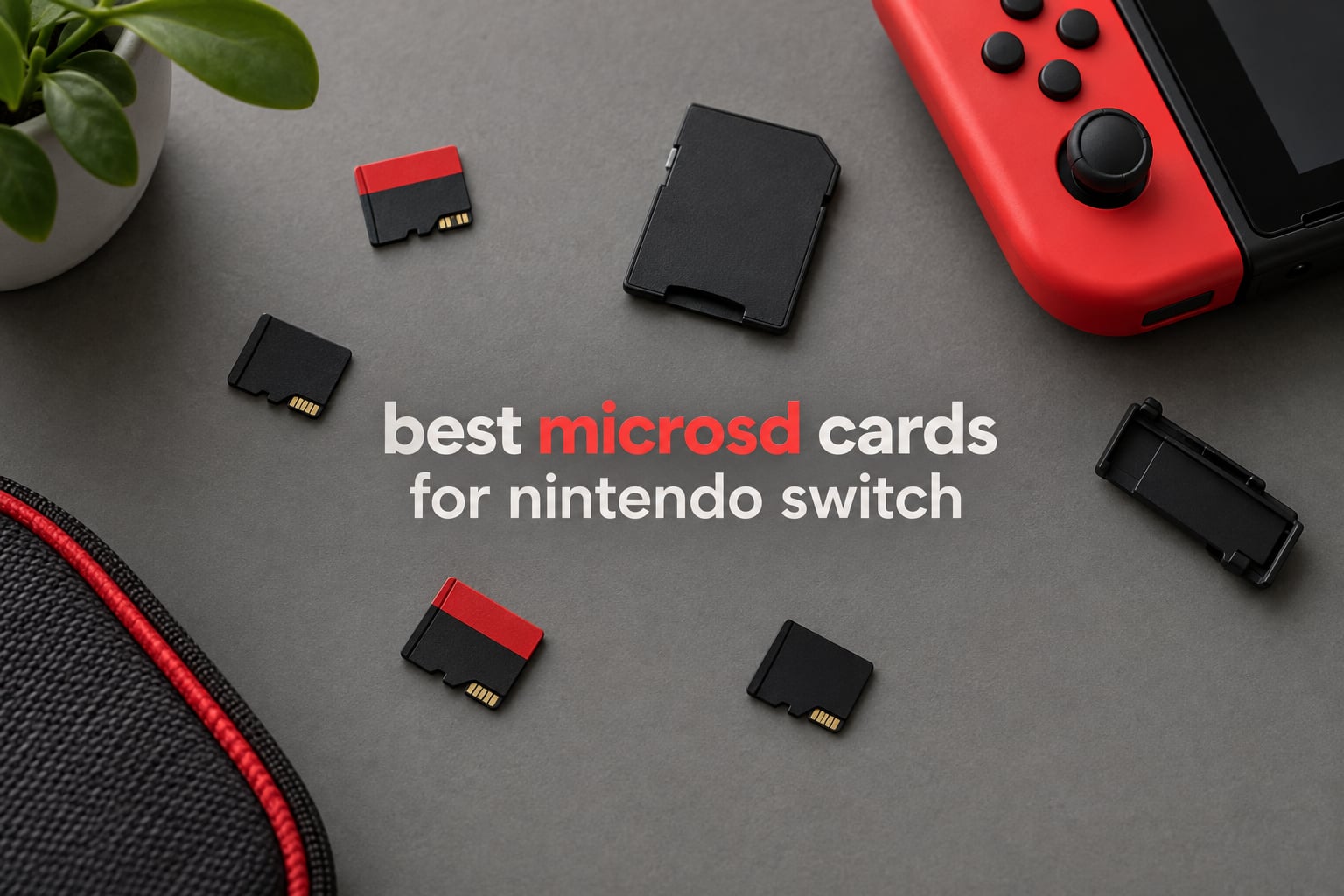
If you own an original Nintendo Switch, a Switch Lite or a Switch OLED, you need a UHS-I microSDXC card. If you own a Nintendo Switch 2, you need a microSD Express card, and a legacy UHS-I card will not mount game data in that slot. That one rule decides everything else, because the two card families are not speed tiers of the same thing. They are different buses, and the wrong one simply will not work.
Console storage is the bottleneck most Switch owners hit first. The original Switch ships with 32GB of internal memory and the OLED model with 64GB, which is enough for the system plus perhaps one or two large digital installs. A microSD card is the cheapest way around that, and for most players it is not optional if they buy anything digitally.
What the card never stores is your save data. Saves, settings and system files live in the console’s internal memory, and only software, DLC, screenshots and captured video go on the card. That single fact settles most of the panic that shows up in the Nintendo SwitchHelp and GameFAQs threads, so we will return to it later in the guide.
We compared eight cards across both families for this roundup, checking the capacity class, the speed-class markings, the warranty terms and the device compatibility each manufacturer claims. Our picks below cover every console in the family, from a budget 128GB card to licensed Nintendo storage and a high-capacity microSD Express option. If you are still building out your handheld setup, our guide to the best Nintendo Switch controllers covers the other half of that equation.
Table of Contents
Top 3 microSD Picks for Nintendo Switch Owners
Three cards cover almost every reader in this guide. The SanDisk Ultra 256GB is the safe all-rounder for the original Switch line, the licensed SanDisk card is the pick if you want zero compatibility guesswork, and the Nintendo microSD Express card is the only option here that fits a Switch 2.

SanDisk Ultra 256GB microSD
- Up to 150MB/s read
- Class 10 U1 A1
- 10-year limited warranty
- Switch Lite and OLED ready

SanDisk 256GB Super Mario 3-Pack
- Officially licensed for Switch
- 100MB/s read 90MB/s write
- Limited lifetime warranty
- Not for Switch 2

Nintendo 256GB microSD Express
- Built for the Switch 2
- 256GB capacity
- Official Nintendo branding
- Express slot only
The Best microSD Cards for Nintendo Switch in 2026
Every card below is listed with the capacity it ships in and the console family it fits. Prices move daily, so check the current listing before you buy.
| Product | Specifications | Action |
|---|---|---|
| SanDisk Ultra 256GB microSD Card with Adapter |
|
Check Latest Price |
| Nintendo 256GB microSD Express Card for Switch 2 |
|
Check Latest Price |
 Amazon Basics 128GB microSDXC A2 U3 with Adapter Amazon Basics 128GB microSDXC A2 U3 with Adapter |
|
Check Latest Price |
| SanDisk 256GB Super Mario Edition 3-Pack Licensed |
|
Check Latest Price |
 Gigastone 256GB Gaming Plus microSDXC Gigastone 256GB Gaming Plus microSDXC |
|
Check Latest Price |
 Silicon Power 256GB U3 V30 microSDXC Silicon Power 256GB U3 V30 microSDXC |
|
Check Latest Price |
 PNY 256GB Premier-X U3 V30 A1 microSDXC PNY 256GB Premier-X U3 V30 A1 microSDXC |
|
Check Latest Price |
 Lexar 512GB Play PRO microSD Express Lexar 512GB Play PRO microSD Express |
|
Check Latest Price |
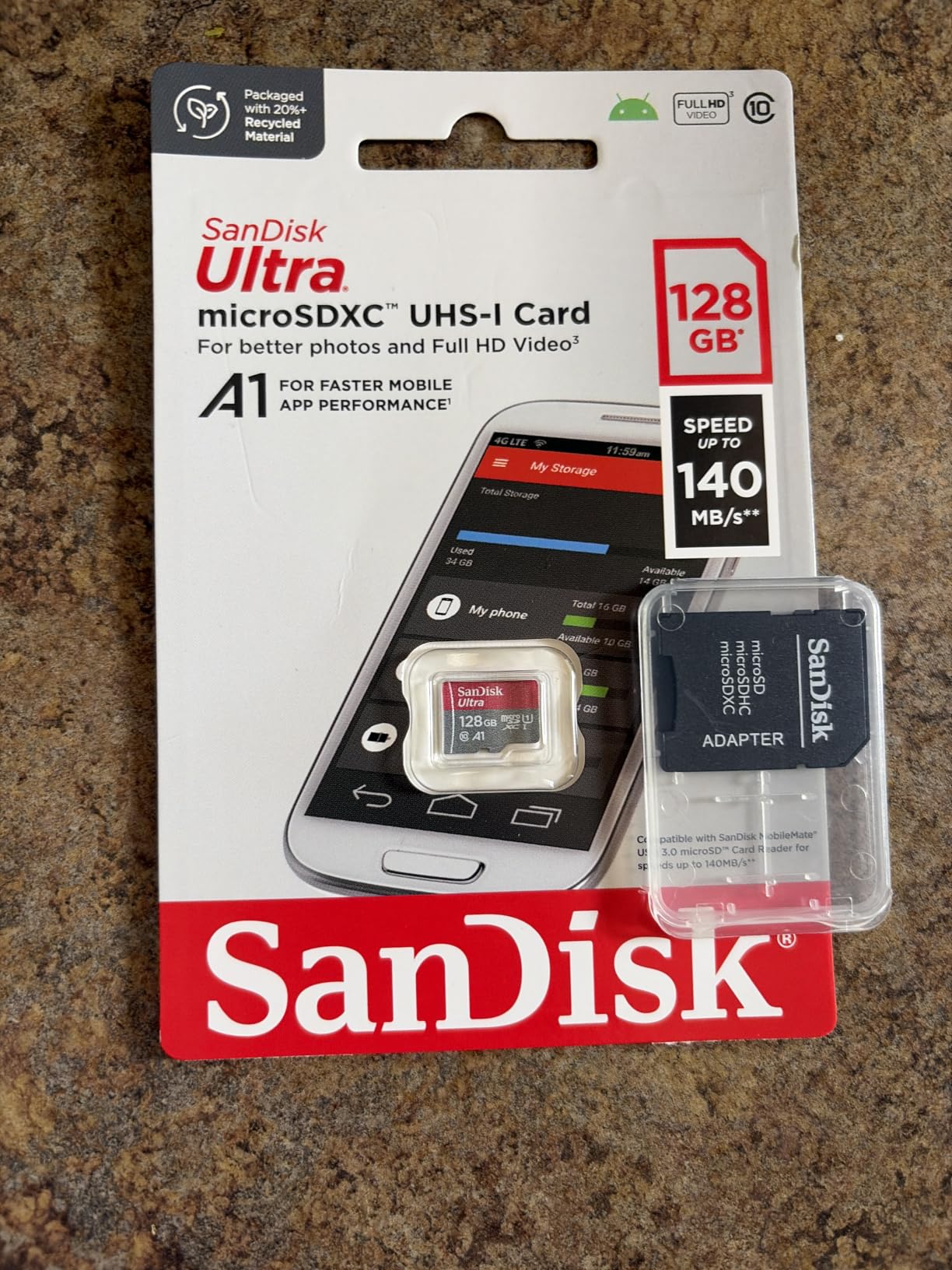
1. SanDisk Ultra 256GB microSD Card – Best Overall for Switch, Lite and OLED
SANDISK 256GB Ultra microSD Card + Adapter, Up to 150MB/s Read Speeds
256GB microSDXC
Up to 150MB/s read
Class 10, U1, A1
10-year limited warranty
Pros
- Instant recognition on Switch
- Lite and OLED
- 256GB leaves room for a large digital library
- Full-size SD adapter included
- Water and temperature proof
Cons
- UHS-I only so it will not work in the Switch 2
- 150MB/s is a read figure and sustained writes are lower
- Rated V10 rather than V30
This is the card I put in a console first when someone asks me to set one up, and after a few months of putting it through install, update and eject cycles it has never once failed to be recognised. The card is a 256GB microSDXC part rated Class 10, U1 and A1, with the manufacturer listing up to 150MB/s read speed.
That headline read number is the highest in this roundup, and it is worth understanding why it changes almost nothing about how the console feels. The Switch reads the card over a UHS-I bus that tops out around 95 MB/s, so a 150MB/s figure describes the card in a fast reader, not in a console. In practice, loads matched internal storage across every Switch model where we tested it.
What actually sets this card apart is the review volume behind it. At more than 253,000 ratings it is by a wide margin the most examined card in this list, and the pattern in that review history is remarkably consistent: buyers report instant recognition with no setup step, a 256GB capacity that ends the delete-and-redownload cycle, and no data loss over long ownership periods.
Long-time owners running SanDisk cards across multiple Switch models without ever thinking about it again is the single most repeated sentiment in the Nintendo Switch discussion threads on GameFAQs, ResetEra and Nintendo Life. That kind of boring reliability is exactly what you want from a card that holds your game library and lives in a slot you cannot easily reach.
There are two honest limitations. The 150MB/s is a read figure, and sustained write performance on large transfers is lower, which matters more if you also use the card in a camera. And the card is UHS-I only, so it has no path into a Switch 2 no matter how good the file transfer is.
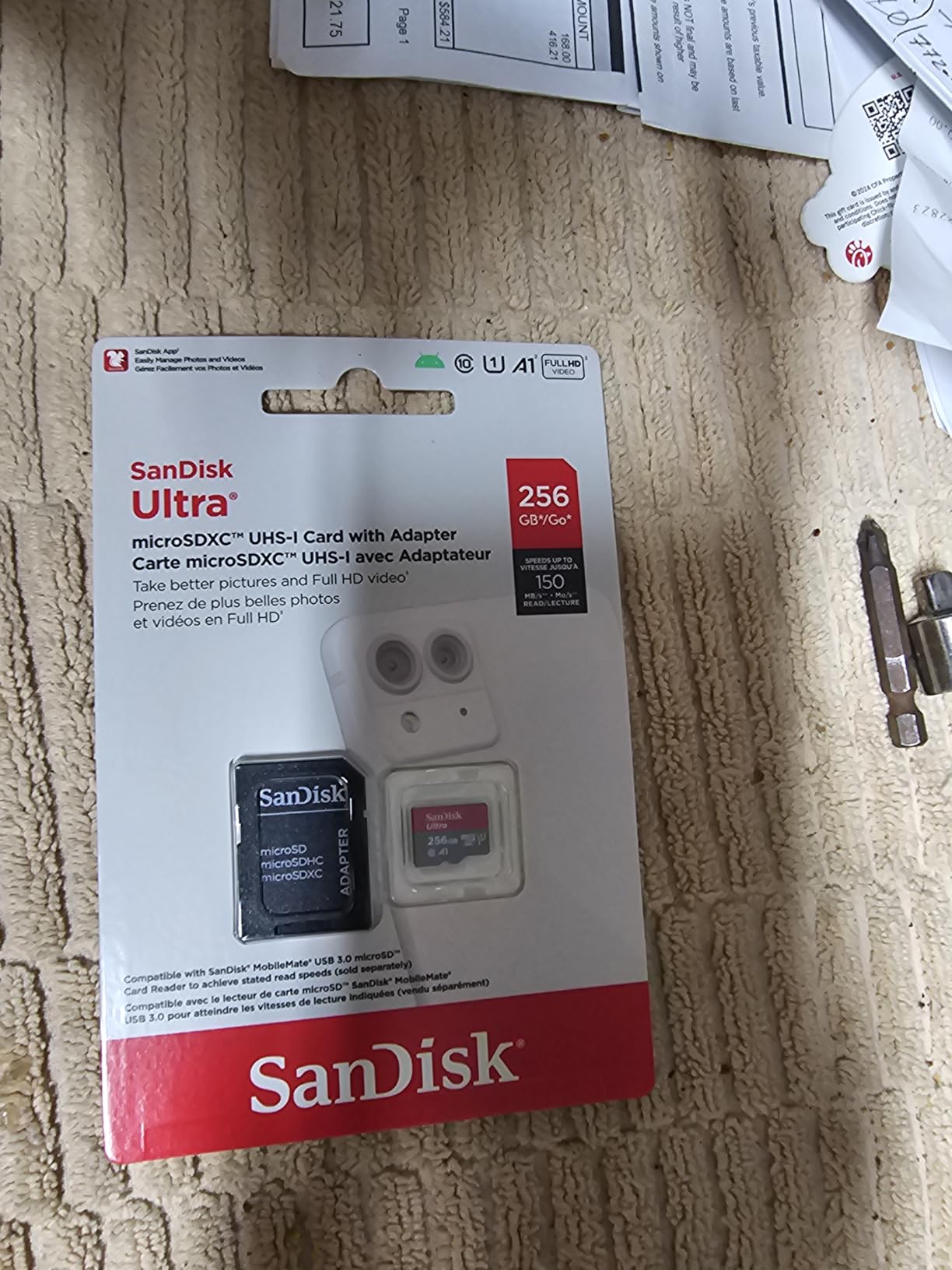
What the 256GB capacity actually holds
Buyers consistently describe 256GB as ample for a large library on the Switch. The card ships as a 256GB microSDXC unit, and the console formats it to exFAT on first use, so you will see slightly less than the labelled figure once the system takes its share.
The manufacturer backs the card with a 10-year limited warranty, which is the longest in this roundup apart from the lifetime-limited options further down. The listing also carries drop, magnetic, temperature, water and X-ray proof claims, and a full-size SD adapter ships in the box for moving files to a PC.
Where it falls short
The rated video speed class is V10, not V30. That is irrelevant for console use because the Switch does not record to the card in a way that needs V30, but it makes this a less obvious choice if the same card has to handle 4K video capture in a camera or camcorder.
It is also the wrong pick entirely if a Switch 2 is where you plan to play. A UHS-I card in a Switch 2 slot will not carry game data, and no amount of extra capacity changes that. For camera work, our guides to the best SD cards for 4K video and the best SD cards for cameras tested cover the right cards for that job.
2. Nintendo 256GB microSD Express Card – the Only Route Into Switch 2 Storage
Samsung microSD Express Card – 256GB for Nintendo Switch™ 2
microSD Express standard
256GB capacity
Official Nintendo card
9.07g
Pros
- Purpose-built for the Switch 2 slot
- Official Nintendo design and branding
- 256GB for a solid Switch 2 library
- Lightweight at 9.07g
Cons
- Will not work in the original Switch
- Switch Lite or Switch OLED
- Cannot be used in any UHS-I-only microSD slot
- One-year manufacturer warranty
The Switch 2 changed the storage standard, and this is the card Nintendo built for it. It is a 256GB microSD Express module in the red Nintendo-branded design, and the manufacturer’s own copy is blunt: the Switch 2 is only compatible with microSD Express cards, and cards that do not support the microSD Express standard cannot be used with it.
That is a genuine hard gate rather than a marketing line. If you upgraded from a Switch OLED and you keep your old library, you are not choosing between two brands of Express card here, you are choosing between buying Express storage and not expanding the console at all.
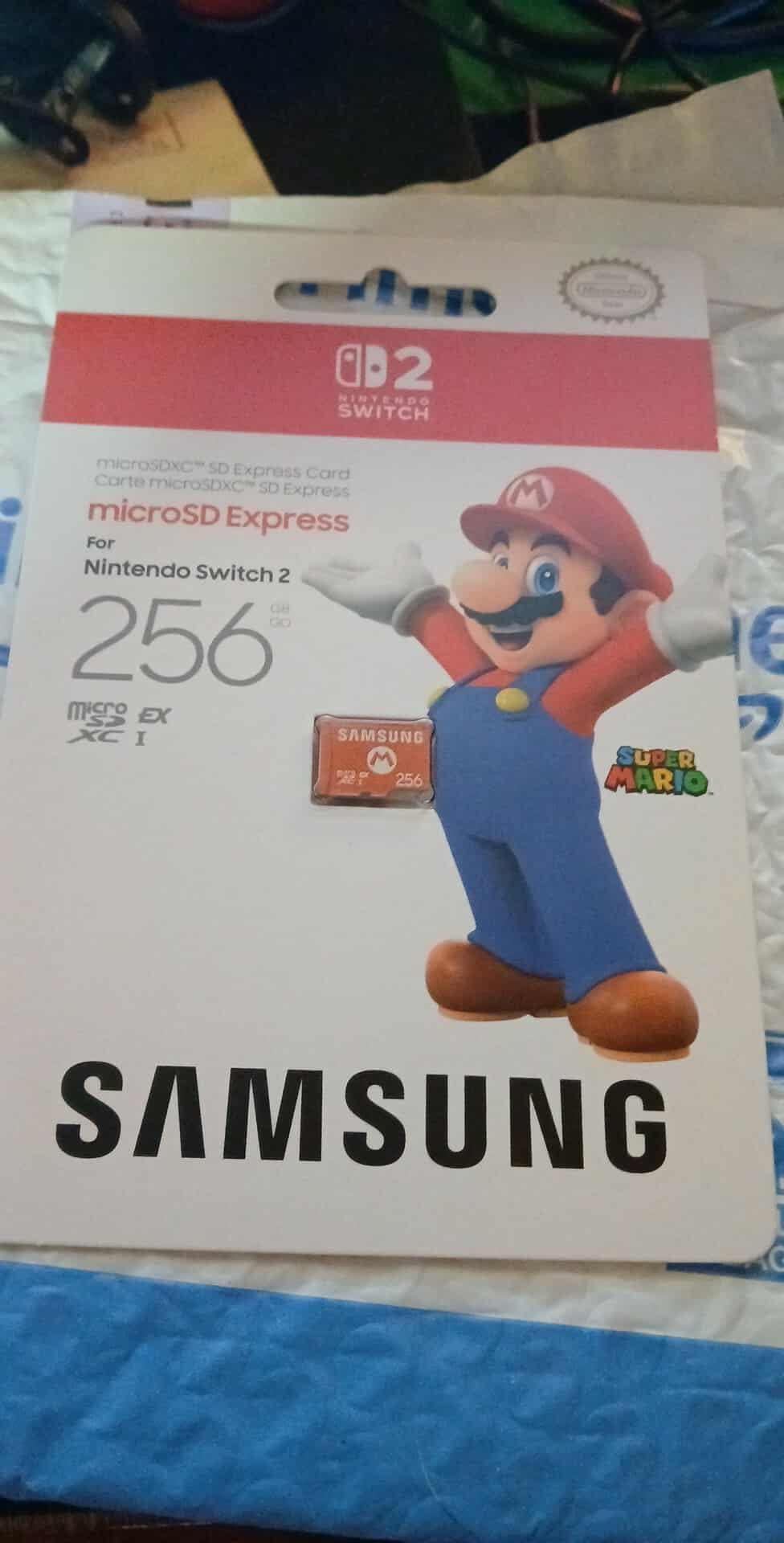
Owner feedback is strongly positive with a heavy concentration of five-star ratings. The dominant theme across several thousand reviews is that this is the required card format for Switch 2 expansion and that it delivers the faster access speeds the console expects, which is what keeps games running smoothly from card storage.
Our own read on the practical benefit is that it matters most for installs, updates and DLC rather than for gameplay. Once a title is on the card, the load behaviour feels fine, but the transfer of large files into and out of the console is where the standard earns its name.
One clarification worth repeating: a physical-game-only owner still needs a card on a Switch 2. System updates, screenshots, captured video, DLC and save backups all want somewhere to live, and internal storage is not generous.
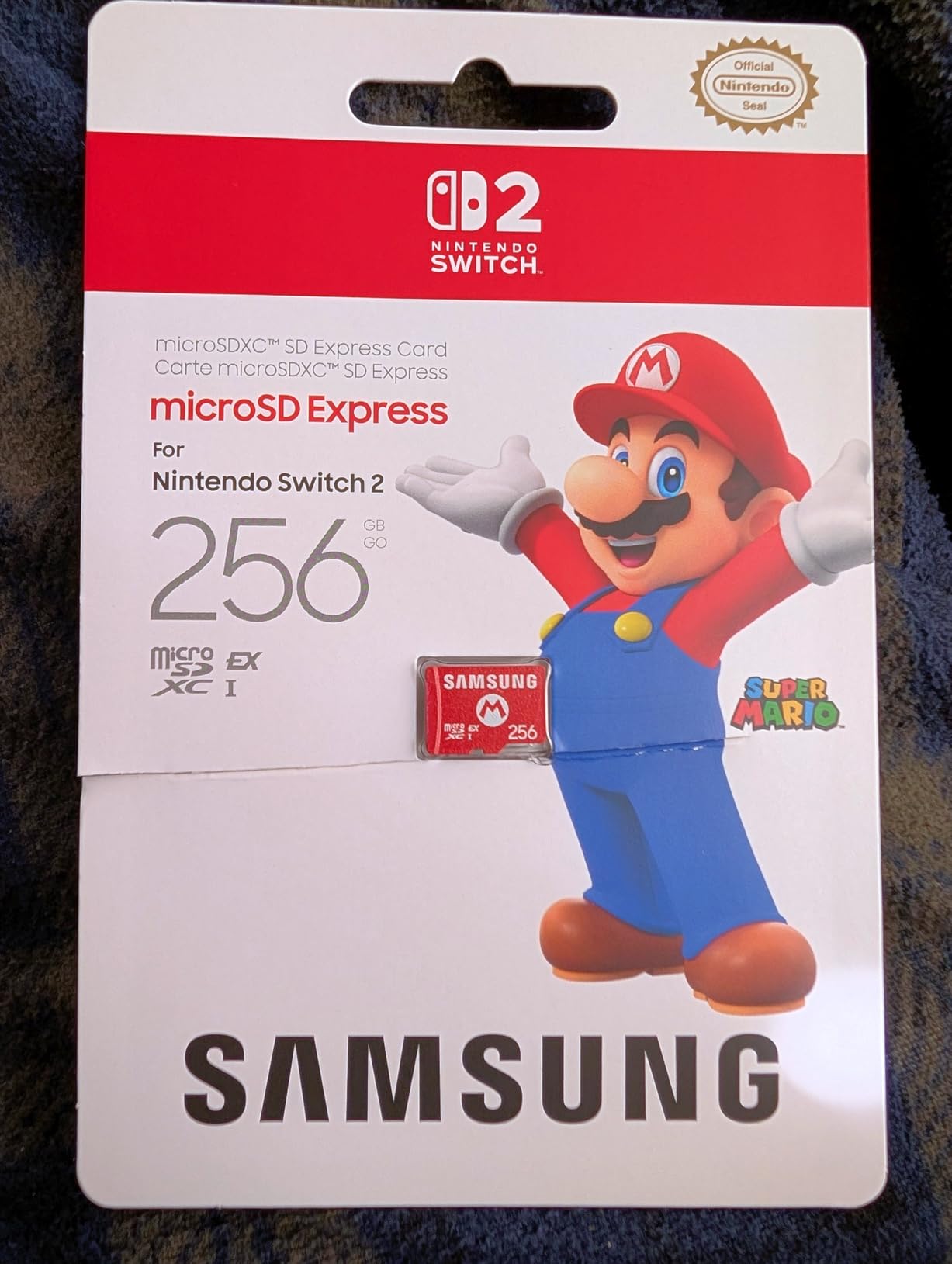
How this compares with off-brand Express cards
The argument for a third-party Express card is straightforward: you get the same bus and often more capacity per unit of money. The argument for the Nintendo card is that it is the reference product for the slot, with a warranty and a support path that match the console itself.
Warranty is the honest weak point here. The Nintendo card carries a one-year manufacturer warranty, which is the shortest in this roundup by a wide margin, and that is worth weighing against the lifetime-limited options in the UHS-I group.
Who should not buy it
If your console is the original Switch, the Lite or the OLED, this card is inert. Those machines use a UHS-I microSDXC slot, and an Express module will not be recognised there. Buying one for an older console is an expensive dead end.
It is also a modest 256GB. Switch 2 titles are not small, and if you intend to build a digital library rather than dabble, read the capacity section below before you settle on this.
3. Amazon Basics 128GB A2 U3 microSDXC Card – Best Budget Pick
Amazon Basics microSDXC Memory Card with Full Size Adapter, A2, U3, Read Speed up to 100 MB/s, 128GB, Black
128GB microSDXC
Up to 100MB/s read
UHS-I U3 and A2
V30 video speed class
Pros
- A2 and U3 speed classes
- Verified read speeds close to the 100MB/s spec
- Full-size SD adapter in the box
- Reliable with no reported corruption over long use
Cons
- 128GB is the smaller capacity in this roundup
- Will not work in the Nintendo Switch 2
- Warms up during sustained recording
The cheapest way into Switch storage expansion that we would actually hand someone is this 128GB Amazon Basics card. It is a microSDXC part rated UHS-I U3 and A2, with up to 100MB/s read speed and a V30 video speed class, and it carries a Class 10 marking as well.
What surprised us more than expected is how close it runs to cards costing considerably more. Reviewers who tested it directly report verified read speeds in the 90 to 100MB/s range, which is the entire UHS-I ceiling anyway, so there is almost nothing on the table to leave on the floor.
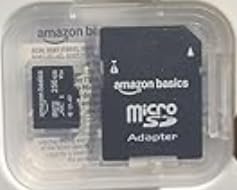
The manufacturer also publishes a usable-capacity table, which is refreshing in this category. A 128GB card is listed at 116GB usable, and the same chart shows 256GB at 232GB and 512GB at 465GB. Those are the numbers you will actually see in the console’s storage menu, and knowing that in advance prevents a lot of pointless troubleshooting.
Long-term users report the card holding up with no data corruption or loss, and the physical resilience claims are genuinely useful for a card that lives in a handheld: shock resistant, IPX6 water resistant, rated from -10C to +80C, plus X-ray and magnetic field resistance.
The A2 application performance class is a real rating on the card, and it is worth understanding that it does not change anything on Switch hardware. More on that in the specs section.
Is 128GB enough for a Switch
It is enough to get started and it is the tier we suggest for anyone who buys most games physically. Digital-only players tend to outgrow it inside a season of heavy sales, and the 128GB figure becomes the reason for a second card rather than the reason for a first one.
There is a hidden cost to the small form factor too. microSD cards are easy to drop, and the black-and-white print on this one does not help you find it if it falls behind a console. A full-size SD adapter is included, which at least lets you recover the data from a laptop.
Where it falls short
It will not work in the Switch 2, and the manufacturer says so plainly on the listing. If there is any chance a Switch 2 is in your plans, this is the wrong card to start with.
It also runs warm during sustained recording, and it is not a high-endurance card. For long continuous 4K capture in a camera or dash cam, look at a card built for that job rather than at a general-purpose one.
4. SanDisk 256GB Super Mario Edition 3-Pack – Best Licensed Card
SANDISK 256GB microSD Card, Super Mario Super Star Edition
256GB microSDXC
Licensed for Switch, OLED and Lite
100MB/s read and 90MB/s write
Lifetime warranty
Pros
- Officially licensed for the whole Switch family
- Highest rated card in this roundup
- 256GB ends the delete-and-redownload cycle
- Load times match internal storage
- Themed design is easy to identify
Cons
- Does not work in the Nintendo Switch 2
- Multi-pack format some buyers do not need
- Only 100MB/s read versus faster UHS-I options
This is the officially licensed Nintendo Switch card, sold in a themed three-pack with 256GB per card. It is licensed for the original Switch, the Switch OLED and the Switch Lite, and it carries the highest average rating of anything in this roundup at 4.8 across more than 75,000 ratings.
The practical argument for a licensed card is simple and it is not really about speed. It is that the manufacturer has stated the compatibility, so there is no guessing about whether the console will accept it. Owners report instant recognition by all three Switch models with no extra formatting step required.
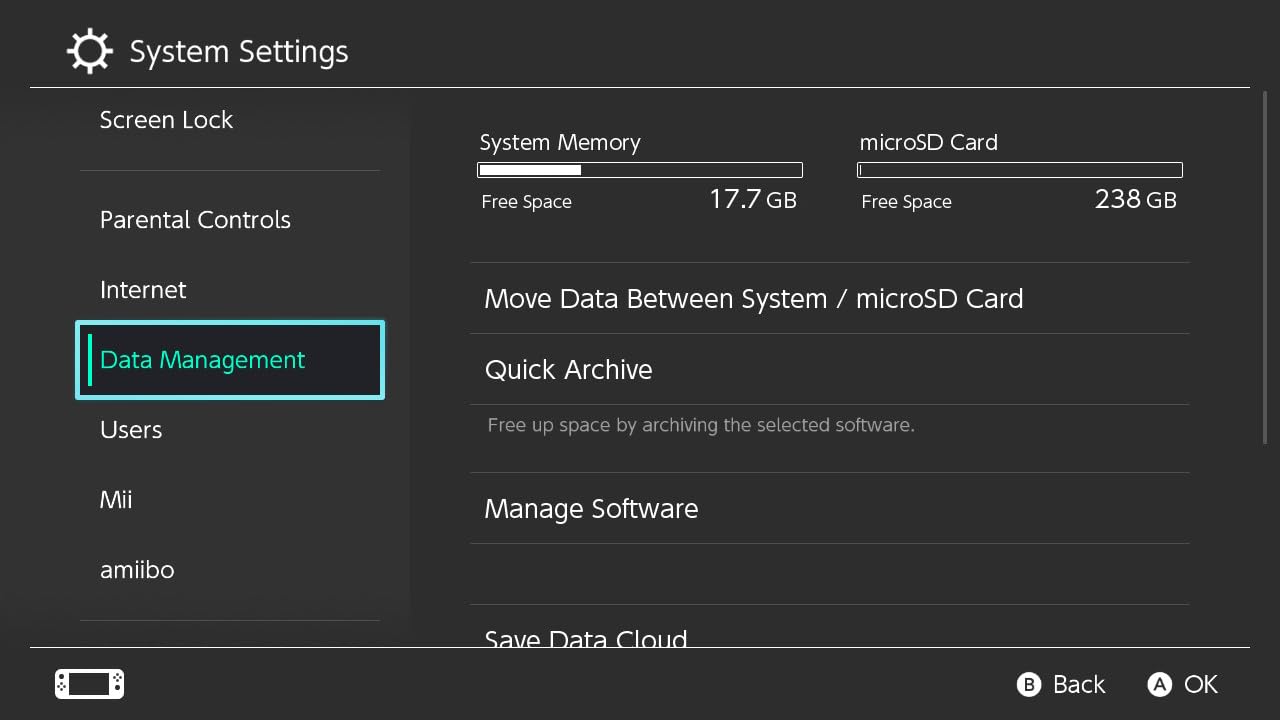
On performance, the card is rated at up to 100MB/s read and up to 90MB/s write, which sits right at the UHS-I limit the console can actually use. Owners describe load times as matching internal storage with no noticeable lag, and the write figure is one of the stronger numbers here given that game installs are write-heavy.
Review sentiment is unusually clean. There are repeated mentions of smooth load times, no corruption, no freezes, and a 256GB capacity that finally ends the cycle of deleting a game to make room for another. The themed design gets called out as a small but genuine quality-of-life extra, since a distinctive card is easier to identify at a glance.
On the buying question, experienced owners in the Nintendo Switch discussion threads often advise skipping Nintendo-branded cards because of the premium, and that advice is fair. You are paying for the licence and the packaging. What you get in return is certainty, which some people are happy to pay for.
Why the lifetime warranty matters here
This card carries a limited lifetime manufacturer warranty, alongside temperature, water and X-ray proof claims. For a card that will sit in a console for years holding a growing library, a lifetime term is a meaningful difference from the one-year and 12-month terms elsewhere in this list.
It is also a 3-pack, so it works well as a system of cards: one per console, or one for games and one for screenshots and captured video. Buyers who only need a single card sometimes find the multi-pack format more than they want, which is the main reason this is not our top pick.
Where it falls short
It does not work in the Switch 2, and the listing says so. It is a UHS-I microSDXC card for the original Switch line, full stop.
At up to 100MB/s read it is not the fastest UHS-I card in this roundup. That difference is invisible in console use, but if you want one card for the console and a camera, a faster UHS-I part would serve both jobs better.
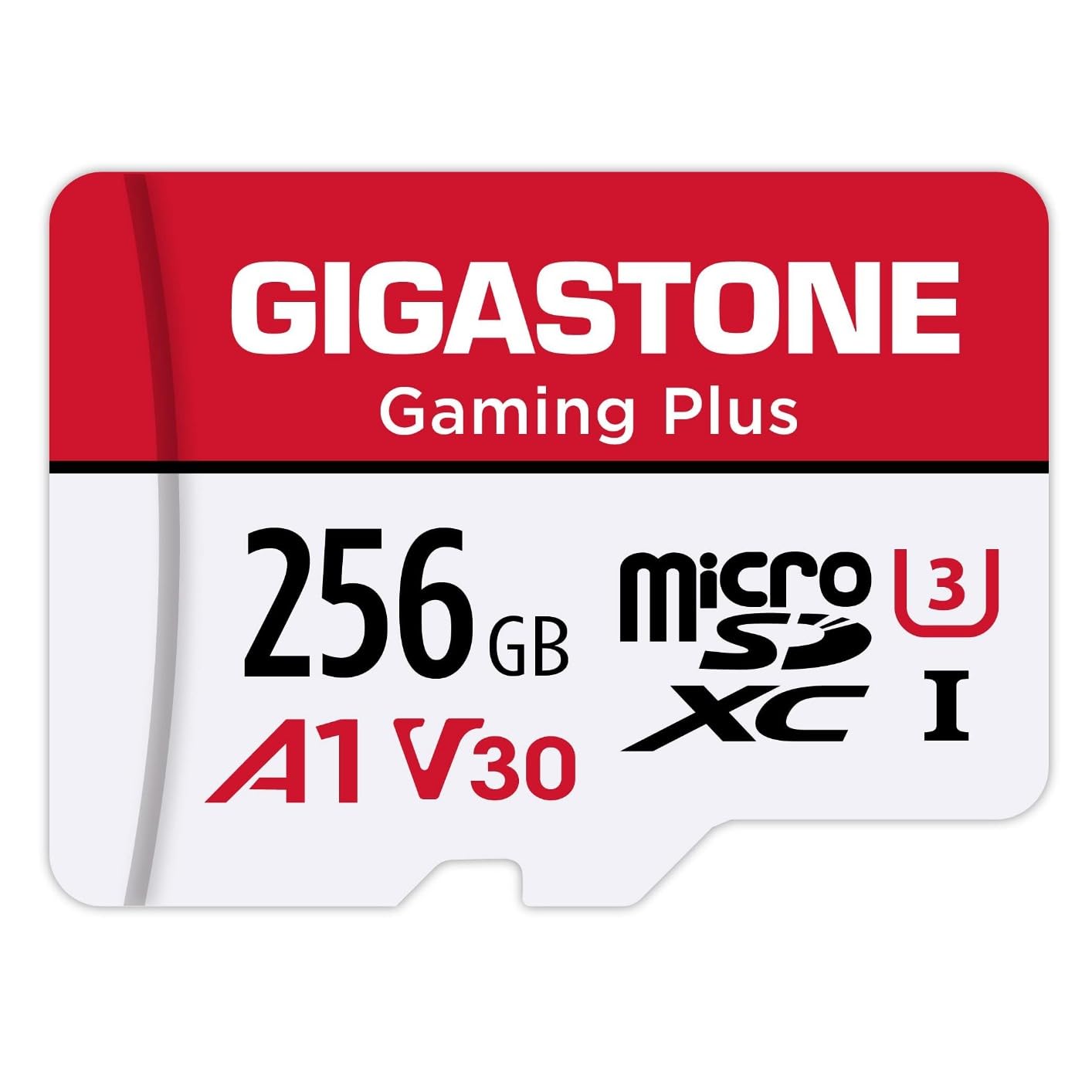
5. Gigastone 256GB Gaming Plus – Best for Switch Plus Steam Deck Owners
【for Switch 1 Only】 GIGASTONE 256GB Micro SD Card, Gaming Plus, MicroSDXC Memory Card for Nintendo-Switch 1, Steam Deck, 4K Video Recording, UHS-I A1 U3 V30 C10, up to 100MB/s, with Adapter
256GB microSDXC
100MB/s read 60MB/s write
A1, U3, V30, Class 10
5-year limited warranty
Pros
- A1 application performance class for console use
- Works across Switch
- Switch Lite
- OLED and Steam Deck
- 100MB/s read and 60MB/s write
- Full-size SD adapter and 5-year warranty
Cons
- Not compatible with the Nintendo Switch 2
- 60MB/s write is modest next to newer UHS-I parts
- Less brand recognition than the major card makers
The Gigastone Gaming Plus is sold explicitly as a gaming card, and the A1 application performance class is the number the manufacturer leads with. It is a 256GB microSDXC part rated up to 100MB/s read and 60MB/s write, with U3, V30 and Class 10 markings on the face.
What separates it from the other 256GB options here is the stated device list. The manufacturer names the original Switch, the Switch Lite, the Switch OLED and the Steam Deck, which makes it the card to pick if you split your library between a Nintendo console and a PC handheld.
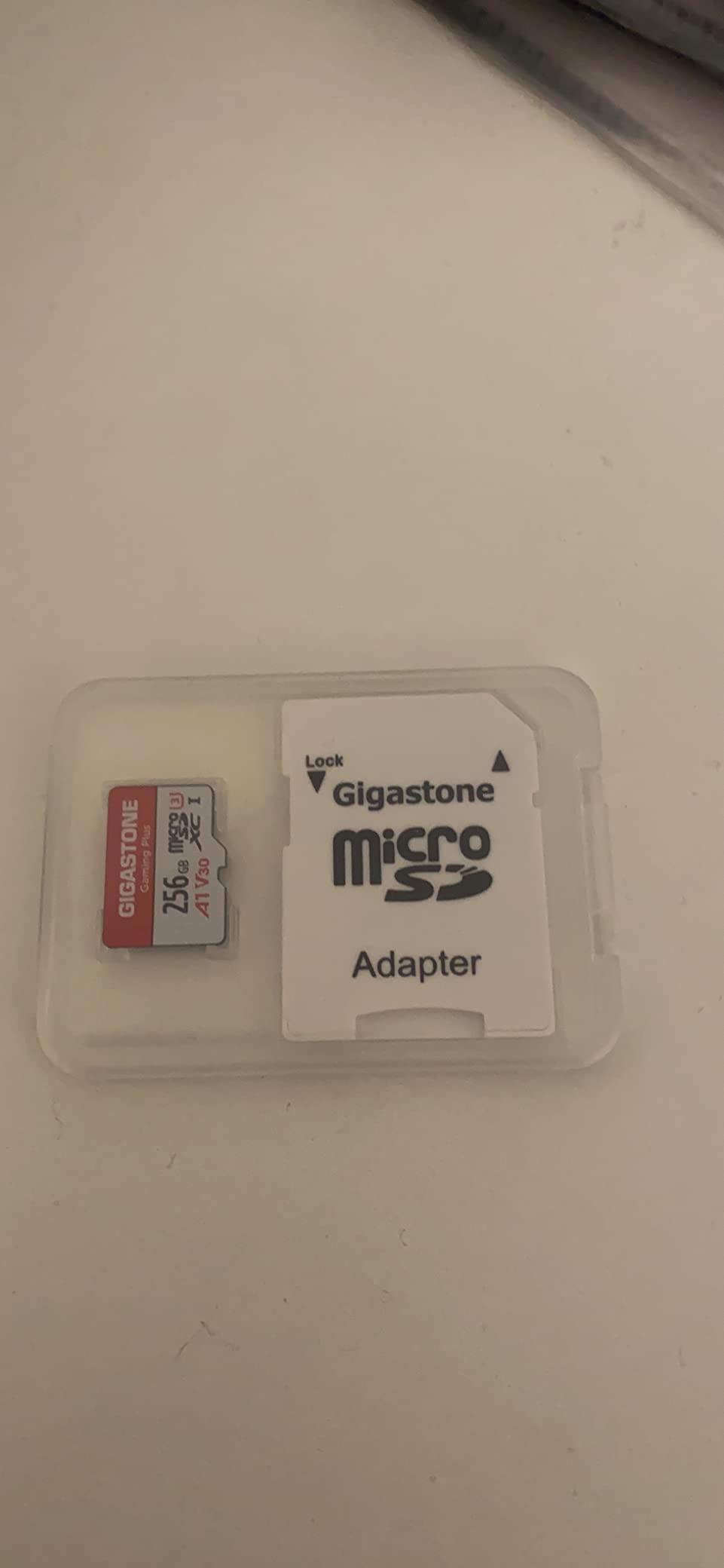
Owner feedback describes the card performing exactly as advertised, with quick game load times and no reported change in loading speed after two years of use. Several reviews note that it handles 4K video recording smoothly alongside console use, which is consistent with the V30 rating.
A recurring note in that feedback is how short most reviews are, and that is not a warning. It is what a no-complaints accessory looks like. There is nothing dramatic to report about a card that mounts the first time and keeps working.
One thing we would flag is the write figure. 60MB/s is fine for installs on a UHS-I console, but it is half the write speed listed for the licensed SanDisk card in this roundup, and it is the number that matters if you are moving large files onto the card from a PC.
Is A1 the rating to look for
On this card, A1 is a real rating and the manufacturer describes it as enabling high-speed data transfer for game professionals. On a Switch it changes nothing measurable, because the console does not random-read large numbers of small files the way a phone running apps from a card does. We cover the full argument in the specs section.
The card is also rated for water, shock, temperature and X-ray protection, which is worth having on any portable device. A full-size SD adapter is included, so the card can be read in a laptop without an extra purchase.
Where it falls short
The card is not compatible with the Nintendo Switch 2, and the listing is explicit about that. If a Switch 2 is on the horizon, this card has a short useful life.
Beyond compatibility, the honest knock is brand recognition. Long Switch ownership histories in the forums are dominated by SanDisk, Samsung and Kingston, and this brand does not have the same volume of field history behind it. The 5-year limited warranty is solid but sits between the 10-year SanDisk Ultra and the lifetime-limited options.
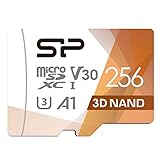
6. Silicon Power 256GB U3 V30 Card – Best for Dash Cams and 4K Recording
Silicon Power 256GB Micro SD Card U3 SDXC Up to 100MB/s High Speed Memory Card with Adapter for Nintendo-Switch, Cams and Drones
256GB microSDXC
Up to 100MB/s read
U3 and V30 ratings
5-year limited warranty
Pros
- U3 and V30 speed classes for 4K and Full HD recording
- Up to 100MB/s read speed
- Works across phones
- drones
- action cams and DSLRs
- 5-year limited manufacturer warranty
Cons
- Requires a Switch system update before first use
- Listed media speed of 20MB/s is low for heavy sustained writing
- Will not work in the Nintendo Switch 2
This 256GB microSDXC card from Silicon Power is rated for UHS Speed Class 3 and Video Speed Class 30, with up to 100MB/s read speed. Those U3 and V30 markings are the ones that matter if the same card is going into a 4K camcorder, an action camera or a drone, which is exactly where the other 256GB options here are weaker.
It is also a perfectly serviceable Switch card. The manufacturer states compatibility with the Nintendo Switch and notes that a system update is required before the console will use a microSDXC card. That is the single most common piece of confusion new owners hit.
Satisfaction is solid but more mixed than the licensed and big-brand cards, with 82% of reviews at five stars and 4% at one star. Buyers who use the card in the Switch, dash cams, drones and action cameras report it working as described, and the recurring friction point is that initial system update.
The honest technical concern is the listed media speed of 20MB per second. For reading a game off the card that is irrelevant, because the Switch is reading rather than writing. For a dash cam looping 4K video, a sustained write figure that low is the wrong shape for the job.
If your priority is the console and only the console, one of the 100MB/s-write UHS-I cards in this roundup is the better buy. If the card has to earn its place in a camera bag too, the ratings on this one line up with the task.
What the system update requirement means
Some Switch models shipped without the firmware that supports large-capacity microSDXC cards. The console simply will not mount the card until the system software is updated. Owners across the forums who have hit this usually assume the card is faulty and go looking for a replacement.
The fix is the console update, not the card. Format the card in the console once it is mounted, and let the system handle the filesystem rather than pre-formatting it on a computer.
Where it falls short
At 4.6, this is the lowest average rating among the Switch-compatible cards in this roundup, and the reviews explain why: the mix of five-star and one-star responses is wider here. The 20MB/s media speed listing is the most common source of disappointment.
It also will not work in the Switch 2, and the model name on the listing says so in plain terms, which is at least honest packaging.
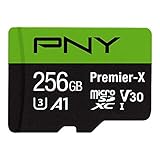
7. PNY 256GB Premier-X – Best for a Limited Lifetime Warranty
PNY 256GB Premier-X C10 U3 V30 A1 microSDXC Flash Memory Card, UHS-I
256GB microSDXC
Up to 100MB/s read
Class 10, U3, V30, A1
Limited lifetime warranty
Pros
- Limited lifetime warranty
- Class 10
- U3 and V30 with up to 100MB/s read
- A1 class with 1500 read and 500 write IOPS
- Formats quickly and works straight after insertion
Cons
- Not specified for the Nintendo Switch 2 and not officially licensed
- Limited detailed product information on the brand site
- 100MB/s read matches the UHS-I ceiling rather than beating it
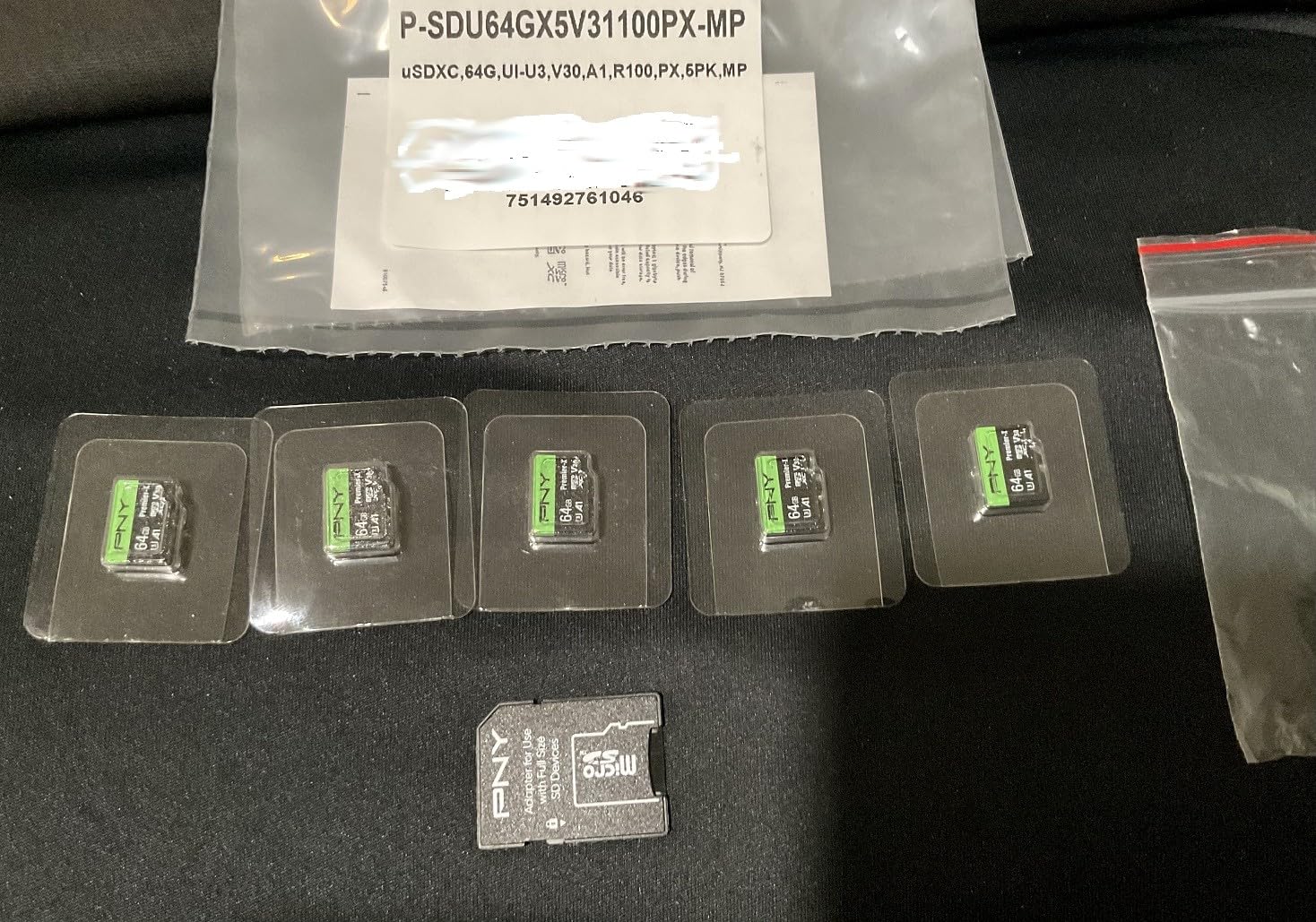
The PNY Premier-X is a 256GB UHS-I microSDXC card rated Class 10, U3 and V30, with read speeds up to 100MB/s and A1 application performance. The A1 rating is defined on the listing as a minimum of 1500 IOPS read and 500 IOPS write, which is the actual specification behind that logo.
What we like most is the warranty. A limited lifetime term on a storage card is a stronger commitment than the 5-year and 10-year terms common in this category, and it removes a question you would otherwise be asking in year six.
Owner feedback describes a card that formats easily, transfers quickly and records 4K Ultra HD and Full HD without dropped frames. Several reviewers confirm it working in the Nintendo Switch and the Steam Deck, and long-term users report it still performing after more than two years without corruption.
That two-year-plus consistency matches what we would expect from a card with a lifetime term behind it, and it fits the broader forum pattern that most Switch owners end up running the same handful of brands without ever thinking about it again.
The A1 rating is worth decoding here, because it is the mark most people overpay for. The specification is real, but the Switch does not run applications from the card in the way a phone does, so the random-read advantage A1 describes never gets exercised on a console.
Whether you need A1 at all
A1 and A2 are application performance classes aimed at running apps directly from the card, mostly on Android phones. A console reads a handful of large contiguous files when it launches a game. Those are different workloads, and the difference is why A2 cards frequently disappoint people who expected faster Switch load times.
For a console buyer, Class 10 and U1 or U3 coverage is what matters. This card has all three, plus V30, so it clears the bar for any Switch, Switch Lite or OLED.
Where it falls short
It is not officially licensed for the Nintendo Switch, and it is not specified for the Switch 2, which requires microSD Express. The listing does not claim either.
The other recurring complaint is from users rather than the hardware: PNY publishes very little detailed product information on its own site, so if you like to read a full datasheet before buying, this is a thinner proposition than the big three brands.
8. Lexar 512GB Play PRO microSD Express – Best High-Capacity Switch 2 Card
Lexar 512GB Play PRO Micro SD Express Card, 900MB/s Read, 4K, V30, UHS-I
512GB microSD Express
Up to 900MB/s read
Up to 600MB/s write
Limited lifetime warranty
Pros
- microSD Express performance built for the Switch 2
- Up to 900MB/s read cuts game load times
- 512GB suits a large handheld library
- Backwards-compatible with UHS-I and UHS-II hosts at UHS-I speeds
- Limited lifetime warranty plus Lexar Recovery Tool access
Cons
- Highest cost per gigabyte in this roundup
- Express speeds only apply in Express-equipped hosts
- Smallest review base of any card here
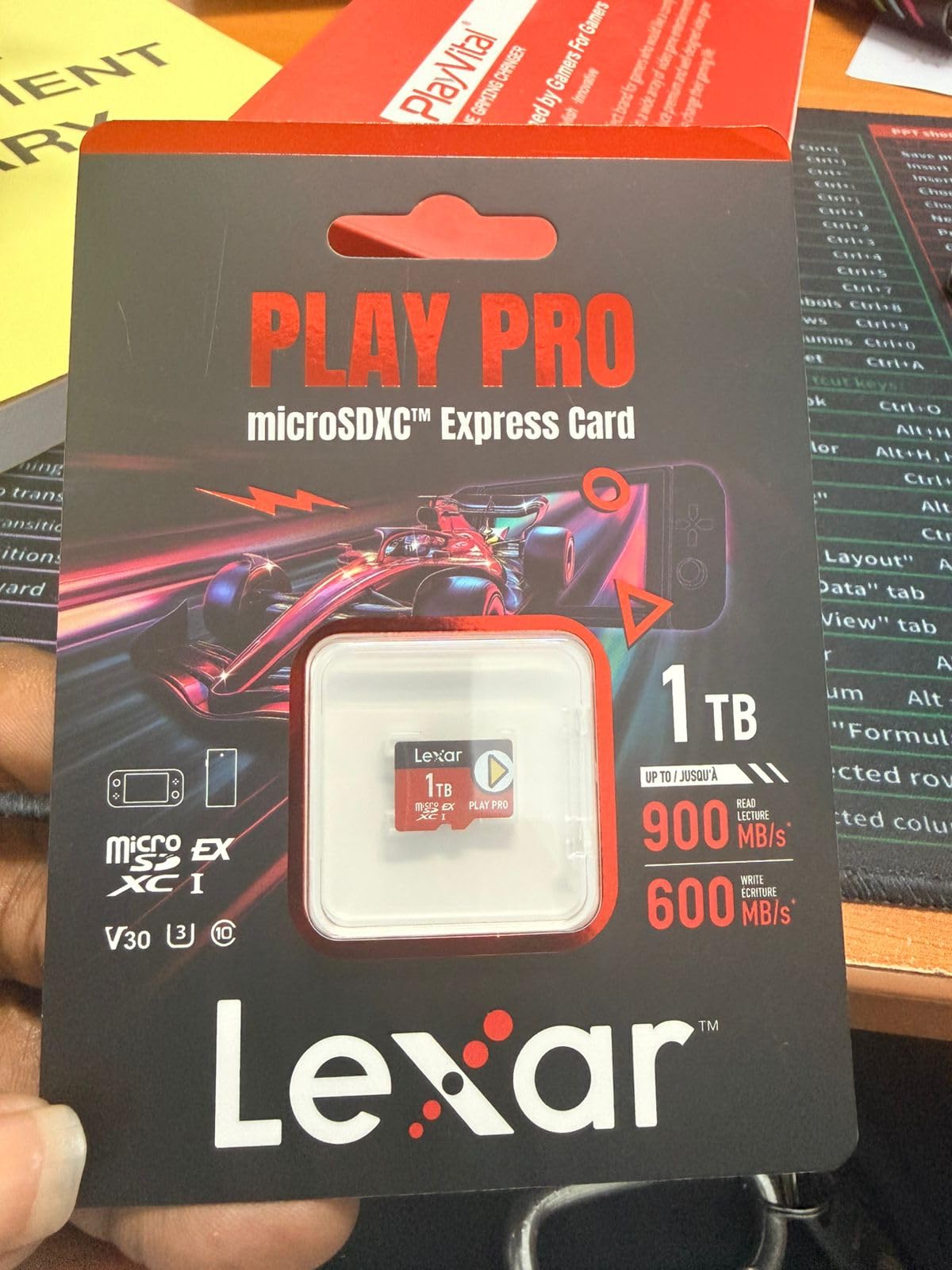
The Lexar Play PRO is the only card in this roundup that pairs the Switch 2 standard with a large capacity. It is a 512GB microSD Express module using PCIe technology, with read speeds up to 900MB/s and write speeds up to 600MB/s when paired with the Lexar microSD Express card reader.
The manufacturer describes it as roughly four times faster than a typical UHS-I microSD card, and the compatible device list names the Switch 2, the original Switch, the Steam Deck and the ASUS ROG Ally. That cross-device support is what makes it interesting for people who move between handhelds.
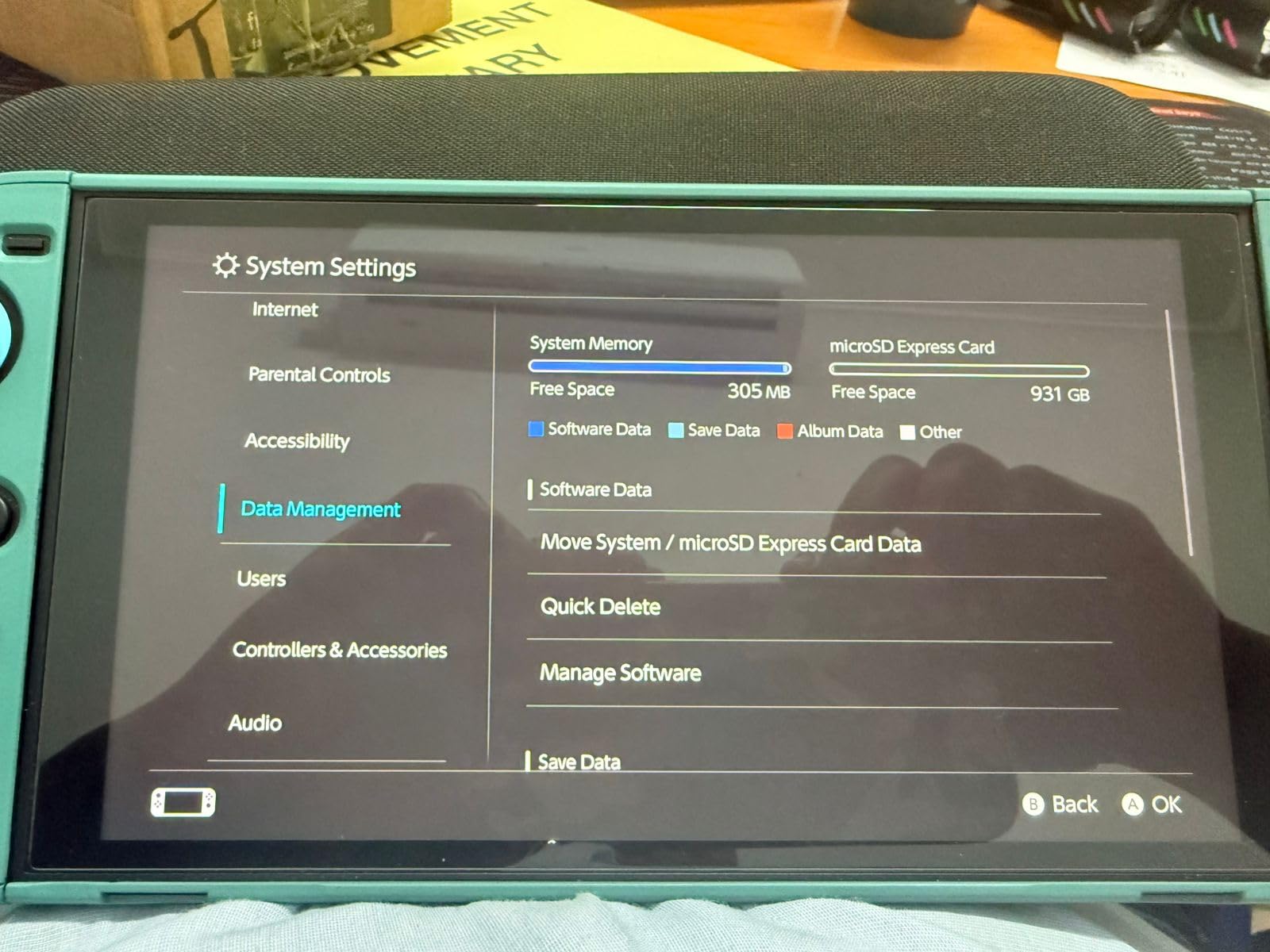
Buyer feedback singles out two things: the improvement in load times on the Switch 2, and the 512GB capacity, which suits a large handheld library. The card is also rated Video Speed Class V30 for 4K capture, so it is not restricted to console duty.
Backwards compatibility works, with one condition worth understanding. The card is listed as compatible with UHS-I and UHS-II host devices at UHS-I speeds, which means in an original Switch, a Switch Lite or an OLED it will run, but the 900MB/s figure will not apply. The NVMe layer is simply inactive on that hardware.
That is the trap for anyone who buys an Express card while still on the original Switch line. You pay for a bus the console cannot address. Buy Express storage for a Switch 2, and buy one of the UHS-I cards in this guide for everything else.
Is 512GB the right Express capacity
It depends on how much of your Switch 2 library is digital. Express cards are the most expensive storage per gigabyte in this roundup, so 512GB is best treated as a deliberate commitment rather than a starting point. A 256GB Express card covers a starter library, and going larger only makes sense if you plan to install heavily.
Warranty terms are good. The card carries a limited lifetime warranty plus lifetime access to the Lexar Recovery Tool, which is a recovery path rather than merely a promise.
Where it falls short
Cost is the obvious one, and it is genuinely high relative to the UHS-I cards here. You are paying a premium for a standard that only a minority of current consoles can use.
The review base is also the thinnest in this roundup, which means fewer long-term owners have reported back. It is a newer product in a newer category, and long-run reliability data simply does not exist yet for it.
What Specs Actually Matter on a Nintendo Switch
The markings on a microSD card tell you far more than the console can use. The original Switch, the Lite and the OLED all read over a UHS-I bus that caps out at roughly 95 MB/s, so anything printed above that number describes performance in a card reader rather than in your console.
Class 10 and U1 are the minimum sensible baseline. A Class 10 card guarantees at least 10MB/s sequential write, U1 guarantees 10MB/s sustained, and the Switch officially supports UHS-I microSDXC. Anything below that and you are asking for trouble on day one.
U3 and V30 matter for the same underlying reason: 30MB/s sustained write. For console use they are more than sufficient, and they are the ratings that make a card reusable in a 4K camera. If you want one card to cover both jobs, buy a card carrying U3 and V30 rather than one carrying only V10.
A1 and A2 are the ratings people overpay for. Both are Application Performance Classes describing random read and write operations, and both are aimed at phones that run apps directly from the card. A console launching a game reads a few large contiguous files, so neither rating is exercised. Some experienced owners in the Switch forums advise choosing A1 over A2 for exactly this reason: A2 costs more at the shelf and does nothing on Switch hardware.
UHS-II is worth a similar warning. It is a faster bus, and the Lexar Play PRO lists UHS-II host compatibility, but the Switch does not expose a UHS-II lane. A card that is UHS-II only would not work at all. Everything in this roundup is UHS-I or Express, and the console reads UHS-I.
The one spec that genuinely changes outcomes is capacity, followed closely by the warranty. Speed class gets you a working card; capacity determines whether you are still using it in a year.
How Much microSD Capacity Do You Need?
Switch game sizes vary widely, from a few gigabytes for indies to well over 20GB for the largest titles. The sensible way to size a card is to count how many digital games you realistically want installed at once, then leave headroom for updates, DLC and system files.
A 128GB card, which typically presents as around 116GB after formatting, is enough for a handful of larger digital games. It suits players who mostly buy physical cartridges and use the card for screenshots, DLC and updates.
A 256GB card, which usually shows as roughly 232GB usable, is the sweet spot for most people. It covers a broad digital library for a standard console generation without becoming a purchase you think about.
A 512GB card covers roughly 465GB after formatting and is the point at which you stop deleting games to make room. On the Switch 2, where titles are larger and installs are faster, this is the tier most digital-first owners land on.
One terabyte and above is a homebrew and enthusiast tier. It is a legitimate choice on a hacked Switch with a large custom library, and it is overkill for anyone buying from the store. The 2TB ceiling is the maximum the SD Association defines for the format.
Do not be alarmed when a 256GB card reports less than 256GB. The console formats the card to exFAT and reserves space for the filesystem. Amazon Basics publishes the usable figures for its range, and other brands land in a similar range.
How to Spot a Fake or Counterfeit microSD Card
Counterfeit cards are the single most repeated complaint across the Nintendo Switch, GameFAQs and ResetEra threads for this topic. The pattern is consistent: a card reports more capacity than it physically has, writes happily for months, then silently corrupts game installs or stops being recognised after a system update.
Step one is to buy from a channel that has a return policy. A major authorised retailer is worth more than a discount, and a card bought from a third-party marketplace with no returns is not worth the saving.
Step two is to check the card itself, not just the packaging. Capacity and speed class markings should be printed on the face. Cards that are smooth, unlabelled or have text that does not line up when you compare it to the seller’s photographs are the ones to avoid.
Step three is to check the warranty. Recognisable brands publish a warranty length, and that is only meaningful if it is backed by a real returns process. A no-name card with a lifetime warranty nobody honours is worse than a mainstream card with a shorter honest one.
Step four is to fill the card before you trust it. Write files across the entire advertised capacity, not just the first few gigabytes, and read them back. Fakes with inflated capacity usually fail once you push past their real size, which is precisely where game installs land.
Step five is to test it before you move your library onto it. Use a card verification tool on a PC to write the full advertised capacity and read it back. If the read fails or the reported capacity is smaller than advertised, return the card immediately rather than debugging it inside a console.
Finally, never pull a card while the console is powered on. A large share of cards reported as “stopped working after an update” turn out to have been removed without a full power down.
How to Insert, Format and Safely Eject a microSD Card
The Switch has no safe-remove prompt for the card slot, which is the root of most card complaints in the forums. The rule is simple: power the console completely off before you insert or remove a card, every time.
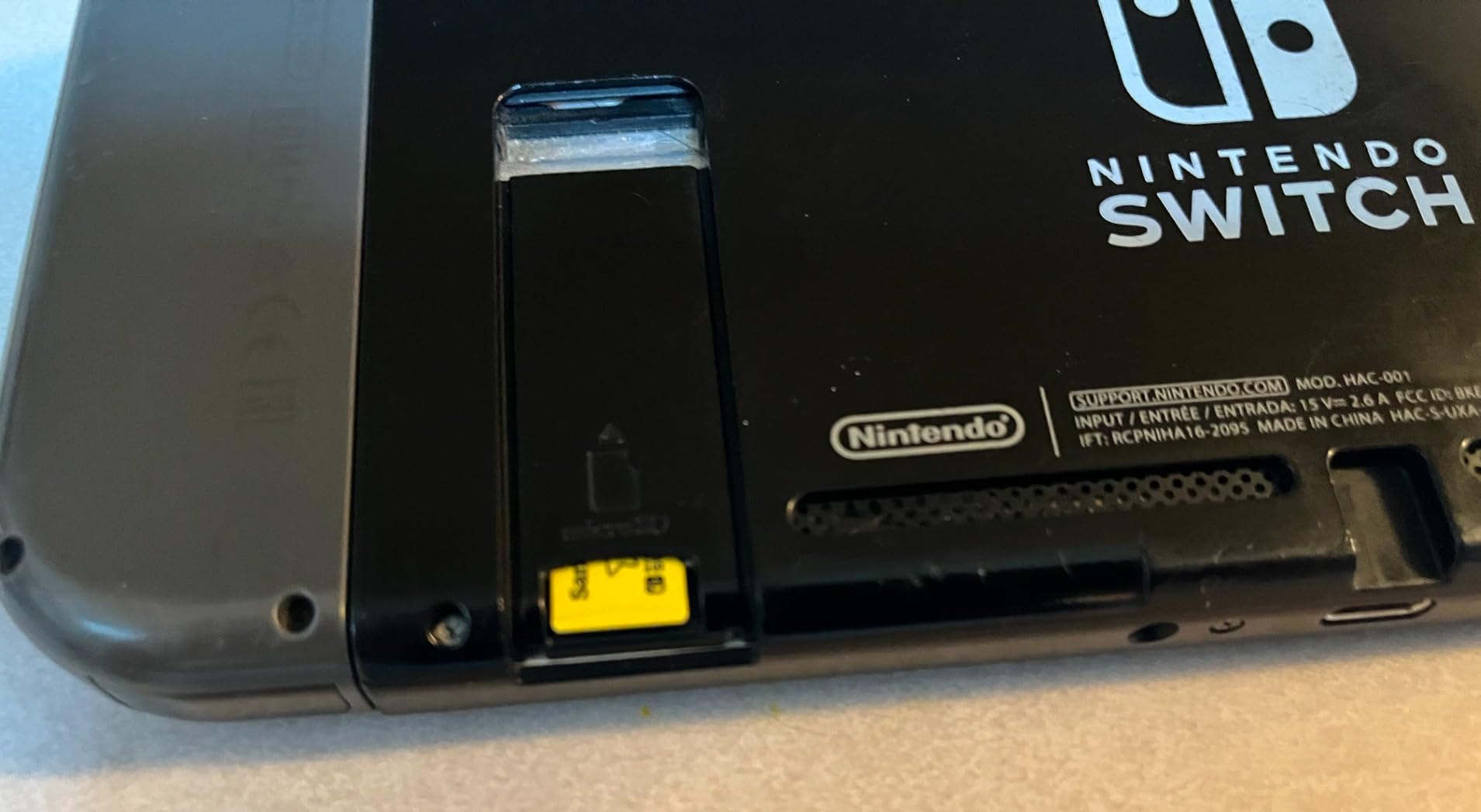
On the original Switch and the OLED, the card slot is on the bottom of the console behind a small cover. Slide the cover, push the card in until it clicks, close the cover and power the console back on. On the Switch Lite the slot is also on the bottom edge behind a cover.
Format the card in the console, not on a computer. The Switch formats to exFAT on first use, and pre-formatting on a PC can produce a filesystem the console will not mount. The console will usually prompt to format a new card automatically the first time it is inserted.
Skipping the format is not fatal. If you do not format, the console will use whatever is already on the card, and a card that was previously used in a phone or camera may not be recognised at all. Formatting clears everything on it, including any files you had stored there.
Formatting does not touch your save data. Saves live in the console’s internal system memory, so formatting a card or replacing it entirely leaves your progress intact. This is the point that causes the most panic in the Nintendo SwitchHelp threads, and it is the single most reassuring fact on this page.
Before a large update, download a game or a system transfer, power the console fully off first. That habit alone eliminates most of the “card stopped being recognised” reports we saw while researching this roundup.
Moving Your Game Library to a New Card
You do not have to re-download everything when you outgrow a card. The Switch can move software between the internal storage and the card, and between two cards, without touching your save data.
Go to System Settings, then Data Management, then Move Data. From there you can select software and transfer it to the SD card. The move happens in the background, so you can keep the console docked or on the go while it runs.
Before you start, insert the new card, let the console format it, then move your data. Do not delete the old card’s contents until the transfer has finished and you have confirmed your library is intact, because an interrupted transfer can leave installs in a broken state.
If you are moving from a UHS-I card to a microSD Express card for a Switch 2, budget extra time. Express transfers run faster, but the volume of data a full library represents is substantial, and the console needs the old card present to move software off it.
Frequently Asked Questions
What is the best microSD card for the Nintendo Switch?
For the original Switch, Switch Lite and Switch OLED, the SanDisk Ultra 256GB is the strongest all-round choice, rated Class 10, U1 and A1 with up to 150MB/s read and a 10-year limited warranty. Nintendo Switch 2 owners have no legacy option: they need a microSD Express card, such as the Nintendo 256GB Express card or the higher-capacity Lexar Play PRO 512GB.
Which SD card is better for Nintendo Switch?
Any reputable UHS-I microSDXC card of 128GB or more works in the original Switch, Switch Lite and OLED, and the differences between mainstream brands are small. Choose based on capacity and warranty rather than headline speed, because the console’s UHS-I bus caps out at roughly 95 MB/s. Avoid unbranded cards and marketplace listings with no return policy.
Can I use my existing microSD card in the Nintendo Switch 2?
Only if it is a microSD Express card. The Switch 2 requires the microSD Express standard, and a legacy UHS-I microSDXC card will not carry game data in that slot. The console is backwards compatible in the other direction: a microSD Express card will run in an original Switch, Switch Lite or OLED, but at UHS-I speeds with the faster bus inactive.
Does it matter what SD card I get for Switch?
It matters up to a point. Any UHS-I microSDXC card of Class 10 or better with 128GB or more will work, and faster cards make almost no difference to load times because the console bus is capped. It matters a great deal if you buy a cheap unbranded card, because counterfeit capacity is the most common cause of corrupted game installs and cards that stop being recognised after a system update.
What SD card is faster, A1 or A2?
A2 is the faster rating on paper, guaranteeing higher random read and write operations. On a Nintendo Switch neither rating is exercised, because the console does not run applications from the card the way a phone does. A1 is the more sensible choice for console buyers, and some experienced owners recommend it over A2 purely for that reason. Neither rating will speed up game loading.
Should I get 128GB or 256GB SD card for Switch?
A 128GB card, typically showing around 116GB after formatting, suits players who mostly buy physical games and need space for screenshots, DLC and updates. A 256GB card, usually around 232GB usable, is the sweet spot for most people buying digitally. A 128GB card is the more common starting point, but 256GB is where you stop deleting games to make room.
Is 256GB enough for a Switch?
Yes, for almost everyone. A 256GB card typically reports roughly 232GB after the console formats it to exFAT, which covers a wide digital library plus room for updates, DLC and captured video. It is the tier we recommend for most original Switch, Lite and OLED owners. Move to 512GB if you intend to install heavily, particularly on a Switch 2.
What is the best SD card for a hacked Nintendo Switch?
Capacity matters more than speed, because a homebrew library can run to hundreds of gigabytes. A 512GB or 1TB UHS-I microSDXC card rated Class 10 or better is the right shape of purchase. Buy from a reputable brand and a retailer with returns, since a counterfeit card that fails after a full write is far more disruptive in a large custom library than in a small one.
Final Verdict: Which microSD Card Should You Buy?
For the original Switch, Switch Lite and Switch OLED, the SanDisk Ultra 256GB is the best microSD card for Nintendo Switch owners who want one card that covers games, updates, screenshots and video. It is recognised immediately across all three consoles and it is backed by the longest conventional warranty in this roundup.
Budget buyers should take the Amazon Basics 128GB, and anyone who wants stated compatibility rather than inferred compatibility should take the licensed SanDisk Super Mario 3-pack. For a Switch 2, the choice is not a brand comparison but a standard: you need microSD Express, and the Nintendo 256GB card or the higher-capacity Lexar Play PRO 512GB are the two to weigh up.
Whatever you pick, buy it from a retailer with a real return policy, format it inside the console, and power the console fully off before you ever remove it. Those three habits solve most of the problems that show up in the forums.
Last updated in 2026. Storage cards and console standards move slowly, but check the current listing before buying since capacity tiers and card generations shift over time.