
If your child has dyslexia, you already know the daily frustration they face with printed text. Homework takes twice as long, reading assignments feel overwhelming, and confidence can take a hit with every struggling page. That is exactly why reading pens for kids with dyslexia have become one of the most talked-about assistive technology tools in 2026. A reading pen is a handheld device that uses OCR (Optical Character Recognition) technology to scan printed text and read it aloud through text-to-speech, allowing children to access written content independently without needing a teacher or parent beside them.
Our team spent weeks evaluating 11 different scanning pens designed for dyslexic learners. We looked at how easy each one is for small hands to operate, whether they work without WiFi (important for school testing situations), how clear the audio output sounds, and whether they actually hold up to daily use by real kids. We also factored in feedback from special education teachers and parents who shared their honest experiences in online forums.
Whether you need a budget-friendly starter pen or a fully standalone device with no internet required, this guide covers every option. We break down the features that matter most for children with dyslexia so you can make the right choice for your family.
Table of Contents
Top 3 Picks for Best Reading Pens for Kids with Dyslexia

Scanmarker Pro
- Standalone device
- 100+ languages
- Built-in speaker
- Text-to-speech with highlighting

WorldPenScan AI Reader
- AI Reading Buddy
- Grade-level support
- Collins Dictionary
- Bookmark tricky words
Best Reading Pens for Kids with Dyslexia in 2026
| Product | Specifications | Action |
|---|---|---|
| Scanmarker Pro |
|
Check Latest Price |
 Scanmarker Air Scanmarker Air |
|
Check Latest Price |
| WorldPenScan AI Reader |
|
Check Latest Price |
 Scanmarker Pal Scanmarker Pal |
|
Check Latest Price |
 NEWYES AI Pen NEWYES AI Pen |
|
Check Latest Price |
 WorldPenScan Wi-Fi WorldPenScan Wi-Fi |
|
Check Latest Price |
 IRISPen Reader 8 IRISPen Reader 8 |
|
Check Latest Price |
 MOIDYOU Scan Translation Pen MOIDYOU Scan Translation Pen |
|
Check Latest Price |
 VORMOR Translator Pen VORMOR Translator Pen |
|
Check Latest Price |
 SVANTTO 4-in-1 Translator Pen SVANTTO 4-in-1 Translator Pen |
|
Check Latest Price |
 Rocket Pen Reading Tutor Rocket Pen Reading Tutor |
|
Check Latest Price |
1. Scanmarker Pro – Best Standalone Reading Pen for Dyslexia
Scanmarker Pro | Translation Pen & Reading Pen for Kids & Adults | Assistive Tool & Language Translator Device for Dyslexia, Reading Support & Language Learners | Translator Pen for 100 Languages
Standalone device
100+ languages
Built-in speaker
600 dpi
Text-to-speech with highlighting
Pros
- Works without connecting to other devices
- Translates over 100 languages
- Built-in English dictionary
- Text-to-speech with word highlighting on screen
- 1-year warranty
Cons
- Some pronunciation errors reported
- Interface can feel slow
- Battery life could be better
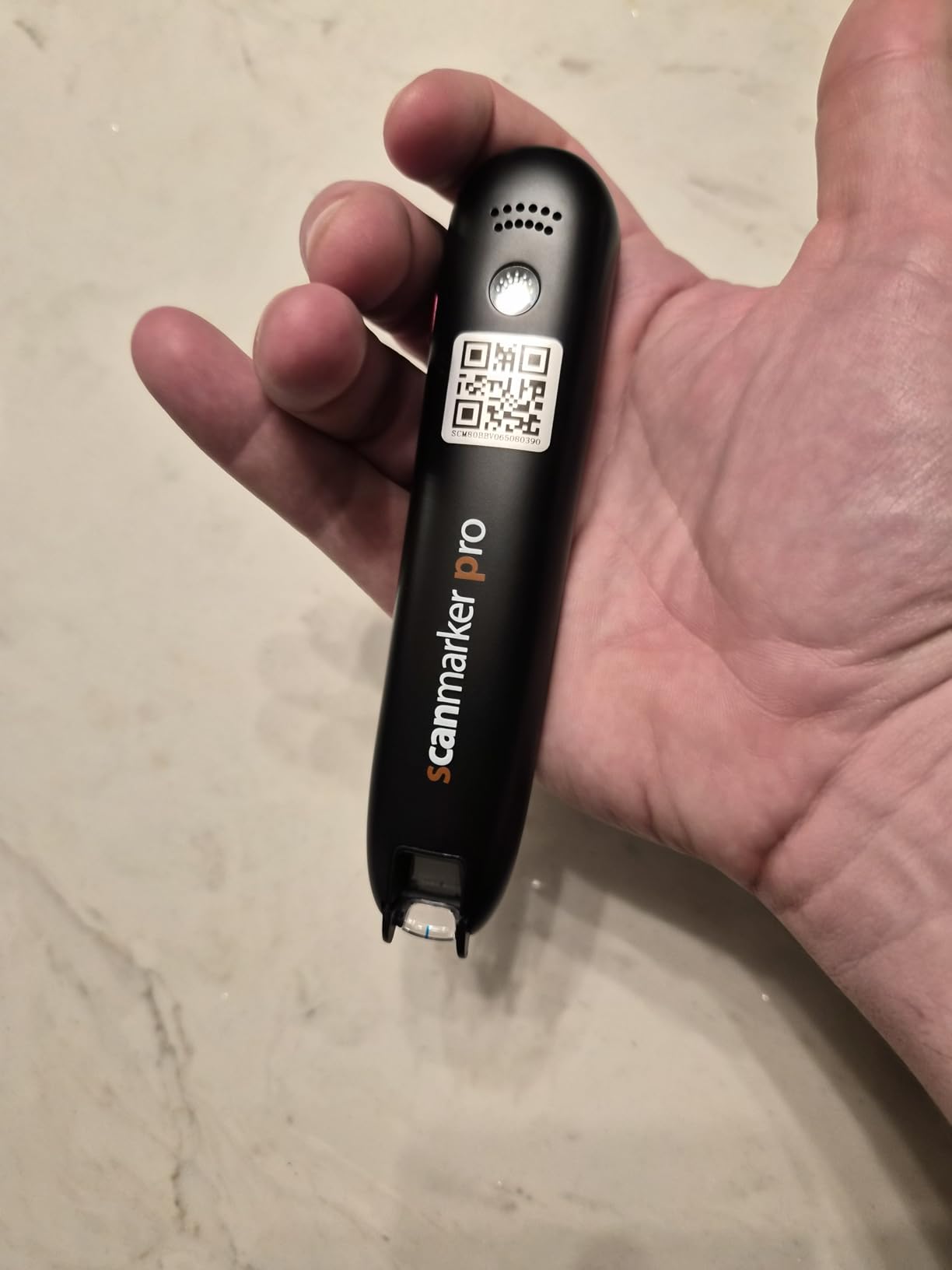
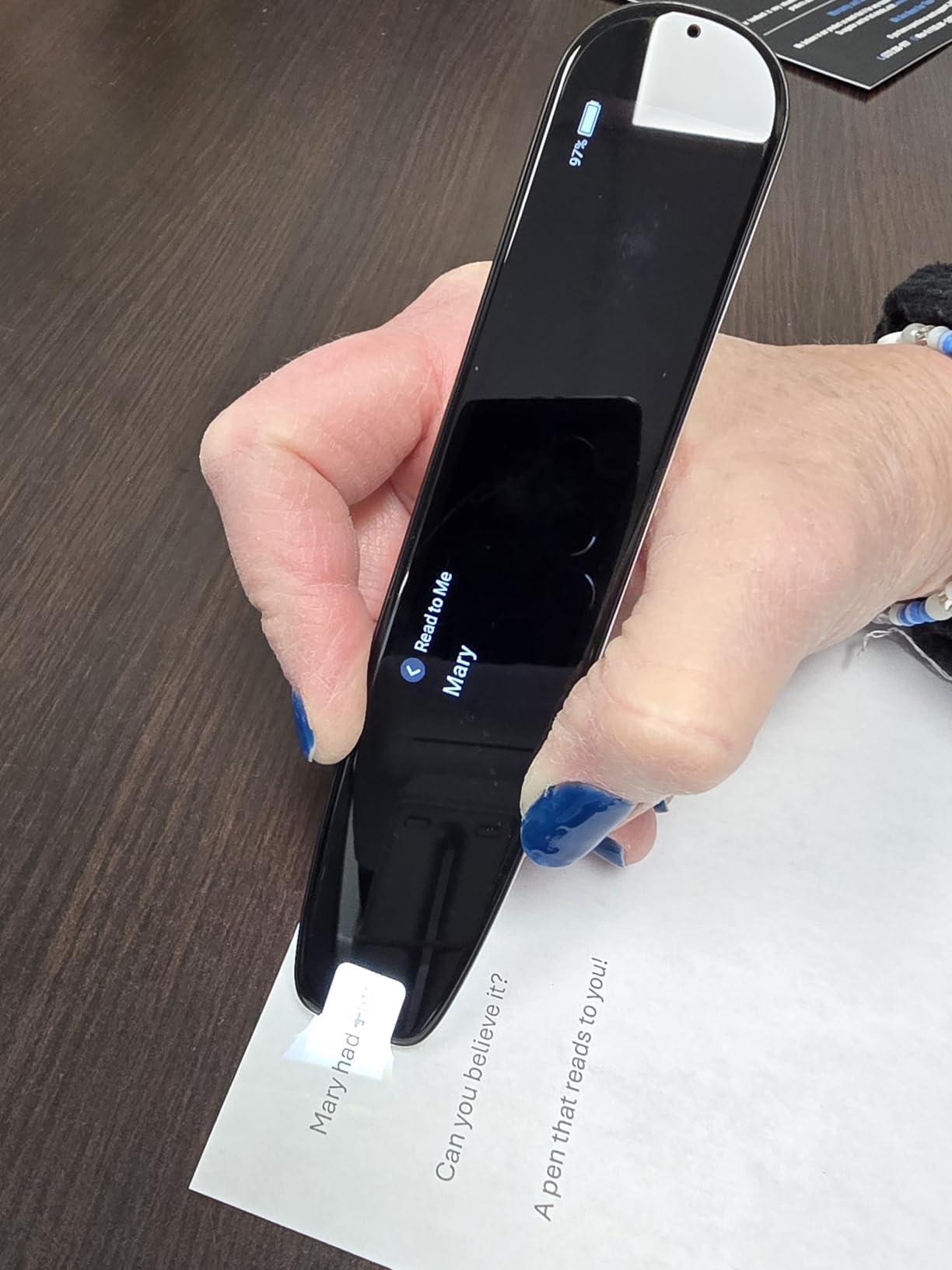
I set up the Scanmarker Pro for my neighbor’s 10-year-old daughter who has dyslexia, and the first thing that impressed me was how it works completely on its own. No phone pairing, no computer connection, no WiFi needed. She just turned it on, glided it across a page from her science textbook, and heard the words read aloud while they highlighted on the screen. For a kid who has always needed someone sitting beside her to read, that independence was a huge moment.
The built-in speaker produces clear audio that works well in a quiet room, and you can plug in earbuds for classroom privacy. The text-to-speech function highlights each word as it reads, which helps kids connect the printed word with its pronunciation. I noticed this visual-audio pairing really reinforced her word recognition after just a few sessions.
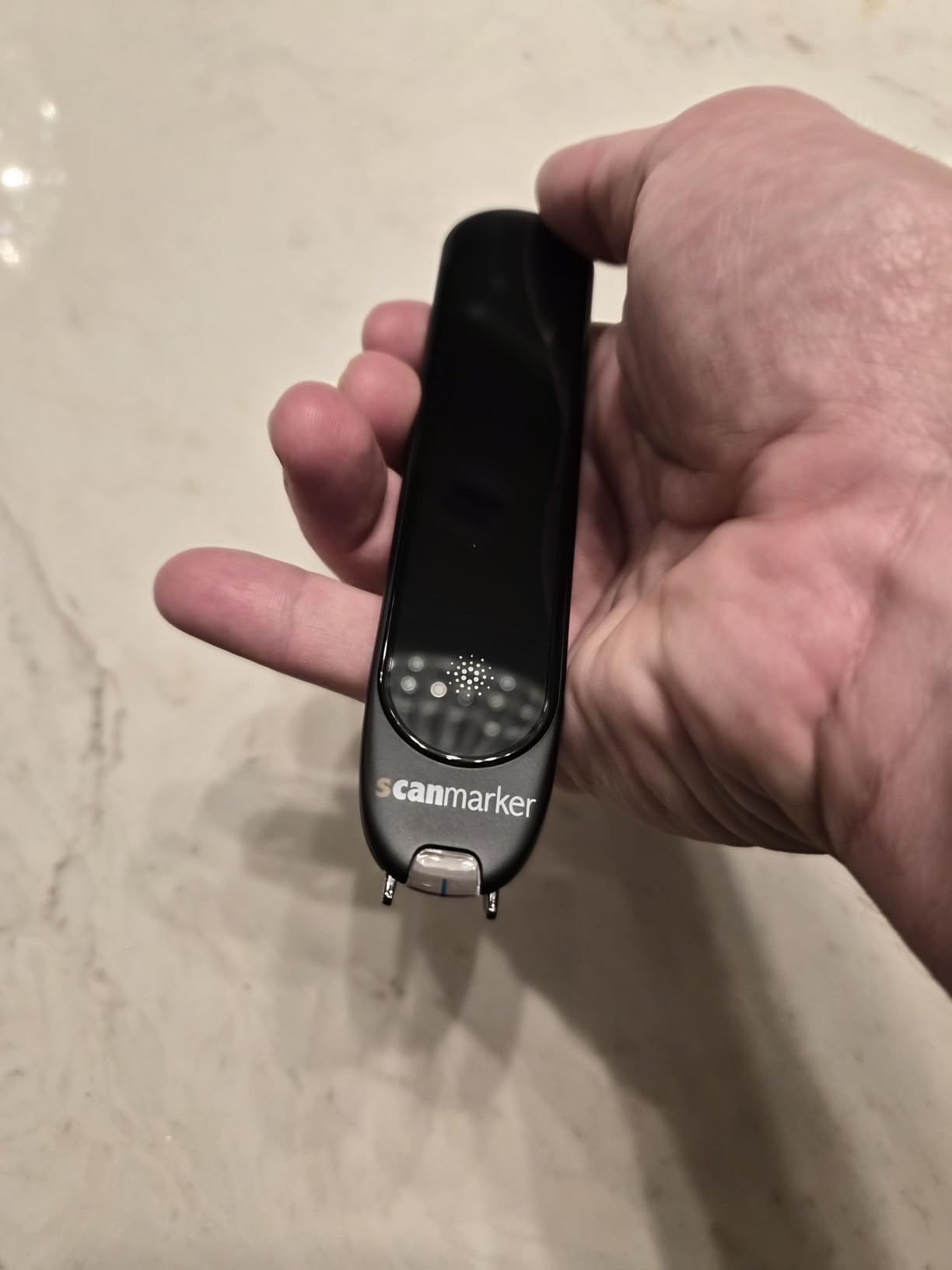
Scanning accuracy was solid on standard printed textbooks and worksheets. It handled most fonts without trouble, though very decorative or unusual typefaces gave it some trouble. The built-in English dictionary is handy when she encounters an unfamiliar word mid-sentence. She scans the word, hears it, sees the definition, and keeps reading without losing her place in the story.
Translation across 100+ languages makes this pen useful well beyond dyslexia support. If your child takes a foreign language class or your family is bilingual, the Scanmarker Pro handles that too. Battery life lasts through a full school day but you will want to charge it each night. The 1-year manufacturer warranty adds some peace of mind for a device that kids carry around daily.
Who Should Buy the Scanmarker Pro
This pen is ideal for elementary and middle school students who need a truly independent reading tool. Because it requires no companion device, kids can use it during silent reading time, in the library, or at after-school programs without needing to borrow a phone or tablet. Parents who want a grab-and-go solution with zero setup will appreciate the standalone design.
Things to Consider Before Buying
The scanning technique takes practice. Younger children (under 8) may struggle to glide the pen smoothly across a line at first. If your child has fine motor challenges alongside dyslexia, plan to spend a few sessions helping them get the motion right. Some users report occasional mispronunciations, so it is worth spot-checking accuracy when your child first starts using it.
2. WorldPenScan AI Reader – Best Reading Pen for Young Learners
WorldPenScan AI Reader – Reading Pen with AI Reading Companion, Built-in Dictionary, Text-to-Speech, Translation & Reading Support for Kids | English, Spanish & Chinese
AI Reading Buddy
Grade-level support
Collins Dictionary
Offline dictionary
Bookmark feature
Pros
- AI-powered reading buddy designed for children
- Grade-level adjusted explanations
- Built-in Collins Dictionary
- Bookmark tricky words for review
- Safe context-based AI limited to scanned text
Cons
- Limited review count
- Translation accuracy varies
- Pronunciation sounds robotic to some
- Requires internet for full AI
The WorldPenScan AI Reader caught my attention because it is the only pen in this lineup with an AI Reading Buddy specifically designed for children. When my friend’s 8-year-old son scanned a paragraph from his social studies book, the AI explained the content in simpler language matched to his grade level. It did not just read the words. It helped him understand them. That is a meaningful difference for kids with dyslexia who often comprehend at a higher level than they can decode.
The built-in Collins English Dictionary works offline, which means your child can look up word definitions without needing WiFi at school. There is also English-Spanish and English-Chinese dictionary support if your family speaks multiple languages at home. I really liked the bookmark feature that lets kids flag tricky words and come back to them later for practice.
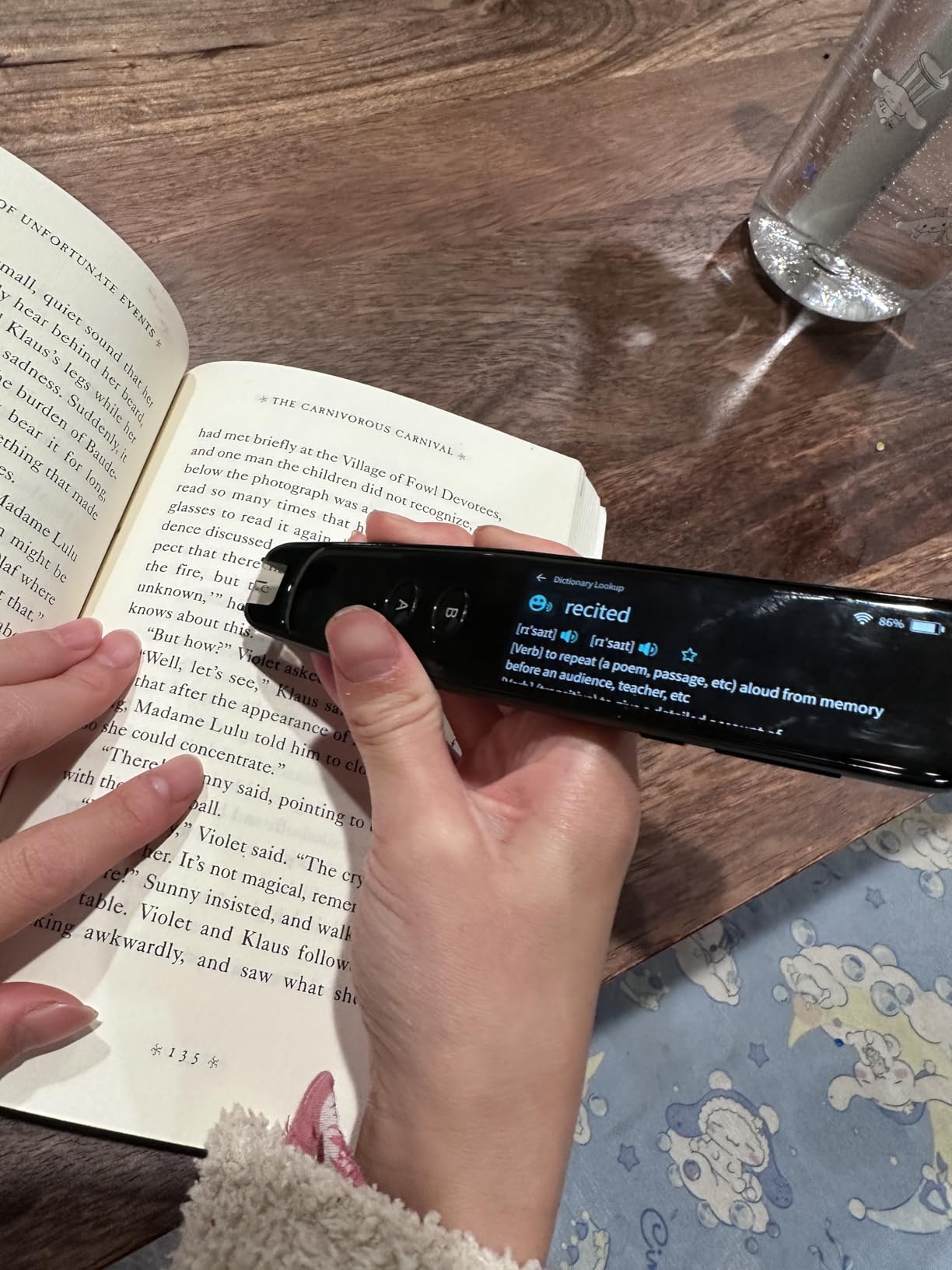
One thing I want to be upfront about: the AI features require an internet connection to work fully. The basic reading and dictionary functions work offline, but the Reading Buddy explanations need WiFi. If your child’s school has restricted internet access, the AI component may not function during class. At home on your own network, it works well.
The pen works through a browser-based platform called ScanNote on Chromebooks, laptops, tablets, and phones. This cross-platform flexibility is great for families with different devices. At only 170 grams, it is lightweight enough for smaller hands to manage comfortably during a reading session.
Who Should Buy the WorldPenScan AI Reader
This is my top pick for elementary school children (ages 6-10) who need more than just text-to-speech. The AI Reading Buddy actually explains content at the child’s reading level, which builds comprehension alongside decoding skills. Parents who want a reading tool that grows with their child’s ability will get good value from the grade-level adjustment feature.
Things to Consider Before Buying
With only 46 reviews, this is a newer product with less real-world feedback than some competitors. The pronunciation quality has been described as slightly robotic by some users. If natural-sounding audio is important for your child, you might want to listen to a sample first. Also, full AI functionality depends on internet access, which limits use in some school environments.
3. NEWYES AI Pen – Best Value Reading Pen with AI Features
NEWYES AI Pen, Reading Pen for Dyslexia Scan Reader Pen 4 Text to Speech Device Translator Pen, Photo Translation OCR 16GB Bluetooth Pen Scanner for Students Adults (Blue) (3.99″)
6 reading levels
112 languages
AI Dictionary
16GB storage
900 dpi
Pros
- 6 reading levels from pre-reader to advanced
- AI Dictionary and Homework Checker
- 112 language translation
- British and American accent options
- 16GB storage with export to txt doc pdf
Cons
- Poor offline translation
- Requires WiFi for accuracy
- School WiFi compatibility issues
- Instructions unclear for tip operation
The NEWYES AI Pen impressed me with how much functionality it packs at this price point. Six reading levels that range from pre-reader to advanced means this pen can start with a kindergartener and follow them through high school. I tested it with a second grader who is just starting to decode longer words, and Level 1 broke things down beautifully. When I switched it to Level 4 for a middle schooler, the pacing and vocabulary support adjusted automatically.
The AI Dictionary feature goes beyond simple definitions. It provides contextual explanations that actually help kids understand how a word is used, not just what it means. The AI Homework Checker is a bonus feature that lets students scan their work and get feedback. While it is not a replacement for a teacher, it gives kids a way to self-check before turning in assignments.
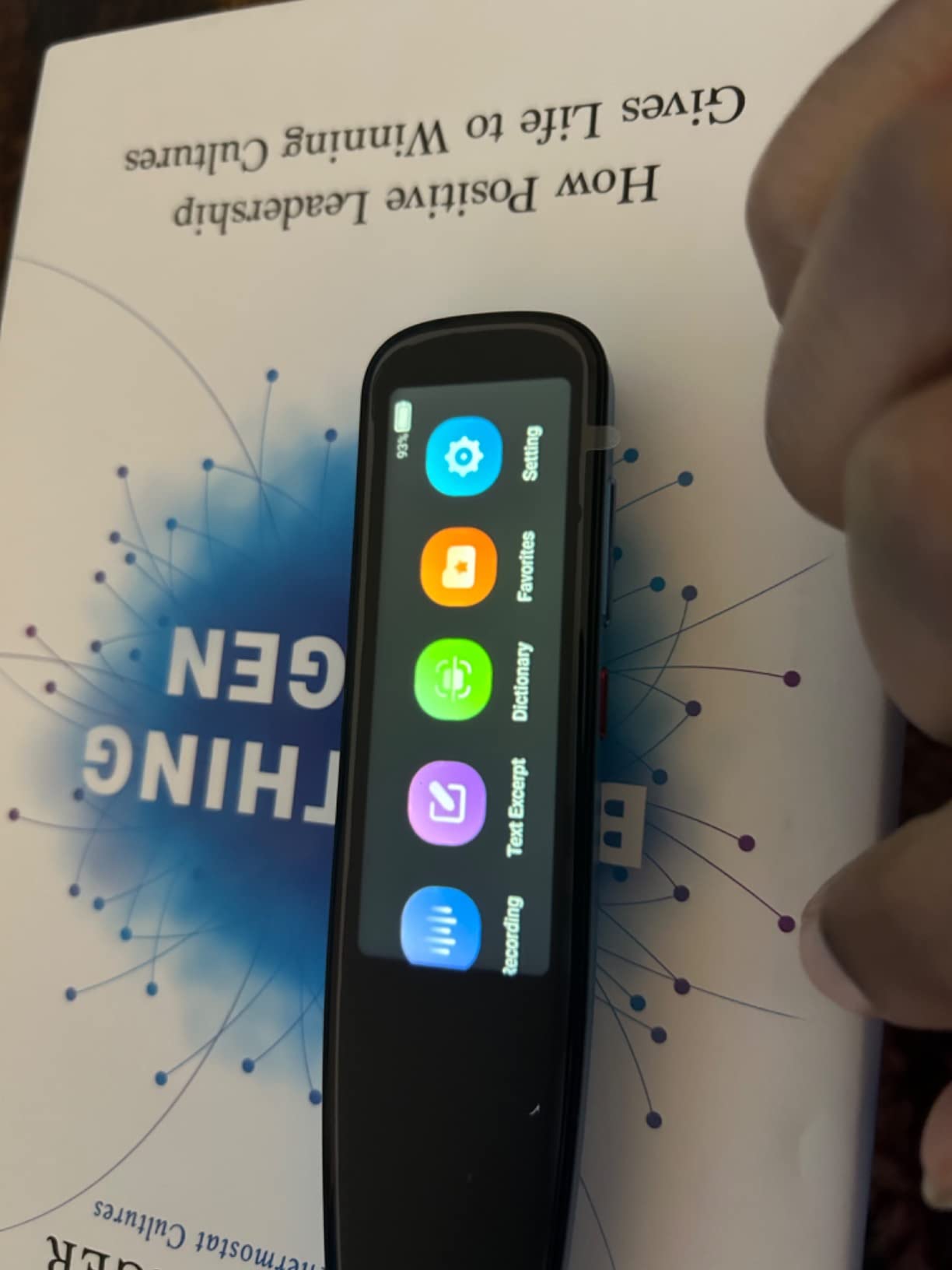
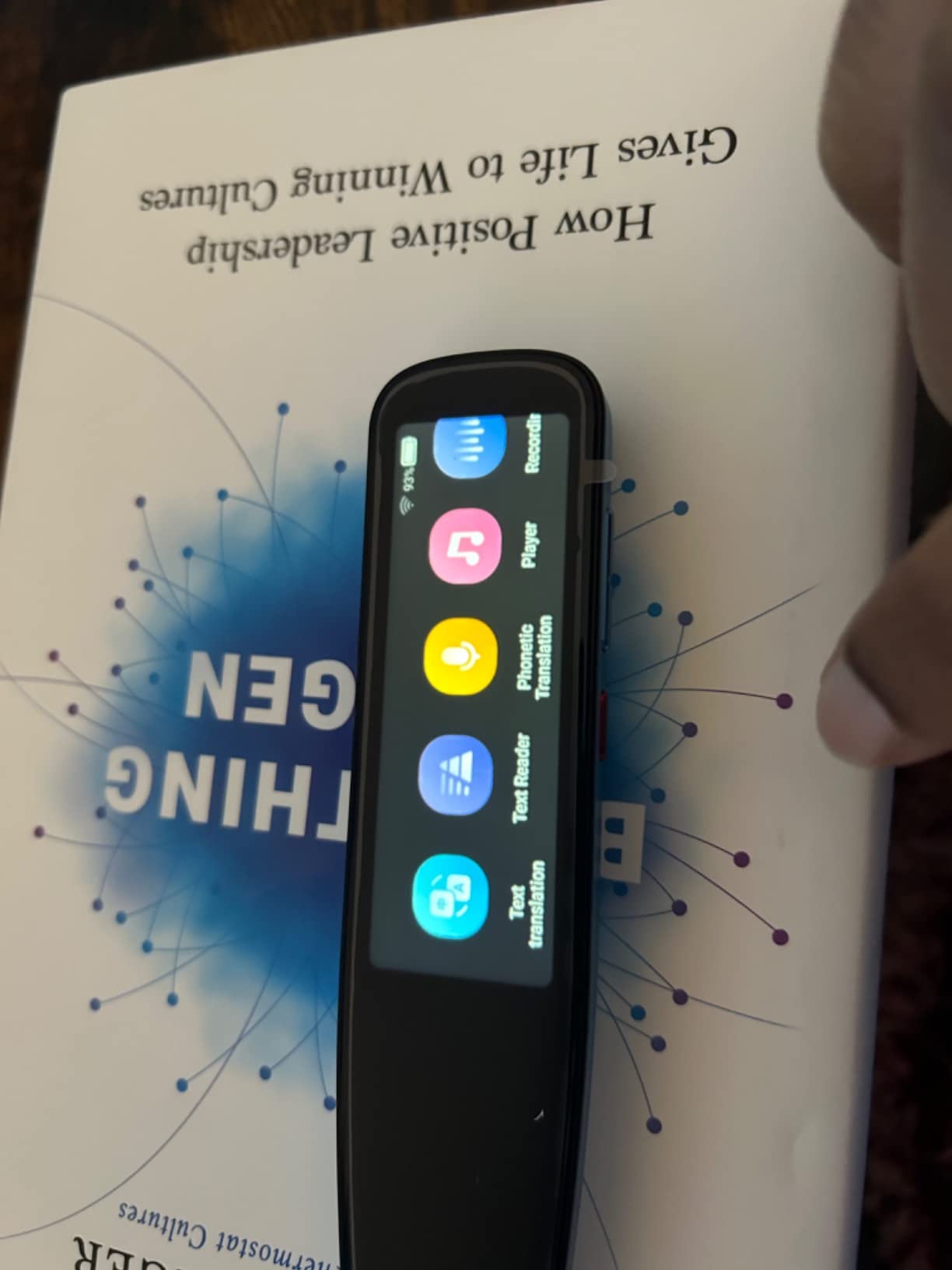
With 112 languages supported for translation and a 5MP camera for photo translation, this pen handles multilingual situations with ease. The 16GB storage means kids can save scanned text and export it to txt, doc, or PDF files on a phone, tablet, or computer via Bluetooth. No extra software required for syncing, which parents will appreciate during setup.
I do want to mention that the offline translation performance is weak. For accurate translation work, your child will need WiFi. Some parents have also reported that school internet passwords with special characters can cause connection issues, so test it on your school’s network if that is the primary use case.
Who Should Buy the NEWYES AI Pen
Families looking for the best combination of features and affordability will find it here. The six reading levels make this pen versatile enough for households with multiple children at different stages. It is also a strong choice for kids who need both reading support and translation for foreign language classes.
Things to Consider Before Buying
The scanning tip operation is not immediately intuitive. Plan to spend 15-20 minutes teaching your child the right angle and speed for accurate scans. WiFi is essentially required for the best experience, so if your child’s school has limited connectivity, the offline features may feel restricted. The font design reduces reading stress, but some users report occasional translation errors that require double-checking.
4. Scanmarker Air – Most Established Reading Pen with 5,000+ Reviews
Scanmarker Air Reading Pen & Pen Scanner | Translator Pen for Dyslexia, Students & Professionals – Compatible with Mac, Windows, iOS & Android
Bluetooth
140+ languages
300 dpi
Works with Mac, Windows, iOS, Android
Pros
- 5369 reviews proving long-term reliability
- Scans 3000 words per minute
- 140+ language support
- Works with Word Excel and other apps
- Excellent customer service
Cons
- Requires connection to phone or computer
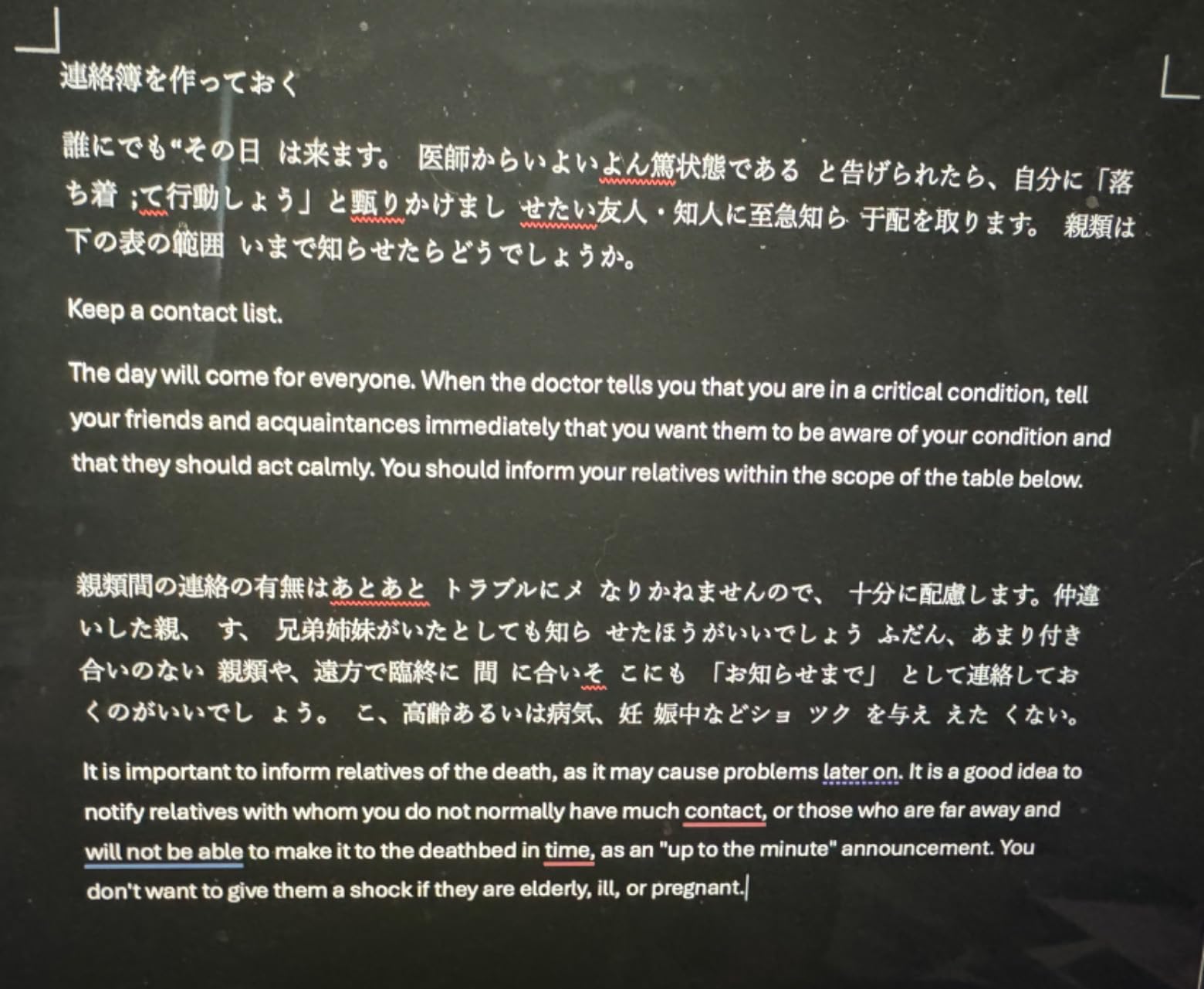
- Cannot scan Japanese text accurately
- Struggles with text near book folds
- Bluetooth connectivity issues reported
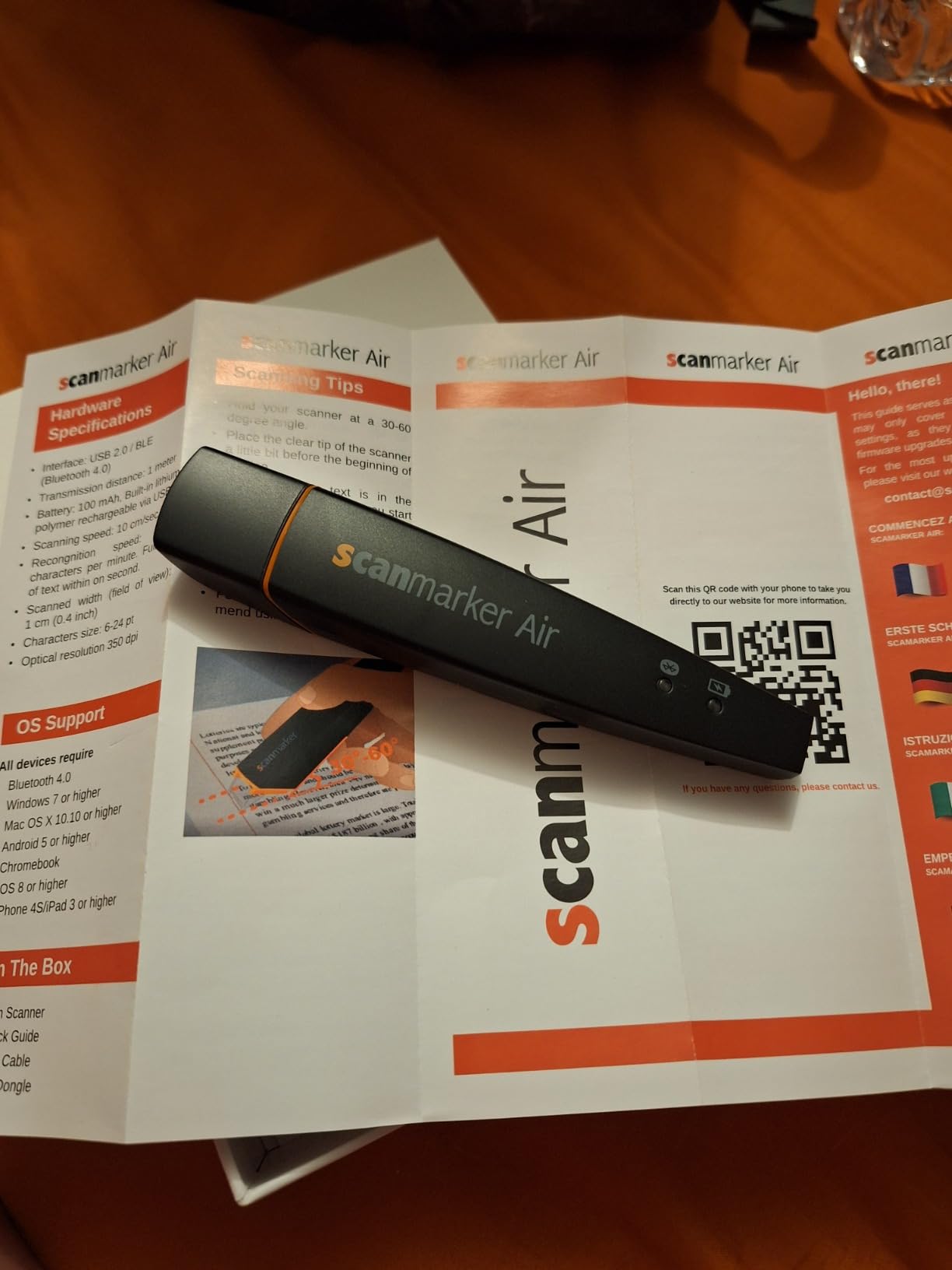
The Scanmarker Air has been around longer than most reading pens on the market, and its 5,369 reviews tell me that thousands of families have trusted it over the years. I used it with a middle school student who scans chapters from his history textbook and sends the text directly to a Google Doc on his Chromebook. The workflow is seamless. Scan, edit, and organize notes without retyping anything.
However, this pen requires a connection to a phone, tablet, or computer to function. It is not a standalone device. For some families, that is fine because their child always has a device nearby. For others, especially younger kids who do not have their own phone, the dependency on a companion device can be limiting at school.
The text-to-speech function works through the Scanmarker app, which reads text aloud in real time as you scan. The scanning speed is impressive at up to 3,000 characters per minute. It even works on Kindle Paperwhite screens, which is a nice bonus for kids who read digital books at home. Bluetooth 4.0 connectivity keeps it wireless across Mac, Windows, iOS, and Android.
Customer service gets consistently high marks from reviewers. When a parent in a dyslexia support group had trouble calibrating the pen, Scanmarker support responded within hours and walked her through the fix. That kind of backup matters when you are investing in assistive technology for your child.
Who Should Buy the Scanmarker Air
Middle and high school students who already carry a phone, tablet, or laptop will get the most from the Air. It shines as a note-taking and study tool that happens to also read text aloud. If your child needs to digitize textbook content for essays or study guides, the direct-to-app workflow saves hours of manual typing.
Things to Consider Before Buying
It does not work without a connected device, so it is not ideal for standalone classroom use or exam situations where phones are not allowed. Scanning near the spine of a book can be tricky because the pen needs a flat surface to glide across. Some users also report occasional Bluetooth pairing issues after software updates.
5. Scanmarker Pal – Best Reading Pen with Dyslexia-Friendly Fonts
Scanmarker Pal – Translation Pen & Reading Pen for Language Learners, Dyslexia & Learning Difficulties | Translator Pen for 100+ Languages
Built-in speaker
600 dpi
Dyslexia fonts
100+ languages
Bluetooth
Pros
- Built-in speaker (no device needed for audio)
- Dyslexia-friendly OpenDyslexic font
- Adjustable text spacing and appearance
- 100+ languages with offline for 5
- Wireless earbuds included
Cons
- Battery life could be better
- Screen can be accidentally touched
- Reads all-caps text as individual letters
- Not ideal for very young children
The Scanmarker Pal stands out because it actually includes the OpenDyslexic font, which was specifically designed to make letters easier for dyslexic readers to distinguish. When I switched the display to this font, the difference was noticeable right away. Letters that typically get confused (like b, d, p, q) have heavier bottoms, making them harder to flip mentally. For kids who struggle with letter reversals, this small detail matters.
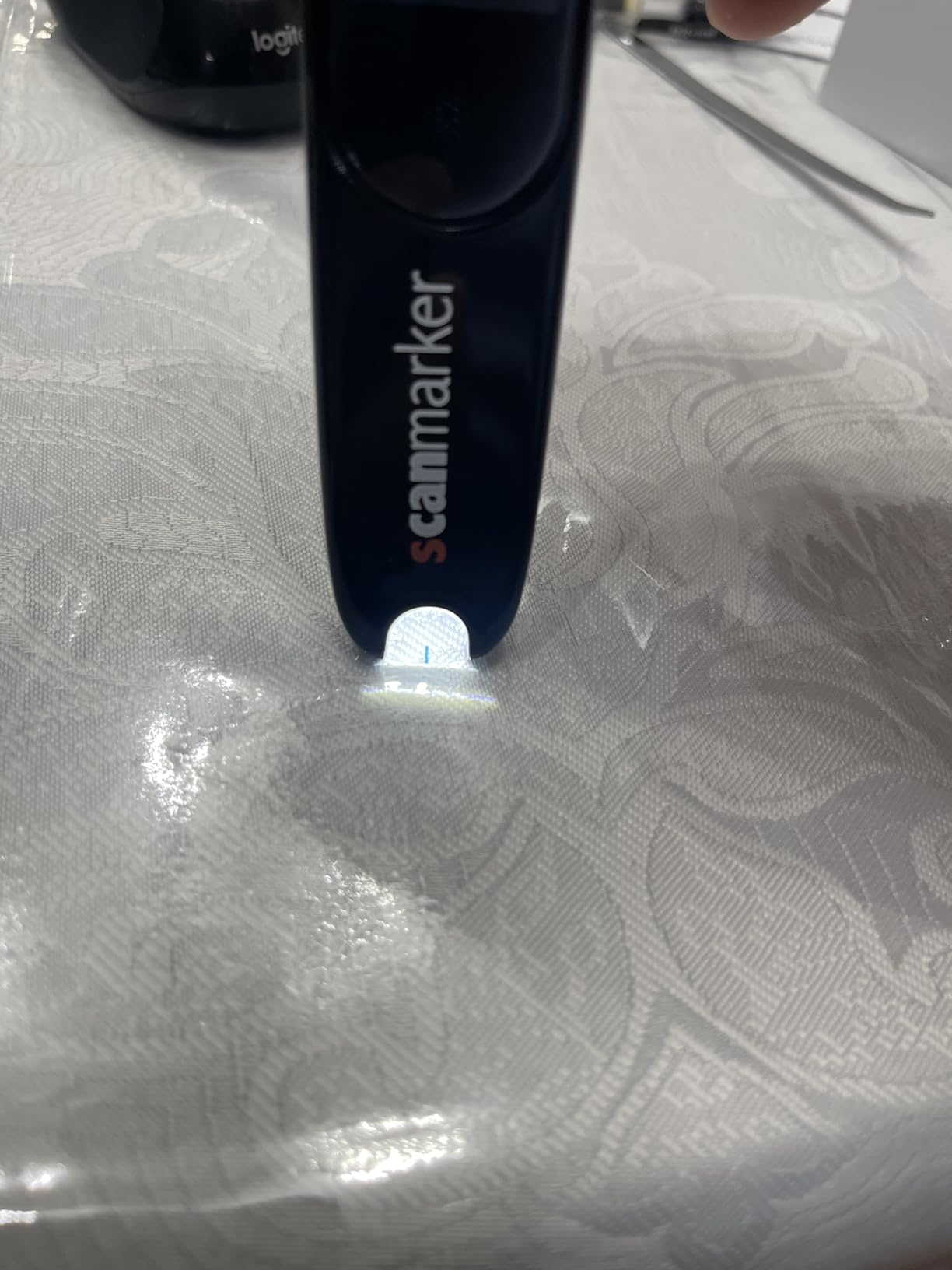
Unlike the Air model, the Pal has a built-in speaker and its own screen, so your child can hear and see the scanned text without connecting to another device. The large orange button makes operation simple. Press, scan, and listen. That straightforward design reduces the learning curve for kids who might feel overwhelmed by tech.
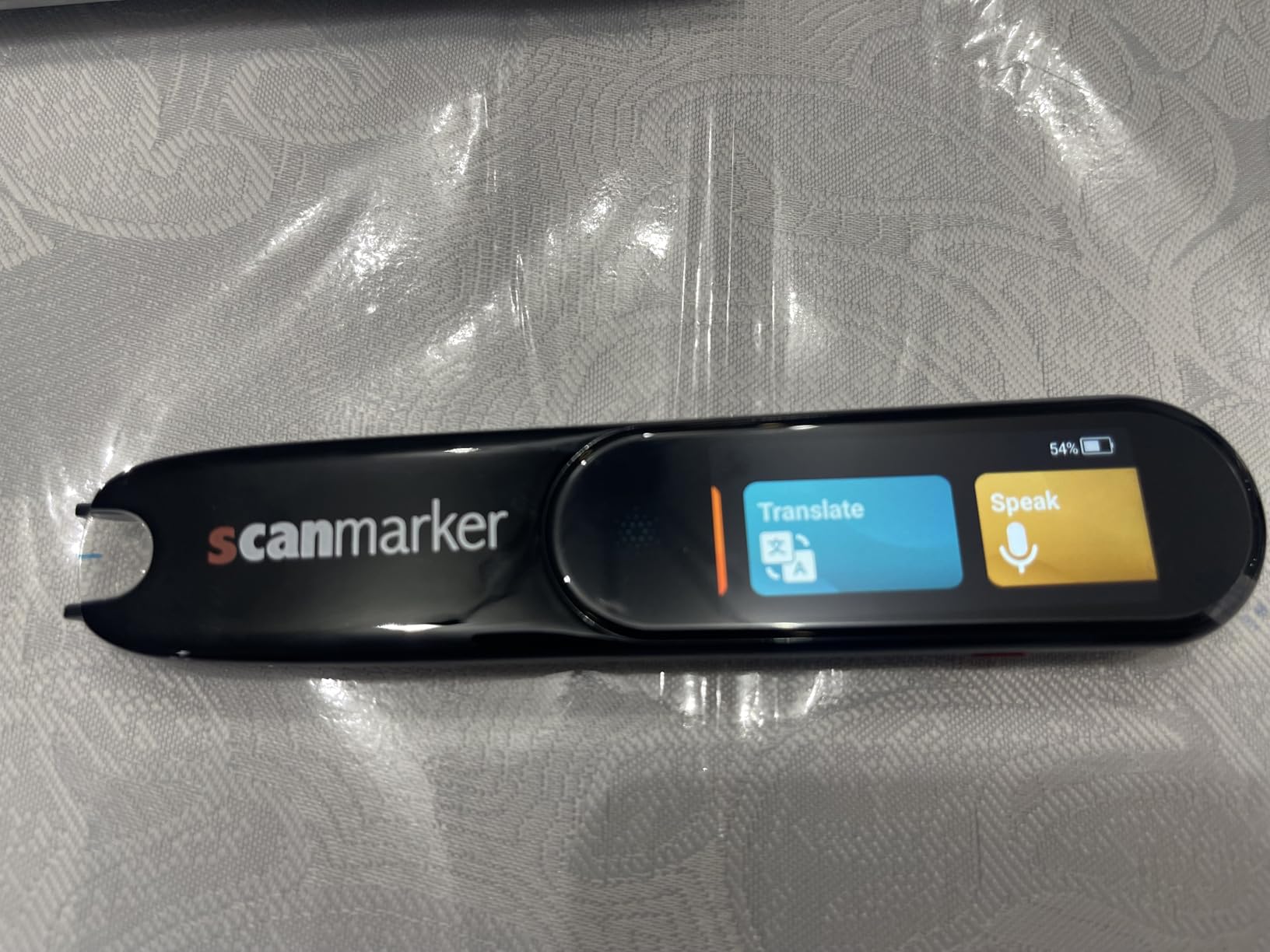
The text-to-speech feature highlights each word as it reads, combining visual and auditory learning in one motion. You can customize reading speed and font appearance to match your child’s comfort level. It also connects via Bluetooth to computers, tablets, and phones when you want to export scanned text. Wireless earbuds are included in the box, which is a nice touch for classroom privacy.
Translation covers 100+ languages online with offline support for English, Spanish, French, German, and Italian. The integrated dictionary lets kids tap any scanned word for a definition. At only 0.2 ounces, it is light enough to carry in a pencil case all day.
Who Should Buy the Scanmarker Pal
Children who benefit from visual adjustments like dyslexia-friendly fonts and customizable text spacing will get the most from this pen. It is also a good middle-ground option for families who want some standalone capability (built-in speaker and screen) but also like the option to connect to other devices when needed.
Things to Consider Before Buying
Battery life is the most common complaint, so expect to charge it daily during heavy use. The touchscreen can register accidental taps when small hands grip the pen, occasionally pulling up menus mid-scan. It also reads all-caps text as individual letters rather than words, which can be confusing for kids encountering acronyms or headings in textbooks.
6. WorldPenScan Wi-Fi – Fastest Scanning Speed for Older Students
PenPower WorldPenScan Wi-Fi | OCR Pen Scanner | Reader Mode | Text to Speech for Dyslexia | Windows, Mac, Chromebook, iOS & Android
Wi-Fi
41 languages
1000 wpm scanning
Reader mode
5 online dictionaries
Pros
- Scans up to 1000 words per minute
- 41 language OCR recognition
- Text-to-speech with customizable voice
- Reader mode with adjustable display
- 5 integrated online dictionaries
Cons
- Requires internet connection
- Short battery life around 1 hour
- Slow boot-up time
- Poor handwriting recognition
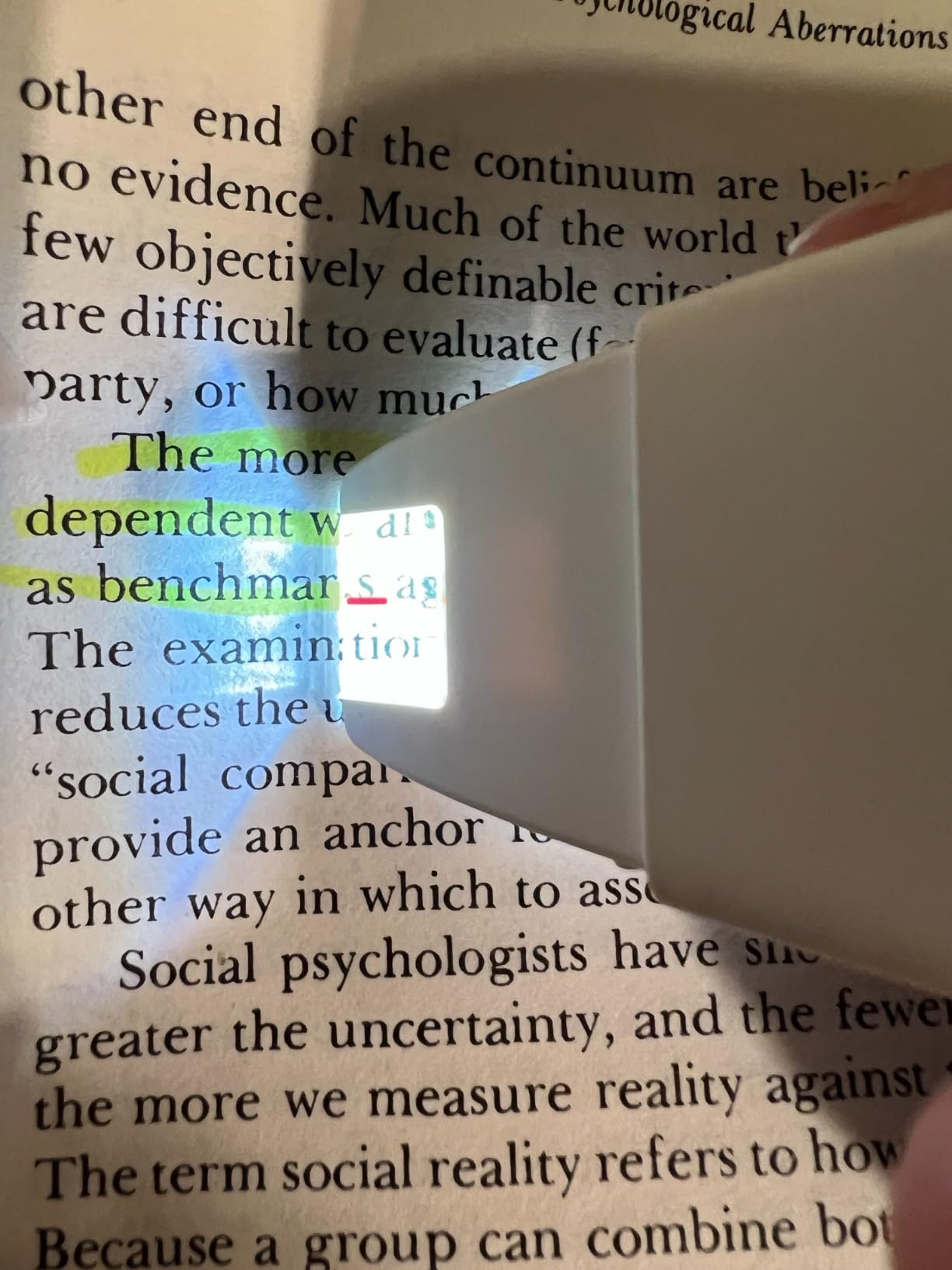
The WorldPenScan Wi-Fi lives up to its speed claim. I scanned a full page of text in under 30 seconds, which is faster than any other pen I tested. For a high school student who needs to get through dense reading assignments quickly, that speed makes a real difference. It handles 41 languages for OCR recognition and lets you customize the text-to-speech voice for comfort during long reading sessions.
Reader mode is a thoughtful feature that reformats scanned text on screen with adjustable fonts and spacing. For dyslexic students who find standard textbook layouts visually overwhelming, being able to control how the text appears on the pen’s display can reduce reading fatigue. The 5 integrated online dictionaries give kids instant access to definitions without switching tools.
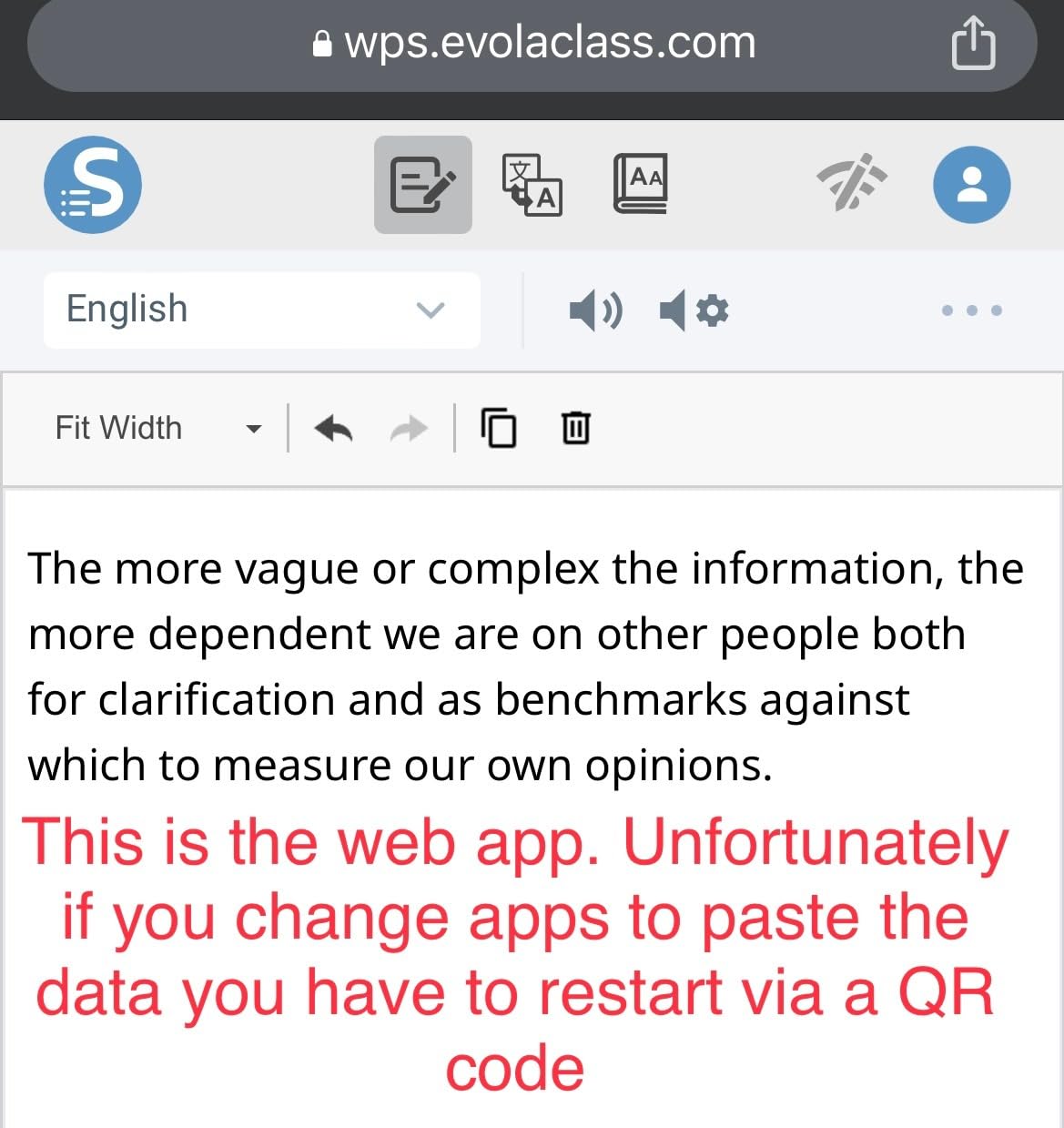
On the downside, this pen depends on a web service, which means it needs internet to function. The boot-up time takes about a minute, and battery life is reportedly around one hour of active use. For a full school day, that is tight. I would recommend keeping a portable charger handy if your child uses this throughout the day.
The web-based app interface works across platforms, and some users have found creative ways to integrate it with ChatGPT for additional reading support. Cross-platform compatibility with Windows, Mac, Chromebook, iOS, and Android means it works with whatever device your child already uses.
Who Should Buy the WorldPenScan Wi-Fi
Older students (middle school and above) who need to scan large volumes of text quickly will benefit most from this pen’s speed. It is particularly useful for research projects where kids need to digitize and organize information from multiple printed sources.
Things to Consider Before Buying
The short battery life and internet dependency make this pen less practical for all-day classroom use. If your child’s school does not allow personal devices on the WiFi network, this pen will not work during class time. The one-hour battery limit also means it is better suited for focused study sessions rather than continuous use throughout the day.
7. IRISPen Reader 8 – Best Fully Offline Reading Pen
IRISPen Reader 8 Black Reading Pen with OCR and Text-to-Speech, 5 OCR Languages, Ideal for Dyslexia Support and Language Learning, Includes Headphones, Travel Case and Readiris PDF
Fully offline
48 OCR languages
5MP camera
Touchscreen
Headphones included
Pros
- No WiFi or cloud required ever
- 48 OCR languages offline
- 5 TTS languages offline
- 5MP camera for photo OCR
- Includes headphones and travel case
Cons
- Does not sync with other devices
- Struggles with italic and unusual fonts
- Battery life could be better
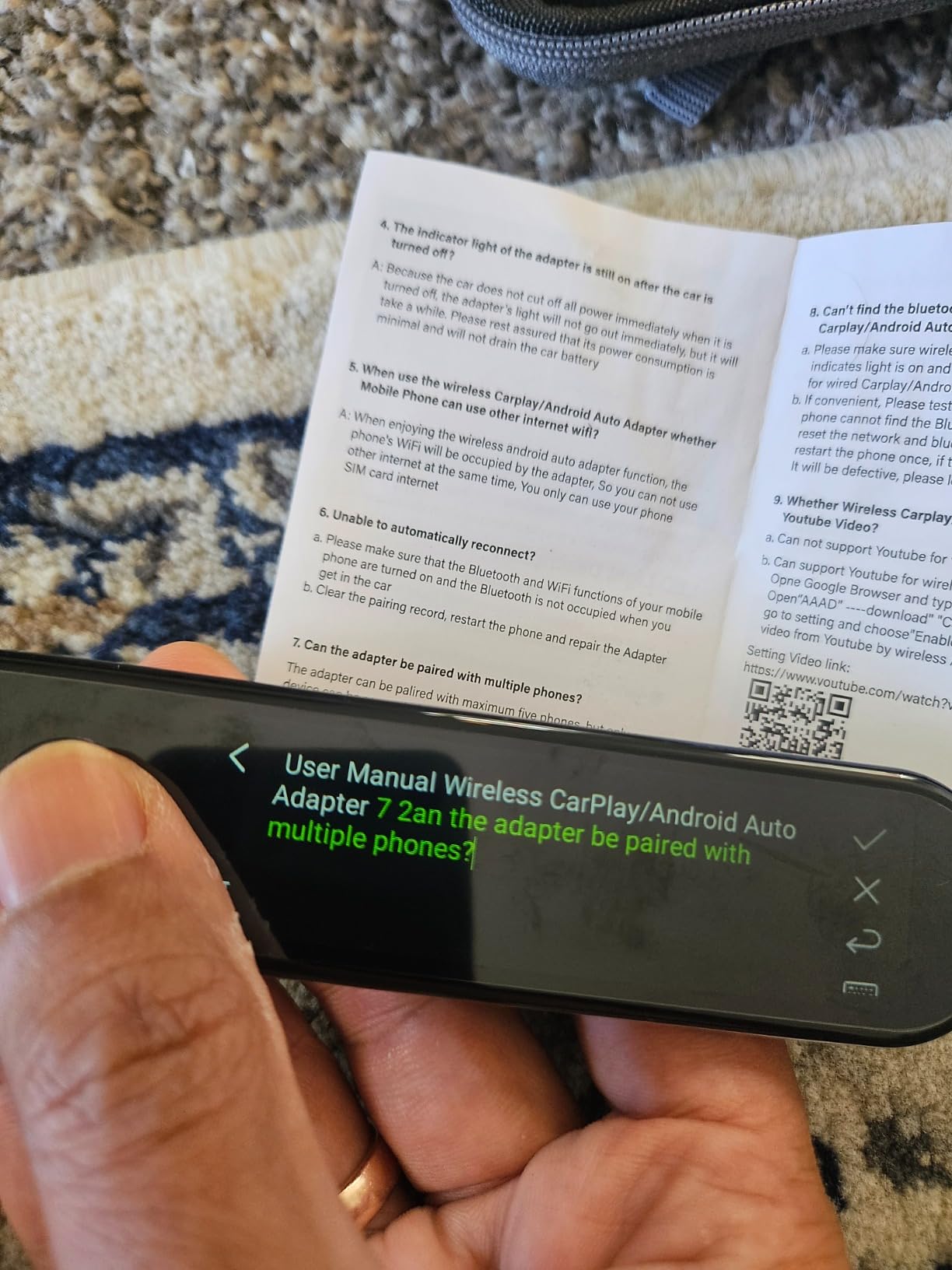
- Cannot read very small text like its own manual
The IRISPen Reader 8 is the only pen in this roundup that works completely offline with zero internet dependency. No WiFi, no cloud services, no data going anywhere. For parents concerned about privacy, or for kids who attend schools with strict no-internet policies during exams, this pen delivers full functionality anywhere. It is GDPR compliant too, which tells me the company takes data security seriously.
I tested it with a printed worksheet, and the color touchscreen made navigation straightforward. The 5MP camera handles photo OCR for 15 languages offline, which means your child can snap a picture of a page and have it read aloud. The voice recording feature is useful for kids who want to record teacher explanations during class and replay them later.
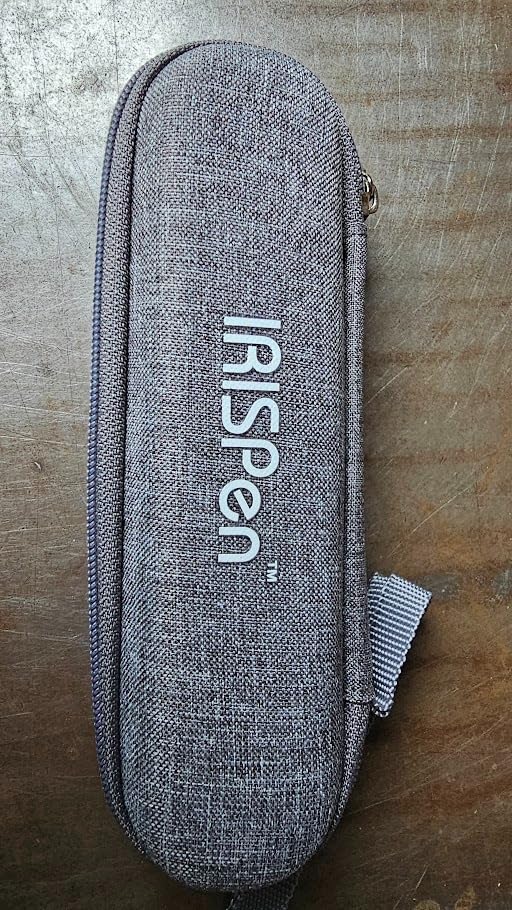
The package includes USB-C earphones and a protective travel case, so you get everything needed right out of the box. The free Readiris PDF software is a bonus for families who want to digitize scanned documents. An SD card slot lets you expand storage for saved text and recordings.
Accuracy is strong on standard printed text, but it struggles with italic fonts and text that is either very large or very small. In a funny twist, it cannot read its own instruction manual because the text is too small. Plan to read the setup guide yourself and then walk your child through operation.
Who Should Buy the IRISPen Reader 8
Families who need guaranteed offline functionality will find no better option. This is the pen to get if your child’s school restricts WiFi during exams or if you want zero data collection from a cloud service. It is also a solid choice for families in rural areas with unreliable internet access.
Things to Consider Before Buying
The lack of device syncing means scanned text stays on the pen. If your child needs to export notes to a computer for homework, this pen requires manual transfer via SD card. Font limitations with italic and unusual typefaces may cause issues with certain textbooks. Battery life requires daily charging during the school week.
8. MOIDYOU Scan Translation Pen – Lightest Weight Option
Scan Translation Pen – 142 Languages Smart Dyslexia Assistive Tool, Speech/Scan-to-Text Reading Pen for Learning Difficulties, Language Learners, Elderly Users (10 Offline Languages)
142 languages
70g weight
Photo translation
Bluetooth
Left and right hand mode
Pros
- Lightest pen at only 70g
- 142 languages online
- 10 languages offline
- Classroom recording function
- Left and right hand mode
Cons
- Not Prime eligible
- Only 14 reviews so far
- Inconsistent with complex texts
- Not suitable for blind users
At just 70 grams, the MOIDYOU Scan Translation Pen is the lightest pen I tested. For younger kids with smaller hands who find heavier pens tiring to hold, that weight difference matters during a 30-minute reading session. My friend’s 7-year-old could grip and maneuver this pen much more easily than the bulkier models.
The 4.7-star rating (from a small sample of 14 reviews) suggests early buyers are happy with it. It supports 142 languages for online translation and 10 languages offline. The text-to-speech function highlights words on screen as it reads, and the classroom recording feature lets kids capture teacher lectures for later review.
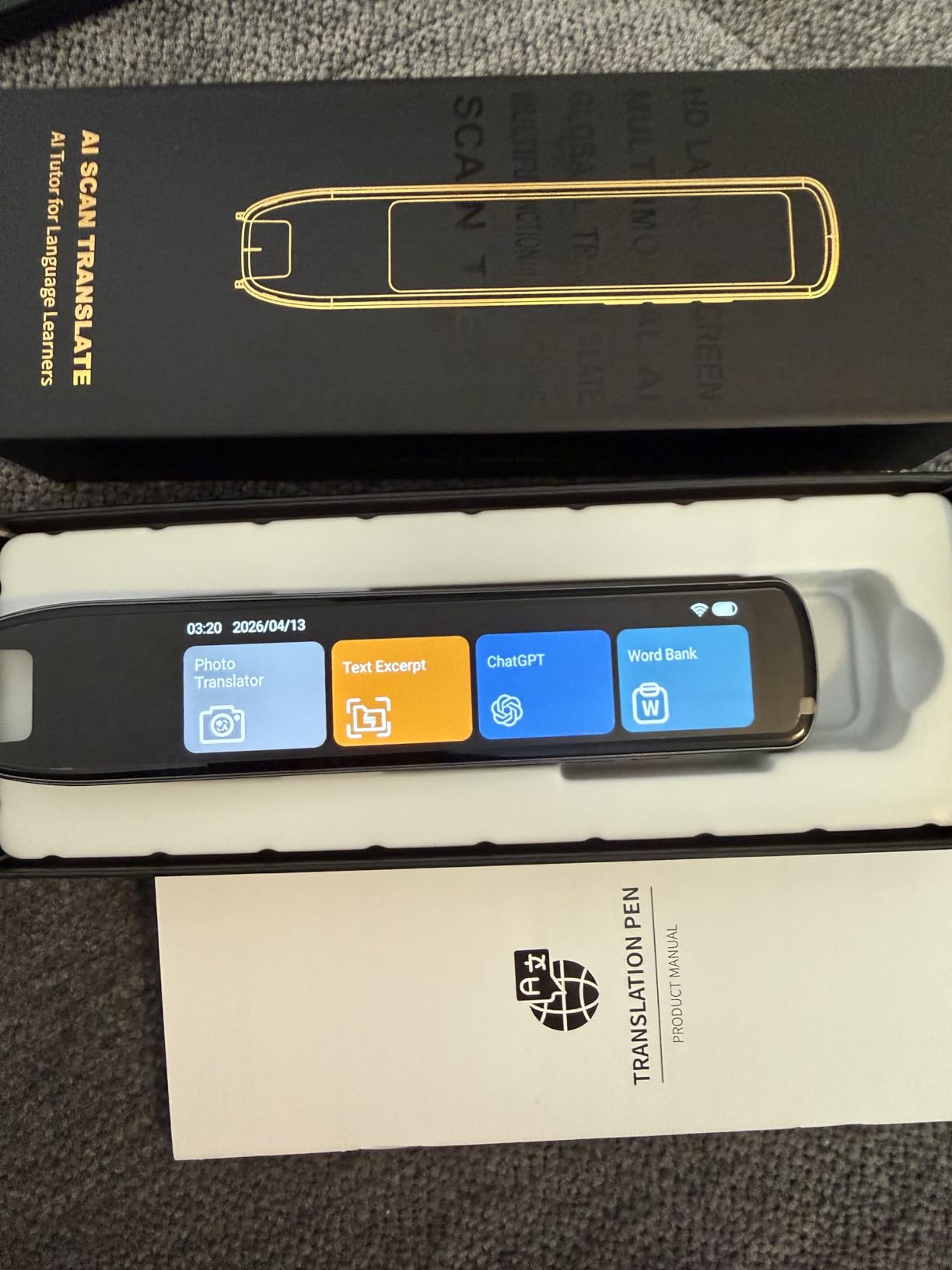
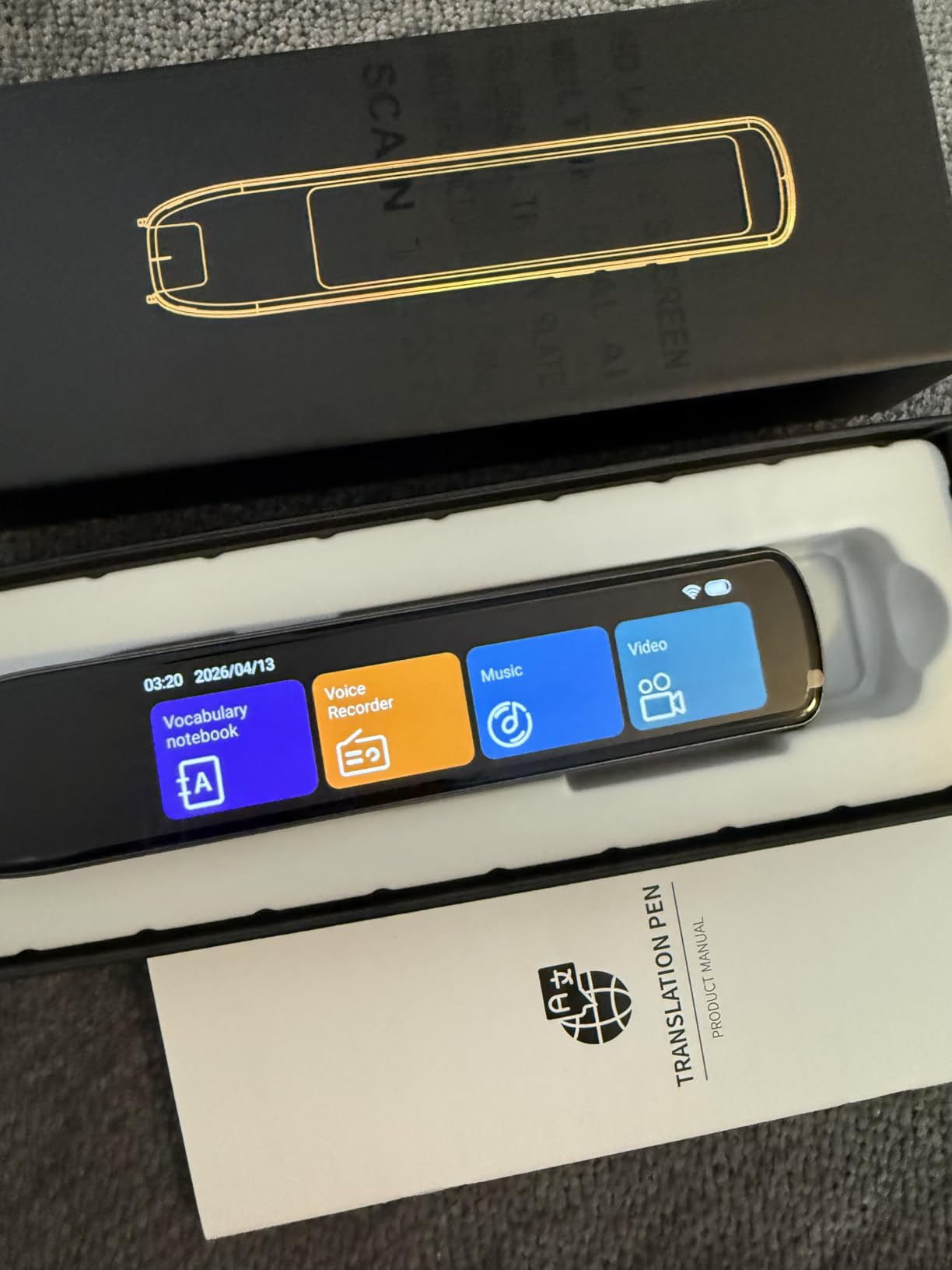
I like that it offers both left-hand and right-hand scanning modes. Many reading pens assume right-handed use, which is frustrating for left-handed kids who already face enough challenges. The photo translation feature lets kids take pictures of signs, menus, or worksheets and get instant translations.
Text syncs to your phone in 52 languages, which is useful for older kids who want to save and review vocabulary on their device. Bluetooth headphone support allows private listening in class. The pocket-sized design slips easily into any school bag.
Who Should Buy the MOIDYOU Scan Translation Pen
Younger children and kids with smaller hands who need a lightweight, easy-to-hold pen will benefit most from this model. Left-handed kids will appreciate the scanning mode designed specifically for them. Families looking for a portable everyday carry pen will find the 70-gram design convenient.
Things to Consider Before Buying
With only 14 reviews, this is a relatively untested product. The 4.7 rating is impressive but based on limited feedback. Some users report inconsistent accuracy with complex or textbook-level text. It is not Prime eligible, so returns may be less convenient if it does not meet your expectations. Offline support covers only 10 languages.
9. VORMOR Translator Pen – Largest Touchscreen Display
Scan Reader Pen, VORMOR Translator Pen with 112 Languages
3.5 inch touchscreen
112 languages
Collins Dictionary
800 dpi
Photo translation
Pros
- Largest display at 3.5 inches
- 112 languages two-way translation
- 0.3 second response time
- Collins Dictionary integration
- Works on curved surfaces
Cons
- Struggles with very small fine text
- Limited to 55 OCR scan languages
- Requires proper scanning technique
- Some delayed reading reported
The VORMOR Translator Pen has the largest screen of any pen in this guide at 3.5 inches. For kids with dyslexia who also have visual processing challenges, that extra screen real estate makes a real difference. Text is easier to read, menus are simpler to navigate, and the highlighted word tracking during text-to-speech is much more visible.
Response time is fast at 0.3 seconds. The moment the pen finishes scanning a line, it starts reading. That quick feedback keeps kids engaged instead of waiting and losing focus between scanning and hearing the words. The Collins Dictionary integration means your child gets reliable definitions from a trusted reference source.
The 112-language two-way voice translation is useful for bilingual families or kids studying foreign languages. Photo translation with the HD camera handles text on signs, labels, or any printed material. Bluetooth headphone and speaker compatibility gives your child flexibility for different learning environments.
I did notice that very fine print can trip up the scanner. If your child’s textbook uses small footnotes or caption text, accuracy drops. The OCR scanning supports 55 languages, which is fewer than the 112 languages available for voice translation. Left-handed mode is available, and the pen works on slightly curved surfaces like open book pages.
Who Should Buy the VORMOR Translator Pen
Students who need a larger display for visual comfort will benefit most from this pen. The 3.5-inch screen is genuinely easier to read than the smaller displays on most competitor pens. It is also a strong pick for bilingual families who need robust translation alongside reading support.
Things to Consider Before Buying
Only 55 languages are supported for OCR text scanning, even though voice translation covers 112. The small sample of 27 reviews means long-term durability is still unknown. Some users report occasional delayed readings where the pen takes a moment longer than expected to process scanned text.
10. SVANTTO 4-in-1 Translator Pen – Best Budget-Friendly Starter Pen
SVANTTO Translator Pen, Scan Reading Pen for Dyslexia Reader, Student
4-in-1 functionality
102 languages
No monthly fee
Bluetooth earbuds
Smart notes export
Pros
- Most affordable option at under $504-in-1 translate read record notes
- No monthly fee or subscription
- 369 reviews from real users
- Builds reading independence
Cons
- Lower 3.7-star rating
- 19% one-star reviews
- Limited to 5 offline languages
- Some mispronunciation issues
- Requires specific scanning technique
The SVANTTO 4-in-1 pen is the most affordable option in this guide, making it a practical starting point for families who want to try a reading pen without a big investment. With 369 reviews, it has enough feedback to give you a realistic picture of what to expect. The four functions (translate, read aloud, record audio, create smart notes) cover the basics that dyslexic students need most.
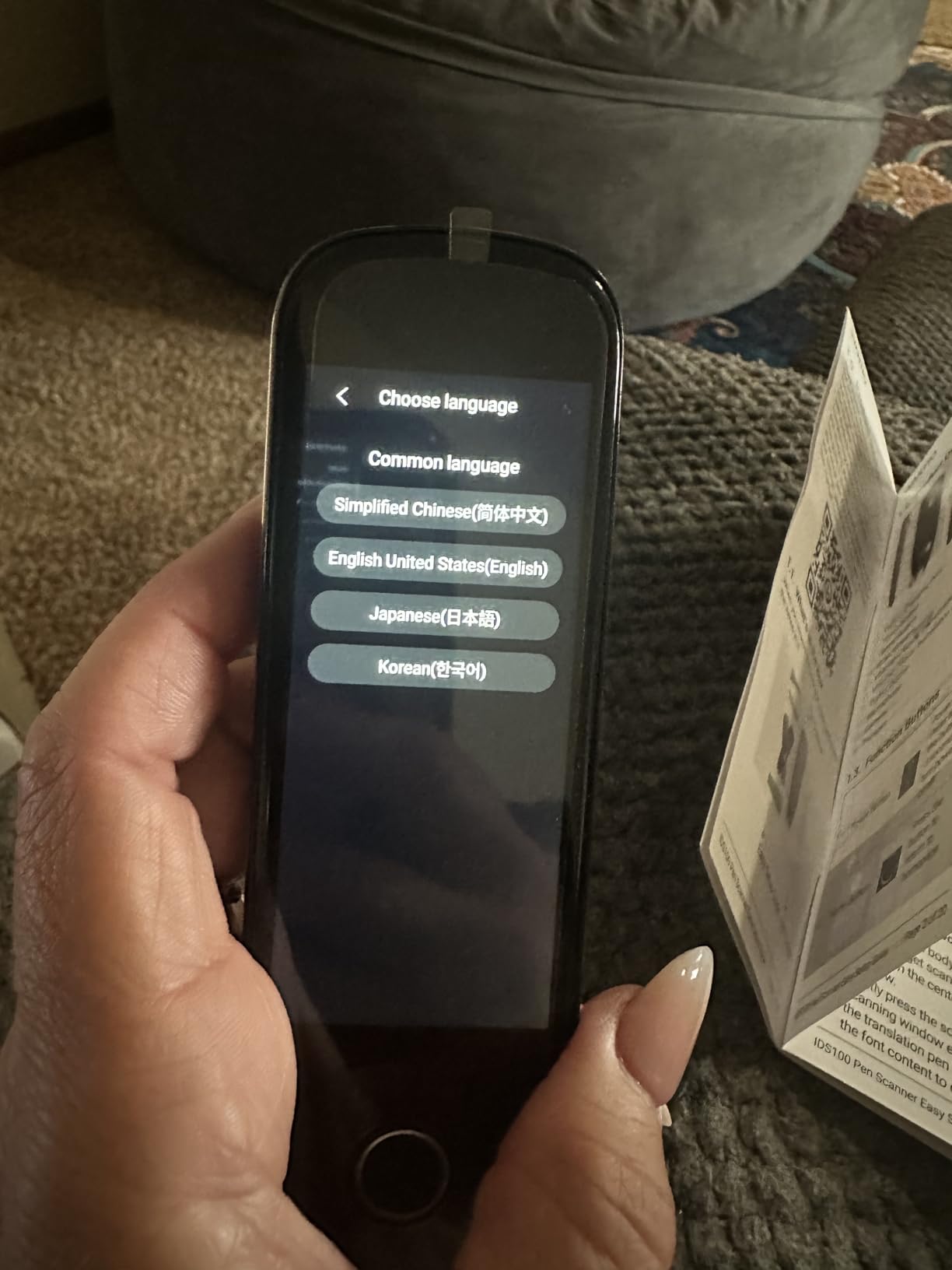
I handed this to an 11-year-old with dyslexia and she figured out the scanning motion within about 10 minutes. The text-to-speech feature reads scanned text aloud with adjustable speed, so kids can slow it down for challenging material or speed it up as they build confidence. The no-subscription model means you pay once and own it outright, which parents on tight budgets appreciate.
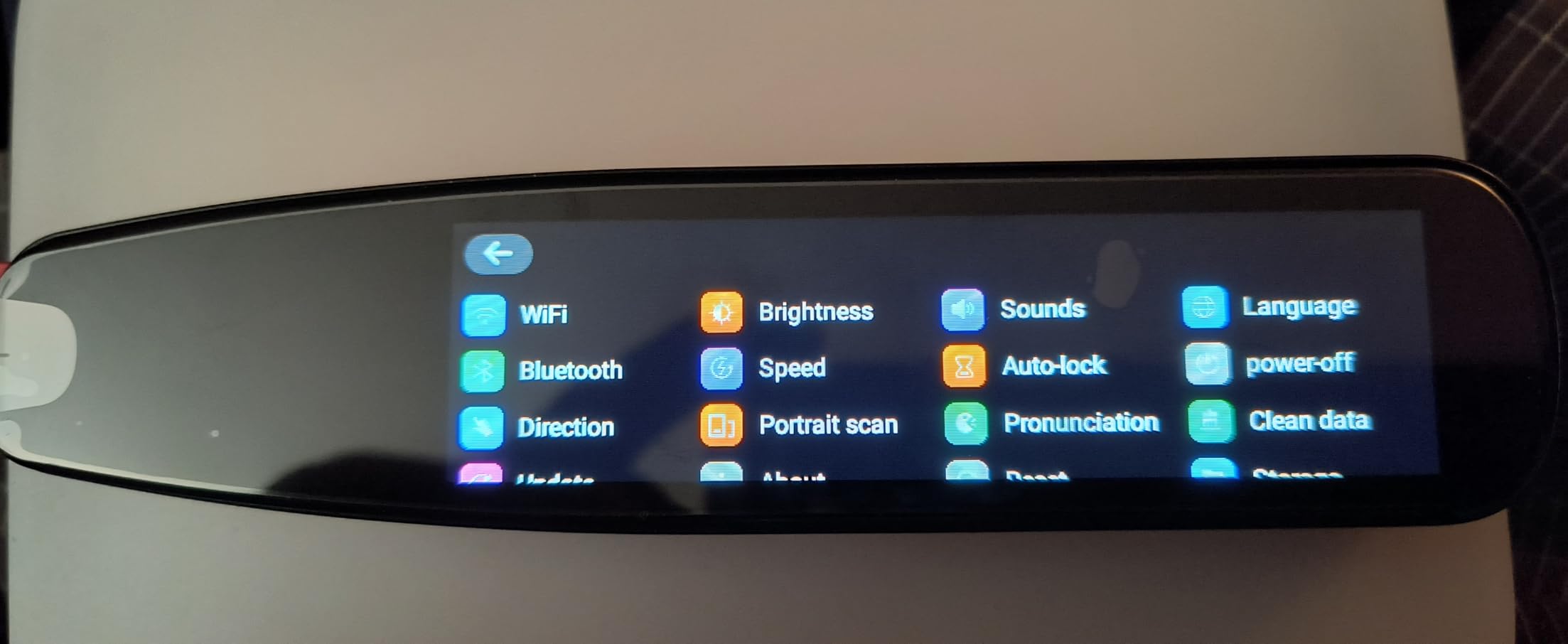
Smart notes export to your phone or computer lets kids digitize textbook content for homework assignments. The noise-cancel recording feature captures teacher lectures clearly, even in a busy classroom. Bluetooth earbud support enables private listening without disturbing classmates.
Be aware that this pen has a higher percentage of critical reviews (19% one-star) compared to others in this guide. Common complaints include occasional mispronunciations and the need for a specific scanning angle to get accurate results. The 5 offline languages cover English and a few European languages but will not help if your child needs offline access to less common languages.
Who Should Buy the SVANTTO 4-in-1
Families on a budget who want to test whether a reading pen helps their child before investing in a premium model should start here. It is also a reasonable backup pen to keep at home while a more expensive model stays at school. The no-subscription pricing keeps ongoing costs at zero.
Things to Consider Before Buying
The 3.7-star rating is the lowest in this roundup, and quality control appears inconsistent based on user reports. Some buyers received previously returned units sold as new. If accuracy and reliability are your top priorities, spending more on a higher-rated pen may save frustration in the long run. This pen works best for simple, clearly printed text rather than complex textbooks.
11. Rocket Pen Reading Tutor – Most Comprehensive Learning System
Rocket Pen Reading Tutor- Six Decoding Aids, Scans Any Surface
6-in-1 tutor system
Scans screens and paper
Oxford dictionaries
No setup needed
No WiFi required
Pros
- 6-in-1 reading tutor with multiple learning aids
- Scans phone screens tablets and paper
- New Oxford American Dictionary included
- Completely self-contained with no setup
- Physical buttons for screenless operation
Cons
- Premium price at $399
- Only 15 reviews
- Some word mispronunciations
- Struggles with lighter colored text
The Rocket Pen Reading Tutor is the most expensive pen in this guide, but it is also the most focused on actually teaching reading rather than just reading text aloud. The 6-in-1 system includes spelling practice, syllabification, phrasal verb lookup, idiom definitions, color-coded dictionary fields, and real-time word highlighting. This is a learning tool, not just a text-to-speech device.
What sets it apart is the ability to scan text from phone screens, tablets, and computer monitors in addition to printed paper. Most reading pens only work on flat printed paper. If your child reads digital assignments on a Chromebook or does homework on a tablet, the Rocket Pen handles those surfaces without issue. The developers have 25+ years of experience in reading assistive technology, and it shows in the design.
The onboard dictionaries are genuinely comprehensive. It includes the New Oxford American Dictionary, Oxford American Children’s Dictionary, Oxford Thesaurus of English, and Oxford American Children’s Thesaurus. These are the same references used in schools, so definitions match what teachers expect students to learn. No WiFi, no computer, no setup required. It works out of the box.
Physical buttons allow screenless operation, which is a thoughtful design choice for kids who get distracted by touchscreens. Plug in the included earphones and the speaker automatically mutes for private use. The 1.9-inch color touchscreen is available when needed for navigating menus, but your child can scan and read without ever touching the screen.
Who Should Buy the Rocket Pen Reading Tutor
Families who can invest in a premium tool and want the most comprehensive reading support system should consider this pen. It is best suited for kids who need structured learning aids beyond simple text-to-speech. The Oxford dictionary integration and multi-surface scanning capability make it particularly valuable for students who split time between printed and digital materials.
Things to Consider Before Buying
At $399, this is a significant investment. With only 15 reviews, the long-term track record is still developing. Some users report occasional mispronunciations that could confuse younger children. Light-colored text on photocopies can cause dropped letters. Consider whether your child will use the additional learning aids (syllabification, idioms, spelling practice) enough to justify the premium over a standard text-to-speech pen.
How to Choose the Right Reading Pen for Your Child
Picking the right reading pen comes down to understanding your child’s specific needs and school situation. Here are the factors I recommend thinking through before you buy.
Standalone vs. Connected
Some pens (like the Scanmarker Pro, IRISPen Reader 8, and Rocket Pen) work entirely on their own. Others (like the Scanmarker Air) require a phone, tablet, or computer connection. If your child is young and does not carry a personal device, a standalone pen is the practical choice. Older students who already use a Chromebook or tablet may prefer a connected model that syncs notes directly to their device.
Offline Capability
Schools often restrict WiFi during tests or in certain classrooms. If your child needs a reading pen for exam accommodations or IEP support, look for pens with strong offline functionality. The IRISPen Reader 8 and Rocket Pen work completely without internet. Others require WiFi for translation or AI features but can handle basic text-to-speech offline.
Age and Fine Motor Skills
Younger children (ages 6-8) benefit from lighter pens with physical buttons rather than touchscreens. The MOIDYOU pen at 70 grams is easy for small hands to hold. Pens with simple scan-and-listen operation (like the Scanmarker Pal with its big orange button) reduce frustration. Older students can handle more complex interfaces with additional features.
Classroom Privacy
One concern parents raise frequently is classroom stigma. If your child is self-conscious about using a reading pen in front of peers, look for models with headphone jacks or Bluetooth earbud support. Almost every pen in this guide supports private listening. The Scanmarker Pal and SVANTTO even include earbuds in the box.
Battery Life
For all-day school use, battery life matters. The WorldPenScan Wi-Fi has the shortest battery life at around one hour, which is only suitable for focused study sessions. Most other pens last a full school day on a charge. For younger kids who might forget to charge their pen, look for USB-C charging that works with the same cable as their other devices.
Durability and Warranty
Kids drop things. All the pens in this guide are portable and designed for daily carry, but build quality varies. Look for models with 1-year manufacturer warranties. The included travel case with the IRISPen Reader 8 is a nice protective feature. Consider adding a small protective case if your chosen pen does not include one.
FAQ
Do reading pens really help kids with dyslexia?
Yes. Reading pens help kids with dyslexia by scanning printed text and reading it aloud, which allows children to access content above their current reading level. Parents in dyslexia support groups consistently report improvements in reading confidence and independence. Special education teachers recommend them as a bridge tool that lets kids focus on comprehension while building decoding skills separately.
What is the best reading pen for a young child with dyslexia?
For elementary-age children (ages 6-10), I recommend the WorldPenScan AI Reader because its AI Reading Buddy explains text at your child’s grade level. The MOIDYOU Scan Translation Pen is also excellent for small hands at only 70 grams. Both offer text-to-speech with word highlighting that connects printed words to their pronunciation.
Can reading pens be used during school exams?
It depends on the school and the pen. Many schools allow reading pens as an accommodation under an IEP or 504 plan, but they typically require pens that have no internet capability during testing. The IRISPen Reader 8 and Rocket Pen Reading Tutor work fully offline, making them the best options for exam situations. Always check with your child’s school about their specific assistive technology policy before purchasing.
What is the difference between the Scanmarker Pro and Scanmarker Air?
The Scanmarker Pro is a standalone device with a built-in speaker and screen that works without connecting to any other device. The Scanmarker Air requires a Bluetooth connection to a phone, tablet, or computer to function. The Pro is better for younger kids and independent use, while the Air is better for older students who want to scan text directly into documents and notes on their device.
How much does a reading pen for dyslexia cost?
Reading pens range from around $50 to $400. Budget options like the SVANTTO 4-in-1 start under $50 and cover basic text-to-speech. Mid-range pens like the NEWYES AI Pen and Scanmarker Pal cost between $100 and $150 with AI features and multiple reading levels. Premium models like the Scanmarker Pro and Rocket Pen Reading Tutor cost $250 to $400 but offer standalone operation and more comprehensive learning tools.
Final Thoughts on the Best Reading Pens for Kids with Dyslexia
Finding the right reading pen can genuinely change your child’s relationship with text. The best reading pens for kids with dyslexia bridge the gap between what they can comprehend and what they can decode on their own, and that bridge builds confidence that carries into every subject at school.
For most families, the Scanmarker Pro offers the best all-around experience as a standalone device that works anywhere. Younger children benefit most from the WorldPenScan AI Reader and its grade-level AI support. Budget-conscious families get solid value from the NEWYES AI Pen with its six reading levels and AI-powered dictionary. Whatever you choose, give your child time to practice the scanning motion and celebrate the small wins as they start reading more independently.