
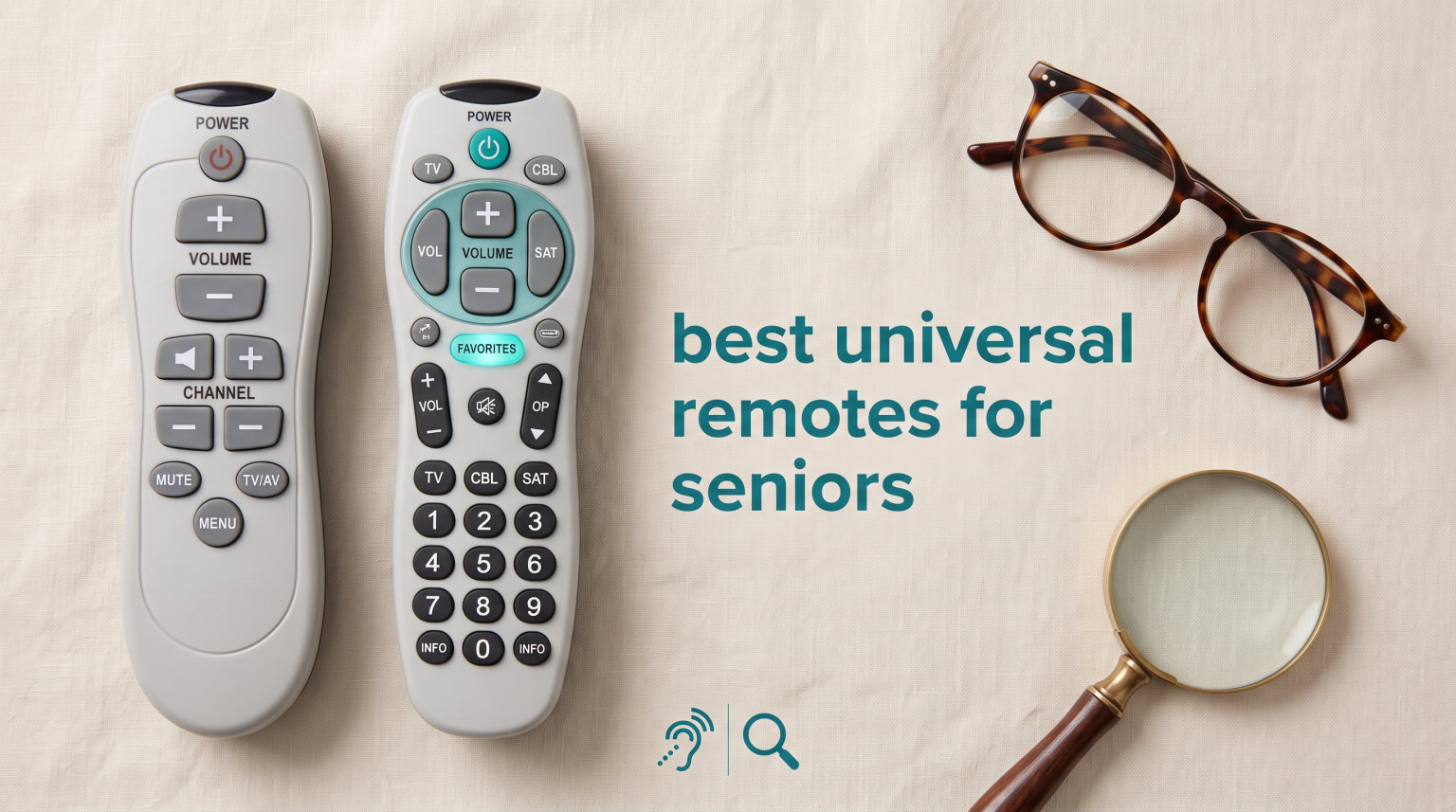
If you have ever watched a parent or grandparent struggle to find the right button on a 60-key remote, you already understand the appeal of the best universal remotes for seniors. Standard TV remotes pack dozens of tiny buttons that confuse, frustrate, and shut older viewers out of something as simple as turning on the evening news. The right simplified remote can return independence to an elderly loved one and give caregivers one less thing to manage.
I have spent the last several months comparing the most popular senior-friendly remotes on the market, reading thousands of caregiver reviews, and looking closely at what actually works for seniors dealing with vision loss, arthritis, dementia, and limited dexterity. What I found is that the best options share a few traits: oversized buttons, color-coded layouts, lockable settings, and a setup process that does not require an engineering degree.
This guide covers ten of the best big button remotes available right now, including picks designed for dementia patients, budget options under $20, brand-specific replacements for Samsung and LG TVs, and feature-rich remotes with backlit keys. Whether you are a caregiver trying to simplify your mom’s TV experience or a senior shopping for yourself, you will find a remote here that fits your situation.
Table of Contents
Top 3 Picks for Best Universal Remotes for Seniors
Not everyone has time to read through ten full reviews. These three picks represent the strongest options across three categories: the best overall, the best value, and the best budget option. Each one earned its spot through a combination of caregiver reviews, accessibility features, and real-world ease of use.
The Flipper Big Button Remote is the most recommended senior remote among caregivers and dementia support communities, with nearly 10,000 reviews backing it up. The EasyMote DT-R08B is the standout value pick thanks to its backlit keys and wrist strap at a price that barely hits $20. The GE 33701 is the most affordable option in the lineup at under $10, and it still offers solid big-button ergonomics for a basic TV setup.

Flipper Big Button Remote for Seniors
- Color-coded big buttons
- Up to 25 favorites
- Anti-reprogram software
- TV or TV + Cable
EasyMote DT-R08B Backlit Big Button Remote
- 6 backlit buttons
- Wrist strap included
- Learning mode
- TV and cable control

GE Big Button Universal Remote 33701
- Big ergonomic buttons
- 2-device control
- Auto code search
- Samsung preset
Best Universal Remotes for Seniors in 2026
Here is a side-by-side comparison of all ten remotes in this guide. Each one has been selected for its accessibility features, real-world usability for elderly users, and value for money. Use this table to narrow down your options before diving into the individual reviews.
| Product | Specifications | Action |
|---|---|---|
| Flipper Big Button Remote |
|
Check Latest Price |
| EasyMote DT-R08B Backlit |
|
Check Latest Price |
| GE 33701 Big Button |
|
Check Latest Price |
 EZClicker Samsung Replacement EZClicker Samsung Replacement |
|
Check Latest Price |
 EZClicker LG Replacement EZClicker LG Replacement |
|
Check Latest Price |
 EZClicker Universal White EZClicker Universal White |
|
Check Latest Price |
 GE BigEZ OneTouch GE BigEZ OneTouch |
|
Check Latest Price |
 Philips BigEZ OneTouch Philips BigEZ OneTouch |
|
Check Latest Price |
 AZMKIMI 2-Pack Big Button AZMKIMI 2-Pack Big Button |
|
Check Latest Price |
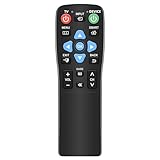 Gmatrix Slide-Cover Remote Gmatrix Slide-Cover Remote |
|
Check Latest Price |
1. Flipper Big Button Universal TV Remote for Seniors – Best Overall
Flipper Big Button TV Remote for Seniors, Dementia – Easy Setup
Color-coded big buttons
TV or TV + Cable control
Up to 25 favorite channels
Anti-reprogram software
30 ft range
2 AA batteries
Pros
- Designed specifically for seniors with dementia and low vision
- Controls TV only or TV plus cable box
- Customize up to 25 favorite channels
- Special software prevents accidental reprogramming
- Works with Xfinity Spectrum DirecTV Dish Samsung LG Vizio
Cons
- Does NOT work with streaming devices like Roku Apple TV Fire TV
- Does NOT have voice control
- Requires direct line of sight to devices
- 2 AA batteries not included
The Flipper Big Button Remote is the remote I recommend most often when caregivers ask me what to buy for a parent with dementia or significant vision loss. It is the best-selling big button remote on Amazon with nearly 10,000 reviews, and the reason is simple: it was designed from the ground up for people who cannot handle a regular remote anymore.
I like that the Flipper only has the buttons most seniors actually use: power, volume, channel up and down, mute, and a favorites option. The large color-coded tactile buttons are easy to see and easy to press, even for arthritic fingers. There is no input button, no menu button, no settings that can accidentally get changed and leave the TV on the wrong screen.
One feature that comes up again and again in caregiver reviews is the anti-reprogramming software. Once you set up the Flipper, the senior using it cannot accidentally switch it to a different code or mess up the configuration. For families dealing with dementia or Alzheimer’s, this single feature saves hours of phone calls trying to walk mom through fixing the remote.
The biggest limitation to be aware of is that the Flipper does not work with streaming devices. If your loved one uses a Roku, Apple TV, Fire TV, or smart TV apps like Netflix, this remote cannot control those. It is built for live TV, cable, and satellite setups. For many seniors that is exactly what they need, but it is a dealbreaker if streaming is part of the picture.
Programming and Setup Experience
Setup uses a code entry process that takes about five minutes. You will need the codes for your specific TV and cable box, which are included in the manual. Once programmed, the remote holds its settings reliably, and the favorites feature lets you preload up to 25 channels so the senior can flip through channels they actually watch.
Best Fit for Caregivers Managing Dementia Care
If you are setting up a remote for someone with dementia, Alzheimer’s, or significant cognitive decline, the Flipper is the remote I would put in their hands first. The locked-down design, color-coded buttons, and favorite channel feature are exactly what reduces confusion. Caregivers consistently report fewer support calls after switching to this remote.
2. EasyMote DT-R08B Backlit Big Button Remote – Best Value
Universal Big Button TV Remote – EasyMote | DT-R08B. Backlit, Easy Use, Smart, Learning Television & Cable Box Controller, Perfect for Assisted Living Elderly Care. White TV Remote Control…
6 large backlit buttons
TV and cable box control
Wrist strap included
Quick Search code scanning
Learning mode
50 ft range
2 AA batteries
Pros
- 6 large backlit buttons for easy visibility in the dark
- Controls both TV and cable box with one remote
- Quick Search scans for codes in seconds
- Learning mode allows custom command programming
- Includes strong wrist strap to prevent misplacement
- Ideal for hospitals hotels nursing homes
Cons
- Requires IR activation in Xfinity and Dish
- Batteries not included
- Only 6 buttons means no number pad
The EasyMote DT-R08B is the remote I reach for when someone wants big button simplicity with the added benefit of backlit keys. At under $20 with over 6,000 reviews, it is one of the strongest values in the senior remote category. The backlit buttons make a real difference for seniors who watch TV in dim lighting or have vision impairment.
This remote keeps things extremely simple with just six large buttons: power, volume up, volume down, channel up, channel down, and mute. The buttons are clearly labeled with big text that is easy to read even without the backlight on. I appreciate that the design does not try to do too much, which is exactly what most elderly users need.
The wrist strap is a feature I did not think much about until I read caregiver reviews mentioning how often seniors misplace remotes. The strap lets you attach the remote to a chair arm or walker, which solves a surprisingly common problem. For seniors in assisted living or nursing homes, this small detail makes a big difference.
The Quick Search feature scans for the right code automatically, which is easier than manual code entry for anyone who is not tech-savvy. The learning mode goes a step further by letting you point your old remote at the EasyMote and teach it specific commands, which is handy if your TV brand is not in the standard code library.
Backlit Button Performance in Real Use
The backlight activates with any button press and stays on long enough to find what you need. I have read reviews from seniors with macular degeneration who say the backlit keys finally let them control the TV without help. The light is bright enough to be useful without being harsh in a dark room.
Who Should Choose the EasyMote Over the Flipper
Choose the EasyMote if you want backlit buttons, a wrist strap, and a learning mode at a lower price than the Flipper. Choose the Flipper instead if your priority is preventing accidental reprogramming for a dementia patient, since the Flipper’s lockable software is more robust.
3. GE Big Button Universal Remote 33701 – Best Budget Pick
GE Big Button Universal Remote Control for Samsung, Vizio, Lg, Sony, Roku
Big ergonomic buttons
2-device control
Auto code search
Master volume
Samsung preset
90-day warranty
2 AA batteries
Pros
- Most affordable option in this guide
- Large ergonomic buttons easy to read and press
- Controls up to 2 devices like TV and soundbar
- Easy setup with automatic code search
- Master volume control works regardless of device selected
- Preprogrammed for Samsung TVs
- US-based technical support
Cons
- Batteries not included
- Only 90-day limited warranty
- Not as simplified as Flipper or EasyMote
At under $10, the GE 33701 is the most affordable remote in this guide and one of the most popular big button remotes on Amazon with over 5,000 reviews. If you need a straightforward big button remote for a TV and one other device, and you do not want to spend more than the cost of a fast food meal, this is your pick.
The GE 33701 has bigger buttons than a standard remote but more of them than the Flipper or EasyMote. It is a good middle ground for seniors who want larger buttons but still need access to a number pad and a few extra functions. The buttons are clearly labeled and easy to press without fumbling.
Setup uses an automatic code search that walks through codes until it finds the right one for your TV. There is also direct code entry if you already know your TV’s code. The remote comes preprogrammed for Samsung TVs, so Samsung owners may not need to do any setup at all.
The master volume feature is a small thing that makes a real difference. Once you set it up, the volume controls work no matter which device you have selected. This prevents the confusion of pressing volume up and nothing happening because the remote is talking to the cable box instead of the TV.
Multi-Device Control Explained
The GE 33701 can control two devices simultaneously, such as a TV and a soundbar, or a TV and a cable box. You switch between them using the device buttons at the top. For seniors who have a simple two-device setup, this is enough without being overwhelming.
When the GE 33701 Makes the Most Sense
This remote is ideal for budget-conscious shoppers who need basic big button functionality without paying for dementia-specific features or backlit keys. It is also a good choice for facilities like nursing homes or hotels that need to buy remotes in quantity.
4. EZClicker Samsung Replacement Big Button Remote – Best for Samsung TVs
EZclicker TV Remote for Samsung TVs Only, Big Button, Easy to Use (Red)
Samsung TVs only
Extra-large enter button
No programming required
Tactile feedback
45 ft range
5-year warranty
2 AAA batteries
Pros
- Extra-large enter button with tactile feedback
- No programming or pairing required just insert batteries
- Specifically designed for Samsung TVs
- Compact and lightweight at 7 x 2 x 1 inches
- 5-year warranty
- Available in multiple colors including high-visibility red
Cons
- Samsung TVs only not compatible with other brands or streaming devices
- 2 AAA batteries not included
- No cable box control
The EZClicker Samsung Replacement Remote is the highest-rated remote in this guide at 4.5 stars, and it is built specifically for Samsung TV owners. If your senior loved one has a Samsung television and you want the absolute simplest setup process, this remote is hard to beat. There is no programming at all. You insert two AAA batteries and it works.
The standout feature is the extra-large enter button in the center of the remote. It is significantly bigger than anything else on the remote, which gives seniors a clear target for the most common action. The tactile feedback on every button press is satisfying and helps users with limited dexterity confirm they have actually pressed the button.
This remote comes in red, which is a thoughtful option for seniors with vision impairment. A bright red remote is much easier to spot on a dark couch or coffee table than a black or gray one. The 5-year warranty is also the longest in this guide, which speaks to the manufacturer’s confidence in the build quality.
The trade-off is that this remote is Samsung-only. It will not work with LG, Vizio, Sony, or any other brand. It also does not control cable boxes, streaming devices, or soundbars. For a Samsung TV owner who just needs to turn the TV on and change channels, that is fine. For anyone with a multi-brand or multi-device setup, look elsewhere.
Zero Programming Setup Process
The setup is the easiest of any remote in this guide. Open the battery compartment, insert two AAA batteries, point it at the Samsung TV, and press power. There are no codes to enter, no learning mode, no scanning process. This is the remote to buy if the senior using it cannot handle any setup steps at all.
Best for Samsung-Only Households
If your household has a Samsung TV and no cable box or streaming device, this is the most user-friendly option on the list. The high rating and zero-programming setup make it a stress-free choice for seniors who get anxious about technology setup.
5. EZClicker LG Replacement Big Button Remote – Best for LG TVs
EZclicker LG TV Remote Big Button Easy to Use Remote for LG TV Only (Black)
LG TVs only
Extra-large enter button
No programming required
Tactile feedback
45 ft range
5-year warranty
2 AAA batteries
Pros
- Extra-large enter button with tactile feedback
- No programming or pairing required
- Specifically designed for LG TVs
- Compact and lightweight design
- 5-year warranty
- Tactile feedback for users with limited dexterity
Cons
- LG TVs only not compatible with other brands or streaming devices
- 2 AAA batteries not included
- No cable box control
The EZClicker LG Replacement Remote is the LG counterpart to the Samsung model above, offering the same zero-programming setup and tactile button design for households with an LG television. At 4.4 stars, it is one of the higher-rated remotes in this guide and follows the same accessibility-first philosophy.
Like the Samsung version, this remote features an extra-large enter button that serves as the focal point of the design. Every button provides tactile feedback, which helps seniors confirm button presses without having to look down each time. For users with neuropathy or limited feeling in their fingers, this feedback is genuinely useful.
The no-programming setup is the biggest selling point. LG TV owners simply insert the two AAA batteries and the remote is ready to use. There is no risk of misprogramming it, no code books to search through, and no setup process that requires a caregiver to be present. This makes it a great option for long-distance caregivers who want to ship a remote directly to their loved one.
The limitation is the same as the Samsung model: LG only, no cable box control, no streaming device compatibility. If your setup fits that description, this is one of the simplest and most reliable options available.
Comparison With the Samsung EZClicker
The LG and Samsung EZClicker remotes are essentially identical in design and features. The only difference is brand compatibility. If you are choosing between them, the decision is based entirely on which TV brand is in the household. Both offer the same 5-year warranty and tactile feedback design.
Ideal Use Case for LG Households
This remote is best for an LG TV owner who watches over-the-air channels or uses the TV’s built-in tuner. It is also a strong choice for caregivers who need to ship a remote that requires zero technical support after arrival.
6. EZClicker Big Button Universal Remote (White) – Simplest Programming
Big Button Universal TV Remote for Seniors, Simple Easy to Use, Dementia Products for Elderly, Works with Major TV Brands, NOT for Streaming (2xAAA Batteries Not Included) (White)
Universal for major TV brands
Extra-large enter button
Hold Mute to program
Tactile feedback
45 ft range
5-year warranty
2 AAA batteries
Pros
- Works with major TV brands not limited to one
- Extra-large enter button for easy targeting
- Simple programming just hold Mute button for up to 60 seconds
- Compact and lightweight at 7 x 2 x 1 inches
- Tactile feedback for seniors with limited dexterity
- 5-year warranty
Cons
- Not for cable boxes Firestick or Roku stick
- 2 AAA batteries not included
- Only 50 reviews so far so limited long-term data
The EZClicker Big Button Universal Remote in white is the brand’s universal option, meaning it works with Samsung, LG, Sony, Vizio, Hisense, Panasonic, and other major TV brands rather than being locked to one. At under $8, it is the most affordable remote in this guide and one of the easiest to set up.
The programming method is about as simple as it gets. You hold the Mute button for up to 60 seconds while pointing the remote at the TV. The remote automatically cycles through codes until it finds the one that works with your TV. Once the TV mutes, you release the button and the remote is programmed. No code books, no manual entry.
This remote shares the same big button design and tactile feedback as the Samsung and LG EZClicker models. The extra-large enter button is the centerpiece, and every button provides a satisfying click that helps users with limited feeling in their hands. The white color is easy to spot in most living room environments.
The main limitation is that this remote does not control cable boxes, Firestick, or Roku stick. It is a TV-only remote, which works for seniors who watch over-the-air channels or use a smart TV’s built-in apps. For that use case, it is an excellent value.
How the Hold-to-Program Method Works
The hold-to-program method is one of the most caregiver-friendly setup processes I have seen. Even if the senior is not tech-savvy, a caregiver can walk them through it over the phone in under two minutes. The remote does the work of finding the right code automatically.
Best for Over-the-Air and Smart TV Viewers
If your senior watches free over-the-air channels with an antenna or uses the apps built into their smart TV, this remote covers those needs at the lowest price point in the guide. It is a great backup remote to keep in a drawer as well.
7. GE BigEZ OneTouch Big Button Remote – Best One-Touch Setup
GE BigEZ OneTouch Big Button Universal TV Remote for Seniors, Easy to Use
Preset brand buttons for Samsung LG Sony Vizio Roku
Fully backlit keys
Color-coded volume and channel
2-device control
30 ft range
2 AA batteries
Pros
- Preset buttons for Samsung LG Vizio Sony and Roku TVs eliminate code entry
- Fully backlit buttons for dark room use
- Color-coded volume and channel buttons are colorblind-friendly
- Simple one-touch setup press TV button then power
- Controls 2 devices simultaneously
- US-based technical support
Cons
- AUX button preset for Roku boxes may need reprogramming for other devices
- Limited review count so far
- Batteries not included
The GE BigEZ OneTouch is a clever take on simplifying remote setup. Instead of making you search for codes, GE preset dedicated buttons for the five most popular TV brands: Samsung, LG, Vizio, Sony, and Roku TVs. If you have one of those brands, you press the matching button and the remote is ready. No code entry required.
The fully backlit keypad is one of the best implementations I have seen in this price range. Every button lights up, not just a few, which makes a real difference for seniors watching TV in low light. The backlight is bright enough to read without straining but not so bright that it becomes a distraction.
I particularly like the color-coded volume and channel buttons. The volume button is blue and the channel button is orange, which helps both visually impaired users and colorblind users distinguish between the two most-used functions. This is a small design choice that shows GE thought about accessibility beyond just making buttons bigger.
The remote controls two devices, so you can pair it with a TV and a soundbar, streaming player, or cable box. Setup for the second device uses the AUX button, which comes preset for Roku boxes. If you have a different device on the AUX port, you will need to reprogram that button, which adds a small setup step.
The OneTouch Setup Process Step by Step
To set up the GE BigEZ for one of the preset brands, press the TV button at the top, then press the brand button that matches your TV, then press power. The remote searches its preset codes for that brand and locks in. The whole process takes about 30 seconds for supported brands.
Who Benefits Most From Preset Brand Buttons
This remote is ideal for caregivers setting up a remote for a senior with a Samsung, LG, Vizio, Sony, or Roku TV. The preset buttons eliminate the most frustrating part of universal remote setup and get the remote working in under a minute.
8. Philips BigEZ OneTouch Big Button Remote – Best Backlit Design
Philips BigEZ OneTouch Big Button Universal TV Remote, Easy to Use
Preset brand buttons for Samsung LG Sony Vizio Roku
Fully backlit keypad
Color-coded volume and channel
2-device control
OneTouch setup
Limited lifetime warranty
2 AA batteries
Pros
- TV device buttons preset for Samsung LG Sony Vizio and Roku TVs
- Fully backlit keypad for dark room visibility
- Large blue volume and orange channel buttons are colorblind-friendly
- Multi-device control with directional pad
- Innovative OneTouch setup with one button press
- US-based technical support
- Limited lifetime warranty
Cons
- AUX button preset for Roku boxes
- Limited review count so far
- Batteries not included
The Philips BigEZ OneTouch is the Philips-branded counterpart to the GE BigEZ, and it offers a nearly identical feature set with a few refinements. Like the GE version, it uses preset brand buttons for Samsung, LG, Sony, Vizio, and Roku TVs to eliminate code entry during setup. The fully backlit keypad and color-coded buttons are also carried over.
Where the Philips version differs is in the build feel and the directional pad. The directional pad includes play, pause, fast forward, and rewind controls, which makes this remote more suitable for seniors who do use streaming features on their smart TV. If your loved one watches Netflix or YouTube through their TV’s built-in apps, those transport controls are useful.
The OneTouch setup works the same way as the GE version. Press the TV button, press the brand button that matches your TV, and the remote handles the rest. The limited lifetime warranty is a nice touch and gives caregivers confidence that the remote will last.
At its price point, the Philips BigEZ offers the same accessibility features as the GE version with the added benefit of transport controls. For seniors who need more than just power, volume, and channel, this is a strong choice that still keeps things simple.
How It Compares to the GE BigEZ
The Philips and GE BigEZ remotes are very similar in features and price. The Philips adds a directional pad with transport controls, making it better for smart TV users. The GE is slightly more affordable. Both offer preset brand buttons, backlit keys, and color-coded volume and channel.
Best for Seniors Who Use Smart TV Apps
If your senior watches streaming content through their TV’s built-in apps and needs play, pause, and navigation controls in addition to basic TV functions, the Philips BigEZ is the better choice over the GE version thanks to the directional pad and transport buttons.
9. AZMKIMI 2-Pack Big Button Universal Remote – Best Value Multi-Pack
2PCS Big Button Universal Remote for All TV Remote, for All Samsung/LG/Sony/Hisense/Philips/Panasonic and More TVs
2-pack of big button remotes
Works with major TV brands
No programming required
Extra-large enter button
10 meter range
2 AAA batteries per remote
Pros
- Two remotes included for one low price
- Works with Samsung LG Vizio Sony Hisense Philips Panasonic Sharp
- No programming needed just insert batteries
- Extra-large enter button for easy targeting
- 180-day free replacement warranty
- Perfect for keeping a spare remote
Cons
- Not compatible with streaming devices or cable boxes
- Maximum range only 10 meters
- Limited review data so far
The AZMKIMI 2-Pack is the only multi-remote option in this guide, and it is a smart buy for households that need a backup remote or want to place one in two different rooms. For about the price of a single mid-range remote, you get two big button remotes that work with a wide range of TV brands.
Like the EZClicker models, these remotes require no programming. Insert two AAA batteries and the remote works with compatible Samsung, LG, Vizio, Sony, Hisense, Philips, Panasonic, and Sharp TVs. The extra-large enter button and tactile feedback design follow the same accessibility-first approach as the rest of the EZClicker family.
Having a spare remote is more practical than it sounds. Seniors misplace remotes regularly, and caregivers frequently mention the stress of trying to track down a lost remote during a phone call. With two identical remotes, one can live on the coffee table and one can live in a drawer as a backup, or one can go in the living room and one in the bedroom.
The trade-off is the same as other no-programming remotes: no cable box control, no streaming device support. The 10-meter range is shorter than most other remotes in this guide, so it may struggle in very large rooms. But for typical bedroom or living room use, it is more than adequate.
Why a Two-Pack Makes Sense for Seniors
Caregivers consistently report that lost remotes are one of the most common sources of frustration for elderly parents. Having a second identical remote eliminates the panic of a missing remote and gives families a backup without buying a second product at full price.
Best for Multi-Room or Backup Needs
This 2-pack is ideal for households with two TVs, or for a caregiver who wants to ship a backup remote to a parent in another state. The no-programming setup means both remotes work out of the box with compatible TVs.
10. Gmatrix Big Button Universal Remote with Slide Cover – Best for Cable Users
Big Button Universal TV Remote for Seniors, Dementia – Works Both TV Only or TV & Cable (STB) Set Up – Spectrum, Xfinity, Samsung, Vizio, LG with Slide-Cover
TV or TV plus cable box control
Slide cover protection
Color-coded tactile buttons
Works as soundbar remote
20 meter range
2 AAA batteries
Dementia-friendly
Pros
- Controls TV only or TV plus cable set top box
- Compatible with Xfinity Spectrum DirecTV Dish ATT Verizon
- Slide cover protects buttons from accidental presses
- Also works as a soundbar remote
- Large color-coded tactile buttons
- Senior and dementia-friendly design
- Works with Samsung LG Vizio TCL Panasonic Insignia
Cons
- Higher price point
- Requires direct line of sight to Xfinity box
- May need IR extender if cable box is behind TV
- Limited review data so far
The Gmatrix Big Button Remote with Slide Cover is the only remote in this guide that combines big button simplicity with a physical slide cover, making it a strong option for seniors who tend to press every button on the remote. The slide cover physically hides buttons that are not in use, which is a clever solution to accidental button presses.
Like the Flipper, the Gmatrix controls either a TV only or a TV plus a cable set-top box. It works with major cable providers including Xfinity, Spectrum, DirecTV, Dish, ATT, and Verizon, which makes it one of the few big button remotes that handles cable box control well. It also works as a soundbar remote, which is a nice bonus.
The color-coded tactile buttons follow the same accessibility principles as the Flipper. Large buttons with clear labels make it easy for seniors with vision impairment to find the right function. The dementia-friendly design focus is evident throughout, with careful attention paid to reducing confusion and accidental presses.
The trade-off is the price, which is the highest in this guide. You also need a direct line of sight to your cable box, so if the box is tucked behind the TV in a cabinet, you may need an IR extender to make the remote work reliably. With limited reviews so far, there is less long-term data on durability than with the Flipper or EasyMote.
The Slide Cover Feature in Practice
The slide cover is the standout feature here. When closed, it physically blocks access to buttons that could accidentally change inputs, settings, or channels. This is a hardware solution to a problem that the Flipper solves with software. For seniors who are physically pressing buttons without meaning to, the slide cover can be more effective than a lockable code.
Best for Cable Subscribers With Dementia Concerns
If your senior uses a cable box from Xfinity, Spectrum, or another major provider and you want a remote that physically prevents accidental button presses, the Gmatrix is worth the higher price. The slide cover combined with cable box control fills a niche that the Flipper and EasyMote do not fully address.
Buying Guide: How to Choose the Best Universal Remote for Seniors
Choosing the right senior-friendly remote comes down to understanding the user’s specific needs. A remote that is perfect for someone with mild vision changes may be wrong for someone with advanced dementia. Here are the factors I consider most important when recommending a remote to caregivers and seniors.
Button Size and Layout
Big buttons are the foundation of any senior remote, but layout matters just as much as size. Look for remotes with color-coded buttons that group related functions together. The Flipper and Gmatrix both use color coding effectively, while the EasyMote keeps things to just six essential buttons. Avoid remotes that cram a number pad next to tiny function keys, since those defeat the purpose of a simplified remote.
Backlit Keys for Low Vision
If the senior watches TV in dim lighting or has macular degeneration, cataracts, or other vision issues, backlit buttons are worth paying for. The EasyMote, GE BigEZ, and Philips BigEZ all offer full backlighting. The Flipper and EZClicker models do not, which is a consideration for night-time viewing.
Dementia and Cognitive Considerations
For seniors with dementia or Alzheimer’s, the most important feature is preventing accidental reprogramming. The Flipper’s anti-reprogram software and the Gmatrix’s physical slide cover both address this directly. Remotes with no programming required, like the EZClicker models, are also safe since there is nothing to accidentally change. Avoid remotes with complex setup menus that a confused user could wander into.
Streaming vs Cable Compatibility
Most simplified remotes do not work with streaming devices. If your senior uses Roku, Apple TV, Fire TV, or smart TV apps, you need to either choose a remote that supports those devices or accept that streaming control will require a separate remote. The GE 33701, GE BigEZ, and Philips BigEZ offer the best streaming compatibility in this guide. The Flipper, EasyMote, and EZClicker models are TV and cable only.
Cable Box Control
If your senior has a cable box from Xfinity, Spectrum, DirecTV, or Dish, make sure the remote can control both the TV and the cable box. The Flipper, Gmatrix, and EasyMote all handle dual TV and cable control. The EZClicker models and AZMKIMI do not control cable boxes.
Setup Difficulty and Caregiver Involvement
Consider who will set up the remote. If a tech-savvy caregiver can handle code entry, any remote will work. If the senior needs to set it up alone, look for no-programming options like the EZClicker models or the AZMKIMI. The GE BigEZ and Philips BigEZ preset brand buttons are a good middle ground for popular TV brands.
Physical Build and Durability
Seniors drop remotes, so build quality matters. The EZClicker models and Gmatrix offer 5-year and 1-year warranties respectively. The EasyMote includes a wrist strap that prevents drops and misplacement. Consider where the remote will be used and how likely it is to be knocked off a table or dropped on the floor.
Frequently Asked Questions About Universal Remotes for Seniors
Is there a simple TV remote for old people?
Yes, several remotes are designed specifically for seniors. The Flipper Big Button Remote and EasyMote DT-R08B are two of the most popular options, both featuring large color-coded buttons, simplified layouts with only essential functions, and setup processes that caregivers can handle quickly. These remotes eliminate the confusing extra buttons found on standard TV remotes.
What is the best universal remote for elderly people?
The Flipper Big Button Remote is the most recommended universal remote for elderly users, with nearly 10,000 reviews on Amazon. It features color-coded tactile buttons, controls either a TV only or a TV plus cable box, includes anti-reprogramming software to prevent accidental changes, and allows caregivers to program up to 25 favorite channels. It is specifically designed for seniors with dementia, vision loss, and limited dexterity.
Why are universal remotes going away?
Universal remotes are not disappearing, but the category is shifting. The rise of smart TVs with built-in streaming apps, voice control, and smartphone remote apps has reduced demand for traditional universal remotes that consolidate multiple device controls. However, simplified big button remotes for seniors remain in strong demand because they solve a problem that smart TV remotes and apps do not address: accessibility for users who cannot navigate complex interfaces.
What is the simple TV control for seniors?
A simple TV remote for seniors typically has between 3 and 15 large buttons covering only the essential functions: power, volume, channel up and down, mute, and sometimes favorite channels. The Flipper Big Button Remote uses just a few color-coded buttons, while the GE BigEZ and Philips BigEZ offer preset brand buttons that skip code entry during setup. The goal is to reduce confusion by removing buttons the senior does not need.
Does a universal remote really work for seniors?
Yes, when chosen correctly. A senior-friendly universal remote works well when it matches the user’s TV brand, supports any cable box in use, and has a button layout simple enough for the user to operate independently. The key is matching the remote to the specific situation. A dementia patient may need the Flipper’s lockable software, while a senior with a Samsung TV may do better with the zero-programming EZClicker Samsung remote.
Final Thoughts on the Best Universal Remotes for Seniors
Finding the best universal remotes for seniors comes down to matching the remote to the specific needs of the person using it. For most caregivers shopping for a parent with dementia or significant vision loss, the Flipper Big Button Remote remains the strongest choice thanks to its anti-reprogram software, favorite channels feature, and nearly 10,000 reviews from families in similar situations.
If budget is the priority, the GE 33701 at under $10 and the EZClicker universal at under $8 offer genuine big button simplicity without breaking the bank. The EasyMote DT-R08B is the best all-around value with its backlit keys and wrist strap, while the GE BigEZ and Philips BigEZ win on setup simplicity with their preset brand buttons.
The most important thing is to actually make the switch. Every day a senior struggles with a confusing 60-button remote is a day of unnecessary frustration. Pick the remote that fits your situation, spend five minutes setting it up, and give your loved one back the simple pleasure of watching TV without help.