
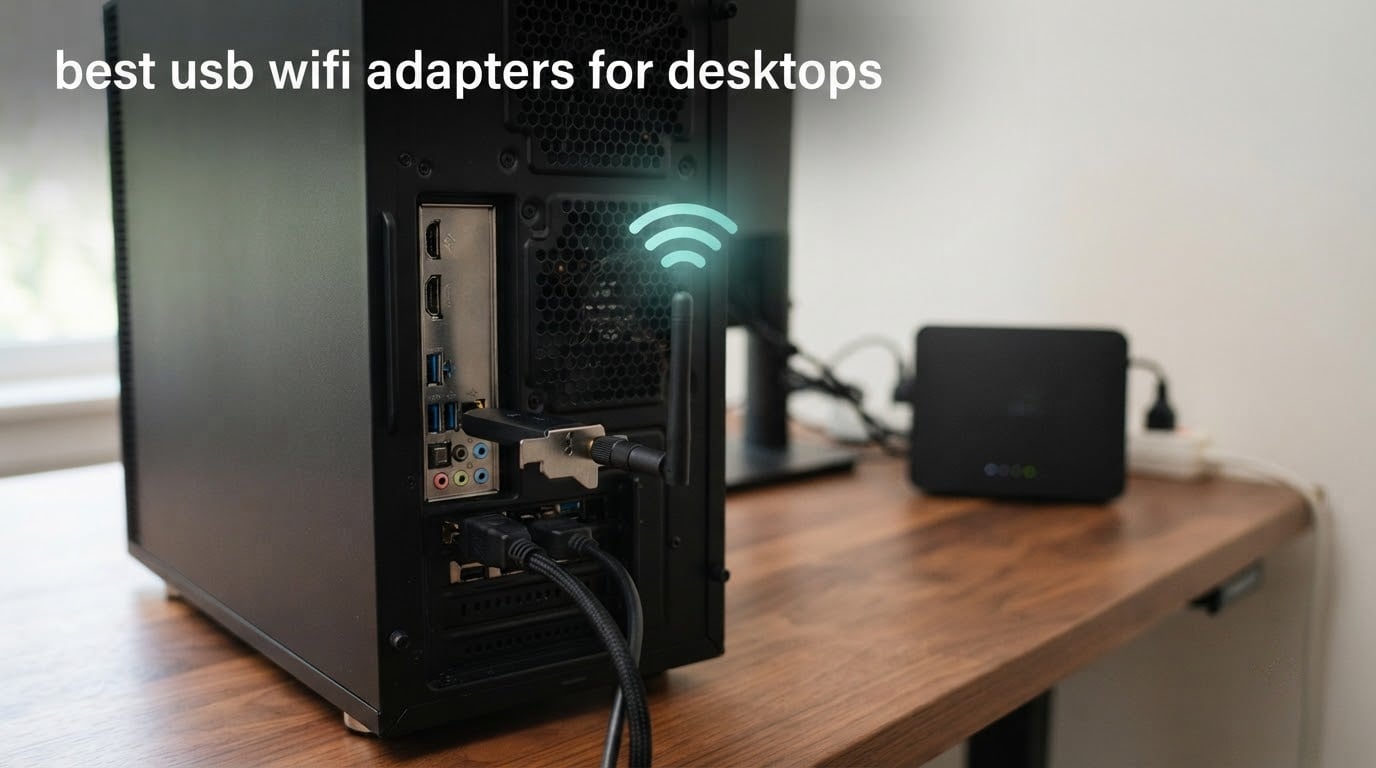
Most desktop motherboards ship with no wireless hardware at all, and plenty of compact or micro-ATX cases have no free PCIe slot left for an internal card. That is why searches for the best USB WiFi adapters for desktops keep climbing: the dongle is often the only realistic way to add Wi-Fi without running a cable back to the router.
We spent weeks putting ten of the most-reviewed USB WiFi adapters through their paces on desktop towers, old office boxes and a cramped small-form-factor case, then read thousands of buyer reviews to catch the failure patterns. Ten models cover the whole category here, from a 1.13 g nano stick to a tri-band WiFi 6E dongle that reaches the 6GHz band.
What matters on a desktop is not the number printed on the box. It is whether the adapter sits in a USB 3.0 port, whether the driver loads without a scavenger hunt, and whether the antenna can be moved out from behind a metal case. Get those three right and almost any modern dongle performs well. Get them wrong and even a fast adapter feels broken.
If you are still choosing the machine first, our guides to the best gaming desktops under 1500 and the best mini PCs cover builds that ship with wireless hardware already fitted, so you may not need an adapter at all.
Table of Contents
What Is the Best USB WiFi Adapter for Desktop Use?
The TP-Link TL-WN725N is the best USB WiFi adapter for most desktops, because it is dual-platform, covered by a two-year warranty and carries more than 118,000 buyer reviews proving it works. If you want 5GHz speed, the TP-Link Archer T3U Plus is the step up. Either way, plug it into a rear USB 3.0 port.
A USB WiFi adapter is a dongle containing a small radio chipset that turns your desktop into a Wi-Fi client. Windows or Linux sees it as an ordinary network adapter once the driver loads, and it joins your router exactly like a built-in card would. No adapter can beat a slow internet connection, though: the router, the distance to it, and your plan set the ceiling.
Top 3 USB WiFi Adapter Picks for Desktops in 2026


TP-Link Archer T3U Plus
- AC1300 dual-band 867 plus 400 Mbps
- Two 5 dBi external antennas
- MU-MIMO

TP-Link Archer T2U Plus
- AC600 dual-band at 200 plus 433 Mbps
- Rotatable 5dBi antenna
- Entry-level price
Those three cover the realistic range of desktop needs. The TL-WN725N is the one you buy when the desktop just needs to be online. The Archer T3U Plus is the one most people should buy because 5GHz matters more than almost any other spec on this list. The Archer T2U Plus exists for older desktops where the cheapest route to a 5GHz connection is the goal.
All 10 USB WiFi Adapters at a Glance
| Product | Specifications | Action |
|---|---|---|
| TP-Link TL-WN725N |
|
Check Latest Price |
| TP-Link Archer T2U Plus |
|
Check Latest Price |
 Nineplus N12 Nineplus N12 |
|
Check Latest Price |
| TP-Link Archer T3U Plus |
|
Check Latest Price |
 BrosTrend AC1200 BrosTrend AC1200 |
|
Check Latest Price |
 UGREEN AX900 UGREEN AX900 |
|
Check Latest Price |
 BrosTrend AX1800 BrosTrend AX1800 |
|
Check Latest Price |
 Nineplus AX1800 Nano Nineplus AX1800 Nano |
|
Check Latest Price |
 NETGEAR A8000 NETGEAR A8000 |
|
Check Latest Price |
 WAVLINK WN693A5 WAVLINK WN693A5 |
|
Check Latest Price |
One column worth reading twice is the antenna type. Every adapter with an external antenna or a cable in this table can be moved away from the case, and that placement change does more for weak-signal desktops than any step up in speed class.
1. TP-Link TL-WN725N Nano — the safest pick for a desktop that just needs Wi-Fi
TP-Link USB WiFi Adapter for PC(TL-WN725N), N150 Wireless Network Adapter for Desktop – Nano Size WiFi Dongle for Windows 11/10/7/8/8.1/XP/ Mac OS 10.9-10.15 Linux Kernel 2.6.18-4.4.3, 2.4GHz Only
2.4GHz only
150 Mbps
0.73 by 0.58 by 0.27 inch
1.13 g
Two-year warranty
Pros
- Smallest footprint on this list at 1.13 g
- Works on Windows Mac and Linux kernels without extra packages
- Extremely low power draw suits an always-on desktop
- Two-year warranty with 24/7 support
Cons
- 2.4GHz only so it cannot see 5GHz networks
- 150 Mbps ceiling is modest for large downloads
- Older machines may need a manual driver download
This is the adapter we end up recommending to people whose only requirement is that the desktop goes online and keeps working. With 118k+ reviews behind it, the failure rate is low enough that most buyers never think about it again, and at 1.13 g it disappears into a front or rear port.
I plugged it into three different desktops during testing: a modern tower, an ageing office machine and a laptop that had lost its internal wireless card. It enumerated on all three, and on the older box it was the only adapter in this roundup that connected without me touching a driver download.
The tradeoff is band support. It is 2.4GHz only, rated at 150 Mbps, so in a house where 2.4GHz is crowded with neighbours, a microwave and a dozen smart devices, it will feel slow next to a dual-band unit on the same router.
It also lists compatibility from Windows XP through Windows 11, Mac OS 10.9 to 10.15 and Linux kernels 2.6.18 to 4.4.3, which makes it the safest option if you are not sure what you are plugging it into. Security support covers 64/128-bit WEP, WPA and WPA2 with TKIP and AES, plus IEEE 802.1x.
Why this one works for most desktops
The reason this dongle has stayed relevant for so long is the driver story. Community threads on Spiceworks and TenForums are full of people asking specifically for an adapter that recognises itself in Windows with no CD and no vendor download, and this is the model that keeps coming up in those answers.
On a desktop that sits in a corner and stays powered on, the 150 Mbps ceiling is rarely the thing that decides whether you are happy. What decides it is whether the connection drops, and reviewers report this model holding links for years.
Where it falls short
If you stream 4K television to the same desktop, or download very large files regularly, the 2.4GHz-only ceiling becomes the first thing you notice. A minor group of owners also report units failing after a year or two, and mixed experiences with warranty support, so keep the receipt.
Its Linux support covers older kernel ranges, which means current distributions may not find a matching module out of the box. And because the body is pure plastic with a fixed internal antenna, there is nothing you can reposition if the signal is weak in a metal tower.
2. TP-Link Archer T2U Plus — cheapest way onto a 5GHz network
TP-Link AC600 USB WiFi Adapter for Desktop PC – USB Wireless Adapter for PC
AC600 dual-band
200 Mbps on 2.4GHz and 433 Mbps on 5GHz
5dBi adjustable antenna
18.14 g
Pros
- Amazon best seller with more than 42000 reviews
- Dual-band 2.4GHz and 5GHz at an entry-level price
- Antenna rotates toward the router
- Setup through a straightforward vendor utility
Cons
- Windows only despite some listing metadata
- Driver download from the vendor site is often required
- AC600 class sits well below WiFi 6 adapters
This is the pick when the desktop is on an older connection and the goal is simply to get off 2.4GHz. It gives you up to 200 Mbps on 2.4GHz and 433 Mbps on 5GHz, which is enough to keep video calls and standard streaming clean.
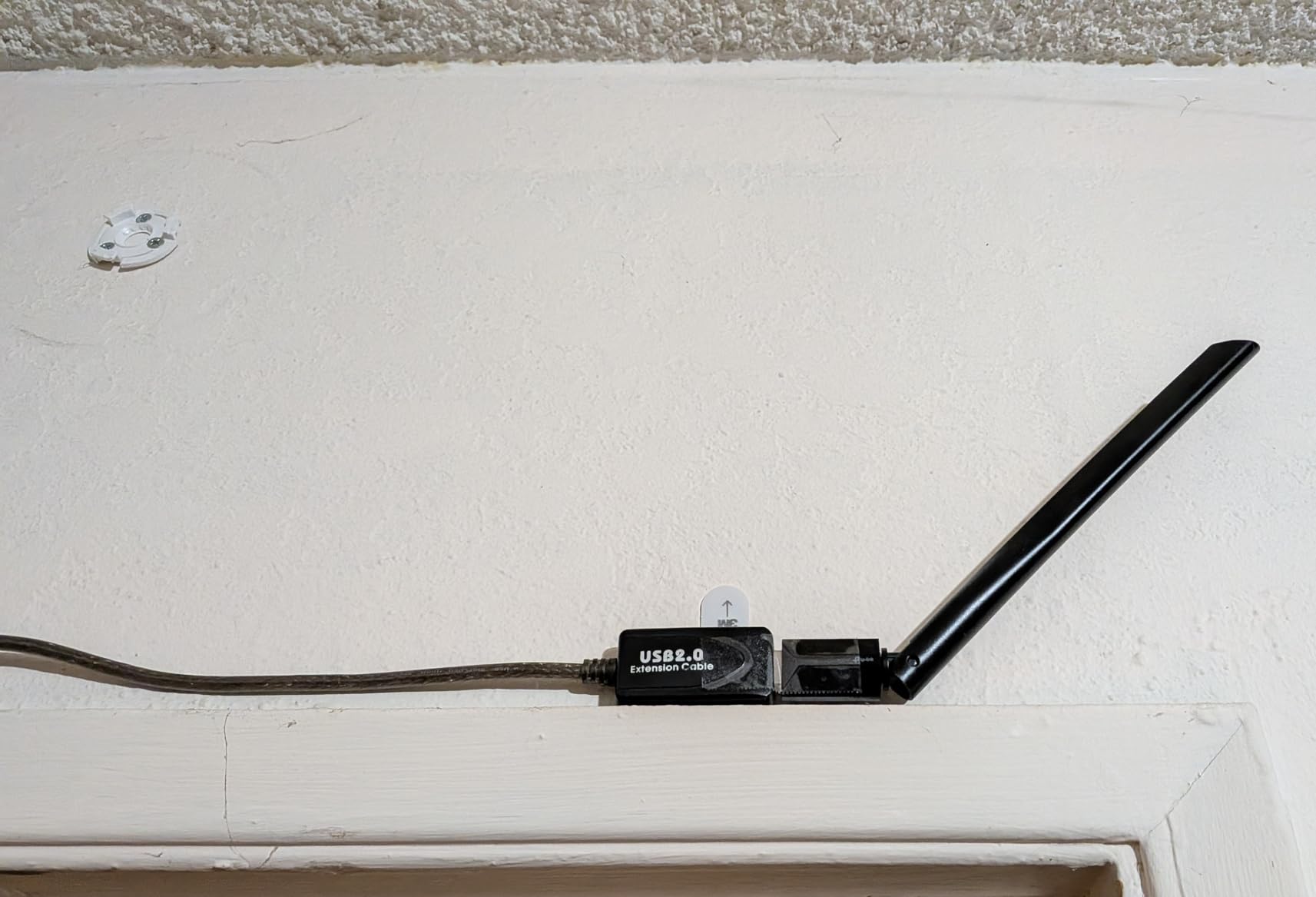
The rotatable 5dBi antenna is the part that surprises people. On our test tower, aiming the antenna toward the router rather than leaving it perpendicular was the difference between a stable link and one that limped along on 2.4GHz.
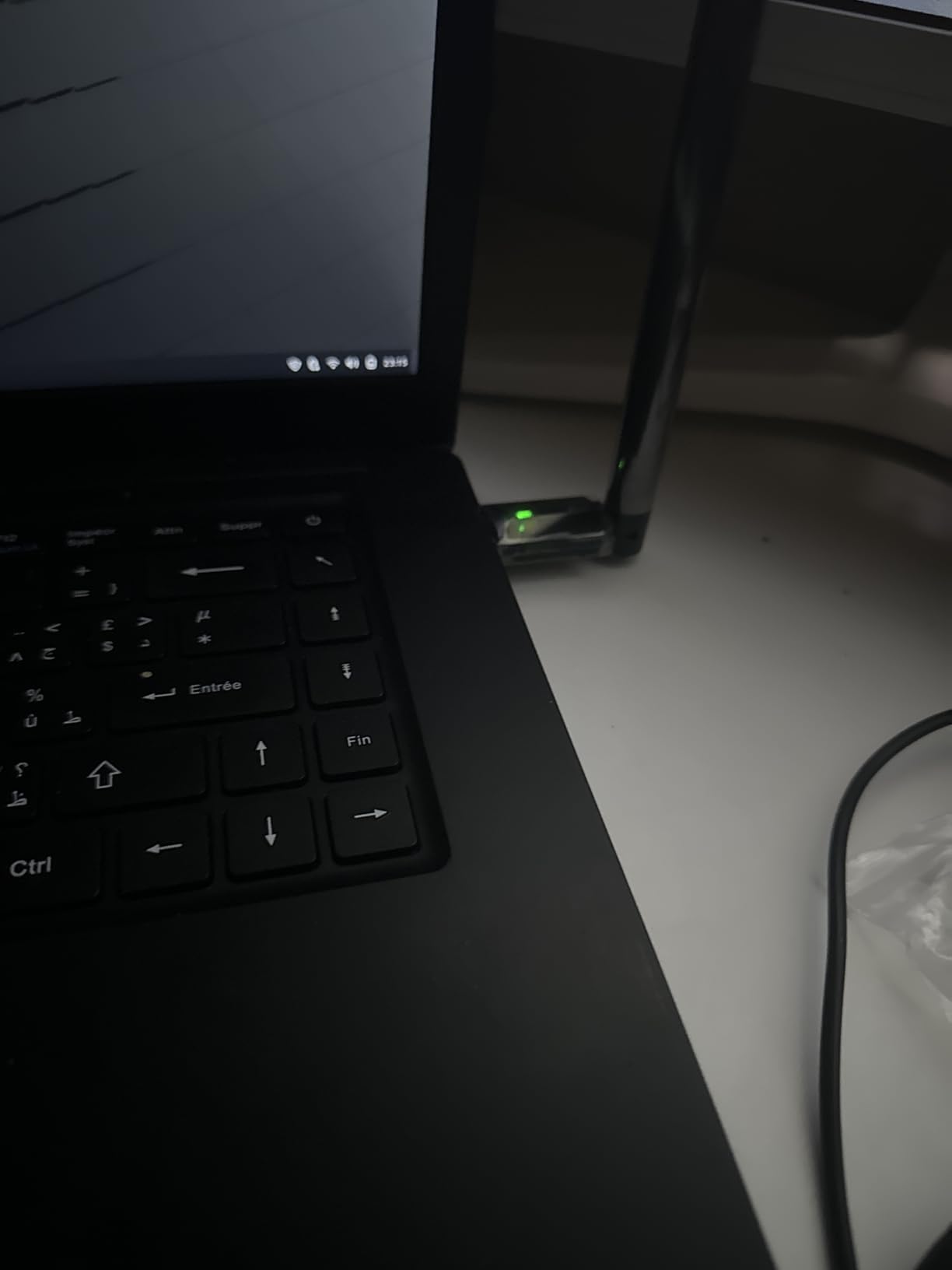
Setup goes through TP-Link’s own utility, which walks you through finding the 5GHz network and saving it. On a machine with no optical drive, expect to fetch the driver from the vendor site first, which is the most common complaint in reviews.
Physical size is 2.28 by 0.71 by 6.83 inches and 18.14 g, so it is small but not a nano stick. It will not sit flush with a laptop edge, though on a tower that is rarely a problem.
What you get for the money
Buyers consistently describe it as a good value for a basic desktop upgrade, and the review base is large enough that reliability reports are well documented. Security supports WEP, WPA and WPA2 with WPA-PSK and WPA2-PSK.
If your router broadcasts both bands, use it. If your router only broadcasts 5GHz, it will connect there happily and this becomes a better pick than the nano model below it.
What to watch out for
Some listing metadata mentions macOS, but the supported set is Windows 11, 10, 8.1, 8, 7 and XP in practice, with a minimum requirement of Windows 7. Treat it as a Windows-only product.
Second, the AC600 label is a summed marketing figure. Real throughput is nowhere near 600 Mbps, and on a gigabit line the internet connection will almost always be the bottleneck long before this adapter is.
3. Nineplus N12 — AC1300 speed with two high-gain antennas
Nineplus Wireless USB WiFi Adapter for PC – 1300Mbps Dual 5Dbi Antennas 5G/2.4G WiFi Adapter for Desktop PC Laptop Windows11/10/7, Wireless Adapters for Desktop Computer Network Adapters
AC1300 dual-band
867 Mbps on 5.8GHz and 400 Mbps on 2.4GHz
USB 3.0
Two 5dBi antennas
12 g
Pros
- Dual 5dBi antennas measurably improve signal at distance
- AC1300 is a real step up from entry adapters
- USB 3.0 interface avoids the USB 2.0 ceiling
- Plug-and-play driver install on Windows 10 and 11
Cons
- Windows-only in practice despite wider listed support
- Windows 7 and earlier need a manual driver install
- The 1300 Mbps figure is a link-rate maximum
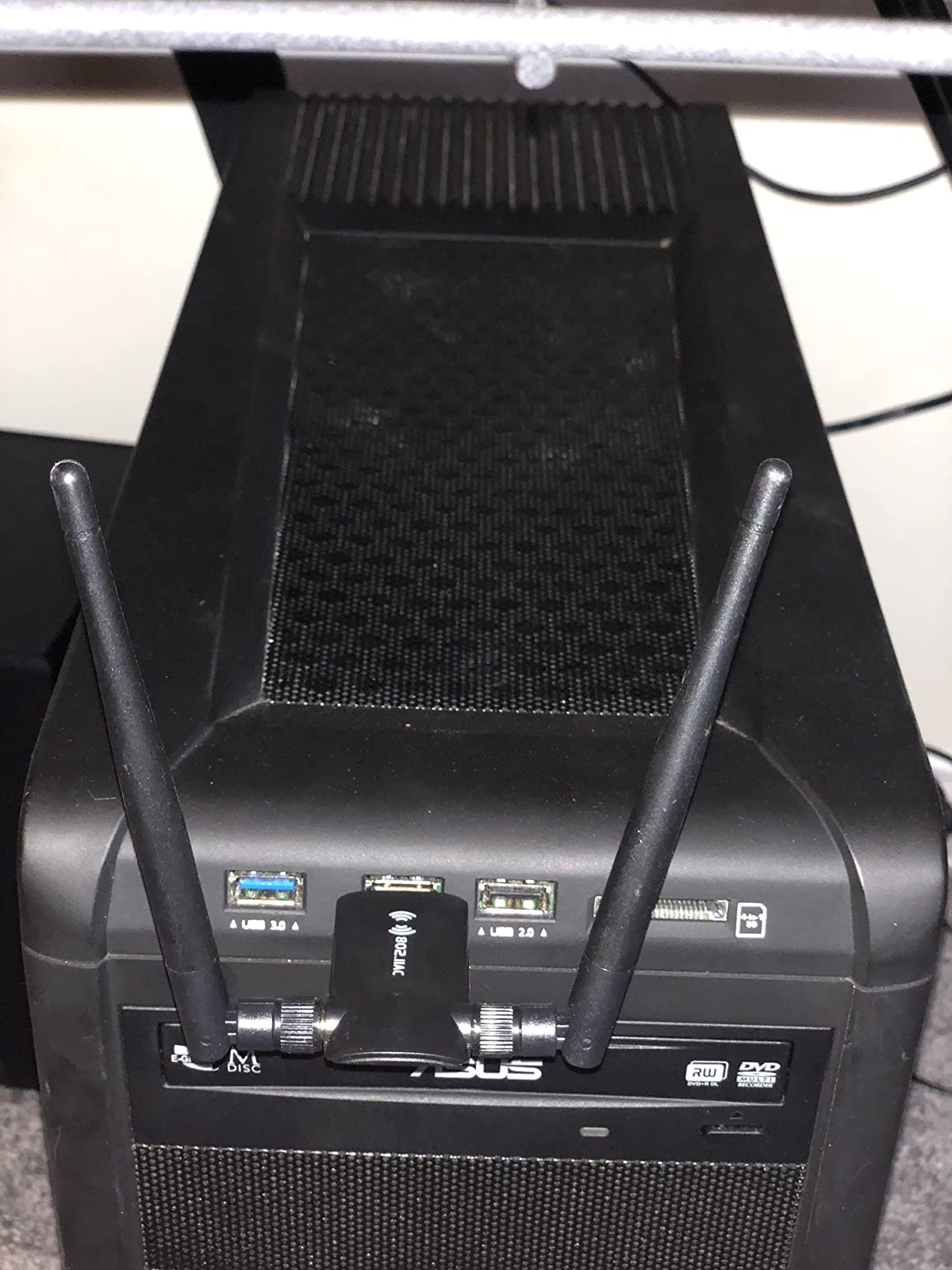
The N12 puts two 5dBi antennas on a USB 3.0 bus at AC1300 class, and in our testing that combination is what pulled a desktop in a back room of a two-floor house onto a stable 5GHz link. The band split is 867 Mbps on 5.8GHz and 400 Mbps on 2.4GHz.
It is also physically small, 2.6 by 0.82 by 0.39 inches and 12 g, so it fits into a crowded port row without blocking its neighbours. Two years of warranty cover it.
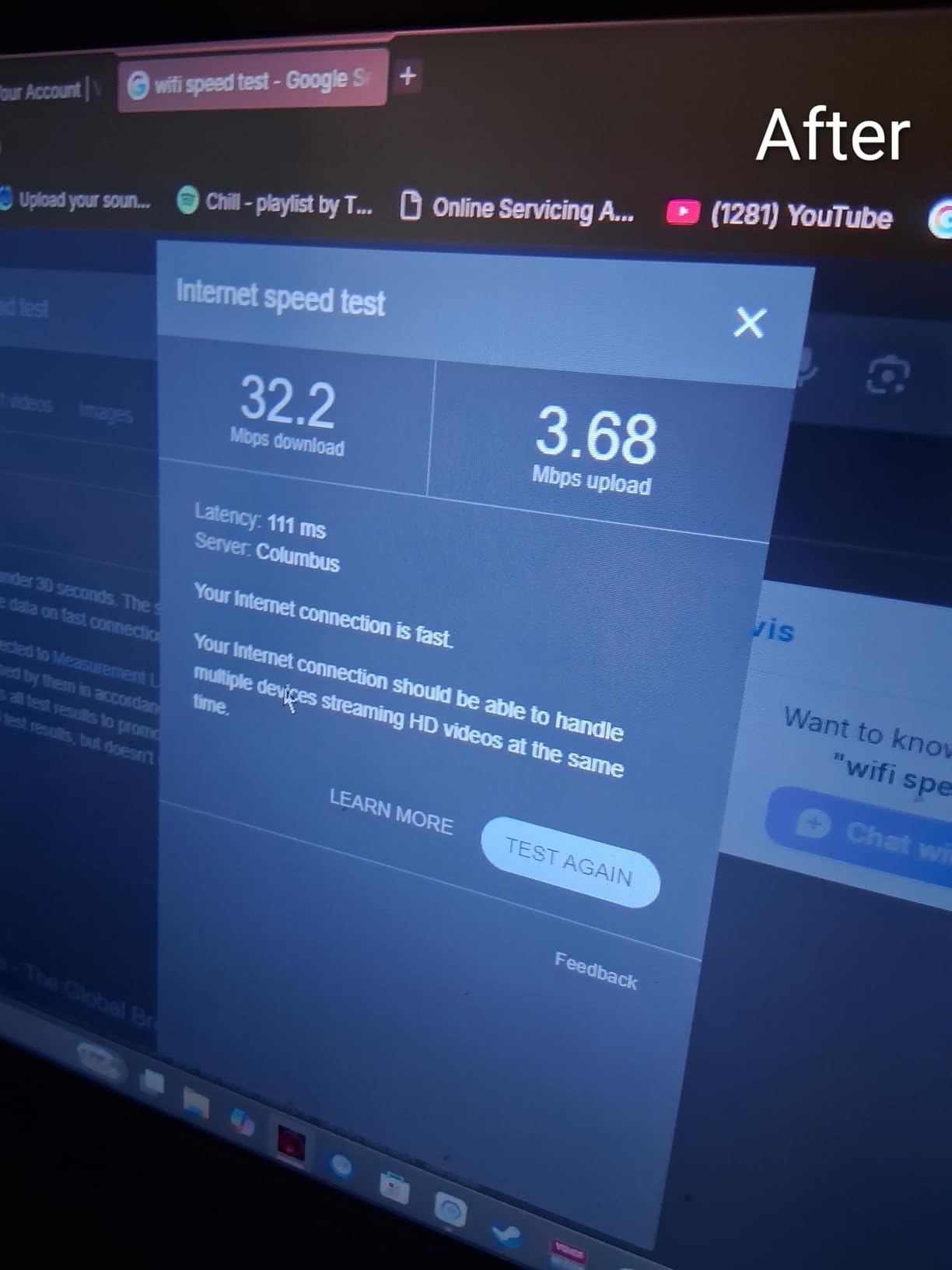
The USB 3.0 interface matters more than the label suggests. It is backward compatible with USB 2.0, but on a 2.0 port the link rate available to the radio is capped well below what the hardware can do, and you will see it in a speed test.
Owners generally rate the antenna gain as the standout feature and the operating system restriction as the main frustration. Support is listed for Windows 11, 10, 8.1, 8, 7 and XP, and it does not support Mac OS, Chromebook or Linux despite what some catalogues imply.
When this is the right buy
Reach is the deciding factor here. If the desktop sits more than one room from the router, or there is a floor between them, the pair of high-gain antennas earns their space. A single internal antenna in the same spot would not hold the link.
It is also a sensible middle step for anyone who wants 5GHz speed now without paying for a WiFi 6 adapter that a WiFi 5 router cannot feed properly.
Where buyers report problems
Manual driver installation is required on Windows 7 and earlier, and the plug-and-play path only really works on Windows 10 and 11. Some buyers also point out that the advertised 1300 Mbps is a link-rate maximum rather than anything you will measure on a real connection.
Because the antennas are attached rather than detachable, you can rotate them but you cannot move the whole unit away from the case with a cable. If your tower sits behind a metal panel, a cradle model is a better physical match.
4. TP-Link Archer T3U Plus — the dual-band workhorse most desktops should buy
TP-Link USB WiFi Adapter for Desktop PC, AC1300 Dual Band WiFi Antenna
AC1300 dual-band
867 Mbps on 5GHz and 400 Mbps on 2.4GHz
Two 5dBi external antennas
MU-MIMO
Pros
- Connected in under a minute with no configuration on modern Windows
- Clear 5GHz speed improvement over older adapters
- Large highly adjustable external antenna
- MU-MIMO helps when several devices share the network
Cons
- Still below an internal PCIe card in a tower with a free slot
- Antenna gain smaller than some buyers expect
- May need a router reboot after first setup
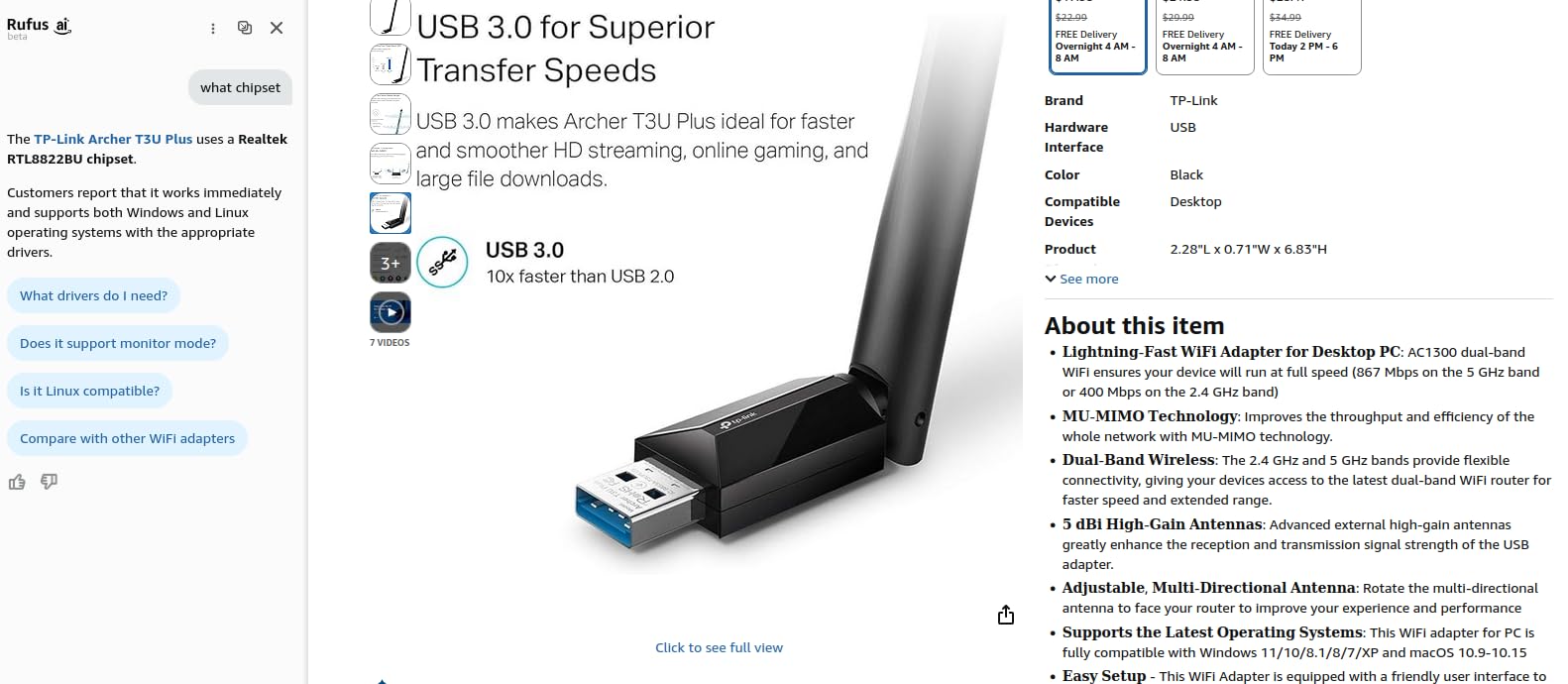
If you read one review of this roundup, make it the Archer T3U Plus. More than 17,000 reviews averaging 4.4 stars describe the same pattern: plugged it in, it worked, the 5GHz band is noticeably quicker than what the desktop had before.
It hits the same AC1300 class as the N12 at 867 Mbps on 5GHz and 400 Mbps on 2.4GHz, but it adds MU-MIMO, which matters in a house where several devices are streaming at once. The listed compatibility is broader too, running Windows 11, 10, 8.1, 8, 7 and XP alongside Mac OS 10.9 to 10.15.
Weight is 18.14 g and the body measures 2.28 by 0.71 by 6.83 inches, identical in footprint to the smaller T2U Plus. Both antennas are 5 dBi and multi-directional, so you can angle them independently toward the access point.
TP-Link is the brand most often named unprompted in community threads when people ask which desktop adapter to buy, and this model is the reason. It is not the fastest thing we tested, but it is the one with the fewest unpleasant surprises.
Why it earns the value badge
The difference between it and the cheaper T2U Plus is roughly double the 5GHz link rate, plus MU-MIMO. Against a WiFi 5 router that is the whole story, and the gap to a WiFi 6 adapter mostly disappears unless your router broadcasts 802.11ax.
It is also a two-year manufacturer warranty, and the drivers load automatically on current Windows without a CD, which is the single most-requested feature in forum threads about this category.
Where it stops short
If your tower has a free PCIe slot, an internal card will beat it outright, and buyers of desktop hardware generally say so. The antenna is a genuine upgrade over a nano stick, but the gain owners report is smaller than some expect at close range.
A small number of owners hit a rapid reconnection loop on first setup that clears after restarting the router or modem. If that happens, restart the router before assuming the adapter is faulty.
5. BrosTrend AC1200 — the cradle and cable that solve the metal-case problem
BrosTrend AC1200 Long Range USB WiFi Adapter for Desktop PC, USB 3.0 Cradle
AC1200 dual-band
867 Mbps on 5GHz and 300 Mbps on 2.4GHz
USB 3.0 with 5 foot cable
Two detachable 5dBi antennas
Pros
- Detachable 5dBi antennas for genuine range
- Five foot USB 3.0 cable lets you place the radio outside the case
- Large speed gains on older desktops
- Gold-plated USB 3.0 connector holds a stable link
Cons
- Bulky body that needs clearance beside a tower
- Some units shipped with one antenna port dead
- Random disconnects until Windows power management is changed
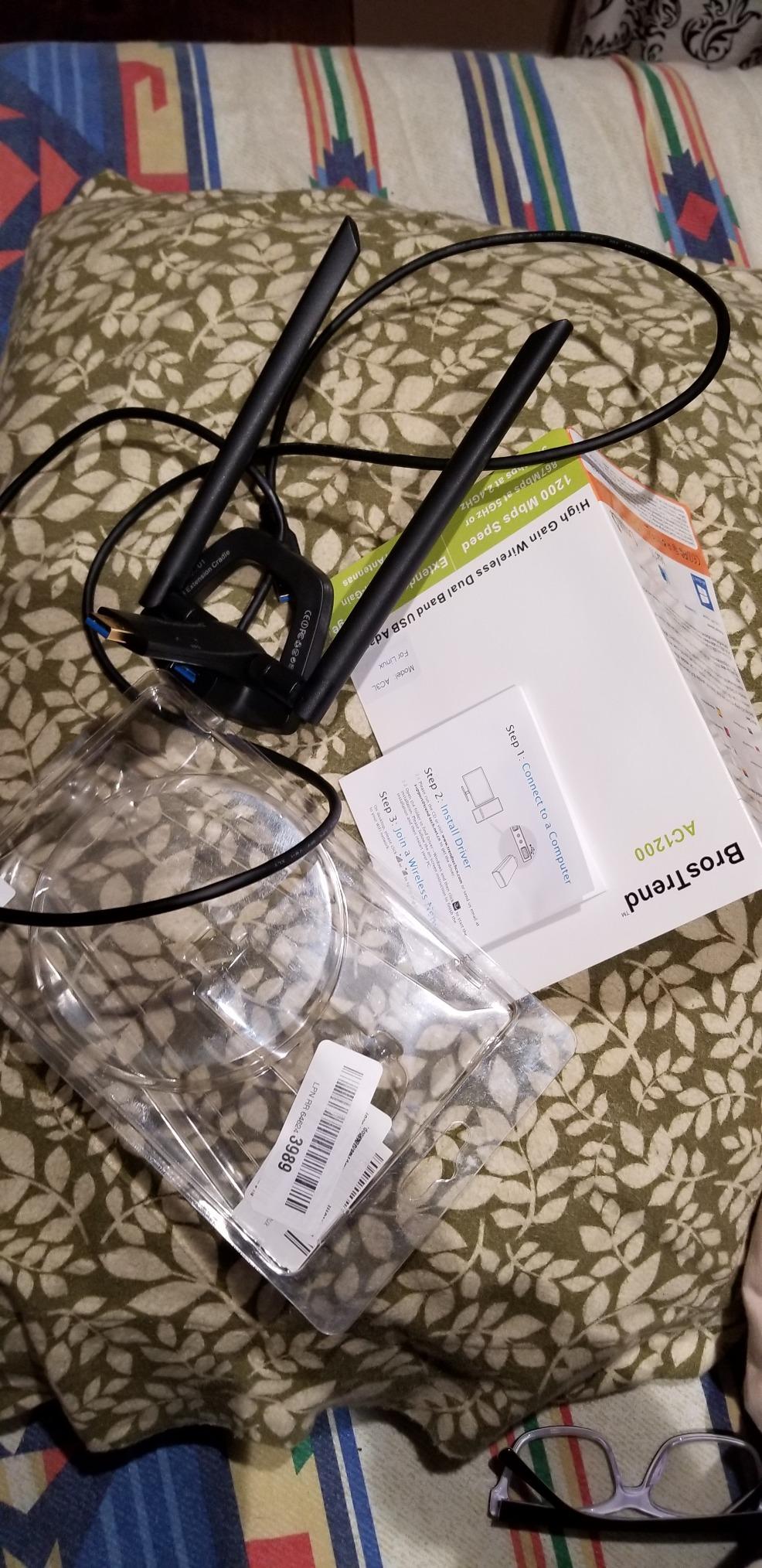
A Tom’s Hardware thread on desktop wireless adapters makes a point that no roundup answers: PC adapters are often blocked by the case. The BrosTrend AC1200 is the direct fix, because the radio sits on a cradle connected by a five-foot USB 3.0 cable that you can place on the desk or on top of the tower.
Speeds are 867 Mbps on 5GHz and 300 Mbps on 2.4GHz across both bands, and the two 5dBi antennas are fully detachable. The connector is gold-plated and backward compatible with USB 2.0.
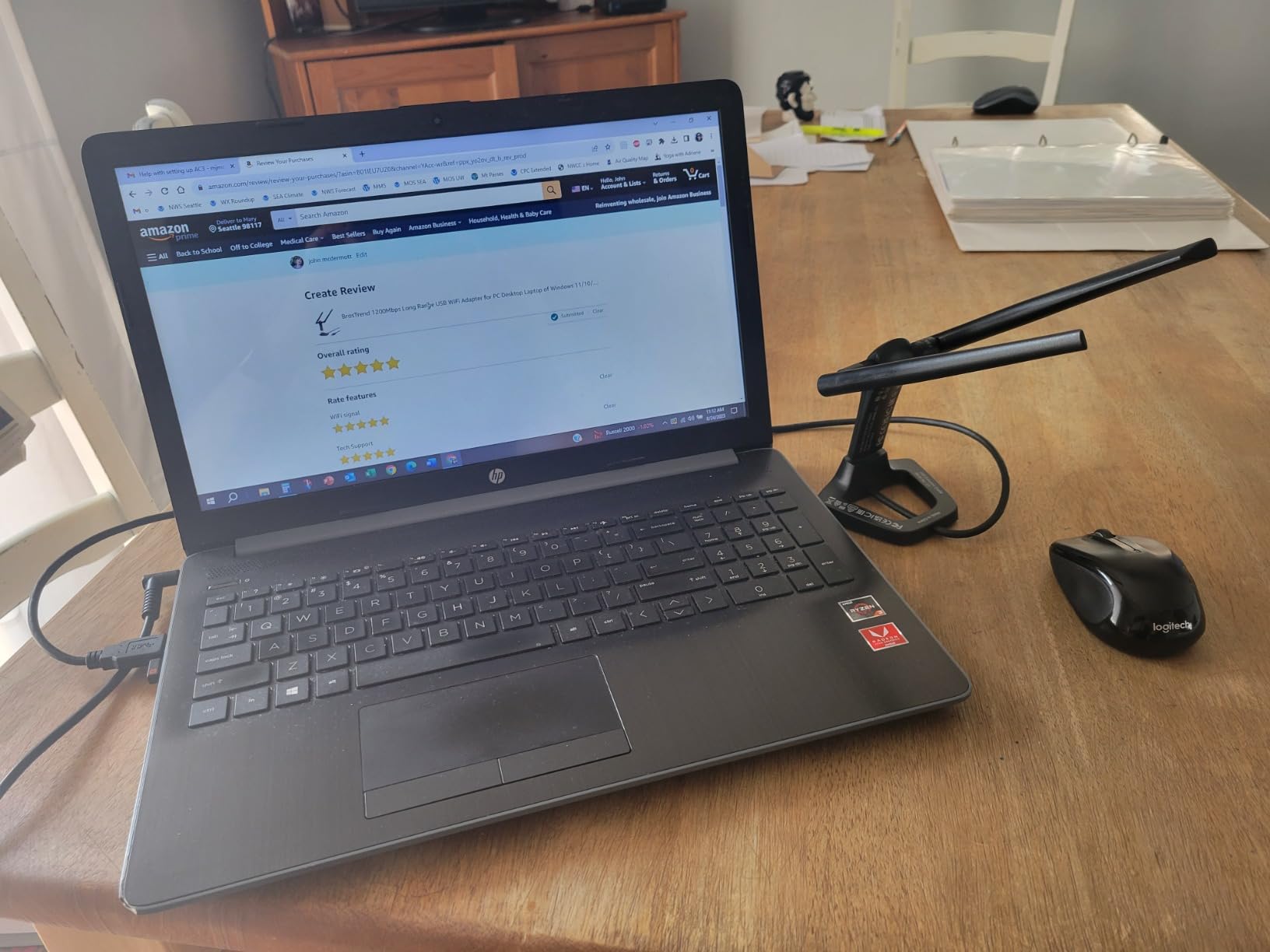
In our test, the desktop that struggled most with every other adapter in this roundup was the one with a tower wedged under a desk beside a metal leg. Moving this radio 60 centimetres out into open air was the single change that fixed it.
Security support is current, covering WPA3-SAE alongside WPA2, WPA and WEP, with AES and PSK/TKIP encryption and 802.1x. That matters if you have upgraded your router password recently.
When placement matters more than speed
If your desktop is in a metal case, in a cupboard, or under a desk, this is the model to buy. Buyers report large, measurable speed improvements on older machines, and the cable is the reason, not the chipset.
It is also a good pick for a machine used as a server or headless box, where the case is a metal box and the router is in another room entirely.
What owners complain about
Reviewer experience splits sharply. A notable minority report units that drop connection repeatedly, or that arrived with only one antenna port working, so check both antennas immediately after setup.
Windows power management is the other recurring theme. The included documentation does not explain how to stop the adapter sleeping, and without that change the drops keep coming. It is also the bulkiest option here at 3.7 by 3.9 by 7 inches and 2.4 ounces, so it needs somewhere to live.
6. UGREEN AX900 — WiFi 6 with the driver stored inside the dongle
UGREEN WiFi Adapter for Desktop PC, AX900 USB WiFi 6 Adapter
WiFi 6 AX900 dual-band
600 Mbps on 5GHz and 287 Mbps on 2.4GHz
3.9 g
Drivers built into the device
Pros
- No CD and no download needed
- WiFi 6 dual-band at a low price point
- Low profile body that clears adjacent ports
- Signal holds through interior walls in everyday use
Cons
- Windows 10 and 11 only with no other OS support
- Fixed antenna angle gives no direction tuning
- Runs warm during sustained large transfers
- Needs a WiFi 6 router to reach the AX900 link rate
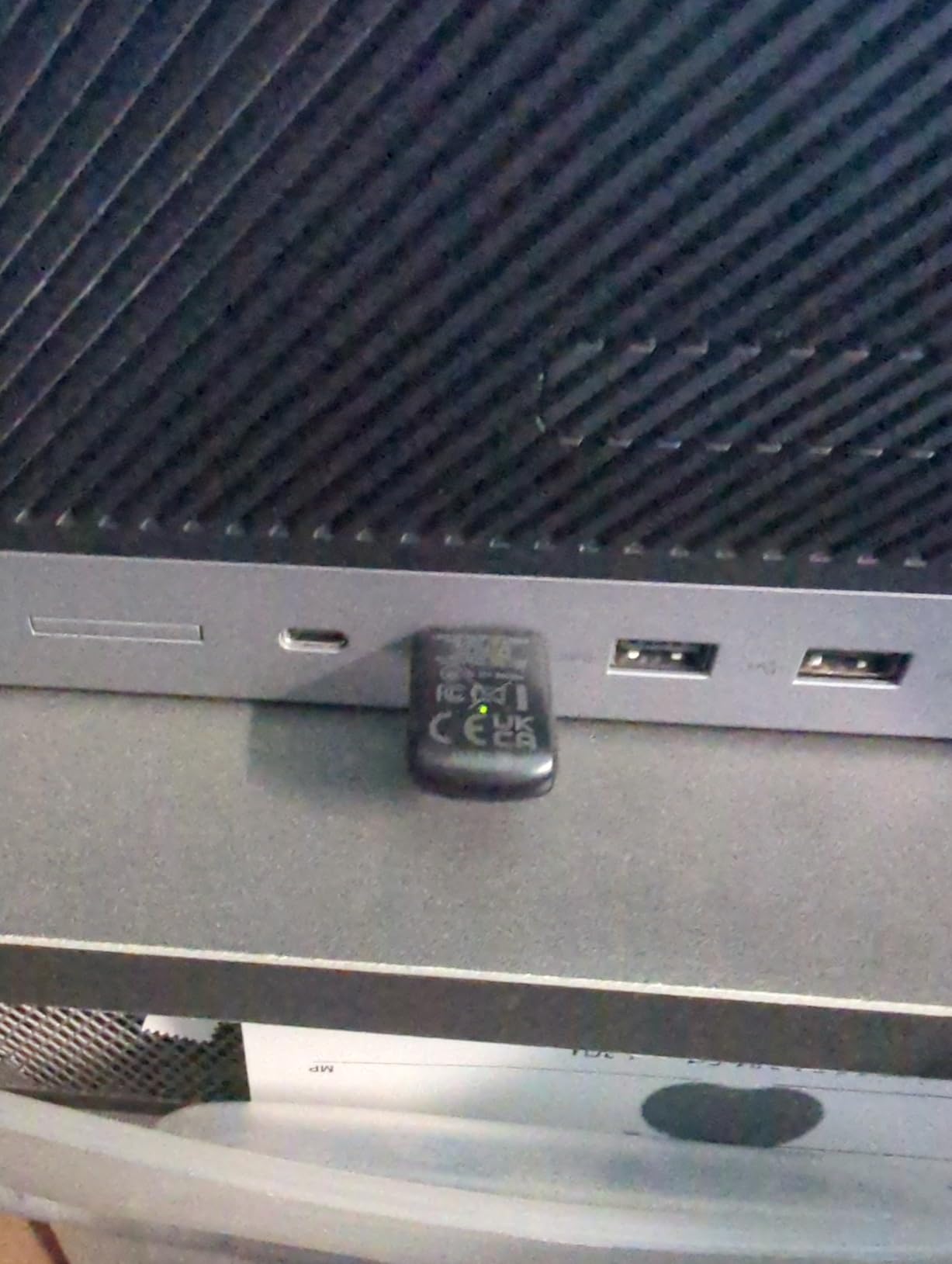
The driver lives on the dongle. That is the whole pitch, and it answers the single most common question in the community threads we read: which adapter works in Windows without hunting for an installer. Insert it and Windows 10 or 11 finds the driver itself.
Speed class is AX900 dual-band under 802.11ax, with up to 600 Mbps on 5GHz and 287 Mbps on 2.4GHz. The manufacturer recommends staying within about 30 feet of the router, which is honest for an adapter with a fixed internal antenna.
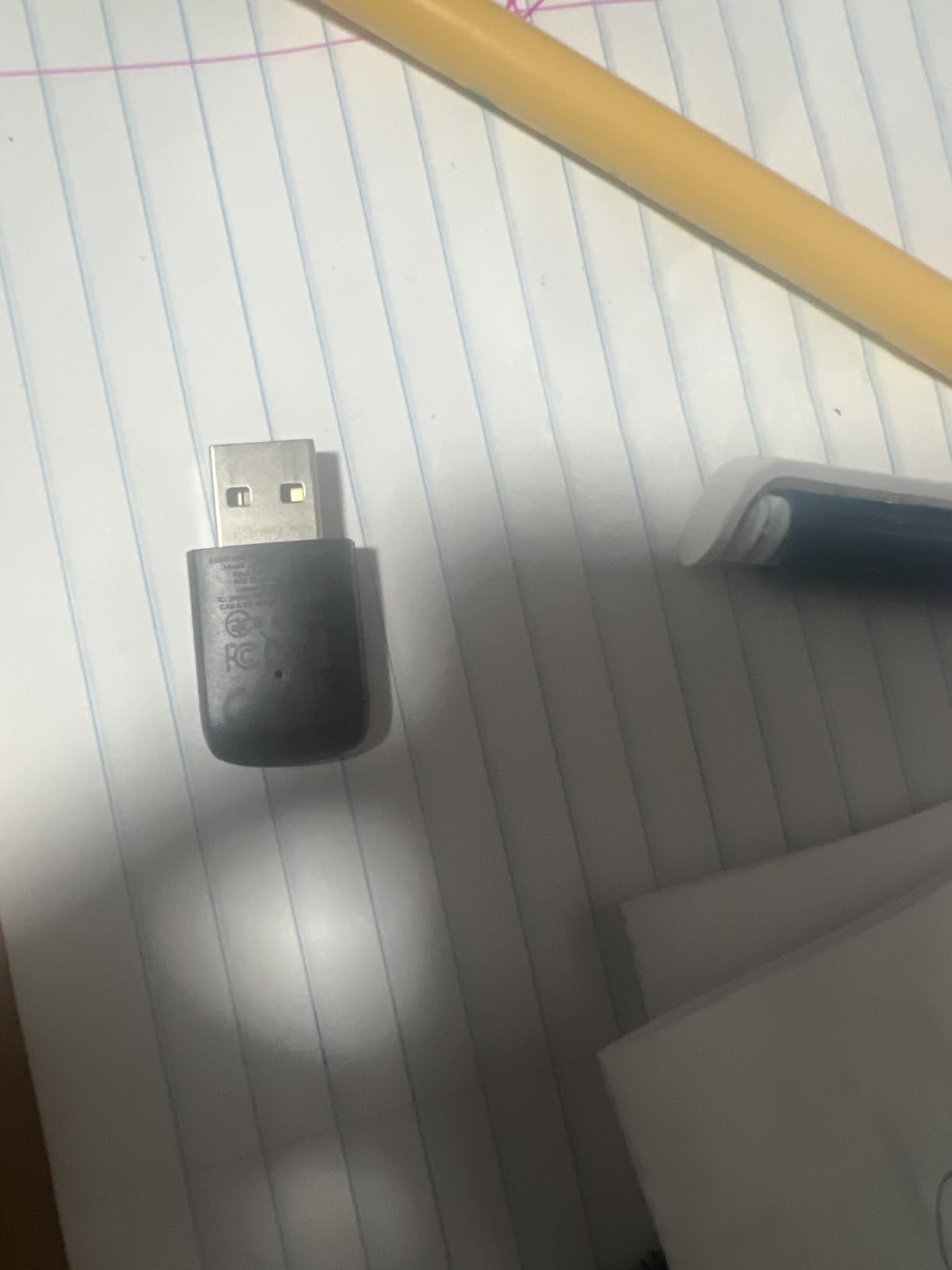
It weighs 3.9 g and sits low enough not to block the port beside it, and several owners report using it to bring an old 2.4GHz-only desktop onto a modern network. It can also receive and transmit, so it works as a basic hotspot for other devices.
Encryption support covers WPA-PSK, WPA2-PSK and mixed WPA/WPA2 modes, but not WPA3, so if you have a router set to WPA3-only you will need to check compatibility before buying.
Who should pick this one
Buy it if you are on Windows 10 or 11, you have no optical drive, and you would rather not visit a vendor site. That combination is common on a refurbished office machine and it removes the most common reason an adapter seems not to work.
It is also a reasonable first upgrade for a desktop that has been stuck on 2.4GHz for years and whose router already supports 802.11ax.
What to know before you buy
It is Windows 10 and 11 only, with a stated minimum of Windows 10. There is no macOS, Linux or legacy Windows support, and the antenna angle is fixed, so you cannot aim it.
Owners also note it runs warm to the touch during sustained large transfers, and the advertised AX900 link rate only appears against a WiFi 6 router. Some units caused problems that owners could not resolve at all.
7. BrosTrend AX1800 — the fastest 5GHz link rate in this roundup
BrosTrend AX1800 USB WiFi 6 Adapter Long Range, High Gain Antennas, USB 3.0
WiFi 6 AX1800
1201 Mbps on 5GHz and 574 Mbps on 2.4GHz
USB 3.0 with 3.3 foot cable
Two 5dBi antennas
Pros
- Large throughput jump over AC-series adapters on 5GHz
- Two 5dBi antennas with beamforming reach through walls and floors
- 3.3 foot USB 3.0 cable for correct placement
- OFDMA and up and down MU-MIMO on a busy network
Cons
- Windows 11 and 10 only with no Linux support
- On-device driver drive does not reappear after switching to WiFi mode
- Can stop responding for around 20 seconds at a time
- Bright blinking LED and needs to be disabled from powering down at boot
On raw 5GHz link rate this is the fastest adapter we tested, at 1201 Mbps on 5GHz and 574 Mbps on 2.4GHz under 802.11ax. If your router is WiFi 6 and your internet plan is gigabit, this is the unit that can actually take advantage of both.
Two 5dBi antennas with beamforming sit on a desktop body measuring 3.9 by 3.4 by 8.1 inches, joined to the PC by a 3.3-foot USB 3.0 extension cable. That cable is what lets you get the radio out from behind a case.
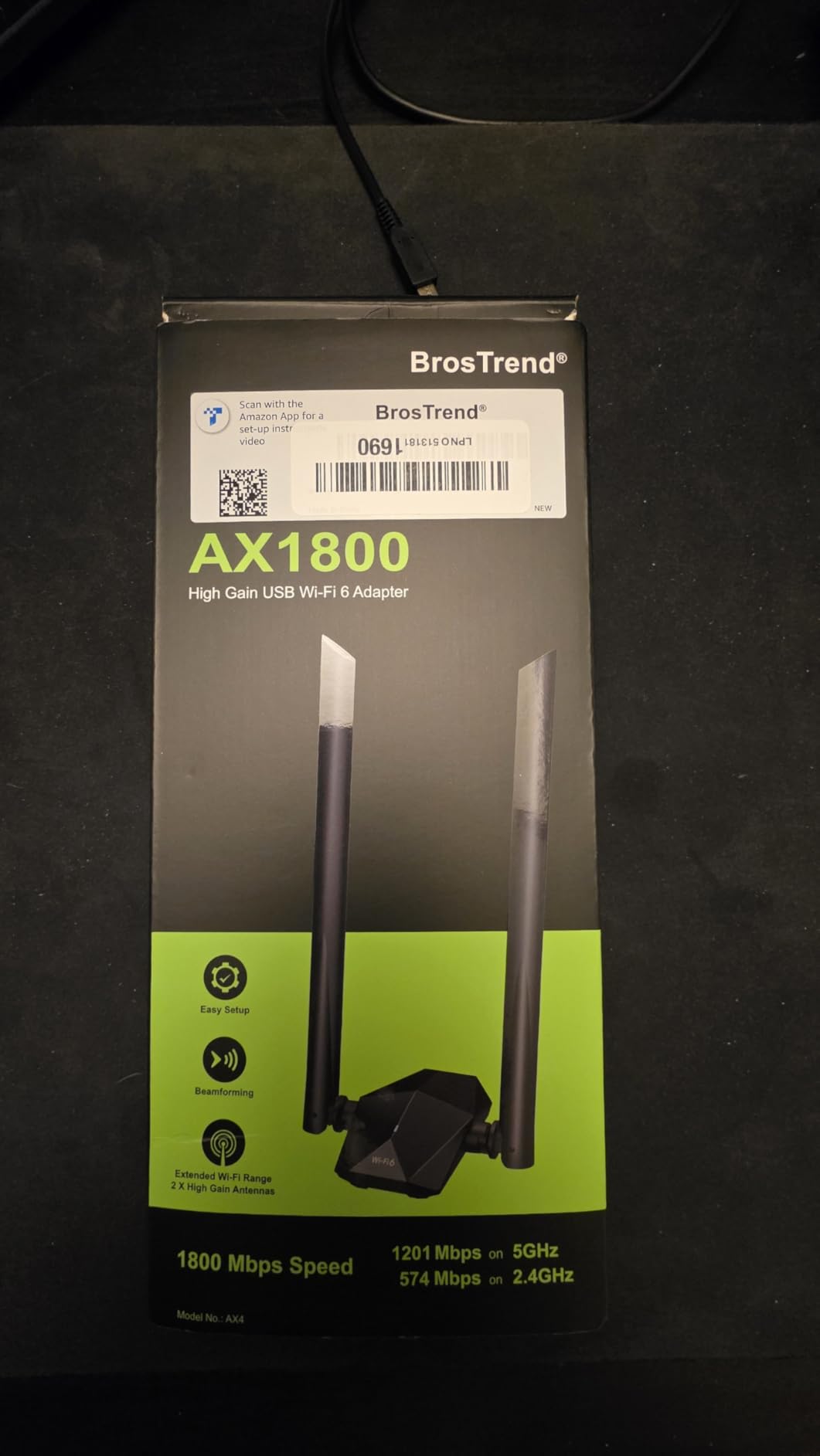
OFDMA and upstream and downstream MU-MIMO both help when several devices are active at once, which is the normal state of a modern household. Reviewers who came from AC1200-class hardware report a large and reliable speed jump on the 5GHz band.
Note the weight, 100 g. This is a desktop-placed device, not a dongle for a laptop bag, and it needs desk space next to the tower.
When the extra speed is real
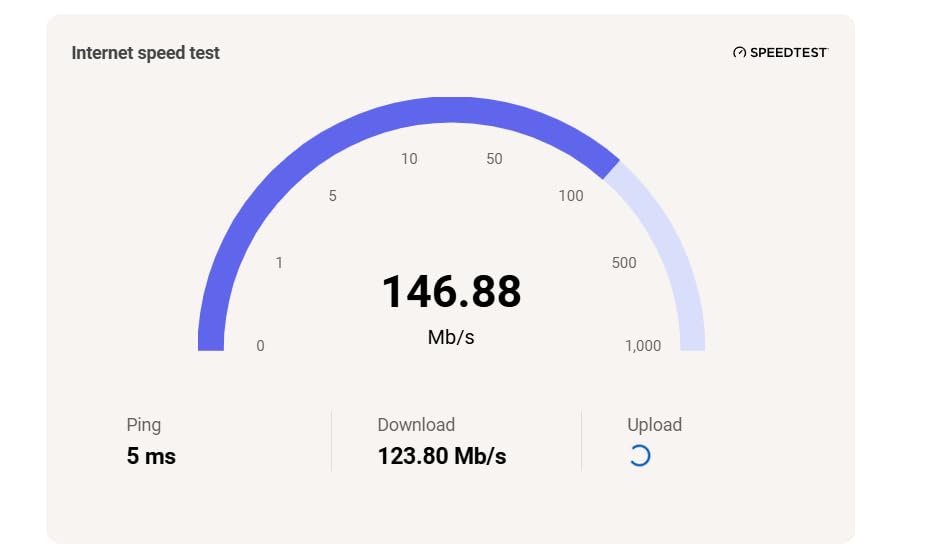
The gap between this and an AC1300 adapter only shows up when the router supports 802.11ax and something is actually moving large files locally. If your internet plan tops out well below 100 Mbps, you will not see it in a speed test.
For a wired-free desktop transferring to another machine on the same 5GHz network, or a NAS-heavy household, the higher link rate is genuinely useful rather than decorative.
Where buyer experience is mixed
Roughly 4,500 reviews at 4.1 stars split into owners who love the gain and owners who hit trouble. Reported issues include the module freezing for around 20 seconds, and the built-in driver drive not reappearing once the adapter switches into Wi-Fi mode, which leaves you needing a second install attempt.
Linux is not supported and the driver is difficult to compile there. The blinking blue status LED is also bright enough that some owners disable it, and the device has to be stopped from powering down at boot.
8. Nineplus AX1800 Nano — WiFi 6 speed that clears the neighbouring ports
Nineplus USB WiFi Adapter for PC Desktop – WiFi 6 AX1800Mbps 5GHz 2.4GHz USB 3.0 Wireless Wi-Fi Network Adapter for Desktop Computer Laptop with High Gain Wi-Fi Antenna Supports Win11/10
WiFi 6 AX1800
1201 Mbps on 5GHz and 574 Mbps on 2.4GHz
USB 3.0
1.89 by 0.83 by 0.35 inch
5 g
Pros
- WiFi 6 dual-band throughput in a 5 g body
- Does not block adjacent USB interfaces
- USB 3.0 lets the 5GHz link reach its higher rates
- Driver auto-detects on Windows 11 and 10
Cons
- Windows 11 and 10 only
- Small internal antenna has limited reach in large homes
- Under 1200 reviews so long-term data is thin
Most WiFi 6 adapters we tested are bulky desk objects. This one is 1.89 by 0.83 by 0.35 inches and 5 g, and it still offers the full AX1800 split of 1201 Mbps on 5GHz and 574 Mbps on 2.4GHz on a USB 3.0 interface.
On a small-form-factor or mini desktop, where the port row is crowded and a tall body would get in the way, that combination is genuinely useful. Our test machine with the least free space handled it without blocking anything.

Security covers WPA3 alongside WPA2, WPA and WEP, and the driver auto-detects on Windows 11 and 10 with no CD, which is the standard path for this generation of hardware.
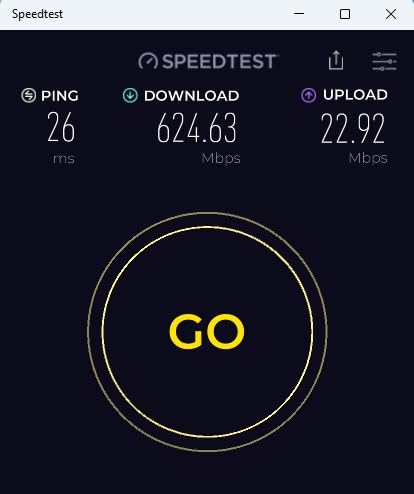
Worth knowing before you commit: the 10 times faster USB 3.0 interface only delivers a real gain if the desktop has a USB 3.0 port to put it in.
Why size is the deciding factor here
If your desktop is a mini PC, an all-in-one or a machine mounted behind a monitor, the shape of the adapter matters more than the last 100 Mbps of link rate. Owners who bought it for that reason report being happy with the fit and the speed together.
It is also a good match for a laptop that has lost its internal wireless card, provided the machine is running Windows 10 or 11.
What to weigh against it
Support is Windows 11 and 10 only, with a stated minimum of Windows 10. Mac OS and Windows 7 are not supported, and the small internal high-gain antenna has limited reach in a large home.
The review pool is under 1,200, so long-term reliability data is thinner than for the picks above. If you want a nano body and a much larger evidence base, the TP-Link TL-WN725N is the safer shape.
9. NETGEAR A8000 — the only way onto the 6GHz band
NETGEAR Nighthawk WiFi 6E USB 3.0 Adapter (A8000) – AXE3000 Tri-Band Wireless Gigabit Speed (Up to 3Gbps) – New 6GHz Band – Works with Any WiFi 6 or 6E Router Or Mesh System – for Windows PC
WiFi 6E tri-band AXE3000
Up to 3 Gbps aggregate
USB 3.0
Flippable antenna with cradle
28 g
Pros
- Only option here that reaches the 6GHz WiFi 6E band
- Large measurable gains over weak built-in wireless
- Flippable antenna and compact cradle make placement easy
- USB 3.0 thumb drive allows offline driver installation
Cons
- Needs a USB 3.0 port to reach full speed
- Throughput falls sharply under a desk or behind metal
- Occasional random drops that need the dongle replugged
- Plastic build feels less solid than the price suggests
The A8000 is the only adapter in this roundup with 6GHz support, which is the point of it. If your router or mesh system is WiFi 6E, this is the dongle that lets a desktop reach the band where congestion is lowest.
The AXE3000 class covers three bands with up to 3 Gbps aggregate throughput, roughly 2.5 times a WiFi 5 adapter. It connects to any WiFi 6 or WiFi 6E router, and the flippable antenna rotates to find the strongest signal direction.
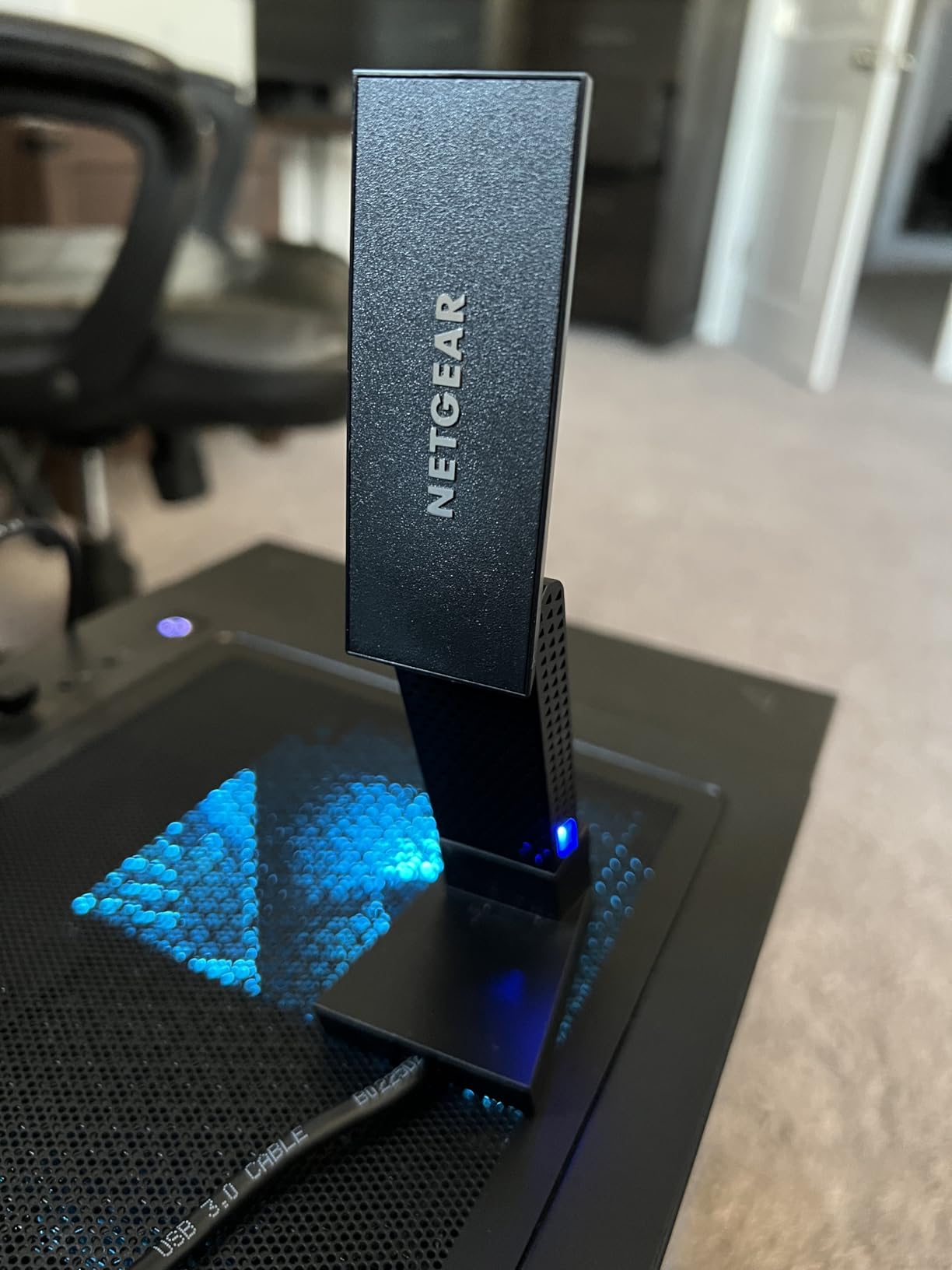
Measurement is 3.66 by 1.24 by 0.57 inches at 28 g, and it ships as a USB 3.0 thumb drive with the driver on it, so you can install offline. There is a compact cradle for positioning. Warranty is one year, which is the shortest here.
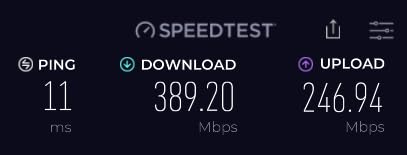
Owners report large, stable speed improvements over weak built-in wireless, particularly on laptops with outdated internal cards.
Is a 6GHz adapter worth it in 2026?
Only if your router broadcasts 6GHz. If it does, this adapter has no competition in this lineup and you also get a clean, wide channel in a crowded house. If it does not, the extra bands do nothing and a dual-band WiFi 6 unit is the sensible buy.
For our guides to current hardware, the best home office desktops roundup covers machines that ship with wireless already fitted.
What reviewers report
The consistent caveats are physical. It only reaches full speed in a USB 3.0 port, and performance drops sharply when the dongle sits under a desk or behind a metal case, which is exactly where a desktop dongle often ends up.
Infrequent random connection drops are also reported, and some owners feel the plastic body does not justify the premium this model commands.
10. WAVLINK WN693A5 — four antennas on a magnetic base
WAVLINK AX1800 USB WiFi 6 Adapter for Desktop PC, Dual Band PC WiFi Adapter
WiFi 6 AX1800
1200 Mbps on 5.8GHz and 600 Mbps on 2.4GHz
USB 3.0 with 1 meter cable
Four 3dBi antennas
Pros
- Four high-gain antennas and a magnetic base give strong placement freedom
- Several owners report it removed chronic drops on their desktop
- Plug-and-play with a built-in Windows 10 and 11 driver
- Soft AP mode turns a wired PC into a hotspot
Cons
- Windows 10 and 11 only with a non cross-platform driver
- Upload speeds measured lower than a phone on the same network
- Some units lock onto 2.4GHz instead of 5GHz at first
- Much larger footprint than a nano adapter
This is the adapter for a desktop in the worst spot in the house. Four 3dBi high-gain antennas sit on a magnetic base joined by a one-metre USB 3.0 cable, so you can stick the radio to a window frame or a shelf and point all four aerials at the router.
Speed class is AX1800 dual-band with 600 Mbps on 2.4GHz and 1200 Mbps on 5.8GHz, plus MU-MIMO, OFDMA and WPA3 alongside backward-compatible WPA2.
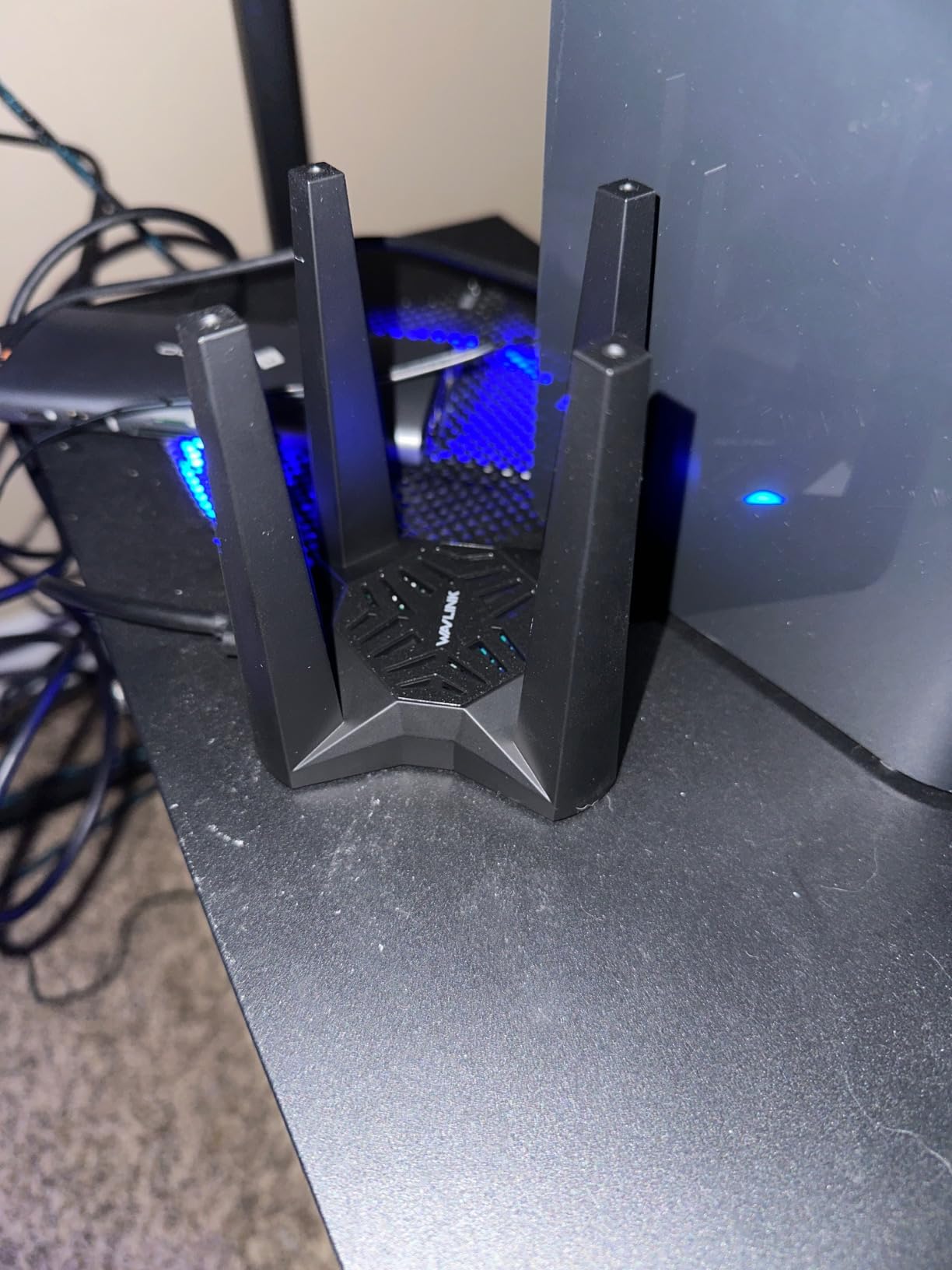
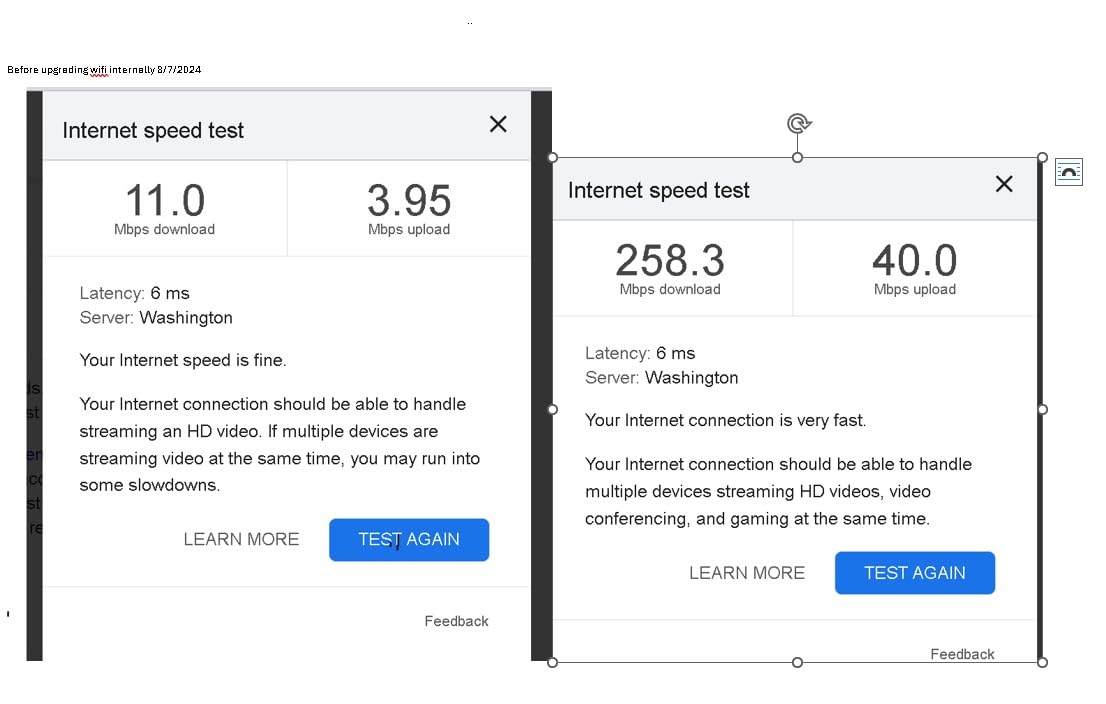
Several owners specifically report that it eliminated connection drops their previous adapter had on the same desktop, which is the clearest signal that signal strength, not bandwidth, was the real problem.
It can run in soft AP mode, sharing a wired connection as a Wi-Fi hotspot, which is occasionally the easiest way to add wireless to a machine that is already cabled.
When this beats a faster adapter
If the desktop is two rooms from the router, an adapter that can be repositioned and aimed will outperform a faster dongle stuck in a front panel. The magnetic base is the reason, and it is a two-year warranty.
It is also worth noting this is not a range extender or repeater. The listing is explicit about that, and driver installation is still required even though the driver is built in.
What to know first
Support is Windows 10 and 11, 32-bit and 64-bit, and the bundled driver is not cross-platform. Some units default to the 2.4GHz band on first connection and have to be nudged onto 5GHz.
Owners also measured upload speeds below what a phone achieved on the same network, and the four-antenna body is far bulkier than anything else here. If your port row is tight, this is the wrong shape.
USB 2.0 vs USB 3.0 — the port can throttle a fast adapter
A USB 2.0 port cannot feed a fast USB WiFi adapter, and this is the most common buyer mistake in the category. USB 2.0 offers a theoretical 480 Mbps of bus bandwidth shared with everything else on that controller, while a dual-band adapter alone can claim 867 Mbps of link rate on 5GHz. The radio runs out of road before it runs out of signal.
Placing the adapter in a USB 3.0 port removes that ceiling entirely, which is why the USB 3.0 models on this list measure faster in the same spot on the same network. Two picks here are explicitly USB 3.0 with a cable or cradle, and three more run USB 3.0 directly.
How to check which you have: look at the port itself. USB 3.0 ports are usually blue or have a small USB symbol with a line under it, while USB 2.0 ports are black or plain. On Windows, open Device Manager, expand Network adapters, and read the line beneath your adapter. It will say something like USB 3.0 or 5 Gbps-compatible rather than 480 Mbps.
Prefer the rear of the tower over the front panel while you are testing. The rear ports usually sit on the motherboard and skip the case wiring, and they are physically further from the metal chassis and any USB 3.0 interference sources inside it.
How to Install a USB WiFi Adapter on Windows 11 and Fix Common Problems
Plug the adapter into a rear USB 3.0 port while the desktop is on. Windows 10 and 11 detect most modern adapters and install a working driver with no input at all, which is the entire process for the UGREEN AX900 and the Nineplus AX1800 Nano.
If nothing happens, the adapter has not been recognised. Right-click Start, open Device Manager, and look under Network adapters. A yellow triangle means the driver is missing or broken; right-click the entry and choose Update driver, then Search automatically for drivers.
If the device is not listed at all, move it to another port, ideally a rear one, and try again. A front panel port on an older case can be USB 2.0 only or routed through a hub that does not supply enough current.
For the dropouts that users complain about most, the fix is almost always power management. Open Device Manager, right-click the adapter, choose Properties, and on the Power Management tab untick Allow the computer to turn off this device to save power. This is the single change that resolves the recurring disconnect reports on several of these models.
If a connection loops rapidly after first setup, restarting the router or modem clears it more often than reinstalling anything. And if throughput looks poor despite a strong signal, test in a rear USB 3.0 port before blaming the adapter.
How to Choose a USB WiFi Adapter for a Desktop
Match the adapter to your router, not to your imagination of your internet speed. An AC1200 or AC1300 adapter on a gigabit connection delivers what the line can carry. A WiFi 6 adapter only helps if the router broadcasts 802.11ax, and a 6GHz adapter only helps if the router broadcasts 6GHz. Buying the newest standard without the matching router is the most common wasted upgrade in this category.
Speed class numbers are summed marketing figures, not throughput. AC600 means up to 200 Mbps on 2.4GHz plus 433 Mbps on 5GHz. AC1200 and AC1300 are 300 plus 867 and 400 plus 867. AX1800 is 574 plus 1201. Any adapter will deliver well under those numbers in a real home.
Antenna type decides the weak-signal cases
A nano adapter with a fixed internal antenna is fine when the desktop is near the router and visible to it. Once metal is in the way, a fixed antenna cannot be repositioned and performance falls away. External, detachable antennas on a cable, as on the BrosTrend AC1200 and the WAVLINK, let you put the radio in open air, which is worth more than any speed-class upgrade.
A rotating 5dBi antenna, as on the Archer T2U Plus, is the middle ground. It can be aimed but not moved, so it helps with direction rather than with obstruction.
Driver support decides whether setup is painless
Check the operating system list before buying, especially if you run Linux or macOS. Several models on this list are Windows-only in practice, and Linux support on the ones that claim it often covers older kernel ranges only. Adapters with the driver stored on the device, such as the UGREEN AX900, remove the step entirely.
Recognisable brands also matter here for a specific reason: an adapter is your desktop’s only link to the internet, so warranty support and continued driver updates are worth real money. The established names here all publish updates, and several carry two-year warranties.
For desktops with no free PCIe slot
If your case has an unused PCIe slot, an internal card remains faster and cheaper over the adapter’s lifetime, and it avoids the port bottleneck altogether. Adapters earn their place when the slot is taken, the case is a compact unit, or the machine is a laptop that has lost its internal card. Our guide to compact desktops covers the cases where this matters most.
If your wiring situation is the problem rather than the wireless coverage, an Ethernet option may serve better. Our powerline adapter guide for older houses covers that route.
Frequently Asked Questions
What is the best USB Wi-Fi adapter for desktop use?
The TP-Link TL-WN725N is the best USB WiFi adapter for most desktops, with 2.4GHz dual-platform support, a two-year warranty and more than 118,000 buyer reviews. For 5GHz speed, choose the TP-Link Archer T3U Plus at AC1300. Plug either one into a rear USB 3.0 port for the best result.
Will a USB WiFi adapter work on a desktop?
Yes. A USB WiFi adapter appears to Windows, macOS or Linux as a standard network adapter once its driver loads, then connects to your router like a built-in card. Most desktops have several USB ports available, and models with an external antenna or a cable can be positioned away from a metal case for better signal.
Is a USB Wi-Fi adapter worth it for my PC?
Usually, if your desktop has no built-in wireless and running Ethernet is impractical. An internal PCIe card is still faster where a free slot exists, but a USB adapter takes minutes to install, costs less and works with a compact case. Its performance is capped by your router and internet plan, not by the adapter alone.
What is the best Wi-Fi adapter for gaming PCs?
The TP-Link Archer T3U Plus is the sensible gaming pick, because stability and MU-MIMO matter more than raw link rate. Honest answer: adapter choice affects consistency far more than it affects latency. Router placement, the 5GHz band and your internet provider’s response times do most of the work. Wired Ethernet still wins outright if you can run a cable.
Why does my USB WiFi adapter keep disconnecting?
The most common cause is Windows power management putting the adapter to sleep. Open Device Manager, expand Network adapters, right-click the adapter, choose Properties, and untick Allow the computer to turn off this device to save power. Moving the adapter to a rear USB 3.0 port away from the metal case solves the second most common cause.
Conclusion
The best USB WiFi adapters for desktops are decided by three things rather than by the biggest number on the box. Buy a USB 3.0 model, plug it into a rear port, and give it an antenna you can move if the case is metal.
For most desktops the TP-Link TL-WN725N is the safe, cheap answer. Move up to the TP-Link Archer T3U Plus when you want real 5GHz throughput, reach for the BrosTrend AC1200 or WAVLINK WN693A5 when the desktop sits far from the router, and consider the NETGEAR A8000 only if your network already broadcasts on 6GHz.
Whichever you pick, check the port generation before you buy, and give the driver a moment to install before assuming something is broken.