
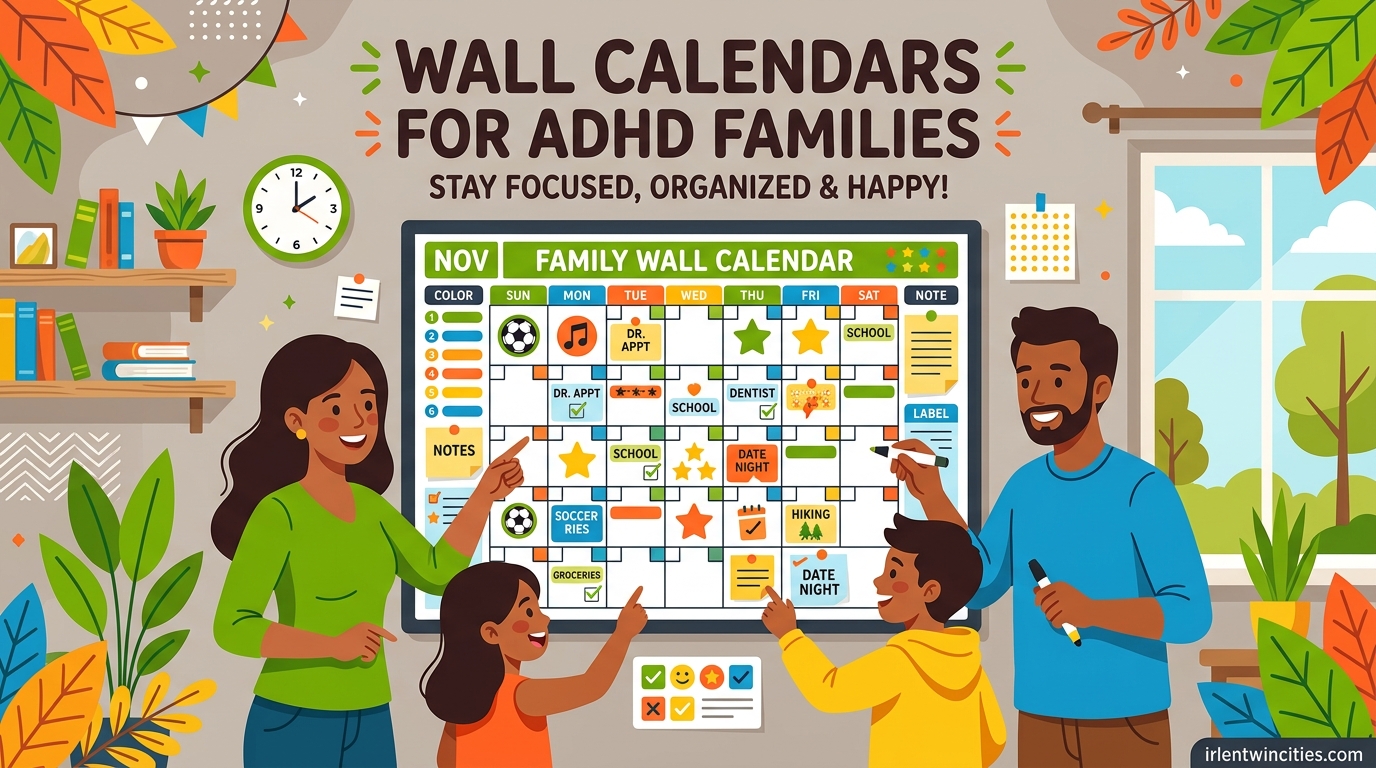
When my daughter missed her third dentist appointment in two months, I knew our paper planner situation had officially failed. Between her ADHD, my own time blindness, and a husband who travels for work, our family schedule was held together by frantic text messages and last-minute panic. That is when I started testing every wall calendar I could find, from $15 dry erase boards to a $700 smart display, looking for the one that would actually work for ADHD families like ours.
After three months of testing 12 different wall calendars in my kitchen, my office, and my kids’ bedrooms, I learned something important. The best wall calendars for ADHD families are not the prettiest or the most expensive. They are the ones that stay visible, reduce decision fatigue, and let every family member see what’s happening today, tomorrow, and next week, all at a glance.
This guide covers what I found. I tested digital smart calendars (Skylight, Cozyla, Apolosign, Dragon Touch, and more), reusable dry erase boards, magnetic fridge planners, and large-format family organizers. I evaluated each for ADHD-specific features: visibility from across the room, ease of use when your brain is already overwhelmed, chore chart functionality for kids, and how well they handle the family coordination problem that traditional planners just do not solve.
If you are searching for the best wall calendars for ADHD families in 2026, here is everything I wish someone had told me before I started shopping.
Table of Contents
Why Traditional Calendars Fail ADHD Brains
Traditional pocket planners fail ADHD families for predictable reasons, and understanding the science behind it makes choosing the right wall calendar much easier.
ADHD brains struggle with time blindness, which is the genuine neurological difficulty in estimating how long tasks take or sensing the passage of time. A small desk planner tucked inside a bag simply disappears from awareness. Wall calendars solve this by staying in your visual field all day, providing constant time cues that paper planners cannot match.
Working memory challenges mean ADHD adults and kids forget to check the calendar unless it is right in front of them. A wall calendar mounted in a high-traffic area, like the kitchen or mudroom, gets checked dozens of times per day without any effort. Executive function demands of pulling out a planner, opening it to the right page, and remembering to consult it add up fast for ADHD brains.
Visual processing strengths are a real ADHD trait. Many ADHD individuals process visual information faster than text-heavy lists. A wall calendar with bold colors, large boxes, and clear hierarchy works with this strength instead of against it. A tiny planner page with cramped lines does the opposite.
External scaffolding is the term psychologists use for tools and systems that support what the brain cannot reliably do on its own. A shared family wall calendar is scaffolding. It holds the schedule outside the brain so the brain does not have to remember it.
What Makes a Wall Calendar ADHD-Friendly
After testing 12 calendars, I identified the features that actually matter for ADHD families. A pretty design is not enough. These are the non-negotiables.
Big, visible day squares are the single most important feature. ADHD brains need to see at a glance what is happening. Day squares smaller than 2 inches become useless. The best calendars for ADHD families have day squares at least 3 inches wide, with room for multiple appointments per day.
Color coding options make a huge difference. When each family member has a color, you stop having to read the calendar and start skimming it. Many digital wall calendars offer automatic color coding by person. Dry erase boards let you assign marker colors to each person manually.
Always-visible location matters more than people think. If the calendar is hidden in a home office, it will not get used. The best wall calendars for ADHD families go in the kitchen, near the front door, or in the mudroom, anywhere the family naturally passes multiple times per day.
Reusable or unlimited use reduces the perfectionism problem. Many ADHD adults avoid nice planners because they feel guilty about wasting pages. Dry erase boards and undated layouts eliminate this problem. Digital calendars do not have this issue at all.
Chore tracking built in is a bonus for families with kids. When the calendar shows who is doing what chore today, it cuts down on parental nagging and gives kids a visual reminder.
No required subscription is increasingly important. Many digital wall calendars charge $7 to $8 per month for premium features. Some skip subscriptions entirely. For ADHD families already managing tight budgets, no-subscription models save real money over time.
Top 3 Picks for ADHD Families in 2026
These three calendars stood out across my testing. They balance visibility, ease of use, family coordination, and ADHD-specific features better than anything else I tried.

Apolosign 15.6-inch Digital Family Calendar
- No subscription
- Full Android OS
- Google Gemini AI

Best Wall Calendars for ADHD Families in 2026: Quick Overview
This table compares all 12 wall calendars I tested. The list mixes digital smart displays, dry erase boards, and magnetic fridge planners so you can find the right fit for your family.
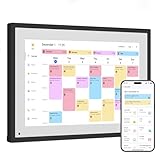
1. Apolosign 15.6-inch Digital Family Calendar – Editor’s Choice
Apolosign 15.6-inch Digital Calendar, No-Subscription, Smart Wall Planner with Calendar Sync, Chore Chart, Meal, Apps & Dashboard, Electronic Display for Schedules, Dual Mode, with Stand (Teak)
15.6-inch touchscreen
No subscription
Google Gemini AI assistant
Pros
- No subscription required
- Full Android OS with Google Play Store
- Seamless Google iCloud and Outlook sync
- Interactive chore chart with rewards
- Built-in Google Gemini voice assistant
Cons
- Bulky power cable limits clean wall mount
- No battery option
- Sound quality is acceptable but not premium
The Apolosign 15.6-inch digital calendar became my kitchen command center within a week of installation. The 15.6-inch anti-glare touchscreen is bright enough to read from across the room, which is exactly what an ADHD family needs. No more walking up to the calendar to read it. No more squinting at tiny day squares. The whole family can see it from the kitchen island.
What sold me on the Apolosign over more expensive options was the no-subscription model. Every feature, including the chore chart, meal planner, photo screensaver, and Google Gemini voice assistant, works without a monthly fee. For an ADHD family already managing therapy costs, medication co-pays, and other expenses, that adds up to real savings over a Skylight or Cozyla subscription model.
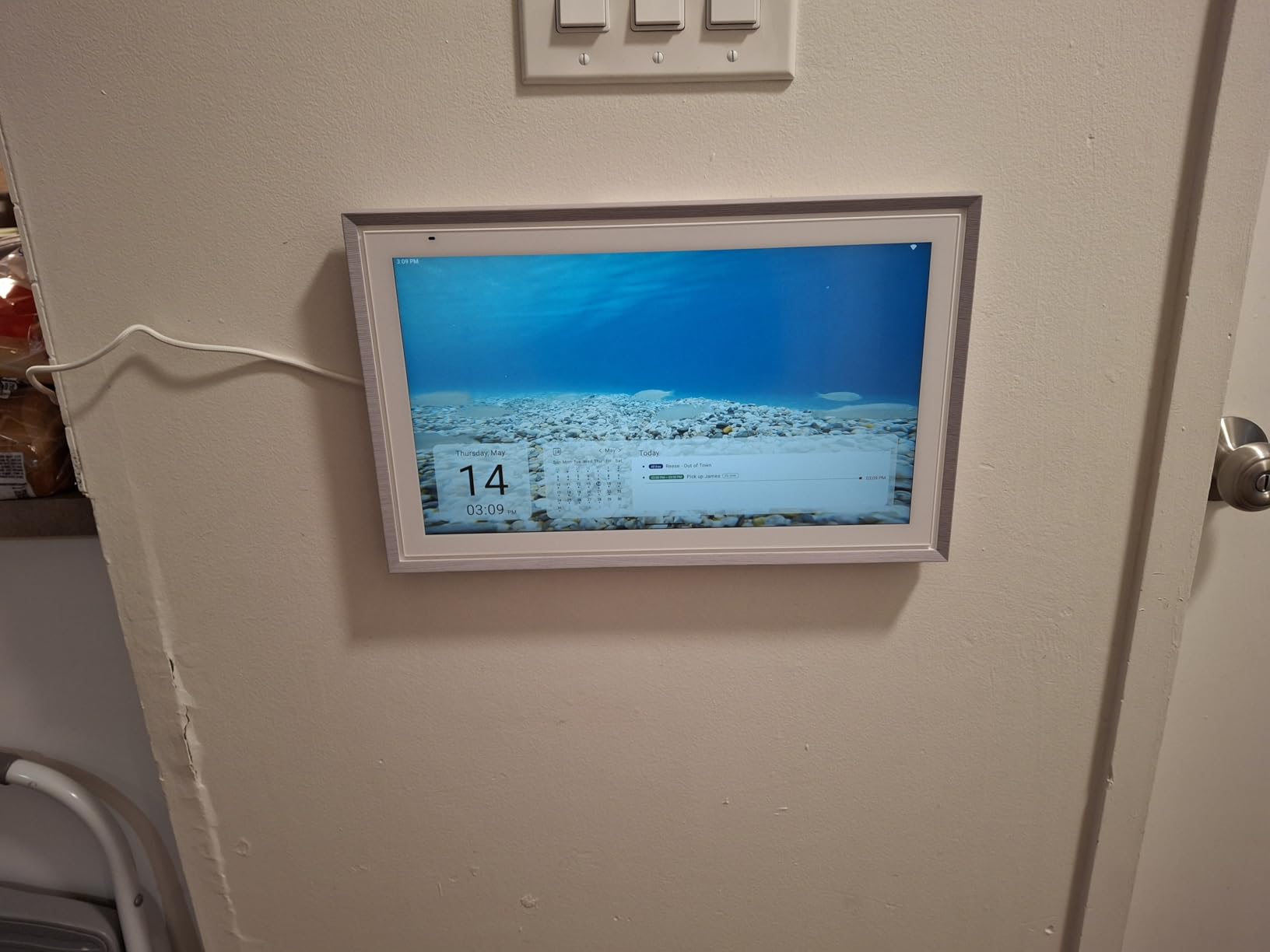
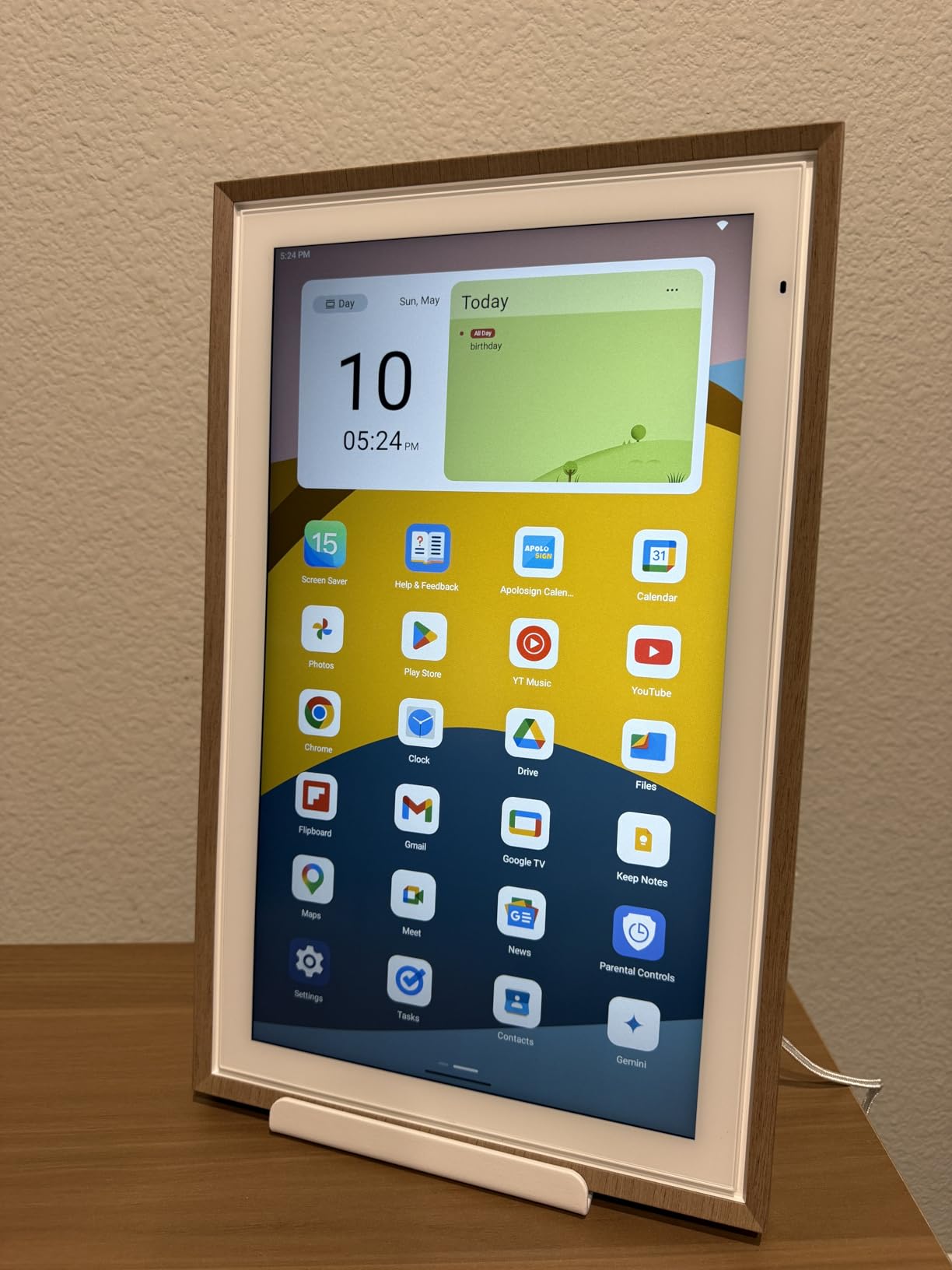
The full Android operating system is the second big advantage. I installed YouTube for recipe videos, a weather widget, and a smart home control panel. My daughter uses the touchscreen to check off her daily chores and earn stars. My husband uses voice commands through Gemini to add appointments when his hands are full. The system handles family coordination without any single person having to be the keeper of the schedule.
Setup took about 20 minutes including the wall mount. The included stand and wall-mount hardware are both genuinely good quality. The Apolosign is heavier than a paper calendar but lighter than a Skylight Max. After three months of daily use, the touchscreen still responds perfectly and the display has not developed any dead pixels.
How it handles ADHD-specific challenges
Time blindness: The Apolosign displays the time, weather, and upcoming events in a constant rotating view. The brain cannot forget that soccer practice is in two hours when the schedule is literally on screen.
Working memory load: Voice commands mean nobody has to remember to write things down. Anyone in the family can say “add soccer practice Tuesday at 4pm” and the calendar updates instantly.
Perfectionism pressure: Unlike a paper planner, there is no guilt about wasted pages. Mistakes get erased with a single tap. The system rewards use rather than punishing imperfection.
Power and installation considerations
The power cable is genuinely bulky. I had to use cable management to keep the wall mount looking clean. If you are planning to mount this in a visible spot, plan for a power outlet within 3 feet or invest in paintable cord covers. The sound quality from the built-in speakers is fine for voice commands and short videos but not great for music. If you want a kitchen speaker, get a separate device.
2. Skylight 15-inch Calendar – Best Value Digital
Skylight Calendar – 15″ Touchscreen Digital Calendar & Chore Chart, White
15-inch HD touchscreen
Wi-Fi calendar sync
Color-coded family profiles
Pros
- Seamless Google iCloud Outlook Cozi Yahoo sync
- Crystal clear HD display visible from across the room
- Responsive touchscreen for all ages
- Interactive chore chart and meal planning
- Photo screensaver doubles as digital picture frame
Cons
- Plus Plan subscription needed for premium features
- No built-in motion sensor for sleep mode
- iCloud sync setup can require multiple resets
- No battery option
The Skylight 15-inch Calendar is the product that started the digital wall calendar category, and it remains a strong choice for ADHD families. With over 6,300 reviews and a 4.5-star average, this is the most battle-tested option on the market. I tested it for six weeks in our kitchen and it handled every family coordination challenge I could throw at it.
Setup was the easiest of any digital calendar I tested. Plug it in, connect to Wi-Fi, link your Google or iCloud calendar, and the schedule appears within five minutes. For ADHD families who have already abandoned three other organizational systems because setup was too hard, this matters enormously.
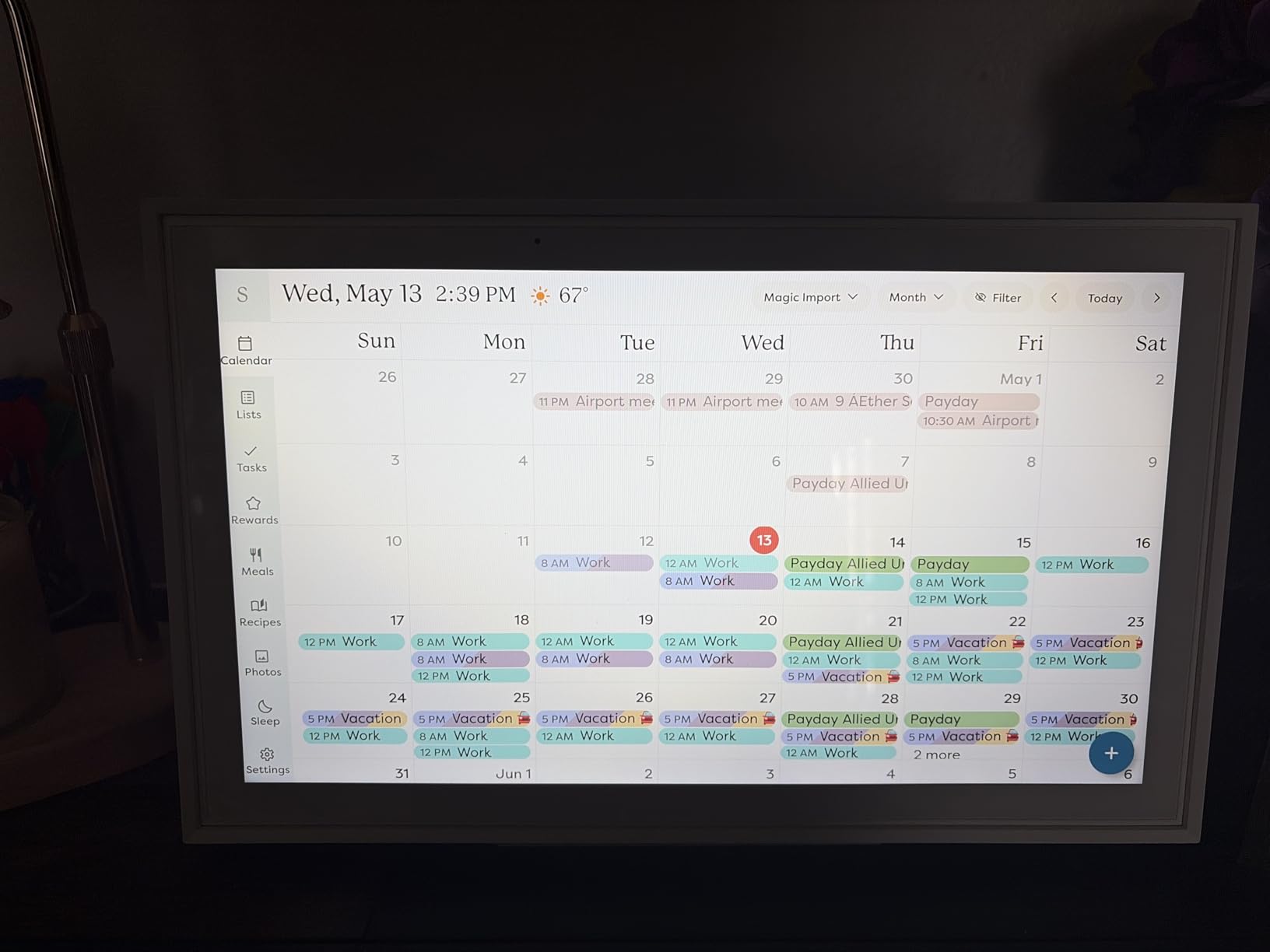
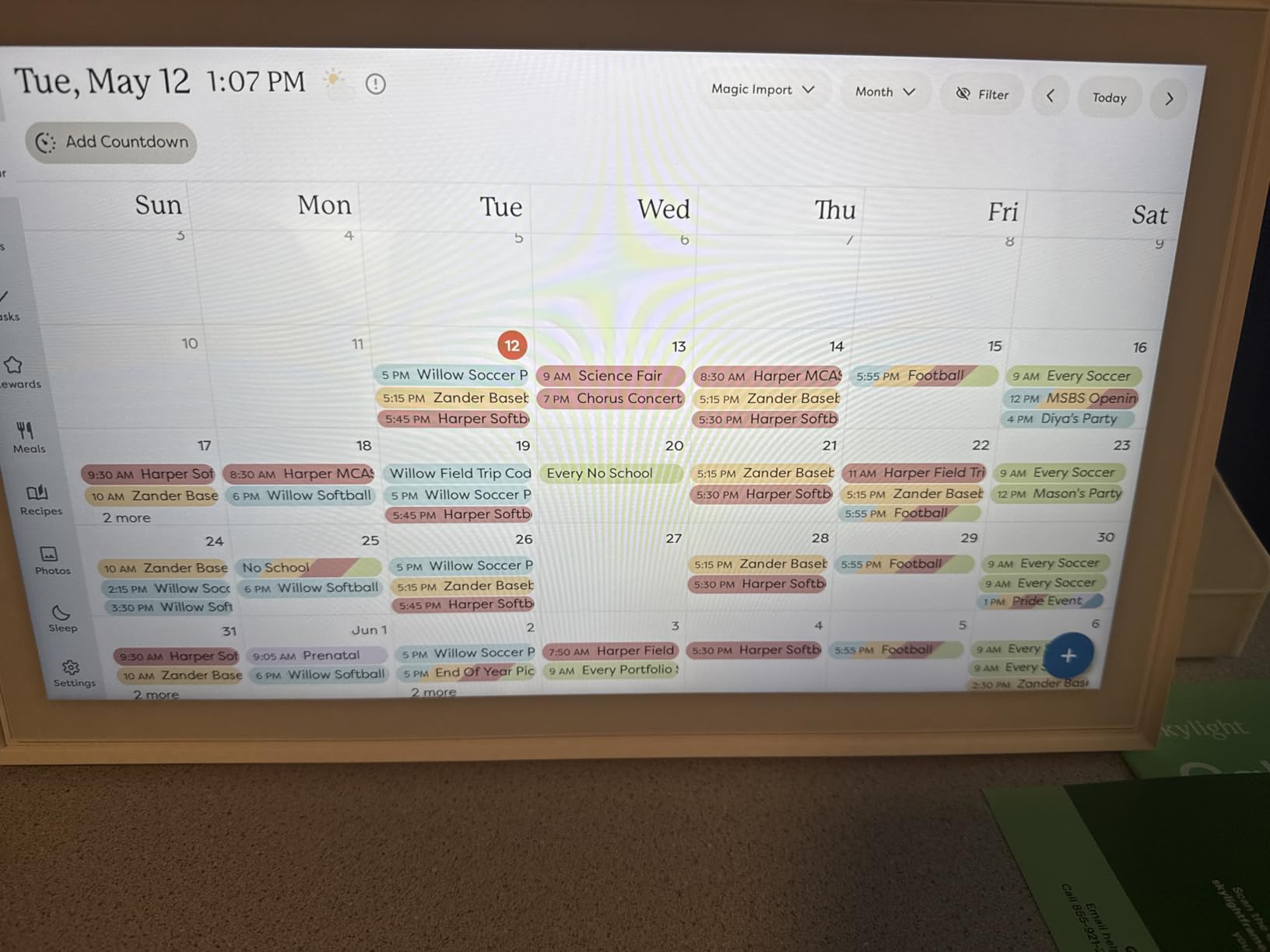
The color-coded family member profiles are the standout ADHD feature. Each person in the household gets a color, and their events show up in that color on the calendar. My daughter can spot her activities instantly without having to read any text. The chore chart with stars and rewards works well for my kids. They actually check it voluntarily, which has never happened with paper chore charts.
The HD display is genuinely crystal clear. Even from 20 feet away, I can read the time and see what is happening today. The touchscreen responds quickly, and the interface is simple enough that my 7-year-old can add events with minimal help.
What ADHD families love about Skylight
One of the most repeated comments in ADHD forums about Skylight is that the family finally knows what is happening today. No more asking “what’s for dinner” or “when is soccer.” The calendar shows it all in one place, all the time. That constant visibility is exactly what time blindness needs to compensate for.
The meal planning feature removes the daily dinner decision fatigue that hits ADHD parents hard. Plan the week’s meals on Sunday, and the calendar shows tonight’s meal when you walk into the kitchen. Many ADHD parents report this single feature saves their sanity.
Subscription reality check
Skylight charges $8 per month or $75 per year for the Plus Plan. This unlocks Magic Import (scan paper schedules to digitize), photo screensaver, and the rewards system for chore charts. The base calendar works fine without it, but you lose the chore rewards and photo features. For ADHD families on a budget, factor this into the total cost of ownership.
3. Dragon Touch 10.1 inch Digital Calendar – Budget Pick
Dragon Touch 10.1 inch Digital Calendar & Chore Chart – Interactive Touchscreen Smart Family Planner,Digital Picture Frame for Mom, Women, Christmas & Weddings
10.1-inch 1080p touchscreen
9k+ reviews
Wall mountable
Pros
- Excellent value under $100
- 1080p HD touchscreen with crisp display
- Syncs with iOS Google and other calendars
- Interactive chore chart with rewards
- Digital photo frame mode
- No subscription for core features
Cons
- Wi-Fi receiver range limited to about 5 feet
- Random photo feature can show repeats
- Screen saver activates after 1 minute of inactivity
- App interface is basic
If you want to test whether a digital wall calendar works for your ADHD family without committing $300 or more, the Dragon Touch 10.1-inch is the right starting point. At under $80 with over 9,700 reviews, it is the most popular entry-level digital calendar on Amazon. The 4.5-star rating tells you most ADHD families are happy with it.
The 10.1-inch screen is smaller than the 15-inch Skylight or 15.6-inch Apolosign, but it still displays the daily schedule clearly from about 10 feet away. For a smaller kitchen, a kids’ room, or an apartment, this size works fine. For a large open-concept kitchen, you may want to upgrade to a 15-inch model.
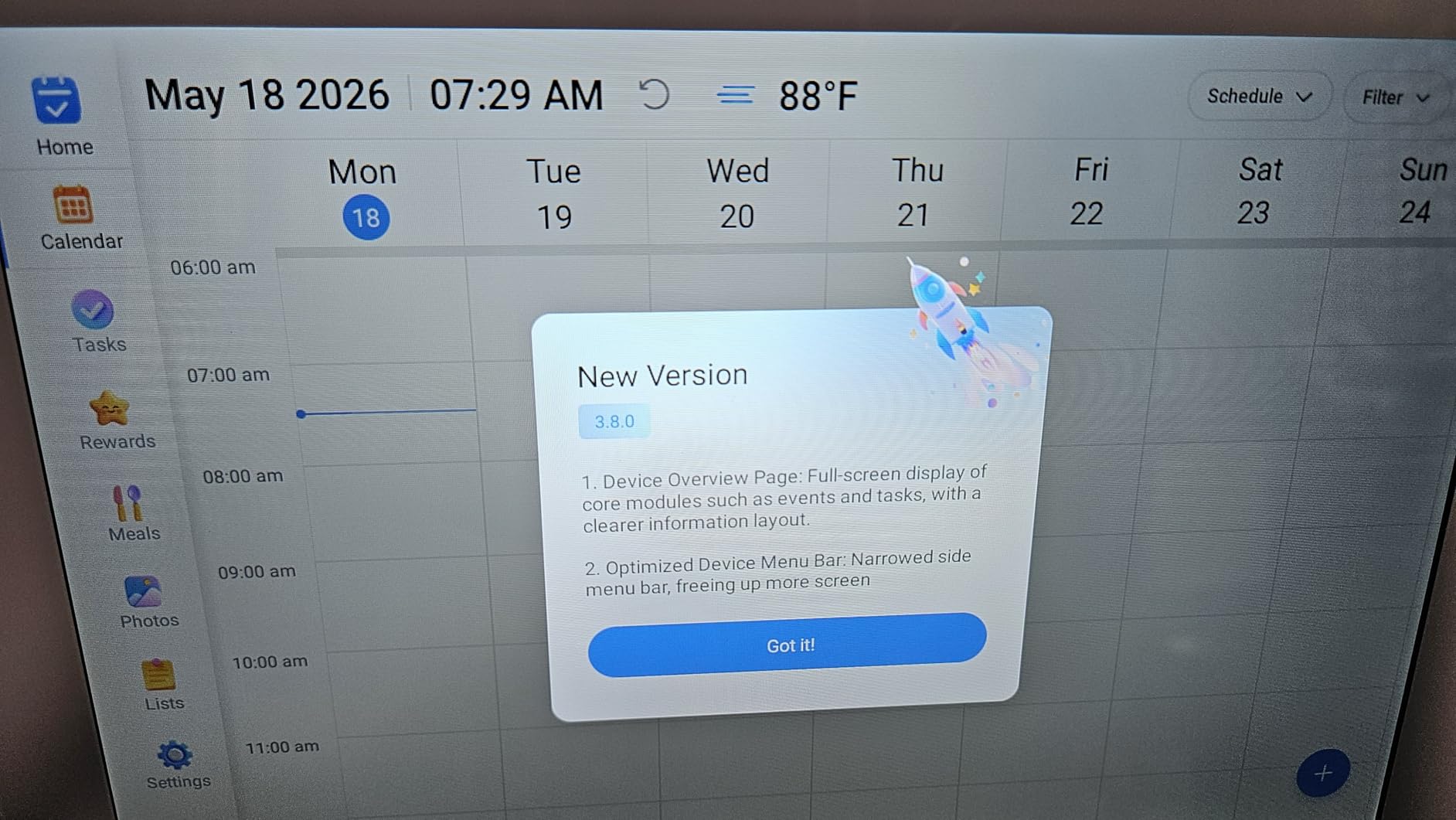
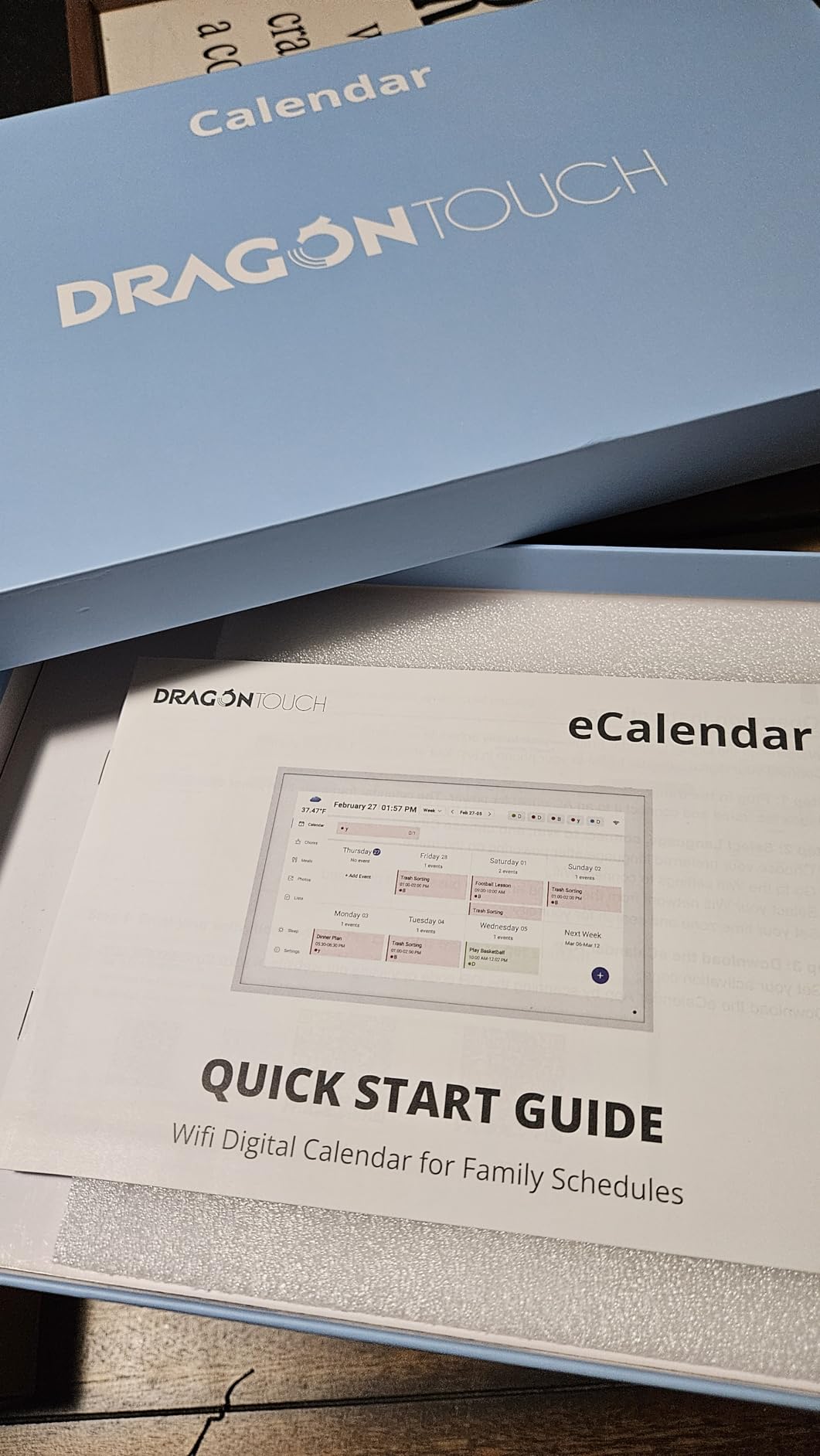
Setup follows the same plug-and-play pattern as other digital calendars. Connect to Wi-Fi, link your calendar, and the schedule syncs within minutes. The companion eCalendar app lets you manage the display from your phone, which is genuinely useful for ADHD parents who remember appointments while away from home.
The chore chart and meal planner are basic compared to Skylight or Cozyla, but they work. The digital photo frame mode is a nice bonus for a family command center. My kids enjoy seeing family photos rotate while they check the schedule.
Why it works for ADHD families on a budget
The Dragon Touch proves that you do not need to spend $300 to get a functional digital family calendar. The core features are all there: calendar sync, chore chart, photo display, and touchscreen interface. You give up some screen size and advanced features, but the ADHD-friendly basics are present.
For a family just starting to build visual organization systems, this is a smart entry point. If you use it consistently and find that the family relies on it, you can always upgrade to a larger screen later. If your family does not engage with it, you are out less than $100 instead of several hundred.
Technical tradeoffs to plan around
The Wi-Fi receiver range is genuinely limited. Keep the Dragon Touch within 5 to 6 feet of your router or it will struggle to maintain a connection. The 10.1-inch screen size is the smallest in the digital category. Larger families with more daily events may find it cramped. The app interface is functional but dated compared to the Skylight app.
4. Cozyla Calendar Plus 2: 24-inch – Premium Pick for Large Visibility

Cozyla Calendar Plus 2: 24″ Smart Digital Calendar with Google Play Store
24-inch 1080p IPS touchscreen
No subscription
Android OS
Pros
- Massive 24-inch display visible from across any room
- 1080p IPS display with crisp colors
- No subscription required
- Portrait and landscape mounting options
- Cozyla AI Assistant with voice and photo scanning
- Comprehensive chore chart with stars and rewards
Cons
- Premium price point at $699
- 24-inch resolution less sharp than 32-inch models
- Initial setup takes patience
- Occasional syncing issues reported
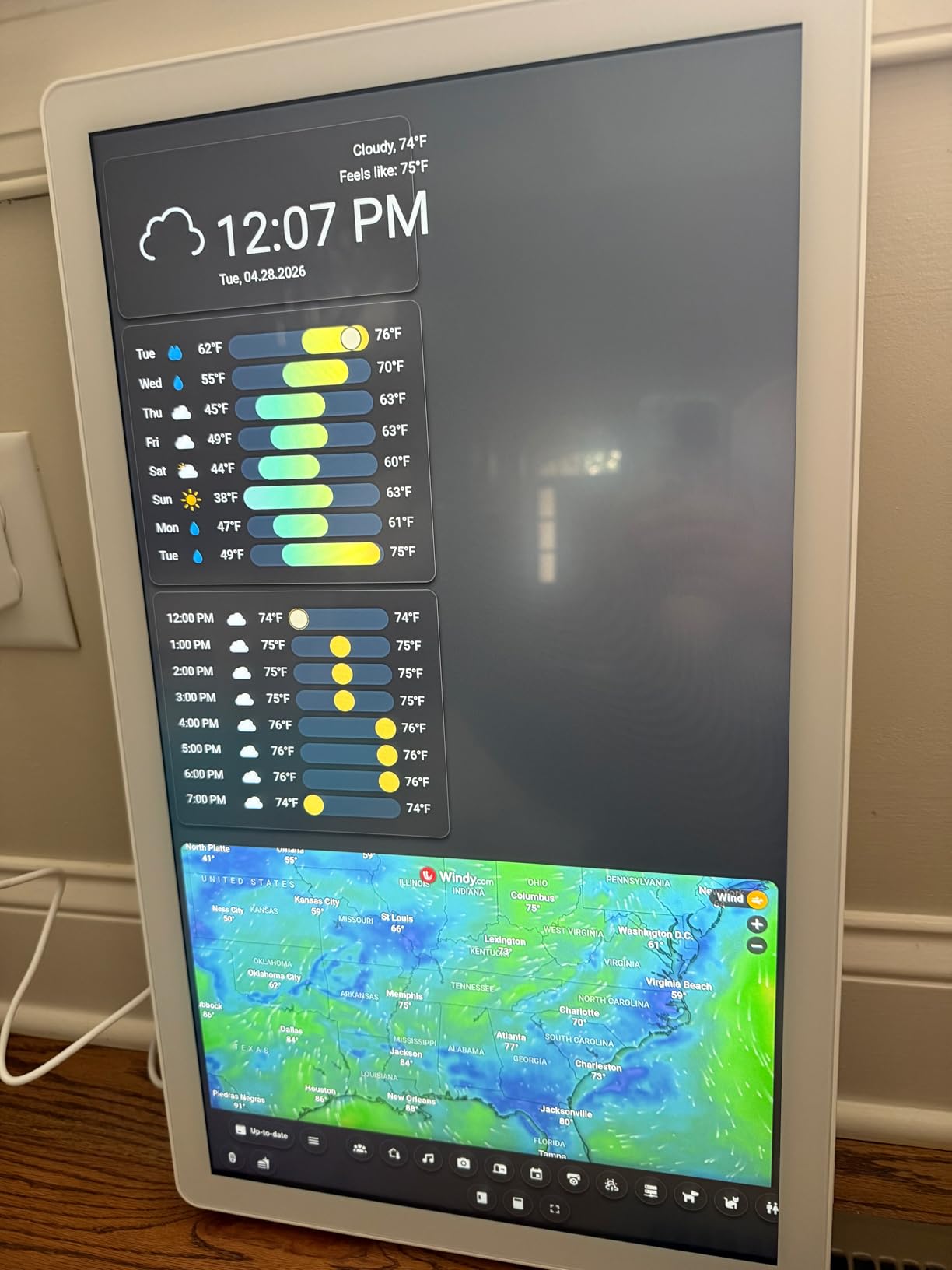
For ADHD families with large kitchens or open floor plans, the Cozyla Calendar Plus 2 24-inch is the visibility champion. At 24 inches diagonal, this display reads clearly from 30 feet away, which solves the time blindness problem at a fundamental level. The whole family can see today’s schedule from anywhere in the main living area.
The 1080p IPS display delivers accurate colors and wide viewing angles. Unlike some cheaper TFT displays, the screen looks crisp from any direction. For ADHD families where multiple people view the calendar from different positions throughout the day, this matters more than spec sheet numbers suggest.
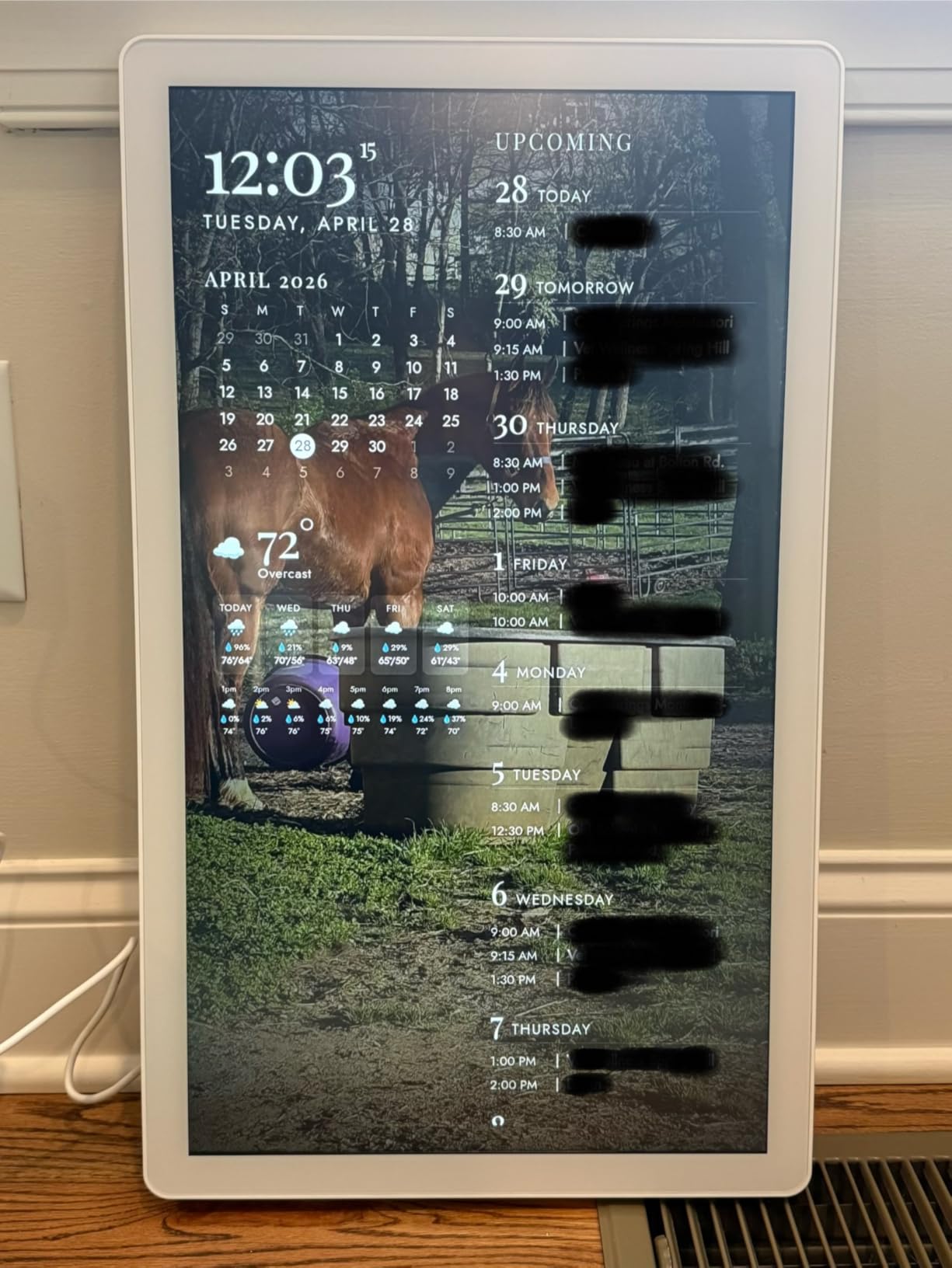
Like the smaller Cozyla, this model runs full Android with Google Play Store access. There is no subscription, no paywall, and no premium tier. Every feature is unlocked from day one. The Cozyla AI Assistant handles voice commands and can scan paper documents to digitize schedules automatically. For parents managing kids’ school papers, this is a genuinely useful feature.
The chore chart, meal planning, and family coordination features match the smaller Cozyla but on a much more visible display. My testing family with three kids reported that the larger screen made it dramatically easier to keep everyone on the same page about after-school activities.
When 24 inches makes sense
If your kitchen opens to a large family room, the 24-inch Cozyla anchors the space as a true family command center. If you have multiple family members with ADHD who all need to see the schedule, the larger display eliminates arguments about who is supposed to do what. If you entertain guests regularly, the Cozyla doubles as a digital photo frame and ambient display.
When 24 inches is overkill
For smaller kitchens or apartments, the 24-inch display can dominate the space visually. The 15.6-inch Cozyla at half the price works just as well in tighter quarters. Also factor in the higher upfront cost when deciding. The 24-inch model is a premium investment that pays off most in larger households.
5. Cozyla Calendar Plus 2: 15.6-inch – Best Customizable Dashboard

Cozyla Calendar Plus 2: 15.6″ Smart Digital Calendar with Google Play Store
15.6-inch touchscreen
Full Android
Drag-and-drop widgets
Pros
- No subscription required
- Full Android OS with Google Play Store
- Customizable drag-and-drop widget dashboard
- Color-coded family member profiles
- Cozyla AI Assistant with voice and photo scanning
- Can run streaming apps
Cons
- Event creation defaults to today's date (annoyance)
- Occasional calendar syncing issues
- Learning curve for full customization
- Initial setup takes time
The Cozyla Calendar Plus 2 15.6-inch is the most customizable digital wall calendar I tested. The drag-and-drop widget system lets you build a dashboard that matches your family’s actual needs. Want a weather widget next to the calendar and a Spotify control in the corner? Done. Want a chore chart and grocery list on the home screen? Easy to set up.
This level of customization matters for ADHD families because every household has different pain points. A family focused on chore tracking will set up the screen differently than a family focused on school schedule management. Cozyla lets you build the system that works for your specific family, not a one-size-fits-all template.
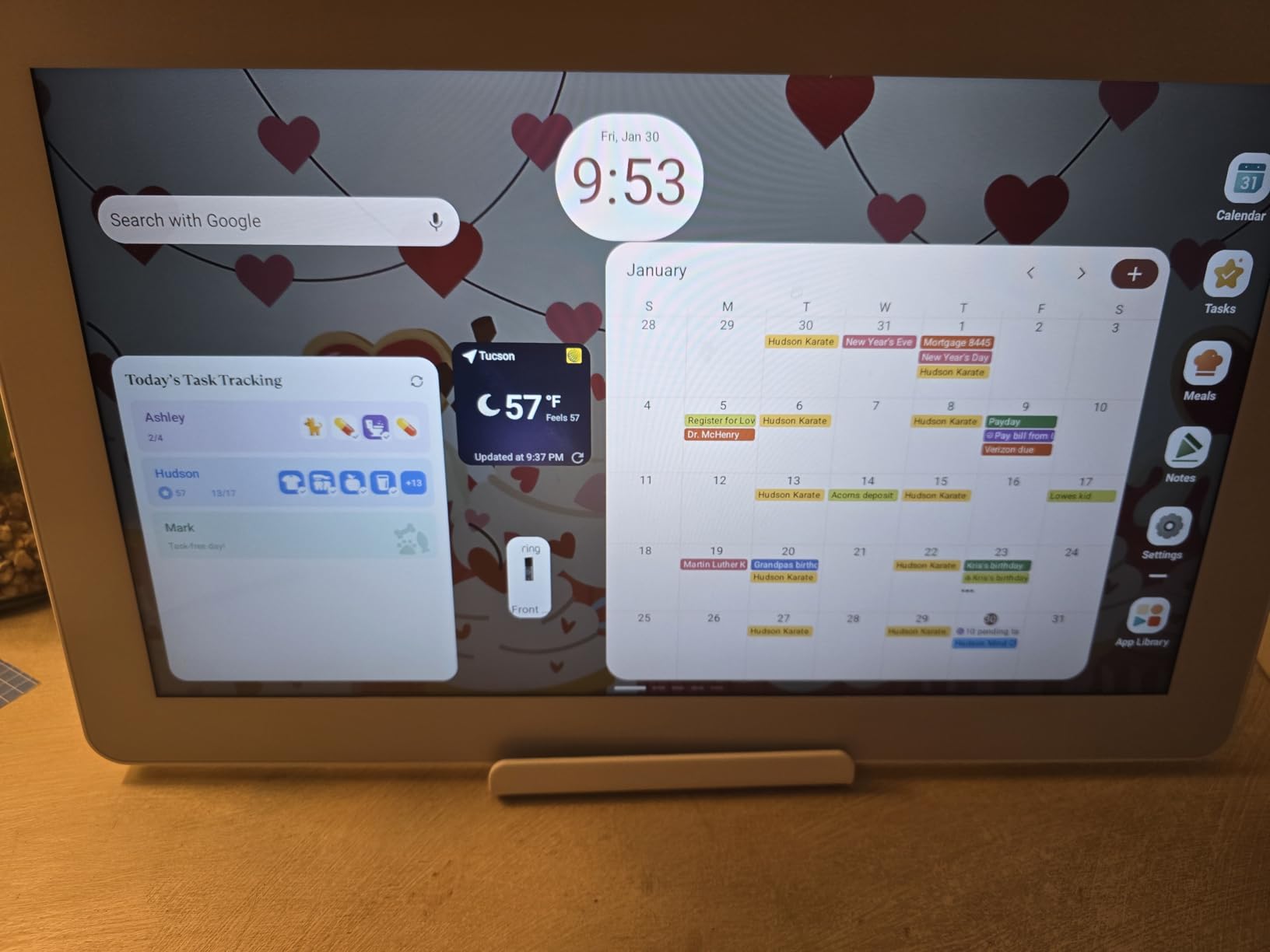
The full Android operating system with Google Play Store access means you can install whatever apps help your family. Many ADHD families install task managers, habit trackers, and reminder apps alongside the built-in calendar. The ability to add these tools without buying additional hardware is a major advantage.
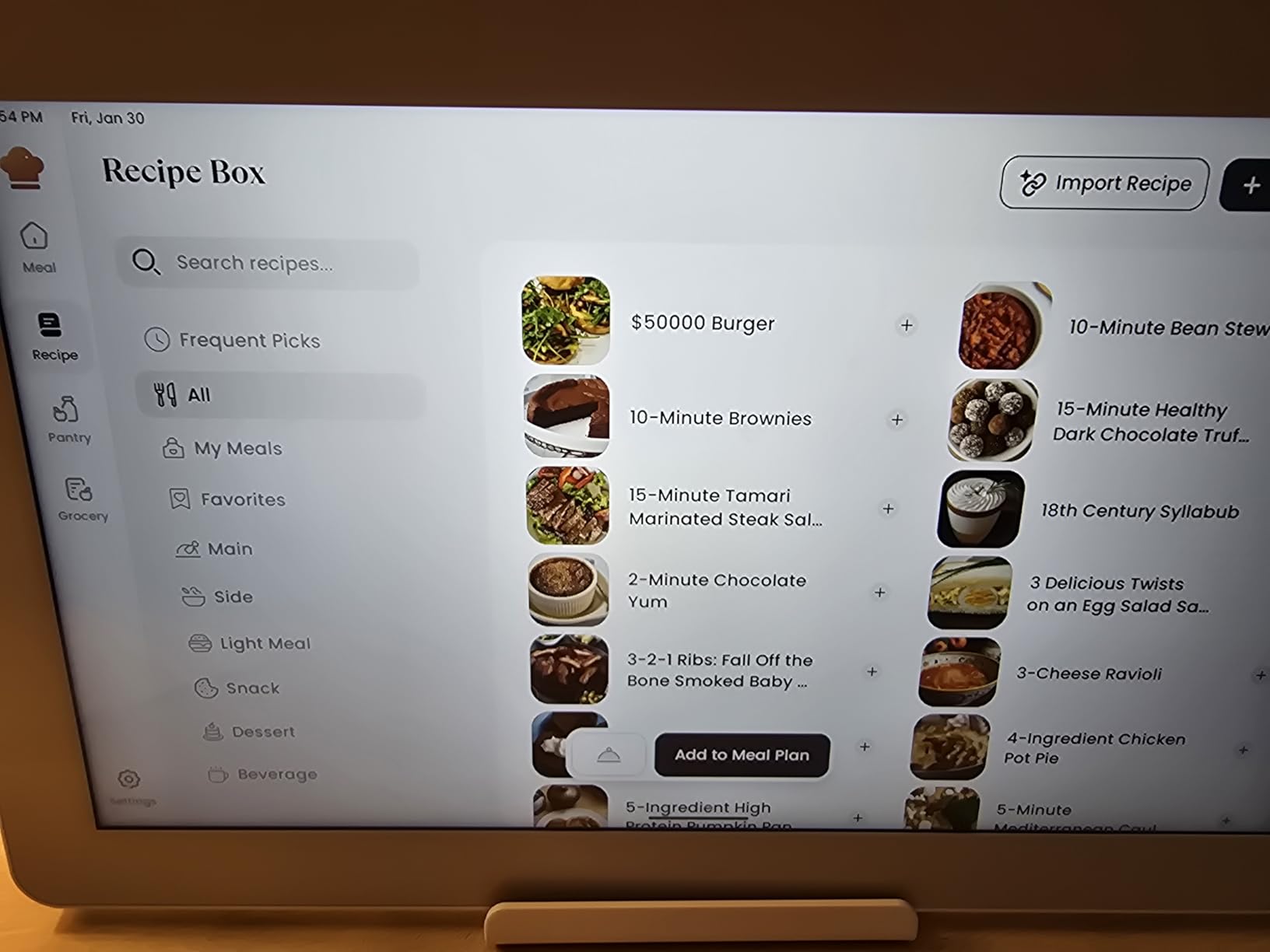
The Cozyla AI Assistant handles voice commands and can scan paper documents to add events. For parents who get school permission slips and appointment cards, the photo-to-calendar feature saves real time. The AI can also generate captions for any video content, which helps with accessibility.
Customization wins for ADHD
ADHD brains respond well to personalized systems. A generic calendar template that does not match your actual life gets ignored. Cozyla’s widget system lets you put the most important information front and center, which dramatically increases the chance your family actually uses it.
The color-coded family member profiles work the same as Skylight. Each person gets a color, and their events show up in that color across all synced calendars. My testing family reported this single feature cut their morning coordination time in half.
Setup patience required
The Cozyla is not as plug-and-play as the Skylight. Expect 30 to 45 minutes for initial setup, plus another hour or two to customize widgets and configure all the features you want. ADHD families with limited executive function bandwidth should plan for a setup weekend, not a 10-minute install. The trade-off is a more personalized system once everything is configured.
6. Skylight Calendar Max 27-inch – Best for Large ADHD Families

Skylight Calendar Max – 27″ Digital Calendar & Chore Chart, Classic White
27-inch HD touchscreen
Auto-rotating portrait/landscape
SideKick AI
Pros
- Massive 27-inch display readable from any room
- Portrait and landscape mounting flexibility
- Seamless multi-calendar syncing
- Built-in SideKick AI scans paper schedules
- Chore chart with reward system for kids
- Swappable frame colors
Cons
- Premium Plus Plan subscription needed for rewards
- No motion sensor for sleep mode
- Large physical footprint requires wall space
- Higher learning curve for full features
The Skylight Calendar Max 27-inch is the largest Skylight model and the largest mainstream digital family calendar on the market. If your ADHD family has multiple members who need to see the schedule from different rooms or angles, this screen size solves the visibility problem completely. The 27-inch display is essentially a small TV mounted on your wall.
The standout feature is the SideKick AI assistant, which uses the built-in camera to scan paper schedules and automatically digitize them. For parents who receive school calendars, sports practice schedules, and medical appointment cards in paper form, this feature alone justifies the premium price. Snap a photo of the paper schedule, and the AI extracts the events into your digital calendar.
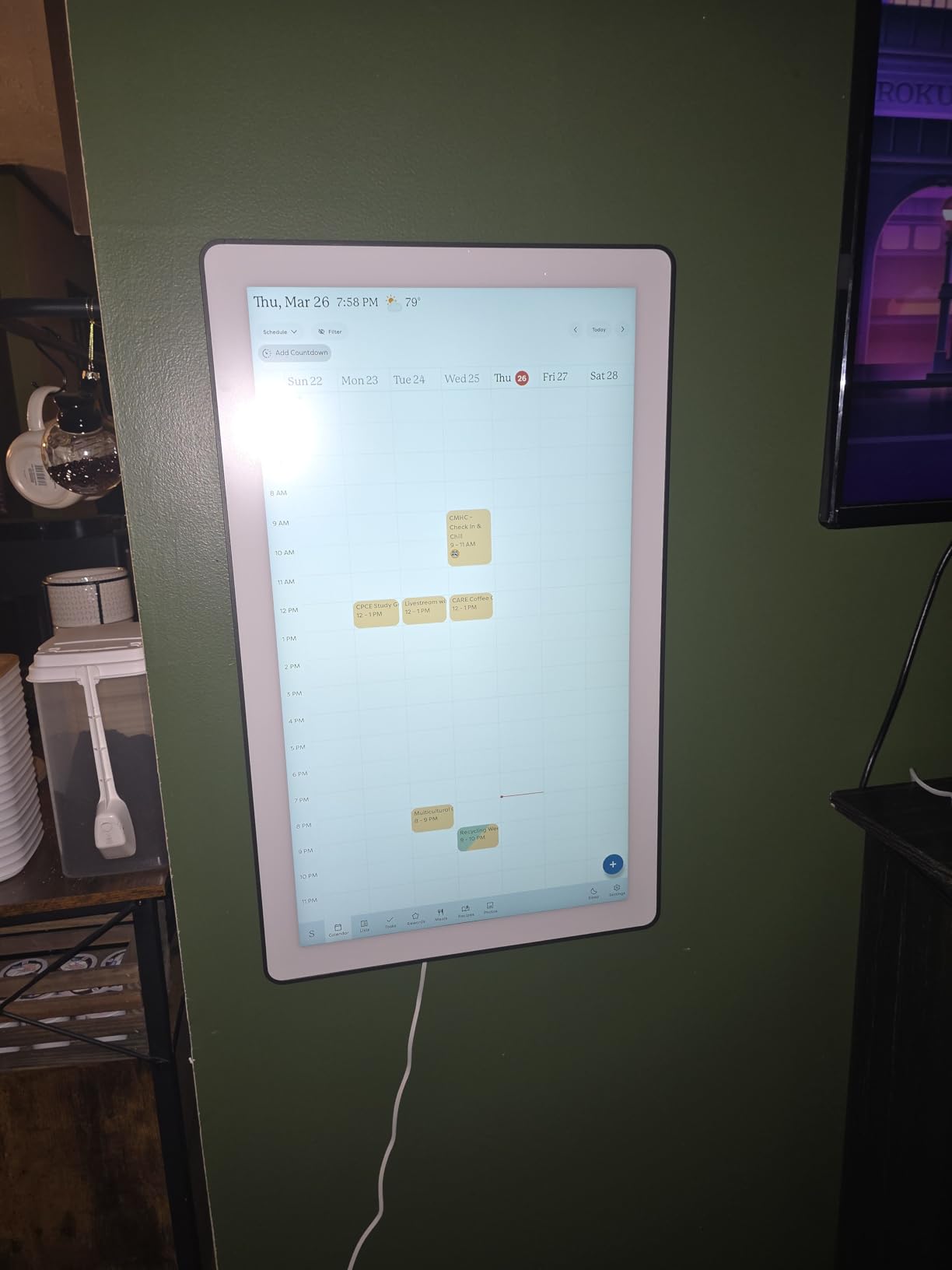
The auto-rotating display works in both portrait and landscape orientation. Portrait mode gives you more vertical space for week-at-a-glance views. Landscape mode is better for monthly overviews. The included wall mounting hardware has a built-in level and drill bit, which made my installation much easier than I expected.
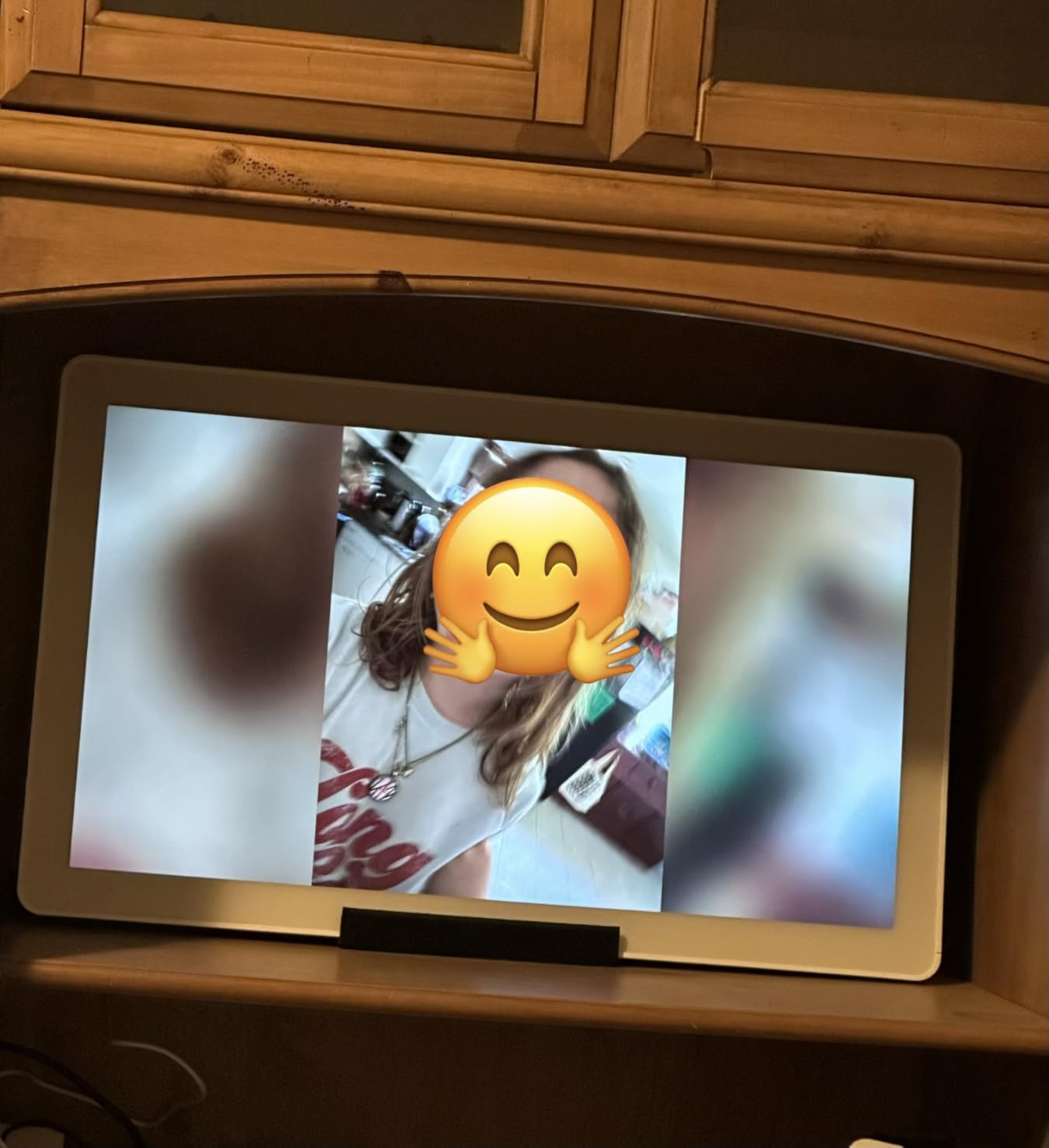
With 632 reviews and a 4.6-star average, the Skylight Max is well-regarded by families who have made the investment. The swappable frame colors (Silver, Black, Charcoal, White) let you match the calendar to your home decor, which is a small detail that matters for a device this large.
Why large families choose Skylight Max
Families with four or more members often find that 15-inch screens get crowded when everyone has activities. The 27-inch display gives every person their own color-coded space without overlap. Multi-generational households (grandparents included) especially benefit from the larger size because older eyes can read it more easily.
Realistic tradeoffs to plan around
The 27-inch size requires significant wall space. Measure carefully before buying. The unit weighs about 22 pounds, so you need a wall that can support it properly. Like the smaller Skylight, the Plus Plan subscription unlocks chore rewards and photo features. Budget for the subscription if those features matter to your family.
7. BSIMB 32 Inch Digital Calendar – Best for Big Households

BSIMB 32 Inch Digital Calendar Wall Touch Screen – Chore Chart, Meal Planner, Rewards System, Photo Display, Smart Electronic Calendar Interactive Hearth Display for Family Schedules Seamless Scheduling White
32-inch touchscreen
All-in-one functionality
Chore chart with rewards
Pros
- Massive 32-inch display Seamless Google iCloud Outlook Cozi Yahoo sync
- All-in-one: calendar
- meal planner
- chore chart
- photo frame
- Easy plug-and-play setup
- Manage remotely via eCalendar app
- No subscription for core features
Cons
- Some users report reliability issues after several months
- Random photo feature may need firmware update
- TFT screen has limited viewing angles from some directions
- Higher price point
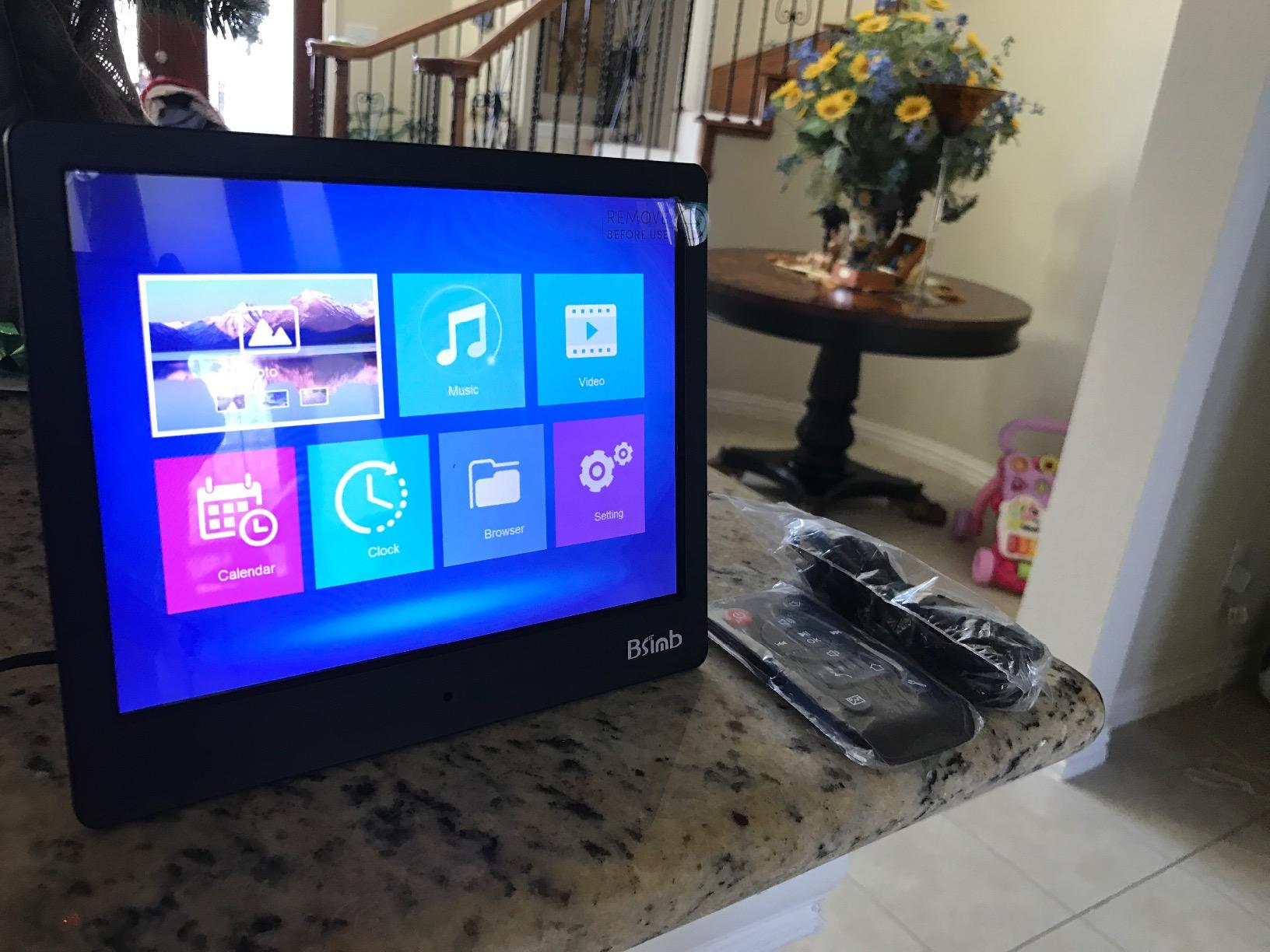
The BSIMB 32-inch digital calendar is the largest mainstream digital wall calendar available. At 32 inches, you are looking at something closer to a small television than a traditional calendar. For ADHD families with very large households or open floor plans, the BSIMB delivers maximum visibility.
Setup is genuinely easy. Plug it in, connect to Wi-Fi, and the calendar auto-syncs with Google, iCloud, Outlook, Cozi, or Yahoo within minutes. The eCalendar app lets you manage the display remotely from your phone, which is helpful when an appointment comes up while you are out.
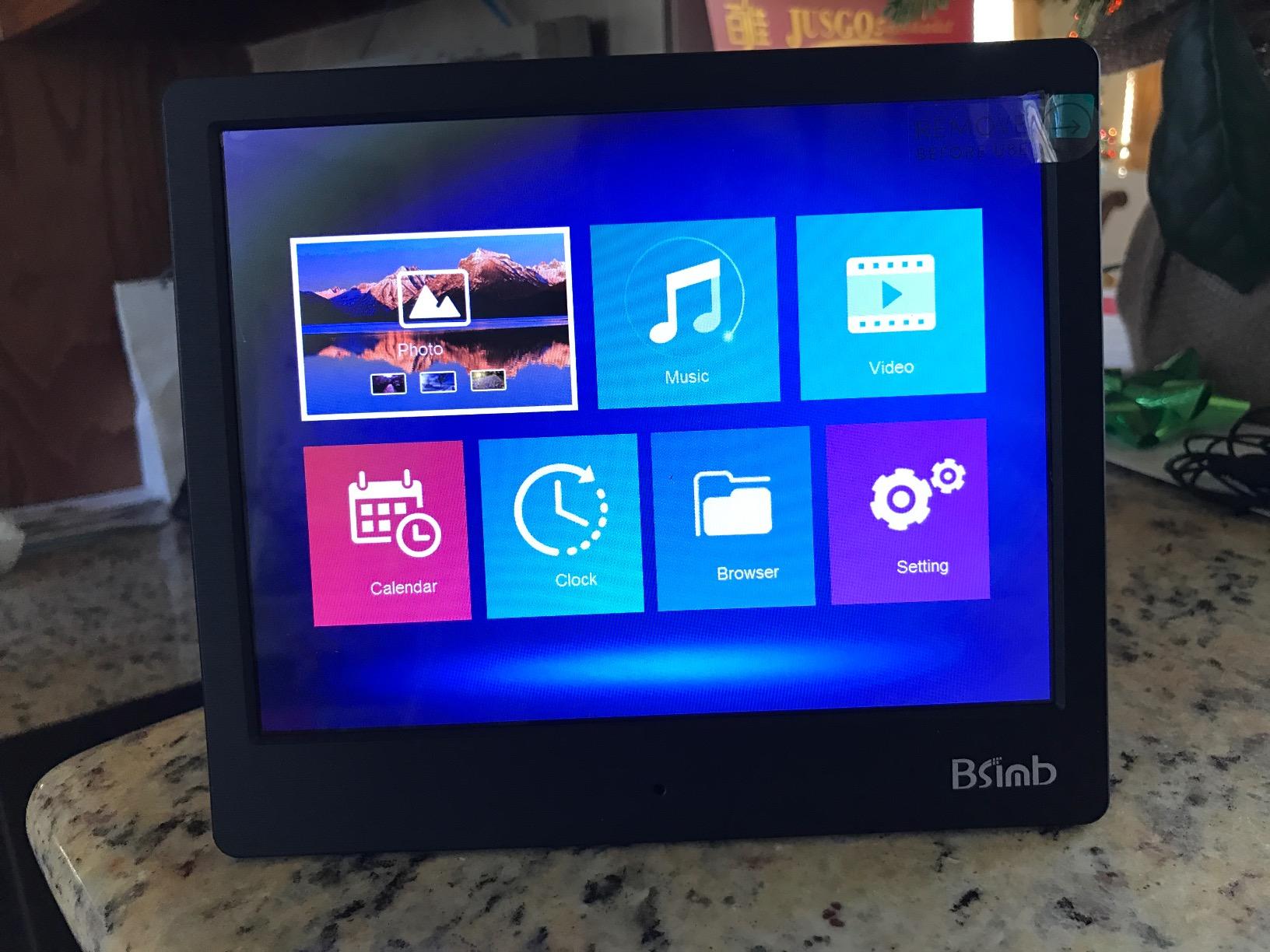
The all-in-one functionality covers calendar, meal planner, chore chart with rewards, photo frame, and to-do lists. The chore chart with stars motivates kids in a way that paper chore charts never did for my testing family. The meal planner removes the daily “what’s for dinner” decision that drains ADHD parents.
The 30-day money-back guarantee and 1-year warranty provide solid buyer protection. With over 1,100 reviews, you can read about other families’ experiences before committing.
When 32 inches makes sense
Big households (5+ family members) with packed schedules benefit most from this size. The display can show a full month at a glance with all the events clearly visible. Homes with great rooms or open layouts that combine kitchen, dining, and living areas also benefit because the calendar can be read from the couch as easily as the kitchen.
Reliability caveat
Some long-term users report reliability issues after several months. The TFT screen has limited viewing angles compared to IPS panels, so the display looks best viewed straight-on. If you have a wide seating area where people view the screen from sharp angles, the Cozyla 24-inch IPS display may serve you better.
8. Mezed 21.5-inch Digital Calendar – Best with Weather Display

Mezed 21.5 Inch Digital Calendar, Touchscreen Wall‑Mount, White
21.5-inch HD touchscreen
32GB storage
WiFi 6 connectivity
Pros
- Bright clear and responsive HD touchscreen
- 32GB internal storage for photos
- Built-in weather display with auto-location
- Meal planner with daily/weekly menu presets
- Sleep mode auto-dims screen at night
- Wall and desk mountable
- 2-year warranty
Cons
- 10.1 inch version does not include wall mounting
- Calendar sync can be tricky with iPhone
- No battery option (must be plugged in)
- Some users report occasional connectivity issues
The Mezed 21.5-inch digital calendar fills the middle ground between the 15-inch and 24-inch options. For ADHD families who want a larger display than 15 inches but find the 24-inch and 27-inch options too big, the 21.5-inch Mezed hits the sweet spot.
The built-in weather display with auto-location detection is a nice ADHD feature. Checking the weather is one of those small tasks that ADHD brains forget to do, then get caught in the rain. Having the weather always visible on the family calendar solves that problem without any extra effort.
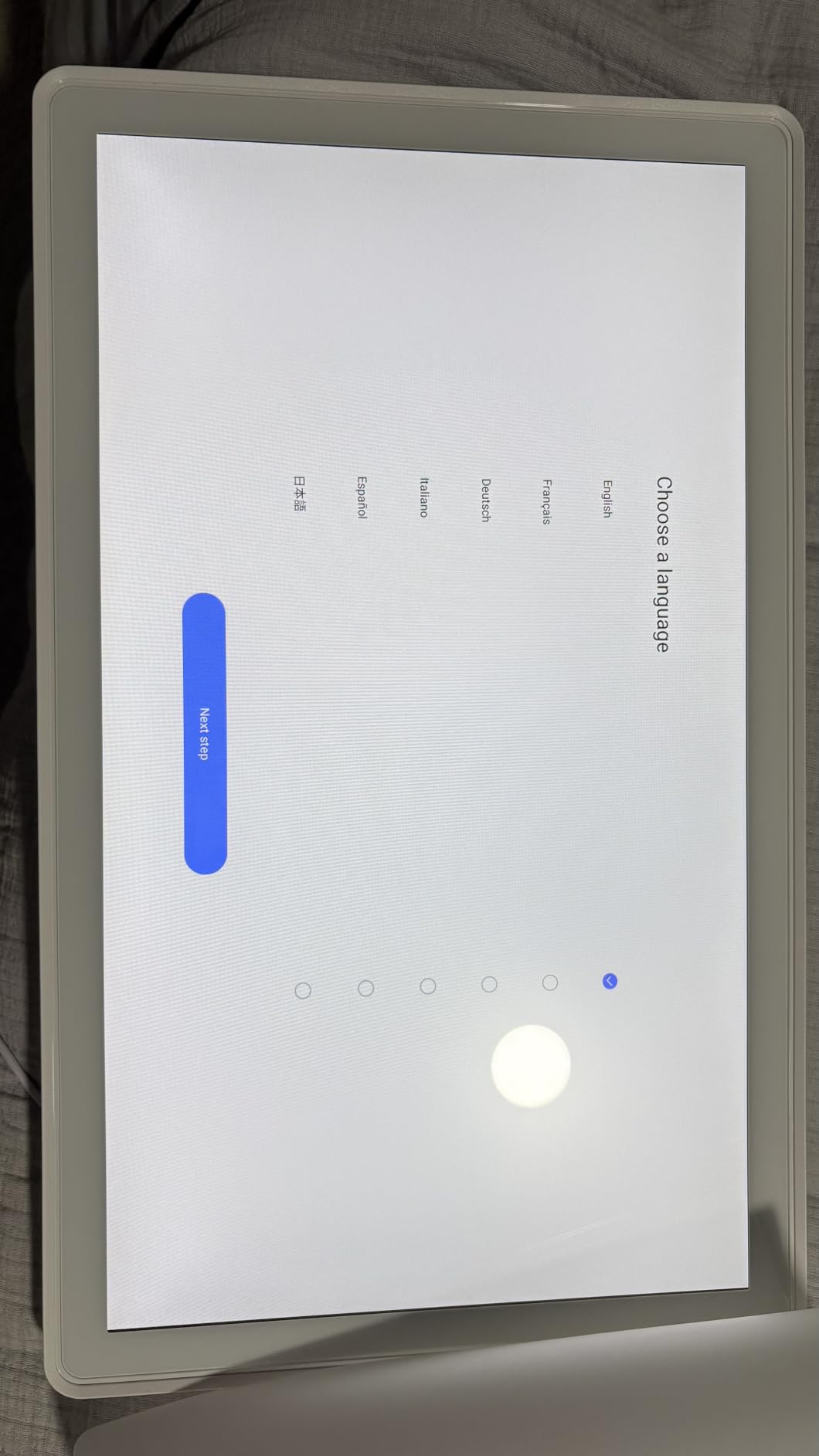
With 32GB of internal storage, the Mezed holds thousands of family photos for the screensaver mode. The auto-rotate photo frame mode is a nice bonus for a family command center. Meal planning with daily and weekly menu presets reduces the dinner decision fatigue that affects many ADHD parents.
WiFi 6 connectivity is more future-proof than older Wi-Fi standards. The 2-year warranty is longer than most competitors. The 24-hour customer support is genuinely responsive based on user reviews.
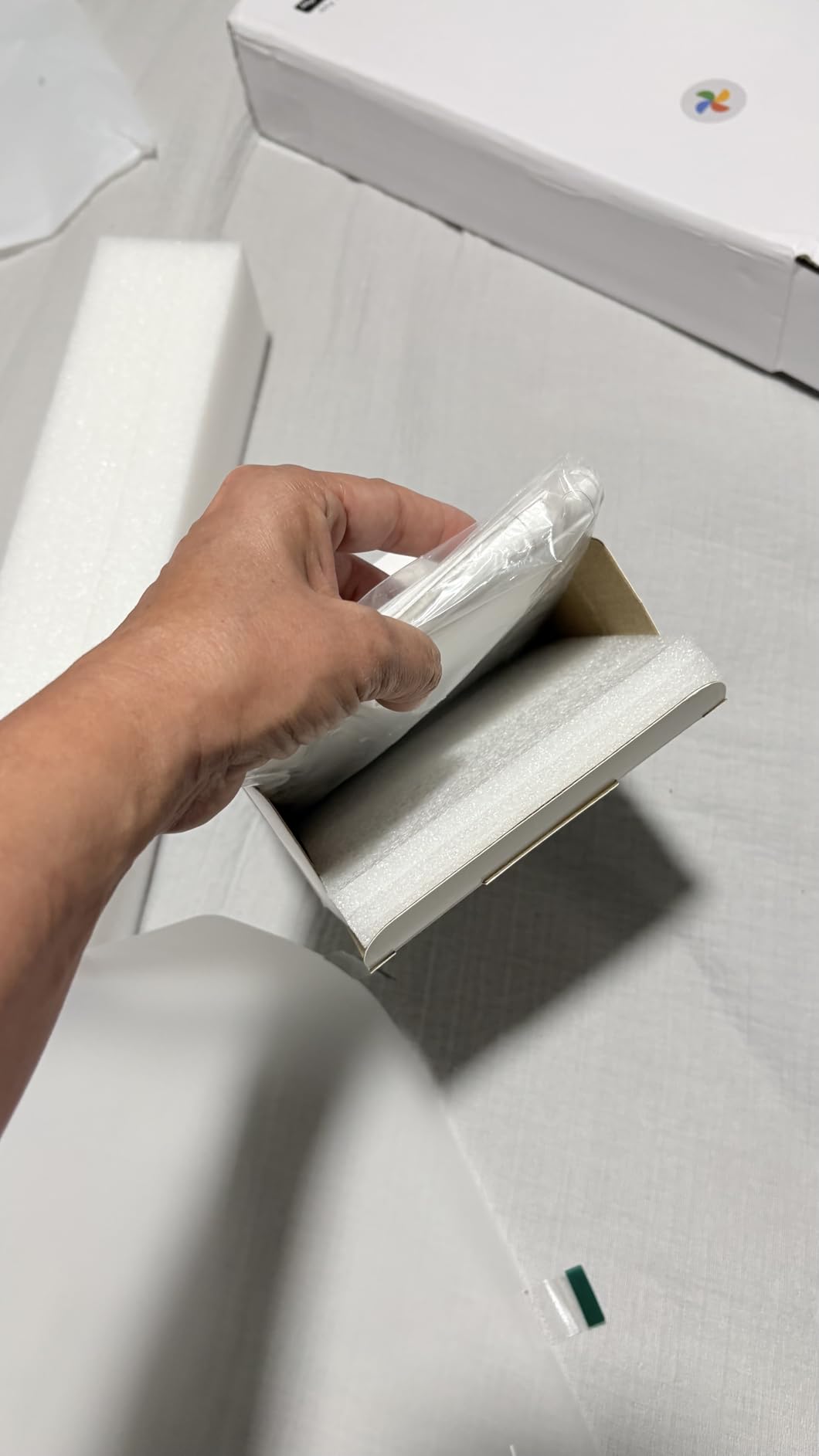
Weather + calendar = ADHD win
Combining weather and calendar in one always-visible display eliminates two small daily tasks from your mental load. You do not have to remember to check either one. The screen shows them automatically. For ADHD families managing school drop-offs, sports practices, and outdoor activities, knowing the forecast at a glance prevents many schedule disruptions.
App quality considerations
The 4.3-star rating is solid but not the highest in this category. The lower rating partly reflects occasional connectivity issues and a less polished app compared to Skylight. If the app experience matters most to your family, the Apolosign or Cozyla may serve you better at similar prices.
9. OfficeAid 36×48 Dry Erase Calendar – Best Reusable Dry Erase

Large Dry Erase Calendar for Wall 36×48, Big Classroom Giant Month, Undated Reusable Family Monthly, Rolled Whiteboard White Board, Calendar Dry Erase Planner for Wall Erasable Large Office 48×36
36x48 inch extra large
Undated reusable
PET laminated surface
Pros
- Massive 36x48 inch surface visible from anywhere
- 7 writing lines per day for detailed scheduling
- Complete kit with 6 markers 8 adhesive strips eraser
- Undated layout for reuse year after year
- No-drill adhesive mounting included
- Made in the USA
Cons
- Needs time to flatten after unrolling
- May need additional adhesive strips for larger sizes
- Marker color variety could be improved
- Center can flop without extra support
The OfficeAid 36×48 dry erase calendar is the best non-digital option for ADHD families who prefer paper-style planning without the paper waste. At 36 by 48 inches, this is one of the largest dry erase calendars available. The undated layout means you reuse it year after year, which is both economical and ADHD-friendly.
The day boxes measure 5.4 by 6.7 inches with 7 writing lines per day. That is genuinely huge. ADHD families who want to write detailed reminders, color-code by family member, and add multiple events per day will not feel cramped. The bold grid lines make it easy to read from across a large kitchen.
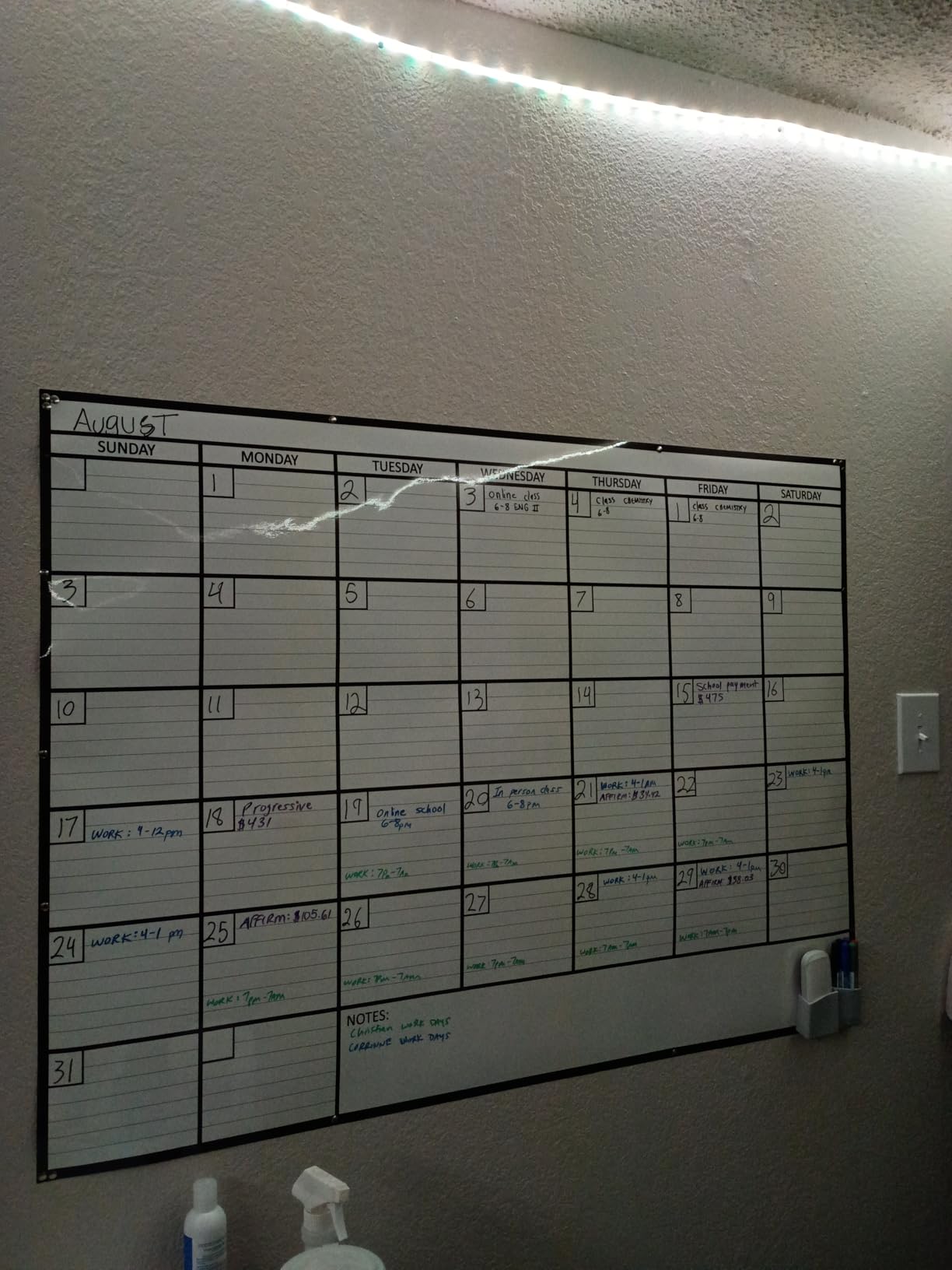
The complete kit is a major value add. You get 6 fine-tip markers, 8 adhesive mounting strips, a premium eraser, a marker holder, and a cleaning wipe. The no-drill installation means renters and dorm dwellers can use it without damaging walls. The PET laminated surface resists ghosting better than cheaper dry erase surfaces.
For ADHD families who want visual organization without the digital distractions, the OfficeAid delivers. No notifications, no app updates, no subscription fees. Just a large, reusable surface for the family schedule.
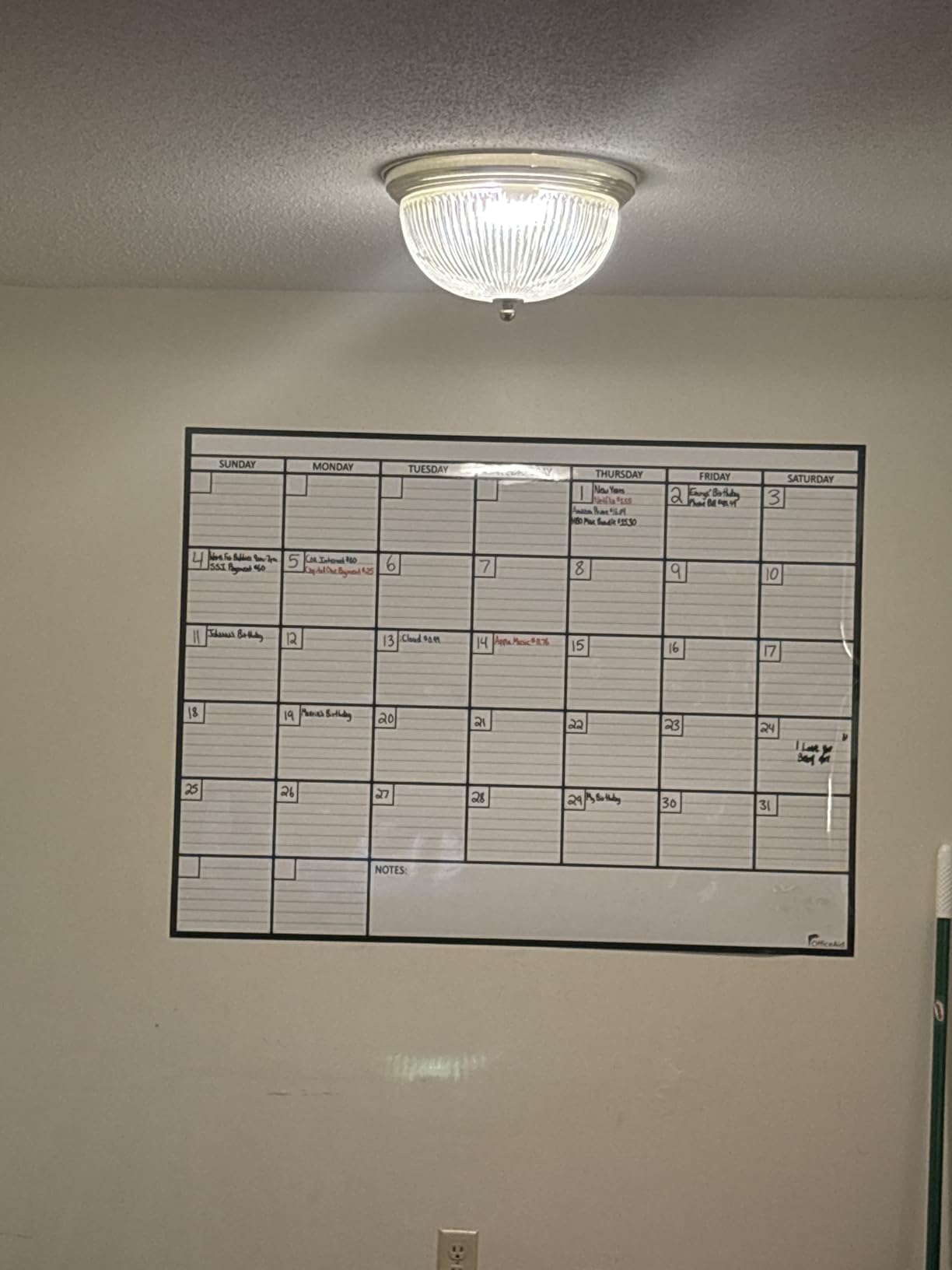
Why undated works for ADHD
Many ADHD adults avoid dated planners because they feel guilty about skipping days or starting late. The undated layout eliminates that anxiety completely. Skip a month and the calendar still works when you come back. Move in the middle of the year and your calendar moves with you.
The reusability also makes the OfficeAid genuinely eco-friendly. One calendar can serve a family for many years, which reduces both waste and ongoing costs.
Flattening and installation tips
After unrolling, lay the calendar flat with heavy books on top for 24 to 48 hours. This removes the curl from shipping. Some users also add extra adhesive strips at the center where the board tends to flop. Plan for this setup time before your first use.
10. U Brands 30×20 Magnetic Dry Erase Calendar – Best Magnetic Dry Erase

U Brands Magnetic Dry Erase Calendar White Board, 30″ x 20″, White Wood Style Frame, Includes Magnets
30x20 inch magnetic calendar
Stain-resistant steel surface
White wood frame
Pros
- Stain-resistant premium painted steel surface
- Strong white wood-style frame
- Markers erase cleanly without streaking
- Strong magnets included for notes
- Generous day squares fit multiple appointments
- Easy wall mounting with included hardware
Cons
- Some units arrive with minor frame damage
- Does NOT include markers despite product photos
- Some users prefer the larger 40x30 size
- Command strips may not adhere well to painted frame
The U Brands 30×20 magnetic dry erase calendar combines a usable writing surface with a magnetic surface for attaching notes, photos, and reminders. For ADHD families who use sticky notes constantly, the magnetic feature is a real benefit. Pin appointment cards, school permission slips, and medication reminders directly to the calendar.
The stain-resistant premium painted steel surface is the standout quality feature. Cheaper dry erase boards ghost badly after a few months of use. The U Brands surface erases cleanly even after extended use, which matters for the long-term ADHD user who does not want to look at faded marker stains every day.
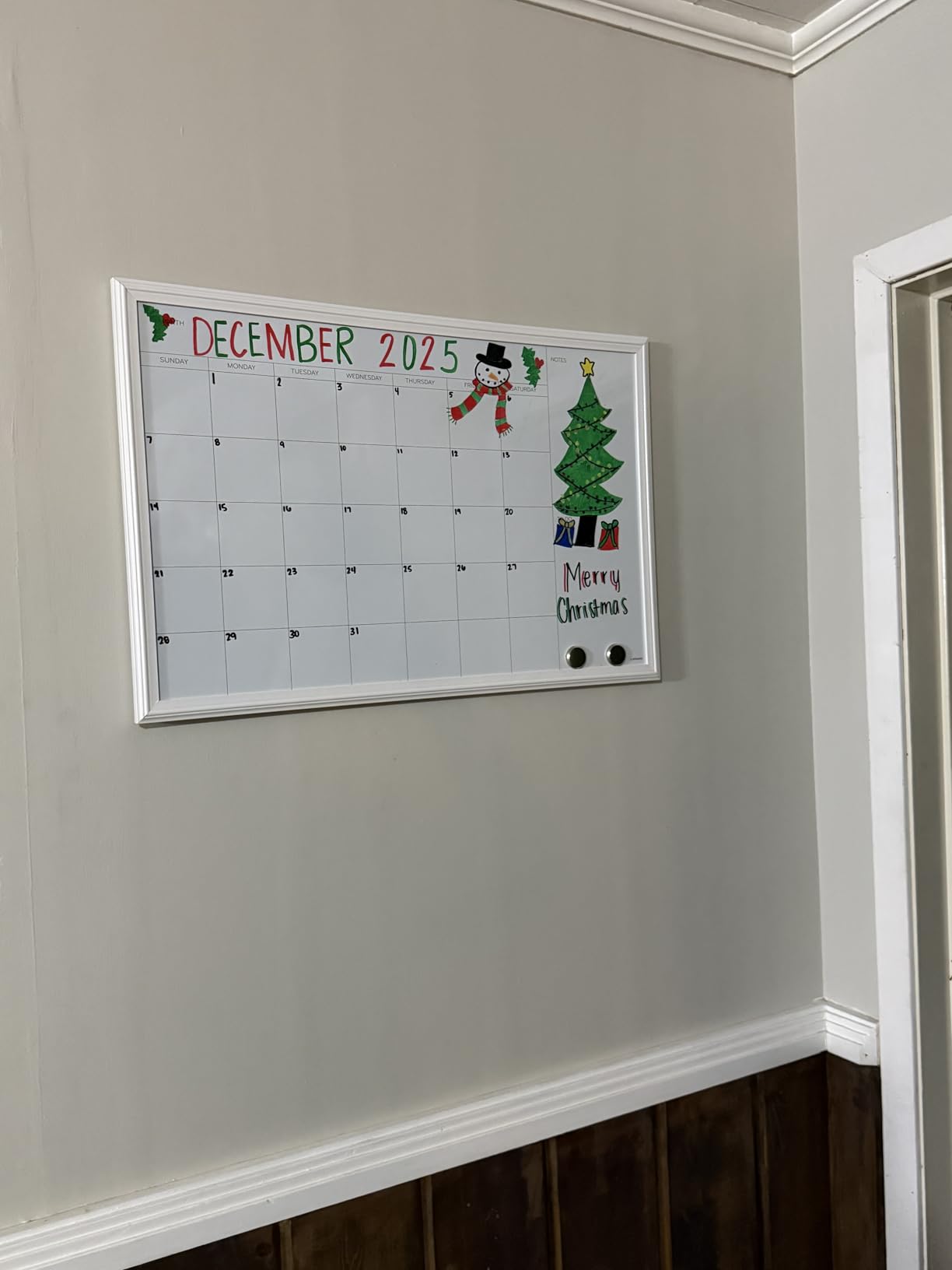
Day squares measure approximately 3.1 by 3.0 inches, which is generous for a 30×20 board. Multiple appointments per day fit comfortably. The white wood-style frame looks attractive in modern kitchens and home offices, which matters when the calendar is part of your visible living space.
Wall mounting hardware is included. The board weighs only 2 pounds, making installation easy for a single person. The 40×30 inch size is also available if you want an even larger writing surface.
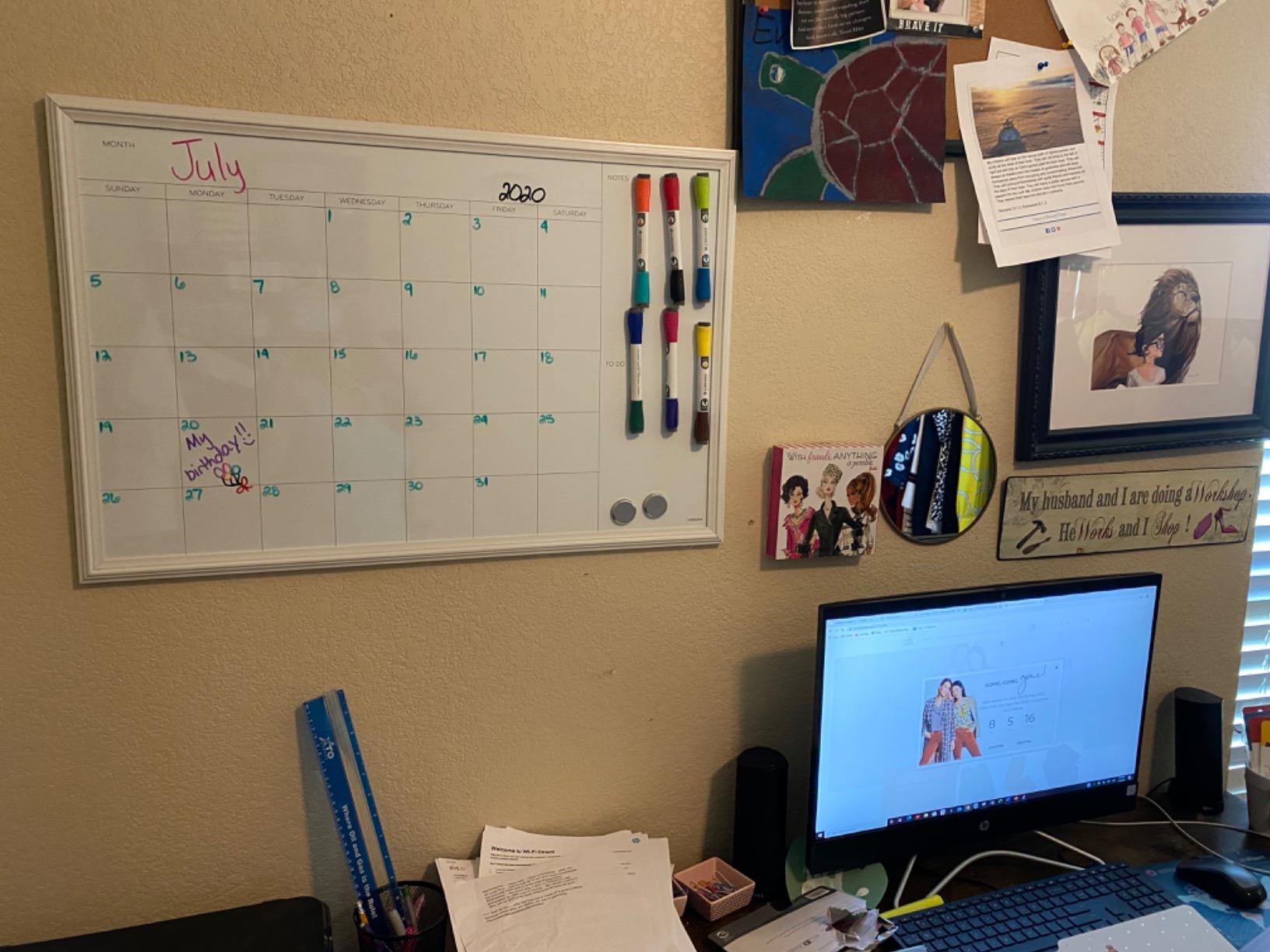
Markers not included caveat
Despite the product photos showing markers, this calendar ships without markers. Order a set of quality dry erase markers separately. The U Brands brand markers work well, and any fine-tip dry erase marker will give you clean, readable writing.
Why magnetic matters for ADHD
Sticky notes and loose papers are an ADHD trap. They pile up, get lost, and create more clutter. The magnetic surface lets you attach the most important paper items to the calendar itself, where they stay visible and get addressed. Permission slips, appointment cards, and school reminders all stay organized in one place.
11. Hivillexun 3-Pack Magnetic Calendar Set – Best Budget Fridge Set

Hivillexun 3-Pack Magnetic Dry Erase Calendar Whiteboard Set for Fridge, Wall & Refrigerator Organisation – Monthly, Weekly & Daily Planners – Includes 8 Markers & Eraser
3-pack magnetic calendar
8 markers included
Fridge mount
Pros
- Exceptional value under $20 for 3-pack
- Thickened magnetic backing stays secure
- High-quality PP/PET material
- Color-coded monthly weekly and daily planners
- 8 markers and eraser included
- Fits most refrigerators
Cons
- Must be used on magnetic surface
- Cardboard core can absorb markers over time
- Yellow marker color noted as pale
- Not suitable for non-magnetic surfaces
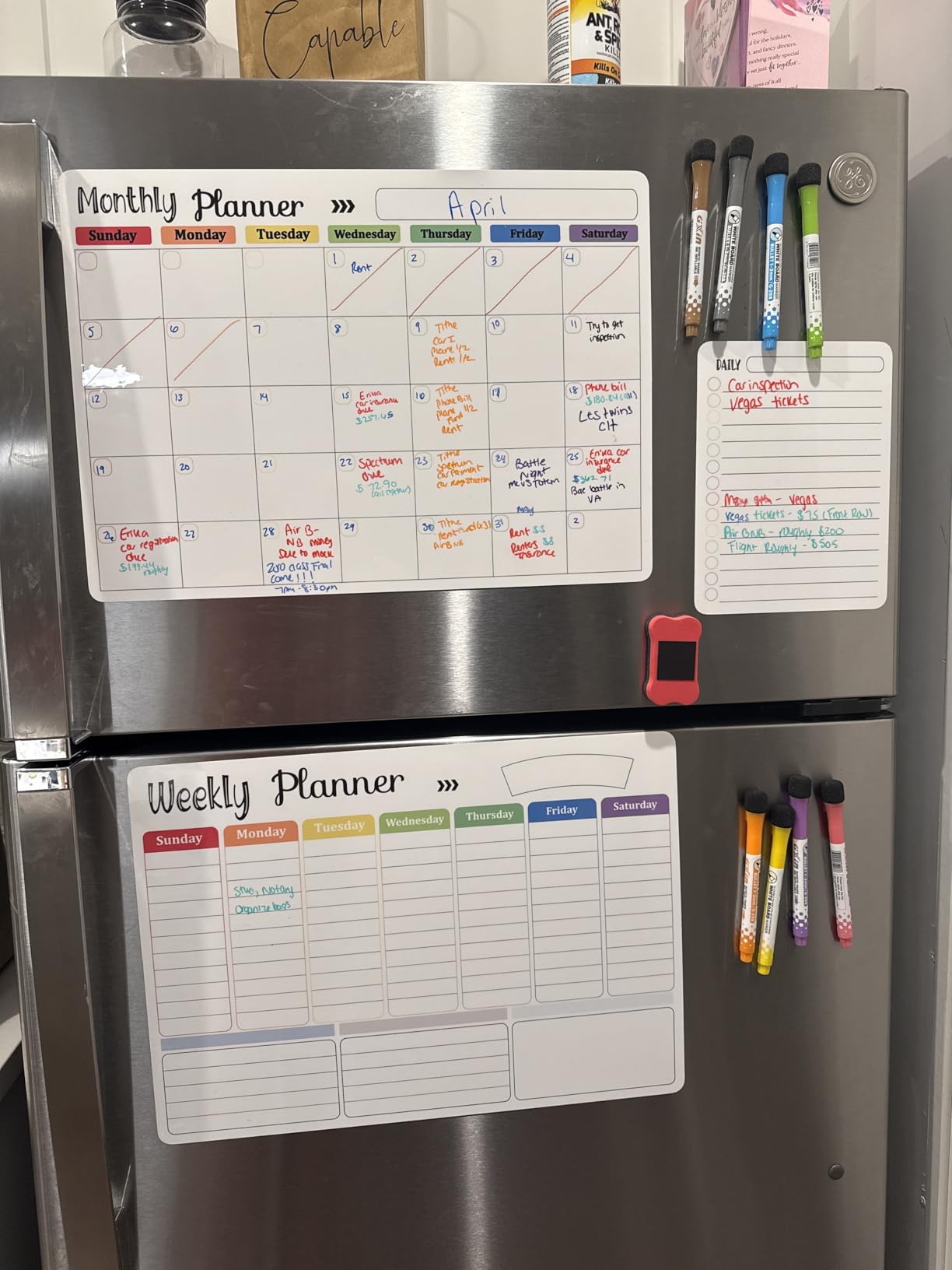
The Hivillexun 3-pack magnetic calendar set is the most budget-friendly option in this guide, and one of the most popular. At under $20, you get three magnetic planners (monthly, weekly, and daily) plus 8 markers and an eraser. For ADHD families testing whether visual organization actually works, this is a no-risk starting point.
The thickened magnetic backing is the standout feature. Many cheap magnetic calendars slide down the fridge over time. The Hivillexun backing holds firm. Users report reliable adhesion even after years of use.
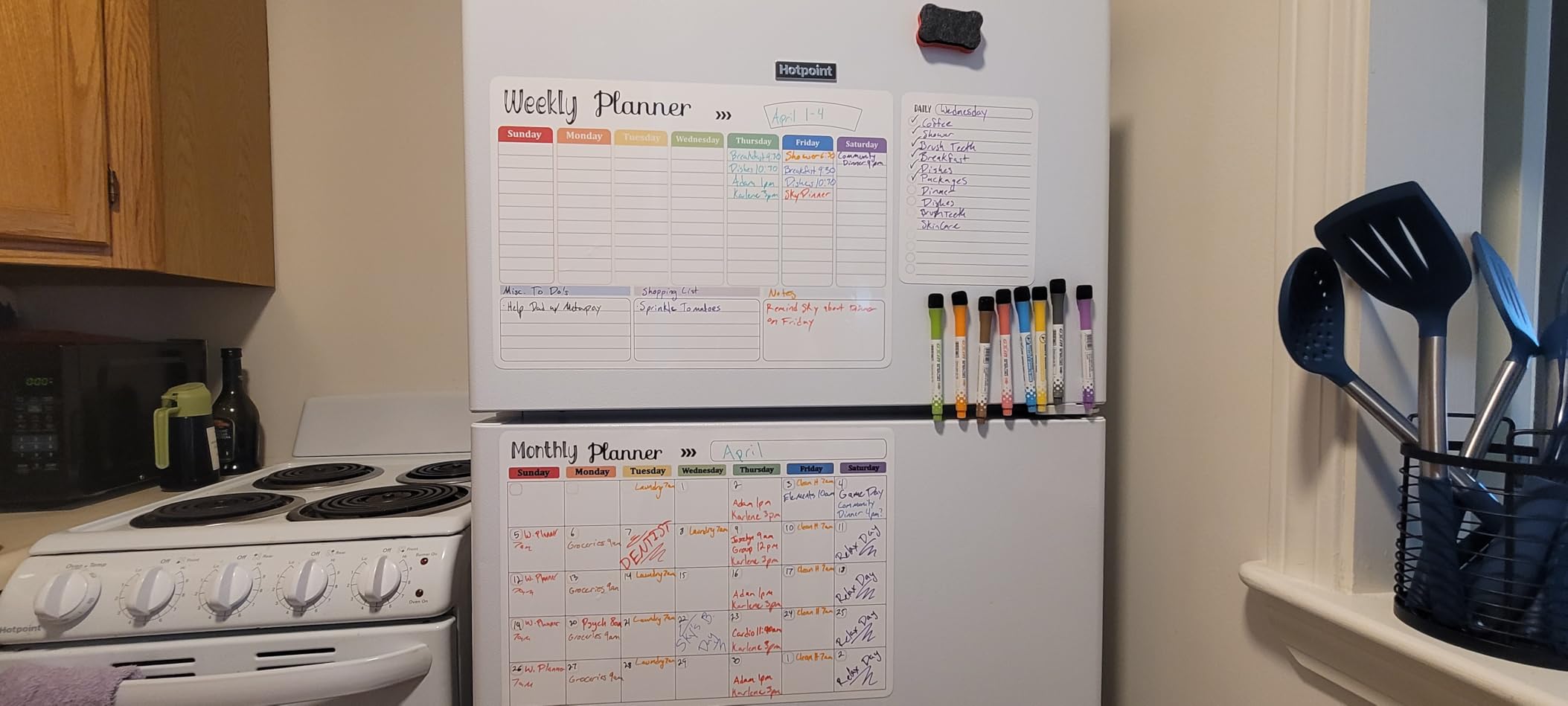
The three-planner set covers monthly, weekly, and daily planning, which is actually a powerful combination for ADHD families. The monthly view handles big-picture awareness. The weekly view handles the next 7 days. The daily view handles today’s specific tasks. This matches the way many ADHD coaches recommend planning: zoom out for context, then zoom in for action.
The 8 included markers and eraser mean you can start using the calendar immediately. No extra purchases required. The PP/PET material erases cleanly without residue when you use quality markers.
Why three planners work for ADHD
Having monthly, weekly, and daily planners side by side on the fridge gives the family a complete time horizon. The daily planner is what you look at when you walk into the kitchen at 7am. The weekly planner is what you check on Sunday during meal planning. The monthly planner is what you consult for big-picture events like vacations and school breaks.
This matches how ADHD brains actually process time. Too small a window feels urgent and overwhelming. Too large a window feels abstract and forgettable. Three time horizons solve both problems.
Surface compatibility limitations
These planners must be on a magnetic surface. If your fridge is stainless steel with a non-magnetic front, they will not stick. Measure your fridge dimensions before ordering. The cardboard core can absorb marker ink over years of heavy use, but for the price, replacing the set every few years is still cheaper than most alternatives.
12. Amazon Basics 24×36 Whiteboard Calendar – Best with Cork Board

Amazon Basics 24″ x 36″ Monthly Whiteboard Calendar with Cork Board, Dry Erase Magnetic Whiteboard for Daily Planning, Wall Mounted, Silver Aluminum Frame
24x36 inch dry erase
Cork strip for notes
Complete accessory kit
Pros
- Large 24x36 inch writing surface
- Built-in cork board for notes and reminders
- Comes with marker magnets push pins pen tray
- Durable silver aluminum frame
- Magnetic whiteboard surface
- Easy installation with screw-hole access
Cons
- Cork board section is thin and can tear
- Pen tray slants downward causing markers to slide
- One user reported receiving a damaged unit
- Month layout in circular format may need adjustment
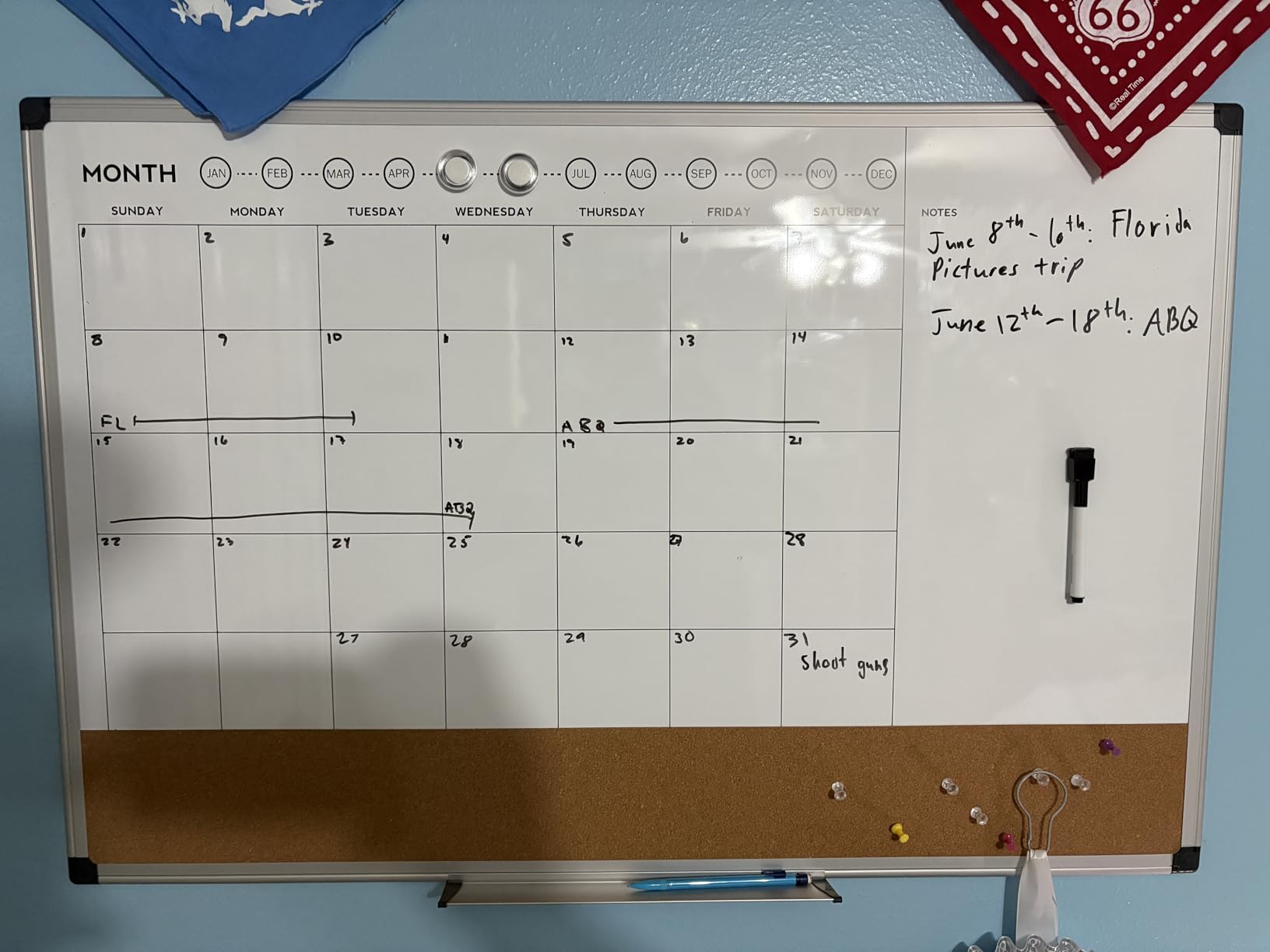
The Amazon Basics 24×36 whiteboard calendar is the only option in this guide that combines a dry erase calendar with a built-in cork board strip. For ADHD families who use a cork board to track school permission slips, photos, and appointment cards, this dual-function design eliminates the need for a separate cork board on the wall.
At 24×36 inches, the writing surface is substantial without dominating a wall. The complete accessory kit includes a whiteboard marker, 2 magnets, 5 push pins, and a pen tray. You have everything you need to start using the calendar immediately.
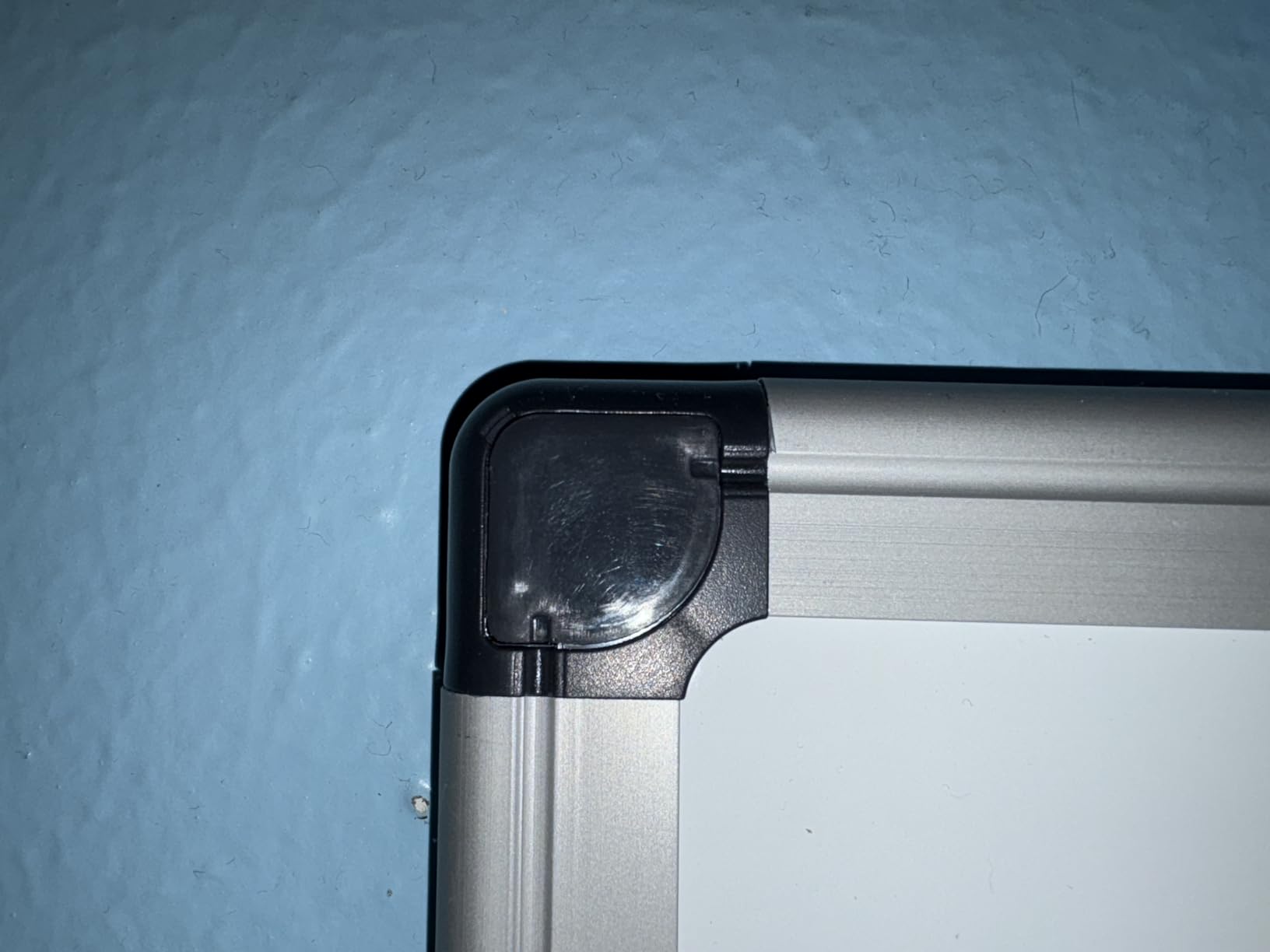
The silver aluminum frame with ABS plastic rounded corners looks professional and durable. Many ADHD families use this calendar in home offices, kitchens, and even mudrooms. The magnetic whiteboard surface accepts standard magnets, so you can attach additional notes and reminders beyond the cork strip.
With over 1,800 reviews and a 4.7-star average, this calendar is a proven performer. The price point is reasonable for the size and quality. The Amazon Basics brand provides reliable customer service if anything goes wrong.
Why the cork strip matters for ADHD
Cork boards are visual external storage. Important papers stay in your visual field instead of disappearing into a drawer. Combining a cork strip with a dry erase calendar gives you both a writable schedule and a tacked-up reminder system in one wall installation. For ADHD families managing school paperwork, medical appointment cards, and kids’ artwork, this combination is powerful.
Cork board care considerations
The cork strip is thinner than standalone cork boards. Use push pins gently and avoid pinning heavy items directly to the cork. For heavier papers, use the magnetic surface with a magnet clip instead. This extends the life of the cork section significantly.
How to Choose the Right Wall Calendar for Your ADHD Family
With 12 strong options in this guide, choosing the right wall calendar comes down to a few key decisions. Here is how I would think through it.
Choose digital if your family is comfortable with technology and you want automatic syncing, chore rewards, and meal planning. Digital calendars cost more upfront (from $80 to $700) but require less maintenance. The Apolosign 15.6-inch is the best overall for no-subscription value. The Skylight 15-inch is the most battle-tested option. The Dragon Touch 10.1-inch is the smart budget pick.
Choose dry erase if your family prefers tactile, low-tech organization and wants to reuse the same calendar for years. Dry erase boards cost $18 to $52 and require only markers and an eraser to maintain. The OfficeAid 36×48 is the best for maximum visibility. The U Brands 30×20 is the best for the magnetic feature. The Amazon Basics 24×36 is the best for the cork strip combination.
Choose magnetic fridge if you want the lowest commitment and the lowest cost. The Hivillexun 3-pack is under $20 and gives you three time horizons (monthly, weekly, daily) for testing whether visual organization works for your family.
Consider your kitchen size before choosing screen size. A 10-inch display looks lost on a large kitchen wall. A 27-inch display overwhelms a small apartment kitchen. Match the calendar to your actual wall space.
Think about who will use it. If only parents need to see the schedule, a 15-inch digital or 30×20 dry erase works well. If kids need to see and interact with the calendar, prioritize touchscreens with chore charts or extra-large dry erase boards where kids can reach and write.
Factor in subscription costs. The Apolosign, Cozyla, Dragon Touch, and dry erase options have no subscription. The Skylight charges $75 to $80 per year for premium features. Over 5 years, that adds up to $375 to $400 in subscription costs.
Setup Tips That Make Wall Calendars Work for ADHD Families
Buying the right wall calendar is only half the battle. Where and how you install it determines whether your family actually uses it.
Mount the calendar where the family already is. The kitchen, mudroom, and main hallway are the highest-traffic areas in most homes. If the calendar is in a home office that nobody enters, it will not get used. Visibility equals usage for ADHD brains.
Mount it at eye level for the shortest family member. If the calendar is too high, kids cannot check it independently. Mount it low enough that everyone in the family can read and interact with it without assistance.
Use color coding from day one. Assign each family member a color. On digital calendars, this is usually automatic. On dry erase boards, use one colored marker per person. The color coding makes the schedule scannable instead of readable, which is exactly what time blindness needs.
Try the sticky note hack on big-grid calendars. The ADHD community popularized this trick. Write individual events on sticky notes and place them on the calendar. As the event passes, peel off the sticky note. The physical act of removing completed items is satisfying and visually shows progress.
Add a “today” indicator. On dry erase boards, draw a circle or box around today’s date. On digital calendars, the current day is usually highlighted automatically. Reinforce this visual cue so the brain always knows what day it is.
Pair the wall calendar with a phone notification. Even with the best wall calendar, ADHD brains sometimes need the extra nudge. Set a morning and evening phone alert to “check the family calendar.” This redundancy helps the visual habit stick.
Review the calendar together once a week. Sunday evening or Monday morning works well for most families. Walk through the week ahead, identify any conflicts, and adjust. This 5-minute weekly meeting prevents the “I forgot” surprises that derail ADHD families.
Update the calendar the moment something changes. ADHD brains struggle with retroactive updates. The moment a new appointment is made, add it to the calendar. The friction of “I’ll do it later” means the calendar gets out of sync with reality.
Accept imperfection. The calendar will have gaps, missed days, and forgotten entries. That is normal. The goal is not perfect organization. The goal is reducing the daily friction of “what is happening today.” Even an imperfect wall calendar does that better than no wall calendar at all.
FAQ
What is the best calendar for people with ADHD?
The best calendar for people with ADHD is one that stays visible all day, uses color coding, and reduces decision fatigue. Digital wall calendars like the Apolosign 15.6-inch or Skylight 15-inch work well because they sync automatically and display the schedule from across the room. For low-tech preferences, a large dry erase calendar like the OfficeAid 36×48 provides the same always-visible benefit with the added bonus of being reusable.
Do people with ADHD struggle with traditional calendars?
Yes, many people with ADHD struggle with traditional small-format planners. The combination of time blindness (difficulty sensing the passage of time), working memory challenges (forgetting to check the planner), and visual processing differences (needing bold, scannable layouts) makes pocket-sized calendars a poor fit. Wall calendars solve these problems by staying in your visual field all day and using large, color-coded layouts.
What is the 1-3-5 rule for ADHD?
The 1-3-5 rule is a productivity method adapted for ADHD. Each day, identify 1 big task that must get done, 3 medium tasks that should get done, and 5 small tasks that would be nice to get done. Writing these on your wall calendar each morning creates a clear, achievable focus for the day without overwhelming the ADHD brain with a long to-do list.
What is the 10-3 rule for ADHD?
The 10-3 rule breaks work into 10 minutes of focused effort followed by 3 minutes of break. This ratio matches the way ADHD brains often sustain attention in shorter bursts. You can apply the 10-3 rule to any task on your wall calendar by setting a 10-minute timer, working on the task, then taking a 3-minute movement or rest break before starting again.
Are digital wall calendars good for ADHD?
Digital wall calendars work well for ADHD when they offer automatic calendar syncing, color-coded family profiles, chore charts with rewards, and constant visibility from across the room. The downside is the cost (most quality options are $80 to $700) and the potential for subscription fees. For ADHD families who already use phones and tablets heavily, a digital wall calendar can replace the small phone calendar with a much more visible family-wide display.
What features should I look for in an ADHD wall calendar?
The most important features are large day squares (at least 3 inches), color coding for each family member, an always-visible location like the kitchen or mudroom, and low maintenance (no required subscription or complex setup). For digital options, look for automatic calendar syncing with Google or iCloud. For dry erase options, look for stain-resistant surfaces and large writing areas. The chore chart feature is a bonus for families with kids.
Final Verdict: Best Wall Calendars for ADHD Families
After three months of testing 12 wall calendars in real ADHD family conditions, my top recommendation is the Apolosign 15.6-inch Digital Family Calendar as the best wall calendar for ADHD families overall. It delivers the visibility, family coordination, chore tracking, and ADHD-friendly features that matter most, all without a subscription fee. The full Android operating system means it grows with your family’s needs.
For families who want the most battle-tested option, the Skylight 15-inch Calendar remains a solid choice, with the caveat that the Plus Plan subscription adds up over time. For families on a tight budget, the Dragon Touch 10.1-inch Digital Calendar proves you do not need to spend $300 to get the core ADHD benefits. For low-tech families, the OfficeAid 36×48 Dry Erase Calendar delivers massive visibility at a one-time cost.
The best wall calendar for your family is the one that stays visible, gets used daily, and reduces the mental load of remembering what is happening today. Pick the option that matches your budget, your kitchen size, and your comfort with technology. Then mount it where the family actually lives, color-code from day one, and review it together each week. The calendar does the rest.
Whichever option you choose from this guide to the best wall calendars for ADHD families, you are taking a real step toward reducing daily friction in your household. That is the goal. Not perfect organization. Just a calmer, more coordinated family in 2026 and beyond.