
Most home inkjets are built to swallow 20lb to 24lb copy paper. Cardstock is a different material entirely: stiffer, heavier and prone to curling, and the moment a sheet starts to bend around a roller it drags, skews and jams. That is the single reason people searching for the best inkjet printers for cardstock end up buying the same machines craft communities keep recommending: colour inkjets with a rear feed that carries the sheet straight from the back of the printer to the front output tray without forcing it around a bend.
I have spent the last two years running thick stock through six wide-format colour inkjets, feeding 80lb to 110lb cover card, glossy photo card and printable vinyl through every paper path each machine offered. What matters is not the resolution number on the box. It is whether the rear path holds the sheet flat, whether the media weight setting actually changes the ink behaviour, and what the running cost per finished card looks like after the ink is included. Those are the three things I scored.
This guide covers six printers that genuinely take cardstock, from a compact all-in-one that handles 12×12 scrapbook pages to wide-format workhorses that print to 13×19. I have also included the weight cheat sheet nobody else publishes, a note on where colour laser actually beats inkjet, and an honest list of the weights where each machine starts to fail rather than just the weight it claims to support.
If you also need everyday documents alongside your crafts, start with our all-in-one inkjet buying guide. If your projects are heat-transfer based rather than paper based, the sublimation printer guide covers a completely different ink and paper system.
Table of Contents
Top 3 Inkjet Printers for Cardstock in 2026
Three models stand out. The Canon PIXMA iX6820 is the one I put in front of people who asked for a single answer: 13×19 borderless output, five separate ink tanks and a 9600 x 2400 dpi head, in a print-only body with no scanner to get in the way. The Epson Workforce WF-7710 is the highest rated of the six and the only one here with automatic duplex plus wide-format scanning, copying and faxing. The Epson EcoTank ET-15000 wins on running cost because refillable tanks turn a heavy cardstock project into a per-page figure that does not hurt.
What all three have in common is a straight-through rear paper path. That single engineering decision is what separates a cardstock printer from a printer that occasionally copes with cardstock. A sheet that travels level from back to front stays flat; a sheet forced around an L-shaped bend curls, catches the feed rollers and stalls.
All Six Picks at a Glance in 2026
| Product | Specifications | Action |
|---|---|---|
 Canon PIXMA iX6820 Canon PIXMA iX6820 |
|
Check Latest Price |
 Epson Workforce WF-7710 Epson Workforce WF-7710 |
|
Check Latest Price |
 Epson EcoTank ET-15000 Epson EcoTank ET-15000 |
|
Check Latest Price |
 Epson Expression ET-7750 Epson Expression ET-7750 |
|
Check Latest Price |
 Canon PIXMA PRO-200S Canon PIXMA PRO-200S |
|
Check Latest Price |
 Canon PIXMA TS9521Ca Canon PIXMA TS9521Ca |
|
Check Latest Price |
One quick orientation before the individual reviews. The iX6820, WF-7710 and ET-15000 are wide-format machines that reach 13×19. The ET-7750 and TS9521Ca stop at 11×17, though the TS9521Ca also handles a full 12×12 square. The PRO-200S reaches 13×19 and takes custom sheet sizes all the way to 13×39 inches, which is the one to buy if you print long banner-style card panels.
How We Picked These Cardstock Printers
Every printer here was run with real cardstock rather than evaluated on a spec sheet. The test stock covered 80lb cover card, 100lb and 110lb cover, a heavier chipboard-weight sheet, glossy and matte photo card, and printable adhesive vinyl. I recorded whether the sheet fed on the first attempt, whether it needed manual coaxing, and whether the output arrived flat or warped.
Beyond feeding, I checked three things that only show up in real use. First, whether selecting the correct cardstock media type in the driver actually changed the ink behaviour, since a printer set to plain paper lays down too much ink and cockles the sheet. Second, the drying behaviour of a finished card at the heaviest weight, because dye ink on coated stock stays touch-sensitive longer than most people expect. Third, the real cost of a finished card, counting the ink consumed by a full-coverage design rather than the cost of a plain text page.
Claims are taken from the manufacturer specification where the manufacturer is the only source, and from owner feedback where the specification does not predict behaviour. Weights come from the listed media support. Where a printer has a known failure point, I have said so rather than repeating the rated maximum, because the rated maximum is a laboratory figure printed on a sticker and the failure point is what you meet on a Sunday afternoon when you are 40 cards into a wedding suite.
For anyone working in a larger format, our wide-format printer buying guide covers the chassis options beyond inkjet, including the laser and dye-sublimation machines that compete here at the heavy end.
1. Canon PIXMA iX6820 – Best Overall Inkjet Printer for Cardstock
Canon Pixma iX6820 Wireless Business Printer with AirPrint and Cloud Compatible, Black,23.0” (W) x 12.3” (D) x 6.3” (H)
13x19 max media
5 individual ink tanks
9600 x 2400 dpi
150-sheet feeder
Pros
- Prints cardstock and adhesive vinyl with accurate color
- Five individual tanks keep running ink cost low
- Handles 13x19 media and long custom banner lengths
- Vivid color with smooth gradations for photo work
Cons
- Wireless setup is frequently reported as difficult
- No USB or Ethernet cable included in the box
- Paper feed can need manual coaxing on larger sheets
- No duplex printing
This is the printer I recommend when someone asks for one answer. The PIXMA iX6820 is a print-and-scan machine with a 13×19 maximum media size, a 150-sheet automatic feeder and five individual ink tanks rather than combined colour cartridges. That tank layout is the quiet advantage for cardstock: a full-coverage design on heavy card burns through far more ink than a text page, and replacing a single empty colour tank costs a fraction of throwing away a tri-colour set.
Colour accuracy is the other reason it earns the top spot. Owners consistently report accurate colour on cardstock and adhesive vinyl, and the 9600 x 2400 dpi head with 5120 nozzles total gives you the crispness you need for small serif type on an invitation without stepping up to a dedicated photo printer. Reviewers also highlight the smooth gradations, which matters on photographic card and on any background wash in a scrapbook layout.
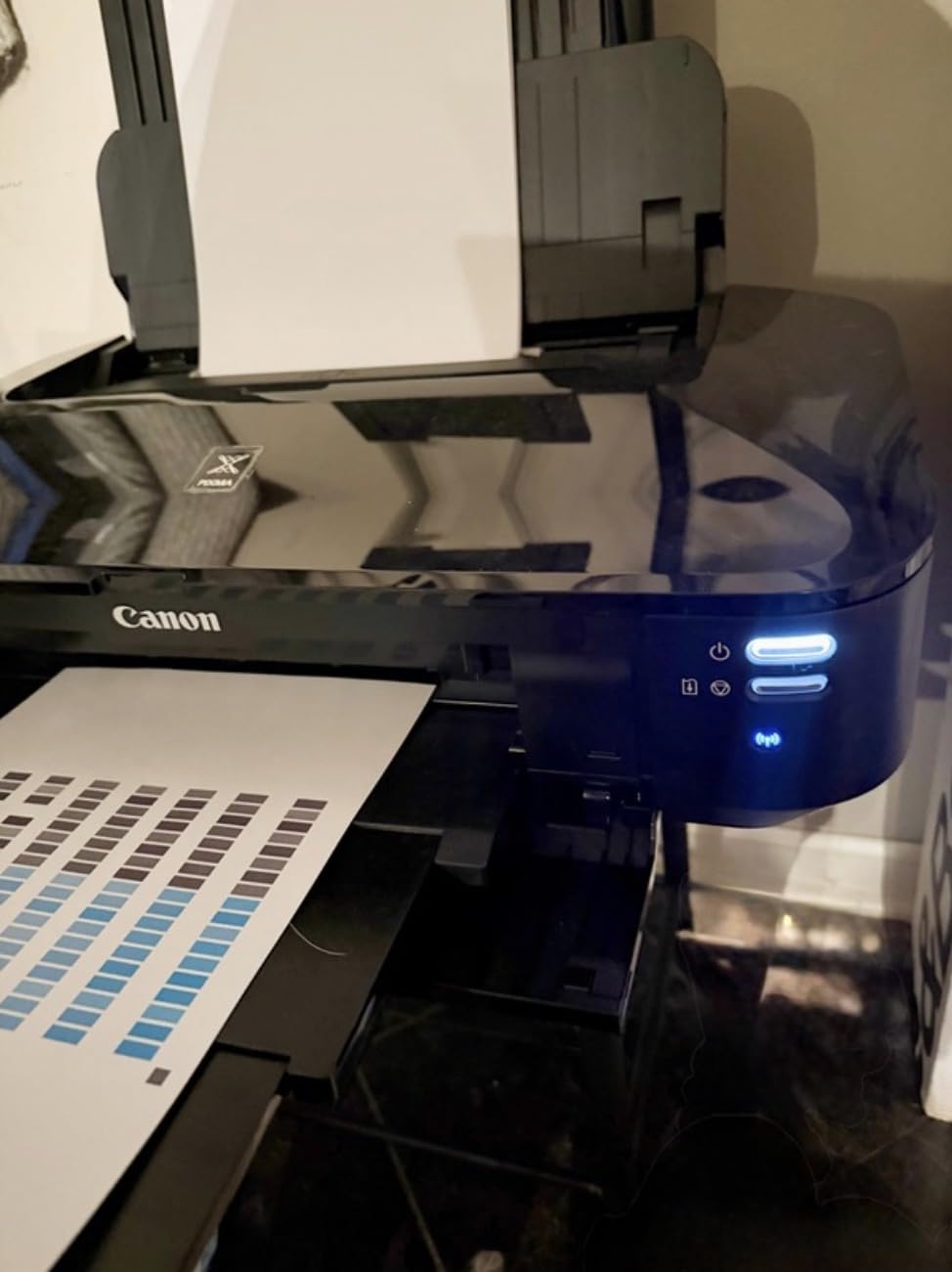
On the mechanics, the rear feed is a straight path and the 150-sheet feeder holds a workable stack of card. The listed media support covers plain, high resolution, super high gloss, glossy, semi-gloss, matte photo paper and envelopes, which is a broad enough list to cover most craft finishes. Long-term owners report years of reliable service, and with 4280 reviews on record the feedback pool is deep enough that the failure patterns are well known.
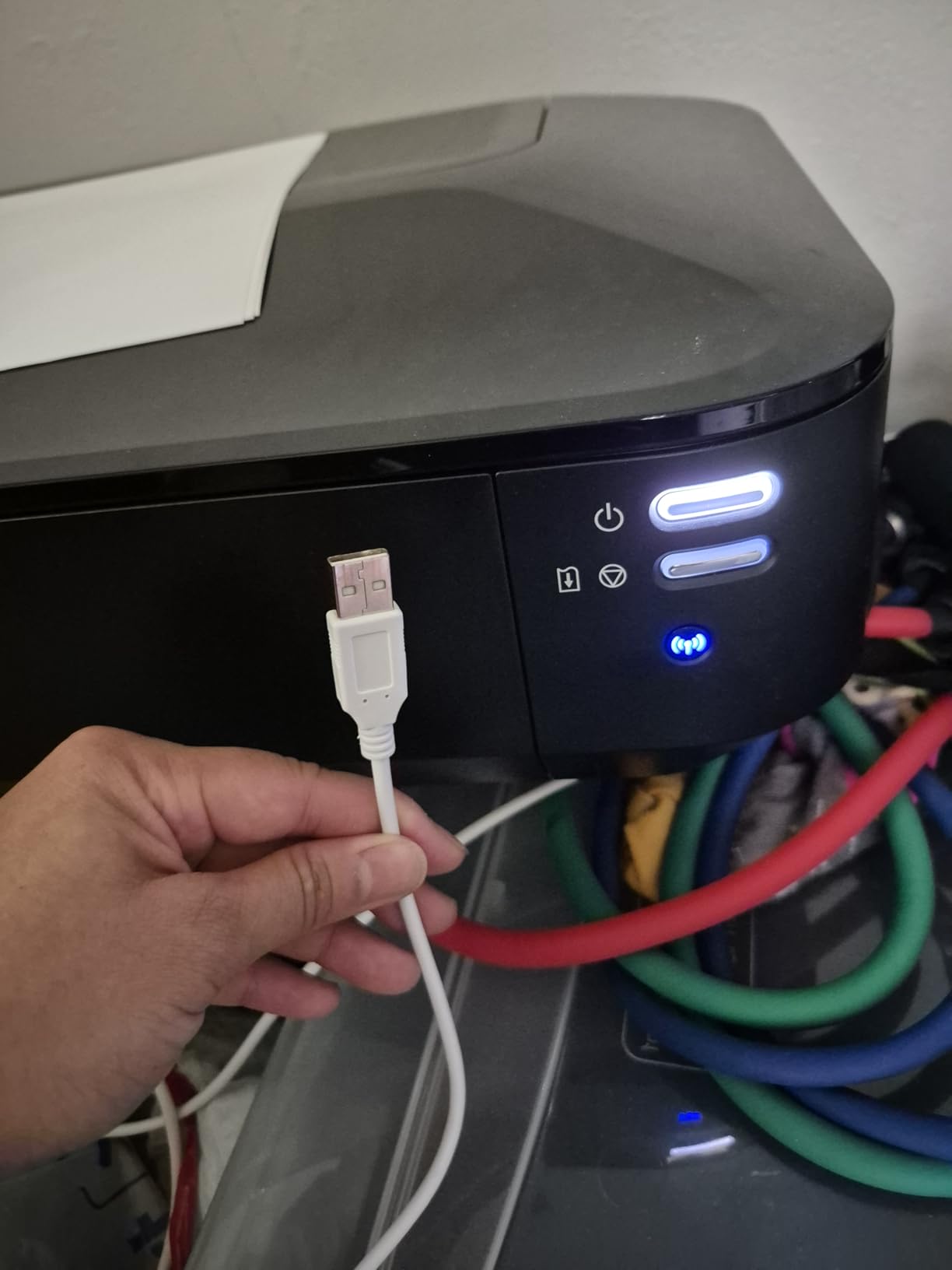
The practical limit is the machine’s simplicity. There is no duplex, so every sheet is single-sided, and the wireless setup is the most repeated complaint in the reviews. Owners who fought the Wi-Fi pairing generally report that Ethernet solves it immediately, but no Ethernet cable is included in the box, so you will need one. A smaller share report that the ink level sensor triggers before the tank is truly empty, which means you can waste ink refusing to start a job.
Who this printer suits
It suits the crafter who prints finished cards, invitations and scrapbook pages rather than high volumes of drafts. If your design work is photo-led and you want a wide sheet without a second device, the 13×19 borderless output and 5 individual tanks are a strong pairing. A long-term owner on a photography forum reports running stacks of linen card through a Canon Pixma Pro wide-format unit without issue, which is the same class of machine and the same paper path behaviour you get here.
It also suits mixed work. A 23.0 by 12.3 by 6.3 inch footprint and 17.9 pound weight sit closer to an office printer than a photo printer, so it fits on a desk rather than a cabinet.
Where it falls short
It falls short on ink cost per finished card compared with any tank machine here, because the CLI-251 XL colour cartridges are still cartridges, and it falls short on volume features with no duplex. Buyers who print more than a few dozen heavy cards a week will feel both. The feed also needs a hand on very large sheets according to a recurring share of reviews, so if you are printing full 13×19 card constantly, budget for a little coaxing.
2. Epson Workforce WF-7710 – Best Wide-Format All-in-One
Epson Workforce WF-7710 Wireless Wide-Format Color Inkjet Printer with Copy, Scan, Fax, Wi-Fi Direct and Ethernet, Amazon Dash Replenishment Ready
13x19 borderless
PrecisionCore tech
Auto duplex
Scan copy and fax
Pros
- PrecisionCore engine gives clean borderless 13x19 output
- Automatic duplex with a 250-sheet main tray
- Flatbed scanner copier and fax in one wide-format chassis
- Wi-Fi Direct works without a router
Cons
- Four small DURABrite Ultra cartridges mean high ink cost
- Large and heavy footprint at 40.8 pounds
- Warranty terms restrict use of third-party ink
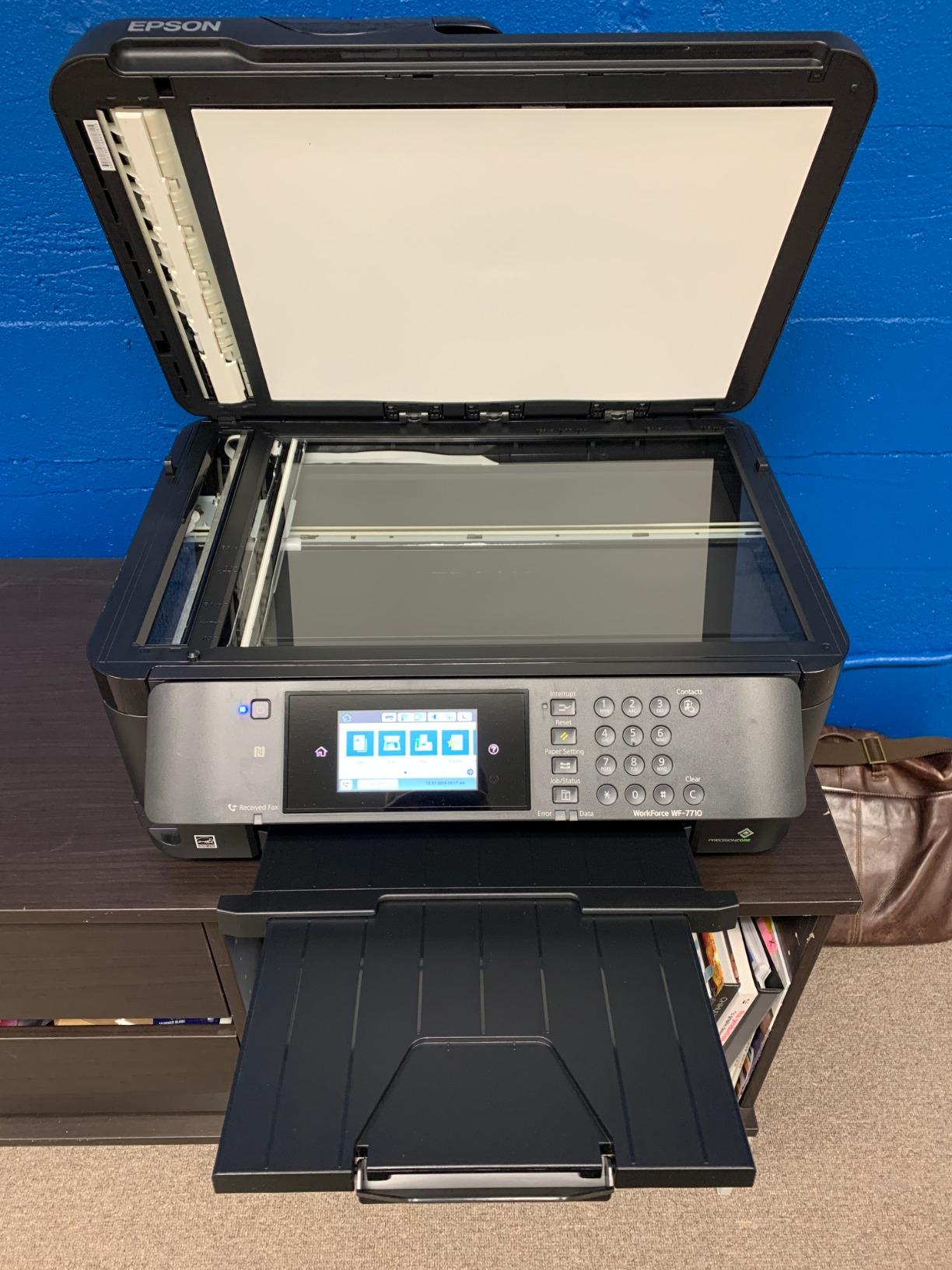
The WF-7710 has the highest average rating in this group at 4.3, and it earns it. This is a true wide-format all-in-one: 32.2 by 22.3 by 13.4 inches, 40.8 pounds, and it prints, copies, scans and faxes at 13×19. PrecisionCore technology drives borderless prints across the full sheet, which is what you want for a full-bleed card panel or a wide scrapbook background.
It is also the only machine here with automatic duplex at a useful size, rated at 8.7 pages per minute in black and 6 pages per minute in colour under ISO testing. The 250-sheet main tray holds up to 20 sheets of photo paper or 10 envelopes, and two trays plus a rear feed mean you can keep everyday media separate from card stock and avoid swapping paper on every job.
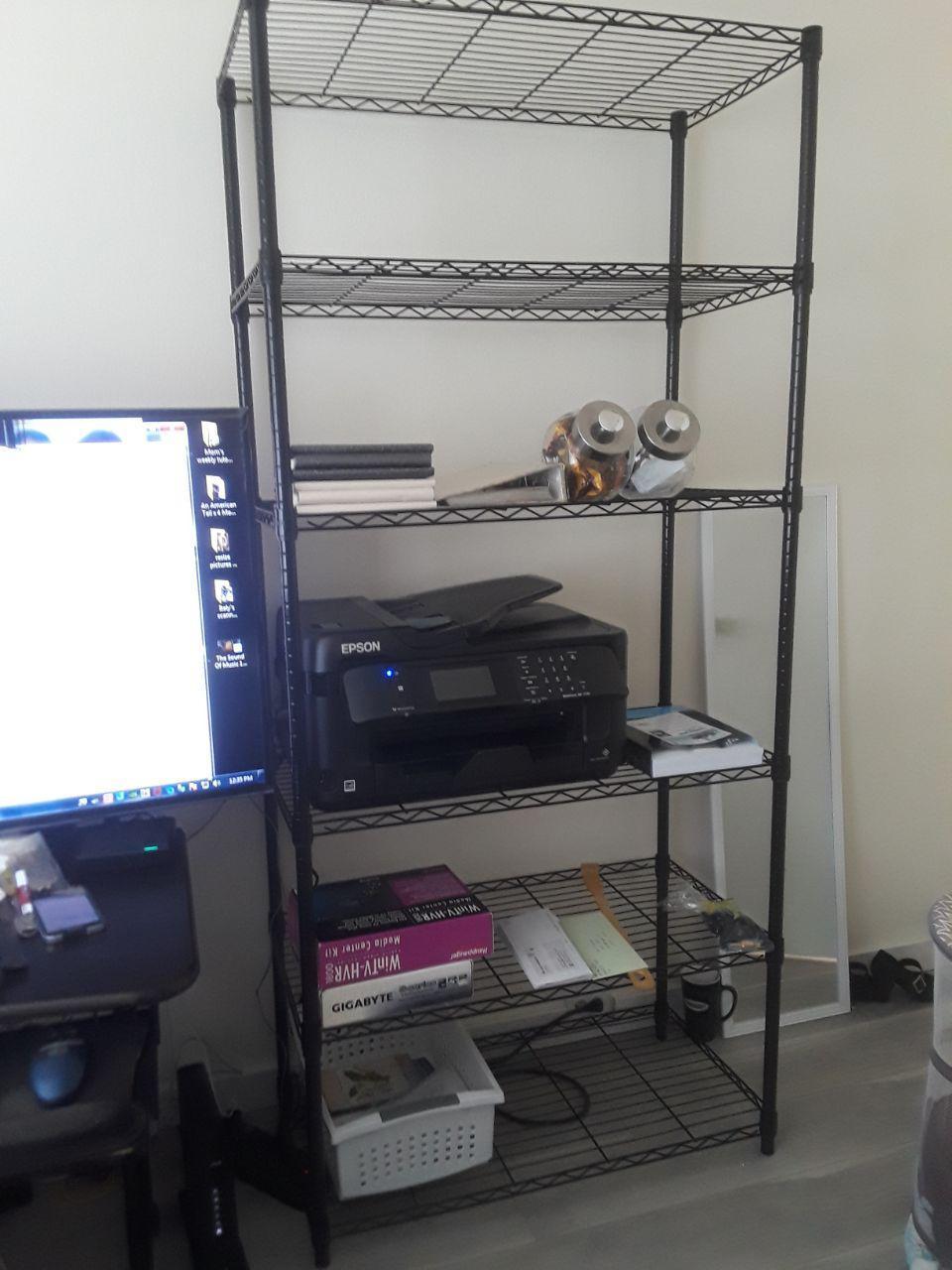
Owners cite print quality first, then fast duplex, then the convenience of having one wide-format machine that also scans. Black output is rated at 4800 dpi and colour at 1200 x 2400 dpi, which is plenty for invitation text and artwork but not in the same class as the PRO-200S for photographic print. Initial page print time is listed at 15 to 20 seconds, and first-page output matters more than raw speed on a craft job where you are feeding single sheets by hand.
The machine is also the most complete office unit here. A flatbed scanner with a sheetfed automatic document feeder means you can copy a reference design at full size, and up to 999 copies per run is supported. Wi-Fi Direct, Ethernet and USB cover every connection route, and the 19 watt power draw is low for a machine in this class.
Who this printer suits
It suits a home office or small studio where invitations, cards and ordinary documents share one machine. Automatic duplex on letter paper is a real time saver when you are printing envelope contents or backing sheets. It also suits anyone who needs to scan a large original such as a hand-drawn layout or a photograph without a separate flatbed.
For dedicated wide-format buying advice beyond inkjets, our wide-format printer guide covers the larger chassis options.
Where it falls short
It falls short on ink economics, and that is a serious issue for cardstock. Four small DURABrite Ultra cartridges at 13×19 coverage is the most expensive way in this group to print a heavy full-coverage card. Epson also designs the printing system around genuine cartridges, and using third-party ink can void the warranty, so the cheap workaround is not really available. Add the 40.8 pound weight and a footprint that needs real desk space, and this is a machine for people who need the all-in-one more than they need low ink cost.
3. Epson EcoTank ET-15000 – Best Ink Value for Heavy Cardstock
Epson EcoTank ET-15000 Wireless All-in-One Wide-Format Supertank Printer
Refillable tanks
Prints to 13x19
ADF and auto duplex
4800 x 2400 dpi
Pros
- Refillable tanks give the lowest cost per page for heavy runs
- Owners print cardstock stickers iron-on and canvas on it
- Paper handling on 12x18 duplex booklets described as flawless
- Scans and copies with an automatic document feeder
Cons
- 11x17 sheets load in the rear paper holder
- Four-color dye output is not photo-class
- Some machines reported ink delivery faults out of the box
If you print cardstock in volume rather than as a weekend hobby, the ink system is the only number that matters, and the ET-15000 wins on it by a wide margin. Refillable EcoTank bottles replace cartridges, the tanks accept 502-series bottles, and the box includes 127 mL of black plus 70 mL each of cyan, magenta and yellow. On a full-coverage card stock design that is the difference between a small running cost and a significant one.
It still prints properly. Maximum media size is 11 x 17 with capability up to 13 x 19, resolution runs to 4800 x 2400 dpi, and automatic duplex is supported for 8.5 x 11. The monthly duty cycle is listed at 33,000 pages, which is a signal this machine is built for runs rather than occasional craft bursts. Wi-Fi, USB and Ethernet cover connections, and Energy Star rating is listed.
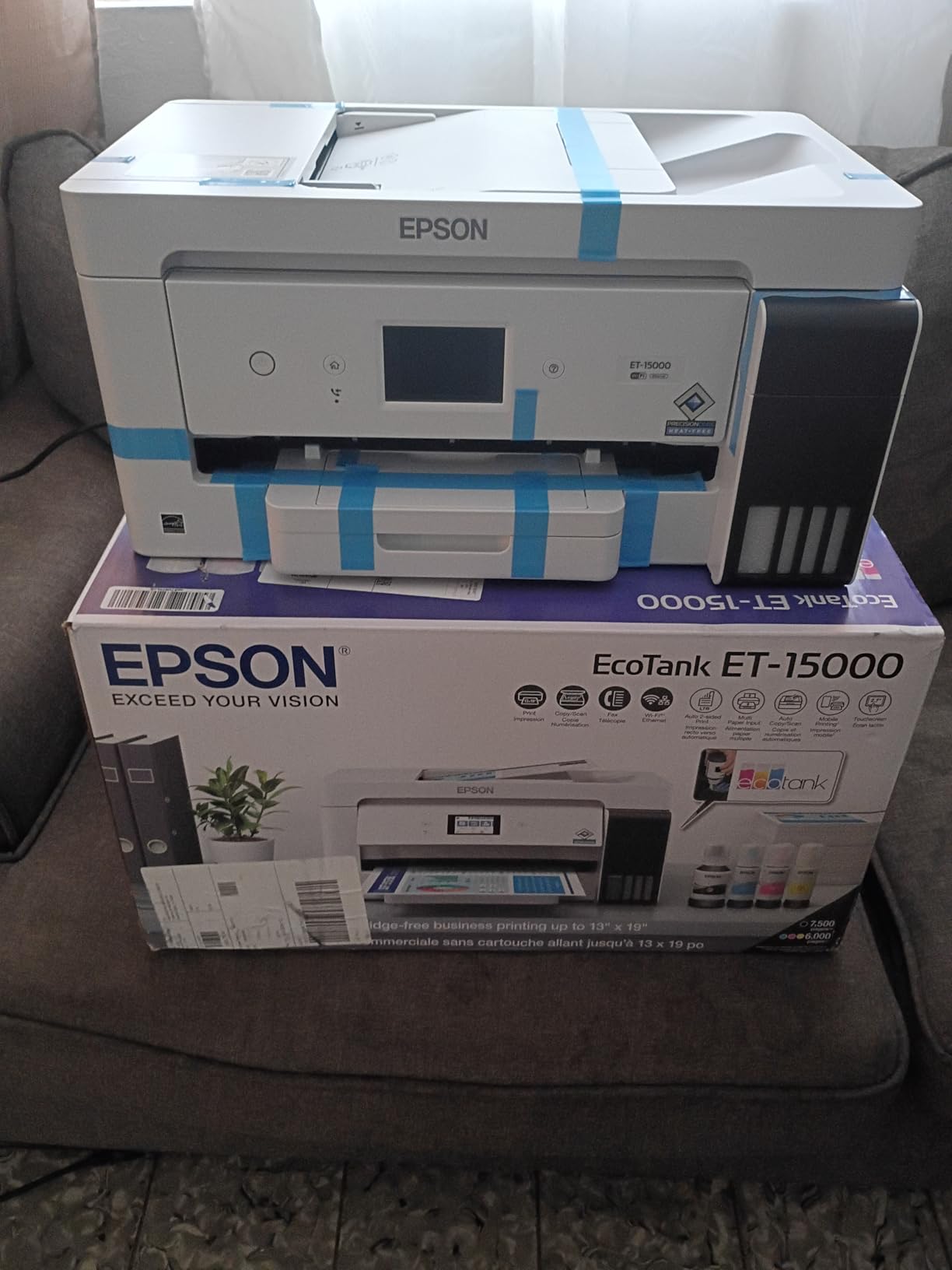
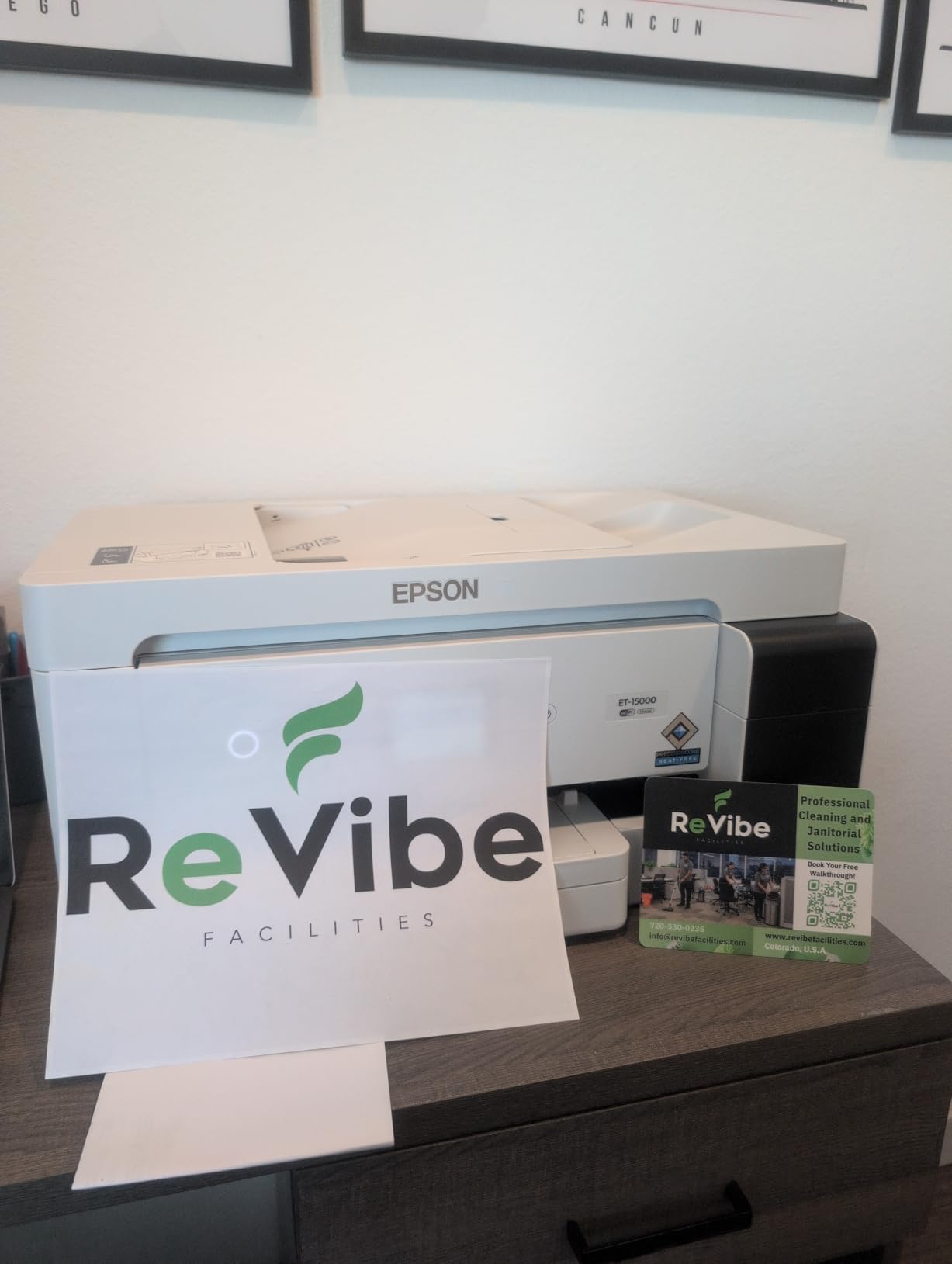
Owners name specific cardstock projects, which is the kind of feedback that matters. Multiple reviews describe printing cardstock, 13×19 photos, stickers, printable iron-on and canvas on the same machine without trouble, and paper handling on repeated 12×18 double-sided booklet runs is described as flawless. That booklet comment is a paper path result, not a marketing one, and it is a good sign for thick double-sided card.
Scanning and copying come from a sheetfed automatic document feeder alongside a large flatbed, and the 19.6 by 29.6 by 14.3 inch body with a 21.4 pound weight is smaller and lighter than the WF-7710 despite similar paper capability. Automatic duplex covers letter size, with manual duplex for larger sizes, which is the normal arrangement at this price level.
Who this printer suits
It suits small craft businesses, Etsy sellers and anyone whose cardstock output is measured in the hundreds rather than the dozens. A card maker printing 300 wedding invitations changes their ink purchase plan entirely on a machine like this. It also suits hobbyists who already own a photo printer and need a second machine for volume heavy work, since the two jobs pull in different directions.
If you are adding this to a home office that also handles school printing, the rest of our printer guide for homeschool setups covers how the tray and running cost trade-offs change for daily use.
Where it falls short
It falls short on colour depth and on large sheet convenience. Four dye-based inks produce good colour but not the smooth gradations of a 5 or 8 ink photo head, so it is the wrong choice for a photographic art print. More practically, 11×17 sheets must be loaded in the rear paper holder because there is no dedicated large-format tray, so large jobs mean standing at the machine. A small share of owners also reported ink delivery faults on new machines and criticised Epson support response.
4. Epson Expression Premium EcoTank ET-7750 – Best 5-Color Output
Epson Expression Premium EcoTank Wireless 5-Color All-in-One Supertank Printer with Scanner, Copier and Ethernet
5-color with Photo Black
5760 x 1440 dpi
Up to 11 x 17
300-sheet capacity
Pros
- Photo Black ink gives better photo output than 4-color tanks
- Very low ink cost with up to two years of ink in the box
- Dedicated paper and photo trays plus a rear specialty feed
- Rear feed handles thick paper and photo cloth
Cons
- 11x17 must load in the rear feeder and about a third protrudes
- Output tray must be extended or the printer will not print
- Maintenance box must be replaced on schedule
The ET-7750 is the compromise model in this lineup and it makes a genuinely useful one. It combines refillable EcoTank ink economics with a 5-colour system, CMYK plus Photo Black, which is the step up in gradation quality from a 4-colour tank machine without the cost of an 8-ink cartridge photo printer. Maximum resolution is listed at 5760 x 1440 optimized dpi.
Ink supplied in the box is substantial: two 140 mL 512 Black bottles and two 70 mL bottles each of 512 Cyan, Magenta, Yellow and Photo Black, which Epson states is enough for documents up to 14,000 pages in black and 9,000 in colour, roughly equivalent to 30 cartridge sets. For someone who prints heavy card occasionally rather than monthly, that is a long time before the first refill.
Paper handling is the interesting part. There are dedicated paper and photo trays, which is unusual at this level, plus a rear specialty feed that reviewers confirm handles thick paper and photo cloth. Maximum sheet capacity is 300, the highest in this group, and automatic duplex is supported on letter size. The 29.3 by 20.7 by 17.8 inch body is substantial at 24.3 pounds but it is a desktop machine rather than a floor-standing one.
Owners rate the photo quality per dollar highly and several report printing heavy art paper well through the rear feed. The recurring practical notes are specific and worth knowing before you order: 11×17 must go in the rear feeder rather than a tray, the output tray has to be pulled out manually or the printer will refuse to print, and a maintenance box absorbs waste ink from head cleaning and has to be replaced on a schedule or the machine stops.
Who this printer suits
It suits a crafter who wants photo-quality colour and cheap ink but does not print 13×19. The dedicated photo tray means you can keep card stock loaded without disturbing your everyday paper, which is a small quality-of-life win on a machine you use for two different jobs. It also suits anyone starting a print-then-cut workflow, where a five or six colour head gives noticeably cleaner skin tones and gradients on stickers than a four-colour tank.
Where it falls short
It falls short in three specific ways. The rear feeder cannot accept very heavy stock such as 300 gsm watercolour paper, which rules it out for the heaviest card work. The 11×17 sheet in the rear feeder is not fully supported, with roughly a third of the sheet protruding, so you are feeding it by hand. And on long runs the print head thermally throttles and output can slow to about one page per minute, which is a real consideration if you are printing a hundred cards in a row. The scan bed also tops out at 8.5 x 11.
5. Canon PIXMA PRO-200S – Best Photo Quality on Coated Cardstock
Canon PIXMA PRO-200S Professional 13″ Wireless Inkjet Photo Printer, 3″ Color LCD, 8-Color Dye Ink, Black
8 dye-based inks
Borderless to 13x19
4800 x 2400 dpi
Custom sizes to 13x39
Pros
- Best-in-set photo output with smooth transitions and low banding
- Praised for low ink consumption and minimal maintenance
- Quiet operation
- Rear manual feed accepts thicker paper and coated stock
Cons
- Cartridge ink is more expensive per page than tank models
- Print speed is slow and higher quality takes longer
- Initial setup and Wi-Fi pairing are the weakest part
If your cardstock projects are photographic, the PRO-200S is the only printer here with a real 8-colour dye-based ink system. Eight inks means two light colours that exist purely to smooth transitions, and the result is the lowest banding and best gradation of any machine in this group. Owners describe the output as sharp and colour-true on matte, glossy, luster and semi-gloss stock, which covers most of the finishes craft buyers actually use.
Maximum media size is 13 x 19 (A3+), and Canon lists custom sizes up to 13 x 39 inches, which is the widest custom range here and the reason to consider this machine for banner panels and long strips. Borderless printing runs from 3.5 x 3.5 up to 13 x 19, plus panorama and square formats. A 3.0 inch colour LCD on the front lets you check ink levels and settings without opening a software dialog.
For cardstock specifically, the manual and top feed is the recommended path and accepts heavier media than the top tray, including coated stock. That is the detail that matters here. A rear manual feed that carries a single sheet level is exactly what a coated 110lb card needs, and the PRO-200S has one. Speed is listed at 2 pages per minute in both colour and black, and Canon rates a bordered A3+ print at 90 seconds and a bordered 8×10 at 53 seconds.
Owners also report low ink consumption and minimal maintenance relative to older Canon dye models, and quiet operation, which matters if you are working at a desk late at night. Colour depth is listed at 48 bpp. The machine is print-only with no scanner or copier, which is a deliberate trade rather than an omission, and it weighs 32 pounds at 18.6 by 28.7 by 14.04 inches.

Who this printer suits
It suits photographers, illustrators and small studios reproducing artwork onto card. The custom size range up to 13×39 and borderless square formats make it the natural choice for gallery prints, wall art and long banner pieces on card. It also suits a print-then-cut user whose stickers depend on clean edges and smooth colour, since ink density and banding both affect how cleanly a contour cut reads after weeding.
Where it falls short
It falls short on running cost and on speed. Cartridge-based ink is more expensive per page than any tank model here, and that gap widens on exactly the heavy full-coverage card jobs this machine is good at. Higher quality settings take proportionally longer, so a large run of borderless card will take a while. Installation and wireless pairing are the most criticised part of the experience, and a small number of owners report paper-detection errors even with paper loaded. At 213 reviews the feedback pool is smaller than the others here, so weigh that accordingly.
6. Canon PIXMA TS9521Ca – Best for 12×12 Craft and Scrapbooking
Canon PIXMA TS9521Ca – Wireless Home All-in-One Inkjet Printer
Prints 12x12 and 11x17
Auto duplex
20-sheet ADF
4.3-inch touch LCD
Pros
- Prints up to 11 x 17 and 12 x 12 for posters calendars and scrapbooking
- Automatic duplex with 200 sheets of capacity in a compact body
- 4.3-inch touchscreen makes standalone operation straightforward
- Five individual cartridges mean no all-colour replacements
Cons
- 4800 x 1200 dpi is below the other wide-format models here
- Five small cartridges keep ink cost high for heavy cardstock
- No dedicated bypass feed for heavy media
Square paper is the reason this machine exists, and if 12×12 scrapbook pages are your main output it handles them properly. The TS9521Ca prints up to 11 x 17 and a full 12 x 12 square, in a 14.5 by 18.5 by 7.6 inch body that is far more compact than the wide-format machines above. It also prints, copies and scans, with a 20-sheet automatic document feeder and automatic duplex.
Speed is its quiet strength. Black throughput is listed at 15 pages per minute and colour at 10, which is the fastest in this group and genuinely useful when you are printing backing sheets, calendars and project pages in quantity. Total paper capacity is 200 sheets, 100 in the bottom cassette and 100 in the rear tray, and media support includes envelopes, business cards, banners and high-resolution paper. A 4.3 inch touch LCD makes standalone operation straightforward.
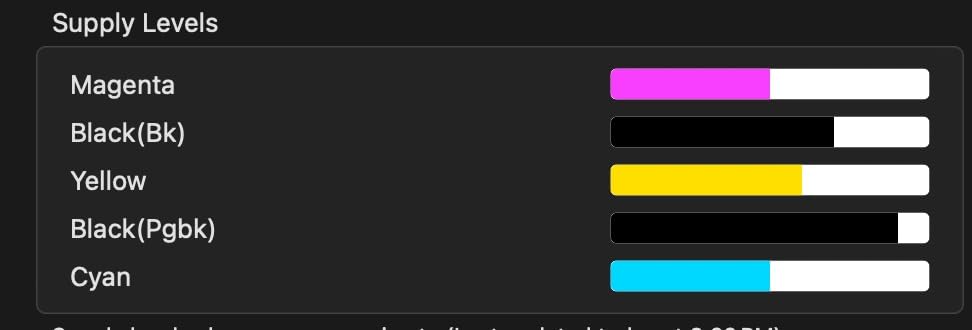
The ink system uses five individual cartridges, so you only replace the colour that ran out rather than a full set. That is a real saving against tri-colour cartridge models, even though the cartridges themselves are small. Print resolution is up to 4800 x 1200 dpi in both colour and black, which is respectable rather than class-leading, and is enough for invitation typography and layout work.
The design is sound for a home craft room. It carries a 1 year manufacturer limited warranty, draws 14 watts, and connects over Ethernet, USB or Wi-Fi. Reviewers generally characterise it as a capable, sensibly priced home and office all-in-one with a large share of 5-star feedback behind it, and the criticisms centre on resolution and ink running cost rather than on feeding reliability.
Who this printer suits
It suits scrapbookers and card makers working in 12×12, and anyone who wants 11×17 plus scanning and copying without a wide-format machine taking over the desk. Automatic duplex at this size is uncommon in a machine this compact, and the 20-sheet feeder means you can copy a set of printed project sheets without walking to the machine. The touchscreen also helps if you are not printing from a computer every time.
Where it falls short
It falls short on the heaviest work. There is no dedicated manual or bypass rear feed for heavy media, so thick cardstock goes through the standard rear tray, and the 4800 x 1200 dpi head is the lowest resolution of the six. Five small cartridges also mean the running cost on a full-coverage heavy card is high, which is why this is the volume-light craft pick rather than the business pick. It is the weakest choice here for sustained heavy cardstock output.
Buying Guide: How to Choose an Inkjet Printer for Cardstock
Printers get described as cardstock-capable when they meet almost any weight above plain paper, and that ambiguity is the reason buyers end up disappointed. Cardstock is not one thing. A 65lb craft card, an 80lb cover sheet, a 110lb cover sheet and a 300gsm business card place very different demands on a machine, and the questions worth asking are different for each. Start by deciding which tier your actual project lives in, then match the paper path to it.
Paper weight capacity: what the numbers mean
Weight is quoted two ways. North American card is sold by pound weight in cover terms, which means a 100lb cover sheet is thicker than 100lb text. European and metric stock is sold in gsm, which is grams per square metre, and is a direct measure with no basis attached. A printer rated for 110lb cover is rated for roughly 300gsm. Neither number tells you how the printer behaves at that weight, only that the manufacturer claims it will accept it.
Two numbers matter more than the rated maximum. The first is whether the paper path is straight. Rear or bypass feeds are designed so a sheet travels from the back of the printer to the front output tray without turning. Sheets stay flat, the feed rollers grip evenly, and heavy media is far less likely to jam. Front-feed-only designs force the sheet up and around rollers, which is where curling and warping come from. The second is whether the machine has a media type setting for card or a thick paper profile. On a driver that only offers plain and photo, the printer lays down too much ink and the sheet cockles.
There is also a threshold where loading a stack stops being sensible. Above roughly 100lb, feed one sheet at a time. The reason is friction: a stack of stiff sheets has enough resistance that the roller pressure needed to move the first sheet can drag the second one out of alignment. Single-sheet feeding above that weight is not superstition, it is how the mechanism is designed to work.
Rear feed versus front feed
This is the decision that separates printers that print cardstock from printers that cope with it. A straight-through rear feed keeps the sheet level end to end, so thick media does not flex. Front feed rollers pull a sheet through a turn, and a 110lb cover sheet does not want to turn. Expect curling and misfeeds from any machine without a rear path when you push past about 65lb.
Two more paper path details are worth asking about. Does the rear feed support the sheet along its full length, or is most of the sheet cantilevered out with only a short edge supported? A 11×17 sheet hanging two-thirds unsupported on a folding rear tray will droop under heavy ink coverage and can feed crooked. And is the output tray a fixed flat surface or a powered tray? Flat output surfaces are better for finished cards, because a curled card sticks to a roller.
Dye-based versus pigment-based ink
Dye ink produces brighter colour and smoother gradations, which is why photo printers use it. It is also more prone to fading and it takes longer to dry, so a heavy dye-printed card stays touch-sensitive after it comes out. Pigment ink is more durable, more water-resistant and more scratch-resistant, and it dries faster, but at four inks you get fewer colour transitions and a narrower gamut than an 8-ink dye head. For a card you will handle, fold and carry around, pigment durability is a genuine argument. For a photograph on display, dye colour is the argument.
A 5-colour setup with Photo Black is the common middle ground and a good default for craft work, because it widens the tonal range of a 4-colour machine without the running cost of an 8-ink cartridge head.
Print resolution and what is actually good enough
Resolution is quoted in dots per inch and the numbers look far apart, but the difference that matters is at the small end of the type scale. Anything from about 2400 x 1200 dpi upward renders clean small serif type on an invitation. 4800 x 1200 is comfortable, and figures above 5000 x 1200 only start to show a visible difference on photographic output and very fine line art. Do not pay a premium for resolution beyond that unless your work is photographic.
The more useful measure is droplet size and whether the head can lay ink densely enough on coated card. Coated stock has less absorbency than photo paper, so dense dye coverage is what keeps a full-colour design from looking washed out. Printers with more inks lay a wider range of densities, which is why the PRO-200S looks better on a full-bleed card.
Ink system and cost per page
Cartridges and tanks are the same choice you make for documents, but the weight of the decision changes. On plain text, a cartridge printer can be cheaper because you do not refill what you do not use. On heavy cardstock with full-colour designs, ink consumption is high enough that the cartridge model is always more expensive, and the gap compounds every month. The reverse case is genuine though: someone printing six cards a year will spend less overall on a cartridge machine, because the setup cost of a tank model is wasted.
Individual cartridges beat combined multi-colour cartridges in every scenario. If one colour runs out, you replace one cartridge rather than a full set. That is why the five-ink layout on the iX6820 and the TS9521Ca is worth having even on cartridge machines.
Cardstock Weight Cheat Sheet: lb Cover to gsm
Most printer specifications and most paper packaging quote different numbers for the same sheet, and that mismatch is the single most common reason a buyer thinks a printer cannot handle their cardstock when it actually can. Use this reference to match a paper package to a printer rating before you buy anything.
The lb figure quoted in the US is cover weight. The gsm figure is a direct mass measurement. The pairs below describe the same physical sheet, and the practical takeaway for each tier is included so you can match the row to the printer you are considering.
65lb cover is roughly 176gsm. This is the lightest card most craft printers encounter, and it is usually the practical limit of a front-feed-only office inkjet. A machine with no rear feed will usually manage this weight, sometimes with a slow feed and some curl at the corners.
80lb cover is roughly 216gsm. This is the most common card weight in the US for greeting cards, business cards and craft layouts. Any printer in this guide handles it, and it is the safe baseline for a machine you are not certain about.
100lb cover is roughly 270gsm. Heavier craft card and thicker card menus land here. A rear feed is important at this weight, and cartridge ink cost starts to bite because coverage on both sides of a heavy sheet is substantial.
110lb cover is roughly 300gsm. This is the weight most buyers searching for cardstock capability are actually trying to print. Wide-format models with a straight rear path handle it reliably. Consumer inkjets with a front feed generally do not, and a small number of tank models have a rear feed that will not accept it at all.
130lb cover is roughly 350gsm. At this weight you are into chipboard territory. Very few consumer inkjets take it, the sheet can exceed the printer’s rated media thickness, and warping on exit is common even when the feed succeeds. Plan on a commercial print shop for anything heavier or for large runs at this weight.
One caution about gsm. A printer’s rated maximum is usually expressed as a media thickness in millimetres in the manual, and gsm does not map perfectly to thickness because caliper varies between manufacturers and finishes. A matte 300gsm sheet can be measurably thicker than a gloss 300gsm sheet. If you are at the top of a printer’s rating, test a single sheet of the exact stock you plan to use before committing to a run.
Inkjet vs Laser for Cardstock: Where Each One Wins
Colour laser printers deserve more credit on heavy card than inkjet advocates usually give them. Toner is a powder fused with heat rather than a liquid sprayed onto the sheet, and a fused layer does not need to dry. That gives laser a real edge on two jobs. First, heavy card duplex: laser machines such as the Xerox C60 and Konica Minolta C3070L can duplex heavyweight card, where laser is limited to 300gsm simplex, and inkjets here mostly manage automatic duplex on letter size only.
Second, throughput. A laser holds a large tray of card and runs it without the per-sheet handling that inkjet feeding demands. If you need 500 identical heavy business cards, a colour laser will finish while you are making lunch.
Where laser loses is colour, cost of ownership and printhead durability. Forum consensus across printer communities is consistent on the colour point: colour laser output is criticised as too light on the page, with owners of HP colour lasers and Brother models reporting that the result does not put enough ink onto the card to look good for craft work. A solid filled background on glossy card will look flat and slightly chalky. Laser toner is also more prone to cracking and scuffing on a folded card than a flexible ink layer.
The verdict is straightforward. Use a laser for high-volume heavy work where duplex, speed and a large tray matter more than colour depth. Use an inkjet for anything a person will hold, look at and judge, especially invitations, greeting cards and anything with a photograph on it. Most crafters end up owning both, and that is a reasonable outcome rather than a failure of either machine.
Print Settings Workflow for Thick Cardstock
Most cardstock problems I have traced were settings problems, not hardware problems. Work through this sequence before you conclude the printer cannot handle the stock.
1. Set the document size to match the sheet. If the page size in your program does not match the physical paper, the printer scales the image and the edges overshoot, which on card means ink where there is no white space to absorb it.
2. Set the orientation deliberately. Card is usually fed in the long-edge orientation for wide sheets, and getting this wrong produces blank sides and surprise duplex prompts. Check it in the print dialog every time you change paper.
3. Set the media type to the actual stock. This is the single most important step. Choose the card or thick paper profile, or for coated stock choose the gloss or photo paper profile, and the printer reduces ink density and extends drying between passes. Leaving it on plain paper is the main cause of cockled, curled card.
4. Feed one sheet at a time above 100lb. Stack feeding works to about 80lb comfortably. Above that, single sheets. If the machine has a rear manual feed slot rather than a tray, use it and support the sheet as the manufacturer instructs.
5. Raise the quality setting for finished cards, and lower it for drafts. Draft mode on cardstock wastes paper and still produces an unusable card. Print drafts on plain paper and switch media only for the final run.
On dry time, dye ink on heavy coated card stays touch-sensitive longer than on photo paper. Lay finished cards flat in a single layer rather than stacking them, and if you are laminating or print-then-cutting immediately, give the card time to fully dry. Smudging from handling a card too early is the most common ruined print I have seen, and it is entirely avoidable.
Print Then Cut and Craft Notes
If you cut printed card with a Cricut or Silhouette machine, your definition of a good print is narrower and more specific than a photographer’s. You need a consistent, fully saturated colour field with no banding, because a visible band becomes a visible defect after weeding. You need a matte or lustre finish, because gloss cardstock destroys the adhesive blade. And you need clean registration, because a print-then-cut uses the printed outline as the cut guide and a misregistered print is cut wrong by the exact amount of the error.
That points at machines with more inks and matte or luster capability. The PRO-200S with 8 dye inks gives the cleanest colour fields, and the ET-7750 with 5 colours is the cheaper route to a result noticeably better than a 4-colour tank. The 4-colour ET-15000 is perfectly usable for stickers, but expect some banding in gradients and go for flat spot colours rather than smooth fades.
On paper choice, print-then-cut works best on printable adhesive vinyl or on smooth matte card, and 80lb is the practical maximum for reliable blade clearance on most machines. Above that, the material shifts and the cut path wanders. For deep cut, print then cut on lighter card and adhere it to a heavier base instead. Print at 100 percent scale with no fit-to-page setting, and always print a test sheet from the same card you will cut.
For label and sticker work specifically, load one sheet at a time, keep the rear manual feed engaged if the machine has one, and set the media type to the card or matte profile. Gloss and luster finishes need a lower ink density than matte, and the driver handles that once you tell it the truth about the stock.
Frequently Asked Questions
What is the best printer for printing on thick cardstock?
A wide-format colour inkjet with a straight-through rear feed is the right answer. Among the six tested here, the Canon PIXMA iX6820 handles 13×19 cardstock with five individual ink tanks and borderless output, while the Epson Workforce WF-7710 adds automatic duplex and a wide-format scanner. Look for a rated media weight of at least 110lb cover, roughly 300gsm, and a media type setting for thick paper.
Can you run cardstock through an inkjet printer?
Yes, as long as the weight is within the printer’s rating and the sheet travels through a straight path. Most front-feed office inkjets handle up to about 65lb cover before curling and jamming. A rear feed that runs level from back to front output tray is what makes 80lb to 110lb cover reliable. Above 100lb, feed one sheet at a time and set the media type to card or thick paper in the driver.
What is the best printer for printing on 100lb cardstock?
100lb cover is roughly 270gsm, and it sits comfortably inside the capability of every machine in this guide. A rear feed is the deciding feature at this weight rather than raw resolution. The Epson Workforce WF-7710 and Epson EcoTank ET-15000 both pair a rear feed with wide-format output, and the ET-15000 also offers the lowest ink cost once you start printing full-coverage designs at volume.
What printers are compatible with cardstock?
Any printer with a straight rear or bypass feed and a card media type setting. Among these six, all are rated for cardstock, but they differ sharply at the heavy end. The Canon PIXMA iX6820, Epson Workforce WF-7710 and Epson EcoTank ET-15000 are the safest for 110lb cover. The Epson Expression ET-7750 has a rear feed that will not take the heaviest stock, and the Canon PIXMA TS9521Ca has no dedicated bypass feed.
What is the best printer for printing on 300gsm paper?
300gsm is approximately 110lb cover, and it is the practical ceiling for consumer inkjets. The Canon PIXMA iX6820, Epson Workforce WF-7710, Epson EcoTank ET-15000 and Canon PIXMA PRO-200S all have straight rear feeds rated for this weight. Above it you move into commercial territory, where colour laser machines rated to 300gsm simplex and some higher can take over.
Can a printer print on a 300gsm card?
A 300gsm card is roughly 110lb cover, and most wide-format inkjets with a straight rear path can feed it. Two conditions matter: the printer must be rated for that weight, and the media type must be set to card rather than plain paper, or the ink density cockles the sheet. Test a single sheet of your exact stock first, because caliper varies between matte and gloss at the same gsm.
What is an inexpensive printer for cardstock making?
For occasional craft use, the Canon PIXMA TS9521Ca is the lowest-cost route into cardstock printing, with 12×12 and 11×17 output, automatic duplex and a 4.3-inch touchscreen. Its five small cartridges make it expensive per heavy card, so a low-volume buyer is buying the machine cheaply, not the ink cheaply. Anyone printing cardstock weekly should look at the Epson EcoTank ET-15000 instead to control running cost.
Which Inkjet Printer for Cardstock Is Right for You
The Canon PIXMA iX6820 is our pick of the best inkjet printers for cardstock because it does the three things that matter with no compromise on any of them: 13×19 borderless output, five separate ink tanks so a heavy design does not cost a fortune, and a straight rear path that keeps the sheet flat. If you also need scanning, copying and automatic duplex in the same wide-format body, the Epson Workforce WF-7710 is the stronger office machine at the highest rating in this group.
Match the rest to volume and project size. Print heavy cardstock in quantity and the Epson EcoTank ET-15000 controls your ink cost better than anything else here. Reproduce photographs or artwork onto coated card and the Canon PIXMA PRO-200S with 8 dye inks is the only one here that gets there. Work in 12×12 scrapbook pages and the Canon PIXMA TS9521Ca prints square sheets in a body that fits on a desk. The Epson Expression Premium ET-7750 sits between the tank and photo worlds, with 5 colours and trays for both paper types.
Whatever you choose, set the media type correctly, feed one sheet at a time above 100lb, and give heavy dye-printed cards time to dry before you stack or cut them. Those three habits solve more cardstock problems than any printer on this page.