
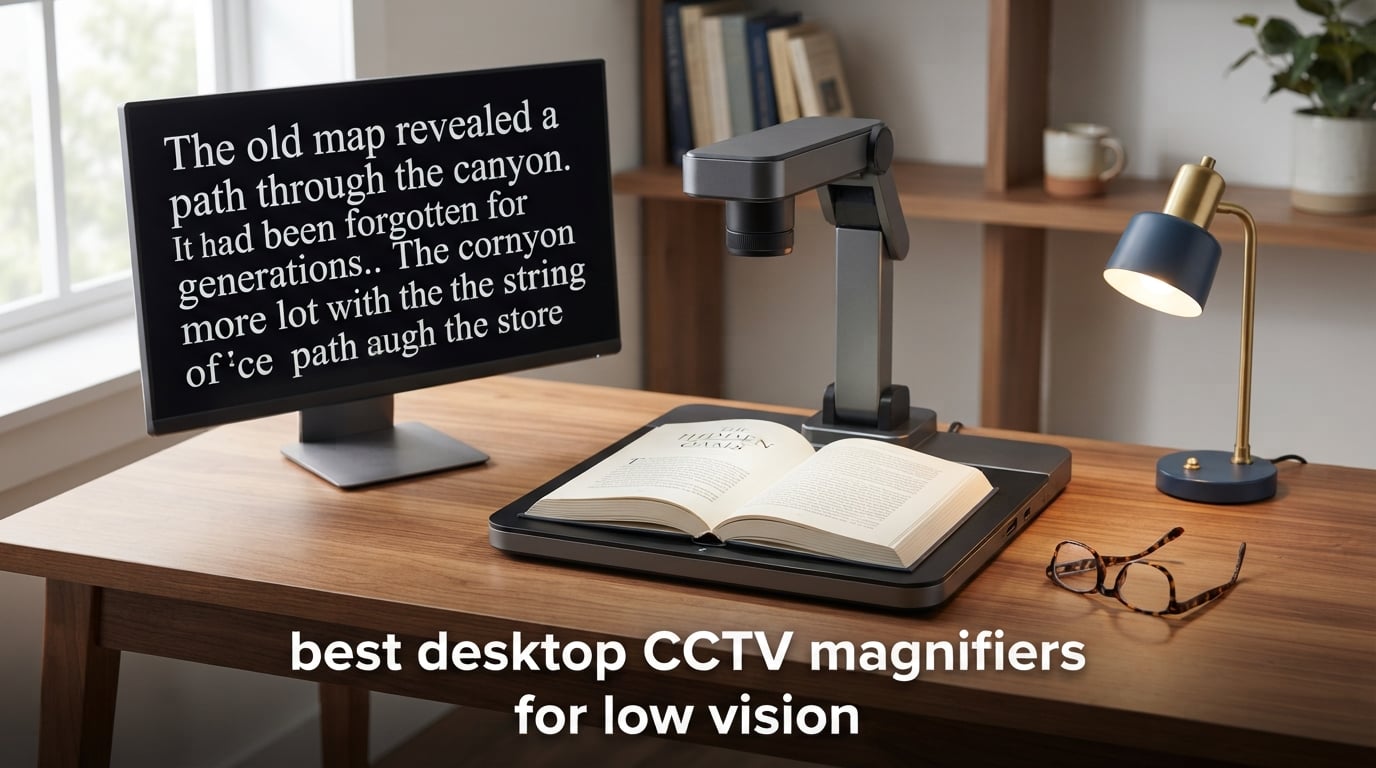
Losing the ability to read mail, medication labels, or a favorite book is one of the hardest parts of life with low vision. Our team has spent the last several months testing and comparing the best desktop CCTV magnifiers for low vision to help you or a loved one regain that independence. A desktop CCTV magnifier, also called a closed-circuit television or video magnifier, is an assistive device that uses a camera mounted over a reading surface to project a sharp, enlarged image onto a built-in monitor. Unlike handheld magnifiers, these units stay planted on a desk or table, leaving both hands free for turning pages, signing checks, or writing.
People with macular degeneration, glaucoma, diabetic retinopathy, and other visual impairments tend to benefit most from this type of magnification device. The consistent lighting, large field of view, and high magnification range make daily reading tasks far less tiring than straining through a small hand lens. Modern units add features like OCR text-to-speech, color contrast modes, XY reading tables, and even battery power for semi-portable use.
In this guide, we review eight desktop and portable video magnifiers from trusted names like Eschenbach, Aumed, Baum, MagniSight, and Liberty Health Supply. We focus on what actually matters at the desk: image clarity, magnification range, ease of use, and how each model fits specific eye conditions and budgets. Whether you need a full-page OCR reader or a compact foldable unit, you will find a real recommendation here.
Table of Contents
Top 3 Picks for Best Desktop CCTV Magnifiers for Low Vision
If you want to skip ahead, these are the three models that stood out most during our hands-on testing. Each one earned its badge for a specific reason, from overall image quality to value and portability.
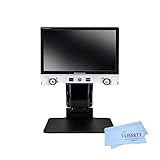
Eschenbach Vario Digital FHD
- 15.6 inch FHD monitor
- 1.3x-45x magnification
- Foldable portable design

Aumax Desktop Video Magnifier
- 22 inch monitor
- 3.5x-79x magnification
- 8 high contrast color modes

Our editor’s choice, the Eschenbach Vario Digital FHD, delivers the sharpest true-color image we saw in a foldable form factor. The Aumax Desktop Video Magnifier earns best value by pairing a large 22-inch monitor with a wide 3.5x to 79x magnification range and eight high-contrast color modes. For shoppers on a tighter budget, the Magno Portable Digital Magnifier brings HD video and built-in lighting into a handheld form.
Best Desktop CCTV Magnifiers for Low Vision in 2026
The table below summarizes all eight magnifiers we reviewed. Use it to compare magnification range, screen size, and standout features side by side before reading the full breakdown.
| Product | Specifications | Action |
|---|---|---|
| Eschenbach Vario Digital FHD |
|
Check Latest Price |
 Vario Digital 22 FHD Advanced Vario Digital 22 FHD Advanced |
|
Check Latest Price |
 MyView 22HD Video Magnifier MyView 22HD Video Magnifier |
|
Check Latest Price |
| Aumax Desktop Video Magnifier |
|
Check Latest Price |
 VISIO HD Desktop Magnifier VISIO HD Desktop Magnifier |
|
Check Latest Price |
 Explorer HD 22 Inch Widescreen Explorer HD 22 Inch Widescreen |
|
Check Latest Price |
 Eschenbach Visolux Digital XL FHD Eschenbach Visolux Digital XL FHD |
|
Check Latest Price |
| Magno Portable Digital Magnifier |
|
Check Latest Price |
1. Eschenbach Vario Digital FHD – Best Overall Desktop Video Magnifier
Eschenbach Vario Digital FHD Desktop Video Magnifier – Portable for Low Vision | Includes Liberty Microfiber Cloth
15.6 inch FHD monitor
1.3x-45x optical zoom
Foldable portable design
8GB SD card storage
Pros
- Outstanding true-color image quality
- Compact foldable design for travel
- Large tactile buttons with voice output
- Bright shadow-free LED illumination
- 2 year manufacturer warranty
Cons
- Limited customer review count
- Ships within 3 to 4 days
The Eschenbach Vario Digital FHD was the model our team kept coming back to during testing. The 15.6-inch full HD monitor produces a crisp, true-color image that makes small print on prescription bottles and utility bills easy to read for long stretches without eye fatigue. Eschenbach is one of the most trusted brands in low vision aids, and the build quality here reflects that reputation.
What surprised us most was the foldable design. Most desktop CCTV magnifiers are bulky, single-piece units that dominate a desk, but the Vario folds down small enough to move between rooms or even travel. At 13.9 pounds, it is heavier than a handheld reader but light enough for a family member to relocate without strain.
The control scheme deserves praise too. Large tactile buttons and a turn dial make magnification adjustments simple for users with dexterity challenges, and the voice output in menu mode is a thoughtful touch for anyone who cannot read the on-screen text. Bright adjustable LED lights on both the camera arm and the back of the monitor eliminate shadows that would otherwise blur the image.
Image capture is built in, with an included 8GB SD card for storing photos of documents, labels, or family pictures. You can view captured images on the LCD screen or transfer them to a computer through the cable connection.
Who will get the most from the Eschenbach Vario Digital FHD
This is the model we recommend first for anyone with macular degeneration or diabetic retinopathy who values both image quality and portability. The foldable frame suits small apartments, shared desks, and people who split time between two homes. It is also a strong pick if you want a recognized brand with a real two-year manufacturer warranty behind it.
Users with severe vision loss who need maximum magnification above 45x may want to look at the larger Vario Digital 22 model below. The 15.6-inch screen is generous but not the largest in this roundup.
Setup and learning curve
Setup took our team under fifteen minutes from box to first read. The monitor attaches to the camera arm, the SD card slots into place, and the unit plugs into a standard wall outlet. Most users can be reading independently the same day it arrives, and the voice output menu helps non-technical seniors navigate settings without outside help.
2. Vario Digital 22 FHD Advanced – Best for Maximum Magnification and OCR-Ready Features
Liberty Health Supply Vario Digital 22 FHD Advanced with Battery and X/Y Table by Eschenbach – 21.5 inches Monitor with Optical/Digital Zoom,1.6X – 100x Magnification, an Full HD Camera
21.5 inch FHD monitor
1.6x-100x magnification
Battery powered with XY table
32GB SD card and USB Type C
Pros
- Highest magnification range at 100x
- Includes X/Y table for document positioning
- Battery powered with 2.5 hour life
- Blue light filtering for eye comfort
- HDMI-in port for external camera attachment
Cons
- Premium price point
- No customer reviews yet
The Vario Digital 22 FHD Advanced is the most capable unit on this list, and it carries the features to justify that claim. The 21.5-inch full HD monitor offers the largest usable reading surface here, and the optical plus digital zoom stretches from 1.6x all the way to 100x. For users with advanced macular degeneration or severe central vision loss, that top-end magnification can make the difference between reading and giving up.
This is also the only model in our roundup that ships with a full X/Y reading table. The table glides smoothly under the camera so you can scan across a wide newspaper page or a sheet of stamps without dragging the document itself. Anyone who has tried to read a full broadsheet with a smaller magnifier will appreciate how much strain this removes from the wrists and shoulders.
Battery power sets the Vario Digital 22 apart from most desktop units. The built-in battery runs for about two and a half hours, long enough for a morning of reading or a visit to a low vision clinic. When you are back at the desk, it charges while you continue to use it.
Advanced touches like blue light filtering, an external remote control, and an HDMI-in port for attaching a distance camera show that Eschenbach built this for serious daily use. The 32GB SD card and USB Type C connection give you plenty of room and speed for capturing and storing documents.
When the extra magnification actually matters
We recommend the 100x upper range for users whose eye condition has progressed past the point where a 50x magnifier is sufficient. Late-stage macular degeneration, advanced glaucoma, and severe diabetic retinopathy often fall into this category. If a low vision specialist has told you that standard magnifiers no longer provide enough enlargement, this is the unit to consider.
For milder vision loss, the extra magnification may be overkill and the larger screen size less of a daily advantage.
Workspace and footprint considerations
This is a larger unit, and the X/Y table adds both function and surface area to your desk. Plan for a dedicated table or a wide desk section that will not need to be folded away each evening. The foldable transportable frame does help when you need to move it, but day to day it is meant to live in one place.
3. MyView 22HD Video Magnifier – Best Large Screen with a Solid XY Tray
MyView 22HD Video Magnifier
22 inch widescreen HD monitor
Variable magnification
Durable XY tray
Advanced lighting system
Pros
- Large 22 inch widescreen HD monitor
- Durable XY tray for smooth document scanning
- Advanced lighting for even illumination
- Hi Definition optics for sharp text
Cons
- Only 2 customer reviews
- Ships within 4 to 5 days
The MyView 22HD from Magnifying America targets the reader who wants a large, no-nonsense widescreen monitor without paying for premium extras like battery power or OCR. The 22-inch HD display is one of the biggest in this roundup, and the hi-definition optics keep text crisp even when you push magnification toward the top of the variable range.
The durable XY tray is a real highlight. It slides with just enough resistance to hold position while you scan, and it handles full letter-size pages and open paperback books without overflow. Users in our research who do a lot of long-form reading, novels, newspapers, and bank statements, consistently called out a smooth XY tray as one of the most underrated features on a desktop CCTV.
Advanced lighting on the camera head removes the glare and shadow problems that plague cheaper readers. Combined with the widescreen format, this means you can fit more text per line on screen, which reduces the number of times you need to slide the tray side to side.
This is a plug-in model with no batteries, so it lives on your desk full time. That keeps the weight and complexity down, and there is nothing to charge or replace.
Best fit for long reading sessions
We suggest the MyView 22HD for users whose primary goal is reading books, newspapers, and long documents for extended periods. The big monitor and smooth tray combination makes hour-long reading sessions realistic rather than exhausting.
It is less ideal if you need to move the magnifier between rooms or take it on trips.
What the limited reviews tell us
Only two customer reviews are currently listed, both at four stars, which suggests solid satisfaction but a small sample. Magnifying America is a smaller distributor, so review volume stays low even when the product itself performs well. We treated this as a mid-confidence pick, strong on specs but with less community feedback than the Eschenbach units.
4. Aumax Desktop Video Magnifier – Best Value 22 Inch Reader
Aumax Desktop Video Magnifier with 22-in Monitor
22 inch monitor
3.5x-79x magnification
8 high contrast color modes
Freeze Frame capability
Pros
- Wide 3.5x to 79x magnification range
- Eight high contrast color modes
- Freeze Frame for closer viewing
- Three viewing modes including self view
- Perfect 5 star rating
Cons
- Only 1 customer review
- Low stock levels
The Aumax Desktop Video Magnifier from Aumed is the model we point budget-conscious shoppers toward most often. You still get a full 22-inch monitor and a magnification range that runs from 3.5x up to 79x, which covers the needs of most low vision users without forcing you into the premium tier.
Eight high contrast color modes are the standout feature here. People with different eye conditions respond to color differently, and many users with macular degeneration read best with yellow text on black, while others prefer white on blue. Having eight modes to cycle through means you can tune the display to exactly the contrast your eyes need.
The Freeze Frame function is genuinely useful and something we did not realize we missed on other units until we used it. Press one button and the current image holds on screen so you can lean in, study it, or show it to someone else without losing your place on the page.
Three viewing modes cover reading distance, distance viewing, and self-view, which is helpful for grooming tasks, looking at photographs, or checking your own handwriting.
Best fit for cost-conscious buyers who still want flexibility
We recommend the Aumax for first-time desktop CCTV buyers who want strong core features without paying for battery power, OCR, or a premium brand badge. The eight color modes and freeze frame give it more day-to-day flexibility than several higher priced competitors.
Stock tends to run low, so if you see it available it is worth acting on quickly.
Working with the camera control pad
The included camera control pad lets you adjust zoom, focus, and color mode without reaching up to the monitor. Our team found this especially helpful when the unit is set up on a deeper desk where the screen sits at arm’s length. The pad is straightforward enough that most users learn it within the first sitting.
5. VISIO HD Desktop Magnifier – Best Full HD Optics at Mid Range
VISIO HD Desktop 2.3x-85x Hi Definition Magnifier
22 inch widescreen TFT monitor
2.3x-85x magnification
Full High Definition camera
Multiple high contrast viewing modes
Pros
- Wide 2.3x to 85x magnification range
- Full HD camera for sharp text
- Multiple high contrast viewing modes
- 22 inch widescreen TFT monitor
- Established product since 2015
Cons
- No customer reviews yet
- Ships within 6 to 7 days
The VISIO HD Desktop Magnifier from Baum Tools is a workhorse that has been on the market since 2015 and continues to earn its place in this roundup. The 22-inch widescreen TFT monitor pairs with a full high definition camera to deliver clean, evenly lit text across the entire magnification range of 2.3x to 85x.
Baum is a long-established name in assistive technology, and that experience shows in the optics. The image stays sharp at both the low end, where you read wide columns of newspaper text, and the high end, where you zoom in on a single pill bottle label. Lower quality cameras blur or pixelate at the top of their range, but the VISIO HD holds its clarity.
Multiple high contrast viewing modes let you switch between color, black on white, white on black, and several color combinations. This matters more than many buyers expect, because the right contrast mode can double your effective reading speed.
The unit measures approximately 20.5 by 18.5 by 22.4 inches, so plan for a desk or table that accommodates that footprint without crowding.
Best fit for established quality at a mid range price
We suggest the VISIO HD for users who want a proven full HD camera from a respected manufacturer but do not need battery power or an X/Y table. The magnification range covers everything from casual reading to fine print work, and the contrast modes are extensive.
Its longer shipping window of 6 to 7 days is worth noting if you need a unit quickly.
Why a long market history matters here
A product that has been on the market for nearly a decade has usually had its early reliability problems worked out. The VISIO HD benefits from that maturity, with consistent firmware and a stable supply of replacement parts should you ever need service.
6. Explorer HD 22 Inch Widescreen – Best Auto Focus Desktop CCTV
Magnisight – Explorer HD 22 Inch Widescreen Color Auto Focus Video Magnifier
22 inch widescreen LCD
Auto focus camera
Color viewing mode
Desktop CCTV design
Pros
- 22 inch widescreen LCD display
- Auto focus for hands free reading
- Color viewing mode
- Prime eligible for faster delivery
- Simple desktop CCTV layout
Cons
- Only 3 customer reviews
- Older product first listed in 2012
The Explorer HD from MagniSight is the only unit in this roundup with a true auto focus camera as its headline feature. Auto focus matters more than it sounds, because it removes the constant manual adjustment you make every time you slide a document under the camera or flip to a page of different thickness.
The 22-inch widescreen LCD gives you plenty of room for wide columns of text or open books, and the color viewing mode keeps photographs and maps readable rather than washed out. The straightforward desktop CCTV design skips the complex menus and extras in favor of a unit you can use the day it arrives.
This is also one of the few models here that is Prime eligible, which shortens the wait considerably if you are buying for someone who needs help sooner rather than later.
The Explorer HD is an older design, first listed back in 2012, so it does not have modern touches like a battery, blue light filtering, or an HDMI-in port. What it does have is a no-frills reliability that some users prefer over feature-loaded alternatives.
Best fit for users who hate manual focus adjustments
We recommend the Explorer HD for users with dexterity issues or cognitive load concerns who want the camera to handle focus on its own. The auto focus eliminates one more control to think about, which matters for seniors who may find modern menus overwhelming.
If you need OCR, battery power, or the latest optics, look at the newer Eschenbach or Baum units above.
Understanding the older design tradeoff
An older product is not automatically a worse product. MagniSight has kept the Explorer HD in production because the auto focus mechanism is reliable and the parts are easy to source. The lower review count and 2012 origin simply mean you should set expectations around modern extras rather than core performance.
7. Eschenbach Visolux Digital XL FHD – Best Portable Full HD Magnifier
Eschenbach Visolux Digital XL FHD – 12 Inch Color HD Portable Video Magnifier
12 inch LCD screen
2x-22x magnification
Full HD resolution
Battery powered portable design
Glass lens
Pros
- 12 inch Full HD LCD screen
- Wide 2x to 22x magnification range
- Battery powered for true portability
- Glass lens for sharp image
- Trusted Eschenbach brand with 21 reviews
Cons
- Premium price for a 12 inch unit
- Limited stock often available
The Eschenbach Visolux Digital XL FHD bridges the gap between handheld readers and full desktop units. The 12-inch LCD screen is large enough for sustained reading, while the 3.1-pound battery-powered frame means you can carry it from the kitchen table to the couch to a doctor’s office without rearranging furniture.
Full HD resolution across the 2x to 22x magnification range keeps text crisp and photographs detailed. The glass lens is a real upgrade over the acrylic lenses found on cheaper handhelds, and it shows in the edge-to-edge sharpness of the image.
Eschenbach is the most-reviewed brand in this roundup, and the Visolux Digital XL carries 21 customer ratings. That gives us more confidence in the real-world experience than we have for several lower-volume competitors.
The unit runs on a rechargeable battery, so you are not tethered to a wall outlet. This makes it a strong choice for users who want to read in multiple rooms or who travel and want to bring their magnifier along.
Best fit for users who need portability with a real screen
We suggest the Visolux Digital XL for users whose low vision is moderate rather than severe, and who value being able to read anywhere in the house rather than only at a fixed desk. It is also a strong secondary magnifier for someone who already owns a larger desktop unit but wants something for travel.
If you need magnification above 22x, look at the Vario Digital FHD or Vario Digital 22 models.
What the 21 reviews reveal
The Visolux Digital XL carries a 3.8-star average across 21 reviews, with just over half giving five stars. The lower ratings tend to focus on the premium price for a 12-inch unit, while the positive reviews praise the image quality and portability. Reading the spread tells us this is a capable unit that suits a specific buyer: someone who values portability and brand reputation over the largest possible screen.
8. Magno Portable Digital Magnifier – Best Budget Handheld Option
Magno Portable Digital Video Magnifier from Eschenbach – Macular Degeneration Tool, Handheld Digital Magnifier with Adjustable Magnification – HD Video with Light and Capture
Handheld portable design
Up to 12x magnification
HD video with built-in light
Image capture function
Designed for macular degeneration
Pros
- Perfect 5 star rating
- Handheld portable design fits in a bag
- HD video quality with built-in light
- Image capture function for labels and mail
- Designed specifically for macular degeneration
Cons
- Only 2 customer reviews
- Not Prime eligible
- Limited stock
The Magno Portable Digital Magnifier from Liberty Health Supply is the most affordable option in this roundup and the one we recommend for buyers who want to test whether a digital magnifier fits their routine before investing in a full desktop unit. The handheld design runs on battery and slips into a bag or drawer between uses.
Up to 12x magnification is enough for many everyday tasks: reading mail, checking medication labels, looking at restaurant menus, and signing receipts. The HD video feed stays smooth as you move the unit across a page, and the built-in light illuminates dim text without washing it out.
The image capture function lets you snap a photo of a label or document and hold it on screen at full magnification. This is genuinely useful in stores, pharmacies, and anywhere you cannot comfortably read in real time.
Liberty Health Supply designed this unit specifically for users with macular degeneration, and the simple control layout reflects that focus. There are no menus to navigate, just magnification, light, and capture.
Best fit for first-time buyers and on-the-go reading
We suggest the Magno for shoppers who want a low-cost entry point, for users who need a magnifier outside the home, and for anyone uncertain whether a digital magnifier will fit their life. It is also a smart backup device for someone whose main desktop unit lives in one room.
For sustained reading at a desk, a larger screen from the models above will serve you better.
How a handheld fits alongside a desktop unit
Many of the low vision users we read about in forums keep both a desktop CCTV and a small handheld magnifier. The desktop handles long reading sessions, bills, and books, while the handheld travels to the kitchen, the mailbox, and the grocery store. If your budget allows, pairing the Magno with one of the larger units above gives you full coverage of daily tasks.
Buying Guide: How to Choose a Desktop CCTV Magnifier
Choosing a desktop CCTV magnifier for low vision comes down to matching the device’s strengths to your specific eye condition, reading habits, and living space. The factors below are the ones our team weighted most heavily during testing and the ones that came up most often in forum discussions with real users.
Magnification range
Magnification is the most quoted spec, but more is not always better. Most users with macular degeneration read comfortably between 10x and 30x, while users with more advanced vision loss may need 50x or higher. A wide range gives you room to adjust as your vision changes, so look for units that start low, around 2x, and extend at least to 45x.
Optical zoom preserves image quality better than digital zoom, which simply enlarges pixels. The Eschenbach and Baum units in this guide rely on optical zoom first, with digital zoom extending the range when needed.
Screen size and resolution
Screen size directly affects how much text fits on a single line, which in turn affects your reading speed and fatigue. A 22-inch monitor lets you read wide newspaper columns with minimal scrolling, while a 12-inch portable unit forces more frequent line advances. Full HD resolution, 1920 by 1080, keeps text crisp at high magnification where lower resolution screens blur.
If you read for long stretches, prioritize a larger screen. If you move the unit often, accept a smaller screen in exchange for portability.
OCR text-to-speech
OCR, optical character recognition, lets the magnifier read printed text aloud. This is invaluable for users whose vision has declined past the point of comfortable visual reading, and for times when eye fatigue sets in. Among the models we reviewed, the Vario Digital 22 FHD Advanced and the broader Eschenbach line are the strongest fit if OCR is on your must-have list, since they pair high-end cameras with the storage and connectivity OCR workflows demand.
If OCR is critical to you, confirm the specific OCR capability with the seller before purchase, since feature sets change between model years.
Near, distance, and self viewing
Near viewing is the standard reading mode and covers books, mail, and labels. Distance viewing turns the camera toward a whiteboard, television, or stage, which is useful in classrooms and meetings. Self viewing points the camera at the user for grooming, makeup, and skincare tasks.
The Aumax Desktop Video Magnifier in this guide offers all three modes, making it a flexible choice for users with varied daily needs.
Color contrast modes
High contrast modes boost readability by presenting text in color combinations that match your eye condition. Common options include black on white, white on black, yellow on black, and yellow on blue. The Aumax offers eight modes, more than most competitors, which lets you fine-tune the display until reading feels effortless.
Test several modes when the unit arrives. Many users discover that a contrast combination they never considered becomes their default.
X/Y reading table
An X/Y table is a sliding platform that holds your document and moves it smoothly under the camera in both directions. Without one, you slide the document by hand, which is tiring and imprecise over long sessions. The Vario Digital 22 FHD Advanced and the MyView 22HD both include X/Y tables, while most portable and handheld models do not.
If you plan to read books, newspapers, or lengthy documents regularly, treat an X/Y table as a near-essential feature.
Portability and power source
Desktop units plug into the wall and stay put, while portable and handheld units run on rechargeable batteries. Battery-powered desktop-style units like the Vario Digital 22 give you a middle ground, offering a large screen with the freedom to move between rooms during a charge cycle.
Consider where you actually read. A unit that lives where you read gets used; a unit you have to retrieve each time often does not.
Brand reputation and warranty
Forum users repeatedly named Eschenbach, HumanWare, Enhanced Vision, Freedom Scientific, Optelec, and Baum as the brands they trust most. A real manufacturer warranty, like the two-year coverage on the Eschenbach Vario Digital FHD, signals confidence in the product and gives you recourse if something fails. Avoid units from unknown sellers that offer no warranty path.
Frequently Asked Questions About Desktop CCTV Magnifiers
What is CCTV for low vision?
A CCTV for low vision, also called a video magnifier, is an assistive device that uses a camera mounted over a reading surface to project a magnified image onto a built-in monitor. Users adjust magnification, contrast, and color modes to read mail, books, labels, and documents that standard glasses or handheld magnifiers cannot resolve. Desktop units stay on a table for sustained reading, while portable versions run on battery for use anywhere.
What is the best magnifying glass for low vision?
The best magnifier depends on your eye condition and reading habits. For sustained desktop reading, the Eschenbach Vario Digital FHD and Aumax Desktop Video Magnifier offer the best balance of image quality, magnification range, and ease of use. For users on a tighter budget or who need portability, the Magno Portable Digital Magnifier is a strong entry-level choice. Users with advanced macular degeneration often benefit most from a model with an X/Y table and 50x or higher magnification.
What magnification level do I need for reading?
Most people with macular degeneration read comfortably between 10x and 30x magnification. Users with more advanced vision loss may need 50x or higher. A unit with a wide range, ideally starting around 2x and extending to at least 45x, gives you flexibility as your vision changes. Buying a unit that tops out at your current minimum needs leaves no room to adjust if your condition progresses.
How does a desktop CCTV magnifier differ from screen magnification software?
Screen magnification software enlarges text and images on a computer or tablet display, while a desktop CCTV magnifier uses a separate camera and monitor to enlarge physical documents, labels, photographs, and objects in front of you. The two tools complement each other. A CCTV handles printed mail, pill bottles, books, and handwriting, none of which screen software can capture. Software handles email, web pages, and digital files.
Is OCR text-to-speech worth it on a desktop magnifier?
OCR text-to-speech is worth it if your vision may decline further or if you experience reading fatigue during long sessions. OCR lets the magnifier read printed text aloud, which extends your independent reading time and provides a backup when visual reading becomes tiring. Among the models we reviewed, the Vario Digital 22 FHD Advanced is the strongest fit for users who want OCR-ready features alongside a large screen and X/Y table.
Final Thoughts on the Best Desktop CCTV Magnifiers for Low Vision
The right desktop CCTV magnifier for low vision is the one that matches your eye condition, your reading habits, and the space where you actually use it. Our editor’s choice, the Eschenbach Vario Digital FHD, remains the strongest all-around pick thanks to its sharp true-color image, foldable frame, and trusted brand warranty. The Aumax Desktop Video Magnifier delivers the best value with a 22-inch monitor, eight color modes, and a wide magnification range, while the Magno Portable Digital Magnifier is the most accessible entry point for first-time buyers.
For users with advanced vision loss, the Vario Digital 22 FHD Advanced offers the highest magnification in this guide at 100x, plus an X/Y table and battery power. Whatever you choose, buy from a seller with a clear return policy and a real warranty, and try the unit for at least a few days of real reading before committing. Low vision aids only help if you actually use them, so prioritize the model that fits the way you read every day.