
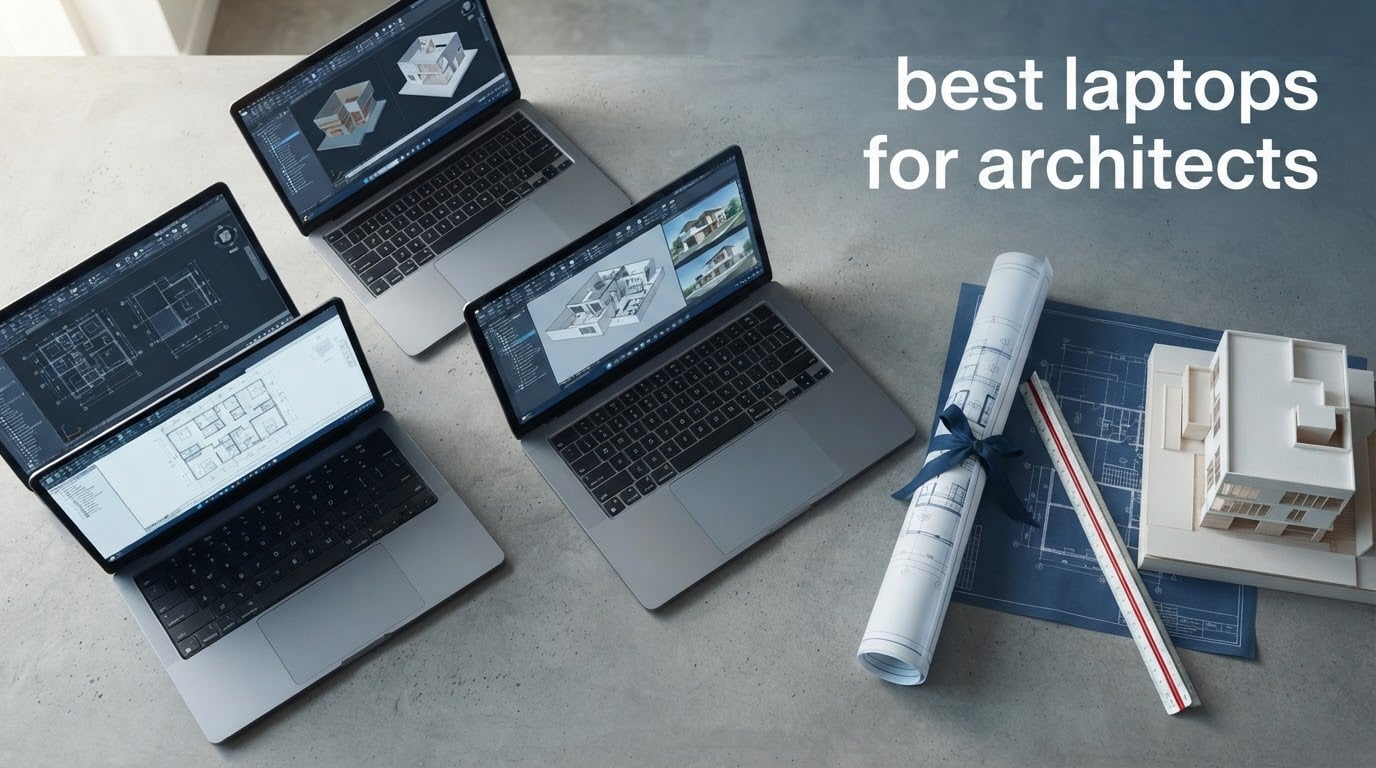
The best laptops for architects in 2026 are the machines that hold their performance when the model gets heavy, not the ones that post the biggest number in a burst test. Our pick for the top spot is the 14-inch MacBook Pro with the M5 Pro chip, because it pairs a 15-core CPU and 16-core GPU with 32-class workstation behaviour, a display bright enough to review drawings on, and battery life that survives a full studio day without a charger.
That headline is only the start. Architecture work pulls the machine in two directions at once. Revit and AutoCAD are CPU- and memory-bound, and they care about cores, clock speed and RAM more than anything else. Rhino, Grasshopper, Lumion, Enscape, V-Ray and Twinmotion are GPU- and VRAM-bound, and they care about how much video memory you have before a scene starts stuttering. A laptop for architects has to be good at both, and it has to stay good at both in hour three, not just in the first five minutes.
We compared 10 machines across that spectrum, from a large-screen value workhorse to a 16-inch chip with a 40-core GPU. Our editorial standard was sustained performance over rated specifications, which is a deliberate choice. Practitioners in the architecture forums keep warning that identical spec sheets produce wildly different real-world results, and that a costly machine with a weak thermal design can be beaten by a cheaper sibling once the fans saturate. If you are choosing between our picks and a spec list, start with the gaming laptop roundup we keep updated, because the cooling argument carries over directly to BIM work.
Table of Contents
Top 3 Picks for Architects in 2026

MacBook Pro 14 with M5 Pro
- 15-core CPU and 16-core GPU
- 24GB unified memory
- 14.2-inch Liquid Retina XDR display
- All-day battery on one charge

Lenovo Yoga Pro 9i
- NVIDIA RTX 5060 with 8GB GDDR7
- 3.2K Tandem OLED at 1000 nits
- Intel Ultra 9 285H
- 32GB LPDDR5X

HP 17.3-Inch Business Laptop
- 17.3-inch FHD anti-glare display
- 16GB DDR4 and 512GB SSD
- Up to 12 hours stated battery
- Full-size keyboard with numpad
The M5 Pro MacBook Pro is the one we would put in front of a client. The Yoga Pro 9i is the only machine here with a discrete NVIDIA GPU, which makes it the choice when you live in Rhino, Lumion or Twinmotion rather than Revit. The HP 17.3-inch is not a BIM machine at all, and we include it anyway because a large share of architecture students simply need a reliable drafting and coursework computer first.
All 10 Picks at a Glance in 2026
| Product | Specifications | Action |
|---|---|---|
| MacBook Pro 14 with M5 Pro |
|
Check Latest Price |
 MacBook Pro 16 with M5 Max MacBook Pro 16 with M5 Max |
|
Check Latest Price |
 HP ZBook X G1i HP ZBook X G1i |
|
Check Latest Price |
 Dell XPS 14 OLED Touch Dell XPS 14 OLED Touch |
|
Check Latest Price |
 Lenovo ThinkPad P14s Gen 6 Lenovo ThinkPad P14s Gen 6 |
|
Check Latest Price |
 Lenovo ThinkPad L16 Touch Lenovo ThinkPad L16 Touch |
|
Check Latest Price |
 Dell Precision 3490 Dell Precision 3490 |
|
Check Latest Price |
| HP 17.3-Inch Business Laptop |
|
Check Latest Price |
| Lenovo Yoga Pro 9i |
|
Check Latest Price |
 MacBook Pro 14 with M5 MacBook Pro 14 with M5 |
|
Check Latest Price |
How We Evaluated These Laptops
Every recommendation here is built from published specifications and from what owners report after living with the machine, not from a spec sheet alone. We weight five things: how much CPU and memory the machine gives you, how much video memory the GPU carries, whether the cooling design lets it hold its rated performance under a long render, the quality of the panel for drawing review, and the port and upgrade situation for a machine you will own for four or five years.
Sustained performance is the criterion that separates this roundup from most. Architecture forums are full of warnings about expensive laptops that lose most of their performance after a few minutes of load because the chassis cannot move enough air. One widely repeated account on an Archinect thread describes a high-end workstation losing the overwhelming majority of its rated performance within five minutes while a far cheaper machine from the same brand kept working. Another recurring instruction from experienced users is to look up the maximum power the CPU and GPU can draw and confirm the laptop can actually deliver it. We treat that as a screening step, not a footnote.
Two honesty notes. First, we do not publish benchmark figures we have not measured ourselves, so the performance commentary here is qualitative and grounded in the hardware each machine actually ships with. Second, where the owner-review base is thin, we say so plainly rather than letting a small sample carry a confident verdict. One machine in this list has three reviews total, and we treat its rating as unproven.
1. MacBook Pro 14 with M5 Pro – Best Overall for Architects
Apple 2026 MacBook Pro Laptop with Apple M5 Pro chip with 15-core CPU and 16-core GPU: Built for AI, 14.2-inch Liquid Retina XDR Display, 24GB Unified Memory, 1TB SSD, Wi-Fi 7; Space Black
M5 Pro 15-core CPU, 16-core GPU
24GB unified memory, 1TB SSD
14.2-inch XDR, 1600 nits
3.52 pounds
Pros
- Genuinely fast across multitasked CAD and 3D work
- Bright XDR display handles drawing and markup review well
- All-day battery that holds up unplugged
- Stays cool and quiet under heavy load
Cons
- 3.52 pounds is heavy for an ultraportable
- 24GB is modest for very large scene or dataset loads
- No touch screen and no discrete GPU
This is the machine I would hand to an architect who has to do everything. Owners put it through simultaneous Revit sessions, vector work and browser-heavy coordination, and the recurring description is that it simply does not slow down when the task list grows.
The 24GB of unified memory is the part that needs a realistic conversation. Reviewers regularly call it a sweet spot for heavy multitasking, and for most project sizes that is accurate. If you are pushing very large Revit models, deep Grasshopper definitions, or keeping an entire asset library resident, the step up to the 16-inch in the next section is the safer purchase.
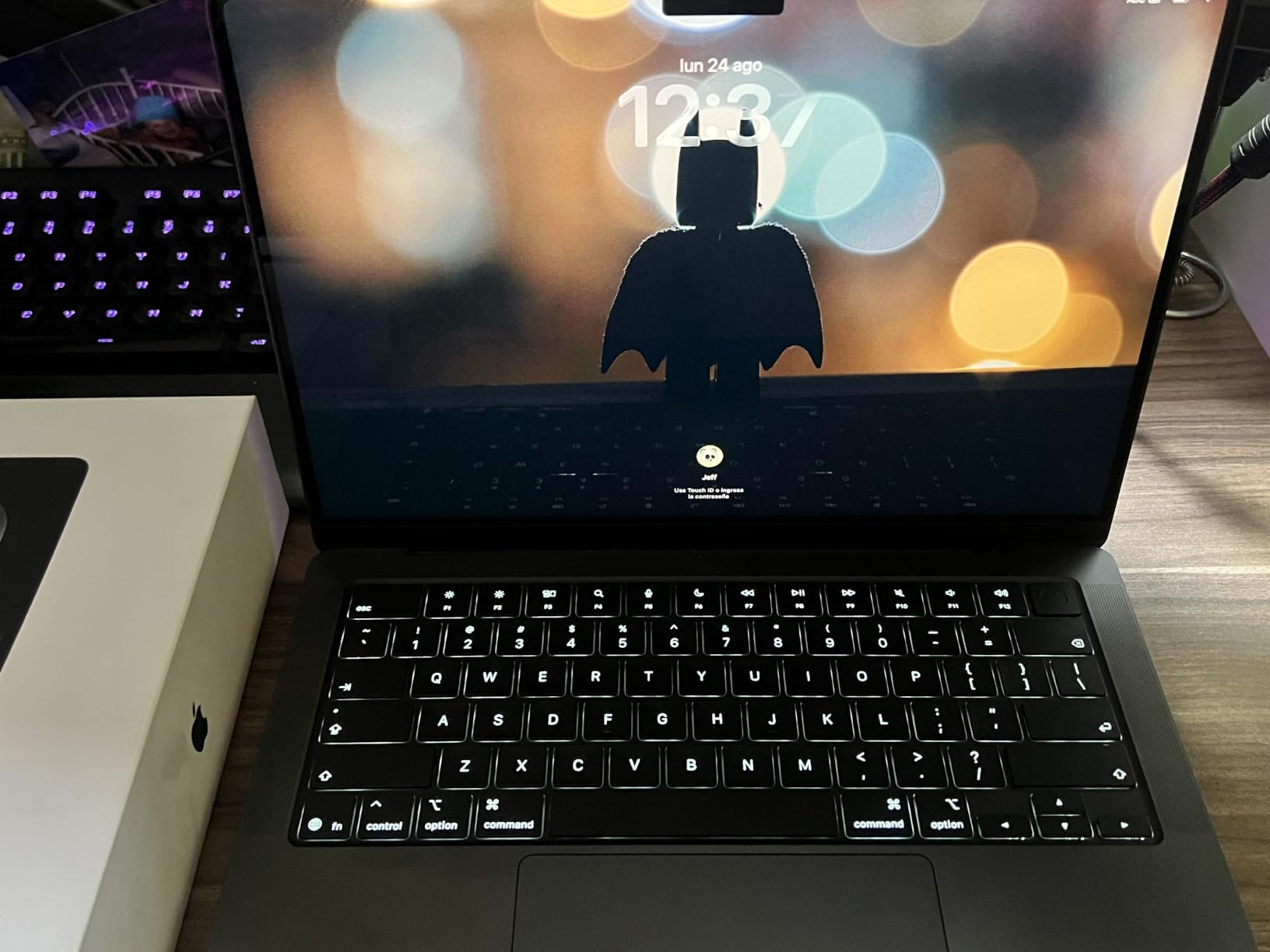
The 14.2-inch Liquid Retina XDR panel runs to 1600 nits peak and 1000 nits sustained, with a million-to-one contrast ratio. In practice that means shaded views and client presentation images read well even in a bright studio, and the deep blacks are genuinely useful when you are reviewing renders rather than CAD linework.
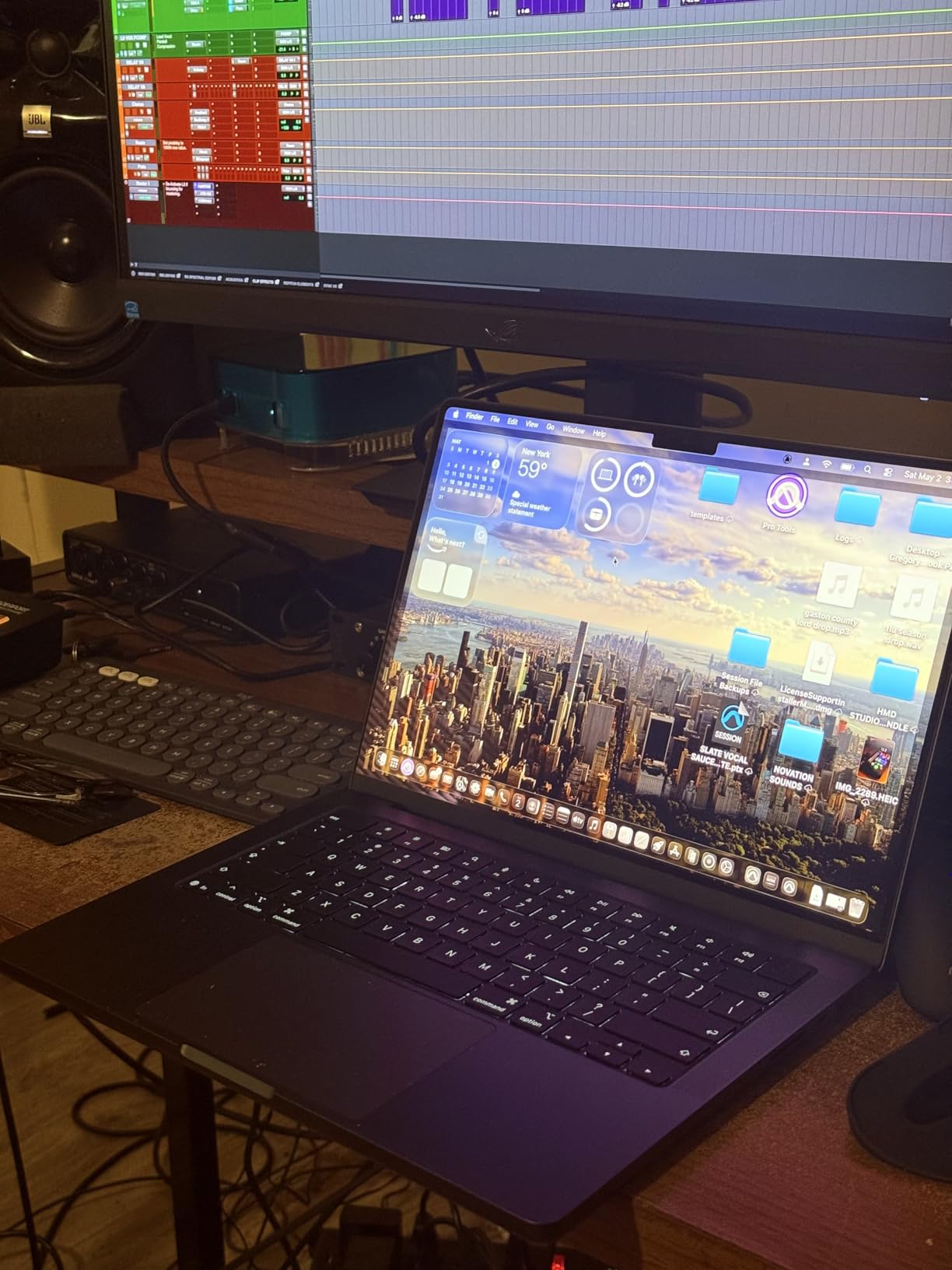
Thermally, this is one of the quietest machines here. Owners describe it staying cool under heavy workloads without the fan noise that plagues thin Windows workstations, and performance is stated as identical on battery or plugged in, which removes a frustrating variable on site or in a client meeting.
How it handles Revit, Rhino and Lumion work
For Revit and Archicad documentation work, the 15-core CPU and 24GB of memory are more than adequate for typical project sizes, and the fanless-feeling behaviour means a long coordination session does not degrade. SketchUp, Rhino and the Adobe set are all native and fast on macOS.
For Lumion, Enscape, Twinmotion and V-Ray, the 16-core GPU does real work but has no dedicated VRAM pool of its own, so the 24GB unified memory is shared. Large scenes will run, and the machine stays cool doing it, but this is not the configuration to buy if your final images are the centre of the practice.
What to check before you buy
Confirm the software you actually run. Revit, Archicad, AutoCAD, Twinmotion and D5 Render all run well on macOS, but if your studio standardises on something Windows-only, check before you commit. Many architects solve this with a virtual machine, and it costs you performance and battery.
Also weigh the 3.52-pound figure against your site visits. It is a substantial bag item, and owners do note it is heavier than they expected for a machine this thin.
2. MacBook Pro 16 with M5 Max – Best for Heavy BIM and Rendering
Apple 2026 MacBook Pro Laptop with Apple M5 Max chip with 18-core CPU and 40-core GPU: Built for AI, 16.2-inch Liquid Retina XDR Display, 48GB Unified Memory, 2TB SSD, Wi-Fi 7; Space Black
M5 Max 18-core CPU, 40-core GPU
48GB unified memory, 2TB SSD
16.2-inch XDR, 1600 nits
4.73 pounds
Pros
- Enormous GPU headroom for BIM and rendering
- 48GB unified memory keeps huge models resident
- 2TB SSD holds project files and asset libraries
- Bright 16.2-inch display suits drawing review
- Supports up to four external displays
Cons
- Heaviest machine in this roundup at 4.73 pounds
- Higher share of one-star ratings than the 14-inch configuration
- Chassis is awkward for site walks and travel
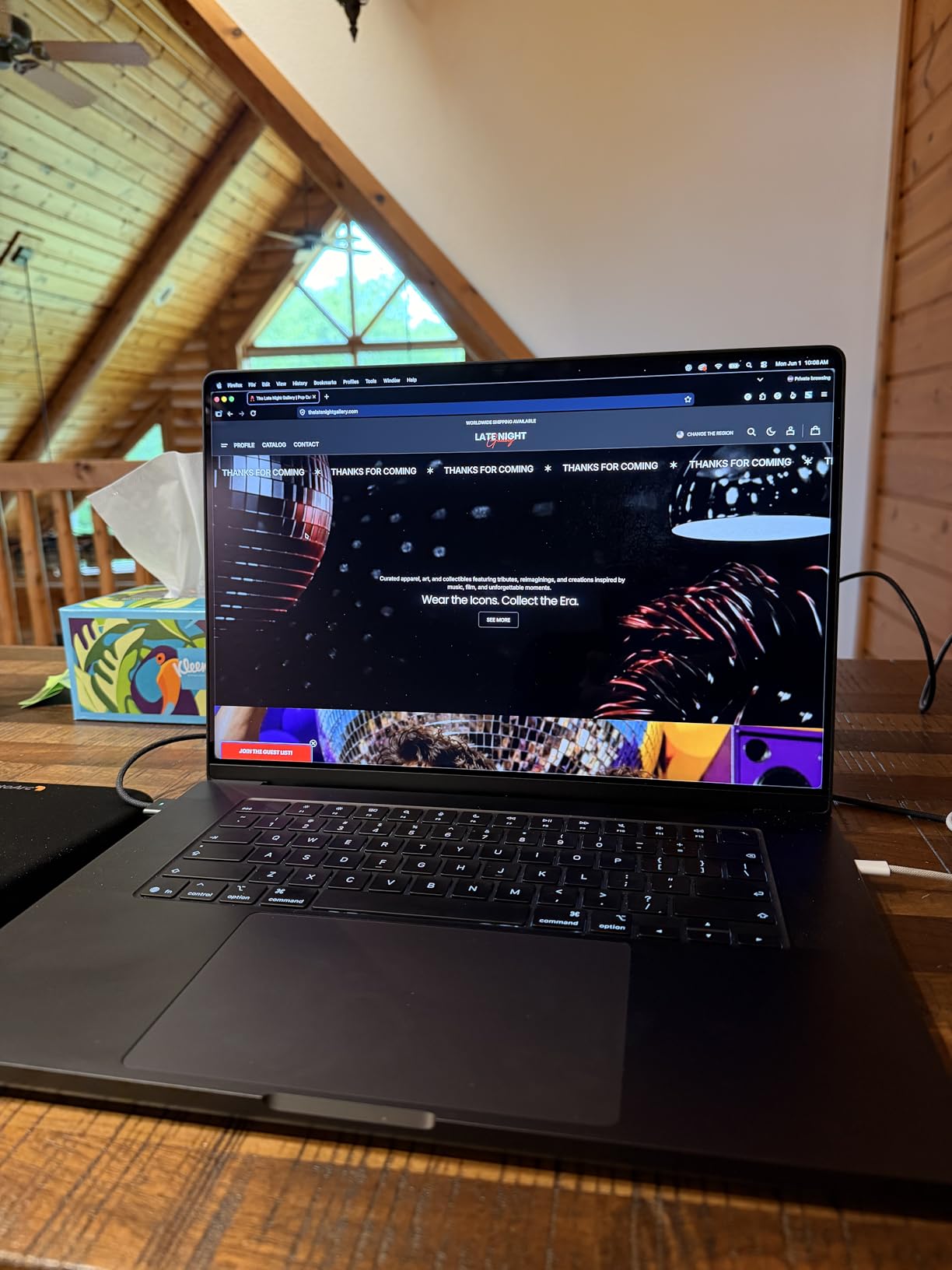
This is the machine for the architect whose day is spent inside large models. The 40-core GPU and 48GB of unified memory mean you can keep a coordination model, a live Rhino scene and a rendering queue all resident at once without swapping anything out.
Storage is worth calling out separately. At 2TB, the asset library stops being a problem, and for archviz work where you are pulling in furniture scans, plant libraries and texture sets, that headroom matters more than any single core count.
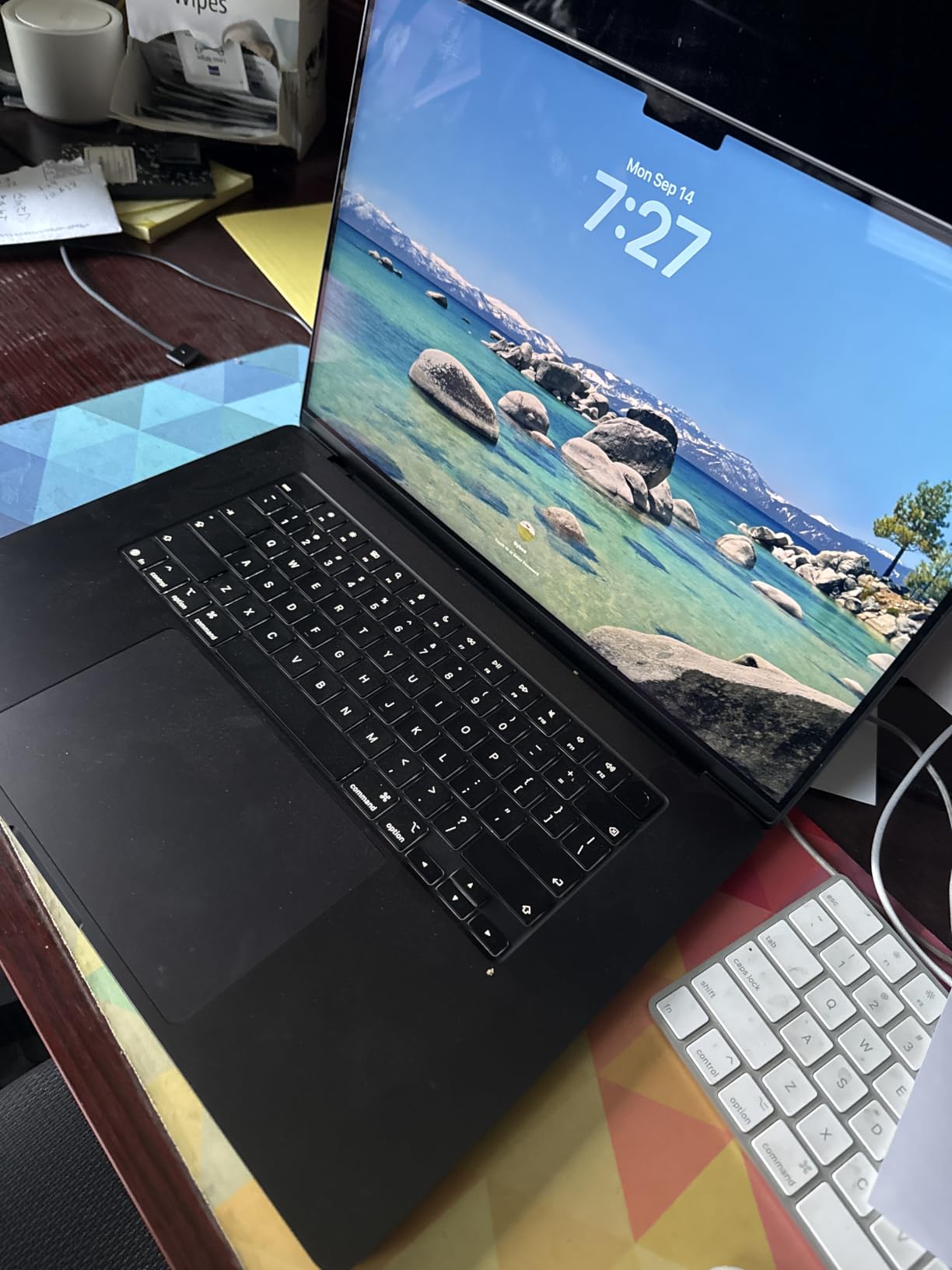
Owner feedback is strongly positive on capability and display, with 79% of ratings at five stars. The critical share is noticeably larger than on the 14-inch, and the themes are consistent: it is very heavy, it is very large, and the value question is harder to defend when you are not pushing the limits every day.
Thermals are the quiet story. Despite the size, the machine holds performance under sustained rendering because the chassis has the volume to move the air. This is exactly the failure mode that catches cheaper machines, and it is why a bigger chassis can outlast a faster one over a long afternoon.
When the extra power pays for itself
It pays when you are rendering, when your Revit models are large enough that memory pressure is the bottleneck, or when you run V-Ray or Corona at final quality rather than preview resolution. In those cases the 40-core GPU converts directly into shorter render times and fewer crashes.
It does not pay if you draft all day, review documents on site and present occasionally. The smaller machine in position one handles that comfortably and is easier to carry.
What to check before you buy
Look at your shoulder. At 4.73 pounds and 14 inches wide, this is a machine that lives on a desk and travels in a case rather than a backpack. If you are on site two days a week, the portability cost is real.
Then decide honestly whether your render times are the constraint. If they are not, a good laptop plus a render service will save you a lot of money for the same result.
3. HP ZBook X G1i – Best for Certified Workstation Workflows
HP ZBook X G1i Laptop, NVIDIA RTX PRO 1000 Blackwell 8GB, Ultra 7 265H
Core Ultra 7 265H, 16 cores
RTX PRO 1000 Blackwell, 8GB
64GB DDR5, 1TB NVMe
16-inch WUXGA IPS
Pros
- ISV certified for Revit AutoCAD and major CAD platforms
- Dedicated RTX PRO 1000 Blackwell GPU with 8GB GDDR7
- 64GB DDR5 is the most memory in the roundup
- Three-year manufacturer warranty
- Arrives with no trial software
Cons
- Only three customer reviews so the rating is not meaningful
- 300-nit 1920x1200 panel is dim and low resolution
- Speakers are quieter than comparable machines
This is the most properly specified Windows machine here, and the spec sheet is built for architecture rather than adapted to it. The RTX PRO 1000 Blackwell carries 8GB of dedicated GDDR7, which is the honest minimum for real-time rendering, and 64GB of DDR5 handles coordination models that would choke a 32GB machine.
The ISV certification list matters more than it sounds. Being certified for Revit, AutoCAD, SolidWorks, ANSYS and MATLAB means the drivers are validated against those applications, which is a different promise from merely running them.
Owners report Cinebench results that outpace an Intel Core i9 from the previous generation, and the machine arrives without bloatware or trial software. The 83Wh battery and the three-year warranty are both meaningful for a practice machine that will be in daily use for years.
What the 8GB of dedicated VRAM buys you
For architectural work, dedicated VRAM is the point of the whole machine. Large Revit models and dense Rhino scenes exhaust video memory before they exhaust compute, and once that happens the software starts stuttering, paging or falling back to the CPU. Eight gigabytes is a working floor, not a comfort level.
If your workflow is Enscape, Twinmotion, D5 Render or V-Ray on a live scene, this is the pick in the roundup that handles it natively on Windows without a virtual machine in the middle.
What to check before you buy
Read the review count first. Three reviews cannot tell you how this machine behaves after a year of sustained rendering, and we are not going to pretend a small sample is a verdict. Ask the seller for sustained performance data, not burst figures.
Then look at the screen. A 300-nit 1920×1200 anti-glare panel is perfectly good for CAD and it is the right choice in a bright office, but it is not the panel you want for judging render output. If visualisation is half your work, pair it with an external display.
4. Dell XPS 14 OLED Touch – Best for Site Visits
Dell XPS 14 Premium Laptop DA14250-14.5-inch Touch 3.2K OLED 48-120Hz Display, Intel Core Ultra 7 255H, Intel Arc Graphics, 32GB Memory, 1TB SSD, Backlit English Keyboard with Fingerprint Reader
Core Ultra 7 255H processor
32GB LPDDR5 at 6400 MHz
14.5-inch 3.2K OLED touch, 120Hz
3.8 pounds
Pros
- Superb 3.2K OLED touch display with variable refresh
- Machined aluminium chassis with Gorilla Glass 3
- 32GB memory and 1TB SSD in the standard config
- Fast and well made with strong build quality
- Touch screen works well for markup on site
Cons
- Keyboard redesign frustrates touch typists
- Integrated Intel Arc graphics will not carry heavy rendering
- Windows 11 Home rather than Pro
This is the machine I would put in a bag on a Thursday. The 3.2K OLED touch panel at 3200 by 2000 with variable refresh up to 120Hz is among the sharpest displays on a non-Apple machine in this roundup, and the matte finish means it survives glare far better than a glossy OLED usually would.
The touch screen is not a gimmick for architects. It is a markup tool for construction documents, a way to sign off on drawings on site, and a presentation surface for a client who wants to point at something rather than talk at a screen.
Owners consistently praise speed and build quality, and repeat Dell buyers report satisfaction with the machine overall. At 3.8 pounds in a machined aluminium chassis with Gorilla Glass 3, it is built to be carried and to be opened a hundred times a week.
How it performs for drafting and documentation
With 32GB of LPDDR5 running at 6400 MHz and a Core Ultra 7 255H, AutoCAD, Revit documentation work, SketchUp and the Adobe set all run comfortably. The fast memory helps more than it would in gaming, because architectural work leans on memory bandwidth and capacity rather than on frame rate.
The limit is the integrated Intel Arc graphics. There is no discrete GPU here, so Lumion, Enscape and Twinmotion will run in a software-emulated path or lean heavily on the CPU. For a site laptop that is a fine trade, but do not expect a workstation result from it.
What to check before you buy
Try the keyboard in a shop if you can. The redesign here is the single most criticised feature in the owner reviews, with complaints about flat keys, light-based function keys and a very wide palm rest. If you touch-type all day drafting, that matters more than the display.
Also confirm the memory is what you need. LPDDR5 is soldered, so the 32GB figure is the figure you will live with for the life of the machine.
5. Lenovo ThinkPad P14s Gen 6 – Best for Travel and Durability
Lenovo Copilot+ PC ThinkPad P14s Gen 6 Mobile Workstation with AMD Ryzen AI 7 PRO 350 Processor, 32GB DDR5 Memory, 1TB SSD, 14” WUXGA 500 nits 100% sRGB Non-Touch Display, Wi-Fi 7, and Win 11 Pro
AMD Ryzen AI 7 PRO 350, 8 cores
32GB DDR5 at 5600 MHz
14-inch 500 nit 100% sRGB
0.64-inch chassis
Pros
- Thinnest and lightest mobile workstation in the ThinkPad line
- Full enterprise port set with Ethernet and dual Thunderbolt 4
- Bright 500 nit 100% sRGB panel
- On-site warranty extendable to five years with registration
Cons
- Integrated Radeon graphics limits large model visualisation
- Modest 1920x1200 non-touch panel for colour-critical work
- Some units reported setup or configuration issues
The argument for this machine is simple: it is the one that will not break. At 0.64 inches thick and 2 kg, with an on-site warranty that extends to five years on registration, it is built for the transit that kills laptops. Practitioners on architecture forums talk constantly about screens cracking and hinges failing from ordinary backpack use, and the ThinkPad chassis is the direct answer to that.
The 500-nit 100% sRGB panel is brighter and more colour-accurate than most 14-inch business screens, which makes it a reasonable surface for reviewing presentation boards even though it is not a rendering monitor.
With 32GB of DDR5 and a Ryzen AI 7 PRO 350, documentation, drafting, AutoCAD and 2D-heavy Revit work are handled without drama. Reviewers describe a well-built business-class machine that is quick for office and professional workloads, with 72% of ratings at five stars.
What the integrated Radeon GPU means for your workflow
It handles 2D drafting, documentation, sheet sets and light 3D viewing comfortably. It will not comfortably handle a large Rhino viewport with a heavy material library, or real-time rendering, because there is no dedicated VRAM to draw on. Those workloads belong to one of the discrete-GPU machines in this roundup.
For an architect whose week is site visits, markups, correspondence and drawing review, that is exactly the right trade. For an architectural visualiser it is the wrong one.
What to check before you buy
Memory is user-upgradeable to 64GB, which is a genuine advantage over the soldered machines here and a real reason to buy it with a 4-5 year horizon. Confirm the configuration you are buying supports that.
The weak tail of owner ratings comes from buyers reporting issues out of the box. If you are buying through a third-party seller rather than direct, factor in the friction of a swap.
6. Lenovo ThinkPad L16 Touch – Best Large-Screen Value
Lenovo ThinkPad L16 Business AI PC Laptop (16″ FHD+ Touchscreen, Intel Ultra 5 225U (> Ultra 7 155U), 32GB DDR5, 1TB SSD), Premium E16, IPS Anti-Glare, 2X Thunderbolt 4, Numeric Keypad, Win 11 Pro
Core Ultra 5 225U, 12 cores
32GB DDR5, 1TB SSD
16-inch IPS touchscreen, 400 nit
MIL-STD-810H
Pros
- Large 16-inch touchscreen works well for sheet review and presenting
- 32GB DDR5 and 1TB SSD in a mid-range configuration
- MIL-STD-810H certified for travel and fieldwork
- Up to 80% charge in one hour
- Supports three external monitors without a dock
Cons
- Integrated graphics is well below the discrete-GPU machines
- Highest share of one-star ratings in the roundup
- Delivered configurations and warranty terms vary by seller
Screen size is the reason to buy this one. A 16-inch panel with a touch screen at 400 nits and an anti-glare finish, Eyesafe certified, is a lot of sheet-review surface for a mid-range configuration, and the anti-glare coating is the right call for a drafting desk under office lighting.
The Core Ultra 5 225U with 12 cores and 32GB of DDR5 is a sensible balance. It is not a render machine, but documentation work, AutoCAD, SketchUp, 2D-heavy Revit and the whole Adobe set run without complaint, which is what most working days actually require.
 Ultra 7 155U), 32GB DDR5, 1TB SSD), Premium E16, IPS Anti-Glare, 2X Thunderbolt 4, Numeric Keypad, Win 11 Pro customer photo 1″ class=”wp-image-customer”/>
Buyers generally find it a dependable value business machine, and the negative tail is about delivered configuration and warranty terms rather than the hardware itself. That is worth checking carefully, because some units are described as arriving with upgraded memory and storage from third parties, which changes who is responsible when something fails.
Charge time is a genuine practical win. Reaching 80% in an hour means a full working day of use from a short lunch break, and combined with the stated 10-hour figure it changes how often you hunt for a socket.
 Ultra 7 155U), 32GB DDR5, 1TB SSD), Premium E16, IPS Anti-Glare, 2X Thunderbolt 4, Numeric Keypad, Win 11 Pro customer photo 2″ class=”wp-image-customer”/>
Whether the touchscreen earns its place
On a 16-inch panel it does what a 13-inch touch panel cannot: it gives you room to mark up a real drawing set rather than a postage stamp. Architects reviewing contractor submissions on site will feel the difference immediately, and clients can annotate on the same surface.
If you never mark up anything, the touch layer is a cost with no return. Weigh it against the keyboard and trackpad quality, which is what you use all day.
What to check before you buy
Confirm the memory and storage are factory-configured rather than upgraded, and confirm the warranty covers what is actually in the machine. A three-year warranty on upgraded components is standard here, but the base term differs, and the split is confusing at the point of purchase.
Then check port layout for your desk. Dual Thunderbolt 4, HDMI 2.1 and RJ-45 Ethernet with support for three external monitors means you can run a proper drafting setup without a dock.
7. Dell Precision 3490 – Best Entry-Level CAD Workstation
Dell Precision 3490 Mobile Workstation Laptop, 14″ FHD, 32GB DDR5, 1TB SSD
Core Ultra 5 135H, 14 cores
32GB DDR5 at 4800 MHz
14-inch FHD 1920x1080
3.1 pounds
Pros
- Only 3.1 pounds with workstation branding and Windows 11 Pro
- 32GB DDR5 and 1TB SSD in the standard build
- Handles demanding professional and production-line applications
- Thunderbolt 4 and Ethernet make a full drafting dock simple
Cons
- Integrated graphics cannot carry heavy 3D rendering
- 1080p non-touch display is basic for colour-critical work
- One owner had to reinstall Windows after a storage upgrade
The Precision name carries ISV certifications for CAD and 3D workflows, Windows 11 Pro, and a 3.1-pound chassis, which is a combination you rarely see. At this weight it is genuinely portable while still being a workstation in the way that matters, which is driver validation rather than a badge.
A 14-core Core Ultra 5 135H with 32GB of DDR5 is a solid drafting platform. AutoCAD, SketchUp, documentation work and moderate Revit projects all run well, and reviewers report it handling demanding professional applications without trouble.
One owner uses it as a production-line test machine over Thunderbolt, which tells you something about reliability. Others have noted a hot-running unit from a different listing, so buy from a seller who will stand behind the machine.
What you give up for the 3.1-pound weight
You give up the display. A 14-inch 1080p non-touch panel is fine for drawing but unhelpful for judging material, lighting or render output, and if visual communication is part of your job you will end up buying an external monitor anyway.
You also give up the GPU. There is no dedicated graphics, so real-time visualisation tools will run slowly. If Enscape or Lumion is not part of your workflow, that is an acceptable sacrifice for portability.
What to check before you buy
Check the memory and storage upgrade path carefully. One reviewer had to reinstall Windows to get a valid licence after an upgrade, which is a small but real friction point when the machine is your practice’s only computer.
Confirm warranty terms on upgraded components. A one-year base term with three years on upgraded memory and storage is the pattern here, and it is worth having in writing.
8. HP 17.3-Inch Business Laptop – Budget Pick for Students
HP 17 inch Business Laptop Computer • 2026 Edition • Latest AMD Ryzen 5 CPU • 16GB RAM • 512GB SSD • 17.3″ FHD Display • Numeric Keypad • Long Battery Life • Windows 11 with Office 365 for The Web
AMD Ryzen 5 7430U, 6 cores
16GB DDR4, 512GB SSD
17.3-inch FHD anti-glare
Up to 12 hours battery
Pros
- Largest screen in the roundup at 17.3 inches
- Full-size brushed keyboard with numeric keypad
- Up to 12 hours stated battery life with fast charge
- Realistic option for a first-year student budget
Cons
- 16GB DDR4 is the maximum and is not user-upgradeable
- Integrated graphics unsuitable for BIM visualisation or rendering
- Wi-Fi 5 only and 512GB storage is tight for large archives
I want to be straight about this pick. It is not a laptop for architects in the professional sense, and if you are reading this as a working architect, skip to the top of the list.
For a first-year student, though, it solves the actual problem. A 17.3-inch anti-glare display is the biggest in the roundup, which matters when you are reading a floor plan, a section detail and a specification page at the same time. The full-size keyboard with a numeric keypad is comfortable for long typing sessions, and 73% of owner ratings are five stars.
Battery life is stated at up to 12 hours with fast charging, and in practice owners describe it as a capable everyday machine for coursework, spreadsheets, browser work and light photo editing.
What it can and cannot do
It handles AutoCAD 2D drafting, SketchUp, documentation work, presentations and the Adobe basics comfortably. That covers most of years one and two of an architecture degree.
It does not handle 3D visualisation. With integrated graphics and 16GB of memory as a hard ceiling, a large Revit model or any real-time rendering workflow is out of reach. Plan to use university lab machines or a shared workstation for those modules, which is what most students do anyway.
What to check before you buy
Check the memory ceiling, because it is the deal-breaker. 16GB DDR4 is the maximum in this configuration, and a four-year degree on 16GB with no upgrade path is a real constraint by third year.
Check storage too. A 512GB SSD fills quickly once you add a software library, a drawing archive and a few large project files, and there is no way to add capacity internally.
9. Lenovo Yoga Pro 9i – Best for Visualization and 3D
Lenovo Yoga Pro 9i, Ultra 9, RTX 5060, 32GB RAM, 1TB SSD, 3.2K Tandem OLED
Intel Ultra 9 285H, 16 cores
NVIDIA RTX 5060, 8GB GDDR7
3.2K Tandem OLED, 1000 nits
84 Wh battery
Pros
- Dedicated RTX 5060 graphics with 8GB GDDR7
- 3.2K Tandem OLED at 1000 nits covering Adobe RGB and DCI-P3
- Rated 4.9 with 87% five-star ratings
- Ultra 9 processor with 32GB of very fast memory
- Hybrid graphics extend battery for lighter work
Cons
- 32GB LPDDR5X is soldered and cannot be upgraded
- No fingerprint reader
- Battery drops to roughly 3 hours with the discrete GPU loaded
This is the pick for architects who render. It carries a discrete NVIDIA RTX 5060 Laptop GPU with 8GB of GDDR7, and for a workflow built around Rhino, Lumion, Enscape, Twinmotion or V-Ray that dedicated VRAM changes what is possible rather than just how fast it goes.
The display is the other headline. A 3.2K Tandem OLED at 1000 nits covering 100% Adobe RGB, DCI-P3 and sRGB, with touch and 120Hz, is the correct surface for judging light, material and composition in a rendered image. Very few laptops are this honest about colour.
Owners are very satisfied, calling out speed, memory and the display quality as the standouts, with 87% of ratings at five stars. Hybrid graphics let the integrated chip handle lighter work and extend battery life, which is a thoughtful design choice in a 84 Wh pack.
How the 8GB of VRAM changes real workflows
With dedicated VRAM, a detailed Rhino scene with a full material library stays resident instead of streaming. Lumion and Enscape previews stay at a usable frame rate while you adjust, and V-Ray preview renders finish while you keep working. Without that memory, all three degrade the moment the scene gets real.
This is the exact reason practitioners on architecture forums argue VRAM matters more for architectural applications than for gaming. Games are tuned to fit in memory; BIM and modelling software is not.
What to check before you buy
Note the soldered memory. 32GB of LPDDR5X is fast, and it is the ceiling for the life of the machine. There is one open M.2 slot for storage, so you can add a drive, but you cannot add RAM.
Note the battery under load. Owners report roughly three hours with the discrete GPU working hard, which is normal for a machine with this GPU and a sensible trade for the performance on offer. Also note there is no fingerprint reader, which several owners single out.
10. MacBook Pro 14 with M5 – Best Compact Mac for Drafting
Apple 2026 MacBook Pro Laptop with Apple M5 chip with 10-core CPU and 10-core GPU: Built for AI, 14.2-inch Liquid Retina XDR Display, 32GB Unified Memory, 1TB SSD; Space Black
M5 chip, 10-core CPU and GPU
32GB unified memory, 1TB SSD
14.2-inch XDR, 1600 nits
3.41 pounds
Pros
- 32GB unified memory handles heavy multitasking comfortably
- Two to three days of real battery life for heavy users
- Bright high-resolution display with standout speakers
- Lightest MacBook Pro configuration at 3.41 pounds
- Very fast load times and snappy browser performance
Cons
- Lowest GPU core count of the MacBook Pro options here
- One owner received no charger in the box
- Runs warm under sustained heavy workloads
The base chip version is the one to buy if you draft rather than render, and 32GB of unified memory is the reason. That is the memory figure most architects should treat as the floor, and here it is paired with a chip that reviewers describe as matching much larger configurations on heavy multitasked work while being lighter and brighter.
Battery life is the standout owner-reported feature, with two to three days of real use quoted by heavy users. For an architect moving between studio, site and client meetings, that removes battery anxiety entirely, and performance is stated as consistent unplugged.
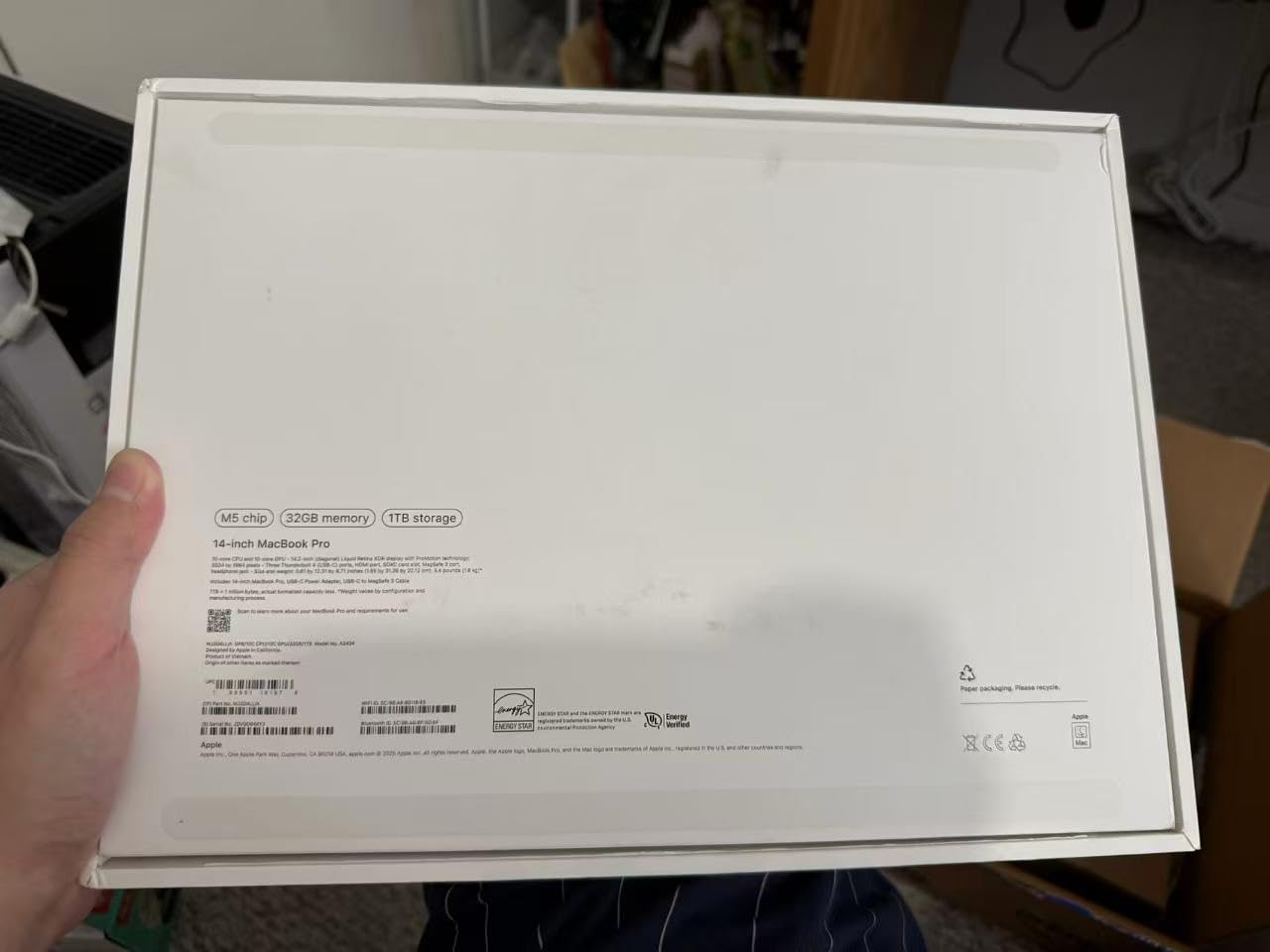
Port selection is thorough for a slim machine: three Thunderbolt 5 ports, MagSafe 3, an SDXC slot and HDMI, which covers a fast portable SSD, a card reader from a site camera and a 4K display without an adapter bag.

How the base chip handles the software you actually run
For AutoCAD, SketchUp, Rhino, the Adobe set and documentation work, 32GB of unified memory does the heavy lifting and the machine stays responsive with many applications open. Owners coming from Windows repeatedly describe a change in perceived speed that has nothing to do with benchmarks.
For real-time visualisation, the 10-core GPU is the limit. Lumion, Enscape and Twinmotion will run, and reviews mention it staying responsive, but this is not the machine for heavy V-Ray or Corona work. That is the gap the 40-core GPU in position two fills.
What to check before you buy
Check the box contents. One reviewer received a machine without the charger listed, which is a packaging problem rather than a product one, but it will stop you on day one if it happens to you.
Check ergonomics. The 14-inch screen sits lower relative to your head than a 16-inch machine, and architects who spend long hours at a drafting screen notice that after a few months.
What Specs Actually Matter for Architecture Software
Start with these numbers rather than a brand. For processor, target Intel Core Ultra 7 or 9, or AMD Ryzen 7 or 9, with 12 or more cores. A Core i7 or Ryzen 5 remains a reasonable value floor for students doing 2D drafting. For graphics, a dedicated NVIDIA RTX card with at least 8GB of VRAM, or an Apple chip with 24GB of unified memory or more. For memory, 32GB minimum, and we would say 64GB if you coordinate large Revit models. For storage, a 1TB NVMe SSD as the minimum. For display, 15 to 16 inches at 16:10, in sRGB or DCI-P3.
That last one, VRAM, is the criterion no roundup seems to mention, and it is the one that decides whether a laptop is right for your work. Video memory is the pool your GPU draws from. When a large Revit model, a dense Rhino scene or a Lumion project exhausts it, the system starts moving data over the much slower system bus, and the experience degrades from smooth to stuttering to unusable.
The reason this matters more for architecture than for gaming is that games are built to fit inside a memory budget. Architectural software is not. A model that has been carefully zoned and detailed is bigger than any consumer memory pool, and no amount of raw compute compensates for the wait. When you read a spec sheet, read the VRAM number, not just the GPU model.
On memory, the consensus across the architecture forums is not close to 32GB as a minimum. Practitioners repeatedly describe 16GB as workable but visibly slow, with panning and redraw lag that gets worse in a model that has been open for hours. Several describe 64GB on studio desktops. Our own view matches theirs: buy 32GB, and buy upgradable memory if you can.
On storage, 1TB is the sensible starting point and 2TB is better if you handle large asset libraries. NVMe speeds matter less than architects expect for the reasons above, but a slow drive still slows down project open, autosave and model linking.
On display, size helps for sheet review and 16:10 gives more vertical space, which is exactly what a section drawing or a timeline needs. Colour accuracy matters for visualisation work and is close to irrelevant for documentation. An anti-glare finish is worth a lot in a bright studio; a glossy panel that mirrors a window is a daily annoyance. If you are on a screen eight hours a day, check whether the display uses pulse-width modulation for dimming, because it is a genuine source of eye strain for some people.
On sustained performance, this is where spec sheets mislead. A chip rated for a certain power draw is a burst figure. Once the chassis heats, the machine holds a lower figure, and a badly cooled machine can lose most of its performance within minutes. Look for cooling capacity and the size of the cooling solution, not just the wattage on paper. Our creator laptop picks go deeper on sustained-load behaviour if you want to compare across workloads.
On upgradability, plan for four to five years, which is the realistic service life in a practice. Memory soldered to the board cannot be added later, and that is the single most expensive mistake in this list. Several machines here are locked, and we have flagged each one. If your institution or practice replaces machines on that cycle, buying a model with two memory sockets or upgradeable capacity is worth real money. If you also need a machine for coursework alongside practice work, our engineering student laptop guide covers the same ground for a related discipline.
MacBook Pro vs Windows Laptop for Architecture
There is no clean winner here, and anyone who tells you otherwise is selling something. The honest answer is per software.
Rhino, Grasshopper, SketchUp, Adobe and Lumion are all native and well supported on macOS, and several run better on a Mac because the software was designed there first. If your practice runs on this stack, a MacBook Pro loses nothing and gains battery life and a display most Windows panels cannot match.
Revit, AutoCAD, Archicad, Enscape, D5 Render and Twinmotion all favour Windows, and Revit and Archicad in particular are the reason most architects end up on a Windows machine. A virtual machine is the bridge, and plenty of architects use one successfully, but you give up performance and battery while it is running.
The forum consensus is genuinely split, which is the most useful thing to know. Some architects run Revit on a Mac without trouble. Others describe colleagues who insisted on Apple and always seemed to struggle with the platform. Whichever side you are on, the deciding factor is not the operating system, it is whether your studio’s file formats, add-ins and IT support assume Windows.
When a Laptop Is the Wrong Tool for Architecture
Final images are the case where a laptop is the wrong tool, full stop. Practitioners report the same pattern: a good laptop plus a render service beats an over-specced laptop alone, and a small practice with a modest machine and a render farm produces better output than a large practice with expensive laptops and no farm. Decide whether render time is actually your bottleneck before you spend on the machine.
Peripherals will improve your daily work more than most spec upgrades. A 3DConnexion SpaceMouse is the one item architects on the r/Architects thread name most consistently, and a vertical mouse like the Logitech MX Master 3S comes up alongside it for long drafting sessions. A proper external monitor for review, a laptop stand that brings the screen to eye height, and a fast portable SSD for site transfers complete the kit. None of them are glamour items, and all of them get used daily.
Frequently Asked Questions
What are the best laptops for architects in 2026?
The best laptops for architects are machines with a high-performance multi-core processor, a dedicated NVIDIA RTX graphics card with at least 8GB of VRAM, 32GB of RAM and a 1TB NVMe SSD. Our overall pick in this roundup is the 14-inch MacBook Pro with the M5 Pro chip, which combines a 15-core CPU, 16-core GPU and a 1600-nit XDR display with all-day battery life.
Which processor is best for architects?
Intel Core Ultra 7 or 9, and AMD Ryzen 7 or 9, are the right targets for architecture work because BIM and rendering are multi-threaded. A Core i7 or Ryzen 5 is still a reasonable value floor for students doing 2D drafting and documentation work. What matters more than the label is whether the laptop can sustain the chip’s rated power once the chassis heats up.
What is the best laptop for running Revit architecture?
Revit wants cores, clock speed and memory more than graphics. Target 32GB of RAM as a minimum, a current Core Ultra 7 or 9 or Ryzen 7 or 9, and a 1TB NVMe drive. A dedicated GPU still helps with large model visualisation, and machines carrying RTX PRO or RTX 5000-series cards with 8GB of VRAM are ISV certified for Revit specifically.
What is the best laptop to run Rhino 3D?
Rhino and Grasshopper push single-core speed and video memory, so a fast current-generation chip with at least 32GB of RAM is the baseline. A discrete GPU with 8GB of VRAM makes a real difference on dense scenes with full material libraries, and Rhino is native on macOS, so both platforms work well here.
How much RAM do architecture students actually need?
32GB is the practical minimum for a full architecture degree, and 16GB is the point where students notice it. With 16GB, panning and redraw in Revit slow down noticeably once a model has been open for hours, and real-time visualisation tools start to struggle. If the machine has upgradeable memory slots, start at 32GB and add more later.
The Verdict on the Best Laptops for Architects in 2026
Our pick for the best laptops for architects in 2026 is the 14-inch MacBook Pro with the M5 Pro, because it does the least apologising across the widest range of architectural work. It drafts, models, presents and travels, and it keeps doing all four in hour four.
If your work is heavier, the 16-inch with the M5 Max buys GPU headroom and 48GB of memory, and the Lenovo Yoga Pro 9i is the only machine here with dedicated NVIDIA graphics for real-time rendering. For a Windows practice that needs certification and dedicated VRAM, the HP ZBook X G1i is the properly specified option. For students on a tight budget, the HP 17.3-inch covers the first two years of coursework, and no more.
Before you buy anything, check the VRAM figure, the memory ceiling and how the machine behaves under sustained load rather than in a burst test. Those three checks will save you more money than any brand preference. If you are still weighing options, our college student laptop picks cover the wider buying ground.