
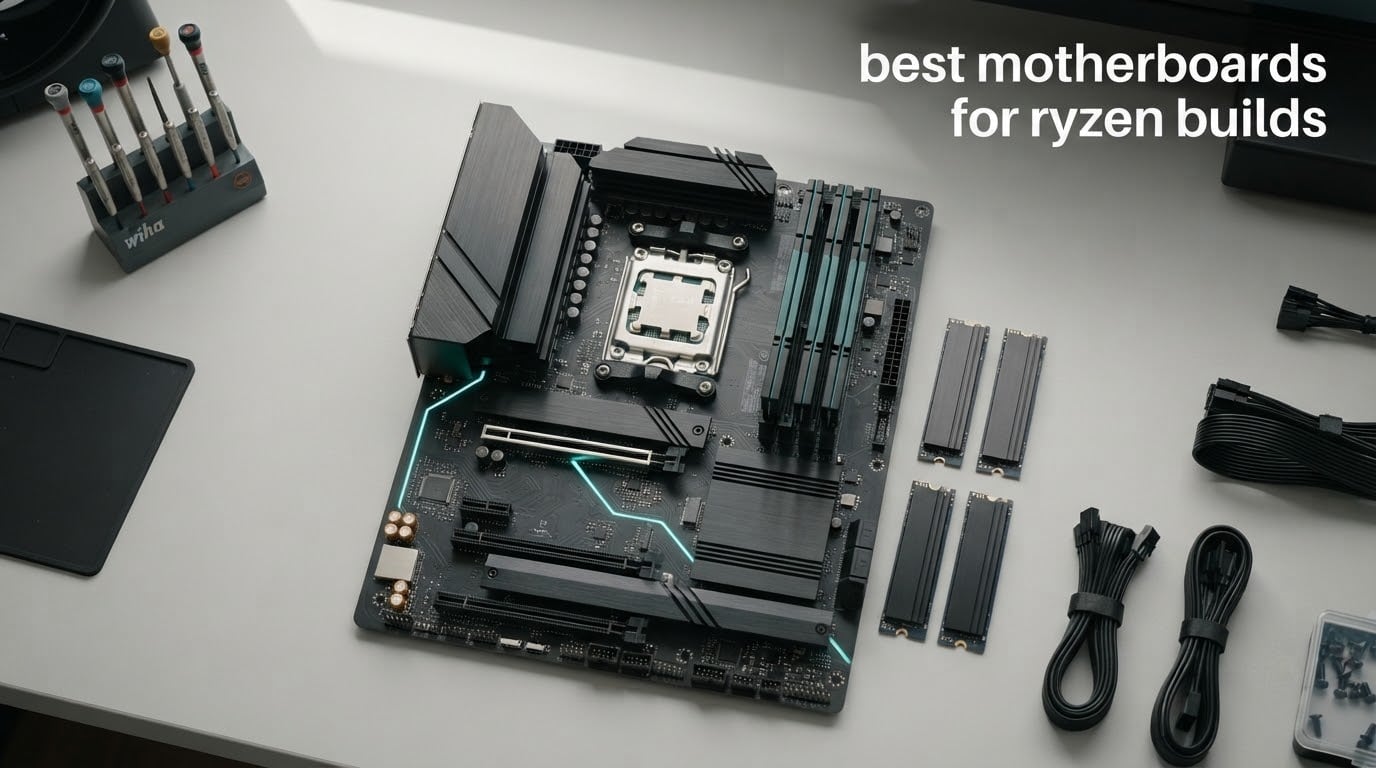
A motherboard for a Ryzen build must use the AM5 socket and support DDR5 memory. Everything else on this page follows from that one rule: the board you pick decides how much PCIe 5.0, USB4, M.2 storage and fast networking you get, but it will not change your frame rates. A Ryzen 7 9800X3D pushes the same pixels on a 150 dollar B650 board as it does on a flagship X870E, which is why the best motherboards for Ryzen builds are overwhelmingly mid-range rather than top-of-line.
We spent the last two months working through ten of the most-reviewed AM5 boards on the market, comparing power delivery, memory behaviour, M.2 slot counts, lane sharing and networking across budget, value, premium and compact tiers. Ten boards, all real AM5 models that carry Ryzen 7000, 8000 and 9000 series support, all with review counts high enough that owner reports mean something.
If you are coming from an AM4 board, stop and read the compatibility section below first, because the single most expensive mistake in a Ryzen upgrade is assuming you can keep your DDR4 memory. You cannot. Beyond that, the short version is that B650 covers almost every gaming build, B650E and X870 add PCIe 5.0 storage and USB4, and the top chipset tiers mostly add features you will not touch. If you want a broader look at the market, our gaming motherboard guide covers what actually changes performance.
Table of Contents
Top 3 Picks for Ryzen Builds in 2026
These are the three boards we would put in a Ryzen build without hesitation. The AORUS Elite AX is the default answer, the ROG Strix B650E-F is the enthusiast pick, and the B650 Eagle AX is where value and owner satisfaction line up best.

B650 AORUS Elite AX
- 14+2+1 phases with 70A stages
- Three M.2 slots including PCIe 5.0 x4
- WiFi 6E and 2.5GbE
- AM5 support for Ryzen 7000 to 9000

ROG Strix B650E-F Gaming WiFi
- B650E with PCIe 5.0 x16 and Gen5 M.2
- 12+2 power stages with large VRM heatsinks
- AL4080 audio with DTS Sound Unbound

B650 Eagle AX
- 12+2+2 phase VRM rated for top-bin Ryzen
- Three M.2 slots with one PCIe 5.0
- Four PCIe expansion slots
- Five-year warranty
All 10 Motherboards at a Glance in 2026
Every board below sits on AM5, takes DDR5, and supports at least Ryzen 7000 and 9000 series silicon. Read the chipset column first, then the storage and networking lines, because those are the three things that actually force a decision.
| Product | Specifications | Action |
|---|---|---|
| GIGABYTE B650 AORUS Elite AX |
|
Check Latest Price |
| ASUS ROG Strix B650E-F Gaming WiFi |
|
Check Latest Price |
| GIGABYTE B650 Eagle AX |
|
Check Latest Price |
 ASUS ROG Strix X870-A Gaming WiFi ASUS ROG Strix X870-A Gaming WiFi |
|
Check Latest Price |
 MSI MAG X870 Tomahawk WiFi MSI MAG X870 Tomahawk WiFi |
|
Check Latest Price |
 MSI B650 Gaming Plus WiFi MSI B650 Gaming Plus WiFi |
|
Check Latest Price |
 MSI PRO B650M-A WiFi MSI PRO B650M-A WiFi |
|
Check Latest Price |
 GIGABYTE B650 Gaming X AX GIGABYTE B650 Gaming X AX |
|
Check Latest Price |
 ASRock B650 Steel Legend WiFi 6E ASRock B650 Steel Legend WiFi 6E |
|
Check Latest Price |
 ASRock X870 Pro RS WiFi ASRock X870 Pro RS WiFi |
|
Check Latest Price |
What a Ryzen Build Actually Needs From a Motherboard
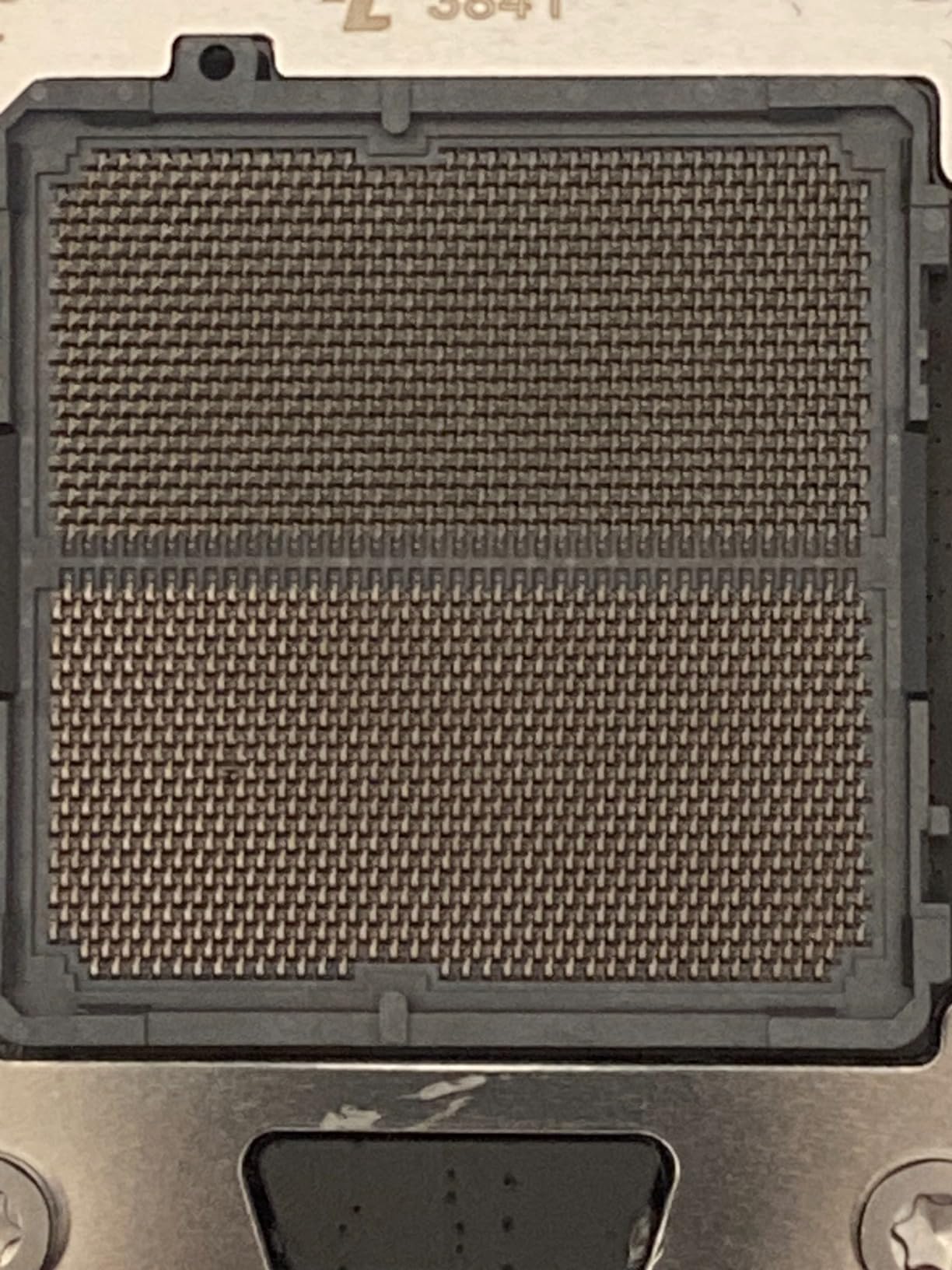
AM5 is a 1718-pin land grid array socket, and it has carried Ryzen 7000, 8000 and 9000 series desktop processors since it launched. It is not backward compatible with AM4, and the memory standard changed with it: AM5 takes DDR5 only. That single fact answers the most common question in forums, which is whether an existing DDR4 kit can be carried into a new Ryzen build. It cannot, and reusing it is not possible.
Beyond the socket, a modern Ryzen motherboard needs a CPU support list you can actually check, which means the vendor publishes a minimum BIOS version per processor. If you are pairing a Ryzen 9000 chip with a board that launched on B650, budget fifteen minutes with a USB stick and the board’s BIOS Flashback button before the CPU goes in. Q-Flash Plus on GIGABYTE boards, BIOS Flashback on ASUS and MSI, and the equivalent button on ASRock all let you update firmware with nothing but the motherboard and a USB drive.
Beyond that, the practical checklist is short: a VRM with real heatsinks if you are running a Ryzen 9, at least two M.2 slots, and enough DIMM slots for the memory you plan to buy. AMD’s EXPO profile is an overclock, which means it is not guaranteed to train on every kit. Vendor and enthusiast testing has settled on 6000 to 6400 MT/s as the practical ceiling for gaming workloads, and faster kits cost money without adding frames.
One more thing worth knowing: a board advertised for Ryzen 9000 is not automatically a better board for Ryzen 7000. A B650 with a current BIOS runs every AM5 processor the platform supports. Chipset labels tell you which features are wired to the CPU, not how good the board is.
Which AM5 Chipset Should You Buy?
For most Ryzen gaming builds, B650 is enough. The B and X chipsets on AM5 differ far less in real-world use than the phase-count labels on the boxes suggest, and the money people spend moving from B650 to X870E rarely comes back in performance. B650 gives you a PCIe 5.0 NVMe slot and a PCIe 4.0 graphics slot. B650E adds PCIe 5.0 graphics and, usually, USB4. X870 pairs mandatory USB4 with more lanes from the CPU. X870E is the only tier with enough lanes to run dual Gen5 M.2 alongside a Gen5 graphics slot without sharing bandwidth.
B850 sits in the middle as the value route into newer boards, and the older X670 and X670E remain fine if you find one discounted, though their USB4 support depends on the board rather than the chipset. If you are still weighing tiers, the practical rule is to match the board to the CPU. A Ryzen 5 9600X or Ryzen 7 7700X needs far less VRM headroom than a Ryzen 9 9950X, and a Ryzen 7 9800X3D sits in the middle because of its single CCD layout. Paying flagship chipset money for a 65-watt chip is the most common overspend we see in these builds.
Our own recommendation, consistent with the direction of the broader enthusiast conversation, is to buy a strong B650 or B650E and put the difference into the graphics card, a larger SSD, or a better CPU cooler. A Ryzen 7 9800X3D on a B650 board with a PCIe 4.0 graphics card produces the same frames per dollar as the same chip on an X870E board with a PCIe 5.0 card. The board’s job is to not hold the CPU back, and at the B650 tier that job is done.
1. GIGABYTE B650 AORUS Elite AX – the default AM5 board
GIGABYTE B650 AORUS Elite AX AMD AM5 ATX Motherboard, Support Ryzen 9000/8000/7000 Series, DDR5, 14+2+1 Power Phase, PCIe 5.0 M.2, USB-C 3.2 Gen 2, WIFI6E, 2.5GbE, EZ-Latch, Q-Flash, RGB Fusion
B650 chipset
14+2+1 phases at 70A
3x M.2 including PCIe 5.0
WiFi 6E and 2.5GbE
Pros
- 14+2+1 power phase design with 70A stages on an 8-layer PCB
- Three M.2 slots with a PCIe 5.0 x4 slot and M.2 Thermal Guard
- WiFi 6E and 2.5GbE LAN with front and rear USB-C
- Q-Flash Plus and tool-less EZ-Latch M.2 clips
Cons
- No printed manual
- online documentation only
- Basic onboard Realtek audio codec
- Older BIOS revisions need updating before memory profiles apply
This is the board we keep coming back to. With 1547 owner reviews behind it, the B650 AORUS Elite AX has more real-world history than most of the enthusiast boards it outperforms on price, and the pattern across those reviews is consistent: solid power delivery, clean layout, and stability once the BIOS and chipset drivers are current.
The power delivery is where the money went. A 14+2+1 design using 70A power stages on an 8-layer 2X copper PCB is more than a Ryzen 9 9950X asks for at stock, and the 6mm heatpipe with fully covered MOSFET heatsinks keeps it there under sustained all-core loads.
Storage is the other strength. Three M.2 slots, one of them a PCIe 5.0 x4 slot under an M.2 Thermal Guard, and the board keeps all of them usable at the same time. Four SATA ports, four DDR5 slots up to 128GB, and a single 2.5GbE port plus WiFi 6E round out a spec sheet that is difficult to argue with at this price point.
Owners repeatedly mention the tool-less EZ-Latch M.2 clips and the Q-Flash Plus button as the two features that made assembly painless for first-time builders. That is exactly the kind of detail that matters more than a phase-count badge.
Who this board suits
A Ryzen 7 9800X3D or Ryzen 9 9950X gaming build that wants three storage slots, current wireless and 2.5GbE without moving up a chipset tier. It is also the pick we would hand a first-time builder, because the BIOS menu is straightforward and the recovery options are clear.
Where it falls short
The documentation is online-only, which is awkward if you are assembling without a second device on the desk. The onboard audio is a basic Realtek solution, and there is no numeric POST-code display, only discrete debug LEDs, so a failed boot means counting lights rather than reading a code.
2. ASUS ROG Strix B650E-F Gaming WiFi – full ATX enthusiast feature set
ASUS ROG Strix B650E-F Gaming WiFi AMD B650 AM5 Ryzen™ Desktop 9000 8000 & 7000 ATX Motherboard, 12+2 Power Stages, DDR5, 3X M.2 Slot, PCIe® 5.0, WiFi 6E, 2.5G LAN, USB 3.2 Gen 2×2 Type-C®, Aura Sync
B650E chipset
12+2 power stages
1x Gen5 and 2x Gen4 M.2
WiFi 6E and 2.5G LAN
Pros
- PCIe 5.0 graphics slot plus one Gen5 and two Gen4 M.2 slots with heatsinks
- Massive VRM heatsinks with cut airflow channels
- Intel 2.5G Ethernet with ASUS LANGuard
- AL4080 codec with Savitech amp and DTS Sound Unbound
Cons
- Three-year warranty is shorter than some rivals at this tier
- BIOS update needed for Ryzen 9000 and 8000 pairing
- ASUS utilities add software clutter
The B650E-F is what an enthusiast ATX build looks like when ASUS stops trimming. It carries 1469 owner reviews and the feature density is noticeably higher than the B650 boards in this list, particularly on audio and expansion.
The B650E chipset itself is the reason to look here rather than at a plain B650: PCIe 5.0 on the primary graphics slot, and a full set of M.2 options with one PCIe 5.0 x4 slot and two PCIe 4.0 slots, all covered by heatsinks. Four DIMM slots support up to 128GB, and there are four SATA ports behind them.
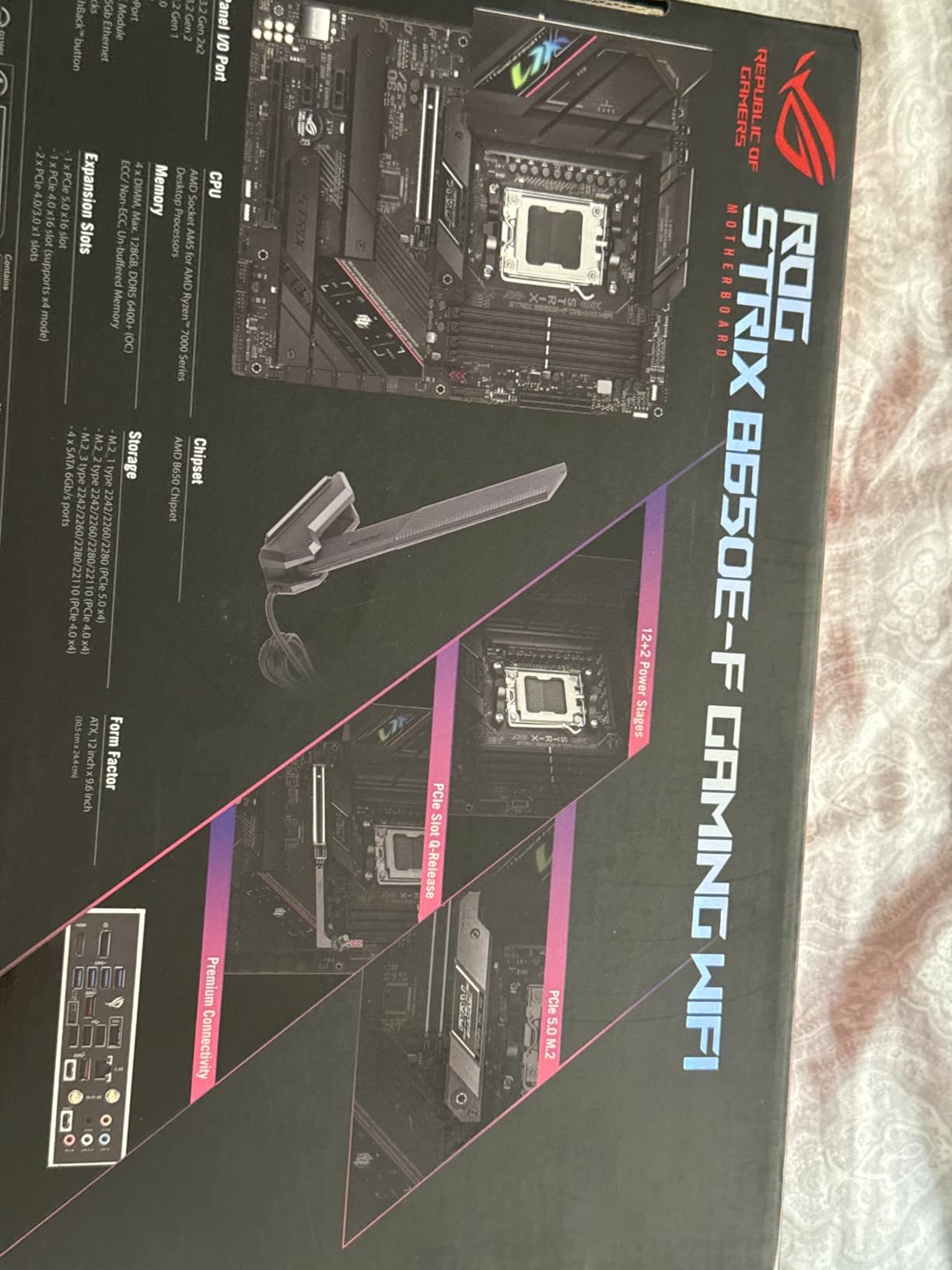
Power comes from 12+2 stages on 8+4-pin ProCool connectors, with large VRM heatsinks that have airflow channels cut into them. The thermal pads are high conductivity, and the practical result is that multi-core Ryzen chips run without the throttling complaints that plague thin-heatsink designs. WiFi 6E, Bluetooth 5.2 and an Intel 2.5G port with LANGuard cover networking.
The audio section is the standout for a gaming build. An ALC4080 codec with a Savitech amplifier, DTS Sound Unbound and Sonic Studio III is a real upgrade over the Realtek basics on mid-range boards, and Aura Sync lighting is there if your case shows it.
Who this board suits
A Ryzen 9 9950X or 9950X3D workstation build that wants USB4, fast networking, serious audio and full storage expansion in one package. It also works well for creators who run multiple fast SSDs alongside a discrete GPU.
Where it falls short
The three-year warranty is shorter than some competing AM5 boards, and older shipping BIOS revisions can limit memory profile options out of the box, so update the firmware before you install a Ryzen 9000 chip. Some owners also find the ASUS software utilities intrusive next to a clean Windows install.
3. GIGABYTE B650 Eagle AX – the highest-rated board here
GIGABYTE B650 Eagle AX AM5 LGA 1718 ATX Motherboard, DDR5, Triple M.2 Slots (1x PCIe 5.0, 2X PCIe 4.0), USB 3.2 Gen2x2 Type-C, WiFi 6E, Realtek GbE LAN
B650 chipset
12+2+2 phase VRM
3x M.2 with one Gen5
WiFi 6E and GbE LAN
Pros
- Highest average rating in this lineup at 4.6 stars
- 12+2+2 phase VRM comfortable with top-bin Ryzen silicon
- Four PCIe expansion slots plus three M.2 slots
- Q-Flash Plus rescued a board for one reviewer
Cons
- Wired networking limited to 1GbE Realtek
- Runs warm under sustained load with several M.2 drives
- Thin printed manual
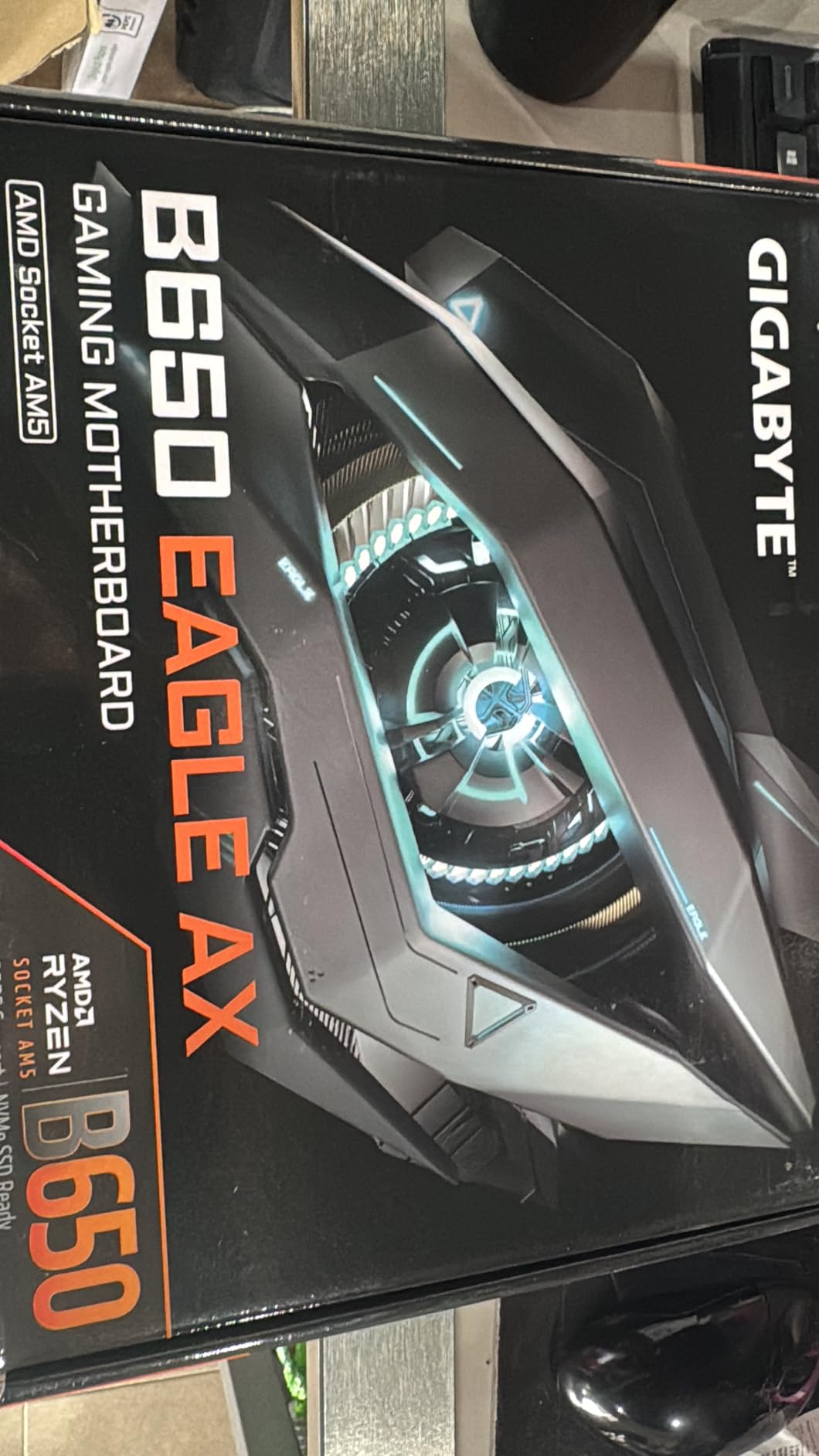
The B650 Eagle AX carries the highest average rating of any board we reviewed, at 4.6 stars across 964 reviews, and owners single it out as a value pick rather than a compromise. It is a full-size ATX board with a genuinely complete slot layout at a mid-range price point.
Where it surprises people is the power delivery. A 12+2+2 phase digital VRM with capable heatsinks is enough for high-end chips such as the 9800X3D, which is unusual at this position in the market. Four PCIe expansion slots and three M.2 slots, one of them PCIe 5.0, leave room for a capture card, an extra GPU or an expansion card without giving anything up.
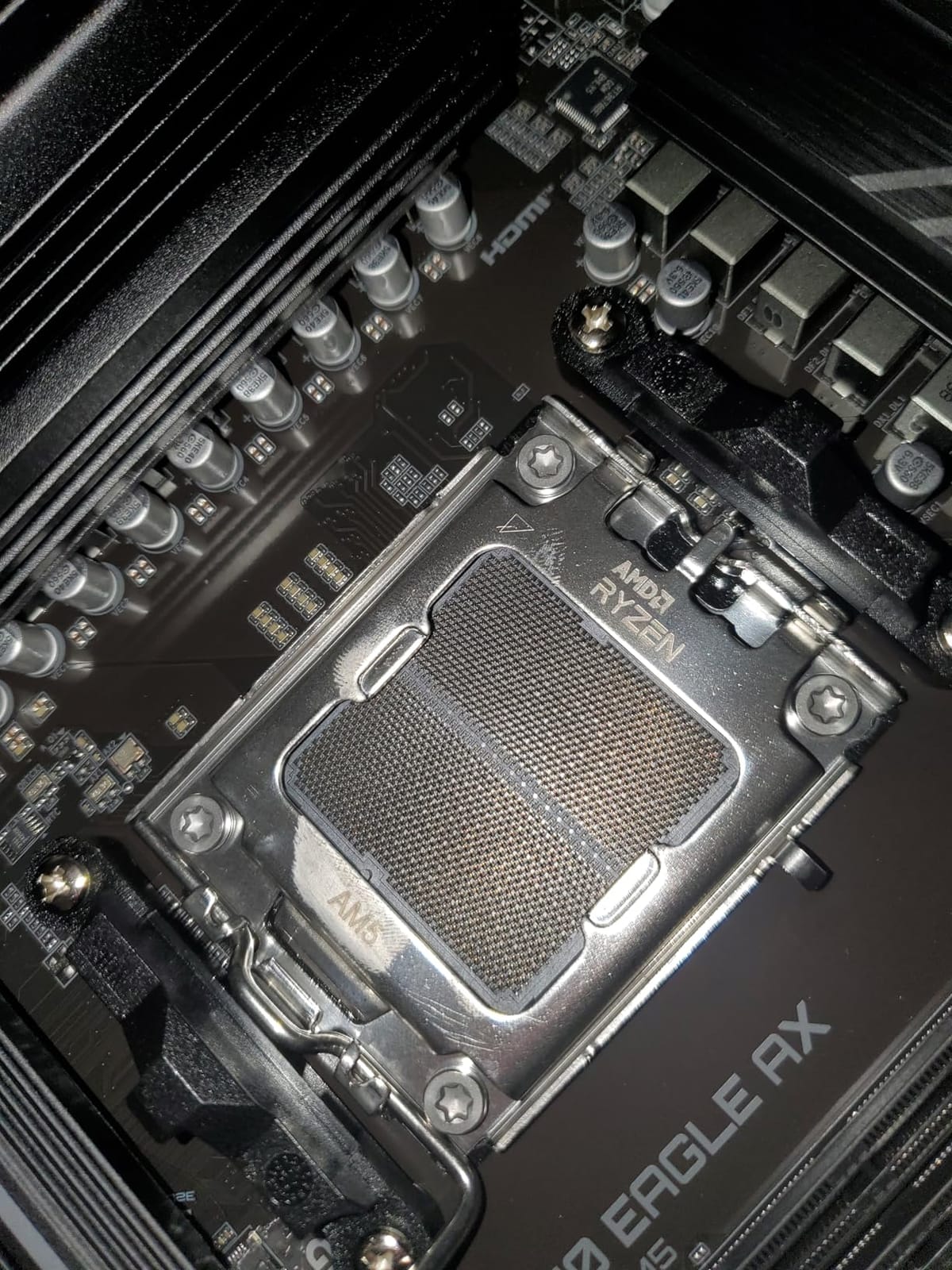
Memory support covers four DDR5 slots up to 128GB, and the 12 USB ports plus front and rear Type-C cover peripherals without needing a hub. AMD WiFi 6E is on board alongside a Realtek GbE LAN port.
Q-Flash Plus earned specific praise from at least one owner who used it to recover a board that would not POST, which is the single most valuable button on any motherboard. Smart Fan 6 and a clear UEFI menu round out a firmware experience that reviewers describe as approachable.
Who this board suits
A Ryzen 7 7800X3D or 9800X3D gaming build on a budget, and builders who want four expansion slots for add-on cards. It is also a strong pairing for a Ryzen 5 9600X where the extra VRM headroom simply goes unused.
Where it falls short
There is no 2.5GbE, so wired networking tops out at 1GbE, and the WiFi 6E radio may need tuning to hit its best speeds. Owners also report the board running warm under sustained heavy load with multiple M.2 drives, so case airflow matters more here than on boards with larger VRM mass.
4. ASUS ROG Strix X870-A Gaming WiFi – the X870 to beat
ASUS ROG Strix X870-A Gaming WiFi AMD AM5 X870 ATX Motherboard 16+2+2 Power Stages, Dynamic OC Switcher, Core Flex, DDR5 AEMP, WiFi 7, 4X M.2, PCIe® 5.0, Q-Release Slim, USB4®, AI OCing & Networking
X870 chipset
16+2+2 stages at 90A
4x heated M.2 slots
WiFi 7 and USB4
Pros
- 16+2+2 power solution at 90A per stage with dual ProCool II connectors
- All four M.2 slots have dedicated heatsinks
- WiFi 7 and rear USB4
- Dynamic OC Switcher and Core Flex for stable high-speed memory
Cons
- Armoury Crate resets settings and causes ARGB issues for some users
- No POST-code LED or push-to-start button
- Fast DDR5 kits may need a BIOS update first
The X870-A is the board to look at when the Ryzen 9 is a 9950X or 9950X3D and the machine will render, compile or stream for hours at a time. Owners running top-bin silicon report flawless stability and cool VRM operation, and 708 reviews give that claim some weight.
The power solution is 16+2+2 stages rated at 90A per stage on dual ProCool II connectors, which is the headroom difference that actually separates a board like this from a B650. Everything else about it is designed around high-end memory and high-end storage rather than gaming frames.
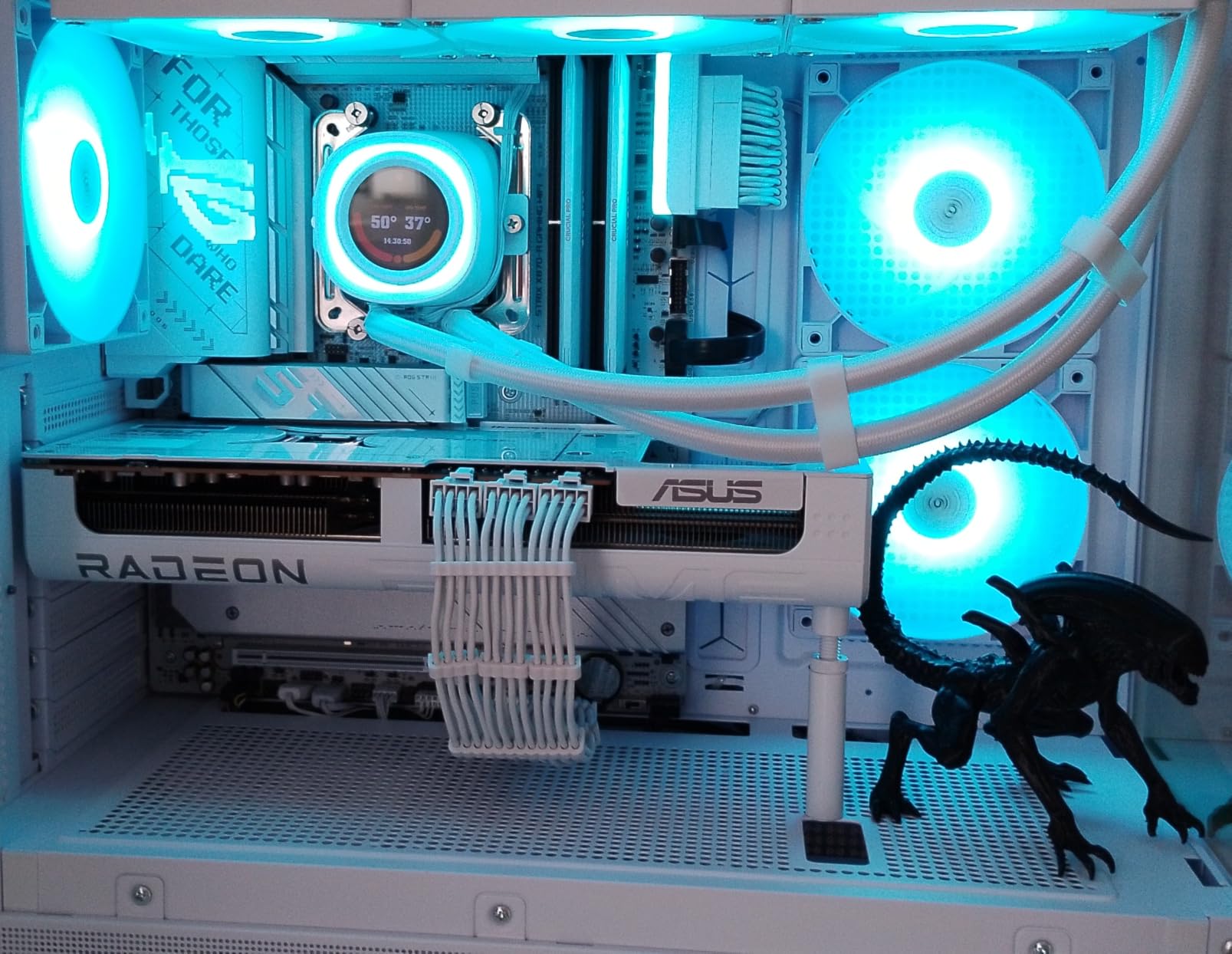
All four M.2 slots carry dedicated heatsinks, which matters for multi-drive setups where drives throttle without them. Memory support runs to 192GB across four DIMM slots, and ASUS’s Dynamic OC Switcher, Core Flex and AEMP profiles exist specifically to make fast DDR5 kits train reliably.
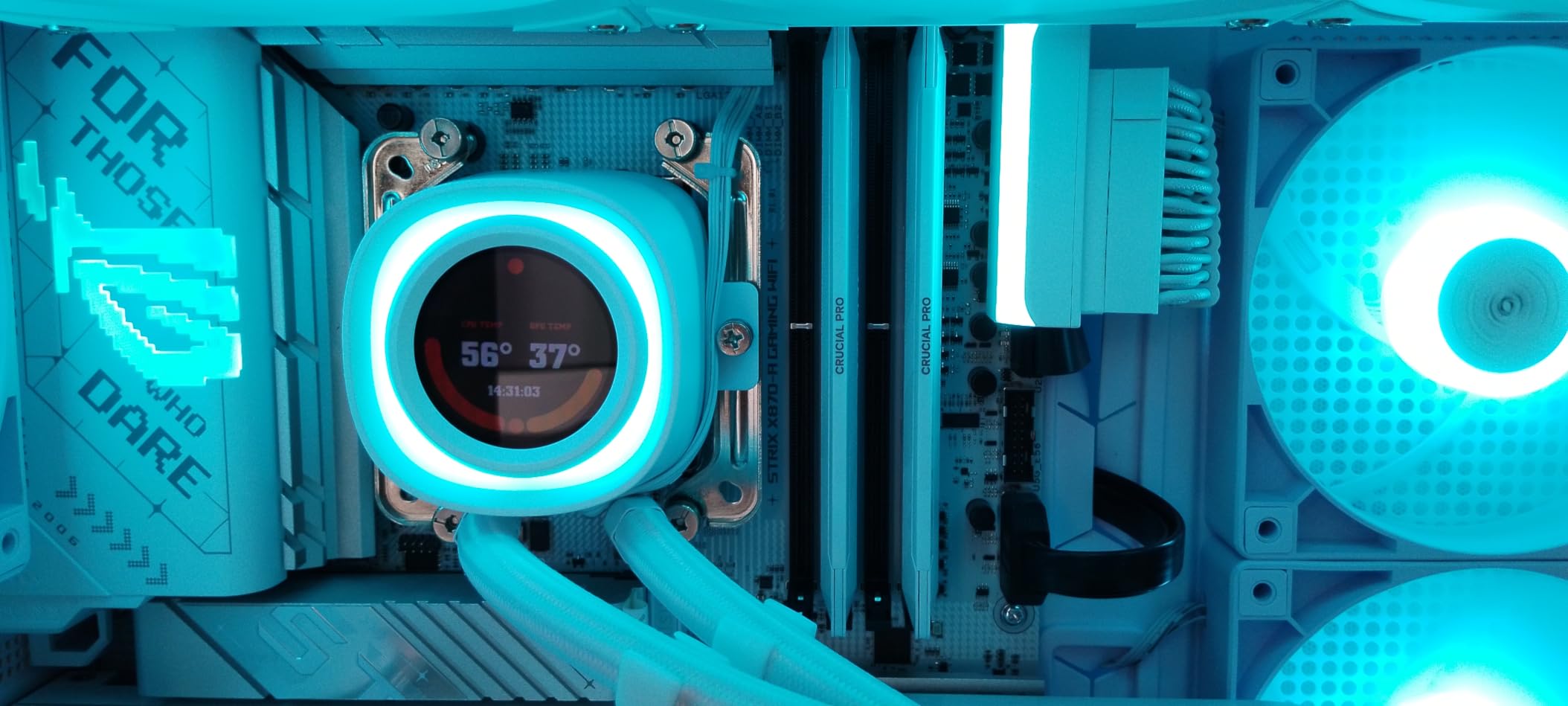
Networking is the current-generation end of the list: WiFi 7, and owners report noticeably faster transfers than a WiFi 6 board on the same network. Q-Release Slim makes GPU removal tool-free, and the white finish suits themed builds where other boards would clash.
Who this board suits
A Ryzen 9 9950X3D or 9950X production machine with multiple NVMe drives and WiFi 7 networking. It is also a good match for anyone who wants PCIe 5.0 graphics now without thinking about a second upgrade in four years.
Where it falls short
Armoury Crate is the recurring complaint: settings reset after updates and some users have had ARGB issues. There is no numeric POST-code LED and no push-to-start button, and DDR5-6400 kits may need a BIOS update before they will boot.
5. MSI MAG X870 Tomahawk WiFi – 5GbE plus rear USB4
MSI MAG X870 Tomahawk WiFi Gaming Motherboard (AMD Ryzen 9000/8000/7000 Series Processors, AM5, DDR5, PCIe 5.0, M.2 Gen5, SATA 6Gb/s, USB 40Gbps, HDMI/DP, Wi-Fi 7, Bluetooth 5.4, 5Gbps LAN, ATX)
X870 chipset
14+2+1 stages at 80A
5GbE LAN and WiFi 7
Rear USB4 at 40Gbps
Pros
- 17-phase 14+2+1 Duet Rail design with 80A stages and an extended heatsink
- LED debug code display plus Clear CMOS and BIOS Flashback on rear I/O
- 5GbE LAN with WiFi 7 and two rear USB4 ports
- Tool-less EZ M.2 heatsink with a pre-formatted BIOS flash drive included
Cons
- Second PCIe 5.0 M.2 slot shares bandwidth with the USB4 port
- Some units need WiFi drivers transferred from a second device
- Long boot times past the MSI logo reported by several owners
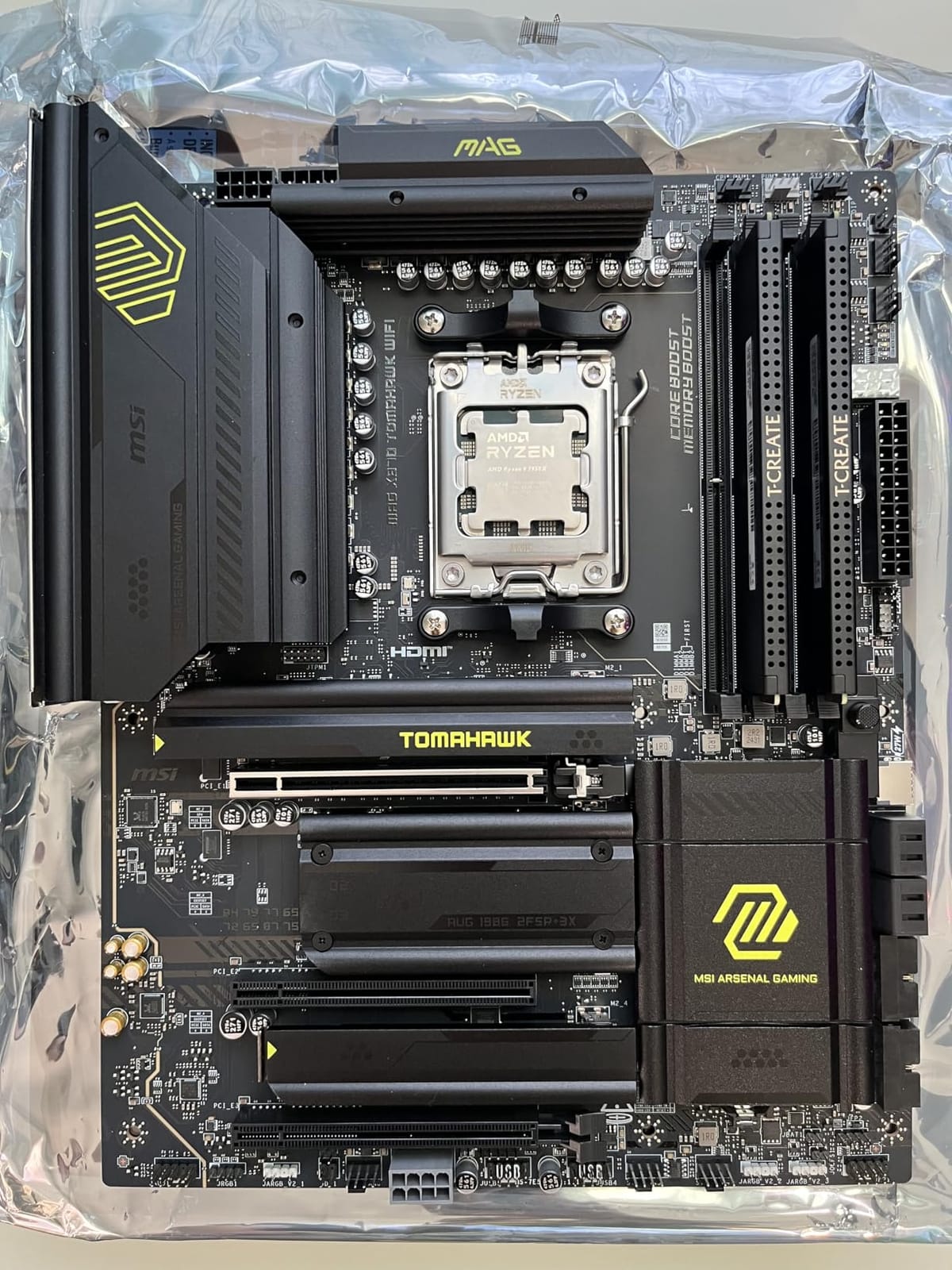
The Tomahawk is the X870 board most owners describe as the best value in the chipset, and 649 reviews at 4.4 stars support that. It is less about raw phase count than about the diagnostic features that usually only appear on boards costing far more.
The LED debug code display on the board is the standout. Alongside rear-mounted Clear CMOS and BIOS Flashback buttons, it means a failed POST tells you a code instead of leaving you guessing. That single feature changes the whole experience of a first build.
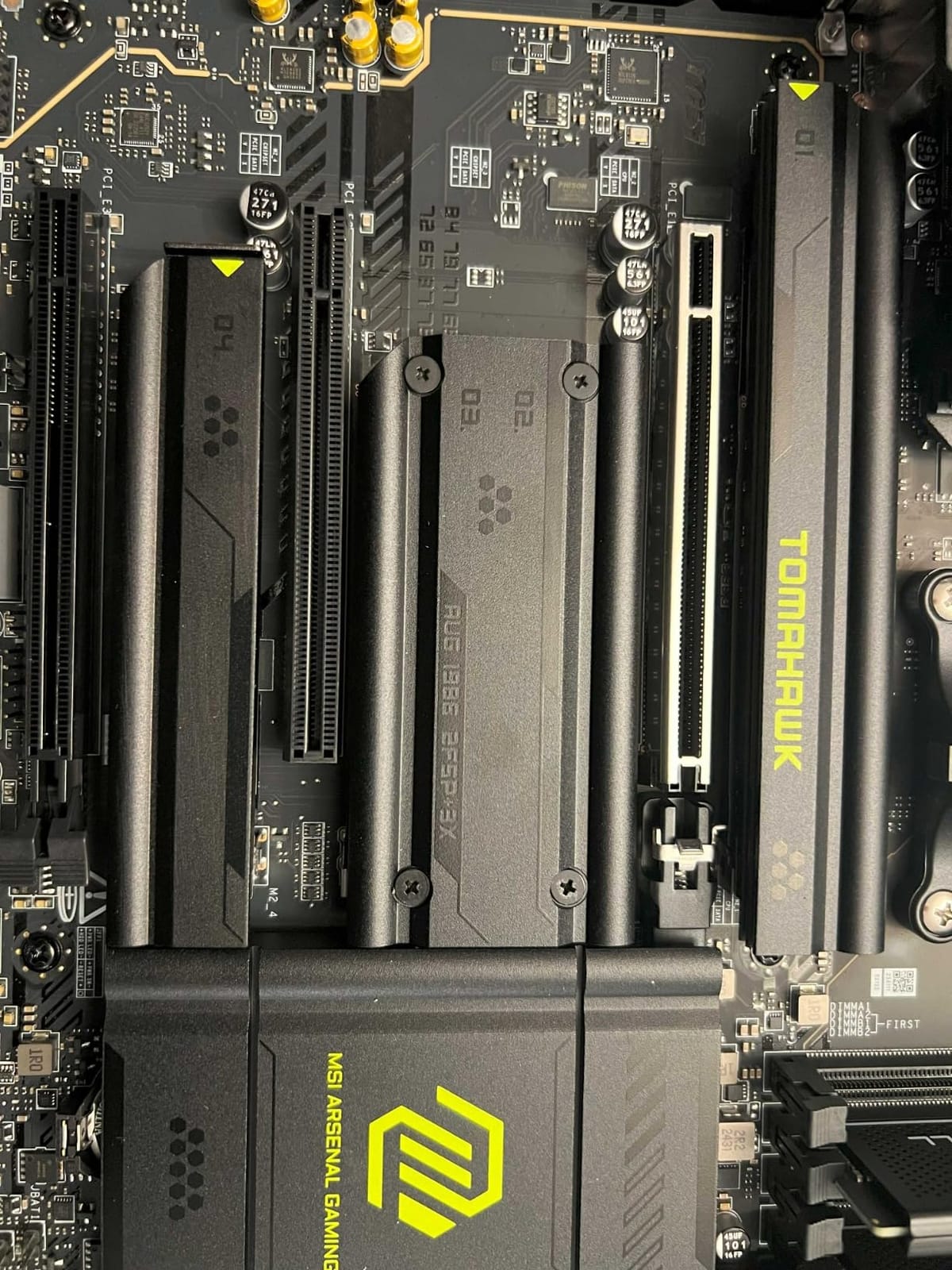
Networking is where this board separates itself from other X870 options: 5GbE LAN rather than 2.5GbE, WiFi 7 with Bluetooth 5.4, and two physical USB4 ports on the rear I/O. The M.2 heatsink is tool-less, and MSI includes a pre-formatted 32GB FAT32 USB drive for BIOS flashing, which removes a genuinely annoying step.
Memory support is the most generous on this list, up to 256GB across four slots, and the 14+2+1 Duet Rail system with 80A stages and an extended PWM heatsink keeps high-end Ryzen at full speed. The black design carries no onboard RGB, which minimalists tend to appreciate.
Who this board suits
A creator or streamer on a Ryzen 9 who moves large files over a network and wants USB4 peripherals. It is also our pick for a first high-end build because the on-board debug display makes troubleshooting fast.
Where it falls short
The second PCIe 5.0 M.2 slot shares bandwidth with the USB4 port, so you are choosing one or the other. Several owners report long boot times past the MSI logo, and some units need WiFi drivers transferred from a second device.
6. MSI B650 Gaming Plus WiFi – the budget AM5 build
MSI B650 Gaming Plus WiFi Gaming Motherboard (AMD Ryzen 9000/8000/7000 Series Processors, AM5, DDR5, PCIe 4.0, M.2, SATA 6Gb/s, USB 3.2 Gen 2, HDMI/DP, Wi-Fi 6E, Bluetooth 5.3, 2.5Gbps LAN, ATX)
B650 chipset
12+2+1 Duet Rail VRM
2x M.2 Gen4
WiFi 6E and 2.5GbE
Pros
- Full-size ATX B650 that keeps storage and expansion options intact
- 12+2+1 Duet Rail power with dual 8-pin CPU connectors runs a 7800X3D
- WiFi 6E Bluetooth 5.3 and 2.5GbE at an entry price
- BIOS Flashback and Clear CMOS buttons on the board
Cons
- No PCIe 5.0 graphics slot or Gen5 M.2 support
- Only two M.2 slots
- Some BIOS revisions report slow boot times
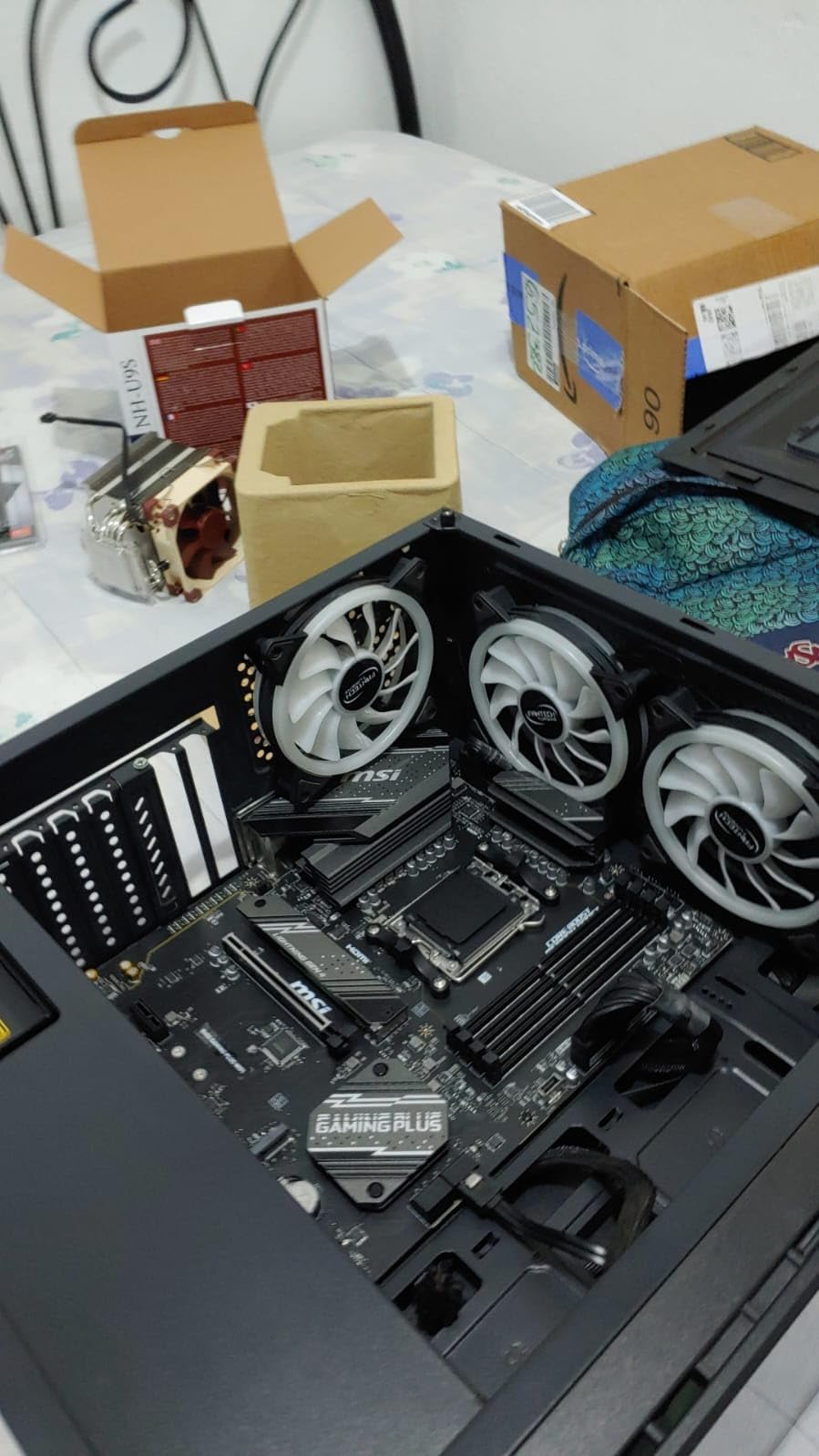
The B650 Gaming Plus WiFi is the board we point at when someone is building a Ryzen 5 9600X or Ryzen 7 7700X system and wants to spend the money on the graphics card instead. 630 reviews at 4.6 stars make it one of the highest-satisfaction picks in this lineup.
It is a full-size ATX B650 with a 12+2+1 Duet Rail power system on dual 8-pin CPU connectors, extended heatsinks and 7W/mK MOSFET thermal pads. Owners confirm it runs high-end Ryzen chips such as the 7800X3D without complaint, which is where most budget boards stop.
Networking is unusually generous at this price, with WiFi 6E, Bluetooth 5.3 and 2.5GbE LAN. There is USB 3.2 Gen 2×2 20G Type-C on the rear plus front-panel USB-A and USB-C headers, and BIOS Flashback and Clear CMOS buttons are both on the board.
The BIOS has clear EZ and Advanced modes and a working EXPO profile on DDR5-6000, which is exactly the speed range that matters. Two M.2 slots sit under M.2 Shield Frozr heatsinks, and four SATA ports cover drive expansion.
Who this board suits
A Ryzen 5 9600X or Ryzen 7 7700X gaming build where every dollar saved goes into the graphics card. It is also a sensible pairing for a Ryzen 7 9800X3D if you plan to add a second SSD later through the SATA ports rather than the M.2 slot.
Where it falls short
There is no PCIe 5.0 anywhere, so a future graphics card upgrade loses the top slot’s headroom. Only two M.2 slots means one boot drive and one game drive out of the box, and some buyers report slow boot times on certain BIOS revisions.
7. MSI PRO B650M-A WiFi – the only micro-ATX pick
MSI PRO B650M-A WiFi ProSeries Motherboard (AMD Ryzen 9000/8000/7000 Series Processors, AM5, DDR5, PCIe 4.0, M.2, SATA 6Gb/s, USB 3.2 Gen 2, HDMI/DP, Wi-Fi 6E, Bluetooth 5.3, 2.5Gbps LAN, mATX)
Micro-ATX B650
Four DDR5 slots
2x PCIe slots
WiFi 6E and 2.5GbE
Pros
- The only micro-ATX board here and the natural fit for compact AM5 cases
- Four DDR5 DIMM slots supporting up to 128GB at this size
- WiFi 6E Bluetooth 5.3 and 2.5GbE LAN on a ProSeries board
- Light 2-pound board with a straightforward layout
Cons
- Only 8 USB ports
- the fewest in this group
- Two PCIe expansion slots limit add-on use
- 128GB memory ceiling is lower than several rivals
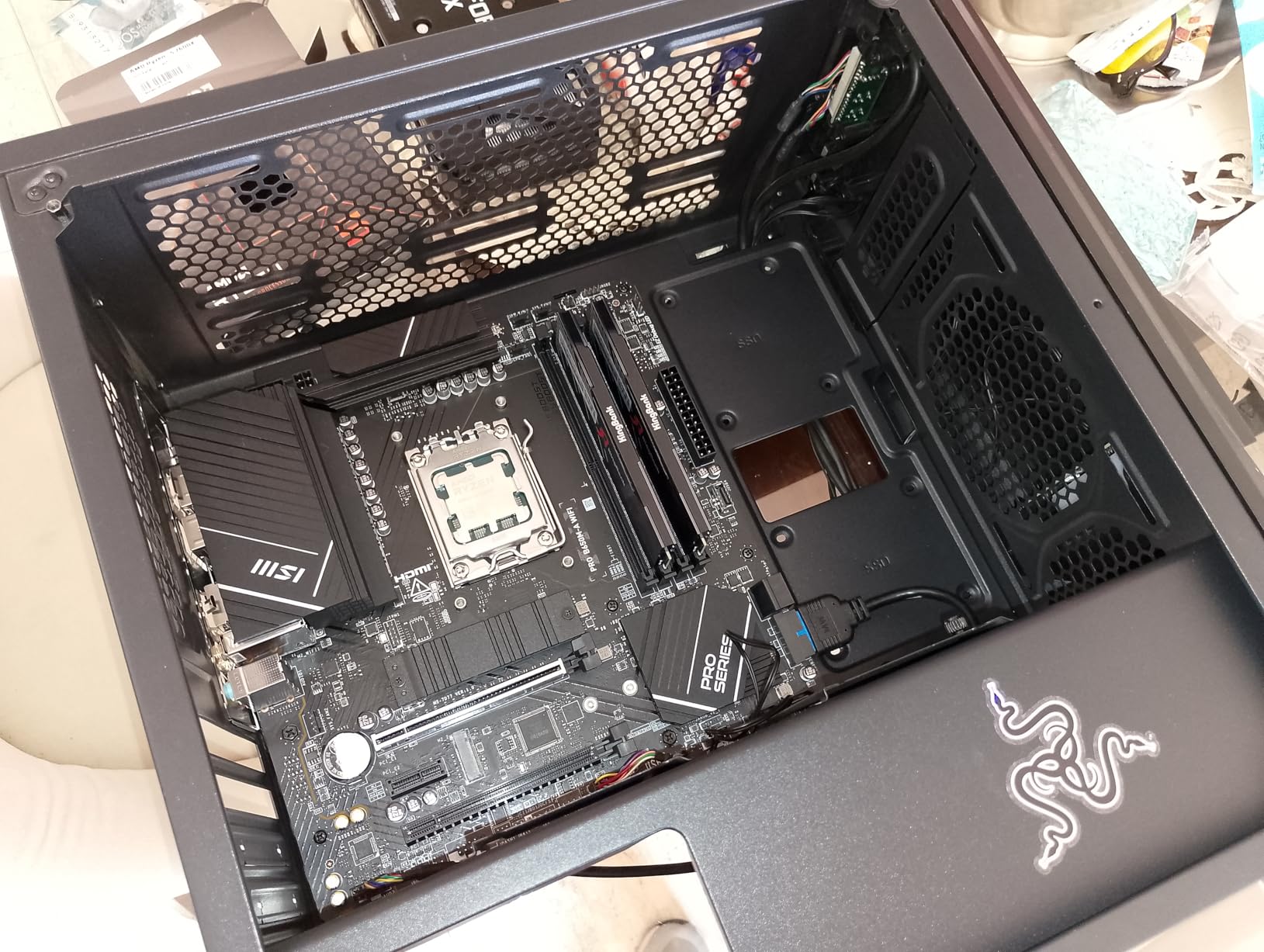
The PRO B650M-A WiFi is the pick when the case is micro-ATX or you simply want a smaller board that still has four memory slots. Most compact boards force you to two, and that is the main compromise most builders are not willing to make.
It weighs two pounds, which makes it easy to handle during assembly, and the layout is straightforward with M.2 Shield Frozr heatsinks on the storage slots. Memory Boost technology and 7W/mK thermal pads handle power delivery, and the board covers Ryzen 7000 and 8000 series with a current BIOS.
Networking is the surprise here. WiFi 6E, Bluetooth 5.3 and 2.5GbE LAN on a ProSeries micro-ATX board is more than most buyers expect at this size, and it removes the usual need for a PCIe network card in a small case.
Two PCIe expansion slots and four SATA ports sit behind it. That is enough for a single graphics card plus one capture or network card, which covers the realistic small-form-factor use case.
Who this board suits
A compact micro-ATX case with a Ryzen 5 or Ryzen 7 chip, and anyone who wants four memory slots in a smaller footprint. It also works as a quiet office or secondary build where the 2.5GbE port is doing real work.
Where it falls short
Eight USB ports is the lowest count here, and the two expansion slots rule out extra GPUs or several add-on cards. The 128GB memory maximum is also lower than the 192GB and 256GB boards in this list, so very large memory configurations are out.
8. GIGABYTE B650 Gaming X AX – three Gen4 M.2 slots
GIGABYTE B650 Gaming X AX AMD AM5 ATX Motherboard, Support Ryzen 9000/8000/7000, DDR5, 8+2+1 Power Phase, 3X M.2, PCIe 4.0, USB-C 3.2 Gen 2, WIFI6E, 2.5GbE, EZ-Latch, Q-Flash, RGB Fusion
B650 chipset
8+2+1 phase VRM
3x PCIe 4.0 M.2
WiFi 6E and 2.5GbE
Pros
- Three PCIe 4.0 x4 M.2 slots for generous current-gen storage expansion
- WiFi 6E and 2.5GbE LAN as standard on a mid-range B650 ATX board
- USB 3.2 Gen 2x2 Type-C plus EZ-Latch for tool-free GPU fitting
- RGB Fusion lighting and Q-Flash for in-system BIOS updates
Cons
- 8+2+1 is the weakest VRM spec among the GIGABYTE boards here
- No PCIe 5.0 graphics or M.2 slot despite the AM5 platform
- Lower USB port count than most boards at this price
The B650 Gaming X AX exists for one reason: storage. Three PCIe 4.0 x4 M.2 slots means a large library of NVMe drives without touching a SATA port, and every one of them is current-generation rather than a future-proof empty slot.
That is a different bet from the AORUS Elite AX, which spends its budget on power delivery. Here the 8+2+1 direct phase design is the lightest VRM among the GIGABYTE boards we tested, and owners are candid that it suits mainstream rather than power-hungry Ryzen chips.
For a Ryzen 5 9600X, Ryzen 7 7700X or 7800X3D at stock, that is not a limitation. It becomes one only if you plan to run a 9950X at high all-core loads or push manual overclocking, where the extra phases on the AORUS board start to matter.
Networking is competitive with WiFi 6E and 2.5GbE LAN, plus USB 3.2 Gen 2×2 Type-C on the rear. EZ-Latch handles the GPU without tools, Q-Flash handles firmware, and RGB Fusion covers lighting if your case shows it. Four DIMM slots support up to 128GB with EXPO and XMP.
Who this board suits
A gaming library build with several NVMe drives, or a streamer who wants a dedicated capture SSD, a game SSD and an OS SSD without falling back to SATA. It also fits a Ryzen 7 7800X3D or 7700X system that will never see a heavy all-core load.
Where it falls short
The VRM is the weak point, and it is the reason we do not recommend it for a Ryzen 9 9950X pushing heavy render or compile workloads. There is no PCIe 5.0 slot at all, and the listed USB port count is lower than most competing boards at the same level.
9. ASRock B650 Steel Legend WiFi 6E – maximum ports and 256GB
ASRock B650 Steel Legend WiFi 6E AMD Socket AM5 Ryzen 9000 8000 and 7000 Series SATA3 M.2 DDR5 7200+(OC) 256GB SATA3 6.0 Gb/s ATX Motherboard BIOS Flashback
B650 chipset
14+2+1 at 80A Dr.MOS
1x Gen5 and 2x Gen4 M.2
256GB DDR5
Pros
- Strong 14+2+1 power phase with 80A Dr.MOS for Vcore
- One Blazing M.2 PCIe Gen5x4 plus two Hyper M.2 Gen4x4 slots and four SATA ports
- Up to 256GB DDR5 across four DIMM slots at 7200+ speeds
- Dragon 2.5G LAN with WiFi 6E and ALC4082 audio
Cons
- Only a 90-day warranty
- far shorter than every other board in this lineup
- Port count is high but the mix skews heavily toward USB 2.0
- ASRock BIOS and documentation have a steeper learning curve
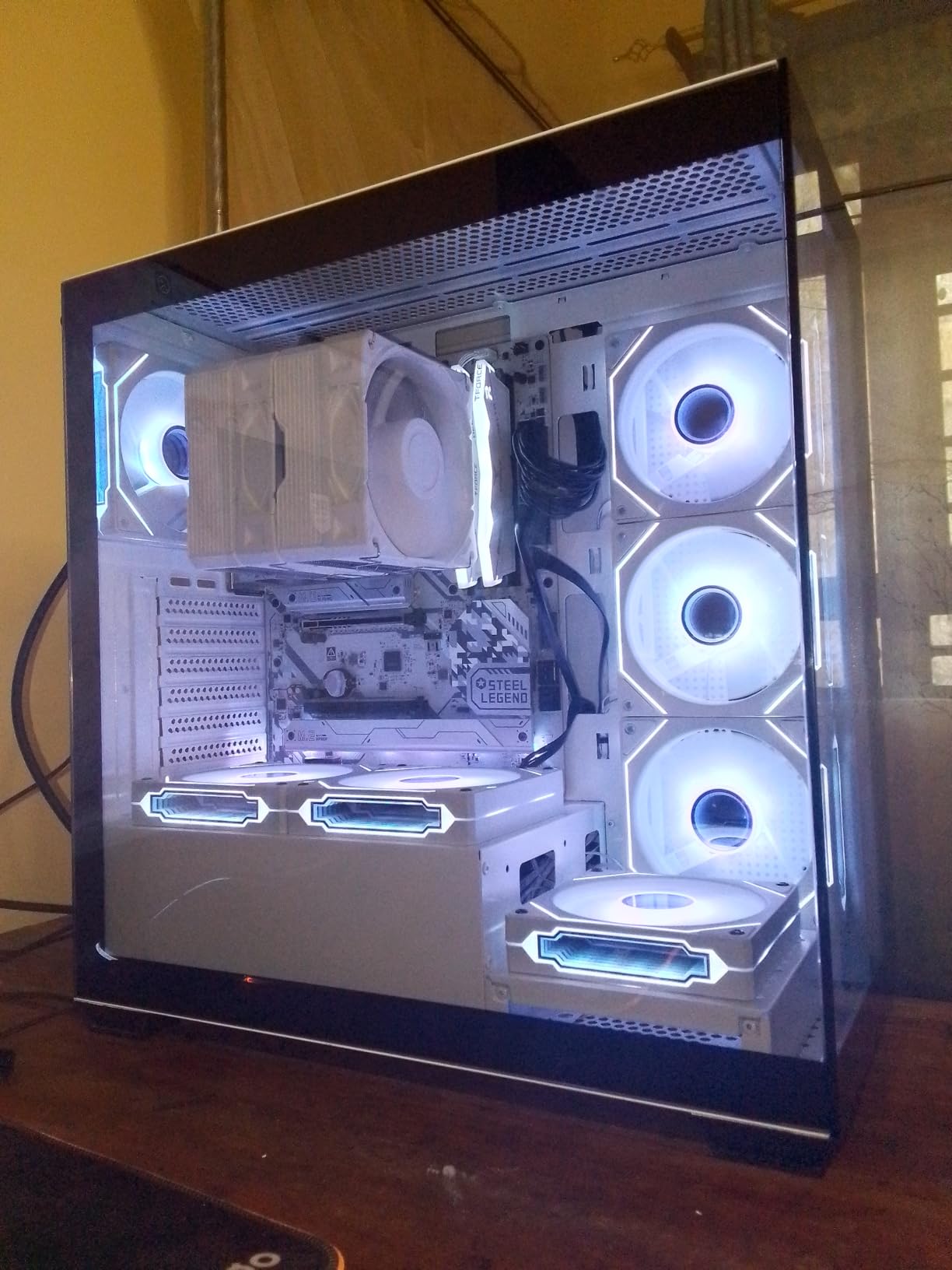
The Steel Legend is the specification outlier in this lineup. It supports 256GB of DDR5 across four slots, offers one Gen5 and two Gen4 M.2 drives alongside four SATA ports, and lists 19 USB ports. Nothing else here combines that much storage flexibility with a 14+2+1 Dr.MOS design rated at 80A.
Three PCIe slots cover the graphics card plus two add-ons, including a PCIe 5.0 x16 and a PCIe 3.0 x16. Graphics output covers both HDMI and DisplayPort, and the audio is a Realtek ALC4082 7.1-channel codec with Nahimic rather than the bare-bones chipset most budget boards use.
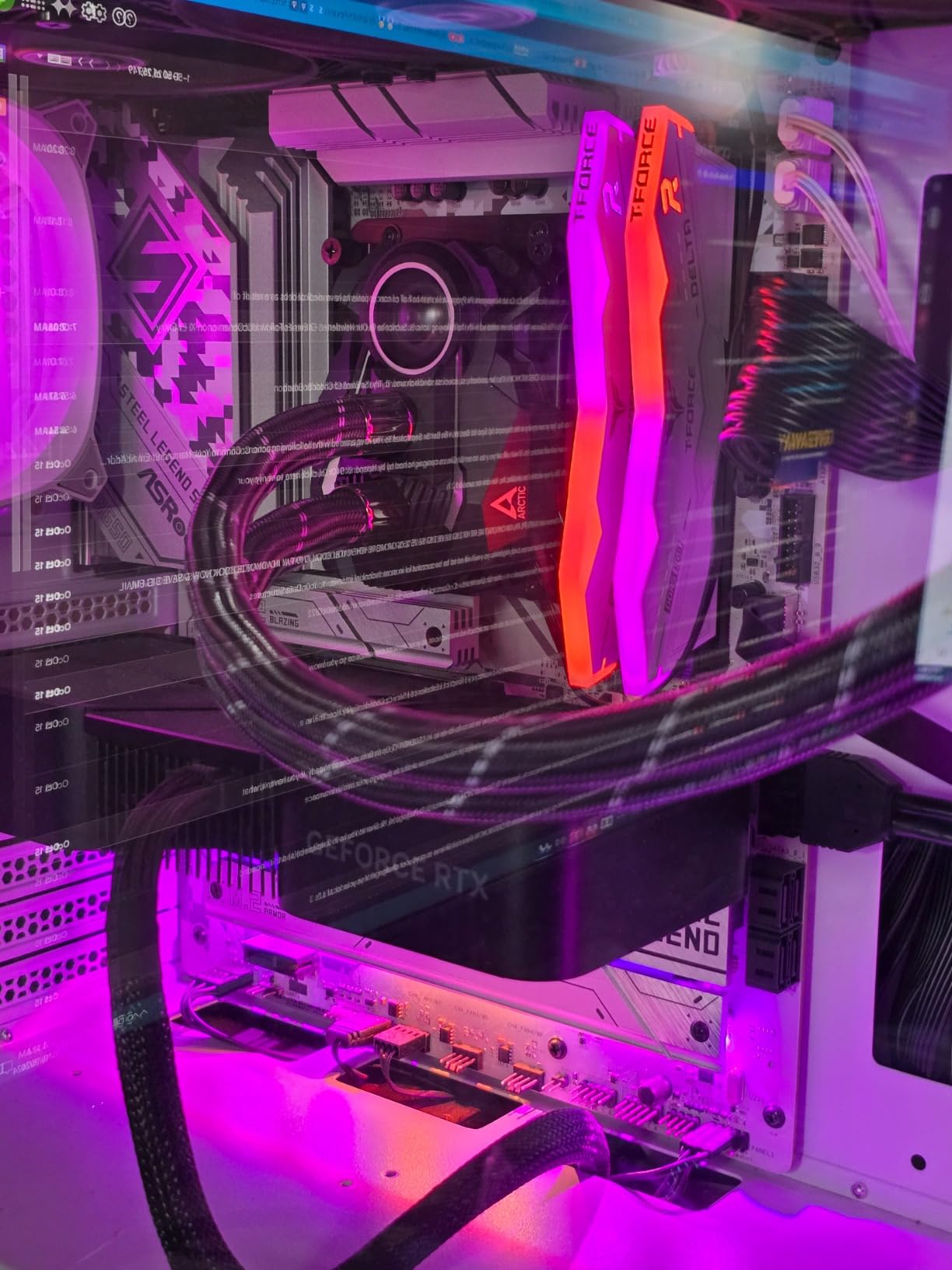
Networking is a Dragon 2.5G LAN port with 802.11ax WiFi 6E and Bluetooth, which is current enough for most homes and small offices. BIOS Flashback and ASRock’s Auto Driver Installer take some of the friction out of first-time setup.
At 289 reviews, this board has the thinnest owner history here, so treat the pattern as informative rather than conclusive. What those reviews do agree on is that the power delivery and slot count are strong for the money.
Who this board suits
A workstation-style build that needs 256GB of memory and three NVMe drives plus SATA expansion, and does not need a graphics card upgrade path. It is also a good fit for a small server or lab machine on AM5 that values ports over aesthetics.
Where it falls short
The 90-day warranty is the shortest of any board in this list by a wide margin, which matters if you plan to keep the machine for years. The high port count skews toward USB 2.0, and the BIOS and documentation take more getting used to than ASUS or MSI equivalents.
10. ASRock X870 Pro RS WiFi – dual USB4 on a lower tier
ASRock X870 Pro RS WiFi AMD Ryzen Socket AM5 ATX Motherboard USB4 DDR5 8000 MHz 256 GB SATA3 6.0 Gb/s
X870 chipset
14+2+1 Dr.MOS
Dual USB4 Type-C
WiFi 7 and Gen5 M.2
Pros
- Entry route into X870 with dual rear USB4 Type-C ports and WiFi 7
- 14+2+1 power phase design with Dr.MOS
- Tool-less multi-layer M.2 heatsink plus a dedicated bottom M.2 heatsink
- Blazing M.2 PCIe Gen5 x4 slot with DDR5 up to 8000 and 256GB
Cons
- Only a one-year warranty
- No Windows 10 driver support
- BIOS interface is less intuitive and some owners need to update firmware immediately
The X870 Pro RS WiFi is interesting for a simple reason: it puts dual rear USB4 Type-C ports and WiFi 7 on the table at a much lower tier than the flagship X870 boards. At 160 reviews it is the least proven board here, so the specifications deserve a closer read before you commit.
On paper the rest holds up. A 14+2+1 Dr.MOS power phase, a Blazing M.2 PCIe Gen5 x4 slot, DDR5 support up to 8000 MT/s and 256GB across four slots, four SATA ports and 18 USB ports.
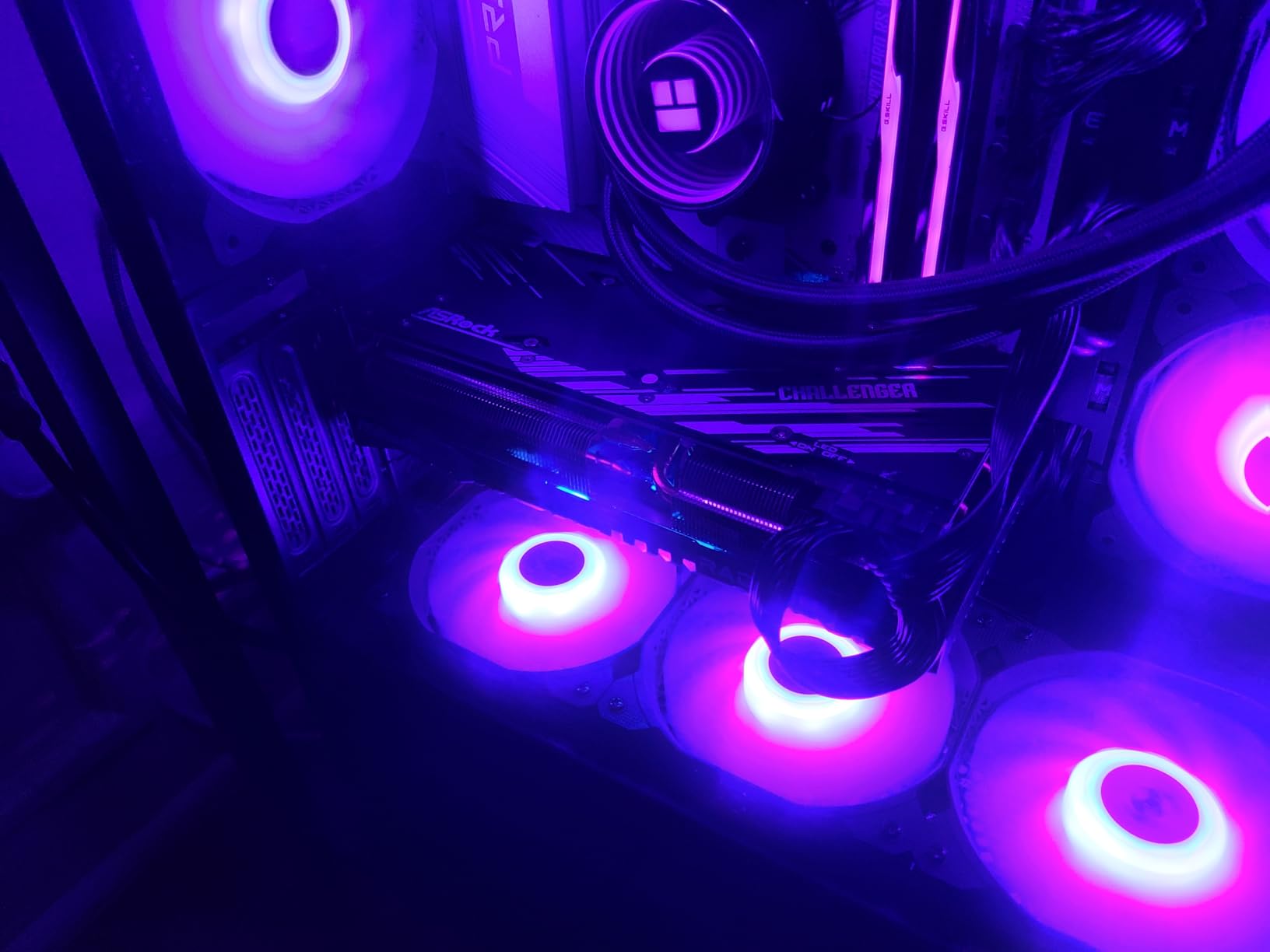
Owners report stable behaviour with aggressive XMP profiles, including one running a 7200 MT/s kit, and higher boost clocks than several premium rivals. The M.2 heatsink is tool-less with a sliding drive lock, and there is a separate bottom M.2 heatsink, which is rare at this level.
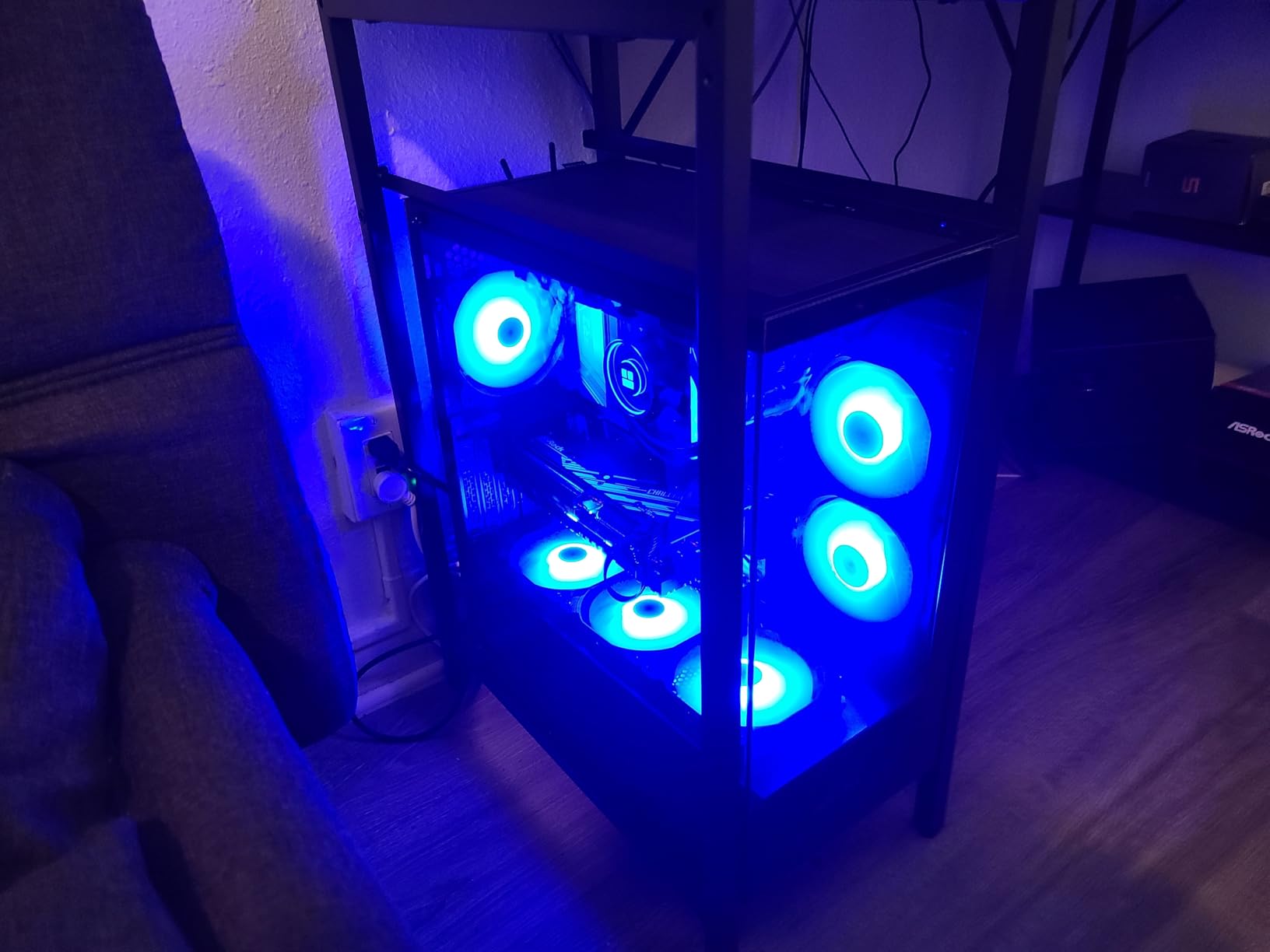
Onboard error display and status LEDs are a genuine bonus for a board that new builders will pick. It is easier to diagnose a problem on this board than on most boards that cost the same.
Who this board suits
A Windows 11 builder who wants X870 features, USB4 peripherals and WiFi 7 without moving to the flagship tier, and who is comfortable updating firmware early. It suits a Ryzen 7 9800X3D or a Ryzen 9 9950X with fast memory.
Where it falls short
There is no Windows 10 driver support, and some owners on that OS report intermittent ethernet behaviour. The one-year warranty is short, the M.2 heatsink is difficult to remove once fitted, and the BIOS interface has narrower clickable areas and less localisation than the alternatives.
How to Choose a Motherboard for a Ryzen Build
Most of the anxiety in these builds comes from trying to compare every spec at once. Work through these criteria in order and the decision usually makes itself before you look at the badge on the box.
1. Confirm the socket and memory standard. AM5 and DDR5, every time. If you are upgrading from an AM4 system, your existing DDR4 cannot be reused, and no BIOS setting will change that. Budget for a new memory kit as part of the platform cost, and target 6000 to 6400 MT/s for DDR5.
2. Check the CPU support list and minimum BIOS version. Every AM5 board supports Ryzen 7000, 8000 and 9000 series, but a board that launched earlier may need a firmware update for a newer chip. If the board has BIOS Flashback, Q-Flash Plus or an equivalent button, the update takes minutes with a USB stick and no CPU installed.
3. Match the chipset to the CPU, not to the budget. A Ryzen 5 9600X or Ryzen 7 7700X runs happily on a B650. A Ryzen 9 9950X pushing sustained all-core work benefits from the 16+2+2-class designs. A Ryzen 7 9800X3D sits between the two because of its single-CCD layout and does not need flagship power delivery.
4. Count M.2 slots and read the lane map. Two slots is enough for an OS drive and a game drive. Three or more matters if you run a large game library or separate capture and scratch drives. More importantly, check whether the second Gen5 slot shares bandwidth with USB4 or with SATA ports, which is the single most common AM5 discovery buyers make after assembly.
5. Look at VRM heatsinks, not phase counts. Marketing labels such as 20+2 or 80A stages are not a quality ranking. A smaller phase count with proper heatsinks and thermal pads runs cooler than a large count with thin ones. For most Ryzen builds the difference is invisible anyway.
6. Decide on networking. 1GbE is fine for most homes. 2.5GbE is worth it if you have a NAS, a fast fibre connection or large file transfers. 5GbE on the MSI Tomahawk is a real step up for anyone moving project files off a workstation. WiFi 6E is broadly sufficient; WiFi 7 only helps if your router and client devices support it.
7. Match the form factor to the case. ATX boards need an ATX case. Micro-ATX boards fit ATX cases too, so they are the safer compact choice. Mini-ITX is not represented in this lineup, and the trade-off there is two DIMM slots, tighter cooler clearance and a graphics card that often covers the lower M.2 slot.
8. Check DIMM slot count and memory ceiling. Two slots is fine for most builds and can actually train memory faster. Four slots is more flexible for upgrades. Capacity ceilings range from 128GB to 256GB across this list, which only matters for very large memory configurations.
9. Verify clearances. GPU length, CPU cooler height, and M.2 heatsink clearance from a large air cooler all need checking against your case. This is the most common reason a board has to be returned, and it is entirely avoidable by measuring first.
10. Read the warranty, then stop. Warranties here run from 90 days on the ASRock Steel Legend to five years on the two GIGABYTE boards. Beyond that, decide whether you want PCIe 5.0 graphics, USB4, or more money for the GPU, and save the rest. Our broader gaming motherboard picks go into the feature trade-offs further.
Frequently Asked Questions
Which motherboard is best for Ryzen processors?
For most Ryzen builds, a B650 or B650E AM5 board with DDR5 support is the right answer. The B650 AORUS Elite AX is the strongest all-round default here, while the MSI B650 Gaming Plus WiFi covers budget builds and the MSI PRO B650M-A WiFi covers compact cases. Move to X870 only if you need USB4, WiFi 7 or PCIe 5.0 graphics now.
What motherboards work best with AMD?
Any AM5 board works with AMD Ryzen 7000, 8000 and 9000 series desktop processors, as long as its BIOS is current enough. AM5 requires DDR5 memory and does not accept DDR4 or AM4 processors. Check the vendor CPU support list for the minimum BIOS version before you install a newer chip.
What is the best gaming motherboard for Ryzen?
The GIGABYTE B650 AORUS Elite AX is our pick for gaming because it combines a 14+2+1 power design, three M.2 slots including a PCIe 5.0 slot, WiFi 6E and 2.5GbE without charging a chipset premium. Motherboard choice has almost no effect on frame rates, so spend the difference on the graphics card instead.
What is the best motherboard for a Ryzen 7 9800X3D and 5090 processor?
The GIGABYTE B650 AORUS Elite AX pairs well with a Ryzen 7 9800X3D, and a GeForce RTX 5090 will run in its primary slot. For a PCIe 5.0 graphics card and USB4, step up to the ASUS ROG Strix X870-A Gaming WiFi or the MSI MAG X870 Tomahawk WiFi, and confirm the card fits the case length.
Is a Ryzen 7 overkill?
It depends on what you do with it. A Ryzen 7 is a strong match for high-refresh 1440p gaming and mainstream content creation, and a Ryzen 7 9800X3D is the fastest gaming chip in the range. It is overkill for a 1080p build on a mid-range card. Match the CPU to the resolution and the graphics card, and pick a board tier to match the core count.
Which motherboard is best for a PC build?
Pick in this order: confirm AM5 and DDR5, check the CPU support list and minimum BIOS version, match the chipset tier to your processor, count M.2 slots and read the lane-sharing notes, then verify GPU length and cooler clearance against your case. That sequence removes nearly every expensive mistake before the board is installed.
The Verdict on the Best Motherboards for Ryzen Builds in 2026
The GIGABYTE B650 AORUS Elite AX is the board we would build on. Its 14+2+1 power design, three M.2 slots with a PCIe 5.0 option, and 1547 owner reviews make it the safest recommendation in this lineup. For a Ryzen 9 workstation with USB4 and multi-NVMe storage, the ASUS ROG Strix X870-A Gaming WiFi has the power delivery to match, and the MSI MAG X870 Tomahawk WiFi is the smarter buy when 5GbE and a debug display matter more than raw phase count.
On a budget, the MSI B650 Gaming Plus WiFi and the GIGABYTE B650 Eagle AX both deliver more than their tier suggests. Whatever you choose, remember that the motherboard rarely moves your frame rate, the difference between these boards is real but modest, and the money you save is better spent on the graphics card or a larger SSD. Our best motherboards for Ryzen builds rankings in 2026 come down to that one judgement every time.