
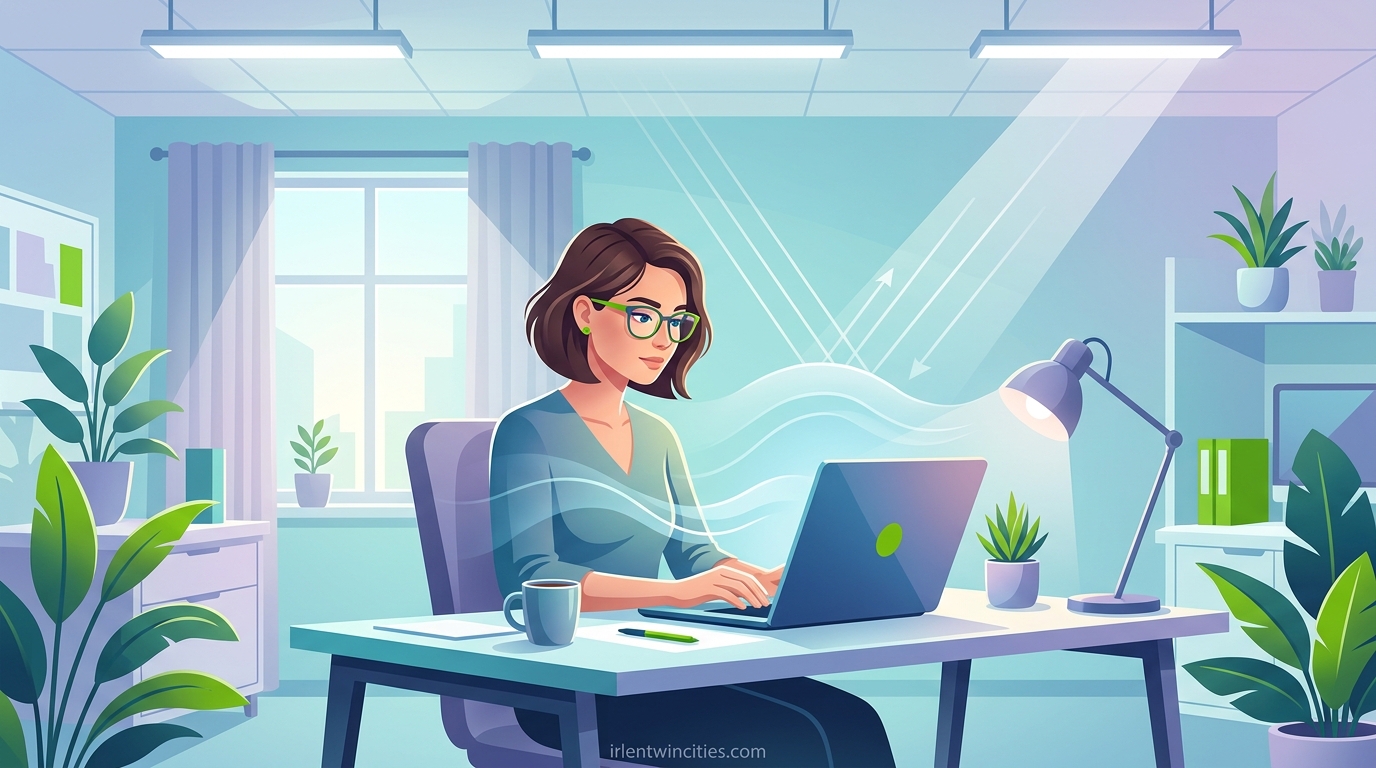
Have you ever sat at your desk, trying to focus on a spreadsheet, when the overhead fluorescent lights suddenly feel like they’re drilling into your skull? You’re not alone. Light sensitivity at work affects millions of people, turning what should be a productive eight hours into a daily struggle against headaches, nausea, and exhaustion.
I have spent years researching workplace accommodations and talking with people who navigate this challenge every single day. What I have learned is that coping with light sensitivity at work is absolutely possible. You need the right strategies, a clear understanding of your rights, and practical solutions you can implement immediately.
This guide will walk you through everything you need to know. From quick fixes you can try today to formal accommodations that protect your career, you will find actionable advice that has worked for real people in real workplaces.
Table of Contents
Understanding Light Sensitivity
Light sensitivity, also called photophobia, is more than just preferring a dim room. It is an abnormal intolerance to light that causes physical discomfort, pain, or the need to squint and shield your eyes. For many people, this condition transforms ordinary office lighting into a daily health hazard.
According to workplace wellness research, over 80 percent of employees with light sensitivity report reduced productivity. Nearly 40 percent have considered leaving their jobs because of lighting conditions. These numbers tell a clear story: this issue affects both wellbeing and career success.
What Is Photophobia
Photophobia occurs when your eyes and brain struggle to process light input normally. Unlike normal dislike of bright light, true photophobia triggers pain signals, neurological responses, and physical symptoms that you cannot simply ignore or power through.
The condition involves complex interactions between your eyes, optic nerve, and brain processing centers. When exposed to triggering light sources, your nervous system responds as if facing a threat. This explains why symptoms often include not just eye discomfort but headaches, nausea, and cognitive fog.
Common Symptoms at Work
Recognizing the symptoms of light sensitivity helps you identify triggers and advocate for yourself. Most people experience a combination of physical and cognitive effects that worsen throughout the workday.
Physical symptoms include eye strain, burning or watering eyes, headaches or migraines, and facial tension from squinting. Many people also report dizziness, nausea, and increased sensitivity to sound when exposed to problematic lighting.
Cognitive symptoms are equally disruptive. Difficulty concentrating, memory problems, irritability, and mental fatigue often accompany physical discomfort. One office worker described it perfectly: “By 2 PM, I feel like my brain is wrapped in cotton. I cannot think clearly no matter how hard I try.”
Medical Conditions Associated with Light Sensitivity
Light sensitivity rarely exists in isolation. It typically connects to underlying health conditions that make your nervous system more reactive to visual stimuli.
Migraine and chronic headache disorders are the most common associations. For migraine sufferers, fluorescent flicker and blue light exposure can trigger attacks within minutes. Research shows that 80 percent of people with migraines experience photophobia during episodes.
Autism spectrum disorder frequently includes sensory processing differences. Many autistic adults report that overhead lighting feels physically painful. The constant flicker and hum of fluorescent tubes creates sensory overload that builds throughout the day.
ADHD also correlates with light sensitivity. The same neurological differences that affect attention regulation often impact sensory processing. Many adults with ADHD find they concentrate better in dimmer environments or with specific types of task lighting.
Other associated conditions include post-concussion syndrome, dry eye syndrome, traumatic brain injury, lupus with photosensitivity, meningitis history, and blepharospasm. Even certain medications can increase light sensitivity as a side effect.
Workplace Lighting Triggers
Modern offices contain multiple light sources that trigger photophobia symptoms. Understanding these triggers helps you identify specific problems in your environment.
Fluorescent lights cause problems through both visible flicker and invisible rapid cycling. Even when you cannot consciously see the flicker, your brain detects it. This constant micro-stimulation exhausts your visual processing system. The blue-green spectrum of fluorescent light also increases eye strain.
LED lighting presents different challenges. While LEDs eliminate flicker issues, many office LEDs emit harsh, cool-white light with high blue content. The intensity and color temperature of modern LED retrofits often exceeds comfortable levels for sensitive individuals.
Glare from screens and reflective surfaces adds another layer of strain. When overhead lights reflect off your monitor or glossy desk surface, your eyes must constantly adapt between light and dark areas. This adaptation cycle creates fatigue.
Natural light, while generally beneficial, becomes problematic when uncontrolled. Direct sunlight creates extreme contrast between illuminated and shadowed areas. South-facing windows without proper diffusion can make computer work impossible during certain hours.
How to Cope with Light Sensitivity at Work: Immediate Strategies
When symptoms strike, you need solutions you can implement right now. These immediate coping strategies require minimal resources and no employer approval. They can provide relief while you work toward longer-term accommodations.
Step 1: Adjust Your Workspace Position
Your desk location dramatically impacts light exposure. Small repositioning changes can eliminate major sources of discomfort.
Move your computer monitor so windows are to your side rather than behind or in front. Backlighting creates harsh contrast, while front-facing windows cause you to squint against the brightness. Side positioning allows natural light without direct glare.
Position yourself away from direct overhead lighting when possible. If your desk sits directly under fluorescent tubes, request a move even a few feet sideways. The inverse square law of light means distance significantly reduces intensity.
Face away from the brightest light sources when working on non-screen tasks. Reading documents with your back to windows prevents both backlighting problems and the reflection of bright light off white paper.
Step 2: Use Personal Lighting Controls
Bringing your own lighting solutions gives you control without waiting for institutional changes. Many effective options cost less than thirty dollars.
Task lamps with warm-tone LED bulbs provide focused light for document work. Choose lamps with adjustable arms and dimmer switches. Position the light to illuminate your work without shining toward your eyes or creating screen reflections.
Desk-mounted light filters or diffusers attach to cubicle walls or monitor stands. These create a personal zone of softer lighting. Some people use frosted acrylic sheets or even white pillowcases stretched over lightweight frames.
Portable dimmer switches plug into standard outlets and allow you to reduce the brightness of any lamp. This simple device gives you immediate control over your personal lighting environment.
Step 3: Wear Protective Eyewear
Specialized glasses represent one of the most effective immediate interventions. While prescription FL-41 tinted lenses offer the best protection, several over-the-counter options provide significant relief.
Indoor sunglasses with light yellow or amber tinting reduce blue light and overall brightness without making you look like you are wearing beach sunglasses. Many brands designed for computer use offer this protection.
Fit-over sunglasses worn over regular glasses provide another option for people who require vision correction. These completely block overhead light from entering above or around your frames.
Hats with brims or visors create a personal shadow zone over your eyes. One person on a forum shared: “I wear a baseball cap at work. It sounds simple, but blocking that overhead light from hitting my eyes directly cut my afternoon headaches in half.”
Step 4: Optimize Your Computer Setup
Digital screens emit significant light that compounds problems from overhead lighting. Adjusting your display settings provides immediate relief.
Reduce screen brightness to match your ambient environment. Your screen should not be the brightest thing in your visual field. Most people keep screens far too bright for comfortable extended use.
Enable night mode or blue light reduction features. Windows, macOS, iOS, and Android all include built-in tools that warm the screen color temperature. Third-party applications like f.lux offer more granular control.
Install anti-glare screen protectors. These matte films reduce reflections from overhead lights and windows. They also minimize fingerprint smudges that create distracting bright spots.
Increase text size and contrast to reduce eye strain. When text is too small, you lean forward and squint, exposing your eyes to more direct screen light and increasing muscle tension.
Step 5: Create Physical Barriers
Physical modifications to your workspace can block problematic light without electrical work or building changes.
Desk dividers or privacy panels installed above standard cubicle walls block overhead light from reaching your seated position. Many office supply companies sell clip-on extensions specifically for this purpose.
Plants with broad leaves positioned strategically can diffuse both natural and artificial light. A large peace lily or similar plant on a desk stand creates a living light filter that also improves air quality and aesthetics.
Dark desk mats reduce reflected light. Light-colored desks bounce overhead lighting up into your face. A dark gray or black desk pad absorbs this reflection. As one forum participant noted, “A dark desk mat was a game-changer. Stopped that reflected glare from bouncing into my eyes all day.”
Adjustable monitor hoods or homemade cardboard shields block overhead light from hitting your screen. This reduces glare and improves contrast without changing any room lighting.
Step 6: Take Strategic Breaks
Your eyes benefit enormously from periodic rest in different lighting conditions. Strategic break scheduling can prevent symptom buildup.
Follow the 20-20-20 rule. Every twenty minutes, look at something twenty feet away for twenty seconds. This practice relaxes your focusing muscles and gives your visual system a reset.
Take brief walks in natural light during breaks. While direct sun can trigger symptoms, natural outdoor light in shade or on overcast days provides balanced illumination that helps regulate your circadian rhythm and reduce eye strain.
Use dark rest areas when available. Some offices have wellness rooms, mothers’ rooms, or unused conference spaces with dimmable lighting. Even five minutes in a darker environment can reset your tolerance.
Close your eyes for one-minute micro-breaks several times per hour. This seems simple, but consciously resting your eyes prevents the accumulation of strain that leads to afternoon crashes.
Workplace Accommodations for Light Sensitivity
When immediate coping strategies are not enough, formal workplace accommodations provide more comprehensive solutions. Under the Americans with Disabilities Act, light sensitivity associated with qualifying conditions may entitle you to reasonable accommodations.
Lighting Modifications
Changing the lighting environment itself addresses the root cause rather than managing symptoms. These modifications range from simple to complex.
Alternative bulb replacement represents the most direct solution. Swapping fluorescent tubes for full-spectrum bulbs eliminates flicker and provides more natural color rendering. Some employers successfully transition to warmer-tone LED lighting with adjustable color temperatures.
Light filters or diffusers installed over existing fixtures soften output without reducing illumination. Magnetic or clip-on filters attach directly to fluorescent troffers. These inexpensive modifications often satisfy both sensitivity needs and organizational lighting requirements.
Dimmer switches or separate zone controls allow adjustable lighting levels. While building-wide dimming requires electrical work, local controls for specific work areas represent a reasonable request in many situations.
Window treatments including adjustable blinds, frosted film, or tinting reduce natural light problems. For offices with excessive sunlight, automated shades that respond to light levels provide consistent illumination throughout the day.
Workspace Adjustments
Sometimes changing your location within the office provides the best solution. Workspace adjustments often cost nothing while delivering significant benefits.
Desk relocation to areas with different lighting conditions solves many problems. Moving away from direct overhead lighting, near windows with natural light, or to corners with reduced overall brightness can transform your work experience.
Private office assignment eliminates the fluorescent lighting density of open-plan spaces. Individual offices typically have window light and user-controlled lighting. Even temporary office assignment during sensitive periods may help.
Cubicle modifications including higher walls or ceiling panels create a more enclosed, controllable environment. Some companies install fabric-covered panels specifically to absorb light and reduce visual clutter.
Remote work or hybrid scheduling reduces total exposure to problematic lighting. Working from home two or three days per week gives your visual system recovery time and may prevent chronic symptom escalation.
Technology and Equipment
Providing appropriate tools enables you to work comfortably despite environmental lighting. These accommodations focus on your immediate workstation.
High-quality anti-glare screens or monitors with matte displays reduce reflections significantly. Some employers provide entire monitor replacements with flicker-free, low-blue-light technology designed for sensitive users.
Adjustable monitor arms allow you to position screens at optimal angles for both ergonomics and glare reduction. Being able to tilt and rotate your display helps you avoid reflections from various light sources throughout the day.
Document holders positioned at comfortable viewing angles reduce the need to look down at bright white paper then back up at your screen. This constant light-level adjustment causes significant strain.
Assistive software including screen readers, high-contrast modes, or magnification tools reduces the visual load of computer work. While designed primarily for vision impairment, these tools also help photophobia by reducing total screen interaction.
Schedule and Policy Accommodations
When environmental changes are impossible, adjusting how and when you work can provide relief. These policy accommodations require management approval but no physical modifications.
Flexible scheduling allows you to work during lower-light periods. Arriving earlier or staying later may provide access to natural light or reduced overhead lighting when fewer colleagues are present.
Additional break allowances give you time to recover from light exposure. Short, frequent breaks often help more than standard long lunch breaks for managing sensory overload.
Meeting location flexibility lets you choose rooms with appropriate lighting for collaborative work. Being able to request specific conference rooms or suggest walking meetings outdoors reduces exposure to triggering environments.
Dress code modifications permit hats, visors, or tinted glasses indoors. While many offices have policies against headwear, accommodation requests can override these rules for medical reasons.
Low-Cost and DIY Solutions
When employers cannot provide extensive modifications, budget-friendly solutions still help. Many effective interventions cost under fifty dollars.
Fluorescent light covers made from fire-safe fabric or acrylic panels attach with magnets or clips. Several companies sell decorative covers that diffuse light while adding color to office ceilings.
Blue light blocking screen protectors cost under twenty dollars and filter the specific wavelengths most associated with eye strain and sleep disruption.
DIY desk canopies made from dark fabric suspended above your workspace create a personal shadow zone. One creative solution involves attaching blackout curtain fabric to cubicle walls with adhesive hooks.
Shared accommodation requests often succeed when multiple employees benefit. If several people in your area experience discomfort, requesting area-wide lighting changes becomes more compelling than individual exceptions.
How to Request Workplace Accommodations
Requesting accommodations feels intimidating, but a structured approach increases your success rate. Understanding your rights and preparing documentation transforms this from an emotional appeal into a professional business request.
Understanding Your Legal Rights
The Americans with Disabilities Act protects qualified individuals from discrimination and requires reasonable accommodations. Light sensitivity itself is not automatically a disability, but when associated with conditions like migraine, autism, traumatic brain injury, or other qualifying conditions, accommodations are legally protected.
A qualified individual has a disability that substantially limits one or more major life activities. Working is a major life activity, so if light sensitivity significantly impacts your ability to perform job functions, you likely qualify for protection.
Reasonable accommodation means modifications that enable you to perform essential job functions without causing undue hardship to your employer. Undue hardship involves significant difficulty or expense relative to the employer’s size and resources.
Most lighting accommodations cost little and cause no operational disruption. This makes them classic reasonable accommodations employers should provide. The Job Accommodation Network reports that lighting modifications are among the most commonly approved workplace accommodations.
Documenting Your Condition
Medical documentation strengthens your request significantly. Start by establishing a clear record of your condition and its workplace impact.
Visit your healthcare provider to discuss your work-related symptoms. Request a letter that states your diagnosis, confirms light sensitivity as a symptom, and recommends specific workplace modifications. Specificity helps: “fluorescent light exposure triggers migraines” carries more weight than “patient is sensitive to light.”
Keep a symptom diary for at least two weeks before requesting accommodations. Record your symptoms, severity, triggers, and impact on work performance. Include specific incidents: “March 15, fluorescent lighting in Conference Room B triggered migraine, left work early at 2 PM, lost 3 hours productive time.”
Identify which job functions your condition affects. Be specific: “Difficulty concentrating on data analysis tasks after 1 PM due to accumulated eye strain,” or “Reduced meeting participation because overhead lighting in conference rooms triggers symptoms.”
Gather supporting research to include with your request. Articles from medical journals, reputable health organizations, or government resources like the Job Accommodation Network demonstrate that your request follows established best practices.
Preparing Your Request
Effective accommodation requests follow a clear structure. Prepare your materials before approaching your supervisor or HR department.
List specific accommodations you want. Rather than stating “I need different lighting,” specify: “Replacement of fluorescent tubes with full-spectrum LED bulbs in my workstation area,” or “Permission to wear tinted glasses indoors.” Specific requests are easier to approve than vague complaints.
Research costs and solutions in advance. When you can say “This filter costs forty dollars and attaches without tools,” you remove barriers to approval. Have multiple options ready in case your first choice meets objections.
Explain the business benefit. Frame your request in terms of productivity, retention, and reduced sick time: “These accommodations will prevent the afternoon headaches that currently reduce my productivity by approximately two hours per day.”
Prepare for common objections. If your employer cites cost, have lower-cost alternatives ready. If they mention appearance concerns, emphasize discrete solutions. If they question disability status, present your medical documentation.
Sample Accommodation Request Letter
Written requests create a paper trail and ensure you communicate everything clearly. Here is a template you can adapt:
Sample Request:
Dear [Manager/HR Representative],
I am writing to request workplace accommodations for a medical condition that affects my ability to work comfortably in our current lighting environment. I have [condition name], which includes photophobia (light sensitivity) as a documented symptom.
This condition substantially limits my ability to perform essential job functions including [specific tasks]. Under the Americans with Disabilities Act, I am requesting the following reasonable accommodations:
1. [Specific accommodation with details]
2. [Specific accommodation with details]
3. [Specific accommodation with details]
I have attached a letter from my healthcare provider, [Doctor Name], confirming my diagnosis and recommending these accommodations. I have also included cost estimates and product specifications for your review.
These accommodations will enable me to maintain full productivity while managing my medical condition. I am happy to discuss alternative solutions if the requested accommodations present any concerns.
Thank you for your consideration. I look forward to discussing this request with you.
Sincerely,
[Your Name]
[Date]
Handling Denials and Negotiations
Not every request receives immediate approval. Understanding how to respond to denials helps you advocate effectively without damaging professional relationships.
If your request is denied, ask for specific reasons. Is the denial based on cost, operational concerns, or质疑about your disability status? Understanding the objection lets you address it directly with alternatives or additional documentation.
Offer alternative accommodations if your original request meets resistance. If full lighting replacement is denied, suggest personal task lighting. If remote work is rejected, propose flexible scheduling. Flexibility demonstrates good faith while still pursuing your needs.
Escalate through proper channels if informal requests fail. Approach HR formally, involve your union if applicable, or contact the Equal Employment Opportunity Commission for guidance. Document every interaction throughout the process.
Know when to seek legal consultation. If your employer refuses all reasonable accommodations despite proper documentation, or if you face retaliation for requesting accommodations, an employment attorney specializing in disability rights can advise you on next steps.
Long-Term Management Strategies
Living with light sensitivity requires ongoing management beyond initial accommodations. Building sustainable practices helps you maintain career success while protecting your health.
Building a Personal Coping Toolkit
Create a collection of items that stay at your workplace for immediate symptom management. Having these tools available prevents scrambling for solutions during flare-ups.
Essential toolkit items include a spare pair of tinted glasses, over-the-counter pain relievers, eye drops for dryness, a small desk lamp with warm light, and dark fabric for creating temporary barriers. Some people keep cooling eye masks in desk drawers for acute symptom relief.
Digital tools matter too. Install brightness adjustment apps, blue light filters, and reminder timers for break schedules on all your work devices. Keep backup screen protectors in case your primary one gets damaged.
Track which interventions work best for you. Everyone’s sensitivity pattern differs. Understanding your personal triggers and effective responses helps you intervene early when symptoms begin.
Working with Healthcare Providers
Medical support extends beyond initial diagnosis. Ongoing care can reduce baseline sensitivity and provide additional coping strategies.
Consult with an ophthalmologist to rule out treatable eye conditions. Dry eye, uncorrected vision problems, or eye surface issues can amplify light sensitivity. Treating these underlying conditions often reduces overall photophobia.
Neurologists specializing in headache disorders can optimize migraine prevention. Better migraine control frequently translates to reduced light sensitivity between attacks. New treatments including CGRP inhibitors have helped many people.
Occupational therapists can evaluate your specific work environment and recommend personalized modifications. Their expertise in adapting activities for sensory differences provides practical insights beyond general advice.
Consider vision therapy if your sensitivity includes focusing difficulties. Some people benefit from exercises that strengthen eye coordination and reduce strain during sustained near work.
Advocating for Workplace Culture Change
Beyond personal accommodations, you can contribute to broader workplace accessibility. Cultural change helps everyone with sensory differences.
Share information about light sensitivity with colleagues and managers. Many people have never considered how lighting affects health and productivity. Simple education increases empathy and may lead to voluntary environment improvements.
Participate in workplace wellness committees or accessibility working groups. These bodies often influence design decisions for new spaces or renovations. Your input ensures sensory considerations factor into planning.
Support universal design principles that benefit everyone. Adjustable lighting, quiet spaces, and flexible work arrangements help people with various needs, not just light sensitivity. When accommodations become standard practice, individual requests feel less exceptional.
Connect with disability employee resource groups if your organization has them. Shared experiences and collective advocacy create more change than individual requests alone. You may also find valuable peer support from colleagues facing similar challenges.
Frequently Asked Questions
How do you deal with light sensitivity at work?
Deal with light sensitivity by combining immediate coping strategies with formal accommodations. Start by adjusting your workspace position away from direct overhead lighting and glare sources. Use personal lighting controls like task lamps, wear tinted glasses or hats indoors, and optimize your computer with anti-glare screens and blue light filters. Take strategic breaks in darker spaces. For longer-term solutions, request workplace accommodations under ADA protections including lighting modifications, workspace relocation, flexible scheduling, or remote work options.
How to combat light sensitivity?
Combat light sensitivity through multiple approaches. Use protective eyewear with FL-41 tint or amber lenses that filter problematic wavelengths. Modify your environment by adding light filters, using task lighting instead of overhead lights, and creating physical barriers to block direct light. Optimize digital devices by reducing screen brightness and enabling blue light reduction features. Take regular breaks following the 20-20-20 rule. Work with healthcare providers to treat underlying conditions like migraine or dry eye that may worsen sensitivity.
What are reasonable accommodations for light sensitivity?
Reasonable accommodations for light sensitivity include lighting modifications such as alternative bulbs, filters over fluorescent fixtures, dimmer switches, or natural light access. Workspace adjustments like desk relocation away from bright lights, private office assignment, or cubicle modifications help significantly. Technology accommodations include anti-glare screens, adjustable monitor arms, and assistive software. Schedule accommodations such as flexible hours, additional breaks, or remote work reduce total exposure. Policy modifications permitting hats or tinted glasses indoors cost nothing and provide immediate relief.
Is light sensitivity an ADHD thing?
Yes, light sensitivity is commonly associated with ADHD. Many adults with ADHD experience sensory processing differences that include increased sensitivity to light, sound, and other environmental stimuli. The same neurological variations affecting attention regulation often impact how the brain processes visual input. Research suggests people with ADHD may be more susceptible to fluorescent flicker, blue light exposure, and general brightness than neurotypical individuals. If you have ADHD and notice light sensitivity affecting your work, this connection is well-documented and accommodations are available.
Can I get accommodations for light sensitivity?
Yes, you can get accommodations for light sensitivity if it substantially limits your ability to work and relates to a qualifying condition under the Americans with Disabilities Act. Conditions like migraine, autism, traumatic brain injury, and others that cause light sensitivity may qualify you for protection. The accommodation request process involves documenting your condition with medical support, identifying specific accommodations needed, and formally requesting them from your employer. Most lighting accommodations are considered reasonable because they involve low cost and minimal operational disruption.
What causes light sensitivity at work?
Workplace light sensitivity is caused by several common factors. Fluorescent lighting produces invisible flicker and blue-green spectrum light that triggers neurological responses. Modern LED lighting often emits harsh, cool-white light with high blue content at excessive brightness. Glare from computer screens, glossy surfaces, and reflective materials compounds the problem. Poorly positioned natural light creates extreme contrast. Office layouts with dense overhead lighting and limited personal control over illumination eliminate coping options. Individual factors including migraine, autism, ADHD, post-concussion syndrome, or dry eye conditions make people more susceptible to these triggers.
How do I ask my employer about lighting accommodations?
Ask your employer about lighting accommodations by following a structured approach. First, document your condition with medical support from your healthcare provider. Prepare a specific list of requested accommodations with cost estimates. Write a formal request letter explaining your condition, how it affects work, what accommodations you need, and the business benefits. Submit this to your supervisor or HR department. Be prepared to negotiate alternatives if your first requests meet resistance. Frame the conversation around productivity and retention rather than personal comfort. Know your rights under the ADA in case you encounter refusal.
Are fluorescent lights bad for migraines?
Yes, fluorescent lights are particularly problematic for people with migraines. The invisible flicker produced by fluorescent ballasts triggers neurological responses even when you cannot consciously see it. Studies show that fluorescent lighting is one of the most commonly reported migraine triggers in office environments. The blue-green spectrum emitted by fluorescent tubes also increases eye strain that can lead to headache development. Many migraine sufferers report that removing or filtering fluorescent lighting significantly reduces their attack frequency and severity at work. If you experience migraines, replacing fluorescent lighting with full-spectrum alternatives or adding filters should be a priority accommodation.
Conclusion
Learning how to cope with light sensitivity at work opens possibilities you might have thought impossible. You do not need to choose between your health and your career. With the right combination of immediate strategies, formal accommodations, and ongoing management, you can thrive professionally while protecting your wellbeing.
Start with the quick fixes. Reposition your desk, try tinted glasses, adjust your screen settings, and take strategic breaks. These small changes often provide enough relief to get through the day comfortably.
Then build toward lasting solutions. Document your condition, understand your rights, and prepare a professional accommodation request. Most employers want productive, retained employees. When you frame your needs around business benefits and provide specific, low-cost solutions, approval rates are high.
Remember that you are not being difficult. You are advocating for conditions that allow you to perform at your best. Millions of people successfully navigate light sensitivity in the workplace. With the strategies in this guide, you can join them and reclaim your workday from the tyranny of harsh lighting.
The most important step is the first one. Choose one strategy from this guide and implement it today. Small progress builds momentum, and momentum leads to lasting change. Your eyes, your brain, and your career will thank you.