
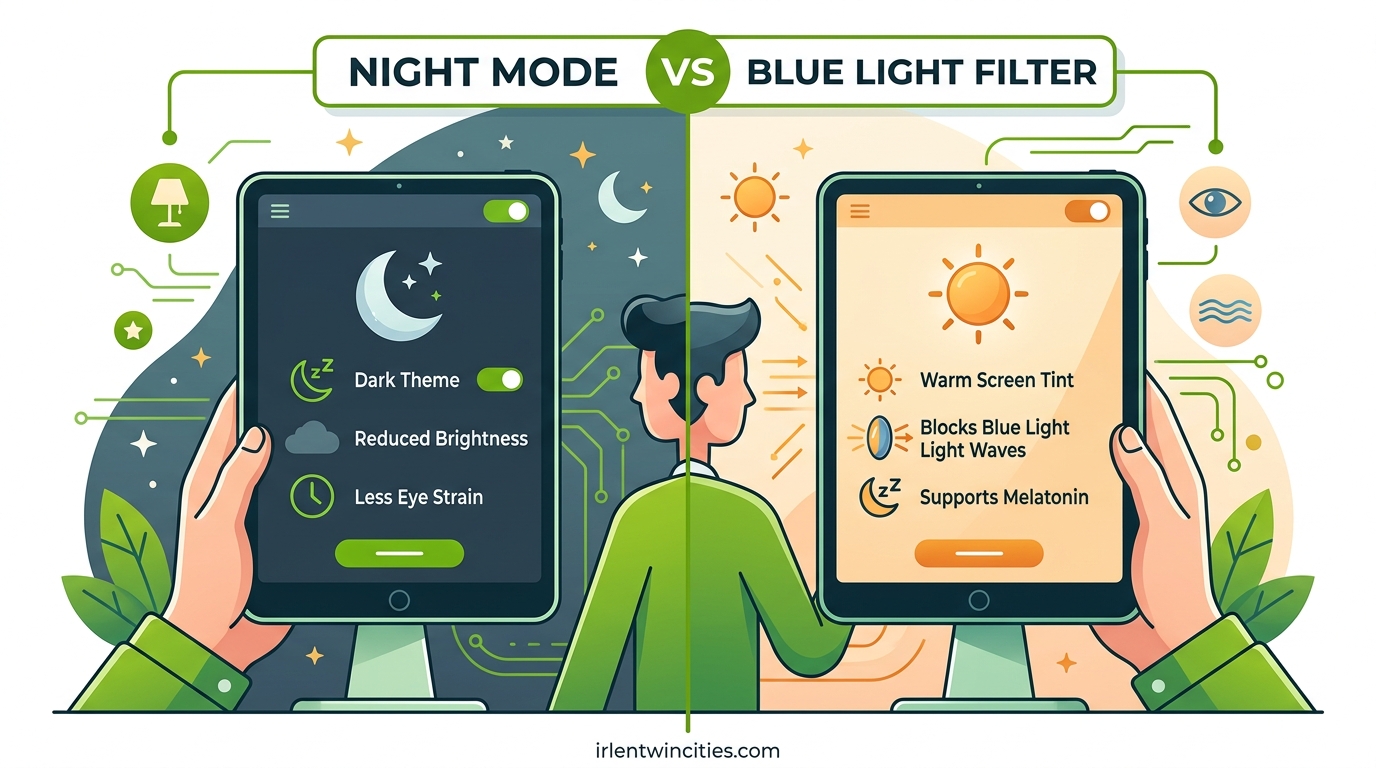
Night Mode and blue light filters both aim to reduce your exposure to blue light, but they work through completely different mechanisms. Night Mode shifts your entire screen’s color temperature toward warmer amber and red tones, while a blue light filter specifically targets and blocks the wavelengths of light most responsible for eye strain and sleep disruption. Understanding this distinction helps you choose the right solution for your specific needs.
I’ve spent years testing both technologies across multiple devices, and the difference becomes immediately obvious once you know what to look for. This guide breaks down exactly how each works, when to use one versus the other, and why combining both might give you the best results.
Table of Contents
What Is Night Mode?
Night Mode is a built-in software feature available on most modern smartphones, tablets, and computers. Apple calls it “Night Shift” on iOS and Mac devices, Android labels it “Night Light” or “Eye Comfort Shield” depending on the manufacturer, and Windows uses the term “Night Light” in its display settings.
When activated, Night Mode reduces the amount of blue light your screen emits by shifting the color temperature toward the warmer end of the spectrum. Your display takes on an amber or yellowish tint that becomes more pronounced as you increase the intensity setting. This warmer appearance reduces the harshness of the screen in low-light environments.
The feature works by adjusting the RGB (red, green, blue) values your display produces. Night Mode reduces the blue channel while maintaining or slightly boosting the red and green channels, creating that characteristic warm glow many users find easier on their eyes during evening hours.
Most implementations allow you to set a schedule so Night Mode activates automatically at sunset and turns off at sunrise. You can also adjust the warmth intensity on a sliding scale, typically from 0% (no effect) to 100% (maximum amber shift). Finding your comfort level requires some experimentation.
Common Names for Night Mode Across Devices
Different manufacturers use different terminology for essentially the same feature. Apple devices call it Night Shift, found in Settings under Display & Brightness. Samsung devices label it Eye Comfort Shield within the Display settings menu.
Google Pixel and stock Android devices use the name Night Light. Windows 10 and Windows 11 both refer to it as Night Light in the system settings. Knowing these names helps you locate the feature regardless of which device you own.
What Is a Blue Light Filter?
A blue light filter specifically targets the high-energy visible light wavelengths between approximately 400 and 550 nanometers that research links to eye strain and sleep disruption. Unlike Night Mode, which shifts your entire color palette, a true blue light filter blocks or absorbs specific wavelengths while attempting to maintain more natural color accuracy.
Blue light filters come in two main forms: software-based solutions and hardware-based solutions. Software filters operate similarly to Night Mode but often claim more precise wavelength targeting. Hardware solutions include blue light blocking glasses with amber-tinted lenses and physical screen protectors that filter light before it reaches your eyes.
The most effective blue light glasses block 50% or more of blue light in the 400-550nm range, with premium options targeting the specific 450-495nm band where blue light has its strongest biological impact. These glasses work by filtering all light coming from your screen rather than changing how the screen itself emits light.
Software vs Hardware Blue Light Filtering
Software blue light filters change how your screen displays content, affecting everyone who looks at your device. Hardware solutions like glasses only affect the wearer, making them ideal for shared workspaces or when you need to maintain normal screen colors for design work.
Blue light blocking glasses offer the advantage of filtering light from ALL sources, not just your screens. Overhead LED lighting, fluorescent bulbs, and even sunlight contain blue light that contributes to eye strain throughout the day.
Key Differences: Night Mode vs Blue Light Filter
The fundamental difference lies in how each technology approaches blue light reduction. Night Mode operates at the software level by changing what your screen displays, while blue light filters work at the physical level by blocking specific wavelengths from reaching your eyes.
Night Mode alters color accuracy across your entire display, making it unsuitable for photo editing, graphic design, or color-sensitive work. Blue light glasses maintain screen color accuracy for other viewers and can be removed when precise color judgment matters.
| Feature | Night Mode | Blue Light Filter (Glasses) |
|---|---|---|
| How it works | Shifts color temperature warmer | Blocks specific wavelengths |
| Color accuracy | Significantly altered | Maintained for screen, filtered for wearer |
| Works on all screens | Only the device it’s enabled on | Yes, filters all light sources |
| Setup required | Device settings configuration | Just put on glasses |
| Cost | Free (built-in feature) | $20-150 depending on quality |
| Effectiveness | Reduces blue light moderately | Can block 50-90% of blue light |
| Best for | Casual evening browsing | All-day screen use, professionals |
Effectiveness Comparison
Lab testing with spectrophotometers reveals that Night Mode reduces blue light emission by roughly 30-50% depending on the warmth setting and device type. OLED screens see greater reductions than LCD displays because OLED pixels emit light directly rather than relying on a blue-tinged backlight.
Quality blue light glasses certified to block specific wavelengths can achieve 50-90% reduction in the problematic 400-550nm range. The exact percentage varies by lens tint darkness and manufacturer specifications.
How Each Technology Works
Understanding the underlying technology helps explain why these solutions produce different results. Night Mode manipulates the digital signal sent to your display, while blue light filtering operates on the physical light itself.
How Night Mode Manipulates Display Output
Your screen creates colors by combining red, green, and blue light at varying intensities. White light requires all three channels at full strength. Night Mode reduces the blue channel’s output while adjusting red and green to maintain visible brightness, shifting the resulting white toward amber.
The color temperature scale, measured in Kelvin, quantifies this shift. Standard screens operate around 6500K (cool blue-white). Night Mode typically shifts this down to 4000K or lower, approaching the warm glow of incandescent bulbs (2700K) at maximum settings.
The Science of Blue Light Wavelengths
Blue light occupies the 380-500 nanometer range of the visible spectrum. Research suggests the 450-495nm band has the strongest effect on melatonin suppression and circadian rhythm disruption. This is the specific range effective blue light filters target.
Not all blue light is harmful. The 480nm wavelength actually helps regulate alertness and mood during daytime hours. The problem arises from excessive exposure during evening hours when your body should be preparing for sleep.
OLED vs LCD Display Differences
The type of screen you own significantly impacts how effective Night Mode proves. OLED and AMOLED displays control light emission at the individual pixel level, allowing more precise blue light reduction without affecting other colors as dramatically.
LCD screens rely on a constant blue-tinged backlight shining through color filters. Even with Night Mode active, the backlight still produces significant blue light that filters struggle to fully compensate for. OLED users typically experience more dramatic benefits from Night Mode than LCD users.
How to Enable Night Mode on Your Devices
Setting up Night Mode takes just a few minutes on most devices. Here’s how to enable and configure it across the major platforms.
iPhone and iPad (Night Shift)
Open Settings and tap Display & Brightness. Select Night Shift to access the controls. Toggle Scheduled to activate automatic sunset-to-sunrise switching, or manually enable it with the Manually Enable Until Tomorrow option.
Drag the Color Temperature slider to adjust warmth intensity. Most users find 50-75% provides comfortable evening viewing without making colors look too distorted. Your iPhone uses your location to determine local sunset and sunrise times for automatic scheduling.
Android Devices (Night Light/Eye Comfort Shield)
On stock Android, open Settings, tap Display, then select Night Light. Samsung users should look for Eye Comfort Shield in the Display settings menu. Enable the schedule option or use the manual toggle.
Android typically offers intensity adjustment through a slider or percentage selector. Some manufacturers include additional options like extra dim modes for extremely low-light conditions. Experiment with different levels to find your preference.
Windows (Night Light)
Click the Start menu and open Settings. Navigate to System, then Display. Toggle Night Light on and click Night Light settings to configure intensity and scheduling. Windows allows you to set custom hours if the automatic sunset schedule doesn’t suit your routine.
Mac (Night Shift)
Click the Apple menu and select System Preferences or System Settings. Choose Displays, then click the Night Shift tab. Select Schedule to enable automatic activation or use Manual to control it yourself. Adjust the Color Temperature slider to set your preferred warmth level.
Which Should You Use? Night Mode, Blue Light Filter, or Both?
Your optimal solution depends on your specific situation, screen habits, and sensitivity to blue light. Many users find combining both approaches provides the most comprehensive protection.
When Night Mode Alone Works Well
If you primarily use a single device in the evening for casual browsing, social media, or streaming video, Night Mode provides adequate protection at no cost. The warm tint often feels more comfortable in dark rooms, and the scheduled activation means you never need to remember to turn it on.
Night Mode particularly suits users who don’t perform color-sensitive work in the evening hours. If you mainly read text, watch videos, or browse websites, the color distortion rarely creates problems.
When Blue Light Glasses Make More Sense
Professionals working with photos, videos, or design elements need accurate screen colors that Night Mode compromises. Blue light glasses solve this by filtering light only for the wearer, leaving the screen unchanged for color-critical work.
Heavy multi-device users benefit from glasses because one pair protects against all screens plus ambient lighting. Rather than configuring Night Mode on your phone, tablet, laptop, and desktop separately, glasses provide consistent protection everywhere.
The Case for Using Both Together
Maximum protection comes from combining both technologies. Enable Night Mode on your devices AND wear blue light glasses during extended evening screen sessions. This dual approach addresses blue light at both the source and at your eyes.
Users who combine both report significantly better sleep quality and less evening eye strain than those using either method alone. The combination works especially well for people with high screen time or those particularly sensitive to blue light’s effects.
Frequently Asked Questions
Is night mode the same as blue light filter?
No, Night Mode and blue light filters work differently. Night Mode shifts your screen’s entire color temperature toward warmer amber tones by reducing blue RGB values. A blue light filter specifically targets and blocks blue light wavelengths (400-550nm) while attempting to maintain more natural color balance. Night Mode changes how your screen looks to everyone, while blue light glasses only affect what the wearer sees.
Is night mode better than blue light glasses?
Neither is universally better – they serve different purposes. Night Mode is free and built into most devices, making it accessible for casual evening use. Blue light glasses typically provide stronger blue light blocking (50-90% vs 30-50% for Night Mode) and work across all your devices plus ambient lighting. Many users find combining both provides optimal protection.
Does night mode actually reduce blue light?
Yes, Night Mode does reduce blue light emission, typically by 30-50% depending on your warmth setting and screen type. OLED screens see greater reductions than LCD displays. However, the reduction is less targeted than dedicated blue light filters, and some blue light still reaches your eyes. Lab testing with spectrophotometers confirms Night Mode provides measurable but moderate blue light reduction.
Should I use night mode during the day?
Generally no – Night Mode is designed for evening and low-light use. During daytime hours, blue light actually helps regulate your circadian rhythm, boost alertness, and improve mood. Using Night Mode during the day may reduce these beneficial effects. Save Night Mode for the 2-3 hours before bedtime when blue light suppression of melatonin becomes problematic.
Conclusion
Night Mode and blue light filters address the same problem through different approaches. Night Mode shifts your screen’s color palette warmer, while blue light filters block specific wavelengths from reaching your eyes. The night mode vs blue light filter debate ultimately comes down to your specific needs and usage patterns.
For casual evening browsing on a single device, Night Mode provides adequate free protection. For professionals, multi-device users, or anyone seeking maximum eye comfort, investing in quality blue light glasses makes sense. The most effective strategy combines both technologies for comprehensive blue light management.
Start by enabling Night Mode on your primary device tonight. If you find the color distortion bothersome or use multiple screens extensively, consider adding blue light glasses to your setup. Your eyes and sleep quality will thank you for taking blue light exposure seriously.