
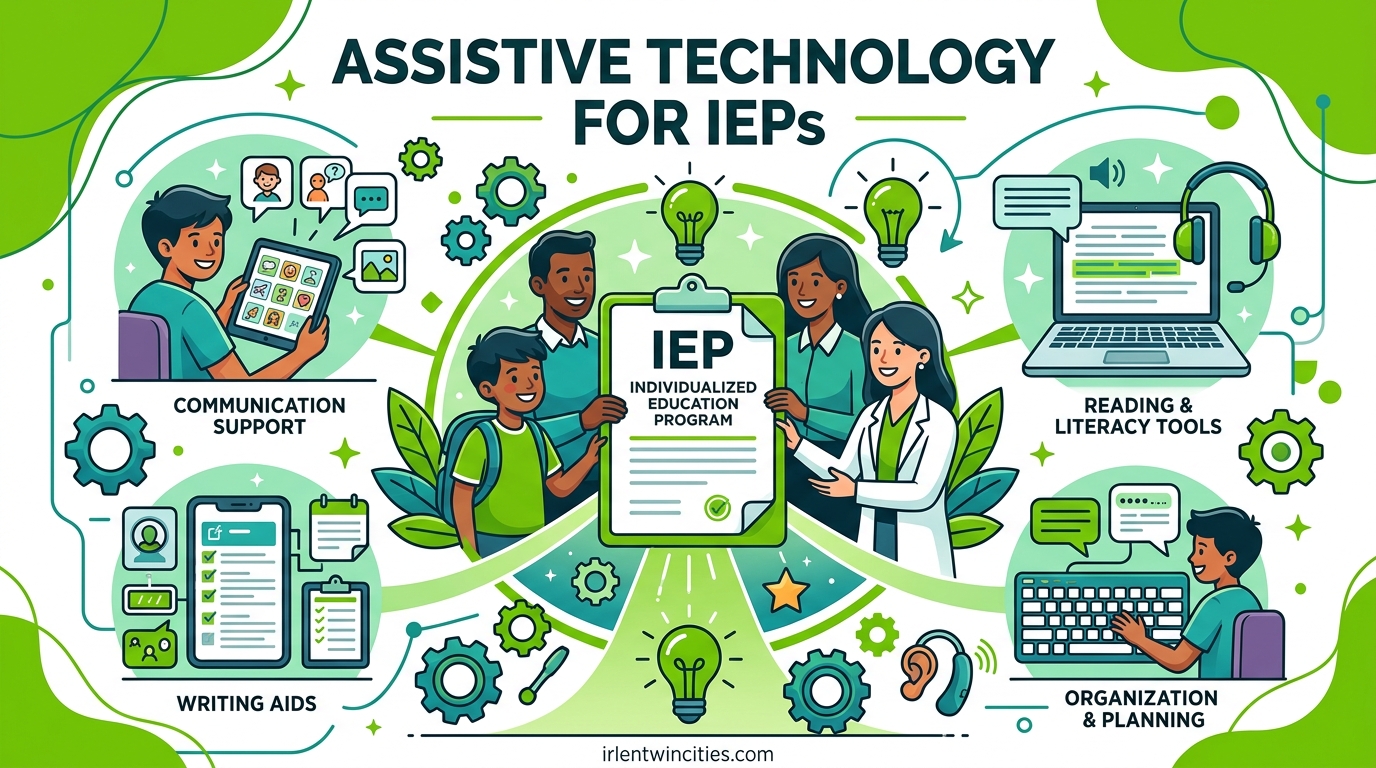
Finding the right support for your child at school can feel overwhelming. Assistive technology for IEPs opens doors that many parents do not even know exist. This guide will walk you through everything you need to understand, request, and implement AT successfully for your child.
I have worked with hundreds of families navigating the special education system over the past decade. The parents who see the best outcomes are those who understand their rights and know how to advocate effectively. This article gives you that foundation.
By the end of this overview, you will know what assistive technology includes, how to request it through your child’s IEP, what the law requires schools to provide, and how to handle resistance if you encounter it. We will also cover specific examples of AT for different needs, including visual processing support that connects to our work with the Irlen Method.
Table of Contents
What Is Assistive Technology for IEPs
Assistive technology for IEPs includes any item, equipment, or product system that increases, maintains, or improves the functional capabilities of a child with a disability. The Individuals with Disabilities Education Act (IDEA) mandates that IEP teams consider whether your child needs AT at every meeting.
This is not just about expensive electronic devices. Assistive technology ranges from simple pencil grips to sophisticated speech-generating computers. What matters is whether the tool removes a barrier to your child’s learning and helps them access the general education curriculum.
The IDEA Definition of Assistive Technology
IDEA defines assistive technology devices as any item used to increase, maintain, or improve functional capabilities. This definition is intentionally broad to cover the wide range of needs students have. The law also defines assistive technology services as any service that directly assists in selecting, acquiring, or using AT devices.
Your child’s school district must provide both devices and services at no cost to you when the IEP team determines they are necessary. This is part of your child’s right to a Free Appropriate Public Education (FAPE). Schools cannot refuse to provide AT because of cost or inconvenience.
Assistive Technology Devices vs Services
Understanding the difference between AT devices and AT services helps you advocate more effectively. Devices are the physical tools your child uses. Services are the support needed to select, acquire, and use those tools successfully.
Examples of AT devices include text-to-speech software, adaptive keyboards, communication boards, calculators, colored overlays for reading, and voice recorders. Examples of AT services include evaluations to determine what devices your child needs, training for teachers and staff, technical support, and coordination with other therapies.
Both must be written into the IEP if your child needs them. I have seen too many cases where a school provides an expensive device but fails to train teachers, making the device useless. Make sure your child’s IEP addresses both categories.
The Legal Framework: Your Child’s Rights to AT
Federal law guarantees your child access to assistive technology when needed for educational benefit. The Individuals with Disabilities Education Act (IDEA) specifically requires IEP teams to consider AT for every child with an IEP, not just those with obvious physical disabilities.
IDEA Requirements for IEP Teams
The IEP team must consider assistive technology during the development of every IEP. This is not optional. The team should discuss whether AT devices or services are needed for your child to meet their IEP goals and access the general education curriculum.
If the team determines that your child needs AT, that need must be documented in the IEP. The specific device or category of device should be listed, along with when and where your child will use it. Vague language like “consider assistive technology” is not sufficient.
Your Child’s Rights to AT at No Cost
When the IEP team determines that assistive technology is necessary, the school district must provide it at no cost to parents. This includes both the device itself and any services needed to use it effectively. Schools cannot charge parents for AT or require parents to purchase devices as a condition of providing special education.
There is one exception worth noting. If you choose to purchase your own device and want the school to use it, different rules apply. The school must agree to include your device in the IEP. We will cover this situation in more detail later in the advocacy section.
How the IEP Team Considers Assistive Technology
The consideration process for assistive technology should happen at every IEP meeting, but many parents do not realize this. Knowing when and how to raise AT during the IEP process gives you the best chance of getting appropriate support for your child.
When Must the IEP Team Consider AT
IEP teams must consider assistive technology at the initial IEP development, at every annual review, and whenever reevaluation occurs. The team should also reconsider AT if your child’s needs change, if current supports are not working, or if your child is transitioning to a new school or grade level.
Do not wait for the school to bring up assistive technology. As a parent, you can request that the team discuss AT at any IEP meeting. I recommend specifically requesting an AT consideration discussion if your child struggles with reading, writing, communication, math, organization, or sensory processing.
How to Request an IEP Meeting for AT
You have the right to request an IEP meeting at any time. The school must hold the meeting within a reasonable timeframe, typically within 30 days of your request. Put your request in writing and keep a copy for your records.
Your written request should include your child’s name, a clear statement that you are requesting an IEP meeting to discuss assistive technology, specific concerns about your child’s current struggles, and any AT options you have researched or tried. Email works well because it creates a timestamped record.
Here is sample language you can adapt: “I am writing to request an IEP meeting to discuss assistive technology for [child’s name]. I believe [he/she/they] would benefit from AT to support [specific area of struggle]. I would like the team to consider [specific device or category if known] and discuss whether an AT evaluation is appropriate.”
What Happens at the AT Consideration Meeting
The IEP team will discuss your child’s present levels of performance, areas of struggle, and whether assistive technology could address those challenges. The team should consider AT even if no one on the team is an AT expert.
If the team is unsure whether AT would help, they may recommend an assistive technology evaluation. This is a more in-depth process where specialists assess your child’s needs and try different devices. You can also request this evaluation directly if the team does not suggest it.
The meeting should result in a clear decision. Either the team agrees your child needs AT and documents it in the IEP, or the team determines no AT is needed and explains why. If you disagree with the decision, you have rights to dispute resolution, which we will cover later.
Types of Assistive Technology for IEPs
Assistive technology covers a wide range of tools organized by the function they serve. Understanding these categories helps you identify what might help your child and communicate effectively with the IEP team.
Low-Tech vs High-Tech Assistive Technology
Low-tech assistive technology includes simple, often inexpensive tools that do not require batteries or electronics. These solutions are often overlooked but can be incredibly effective. High-tech AT uses electronics, software, or sophisticated engineering.
Low-tech examples include pencil grips, slant boards, colored overlays for reading, graphic organizers, raised line paper, sticky notes for reminders, and Velcro fasteners. High-tech examples include text-to-speech software, speech-generating devices, tablets with specialized apps, adaptive keyboards, and eye-gaze communication systems.
Both categories are equally valid under IDEA. Schools sometimes push for low-tech solutions because they cost less, while parents sometimes assume high-tech is better. The right choice depends entirely on your child’s specific needs. Many students benefit from a combination of both.
Communication and AAC Devices
Augmentative and Alternative Communication (AAC) devices support children who have difficulty speaking or whose speech is not sufficient for their communication needs. This category includes both low-tech and high-tech options.
Low-tech AAC includes picture communication boards, communication books, and simple voice output devices with recorded messages. High-tech AAC includes speech-generating devices (SGDs), tablet-based communication apps like Proloquo2Go, and eye-gaze systems for children with limited mobility.
Getting AAC approved can be challenging. Schools sometimes resist because these devices are expensive and require significant training. Be prepared to advocate firmly if your child needs AAC. An evaluation from a speech-language pathologist who specializes in AAC can strengthen your case significantly.
Reading and Writing Support Tools
Reading and writing assistive technology helps children with dyslexia, dysgraphia, learning disabilities, and other conditions that affect literacy. These tools can transform a struggling reader into an independent learner.
Text-to-speech software reads digital text aloud, helping children access grade-level content even if their reading skills are below grade level. Popular options include NaturalReader, Read&Write, and built-in accessibility features on tablets and computers. Speech-to-text software allows children to dictate their writing instead of typing or handwriting.
Other helpful tools include word prediction software that suggests words as a child types, graphic organizers for planning writing, portable word processors like the Fusion Writer, and digital highlighters that transfer text to study guides. These tools support independence while building underlying skills.
Visual Processing and Sensory Support
Visual processing assistive technology helps children who struggle with how their brain interprets visual information. This includes students with Irlen Syndrome, visual stress, light sensitivity, and certain types of dyslexia.
The Irlen Method provides colored overlays and tinted lenses that filter specific wavelengths of light, reducing visual stress and improving reading comfort. For many children with Irlen Syndrome, colored overlays are their most important assistive technology. These simple, low-cost tools can dramatically improve reading speed, comprehension, and comfort.
Other visual processing AT includes screen filters and color overlays for computer screens, specialized lighting systems that reduce fluorescent light flicker, slant boards that improve visual tracking, and tinted paper for worksheets. If your child complains that text moves on the page, that white backgrounds hurt their eyes, or that reading gives them headaches, visual processing AT may be essential.
Our team has seen remarkable transformations when children receive appropriate visual processing support. One fifth-grader went from refusing to read to devouring chapter books after receiving the right colored overlay. These tools belong in IEPs when visual processing challenges are present.
Math and Organization Tools
Math assistive technology supports calculation, problem-solving, and mathematical reasoning. Organization tools help with executive function challenges common in ADHD, autism, and learning disabilities.
Math support tools include talking calculators that read numbers and operations aloud, digital math notation software, virtual manipulatives, and apps that break word problems into steps. Graph paper, fraction overlays, and number lines serve as low-tech math AT.
Organization AT includes digital planners and scheduling apps, visual timers that show time passing, task management systems, reminder apps, and color-coded organizational systems. These tools address the planning, time management, and self-monitoring challenges that prevent many capable students from succeeding academically.
Assessment and Evaluation Process
An assistive technology assessment is the formal process of determining what AT your child needs. This evaluation goes beyond simple consideration at an IEP meeting. It involves specialists testing different devices with your child to see what works.
What Is an Assistive Technology Assessment
An AT assessment evaluates your child’s needs across environments, tasks, and tools. A qualified professional observes your child, trials different devices, and makes recommendations based on data. The assessment should consider your child’s abilities, the tasks they need to perform, the environments where they work, and the tools available.
Assessments are typically conducted by assistive technology specialists, occupational therapists, speech-language pathologists, or teams that include these professionals. Some school districts have dedicated AT teams. Others contract with outside specialists.
How to Request an AT Evaluation
You can request an AT evaluation at any time. Put your request in writing to your child’s case manager or special education director. State specifically that you are requesting a comprehensive assistive technology evaluation and explain why you believe your child would benefit.
Include examples of struggles your child has that might be addressed by AT. Mention any tools you have tried at home, even if they were informal. Note your child’s diagnosed conditions and how they impact school performance.
If the school refuses to evaluate, they must provide Prior Written Notice explaining why. You have the right to dispute this decision through mediation or due process. Schools cannot refuse evaluations arbitrarily.
What to Expect During the Assessment
The assessment process typically takes several weeks. The evaluator will observe your child in class, try different devices with them, and possibly conduct formal testing. Your child may be asked to complete tasks with and without various AT tools.
You should receive a written report with specific recommendations. The report should identify devices, software, or strategies that would benefit your child. It should also specify training needs for staff and criteria for determining whether the AT is working.
Getting an AAC Device Through the IEP
The process for getting Augmentative and Alternative Communication devices has some additional steps because these are often high-cost items. Here is the typical process:
First, request an AAC evaluation from a speech-language pathologist with AAC expertise. The evaluation should assess your child’s communication needs, motor abilities, cognitive skills, and language level. The SLP will trial different devices to find the best match.
Second, the SLP writes a report with specific device recommendations. This report goes to the IEP team for consideration. The team must review the recommendation and make a decision about providing the device.
Third, if approved, the device is ordered and delivered. Training is provided for your child, family, and school staff. The IEP is updated to include the device and any necessary services.
Fourth, the team monitors whether the device is working and modifies the plan if needed. AAC is not a one-time decision. Your child’s needs will change as they grow and develop.
Parent Rights and Advocacy for AT
Understanding your rights empowers you to advocate effectively for your child. Many parents encounter resistance when requesting assistive technology. Knowing how to respond makes the difference between getting what your child needs and accepting inadequate support.
Your Rights When Schools Resist AT Requests
Schools sometimes resist providing assistive technology for various reasons. Cost concerns, lack of staff training, philosophical objections, or simple bureaucracy can create barriers. You need to know how to respond.
If a school says your child “does not need” AT despite your concerns, ask for the data supporting that decision. The team must base decisions on assessment data, not assumptions. Request an AT evaluation if one has not been done.
If the school claims they cannot afford AT, remind them that cost is not a valid reason to deny FAPE. Federal law requires schools to provide necessary AT regardless of expense. Schools must find the funding.
If the team refuses to consider AT at all, this violates IDEA. Every IEP team must consider AT for every child. Document this refusal and escalate to administrators or your state’s education department if needed.
Common Mistakes Parents Make When Requesting AT
After working with hundreds of families, I have seen patterns in what works and what does not. Avoid these common mistakes when advocating for assistive technology.
Do not rely on verbal requests alone. Always put your requests in writing. Email creates a record that administrators must address. Paper letters work too, but email is harder to ignore.
Do not get distracted by brand names. Focus on your child’s needs and the functions required. Schools sometimes reject requests because parents ask for specific brands. Instead, describe what your child needs to do and let the team identify appropriate tools.
Do not accept vague language in the IEP. Phrases like “assistive technology as needed” or “access to text-to-speech software” are not specific enough. Insist on clear documentation of what device, when it will be used, and who will provide it.
Do not forget about training. A device without training is useless. Make sure the IEP includes staff training as a related service if your child needs complex AT.
What to Bring to the IEP Meeting
Preparation makes IEP meetings more productive. Here is a checklist of what to bring when advocating for assistive technology:
Bring documentation of your child’s struggles. Work samples, teacher emails, report cards, and outside evaluations support your case. Specific examples are more convincing than general statements.
Bring research on assistive technology options. You do not need to be an expert, but showing you have done some homework demonstrates commitment. Print articles, device descriptions, or recommendations from outside therapists.
Bring a list of questions about AT for the team. Ask what AT has been considered, what trials have been done, and what the school’s AT evaluation process involves.
Bring an advocate if possible. Having another adult at the table changes the dynamic. Advocates can take notes, ask questions you forget, and provide moral support.
How to Document AT in the IEP
Assistive technology can be documented in several sections of the IEP. Make sure it appears wherever relevant to your child’s needs.
The Present Levels of Academic Achievement and Functional Performance (PLAAFP) section should describe your child’s needs and how AT addresses them. This establishes the rationale for AT.
Special Education and Related Services section lists AT services like evaluation, training, and technical support. These are services the school provides to support AT use.
Supplementary Aids and Services is where AT devices are typically listed. This section describes what supports your child needs to participate in the general education curriculum.
IEP goals should reference AT when appropriate. For example, a reading goal might state “Student will read grade-level text using text-to-speech software with 80% comprehension.” This makes AT part of measurable progress.
Implementation and Monitoring
Getting assistive technology written into the IEP is only the beginning. Implementation determines whether your child actually benefits. Too many devices sit unused because schools fail to implement properly.
Who Provides the AT Device
When the IEP team determines your child needs assistive technology, the school district must provide it. The device belongs to the school, not to your child personally. The school maintains, repairs, and replaces the device as needed.
If you want to use a device you purchased, the situation changes. The school does not have to allow your device, though many will. If the school agrees to use your device, get this agreement in writing as part of the IEP. The school may not take responsibility for maintenance of parent-owned devices.
Some families choose to own devices so their child has consistent tools across school, home, and community settings. This can work well, but coordinate carefully with the school to ensure compatibility and support.
Training Requirements for School Staff
School staff must know how to use your child’s assistive technology. IDEA requires training as part of AT services when necessary. Do not assume teachers automatically know how to support AT.
When your child receives new AT, ask about training plans. Who will train the teachers? Who will train paraprofessionals? Who will troubleshoot when problems arise? These questions should have clear answers before implementation begins.
If your child’s AT is complex, request that training be written into the IEP as a related service. This formalizes the school’s commitment. Some AT vendors provide training as part of purchase. Make sure the school takes advantage of this.
Monitoring AT Effectiveness
Assistive technology is not a set-it-and-forget-it solution. The IEP team should monitor whether the AT is working and adjust as needed. You play a crucial role in this monitoring.
Check in regularly with your child about their AT. Are they using it? Does it help? Are there problems? Ask teachers the same questions. If the AT is not being used, find out why.
Common problems include devices that break and do not get fixed, teachers who do not know how to use the AT, students who resist using AT because they feel different, and AT that was not a good match to begin with. Each problem has solutions, but only if you identify them.
Request IEP review meetings if the AT is not working. You do not have to wait for the annual review. If the device is not helping, the team needs to reassess and try something different.
FAQ
What is considered assistive technology on an IEP?
Assistive technology on an IEP includes any item, equipment, or product system used to increase, maintain, or improve functional capabilities of a child with a disability. This ranges from low-tech tools like pencil grips and colored overlays to high-tech devices like speech-generating computers and tablets with specialized apps. Under IDEA, the IEP team must consider whether AT is needed at every meeting, and if determined necessary, the school must provide it at no cost to parents.
What are examples of assistive technology in an IEP?
Examples include text-to-speech software for reading support, speech-to-text for writing assistance, Augmentative and Alternative Communication (AAC) devices for students who cannot speak, graphic organizers for planning, calculators for math support, adaptive keyboards for motor challenges, colored overlays for visual processing issues like Irlen Syndrome, voice recorders for note-taking, and timers for attention management. The specific examples depend on your child’s disability and educational needs.
What are the 4 types of assistive technology?
The four main categories are: 1) Communication aids including AAC devices, speech-generating tools, and communication boards. 2) Learning and academic supports including text-to-speech, speech-to-text, graphic organizers, and calculators. 3) Visual and sensory tools including colored overlays, screen filters, and specialized lighting. 4) Organization and executive function supports including digital planners, visual timers, and task management systems. Each category addresses different barriers to learning.
Can a school deny a request for an IEP meeting?
No, schools cannot deny a reasonable request for an IEP meeting. Parents have the right to request an IEP meeting at any time, and the school must schedule it within a reasonable timeframe, typically within 30 days. If the school refuses, they must provide Prior Written Notice explaining the refusal. Parents can escalate to district administrators, state education departments, or pursue dispute resolution options including mediation and due process hearings.
How can my child get an AAC device?
To get an AAC device, first request an evaluation from a speech-language pathologist with AAC expertise. The SLP will assess your child’s communication needs and trial different devices. Then the SLP provides a written recommendation to the IEP team. The team reviews the recommendation and decides whether to provide the device. If approved, the school orders the device and provides training. The process may take several weeks to months depending on the device complexity and school responsiveness.
Who pays for assistive technology in an IEP?
When the IEP team determines that assistive technology is necessary for a child to receive FAPE, the school district must provide it at no cost to parents. This includes both the device and any services needed to use it effectively. Schools cannot charge parents for AT, require parents to purchase devices, or refuse AT due to cost. In some cases, schools may access Medicaid or other funding sources, but this does not change the no-cost requirement for families.
Can I bring my own device to school and have it written into the IEP?
Yes, parents can request that a personally owned device be included in the IEP. However, the school is not required to agree. If the school agrees, they should document in the IEP that your child will use the parent-provided device. The school typically does not take responsibility for maintenance, repair, or replacement of parent-owned devices. Some families prefer owning devices to ensure consistency across school and home, but coordinate carefully with the school about compatibility and support.
What is the difference between assistive technology and accommodations?
Assistive technology refers to tools, devices, or equipment that increase functional capabilities. Accommodations are changes to how a student learns or demonstrates knowledge without changing the content. AT is a type of accommodation, but not all accommodations involve AT. For example, extended time is an accommodation but not AT. Text-to-speech software is both an accommodation and AT. Modifications change what a student learns, which is different from both AT and accommodations.
Conclusion: Taking Action on Assistive Technology for IEPs
Assistive technology for IEPs represents one of the most powerful tools available to help your child succeed in school. From simple colored overlays that reduce visual stress to sophisticated communication devices that give voice to non-speaking students, AT removes barriers and opens opportunities.
The law is on your side. IDEA requires IEP teams to consider assistive technology for every child with an IEP. Schools must provide necessary AT at no cost to parents. You have the right to request evaluations, IEP meetings, and specific tools when your child needs them.
Your next steps depend on where you are in the process. If your child does not have AT in their IEP and you think they might benefit, request an IEP meeting to discuss assistive technology. Bring documentation of struggles, research on potential solutions, and specific questions for the team.
If your child already has AT but it is not working, request a review meeting. Do not wait for the annual IEP. Problems with AT should be addressed immediately so your child does not lose educational time.
Remember that you are the expert on your child. The IEP team has technical knowledge, but you know your child’s daily struggles and successes. Bring that knowledge to every meeting. Advocate persistently, document everything in writing, and do not give up when you know your child needs support.
The right assistive technology can transform your child’s educational experience. We have seen it happen countless times. A child who refused to write becomes an enthusiastic author with speech-to-text software. A student who could not participate in class discussions leads group projects with an AAC device. A struggling reader discovers the joy of books through text-to-speech and colored overlays.
These transformations are possible for your child too. Use what you have learned in this guide to take the next step in securing the assistive technology your child needs to thrive.