
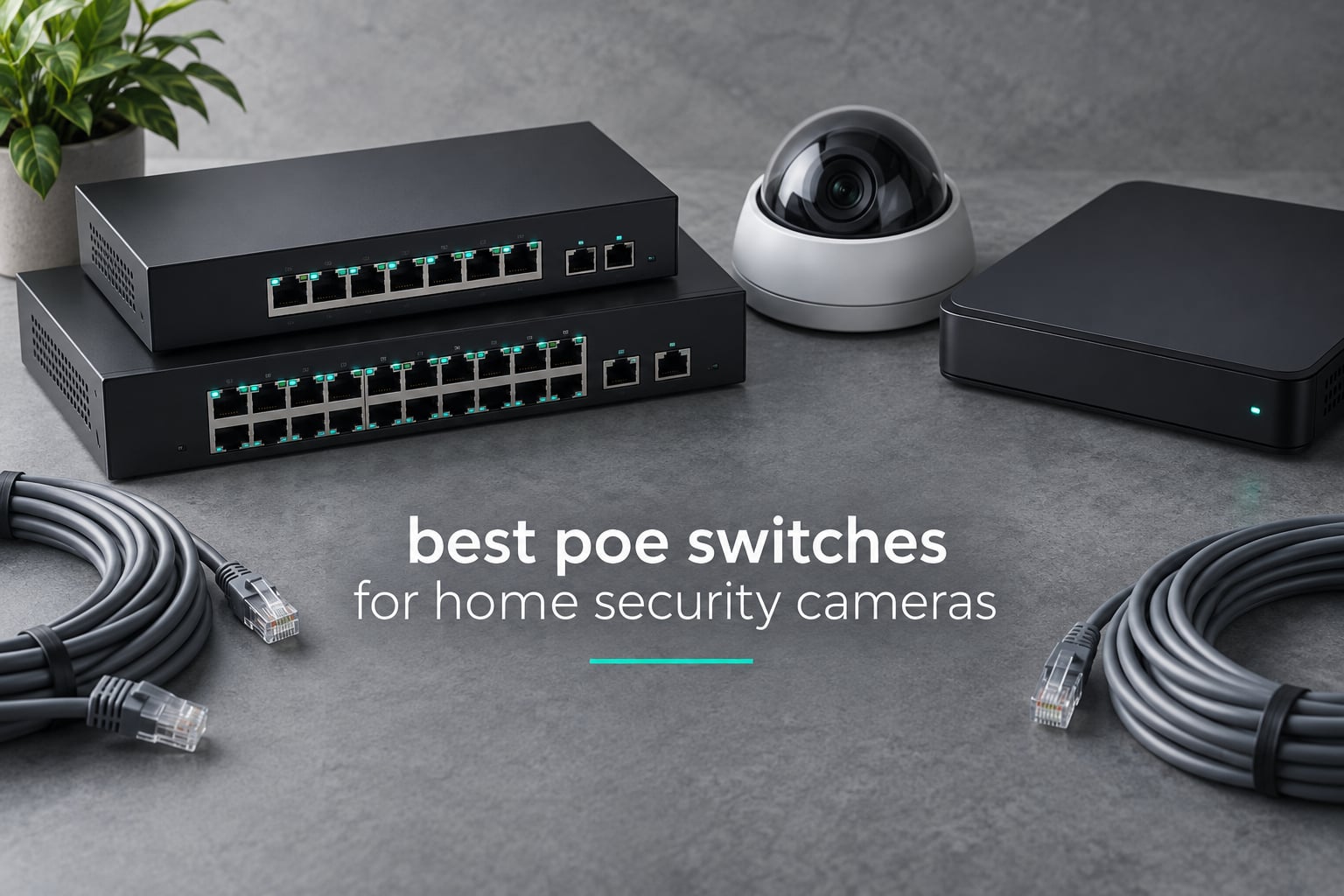
Wiring a home security camera system on Ethernet gives you a link that does not drop, does not eat Wi-Fi bandwidth and does not need a power outlet at every camera location. The box that makes that happen is a PoE switch, and picking the wrong one is the single most common reason a camera install goes sideways: a switch with too little total wattage, too few ports, or the wrong port speed for high-resolution cameras.
We spent weeks putting seven PoE switches through the kinds of loads a real household creates: two to four indoor domes, an eight-camera mixed install with a floodlight in the mix, and a twenty-plus camera deployment. This guide covers the best poe switches for home security cameras, ranked by what they actually do with power and traffic rather than by logo. Every switch here ships with its own realistic verdict, including who should skip it.
One thing worth saying up front: a PoE switch is not always the right purchase. If your NVR already carries built-in PoE ports, or you are only running one or two cameras, a PoE injector costs less and does the same job. We cover that decision near the end, along with the wattage math that decides whether a switch is powerful enough for the cameras you actually own.
Before you buy cameras, it is worth reading our guide to the best security cameras for home so you know what kind of power draw you are sizing for. If your network side is still a question, our picks for the best network switches for home offices cover the non-PoE side of the same cabinet.
Table of Contents
Top 3 Picks for Home Security Camera PoE Switches in 2026
The TL-SG1005P takes the top slot for most households, the TL-SG1008MP is the strongest value once you pass four cameras, and the NETGEAR GS308EP is the one to buy when you want per-port PoE control and VLAN segmentation. All three run fanless, all three are gigabit per port, and all three carry 802.3at PoE+ at up to 30W per port.

TP-Link TL-SG1005P
- 4 PoE+ ports
- 65W budget
- 30W per port
- Fanless metal chassis
- plug and play
- QoS and IGMP snooping

TP-Link TL-SG1008MP
- 8 PoE+ ports
- 126W budget
- 30W per port
- Internal power supply
- rackmount kit
- Port 1 power priority

NETGEAR GS308EP
- 8 PoE+ ports
- 62W budget
- Easy Smart Managed with VLAN and QoS
- Per-port PoE control
- Uninterrupted PoE
All Seven Switches Side by Side in 2026
Here is the short version: port count tells you how many cameras you can hang, per-port wattage tells you what kind of camera you can hang, and total budget tells you how many of those cameras run at once. Read all three numbers together, because any one of them alone will mislead you.
| Product | Specifications | Action |
|---|---|---|
| TP-Link TL-SG1005P |
|
Check Latest Price |
| TP-Link TL-SG1008MP |
|
Check Latest Price |
| NETGEAR GS308EP |
|
Check Latest Price |
 NETGEAR GS305P NETGEAR GS305P |
|
Check Latest Price |
 TP-Link TL-SG1218MPE TP-Link TL-SG1218MPE |
|
Check Latest Price |
 YuanLey 16-Port Gigabit PoE Switch YuanLey 16-Port Gigabit PoE Switch |
|
Check Latest Price |
 Yuanley 24-Port 400W PoE Switch Yuanley 24-Port 400W PoE Switch |
|
Check Latest Price |
1. TP-Link TL-SG1005P – Best Overall for a 3-4 Camera Home
TP-Link TL-SG1005P, 5 Port Gigabit PoE Switch, 4 PoE+ Ports @65W, Desktop, Plug & Play, Sturdy Metal w/ Shielded Ports, Fanless, QoS & IGMP Snooping
4 PoE+ ports at 65W total
30W per port
Unmanaged, fanless, metal
Pros
- Plug and play with zero configuration
- 65W budget covers four typical IP cameras
- Silent fanless metal chassis
- QoS and IGMP snooping for video traffic
- 3-year warranty
Cons
- Only four PoE ports
- LEDs hard to read from some angles
- Wall mounting hardware not included
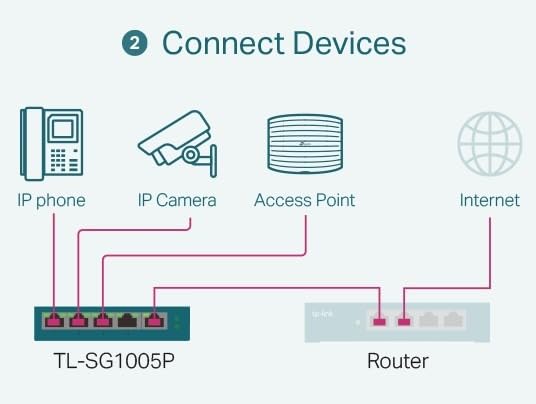
The TL-SG1005P is the best poe switch for home security cameras when your install is four devices or fewer. Four PoE+ ports deliver up to 30W each from a 65W total budget, and the fifth port is a plain gigabit uplink for the NVR or the router connection. Nothing about it needs configuring, which is the entire point for most home installs.
That 65W budget is the number to understand before you commit. A typical fixed dome or bullet camera sits somewhere around 7 to 9W, so four of them land in the high twenties to mid thirties and leave generous headroom. A single floodlight or PTZ camera paired with three small domes will eat most of that budget on its own, and that is where people get surprised.
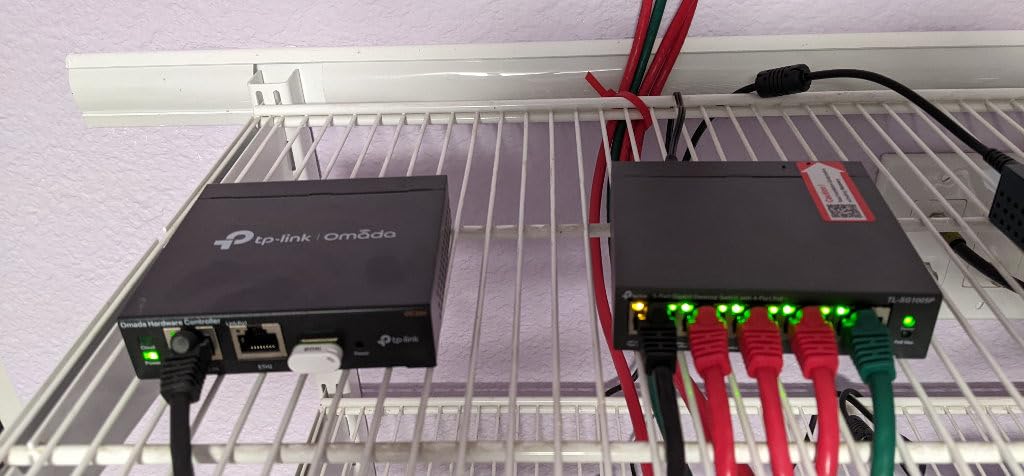
It runs 802.3af and 802.3at, so anything classified as 802.3bt but drawing under 30W still negotiates fine. The port-based 802.1p and DSCP QoS rules keep camera streams ahead of whatever else shares the box, and IGMP snooping stops the switch from flooding every port with video traffic that belongs somewhere else. That matters more than it sounds once you add a fourth camera.
Physically it is a 0.8 kg metal box that measures 3.94 inches by 3.86 inches by 0.98 inches, and it draws power from an internal supply rather than a brick. Operating range is 0C to 40C, so keep it off a hot attic shelf and inside the house rather than in an unconditioned garage.
What the TL-SG1005P handles well
Two to four standard PoE cameras on one NVR is the sweet spot. Reviewers consistently report plugging cameras in and having them recognized without touching a single setting, and the metal chassis means it disappears into a closet or a network cabinet without complaining.
The QoS and IGMP snooping support is unusual at this size and price. It is the reason a two-camera and a four-camera install can share the same NVR without playback stutter once the stream count climbs.
Where it falls short
It is unmanaged, so there is no web interface, no VLAN and no per-port PoE toggle. If your router is VLAN-aware and you want the camera network isolated, this is the wrong box. Reviewers also note the status LEDs can be difficult to read from certain angles, and no wall mounting hardware ships in the box.
It is also the wrong choice for a floodlight or PTZ camera. Those draws can sit at or above 30W per port, and with a 65W ceiling you lose the headroom that keeps a system stable when several cameras transmit at once.
2. TP-Link TL-SG1008MP – Best Value 8-Port Switch for 8 Cameras
TP-Link 8 Port Gigabit PoE Switch | 8 PoE+ Ports @126W | Plug & Play | Limited Lifetime Protection | Desktop/ Rackmount | Prioritized Power Supply | Sturdy Metal | Shielded Ports (TL-SG1008MP)
8 PoE+ ports at 126W total
30W per port
Unmanaged, internal PSU, rackmount
Pros
- All eight ports are PoE+ at 126W sustained
- Internal power supply with no external brick
- Rackmount brackets and screws in the box
- Port 1 keeps priority during an overload
- Fanless and silent
Cons
- Unmanaged with no VLAN or web interface
- Status LEDs cannot be turned off
- Mounting slots may not match standard screws
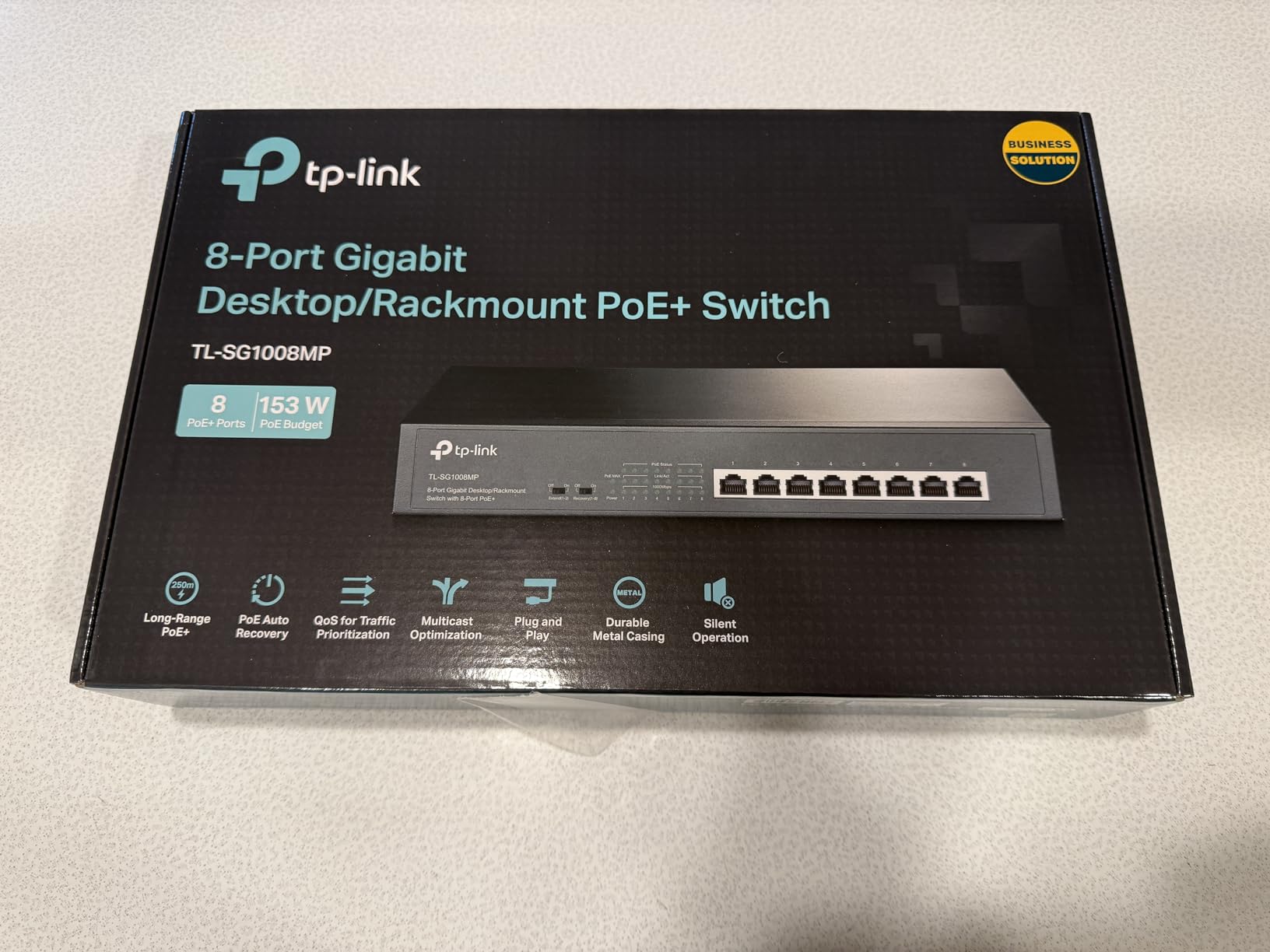
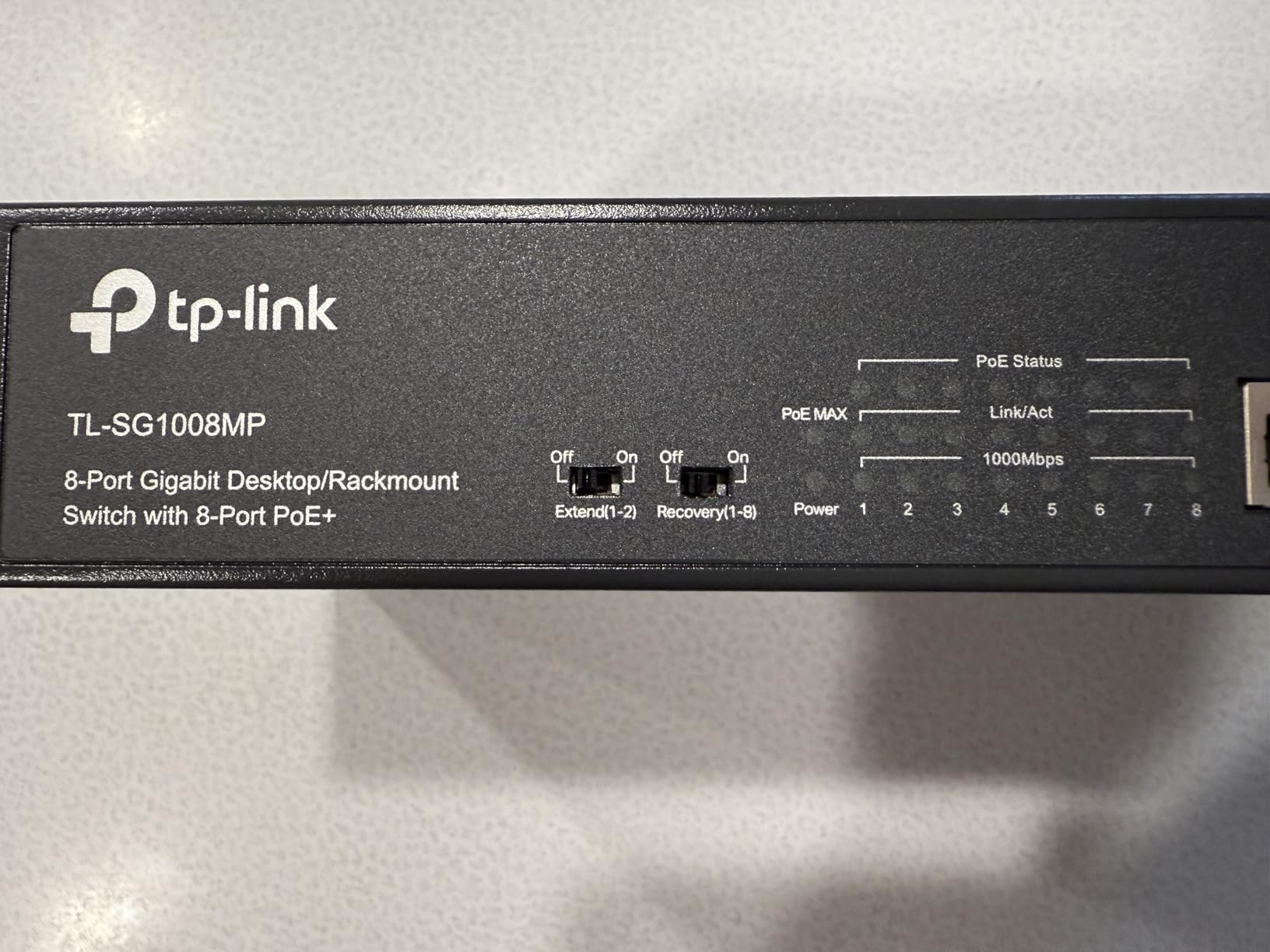
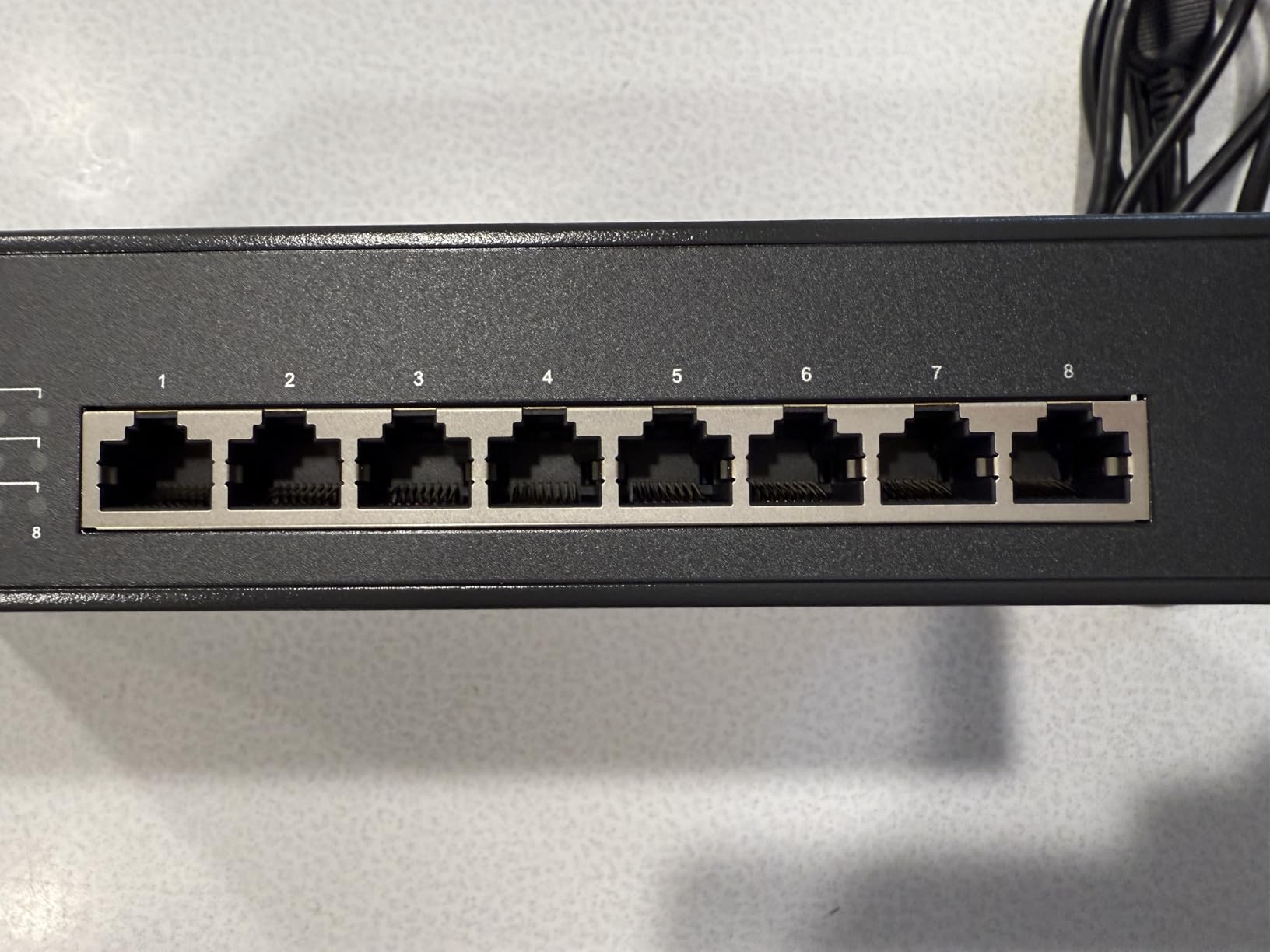
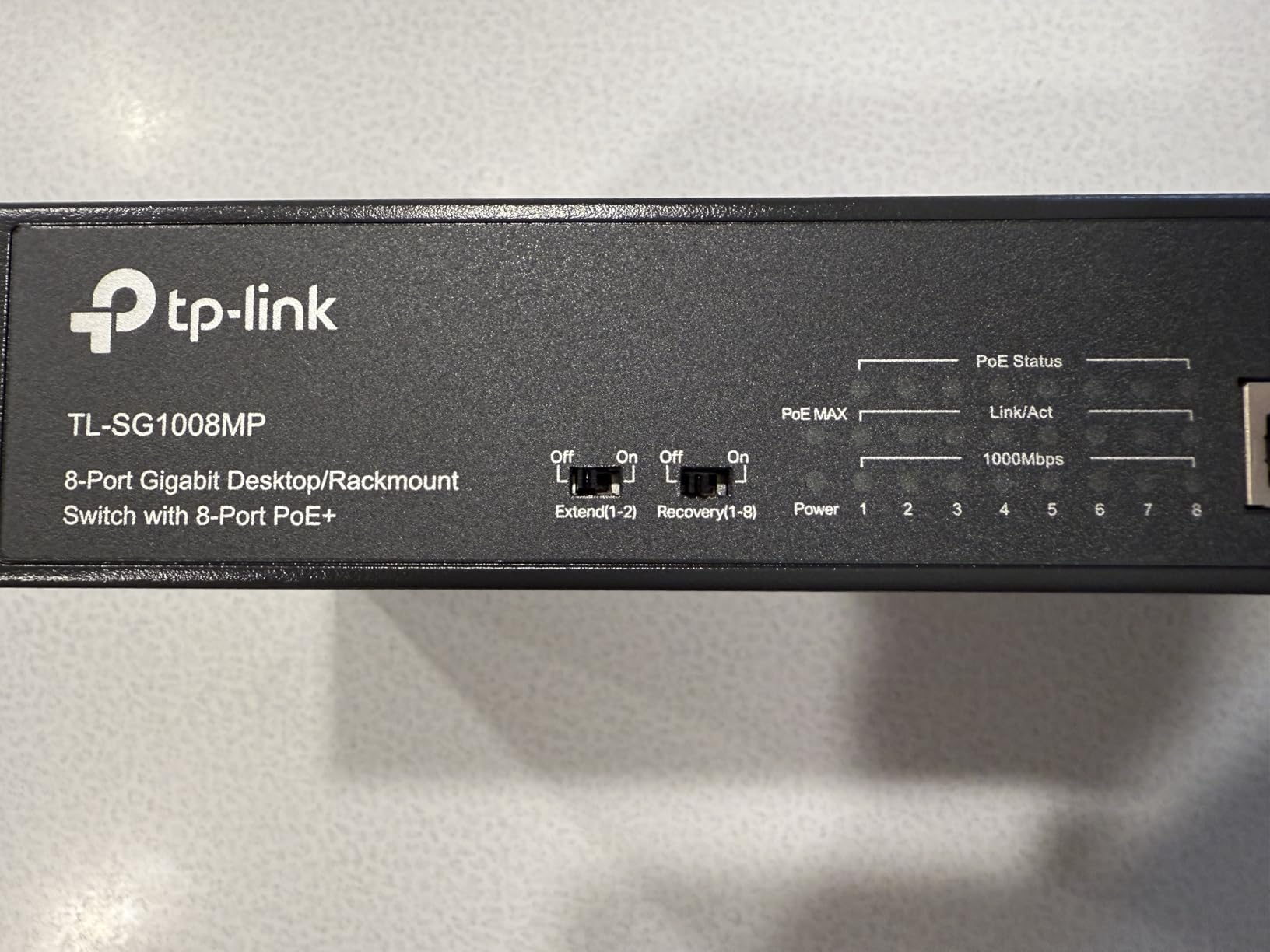
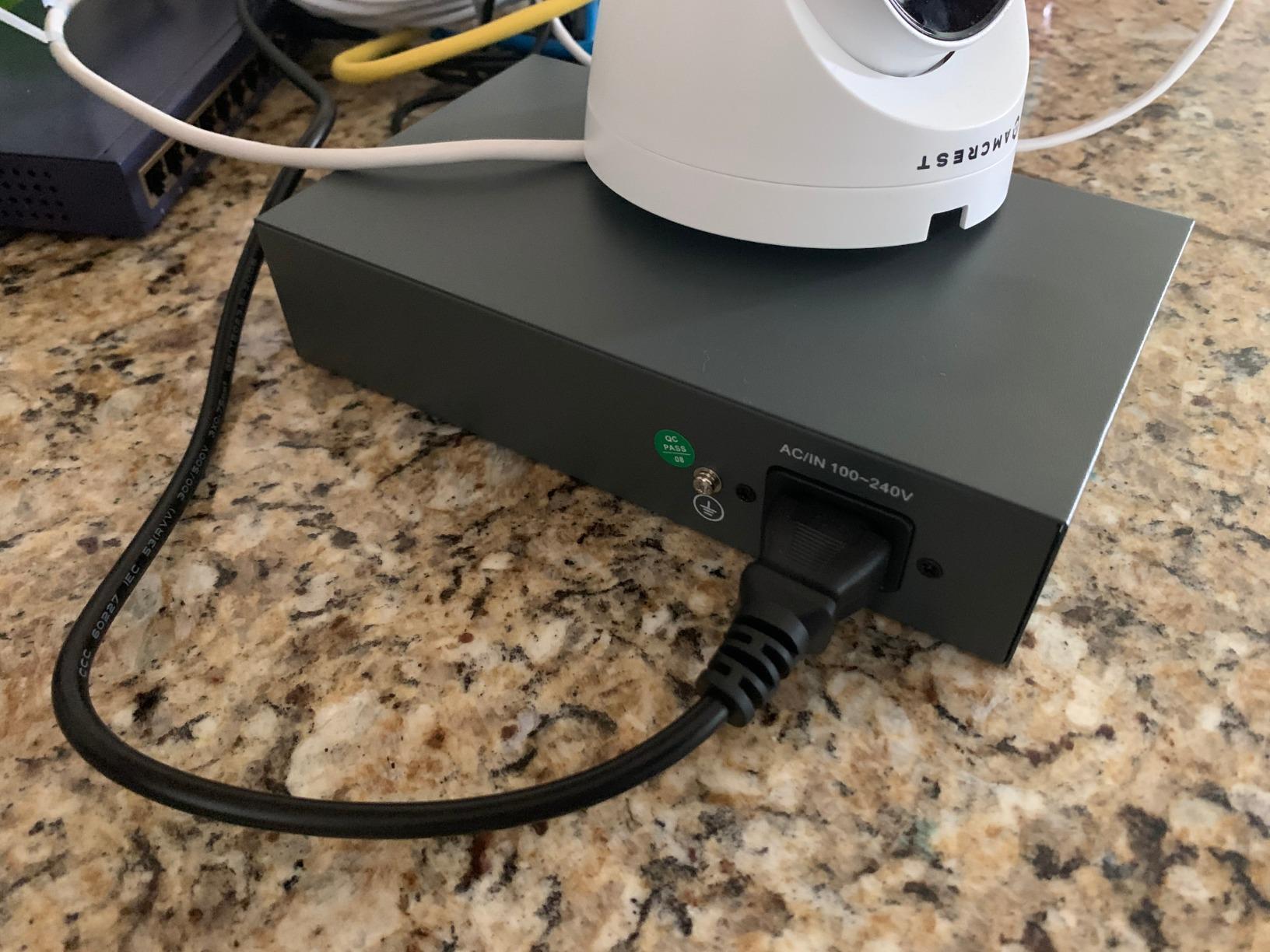
The TL-SG1008MP is the switch most eight-camera homes end up with, and for good reason. All eight ports are PoE+ with a 126W sustained budget and a 153W maximum, so the whole thing runs from an internal power supply with no brick hanging off the wall. It weighs 14.88 ounces and includes rackmount brackets, rubber feet and a full metal chassis.
That budget is the headline improvement over the four-port model. Eight cameras at the low end of the draw range fit comfortably, and you still have room for one higher-draw unit. The port priority feature protects port 1 during an overload, which in practice means the camera covering your front door keeps power when everything else is asking for it.
Reviewers describe this unit as consistently reliable for Reolink cameras and other PoE hardware, with the automatic device detection and power allocation doing most of the work. The auto-negotiation and auto MDI/MDIX handling mean you can run Cat5e or Cat6 without reconfiguring anything at either end.
It is unmanaged despite marketing language that sometimes says otherwise, so treat it as a plug-and-play box with no configuration surface. IEEE 802.3X flow control is present, which helps when a camera bursts a large I-frame on a gigabit link.
Where the TL-SG1008MP earns its place
Eight cameras with mixed draw levels, on a shelf or in a rack, with no appetite for configuration. This is the sweet spot for a home that started with two cameras and grew to eight without ever planning for VLANs.
The internal power supply is a real quality-of-life win. A single power cord instead of a brick plus a cord frees the wall outlet next to your NVR, and it removes the failure point where a loose external adapter drops every camera on the switch at once.
What to know before buying
The status LEDs cannot be disabled, which matters if the switch lives in a dark closet or a bedroom-adjacent hallway where the panel glows. Reviewers also flag that the mounting slots do not always line up with standard screws, so plan on desktop placement or bring your own hardware.
If your NVR is VLAN-aware and you intend to isolate the camera network, you will outgrow this switch quickly. Move up to an Easy Smart Managed or fully managed model rather than bolting a second unmanaged box alongside it later.
3. NETGEAR GS308EP – Best for VLAN Segmentation and Per-Port PoE Control
NETGEAR 8 Port PoE Gigabit Ethernet Easy Smart Managed Switch (GS308EP)
8 PoE+ ports at 62W total
Easy Smart Managed
1 Gbps per port
Pros
- VLAN
- QoS and port monitoring built in
- Per-port PoE enable and disable
- Uninterrupted PoE keeps power through a reboot
- Fanless and energy efficient
- 3-year warranty
Cons
- 62W budget is lower than the TP-Link 8-port
- Plastic case rather than metal
- External power adapter
- Web interface is basic
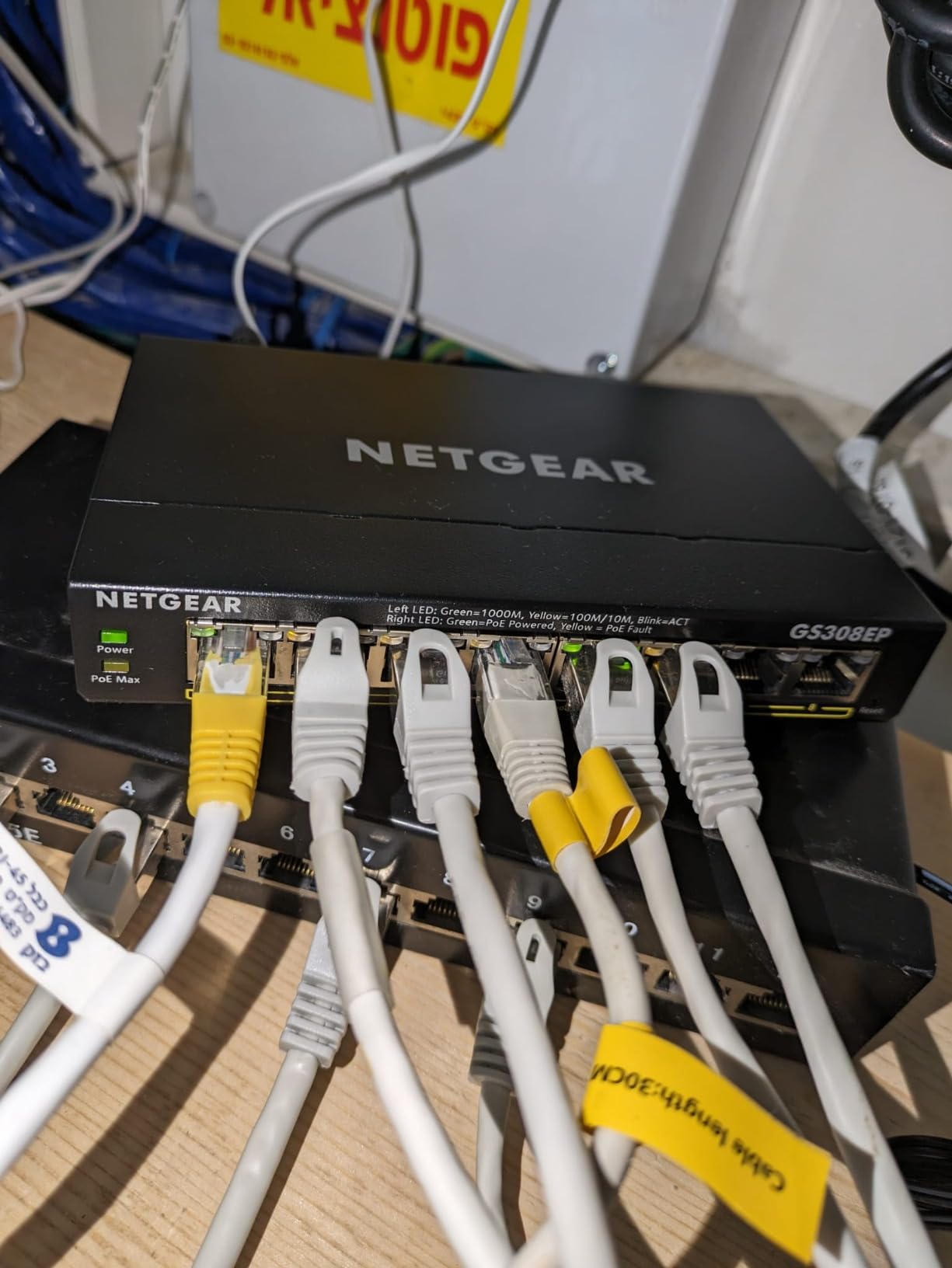
The GS308EP is the only switch in this roundup with genuine per-port PoE control, and that single feature is why it earns a place on a home network that already thinks about VLANs. Eight PoE+ ports sit behind a web interface with VLANs, QoS, port monitoring and per-port power control, and the 4.8 rating across 1043 reviews is the highest average in the group.
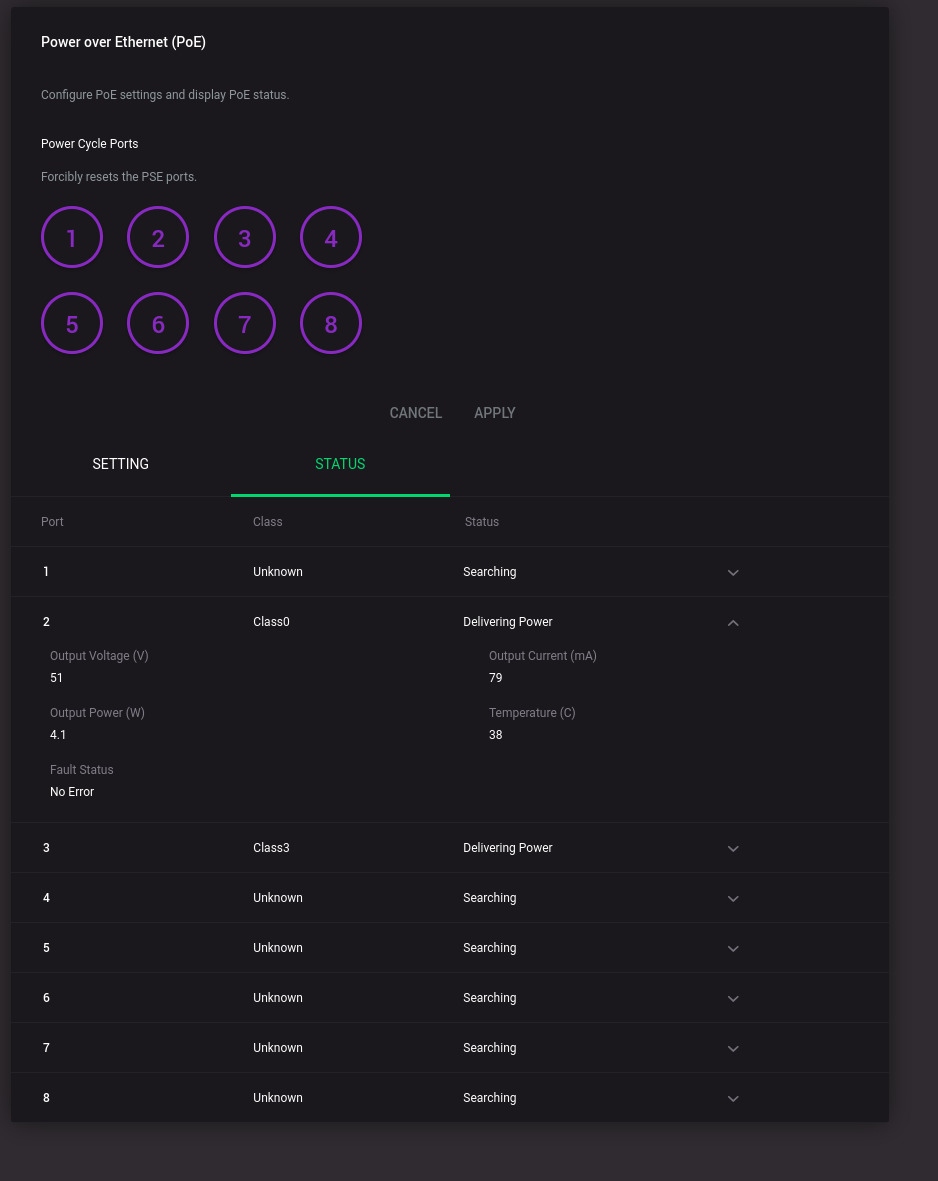
Per-port control is not a luxury on a camera network. It lets you power-cycle a single frozen camera from the browser instead of unplugging the whole switch, and it lets you reserve a port for a device you have not installed yet. Uninterrupted PoE keeps a camera powered through a switch reboot, so a firmware update does not take your entire NVR display dark.
The 62W total budget is the catch. It is fine for a typical four to six camera setup running standard draws, but it is thinner than the TP-Link eight-port and leaves less room if a high-draw unit joins the system. Reviewers consistently identify the budget as the trade-off they accept for the management features.
Everything else is tidy: IEEE 802.3az Energy Efficient Ethernet, auto-negotiating ports that accept Cat5e or Cat6, and an operating range up to 50.5C, which is more forgiving than the TP-Link desktop units. At 1.1 kg and 10.2 by 10.2 by 2.2 inches it is a genuinely portable box for a garage or an outbuilding.
Who should buy the GS308EP
Anyone running more than four cameras who wants the camera network on its own VLAN. Segmenting camera traffic away from the rest of the household keeps video streams from competing with a work laptop or a streaming box, and this is the cheapest way to do it without replacing your router.
It is also the right pick when you expect cameras to be added and removed regularly. Per-port enable and disable is the difference between a five-minute change and a reboot of every device on the switch.
Where it will frustrate you
The plastic case feels a step down next to the metal TP-Link chassis, and the external 2V 0.5A power adapter is the one loose part in an otherwise tidy install. Reviewers who expected a full managed switch find the web interface adequate rather than deep, with no command line.
If you need more than 62W, this is the wrong box regardless of how good the management is. A sixteen-port managed model with a 250W budget handles both problems at once.
4. NETGEAR GS305P – Best Budget Pick for 2-4 Cameras
NETGEAR 5-Port PoE Gigabit Ethernet Unmanaged Essentials Switch (GS305P)
4 PoE+ ports at 63W total
Dynamic PoE allocation
Unmanaged metal, fanless
Pros
- Four PoE+ ports with a 63W budget
- Dynamic PoE allocation redistributes unused power
- Port isolation adds a layer of separation
- Metal case and fanless design
- Wall mount kit included
Cons
- Only four PoE ports
- 63W budget is tight for high-draw cameras
- External power adapter
- No VLAN or QoS configuration
The GS305P is the smallest sensible answer to a two or three camera install, and the port isolation feature is the quiet standout. Four PoE+ ports draw from a 63W budget, with one non-PoE gigabit port for the uplink, and dynamic PoE allocation shifts unused power toward the ports that are actually hungry.
Dynamic allocation matters more than the raw 63W figure suggests. If you run two low-draw indoor cameras and one doorbell, the headroom from the idle ports is genuinely available to the active one. It does not rescue a floodlight camera, but it smooths out a mixed small install.
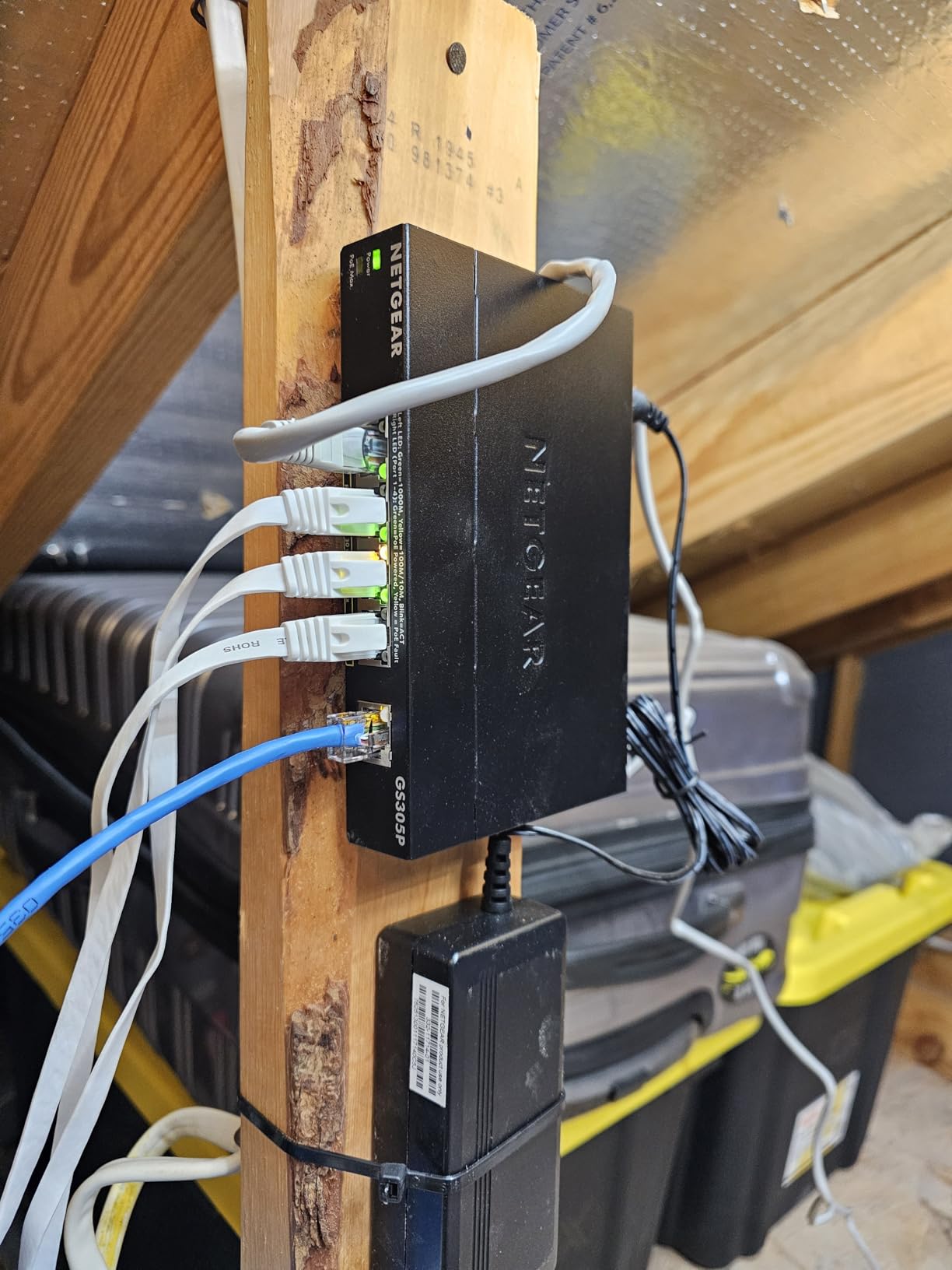
Port isolation effectively gives you separate VLANs per port without a configuration interface, and reviewers pick that out as an unexpected bonus at this level. IEEE 802.3az Energy Efficient Ethernet keeps idle ports from drawing power they do not need, and auto-negotiating ports work with both Cat5e and Cat6.
Setup takes minutes. Owners describe powering four cameras, connecting the NVR and seeing all channels recognised, with no configuration step at any point. The metal case and fanless design mean it runs without noise in a closet.
Where the GS305P makes sense
A two to four camera home, or a portable kit you move between locations. It is also a reasonable second switch in a two-box install, where each box covers a separate floor or a separate building.
The wall mount kit is included, which is unusual at this size and means you can put it somewhere sensible rather than behind a television.
Where it runs out of road
Four ports and one uplink is all you get, and the 63W budget is the tightest ceiling among the eight-port options here. Reviewers who later added a fifth camera found themselves replacing the unit rather than supplementing it.
There is no VLAN, no QoS and no per-port PoE toggle. If your plan involves isolating cameras from the rest of the network, buy the managed GS308EP instead and save yourself the second purchase.
5. TP-Link TL-SG1218MPE – Best for 10-16 Camera Installations
TP-Link TL-SG1218MPE 16 Port Gigabit Switch Easy Smart Managed 16 PoE+ @250W, 2 non-PoE ports, 2 combo SFP slots 3 Year Manufacturer Warranty QoS, Vlan, IGMP & LAG, Free Expert Help
16 PoE+ ports at 250W total
Easy Smart Managed
2 SFP combo slots
Pros
- 250W budget across 16 PoE+ ports
- PoE Auto Recovery reboots frozen devices
- VLAN
- QoS
- IGMP snooping and LAG
- Per-port power and voltage monitoring
- Rackmount kit included
Cons
- Has cooling fans and is audible at startup
- Smart managed label is generous for the feature set
- Firmware version naming is confusing on the vendor site
- Rack ear screws are not included
The TL-SG1218MPE is the switch to buy when your camera count has outgrown anything with a single digit in the port count. Sixteen PoE+ ports draw from a 250W budget at up to 30W per port, with two non-PoE gigabit ports and two combo SFP slots for fiber uplinks alongside them.
PoE Auto Recovery is the feature that earns its money on a large install. When a camera wedges, the switch power-cycles that port on its own instead of waiting for a truck roll. Owners running rental properties and small business deployments point to this as the single feature that saves them time.
The management surface covers VLAN, QoS, IGMP snooping and LAG, with per-port power and voltage monitoring visible in the web interface. Switching capacity is 36 Gbps, which is far more headroom than sixteen gigabit camera ports can consume, so the fabric will never be the bottleneck.
At 5.3 pounds and 17.3 by 7.1 by 1.7 inches it is a genuine rackmount chassis rather than a desktop box, and it includes rack ears, rubber feet and a power cord. Operating temperature reaches 50C, which suits a cabinet rather than a living space.
Why this one for larger homes
Sixteen cameras at mixed draws fit inside 250W with room to grow, which is the headroom that prevents the random reboots owners complain about on smaller switches. Forum discussion about scaling camera networks keeps landing on the same point: buy power budget above what today needs, not exactly what today needs.
The two combo SFP slots let you push a fiber uplink to a distant building or a detached garage without converting video to copper at the far end, which is how you clear the 100 meter copper limit properly.
What to watch out for
It has dual fans. They are audible at startup and quiet down under light load, but this is not a fanless box and it does not belong in a bedroom wall cavity. Reviewers also note the smart managed label oversells the depth of the interface compared to a fully managed switch with a command line.
The vendor site has shipped this model under several firmware and hardware version names, which trips people up when they compare listings. Screws for the rack ears are also not in the box, so bring your own.
6. YuanLey 16-Port Gigabit PoE Switch – Best for Long 250m Camera Runs
YuanLey 16 Port Gigabit PoE Switch with 2 Gigabit Uplink, 16 PoE+ Port 1000Mbps, 250W 802.3af/at, Metal Desktop/Rackmount, Unmanaged Plug and Play Network Switch
16 PoE+ ports at 250W total
2 gigabit uplinks
250m extend mode
Pros
- Lowest cost per port for sixteen PoE ports
- VLAN isolation on all sixteen PoE ports
- Extend mode carries 250m at 10Mbps
- All ports including uplinks run at gigabit
- Metal case with an industrial fan
Cons
- Cooling fan is audible
- No configuration interface of any kind
- Some throughput reports on high-bandwidth NVRs
- A few port dropout reports after weeks
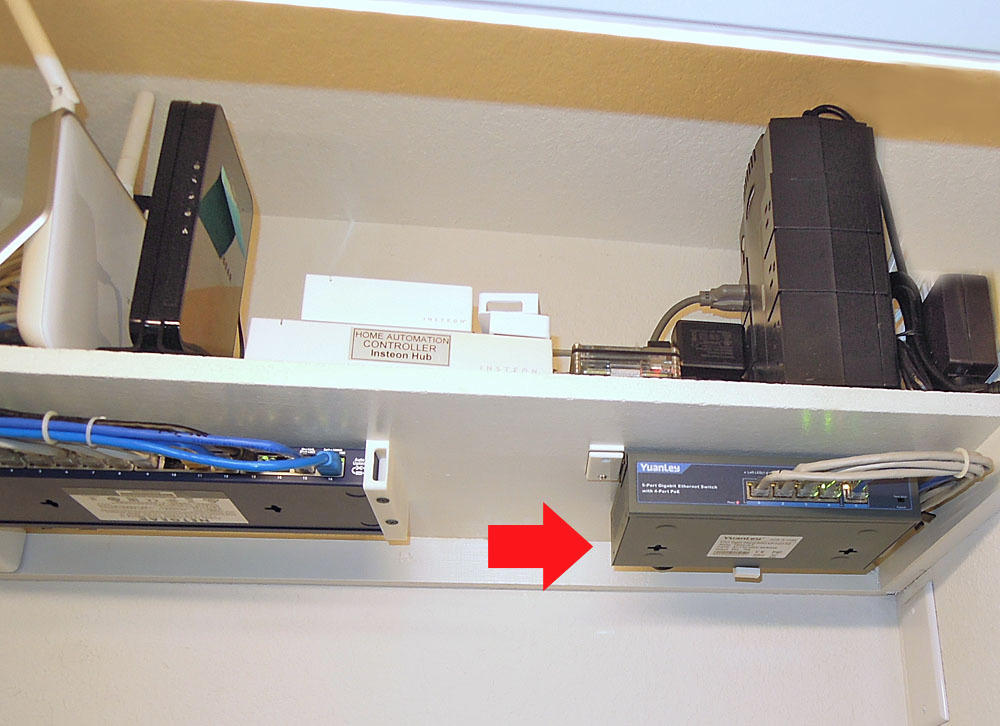
The YuanLey 18-port unit is the one to look at when your camera runs exceed the 100 meter copper limit and you do not want to pay for fiber hardware. Its extend mode carries traffic 250m at 10Mbps, which is more than enough for a 1080p or 4MP stream, and the sixteen PoE+ ports sit behind a 250W budget.
VLAN isolation on ports 1 through 16 keeps camera traffic on the uplinks only, so the sixteen cameras do not chatter to each other. That is a hardware-level separation that an unmanaged switch without the feature simply does not offer, and it reduces the multicast flooding that causes choppy playback on bigger NVRs.
Both uplinks run at gigabit, unlike the budget alternatives where the uplink is the only fast port. The metal case and built-in power supply mean it is a desk or rack unit rather than a wall gadget, and automatic PoE detection means cameras negotiate their own draw without any setup.
The trade is brand familiarity. This is an off-brand name compared with the TP-Link and NETGEAR units above, and the 4.4 rating across 1572 reviews reflects that. Most owners report reliable multi-year operation with standard resolution cameras, and manufacturer support is described as responsive when a unit does fail.
Where it earns its place
Runs that stretch past 100m, and installs that want camera isolation without a managed interface. The 250m extend mode is the specific reason to choose it over a comparable TP-Link eight-port model.
It is also a strong option for a sixteen camera build on a tight budget, where the port count and 250W budget cost less per camera than any managed equivalent.
Where it will let you down
Extend mode runs at 10Mbps. A single high-resolution stream is fine, but stacking several 8MP streams over the same long run can saturate it, and a few owners report throughput bottlenecks with high-megapixel NVRs. The fan is audible in a quiet room, and there is no web interface to diagnose anything when a port misbehaves.
There are also a handful of port dropout reports after a few weeks of use. If you buy this, test every port on day one rather than trusting a month of good behaviour.
7. Yuanley 24-Port 400W PoE Switch – Best Port Count for 20+ Cameras
Yuanley 24 Port PoE Switch with 2 Gigabit Ethernet Uplink Port, Unmanaged 26 Port 802.3af/at 400W Power PoE+ Network Switch, Rackmount Plug and Play
24 PoE+ ports at 400W total
PoE ports at 10/100Mbps
2 gigabit uplinks
Pros
- Highest port count and power budget in this group
- 400W budget across twenty-four PoE+ ports
- VLAN isolation on all twenty-four ports
- Extend mode covers 250m runs
- Rackmount kit included
Cons
- PoE ports are only 10/100Mbps
- Audible fan and unmanaged with no interface
- Some port dropout and cascading failure reports
- Rack ears fit only small racks
The 24-port Yuanley is the port count and power budget answer for anyone running twenty or more cameras, with 400W of PoE budget across twenty-four ports. That headroom is the reason it exists: twenty standard cameras at typical draws consume roughly half the budget, and the rest absorbs the high-draw units you inevitably add later.
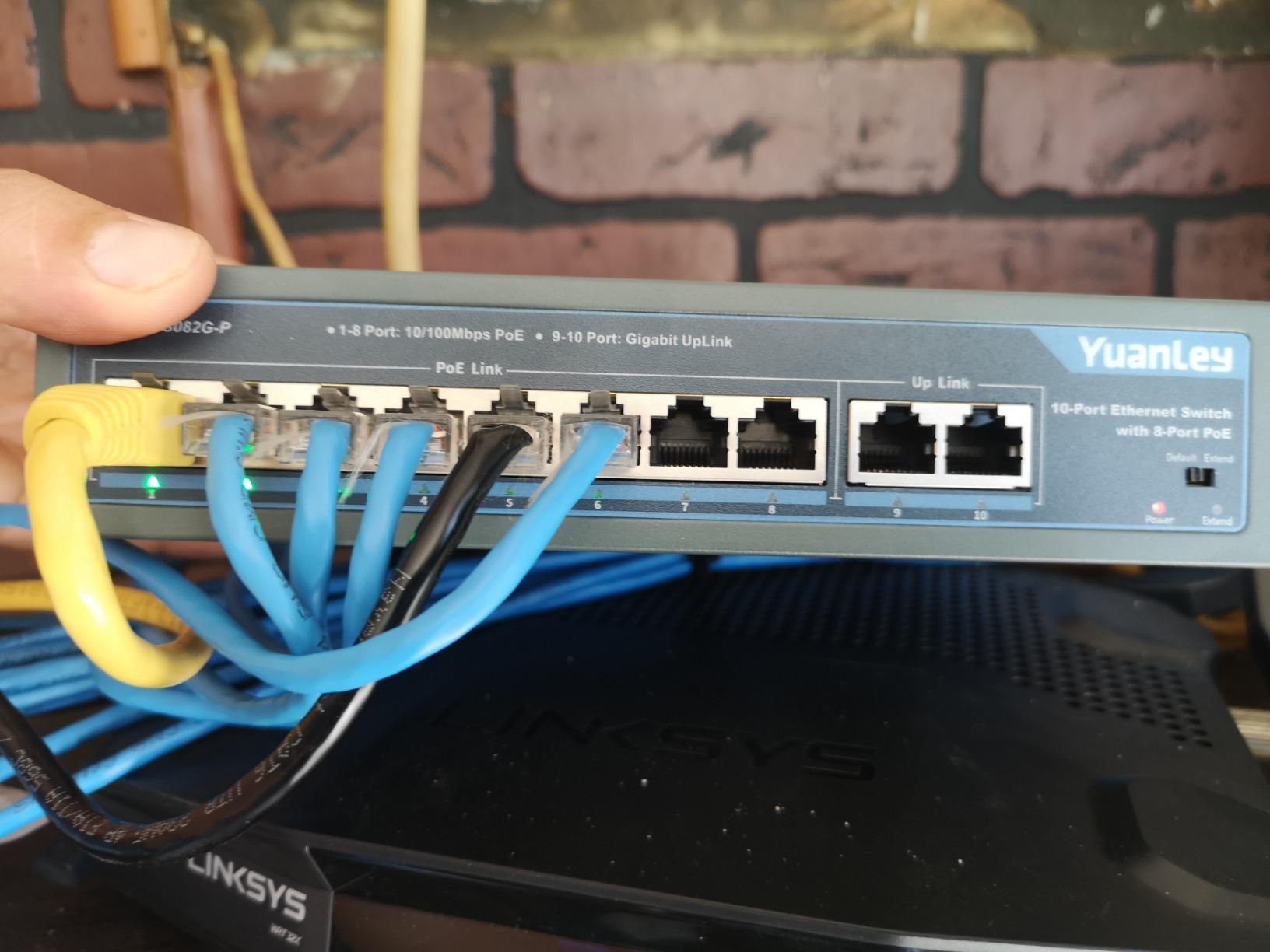
The critical specification is the port speed. The twenty-four PoE ports run at 10/100Mbps, not gigabit, while the two uplinks are gigabit. For 1080p and 4MP cameras that is more than sufficient, since a single compressed stream is nowhere near 100Mbps. It is a real constraint for dense 8MP or 4K deployments, and it is the reason to think carefully before choosing it.
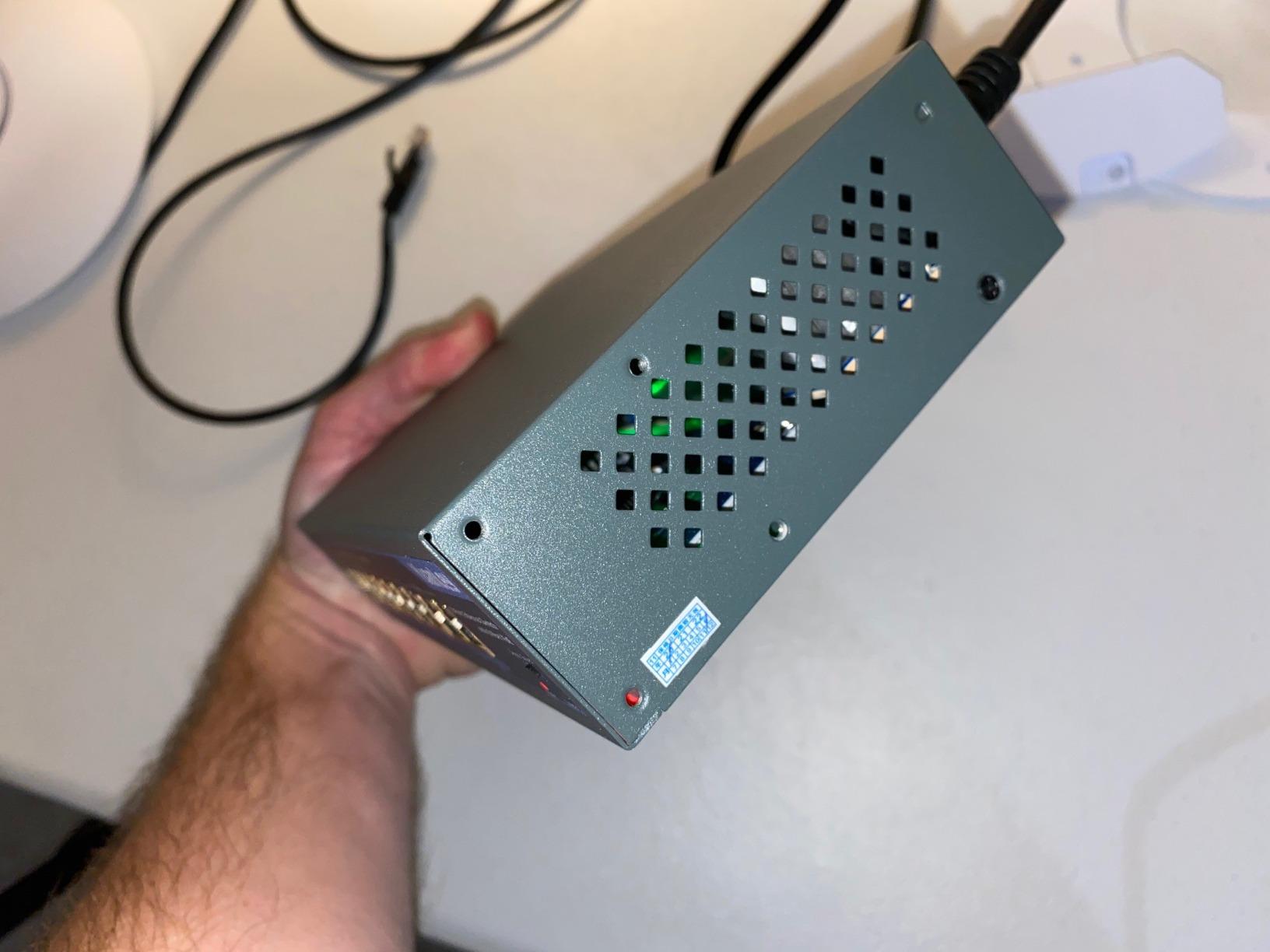
Everything else follows the same pattern as the 16-port Yuanley. VLAN isolation across ports 1 through 24, extend mode at 250m and 10Mbps, a metal rackmount chassis with bilateral cooling, automatic PoE and non-PoE detection, and an operating temperature up to 55C.
At 2.04 kg and 10.6 by 7.1 by 1.7 inches it is physically smaller than the 16-port TP-Link despite carrying more ports, which tells you what the port count is doing to the cost. Owners running twenty-plus camera systems report it holding up for years on standard resolution hardware.
Who should buy this one
A larger home, a multi-unit rental property, or a small business that is counting on twenty or more cameras and wants the install finished in one pass. The 400W budget means you will not be revisiting the power ceiling next year.
It is also the more honest answer to expansion than buying two eight-port switches and hoping. Where two smaller boxes cost more in shelf space, power cords and uplink complexity, this does the whole job in one chassis.
What could go wrong
The 10/100Mbps ports are the first thing to check against your camera resolution. A dense array of high-megapixel cameras can outrun them, and once you are past that point no amount of power budget fixes it. The fan is audible, and there is no web interface to help you find a problem.
A few owners report port dropouts after two weeks, and one describes cascading port failures. The included rack ears fit small racks rather than standard 19 inch mounting, and the manufacturer support response is partial refunds rather than replacements. Test all twenty-four ports on arrival.
How Many PoE Ports and How Many Watts Do You Actually Need?
Start with your camera count, add one, and check the wattage twice. Most sizing mistakes come from buying exactly the number of ports you need today, which leaves no room for the camera you add in eighteen months. Running one switch with two spare ports and adequate wattage is easier than splitting a network across two boxes later.
Worked example for a common four camera home: three fixed dome cameras drawing roughly 9W each is 27W, plus one video doorbell at about 5W makes 32W. Add 25 percent headroom and you are at 40W, which the TL-SG1005P and GS305P both cover with their mid sixties budgets. Now add a floodlight camera at 18W and the same install needs 50W with headroom, still inside those budgets but no longer comfortably so.
Three floodlight cameras at 72W is the scenario that breaks small switches, and it is the exact failure pattern described in camera forum threads. Once you are past four high-draw devices, the budget, not the port count, is the constraint. A sixteen port switch with 250W gives you room that a four port box never will.
Two smaller switches beat one large one in a lot of homes. Forum consensus keeps recommending two 16-port 802.3at switches over a single larger unit, because you can put one in the garage, keep the uplink between them, and lose only one box if one fails. The trade is one extra uplink and one extra power cord, which most people consider cheap insurance.
PoE Standards Explained: 802.3af vs 802.3at vs 802.3bt
802.3af is original PoE and delivers up to 15.4W per port. 802.3at, sold as PoE+, raises that to 30W per port and covers almost every fixed home security camera on the market. 802.3bt, sold as PoE++, pushes to 60W or 90W per port for PTZ units, heated housings and lighting-heavy devices.
Every switch in this roundup is 802.3af and 802.3at, meaning 30W per port. That is deliberate, because 802.3bt hardware is rare and mostly aimed at industrial and enterprise cameras. If your highest-draw device is a PTZ or an IR-heavy outdoor housing, check that camera’s specified consumption before assuming 30W is enough.
The second number is total budget, and it is the one buyers miss. Per-port wattage is the ceiling on one camera. Total budget is the ceiling on everything combined. A switch with eight 30W ports and a 62W budget cannot deliver 240W no matter what the port ratings say, and the shortfall shows up as cameras that reboot at night when several streams run at full bitrate.
Keep 20 to 30 percent headroom above your calculated draw. That margin covers IR illuminators switching on, a warmer closet, a longer cable run costing a little voltage, and the next camera you add. Forum users who bought a budget with no headroom report exactly the random reboots you would expect.
Unmanaged vs Easy Smart Managed: Which One a Camera Network Needs
An unmanaged switch has no configuration surface at all. Cameras plug in, the NVR finds them, and nothing else is possible. For a fixed four camera install on a flat home network, that is genuinely all you need, and it removes a whole category of setup problems.
Easy Smart managed switches add a web interface with VLANs, QoS, port monitoring and per-port PoE control without a command line or a full controller. This is the middle tier the GS308EP and the TL-SG1218MPE occupy, and it is the right choice past about six cameras or on any network where other devices share the same box.
Go fully managed when you run more than sixteen cameras, when you want per-port power cycling from a schedule, or when your network is VLAN-aware and the camera network needs its own segment. Below that, a web interface is usually the most configuration you will ever touch.
IGMP snooping is the feature that quietly fixes choppy playback. Without it, a switch floods multicast video traffic to every port, so each camera stream travels to ports that do not need it. With it, each stream stays on the uplink to the NVR. On a sixteen camera system the difference is the difference between smooth playback and a stuttering multi-view screen.
Long Cable Runs, Fiber Uplinks and Outdoor Installs
Ethernet over twisted pair is specified to 100 meters, and PoE over that distance also suffers voltage drop. Past the limit you get intermittent camera disconnects that look like a hardware fault. Options, in order of preference: move the switch closer, use an SFP uplink with fiber, use a long-range PoE extender, or use a switch with an extend mode built in.
Fiber is the only answer that also solves the power problem at distance, because standard PoE does not travel over fiber. Pair a fiber uplink between switches and you keep full 30W per port at each end while getting video across an unlimited distance. That is what the two combo SFP slots on the TL-SG1218MPE are for.
Extend mode on the Yuanley switches, 250m at 10Mbps, is the cheap middle path. It works for a single standard stream per run, which is what most home camera runs actually are, but it will not carry several high-bitrate streams at once.
For outdoor and garage runs, keep the switch itself indoors and inside a sealed enclosure if the location is damp. Add surge protection on any run that leaves the building, and label both ends of every cable at the patch point. Test each port before you mount a camera above a two-storey garage door.
Matching a PoE Switch to Your NVR and Camera Brand
PoE itself is a standard, so any 802.3at switch powers any 802.3at camera from Reolink, Amcrest, Lorex, Hikvision, Dahua, Hanwha or Vivotek. The friction is never electrical, it is management. A Ubiquiti UniFi switch asks to be adopted into the UniFi controller, and a non-UniFi camera ecosystem on that same switch creates friction that owners describe as a pairing headache.
The practical rule is to keep the camera network inside one vendor’s app when you can. UniFi Protect owners should run UniFi gear end to end. Reolink NVR owners can use almost anything, since the NVR handles the cameras and the switch just needs to deliver power and a clean gigabit link.
Check your NVR’s built-in PoE ports before buying anything. Many NVRs ship with four to eight PoE ports that handle a small system completely, in which case the switch only becomes necessary when you outgrow them. That is also the moment to move to a managed model, since your network is now complex enough to want the visibility.
If your cameras and doorbell share a network, budget for the doorbell separately. Our video doorbell picks are worth reading alongside this, because a doorbell adds a low-draw PoE device to a budget you are sizing for cameras.
Do You Even Need a PoE Switch at All?
If your NVR already has PoE ports, use them. A four channel NVR with four PoE ports can run four cameras with no additional hardware, and adding a switch on day one just adds a failure point between the NVR and your video.
If you are running one or two cameras, a PoE injector is the cheaper answer. An injector sends power down a single Ethernet run to one camera with no switch at all, which is the standard recommendation for a first doorbell or a single outdoor camera.
If you are running four or more cameras, expect to grow, or you have a floodlight or PTZ unit in the plan, a switch is the right purchase. That is the point where per-port control, port isolation and VLAN segmentation start paying for themselves.
Do not buy a non-PoE switch and a pile of power bricks to get there. Multiple external power supplies multiply the failure surface, and every outdoor brick is another sealed box in the weather that will eventually stop working.
Frequently Asked Questions
Do cameras need PoE or PoE+?
Almost every home security camera sold today needs at least 802.3af PoE, and most need PoE+ (802.3at) to reach 30W per port. Fixed indoor domes and bullets usually draw 7 to 9W, so plain 802.3af works in theory, but PoE+ is the safer buy because it doubles the per-port ceiling and gives you headroom. Floodlight and PTZ cameras typically need the full 30W of PoE+. PoE++ (802.3bt) is only required for high-draw heated or industrial housings.
Which PoE switch is best for home use?
The TP-Link TL-SG1005P is the best fit for most homes with four or fewer cameras. It has four PoE+ ports at up to 30W each from a 65W total budget, a gigabit uplink, a fanless metal chassis, and IGMP snooping with QoS for video traffic. It needs no configuration at all. If you already know you will run eight cameras, step up to the TP-Link TL-SG1008MP with its 126W budget.
Which brand is the best for a PoE switch?
For a plain home install, TP-Link and NETGEAR are the two strongest choices, and the choice is usually about features rather than reliability. TP-Link offers the strongest unmanaged value with metal chassis and internal power supplies. NETGEAR leads on Easy Smart Managed features such as per-port PoE control and VLAN segmentation. Ubiquiti UniFi is the pick if you already run the UniFi ecosystem. Match the switch brand to your network gear wherever you can.
Is PoE better for security cameras?
For continuous recording, PoE is better than Wi-Fi because power and video travel on one wired connection that does not share airtime with the rest of the household. There is no battery to charge, no signal to lose through a wall, and no risk of the camera rebooting when the Wi-Fi band is congested. The trade is installation effort, since every camera needs a cable run back to a switch or an NVR port.
Do I need a PoE switch if my NVR already has PoE ports?
If your NVR has enough PoE ports for every camera you plan to run, you do not need a switch. Those built-in ports are PoE+ and handle a small system completely. Buy a switch when you outgrow the port count, when you want VLAN segmentation for the camera network, or when you need per-port power control to reset a frozen camera without rebooting everything.
Which PoE Switch Wins in 2026
The TP-Link TL-SG1005P wins for the widest number of households, because most camera systems start small, need no configuration and want a fanless metal box that disappears into a closet. Four PoE+ ports at 65W is enough for a standard install with room to spare, and the 4.7 rating across 5846 reviews is the most proven in this group.
For eight cameras, the TL-SG1008MP is the stronger buy with its 126W budget and internal power supply. Past eight, the TL-SG1218MPE takes over with 16 PoE+ ports, 250W and the PoE Auto Recovery that keeps large installs from needing site visits. The GS308EP is the answer when VLAN segmentation and per-port PoE control matter more than wattage.
Whatever you choose, size the power budget before the port count and keep 20 to 30 percent headroom above your calculated camera draw. That single habit prevents most of the reboots and dropouts that people blame on the cameras when the switch was simply underpowered.