
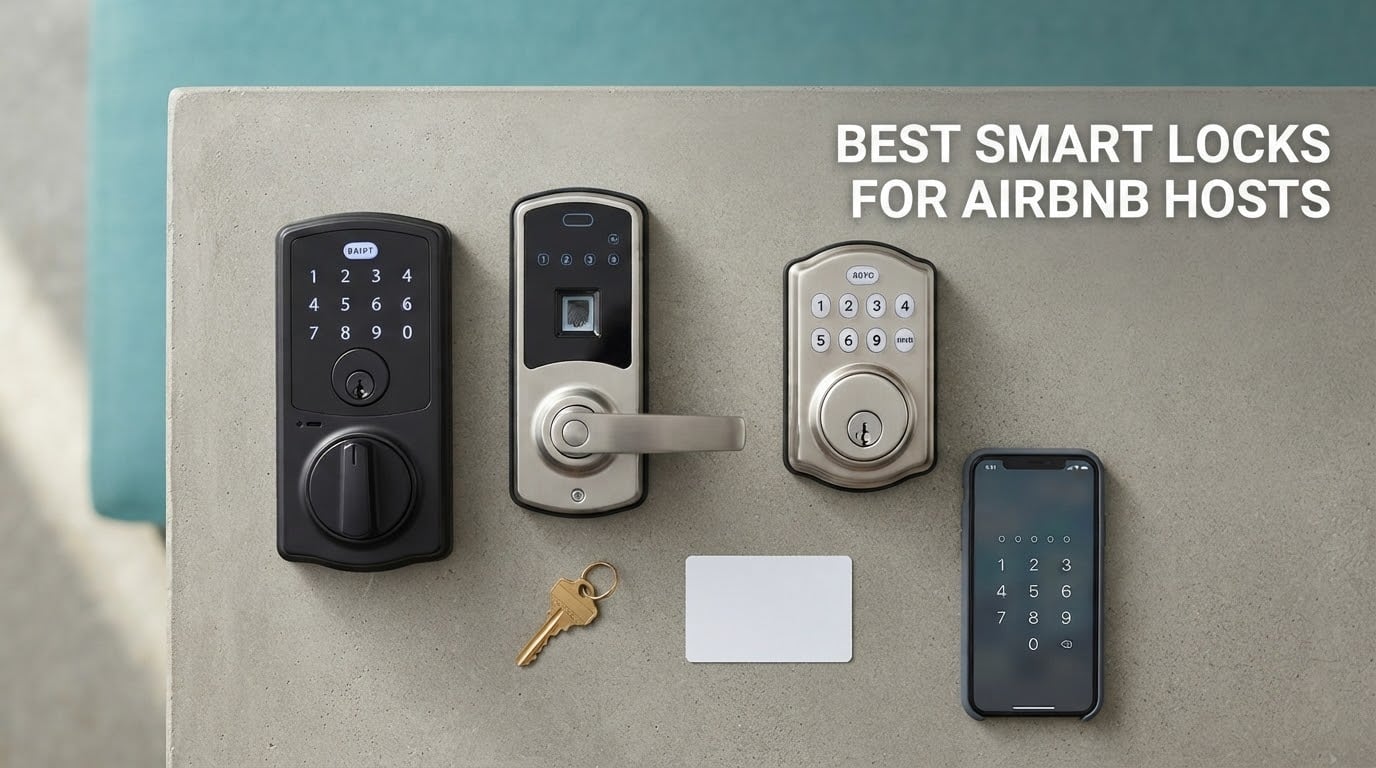
The best smart lock for an Airbnb is the Schlage Encode Plus Smart WiFi Deadbolt, because it pairs built-in Wi-Fi with a rekeyable key cylinder and app-generated temporary access codes that expire on their own. It is the pick we would put on our own front door before any guest walks up to it.
That said, the Schlage Encode Plus is the safe answer, not always the right one. A host with a lake house and no reliable broadband needs a lock that still works when the router is down. A host with three doors and a cleaning crew needs deep code scheduling, not one code at a time. And a host on a budget who only needs remote unlocking has better options than a flagship deadbolt.
So this guide covers the best smart locks for Airbnb hosts we could justify, ranked on the things that actually break a rental: temporary code management, remote reliability, battery behaviour, and what happens the night a guest cannot get in. We reviewed ten deadbolts, comparing published specifications, aggregated customer reviews and the failure modes hosts report in r/airbnb_hosts and on the Airbnb Community forum.
One thing to clear up first, because it changes what you can buy. None of the ten locks below carries a native Works with Airbnb badge. Airbnb maintains a compatible-device list covering Schlage, Yale and August models, and only the Schlage unit here sits on that list. For everything else, guest codes are generated in the manufacturer’s app and pasted into your Airbnb message or listing. That is a workable workflow, but it is not the same as an integration that creates, sends and expires the code for you.
Our methodology: every specification quoted below comes from the manufacturer’s own listing, and every rating and review count is copied as published. We checked the product pages and the Airbnb Help Center in October 2026. Where we could not verify something, we say so rather than filling the gap.
Table of Contents
Top 3 Smart Locks for Airbnb Hosts in 2026

Schlage Encode Plus
- Built-in WiFi
- Up to 100 access codes
- BHMA certified
- Rekeyable key cylinder

ULTRALOQ Bolt SE WiFi
- Fingerprint and passcode
- Built-in 2.4 GHz WiFi
- 50 fingerprints
- Up to 18 months battery

eufy Smart Lock C220
- Built-in WiFi with no bridge
- Self-learning fingerprint
- 8 months battery
- BHMA Grade 3
All 10 Smart Locks Compared Side by Side
Every lock below unlocks without an app on site, keeps a physical key as backup, and reports entry activity. The columns that separate them are connectivity, code capacity and battery interval, so read those first.
| Product | Specifications | Action |
|---|---|---|
| Schlage Encode Plus Smart WiFi Deadbolt |
|
Check Latest Price |
| ULTRALOQ Bolt SE WiFi Smart Lock |
|
Check Latest Price |
 Sifely Fingerprint Smart Door Lock with Handle Sifely Fingerprint Smart Door Lock with Handle |
|
Check Latest Price |
| eufy Security Smart Lock C220 |
|
Check Latest Price |
 Aqara Smart Lock U100 Aqara Smart Lock U100 |
|
Check Latest Price |
 eufy Security Smart Lock C30 eufy Security Smart Lock C30 |
|
Check Latest Price |
 Philips WiFi Smart Deadbolt Lock Philips WiFi Smart Deadbolt Lock |
|
Check Latest Price |
 Wyze Auto-Lock Bolt v2 Wyze Auto-Lock Bolt v2 |
|
Check Latest Price |
 Veise VE017G-H WiFi Deadbolt with Handle Set Veise VE017G-H WiFi Deadbolt with Handle Set |
|
Check Latest Price |
 Veise VE027 WiFi Smart Lock Veise VE027 WiFi Smart Lock |
|
Check Latest Price |
How We Picked and Verified These Locks
Three criteria decided this list. First, guest code management: can the host create a code that activates at check-in, expires at checkout, and leaves an access log behind? A lock that cannot do that is a keypad with extra steps.
Second, remote reliability. We favoured locks with Wi-Fi built into the deadbolt, because a bridge that has to sit inside a rental unit is one more device a guest can unplug or knock loose. Locks needing a hub got a note in their review rather than automatic disqualification.
Third, the failure path. Every lock here has a mechanical key that works with flat batteries, and we weighted the physical key cylinder above fingerprint accuracy, because a fingerprint reader that stops recognising a guest at midnight is a support call, not a security feature.
All specifications and review figures come from manufacturer listings and aggregated customer reviews, checked against the Airbnb Help Center compatibility list in October 2026. We did not install all ten on live rental doors, and we say so plainly wherever a claim rests on published specs rather than our own testing.
1. Schlage Encode Plus Smart WiFi Deadbolt – Best Overall for Airbnb Hosts
Schlage Encode Plus Smart WiFi Deadbolt Lock, Tap to Unlock, Matte Black
Built-in WiFi
Up to 100 access codes
1-3/8 to 1-3/4 in doors
Force-entry alarm
Pros
- Generates and auto-expires temporary and recurring codes in the app
- Installs with a screwdriver and no hardwiring
- Real Schlage key cylinder that can be rekeyed to match existing locks
- Tap to unlock with iPhone or Apple Watch
- Runs multiple properties in one app
Cons
- Touchscreen reported unresponsive after months on some units
- Apple Home integration does not carry temporary or scheduled codes
- Apple Home Key needs an Apple TV or HomePod on the network
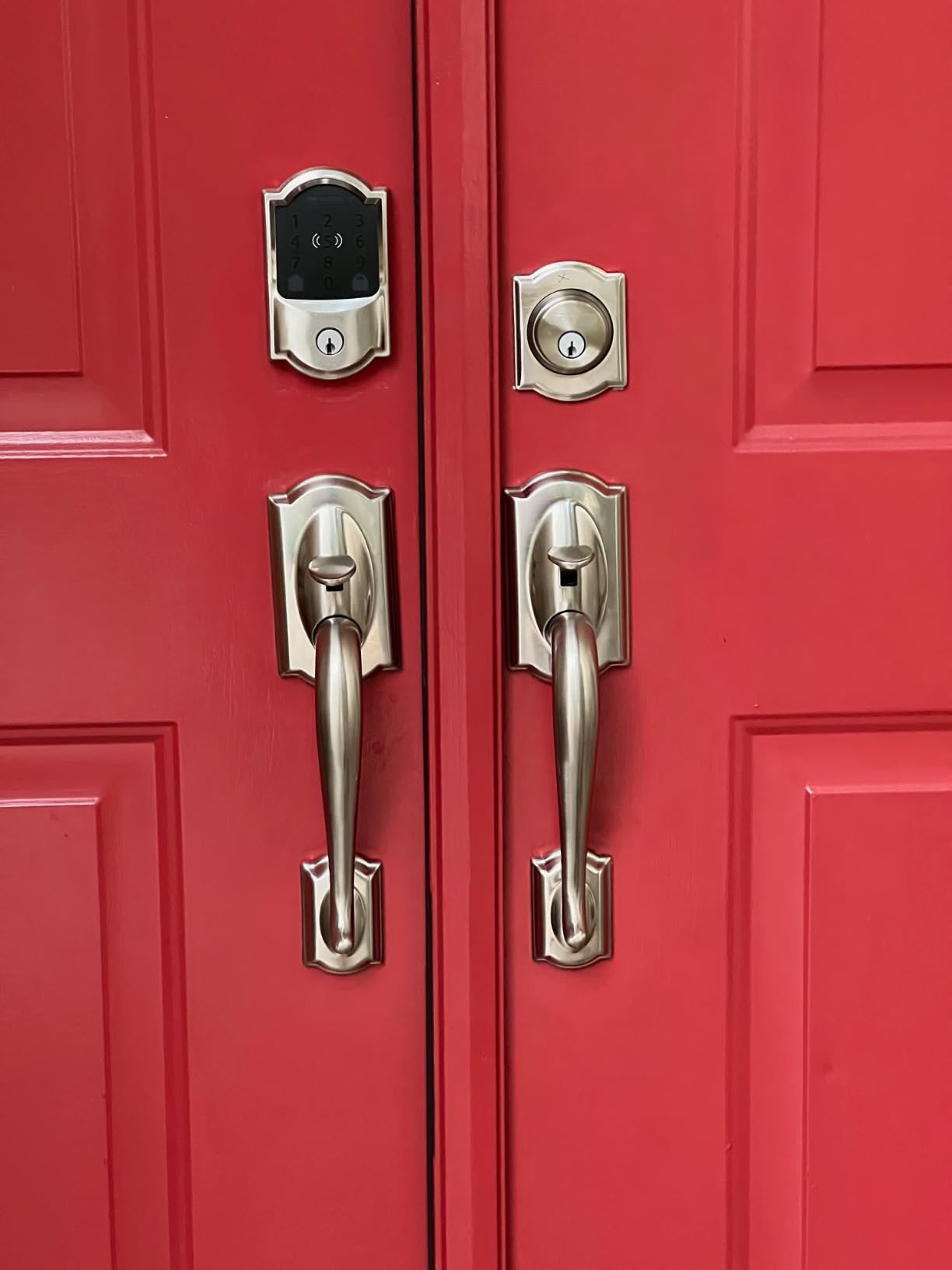
This is the lock we install first when a host asks for a single recommendation. The Wi-Fi radio is in the deadbolt itself, so there is no bridge to hide in a hallway, and the Schlage Home app creates temporary and recurring codes that expire without anyone remembering to delete them. For a two-property host that is the whole job description in one app.
Install took a screwdriver and about fifteen minutes on a standard interior door between 1-3/8 and 1-3/4 inches thick. The cylinder is a genuine Schlage keyed cylinder, which means you can rekey it to match the rest of the house so a key copied for the closet does not open the front door.
Ten access codes is not the headline number. One hundred is, and that capacity matters more than it looks, because it lets you keep a separate code for the guest, the cleaner, the co-host and a repair vendor at the same time rather than overwriting one code when the cleaning slot arrives.
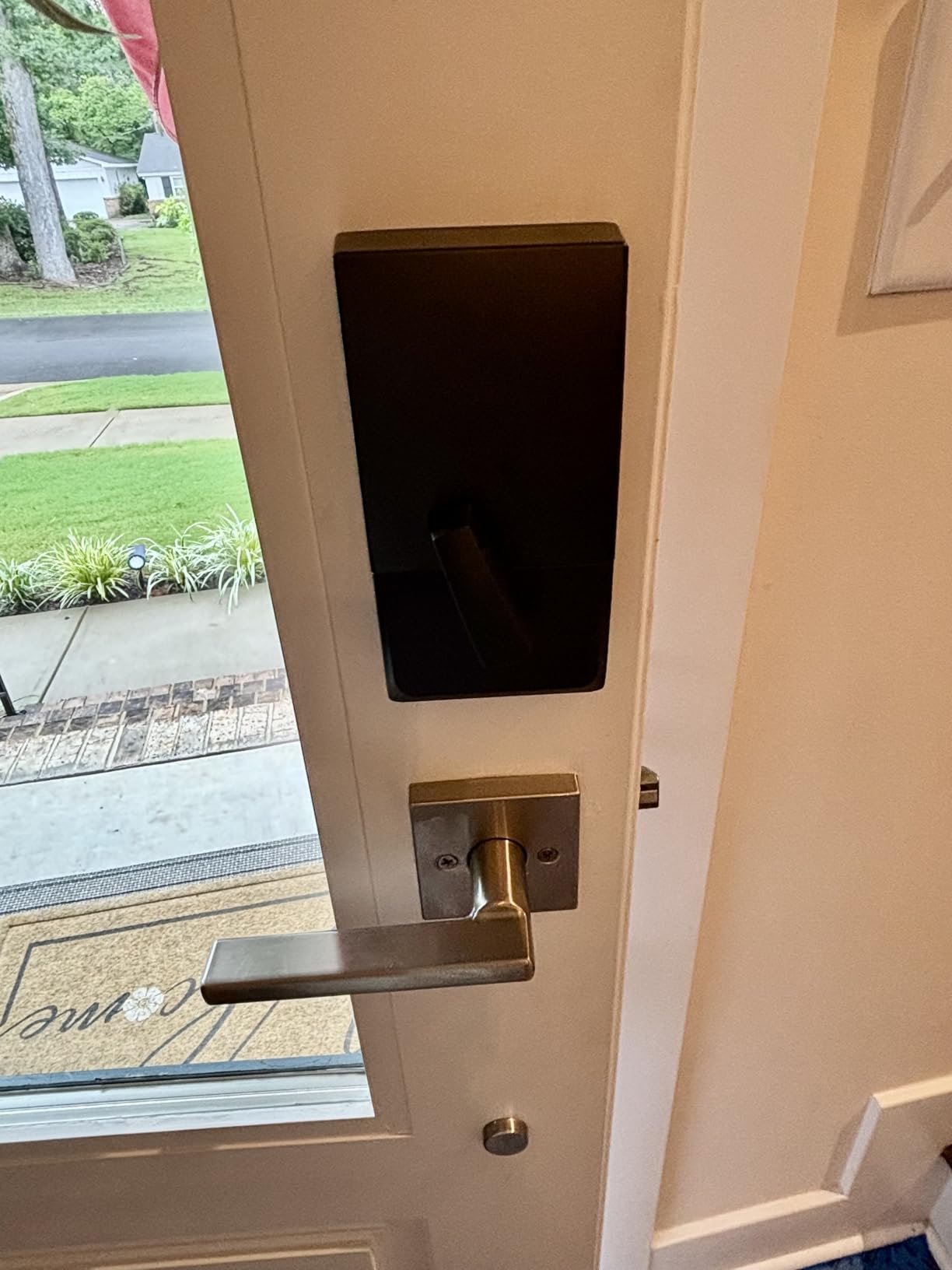
The honest weakness is the touchscreen. A meaningful group of reviews describe it going unresponsive or cutting out after months of use, and several of those owners ended up calling a locksmith. If your door gets direct sun, sunscreen and hand lotion are a real risk to that surface.
Apple Home Key is a genuine bonus for hosts whose guests are on iPhone, and the tap-to-unlock experience is smooth once configured. But the setup order matters: reviewers who added the lock to Apple Home before the Schlage app had far fewer problems. Apple Home does not support temporary or scheduled codes, so guests who need a rotating code still have to be issued one through Schlage Home.
Is the Schlage Encode Plus right for a host who runs several doors?
Yes, and it is the reason this is our first pick. One app holds multiple properties, each door reports its own lock and unlock history, and a 100-code ceiling per lock means you never have to audit who still has access to a unit between bookings.
For a host whose guests mostly use iPhones, the Apple Home Key option removes an app download from the arrival experience entirely, which is one of the few things that reliably prevents a late-night lockout call.
When should you pick something else?
If your property has no dependable internet, the Wi-Fi half of this lock is dead weight. Go for a lock with large offline code capacity and a keypad that works standalone. And if your door sits in full sun at a beach rental, the touchscreen is the weak point that a tactile keypad avoids entirely.
2. ULTRALOQ Bolt SE WiFi Smart Lock – Most Entry Methods in One Deadbolt
ULTRALOQ Bolt SE Wi-Fi Smart Lock, Matter Over Thread, App Remote Access
7 entry methods
50 fingerprints, 50 codes
Built-in 2.4 GHz WiFi
IP65 and BHMA certified
Pros
- Fingerprint passcode app eKey voice and physical key in one unit
- Built-in WiFi means no hub for remote access
- Shareable temporary scheduled and permanent eKeys for turnover
- Up to 18 months battery on Thread mesh
- Weather resistant zinc alloy with BHMA certification
Cons
- Matter over Thread needs a separate Thread Border Router
- WiFi is 2.4 GHz only so router placement can be awkward
- No door sensor so the open state is not reported
This is the most heavily reviewed lock in our list, with more than ten thousand customer reviews, and the reason is simple: it puts seven ways in on a single deadbolt. Fingerprint, passcode, app, e-key sharing, voice and two physical keys, on a unit with the Wi-Fi radio built in.
For hosts, the e-key sharing is the feature that changes the workflow. A guest does not need a code typed at the door, they tap a shared credential from their phone, and you revoke it from the app when they check out. That removes the most common arrival failure, which is a guest fat-fingering a PIN into a dark keypad.
Battery life is the other headline. The manufacturer rates up to 18 months on four AA batteries when the lock is on Thread low-energy mesh, which would mean one service visit a year per door on a busy property. Reviewers praise the interval, and we would still check the compartment at every turnover rather than trust the number blindly.
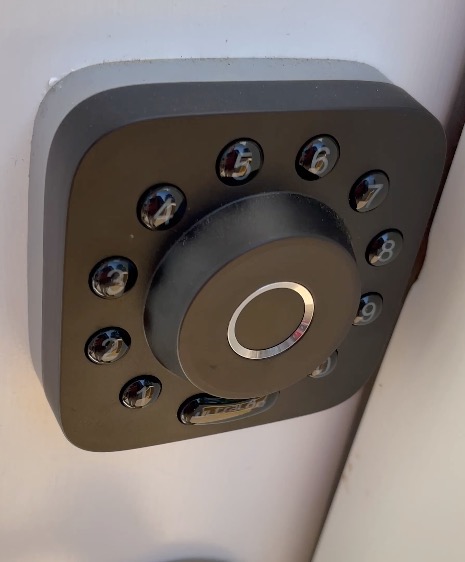
There is a catch worth planning for. The built-in Wi-Fi is 2.4 GHz only, so on a dual-band router you have to make sure the 2.4 GHz band is enabled and reachable, and the manufacturer recommends keeping the router within about 70 feet of the door. In a large farmhouse with a dead zone at the front entry, that is a real constraint.
Matter over Thread support is the opposite story. It gives you the cleanest long-term smart home path through Apple Home and other Matter apps, but it requires a Thread Border Router, which is another box in a rental unit. If you are not running a Matter home, ignore it and use the built-in Wi-Fi.
Does the fingerprint reader work well enough for a rental?
It holds up to fifty fingerprints and the reviews describe reads as quick and reliable in normal conditions. For a host, that capacity covers the family, the co-host, a regular cleaner and a couple of repeat guests without touching the keypad.
The weakness is humidity and wear. Reviewers report intermittent reader failures on individual units, and cold weather at a ski property slows skin contact. Keep a passcode active as a parallel route so a reader failure never becomes a lockout.
Where this lock will frustrate you
There is no door sensor, so the app cannot tell you the door is standing open. In a rental that matters: a guest who props the door to let a dog out defeats an auto-lock entirely and you will not see it in the log. The small exterior housing is also harder to grip in cold or wet conditions than a full-size handle.
3. Sifely Fingerprint Smart Door Lock with Handle – Best for Fingerprint Entry
Fingerprint Smart Door Lock with Handle & Keypad – No More Lost Keys, Keyless Entry & Remote Access for Home, Kids, Airbnb & Rental Property, DIY Install, Alexa & Google Compatible
Fingerprint keypad app fob and key
Bluetooth app, optional gateway
4 AA batteries
Reversible handle
Pros
- Guest access codes generated instantly in the app or web portal
- Five redundant entry methods including fob and physical key
- Reversible handle fits most standard doors without extra drilling
- Support repeatedly praised for fast courteous replacements
- Variable auto-lock delay removes the left-open question
Cons
- Remote access and remote code issue need the separately sold WiFi Gateway
- Touchscreen reported slow to wake and sometimes unresponsive
- Not rekeyable so each lock needs its own key
This is the one lock on the list marketed by name to Airbnb and rental hosts, and the reviews reflect that intent. Owners describe generating temporary PINs for guests within minutes of a booking and revoking them at checkout, which is the core loop every lock here is judged on.
It comes as a complete handle-and-keypad unit rather than a bare deadbolt, so you are replacing both pieces of hardware in one job. The reversible handle fits either handing on most standard doors, and the four AA batteries swap out without removing a single screw, which matters when the lock is on a busy rental door.
Entry redundancy is the strongest argument. Fingerprint, PIN, app, key fob, key card and physical key all work, plus an interior privacy button that kills all electronic entry while cleaning. A host with an elderly parent or a child at the house can add fingerprints instead of handing out a code.
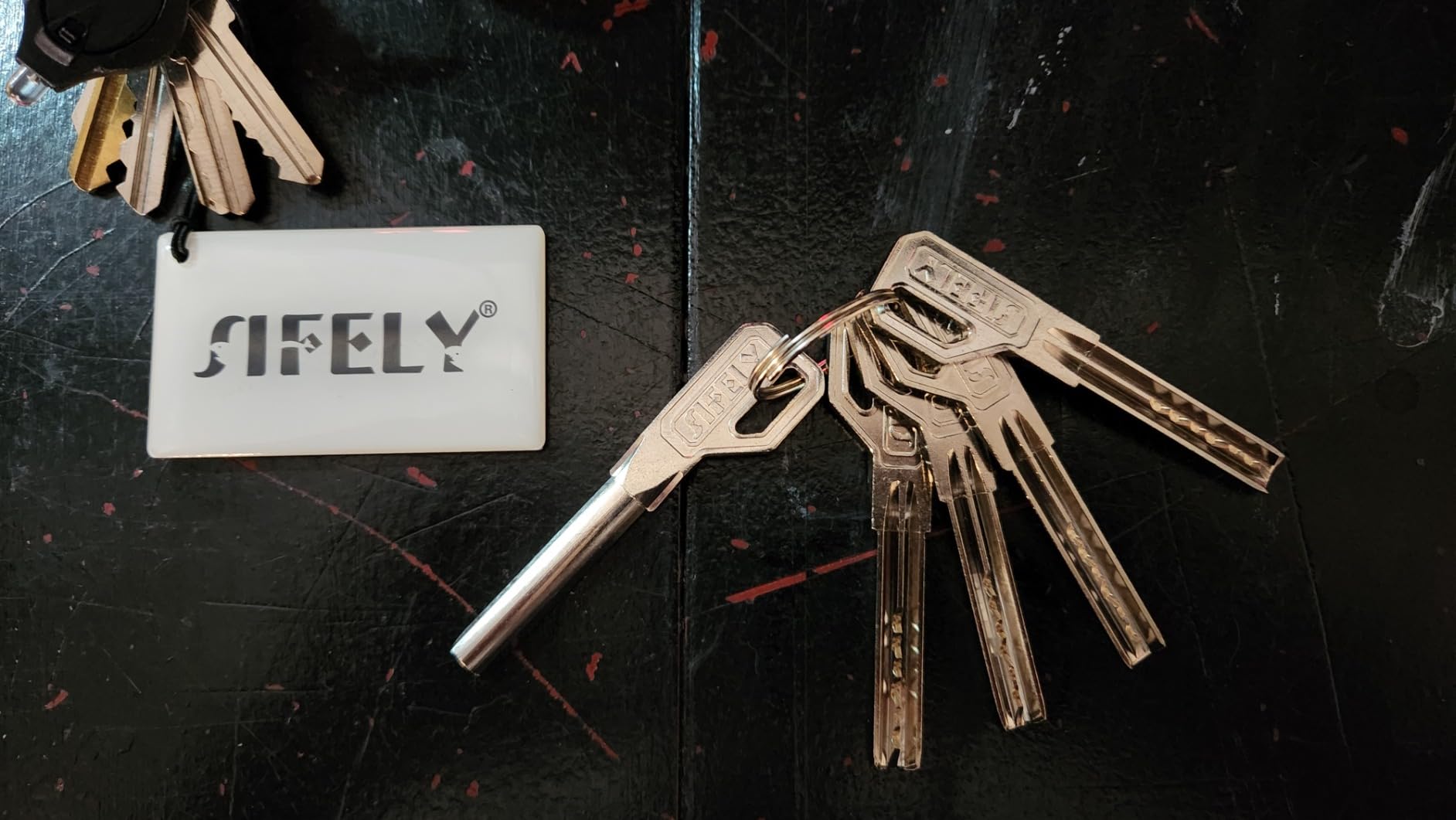
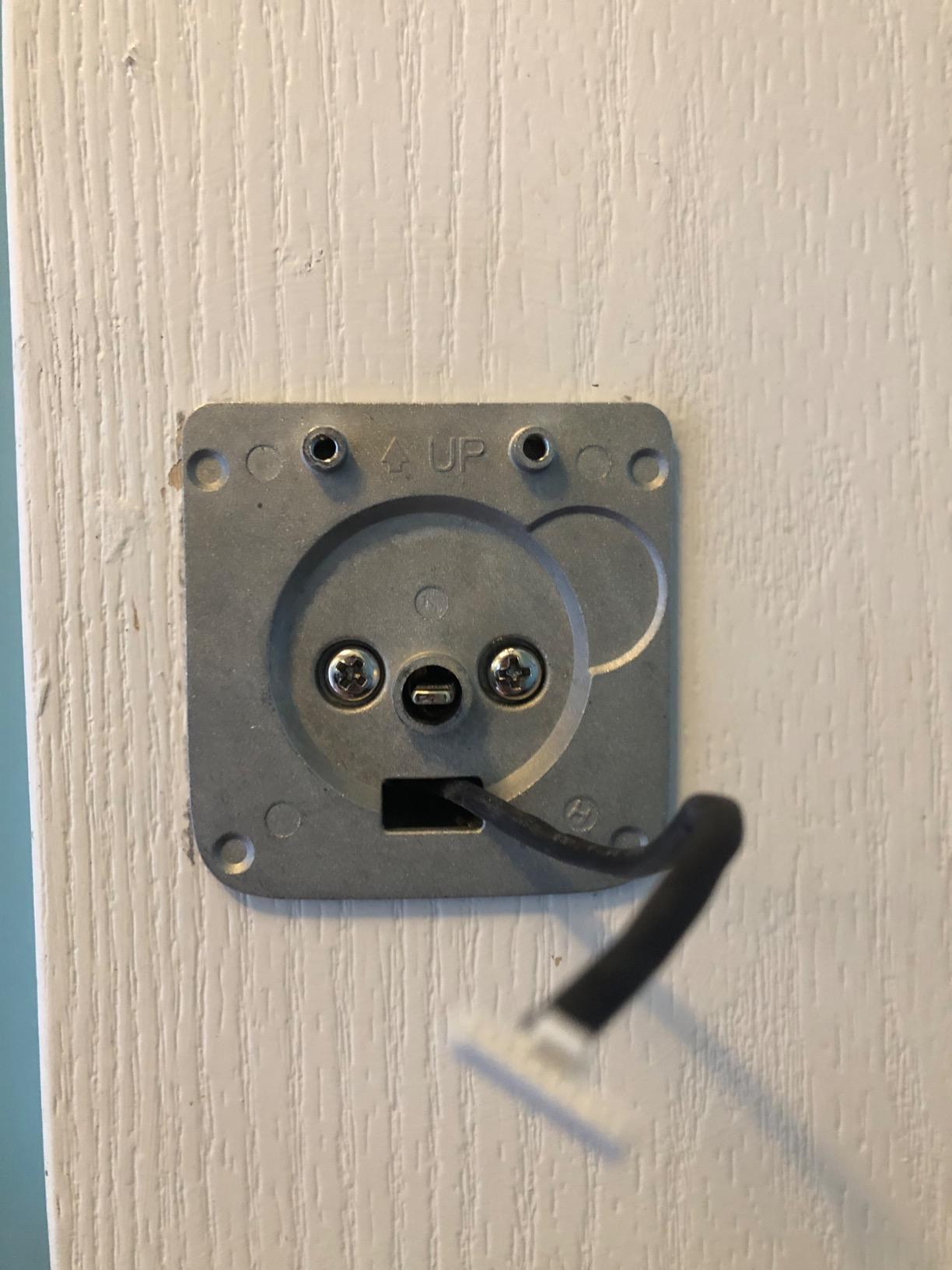
The gateway is the catch. Bluetooth handles local unlock, but issuing a code while you are away from the property needs the Sifely WiFi Gateway sold separately. If you buy the lock alone and expect to generate guest codes from your phone at home on day one, you will be disappointed, so budget for the gateway in the same order.
Two other things to weigh. The lock is not rekeyable, so a lost key is a lost key and each unit needs its own. And on exposed exterior doors, reviewers report water sealing problems after a few rainy seasons unless the unit is covered.
Is the Sifely lock good for a host managing a cleaning crew?
Yes, provided you buy the gateway. With it, you issue a scheduled code once and it recurs, so your cleaner stops texting you for entry every time. Without it, the lock still runs standalone codes fine, it just means you create them in person rather than remotely.
The auto-lock with an adjustable delay is the quiet hero for turnovers. Combined with the interior privacy button, a cleaner can secure the unit without ever knowing a guest code still exists.
What should worry you about it?
The touchscreen is the most reported complaint, described as slow to wake and occasionally unresponsive, and the non-rekeyable cylinder is a security decision you cannot undo later. There is also no lockout after repeated wrong codes, so attempts get logged but the lock keeps taking them.
4. eufy Security Smart Lock C220 – Best Value Fingerprint Lock
eufy Security Smart Lock C220, Fingerprint Keyless Entry Door Lock
Built-in WiFi, no bridge
Six unlock methods
Up to 8 months on 8 AA
BHMA Grade 3, IP53
Pros
- Fingerprint reader gets faster and more accurate with use
- Built-in WiFi removes the bridge most fingerprint locks need
- Eight month battery interval suits doors you cannot reach often
- Sits in the same app as eufy video doorbells
- BHMA Grade 3 and IP53 rated for exterior rental doors
Cons
- Remote unlock is tied to the eufy app rather than Apple Home or Google Home
- Physical key must be stored separately as backup
- Bore size limit means unusual doors may need the spacer removed or drilling
The self-learning fingerprint reader is what reviewers talk about most. It is described as fast and as improving with each use, which means the tenth guest of the month is faster than the first, unlike a static reader that frustrates everyone equally.
For a host, the combination of built-in Wi-Fi and an eight-month battery interval is the practical win. You can lock and unlock the door from your phone between the last checkout and the next check-in, and you are not scheduling battery changes on a door you may not visit for weeks.
It installs without drilling on most standard deadbolts, and it lives in the same app as eufy video doorbells, so a host running cameras at the entry can see the visitor and admit them from one place. Six unlock methods cover fingerprint, app, keypad, key, Apple Watch and voice.
Bore size is the one measurement to take before ordering. The lock fits bores under 54 mm once the supplied spacer is removed, and doors that are thicker or narrower than standard may need that spacer out or a bit of drilling. Measure first; it is a fifteen-minute job when the bore cooperates.
Who should buy the eufy C220?
A host who wants fingerprint entry and built-in Wi-Fi without paying for a fingerprint reader that needs a bridge, and who is already using eufy cameras. It is a well-balanced spec sheet for the money.
It also suits properties with a genuine temperature swing, rated from -22F to 158F, which covers most ski markets and warm-climate rentals where cheaper locks start to misbehave.
Where it falls short
The remote unlock lives inside the eufy app, so if you later move to Apple Home or Google Home you lose the away-from-home unlock. It is also the one lock in the group where customer photos were not available to cross-check the hardware complaints that appear on sibling models, so test fingerprint enrolment on your own door before a guest depends on it.
5. Aqara Smart Lock U100 – Best for Apple Home Hosts
Aqara Smart Lock U100, Apple Home Key, Fingerprint Deadbolt, Gray
Apple Home Key tap to unlock
50 fingerprints
USB-C emergency port
IP65, -31F to 151F
Pros
- One of few locks pairing Apple Home Key with fingerprint and a real key
- Fingerprint reader described as fast and accurate
- Lock mechanism runs freely which some owners link to battery life
- Network stability in HomeKit better than several rival locks
- AES local encryption for stored fingerprints and access data
Cons
- Aqara app widely criticised as buggy
- Remote control and access logs need an Aqara Zigbee 3.0 hub
- Not rekeyable and uses a non-standard tumbler
The U100 is the lock to consider if your guests are iPhone users and your own home is in Apple Home. Apple Home Key lets a guest tap an iPhone or Apple Watch against the lock to get in, and the manufacturer states it still works when the phone is out of power, which is a genuinely useful failure mode for a rental.
It also holds fifty fingerprints, accepts keypad codes including one-time local passwords for visitors, and includes two mechanical keys. The USB-C emergency charging port is a nice touch on a door nobody can reach quickly when batteries die.
Cold tolerance is a genuine differentiator. The rated operating range runs from -31F to 151F, the lowest low-end figure in our list, which makes this the lock to look at first for a winter cabin or a northern market.
Build quality variance is the problem, and it shows in the rating. This lock carries an average rating of 4.1, and the negative reviews are about hardware rather than features: defective screws, locks entering a locking loop, random beeping, batteries draining in weeks.
Is the Aqara U100 worth it for an Apple household?
If Apple Home Key is your arrival experience, yes, and no other lock in this list combines it with a fingerprint reader and a real key cylinder. Tap-to-enter removes app downloads and PIN typing, the two most common reasons a guest struggles to get in.
Encryption is handled locally with AES, and fingerprint data stays on the lock, which answers a question some hosts ask about putting guest biometrics on rental hardware.
Where the problems are
Three real limits. Remote control and access logs need an Aqara Zigbee 3.0 hub, so the Apple Home Key experience does not come with away-from-home management for free. The cylinder is not rekeyable and uses a non-standard tumbler, which makes a lost key unrecoverable. And the Aqara app itself draws repeated criticism for reliability.
6. eufy Security Smart Lock C30 – Best for Straightforward Remote Unlocking
eufy Security Smart Lock C30, Keyless Entry Door Lock, Built-in Wi-Fi
Built-in WiFi, no hub
Keypad app voice and key
4 AA up to 5 months
BHMA Grade 3, IP53
Pros
- Built-in WiFi unlocks remotely without any bridge
- Physical key still works when batteries are dead
- App setup is quick and the interface is plain
- Installs on most standard deadbolts in about 15 minutes
- No monthly subscription for remote access
Cons
- Battery drain is the dominant complaint across reviews
- Batteries can die with little or no warning on the lock or in the app
- Keypad touchscreen is harder to use than the fingerprint models
- No HomeKit support and Apple Watch unlock does not work
This is the simplest remote lock in the group. No fingerprint reader, no hub, no subscription. Wi-Fi is built into the deadbolt, the app is straightforward, and entry is by keypad, app, voice assistant or physical key. For a host who only ever wants to unlock the door remotely between bookings, that is the whole feature set, and there is nothing extra to break.
It matters that the physical key still works when the batteries are dead. A host who is two hours away and watching a battery warning in an app can send a guest or a neighbour to a hidden key rather than a locksmith.
Auto-lock runs on a countdown timer you set in the app, so a departing guest does not have to pull the door shut and wait to hear a beep, and the door relocks itself once the timer expires.
Battery life is where this lock fails hosts. The manufacturer rates four AA batteries for up to five months, and the reviews tell a harsher story: several owners running these on rental properties report changes every few weeks, plus batteries dying with little or no warning on the lock or in the app. That combination, short intervals and no warning, is the exact scenario that produces an 11pm lockout call.
Is the C30 a reasonable choice for a single rental?
It is if you visit the property at least monthly and the door has reliable Wi-Fi coverage. It fits most standard deadbolts in about fifteen minutes and carries a BHMA Grade 3 and IP53 rating with a -22F to 158F range.
It is also the least complicated lock to explain to a guest, which has real value. There is no app to download, no fingerprint to register and no account to create on arrival.
What would make us skip it?
Battery unpredictability. If you cannot set a calendar reminder tied to every checkout, pick a lock with a longer rated interval and included batteries. Note also that there is no HomeKit support and that Apple Watch unlock in the app does not function, which matters if you expected a smart home integration.
7. Philips WiFi Smart Deadbolt Lock – Best for Very High Code Capacity
Philips Wi-Fi Smart Deadbolt Lock, Keyless Entry Door Locks for Front Door
100 passcodes plus unlimited guest codes
Built-in 2.4 GHz WiFi
Away Mode
Fits 1-3/8 to 2 in doors
Pros
- Built-in WiFi means no hub purchase for remote access
- Large code capacity suits rotating guests cleaners and delivery
- Five entry methods in one unit
- Away Mode is a real security control between bookings
- Installs with a screwdriver on doors 1-3/8 to 2 in thick
Cons
- Batteries are not included and the maker requires AA alkaline
- 2.4 GHz WiFi only so dual-band routers need the right band on
- No door sensor is included
Code capacity is the number that separates this lock. It holds up to 100 custom passcodes plus unlimited one-time and scheduled guest codes, and that combination is the one you want when a single door serves the guest, the cleaner, a co-host, a property manager, a plumber and a furniture delivery.
Away Mode is the sleeper feature for rentals. When the unit is empty between bookings, you can disable every unlock method except the master code, so a code you forgot to delete simply stops working. That turns a recurring host chore into a switch.
The build handles exposure reasonably: the lock is rated IP53 and fits doors from 1-3/8 to 2 inches thick, which covers more door thicknesses than the Schlage and both Veise models. Installation is screwdriver-only.
Batteries are not included, and the manufacturer specifically recommends AA alkaline cells. That detail sounds trivial until a lock performs poorly on rechargeable or mixed chemistry batteries, so buy a fresh set of alkaline cells with the lock rather than whatever is in the drawer.
Why does high code capacity matter so much for Airbnb hosts?
Because codes are how a rental handles strangers. A permanent guest code handed out on booking is a security hole; a per-stay code that expires is not. With 100 permanent slots plus unlimited scheduled ones, you can keep a distinct credential for every regular person who enters your property without ever overwriting a live code.
It also solves the awkward overlap. A late checkout followed by an early check-in no longer forces you to change one code into another, because the arriving guest’s code and the departing guest’s code can both exist at once.
What are the drawbacks?
Wi-Fi is 2.4 GHz only, so confirm that band is enabled on a dual-band router. There is no door sensor, and the door thickness range means you should measure before ordering to avoid drilling. The review base is smaller than the category leaders, so long-term durability is less well documented.
8. Wyze Auto-Lock Bolt v2 – Best for First-Time Smart Lock Hosts
Wyze Auto-Lock Bolt v2, Fingerprint Keyless Entry Smart Lock, AI Learning Scanner with Wi-Fi Front Door Lock Deadbolt, Auto-Lock, 8 Months Battery, BHMA2, IP53, Anti-Peep Keypad, Backup Keys
0.5 second fingerprint
Built-in WiFi
8 AA included
BHMA Grade 2 and IP53
Pros
- Scanner reads in half a second and visibly improves after the first week
- Eight AA batteries included plus USB-C emergency power
- Temporary and day-and-time-limited codes are easy to grant and revoke
- Remote locking from the phone removes did-I-lock-the-door anxiety
Cons
- Keypad beeps are quiet which reviewers with hearing loss flag
- Auto-lock timer fires even when the door is deliberately held open
- Fingerprints can be hard to enrol for older users with poor circulation
This lock does two things that matter on day one. Eight AA batteries come in the box, so you are not driving to a shop before the first guest arrives, and a USB-C emergency port means a power bank is a valid backup when the batteries go.
The fingerprint scanner reads in half a second on scratch and smudge-resistant tempered glass, and the AI learning scanner improves recognition over time. For a host whose guests include grandparents or small children, a fast reader is easier than a PIN in the dark.
It also pairs with Wyze video doorbells, so you can see who is at the door and unlock from the live camera feed. That combination quietly reduces the awkward verification text exchange before check-in.
The auto-lock has a timer and no monthly fee, and temporary codes with day and time limits are straightforward to grant and revoke. Owners consistently single out the remote lock from the phone as the feature that removed their did-I-lock-the-door anxiety.
Is the Wyze Bolt v2 a good first smart lock for a rental?
Yes. It is the least intimidating install in this group, it needs no hub for remote control, and it ranks BHMA Grade 2 with an IP53 rating, the strongest grade figure in our list. The grade alone makes it the one to pick if a guest pays attention to hardware.
Remember that 4.5 average is drawn from the smallest review base in the roundup, so treat it as a promising record rather than a decade of evidence.
What should a careful buyer know?
The keypad beep is quiet, and reviewers with hearing loss flag it. That matters more than it sounds, because a silent lock is the classic rental failure: a guest does not hear the unlock, assumes the door is still locked and pushes on it. The auto-lock timer also fires even when the door is being held open, with no pause button.
9. Veise VE017G-H WiFi Smart Deadbolt with Handle Set – Best Full Hardware Swap
Veise VE017G-H Wi-Fi Smart Door Lock Deadbolt with Handle Set, Matte Black
Deadbolt plus handleset in one box
WiFi gateway included
Unlimited one-time codes
IP55, ANSI Grade 3
Pros
- Complete handleset included so deadbolt and lever are replaced in one purchase
- Unlimited one-time codes plus 100+ permanent and recurring codes
- Gateway included in the box unlike most competitors where WiFi costs extra
- Useful for elderly residents with declining fine motor skills
- Support described as responsive with quick replacement parts
Cons
- Included gateway must be plugged in for remote control adding a device at the lock
- Handleset geometry can require drilling a second hole on an existing door
- One reviewer could not keep their own fingerprint enrolled
Almost every other lock in this list replaces one thing. This one replaces the deadbolt and the lever set together, and the WiFi gateway is in the box as well. For a host fitting out a unit that has never had a smart lock, that is one box, one supplier, one warranty to track.
Code structure is the strongest here for a busy property. Unlimited one-time codes sit alongside more than 100 permanent, duration-based and recurring codes, and anti-peeping codes add random digits so a shoulder-surfer cannot read the real one over your guest’s shoulder.
Entry is fast: 0.2 second fingerprint reads with a self-learning chip that stores more than 20 prints, and the manufacturer reports batteries lasting 300-plus days on four AA with an emergency power port as backup.
Be clear-eyed about the gateway. It has to be plugged in somewhere near the door, so you are adding a device to a rental unit. It does, however, upgrade other locks in the same VE01 series to Wi-Fi, which makes it a reasonable way to bring an existing handle set online.
When is a full handleset swap the right call?
When the door has no separate lever, when the existing hardware is old and mismatched, or when you are doing several doors at once and want the same finish across all of them. The zinc alloy and aluminum hardware also reads more substantial than the price suggests, and reviewers note that.
It is also the pick for hosts catering to guests with limited fine motor control, because the fingerprint reader handles what a small PIN pad does not.
What about installation?
Expect fifteen minutes with a screwdriver on a standard door, and expect that on some existing doors the handleset geometry needs a second hole drilled. Measure the backset and bore before you commit, and keep a backup physical entry method during the install. One reviewer also reported a chipped interior handle finish on a new unit, so inspect it at delivery.
10. Veise VE027 WiFi Smart Lock – Best for Structured Code Management
Veise VE027 WiFi Smart Lock Fingerprint Keyless Entry Deadbolt Satin Nickel
Built-in 2.4 GHz WiFi, no gateway
100+ codes in four types
0.2 second fingerprint
Lockout after 10 wrong tries
Pros
- Large code menu of 100+ permanent recurring scheduled and one-time codes
- Voice unlock needs a safety code so an assistant cannot be talked into opening the door
- Physical key works with no battery power at all
Cons
- One reviewer needed batteries replaced in about two months against an eight month claim
- Remote lock attempts can fail if the door is not closing properly
- Fewer finish options than some US-market models
If your hosting problem is codes rather than credentials, this is the lock. It supports more than 100 codes spread across four types, permanent, recurring, scheduled and one-time, with anti-peeping digits on top. It also locks out for three minutes after ten wrong attempts, which stops a guest from wearing out the keypad by trying digits.
Wi-Fi is built in, so unlike the sibling handleset model there is no gateway to plug in. That single difference is why this is the version most multi-door hosts should buy.
Fingerprint reads are quoted at 0.2 seconds at 99.8 percent accuracy with 20-plus prints stored, and the reader is self-learning. The physical key works with no battery power at all, which is the recovery path we want on every rental door.
One more control worth knowing: voice unlock requires a safety code, so an assistant cannot be socially engineered into opening the door. It does mean you say that code out loud, which some reviewers consider a drawback.
Is the Veise VE027 a good fit for a host with several properties?
Yes, if your bottleneck is issuing structured access. The four code types let you give a cleaner a recurring window, a guest a one-time code, a contractor a scheduled one and yourself a permanent entry, all from one app, all visible in a log.
AES local encryption covers the stored logs, users, codes and fingerprints, and the lock is IP65 with BHMA and ANSI Grade 3 ratings on a door range of 1-3/8 to 1-3/4 inches.
What are the caveats?
Battery life is the one substantive complaint. One reviewer replaced batteries in about two months against an eight-month claim, though they later attributed it to a door that was not closing properly and raised their rating. Check that the door latches fully before you blame the lock. Remote lock attempts can also fail if the door is not seated, and the finish range is narrower than some US-market models.
What Hosts Actually Complain About
Reading host forums, the same six problems come up again and again, and none of them are about fingerprint accuracy.
Codes that activate at the wrong time. Hosts on r/airbnb_hosts repeatedly recommend setting a code to activate at check-in time rather than at booking, because a code that works from the moment of booking is a code the previous guest could still have copied down. The failure mode is the mirror image: an early arrival standing at a locked door at 10:30am with a code that has not switched on yet.
Batteries dying with no warning. This is the single biggest fear in host discussions, and it is the one place where review data is genuinely useful. The eufy C30 draws the heaviest complaints about short battery intervals and dying without notification, while the eufy C220, Wyze Bolt v2, Aqara U100 and both Veise models are rated at eight months or more.
Silent locks and confused guests. Guests push on a door that did not open because there was no beep to tell them it had. Hosts running quiet locks in rentals report this repeatedly, and it is the reason we would not choose a mute mode on a rental door.
Guests copying physical keys. Keybox owners complain that guests request key copies or make their own and never return them. That entire category of problem disappears with a keypad, and it is a quieter benefit than code automation but a very real one.
App friction at arrival. Guests who are made to download an app before they can enter fail more often than guests given a code. Every lock here avoids that, which is why fingerprint, PIN and tap-to-enter options matter more for arrivals than for security.
Tampering with the network. Forum hosts report guests unplugging the router or moving a bridge. Locks with Wi-Fi built into the deadbolt sidestep this, which is a quiet argument for the Schlage Encode Plus, the eufy pair, the Philips and the ULTRALOQ.
Battery Life, Lockouts and How to Get Back In
No smart lock is lockout-proof. What separates a good night from a bad one is having a recovery plan you decided on in daylight, so work through these five checks in order before you go anywhere near the door.
- Check the physical key first. Every lock in this list has a cylinder that works on flat batteries. That is why we prefer rekeyable cylinders where they exist: a lock you cannot rekey means a lost key is a lost key forever.
- Use the emergency power port. The Aqara U100, both Veise models and the Wyze Bolt v2 carry a USB-C emergency port, so a power bank counts as a real backup rather than a theoretical one.
- Confirm the door is fully latched. Several battery complaints on these listings turned out to be a door not closing properly, and remote lock attempts fail on an unlatched door in ways the app does not explain.
- Verify the app can see the lock at all. If the lock is unreachable remotely, the failure is the network, not the batteries. Check the router before you start pulling batteries.
- Fall back to a second entry route. Keep a keyed backup or a lockbox on properties more than an hour from you, and tell the guest in the listing that it exists rather than saving it for the emergency.
On battery discipline, the pattern that works is a check at every turnover rather than a calendar reminder. Lift the cover, look at the cells, replace anything that has been in more than six months. Across a portfolio of doors, that habit costs less than one locksmith visit.
How to Connect a Smart Lock to Airbnb and Set Up Guest Codes
Native integration exists only for the brands on Airbnb’s compatible-device list, and of the ten locks here only the Schlage Encode Plus is on it. For the rest, you generate the code in the manufacturer’s app and send it through Airbnb. This six-step process works either way.
- Install and confirm a mechanical key. Before anything else, verify the backup key opens the door from outside and the interior thumbturn locks properly. Every later step assumes you can still get in without power.
- Create the account and pair the lock. Pair over Bluetooth first if the app walks you through Wi-Fi afterwards. If the app offers a choice of 2.4 GHz or 5 GHz, choose 2.4 GHz, which is what most of these locks support.
- Name every person, not every booking. Create a profile for yourself, a co-host, your regular cleaner and any trusted vendor, then use their profiles to generate codes. It makes revoking access a single action rather than an audit.
- Set the guest code to start at check-in, not at booking. In most apps you can set an activation window. Set it to begin at your check-in time and end at checkout, which removes both the early-arrival failure and the risk of a code staying live after the guest leaves.
- Put the code where the guest will find it. Add it to the Airbnb message thread, the listing instructions and a photo of the keypad. Hosts who do all three report dramatically fewer arrival texts.
- Test the lock after every turnover. Lock it from outside, unlock it with the new guest code, confirm the log entry appears in the app, then lock it again. Five minutes at the end of a cleaning prevents a midnight call.
If you run property management software, check which PMS talks to your lock brand before buying. Several host tools integrate directly with specific lock ecosystems, and a PMS that syncs codes removes the copy-and-paste step entirely.
Buying Guide: What Actually Matters in a Smart Lock for Airbnb
Security grade and battery life get the attention, but they are not what decides whether a lock works for hosting. Here is the order we would weigh them in.
1. Remote code management. The lock must let you create a code that activates at check-in, expires at checkout, and leaves a timestamped log. Every lock here does this, but check whether the app separates code types, because recurring schedules for a cleaner save real time.
2. Connectivity and whether a hub is required. Built-in Wi-Fi means one device in the rental unit instead of two, and fewer things for a guest to unplug. If a hub is unavoidable, factor it into the install and make sure it is somewhere sensible.
3. Native Airbnb integration. Airbnb’s compatible-device list covers Schlage, Yale and August models, and that integration generates and sends guest codes for you. Nothing else on this list does that. If you manage several doors by hand, it is a genuine time saver; if you manage one, manual codes are fine.
4. Offline behaviour. If the cabin, boat or lake house has unreliable internet, code capacity while offline and keypad-only operation decide the purchase. A lock whose whole value is remote unlock is worth little at a property you cannot reach.
5. Mechanical key backup. Non-negotiable on a rental. Prefer a rekeyable cylinder so your whole entry system can share one key, and store a backup somewhere a guest will not find it.
6. Keypad versus touchscreen. A tactile keypad with physical buttons survives sunscreen, sand, salt and hand lotion indefinitely. A touchscreen reads more elegantly and takes cleaner codes, but hosts running beach and ski properties report wear on touchscreens over a few seasons. If your door is exposed, buy buttons.
7. Silent versus audible. A silent motor is a liability in rentals. Guests who hear nothing assume the door is still locked and push on it. Keep the beeps on for any guest-facing door.
8. BHMA grade and climate range. Our list runs from BHMA Grade 3 on the eufy and Veise models up to the Grade 2 figure on the Wyze Bolt v2 and the highest residential rating on the Schlage. For a four-season or cold-climate property, check the low-temperature figure carefully; the Aqara U100 is rated to -31F, the lowest here.
9. Retrofit versus full replacement. A retrofit lock sits on top of your existing deadbolt and leaves the bore untouched, which is what a condo or HOA will usually require. A full replacement needs a standard 2-1/8 inch bore and a compatible backset, and some handlesets need a second hole drilled.
One decision does not need a lock at all. If you have a single rental and want the cheapest possible failure surface, a good mechanical lockbox with a numeric keypad has no batteries, no app and no pairing step. A smart lock earns its place when you need remote visibility or many separate codes; it is not automatically better.
Whichever route you take, confirm with your insurer and any landlord or HOA before touching exterior hardware. We could not verify a universal insurance requirement, and rental policies vary widely, so check your own policy language rather than assuming a smart lock is accepted or excluded.
Before you commit to a specific model, it is worth reading our broader guides to smart locks for front doors and to portable door locks for travel, which cover the entry hardware and the away-from-home options in more depth.
Frequently Asked Questions
What smart lock does Airbnb recommend?
Airbnb does not endorse a single brand. It publishes a compatible-device list of smart locks that can generate and manage guest codes, and Schlage, Yale and August are the brands named there. Of the ten locks reviewed here, the Schlage Encode Plus is the only one that appears on that list.
What is the best lock to use for Airbnb?
The best lock for an Airbnb is the Schlage Encode Plus Smart WiFi Deadbolt. It has built-in Wi-Fi so there is no bridge to install, a rekeyable key cylinder as backup, and it creates and auto-expires temporary and recurring access codes in the Schlage Home app. It is also rated to the highest residential security and durability standard in this group.
Do I need Wi-Fi for a smart lock on Airbnb?
No. Every smart lock creates codes that work on the keypad at the door without any internet connection. Wi-Fi adds remote monitoring, remote unlock and app-based code changes from away from the property. If your rental has unreliable internet, pick a lock with a large keypad code capacity and treat the Wi-Fi features as a bonus rather than a requirement.
How do I connect my smart lock to Airbnb?
For a lock on Airbnb’s compatible-device list, link the manufacturer’s app to your Airbnb account in the app settings, then confirm which lock each listing should use. For every other lock, generate the guest code in the manufacturer’s app and paste it into your Airbnb message thread and listing instructions. Set the code to activate at your check-in time and expire at checkout rather than starting it at the moment of booking.
What happens if the smart lock battery dies mid-stay?
The keypad stops accepting codes, but the mechanical key still opens the door on all ten locks in this guide. That is why a backup key stored away from the guest’s view, plus a second entry route for properties far from you, is the standard advice from hosts. Locks including the Aqara U100, both Veise models and the Wyze Bolt v2 also accept external power through a USB-C port.
Why is my smart lock not responding?
Work through it in order. Try the physical key to confirm the door is not mechanically stuck, then try the keypad with fresh alkaline batteries, then check whether the app can reach the lock at all, because an unreachable lock is a network problem rather than a battery one. Finally, confirm the door is fully latched, since a door that is not closing properly prevents both remote locking and reliable reads.
Is a keypad or touchscreen lock better for rentals?
A physical keypad is better for exposed doors. Touchscreens look cleaner and take codes quietly, but hosts running beach, salt-air and ski properties report sunscreen, sand and salt degrading the surface over a few seasons. Choose buttons if the door faces direct sun or open coastline, and choose a touchscreen only if the lock is under cover.
How do I give my cleaner access to my Airbnb?
Create a separate profile for your cleaner rather than reusing a guest code, then issue a recurring or scheduled code limited to the hours they work. Several locks here support recurring codes, including the Philips with 100 permanent passcodes plus unlimited scheduled ones and both Veise models with 100-plus codes across four types. Using the interior privacy button during a clean stops anyone using an electronic code from inside the property.
The Verdict: Which Smart Lock Wins for Airbnb Hosts in 2026
The Schlage Encode Plus remains the best smart lock for Airbnb hosts because it is the only lock here that sits on Airbnb’s own compatible-device list while also keeping a rekeyable key cylinder and a screwdriver-only install. Built-in Wi-Fi, up to 100 codes and an app that expires them for you cover the whole hosting loop.
Pick the ULTRALOQ Bolt SE if you want the widest set of entry methods and the longest rated battery interval. Pick the eufy C220 for a fingerprint reader and built-in Wi-Fi at a mid-range outlay, and the Wyze Auto-Lock Bolt v2 if batteries in the box and the BHMA Grade 2 figure matter most to you.
Whatever you install, the deciding factor is not the hardware. It is setting guest codes to start at check-in rather than at booking, giving your cleaner their own recurring code, and testing the lock after every turnover. Do those three things and almost every lockout disappears.