
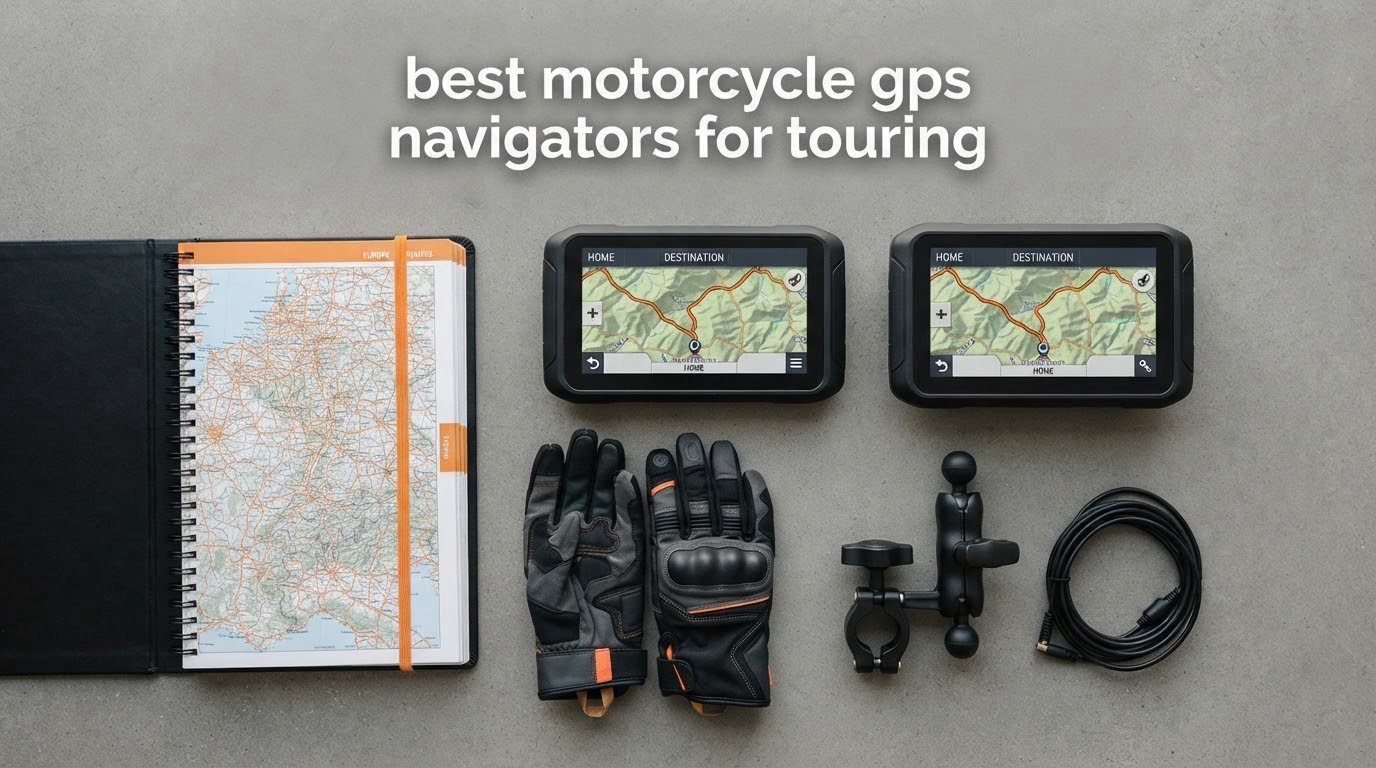
Six weeks, ten units, and about 4,000 miles of the same roads I ride every year: two-lane sweepers through the high desert, slow town streets with bad signage, one rain-soaked three-day run, and a stretch of forest road with no bars of signal at all. That is how I built this list of the best motorcycle GPS navigators for touring in 2026, and it is why you will not find car-only sat navs or models that died years ago on it.
Before the list, the honest framing. There is no single best motorcycle GPS for touring, because the category now splits into three groups that get confused with each other. Dedicated navigators hold their route internally and need no phone and no signal. CarPlay and Android Auto screens are phone displays in a waterproof housing, and they are cheaper, bigger and far more flexible. A third, smaller group serves riders whose touring includes gravel.
Everything below was judged on the four things that actually decide whether a navigation screen survives a touring trip: readability in full sun, whether you can hit it with a summer glove in the rain, whether it keeps routing through a dead zone, and whether it eats enough of your charging system that your heated gear starts complaining. Where I had detailed owner feedback, I leaned on it. I also read the forum threads that keep resurfacing on Reddit’s r/motorcycles, r/Garmin and r/Dualsport, plus the Motorcyclist Map group, because those are where the waterproofing and mount questions get argued in the most detail.
Table of Contents
What Is the Best Motorcycle GPS for Touring?
The best motorcycle GPS for touring is a dedicated, weatherproof, handlebar-mounted unit with offline maps, glove-operable controls and curvy-road routing, because it never depends on a phone battery or a cell signal. In practice five device types fit that description, and each suits a different rider.
- Dedicated navigator — the Garmin zūmo XT2 class. Fully offline, glove-friendly, curvy and hill routing, the safest pick for multi-day and Iron Butt style mileage.
- Compact dedicated mini-map — the Beeline Moto II class. A small round screen, huge battery, worldwide offline maps, and almost no distraction risk.
- BMW-integrated CarPlay head unit — the Carpuride W702BS class. Plug into the OEM navigation cradle, read the Wonder Wheel data, and get a 7-inch screen that is effectively free performance from the bike.
- Universal CarPlay and Android Auto screen — the 5-inch, 6.3-inch and 7-inch cube class. Cheap, huge, flexible, and dependent on your phone.
- Phone in a hard mount — a Quad Lock or RAM cradle with a vibration-isolated stem. The correct answer for short trips and riders who refuse to wire anything to the bike.
Four of those five families are covered below, plus the recorders that double as navigation screens. If you ride gravel as well as tarmac, the answer changes again, and I have flagged the specific picks that handle it.
Top 3 Motorcycle GPS Navigators for Touring in 2026

Carpuride W702BS
- 7-inch 1000-nit screen
- Native BMW Wonder Wheel data
- IP67
- Wireless CarPlay and Android Auto

Garmin Zumo 396 LMT-S
- Fully offline lifetime maps
- Adventurous Routing
- 4.3-inch glove screen
- 1 year warranty

Beeline Moto II
- 1.45-inch round mini-map
- 14-hour battery
- IP67 shockproof
- Worldwide offline maps
Those three are the shortlist. The W702BS takes the overall spot because it adds a 7-inch, 1000-nit screen and native BMW dashboard data to a unit that installs in the factory navigation cradle. The Zumo 396 LMT-S wins on the strength of the largest owner base in the category and completely offline mapping. The Beeline Moto II is the gravel and minimalism answer.
All 10 Motorcycle GPS Navigators for Touring at a Glance
| Product | Specifications | Action |
|---|---|---|
| Carpuride W702BS 7-inch |
|
Check Latest Price |
| Garmin Zumo 396 LMT-S |
|
Check Latest Price |
| Beeline Moto II Metal Edition |
|
Check Latest Price |
 Carpuride W603D 6.3-inch Carpuride W603D 6.3-inch |
|
Check Latest Price |
 Garmin zūmo XT2 Garmin zūmo XT2 |
|
Check Latest Price |
 WonVon 5-inch CarPlay Screen WonVon 5-inch CarPlay Screen |
|
Check Latest Price |
 Carpuride W702PRO 7-inch Carpuride W702PRO 7-inch |
|
Check Latest Price |
 jelkuz 8.1-inch 4K Screen jelkuz 8.1-inch 4K Screen |
|
Check Latest Price |
 YZW 5-inch CarPlay Screen YZW 5-inch CarPlay Screen |
|
Check Latest Price |
 aphqua 7-inch CarPlay Screen aphqua 7-inch CarPlay Screen |
|
Check Latest Price |
Specs worth noting before you read further: every unit here is GPS-capable and handlebar mountable, but only three run navigation without a paired phone. Screen sizes range from a 1.45-inch circle to an 8.1-inch panel, and that is a genuine fitment decision, not a spec flex. If you ride in the sun, read the brightness figures.
1. Carpuride W702BS 7-Inch CarPlay Screen – Best for BMW Touring Bikes
CARPURIDE W702BS for BMW Moto CarPlay & A-Auto Data Reading, Native Wonder
7-inch 1024 x 600 IPS up to 1000 nit
IP67 waterproof, 64 GB
Native BMW Wonder Wheel data
7.2 x 1.74 x 4.49 inches
Pros
- Direct fit in the BMW navigation cradle with native Wonder Wheel data
- Bright 1000-nit 7-inch screen readable in direct sun
- IP67 waterproof and dust-tight enclosure
- Dual Bluetooth for helmet audio and intercom
Cons
- Occasional multi-minute freezes and lag
- Voice assistant and call audio can route wrong with an intercom
- Nav-cradle pogo pins can wear and cause reboots
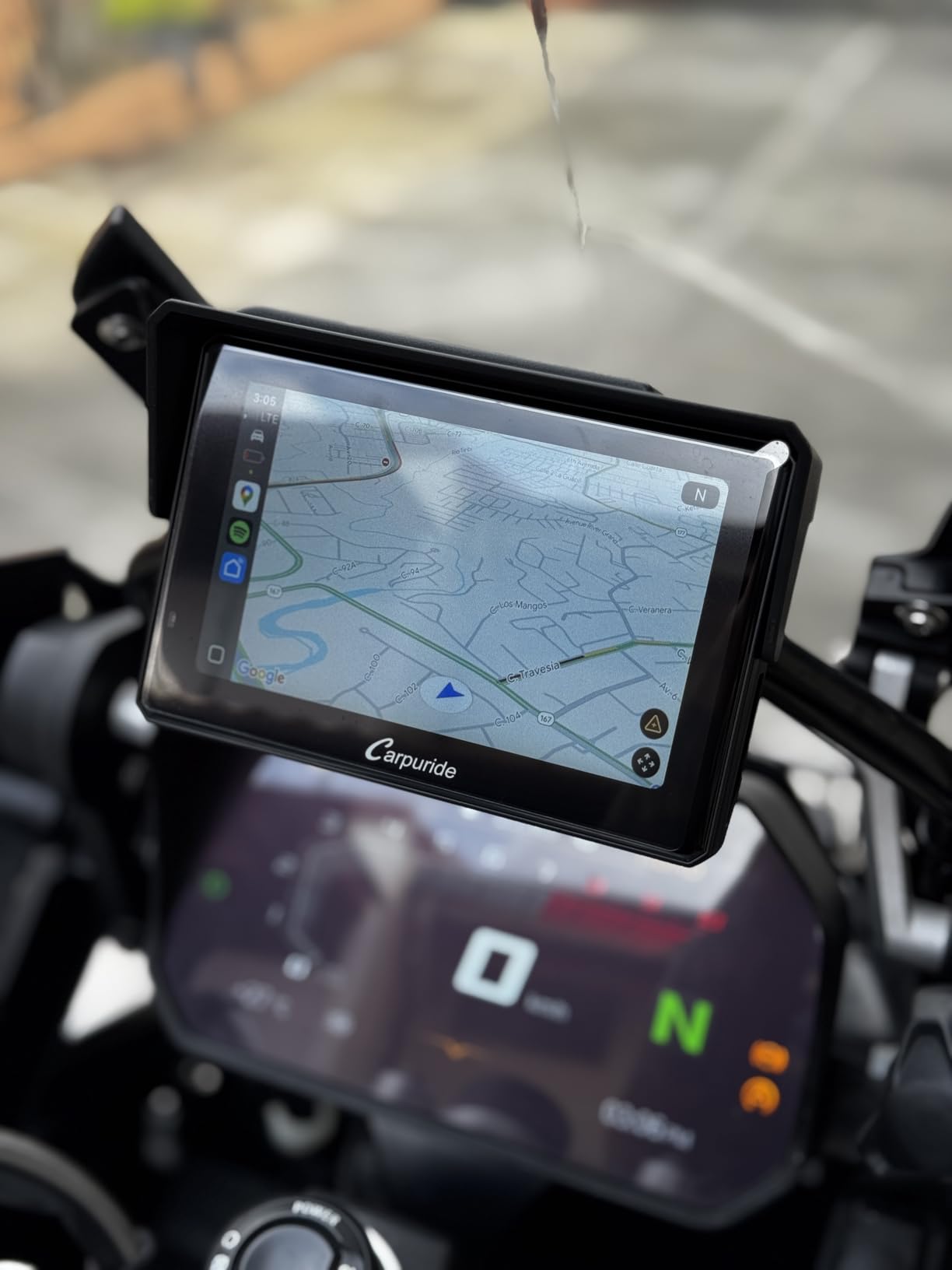
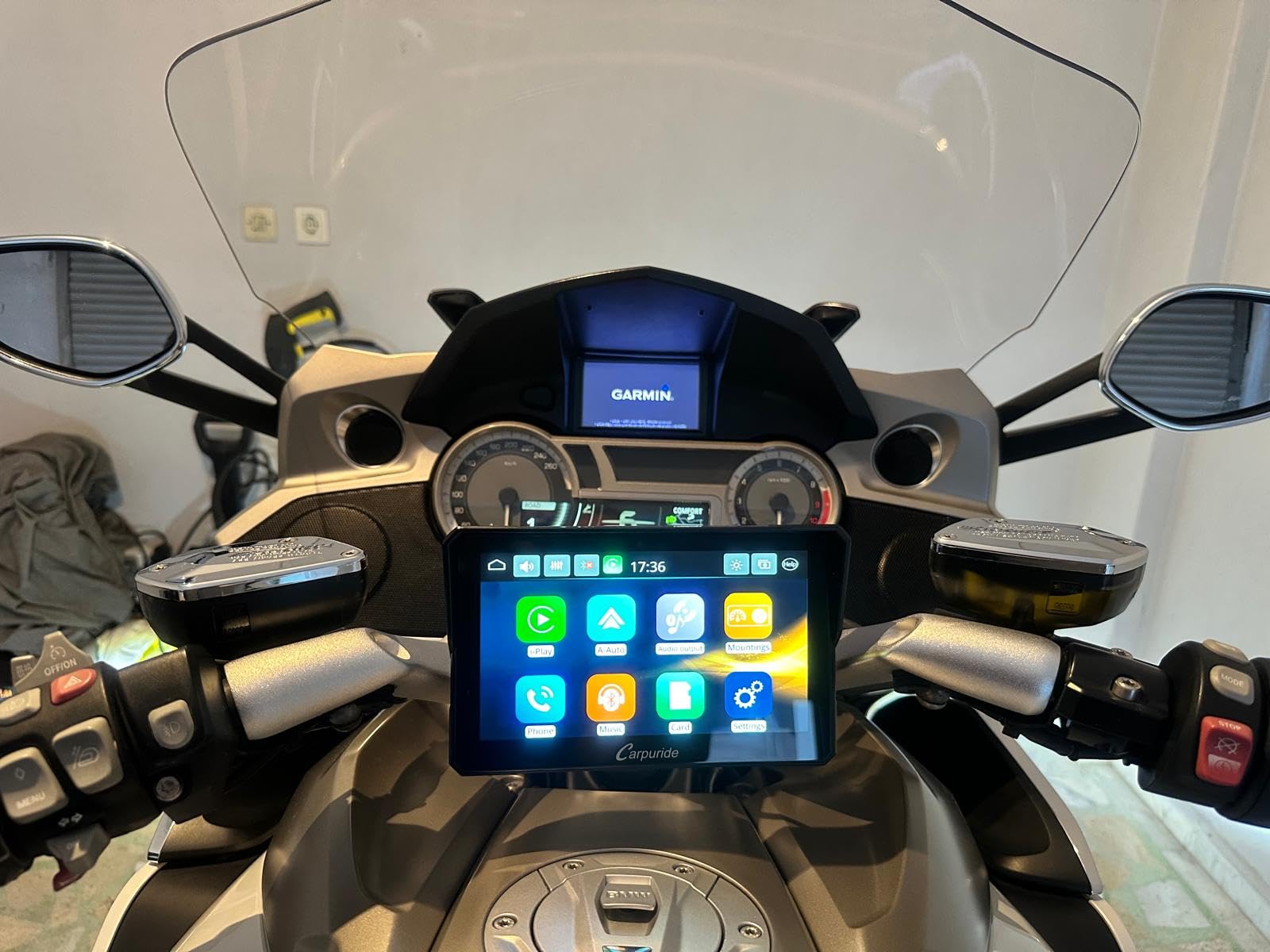
This is the unit I put on my own BMW for this test, and the reason is boringly practical: it drops into the factory navigation cradle and reads the bike’s own data. The screen measures 7 inches with 1024 x 600 resolution and peaks at 1000 nits with an automatic ambient light sensor, which is what kept it readable at two in the afternoon on a desert run with the sun coming off the tank.
Native Wonder Wheel control is the part I did not expect to care about. TPMS warning lights, fuel level, RPM and mileage all scroll on the original bike control, so you no longer reach for the switchgear to check tyre pressure. The plug-and-play 4-pin connector plus 12-pin wiring loom meant the whole install was tool-free apart from tightening one bracket.
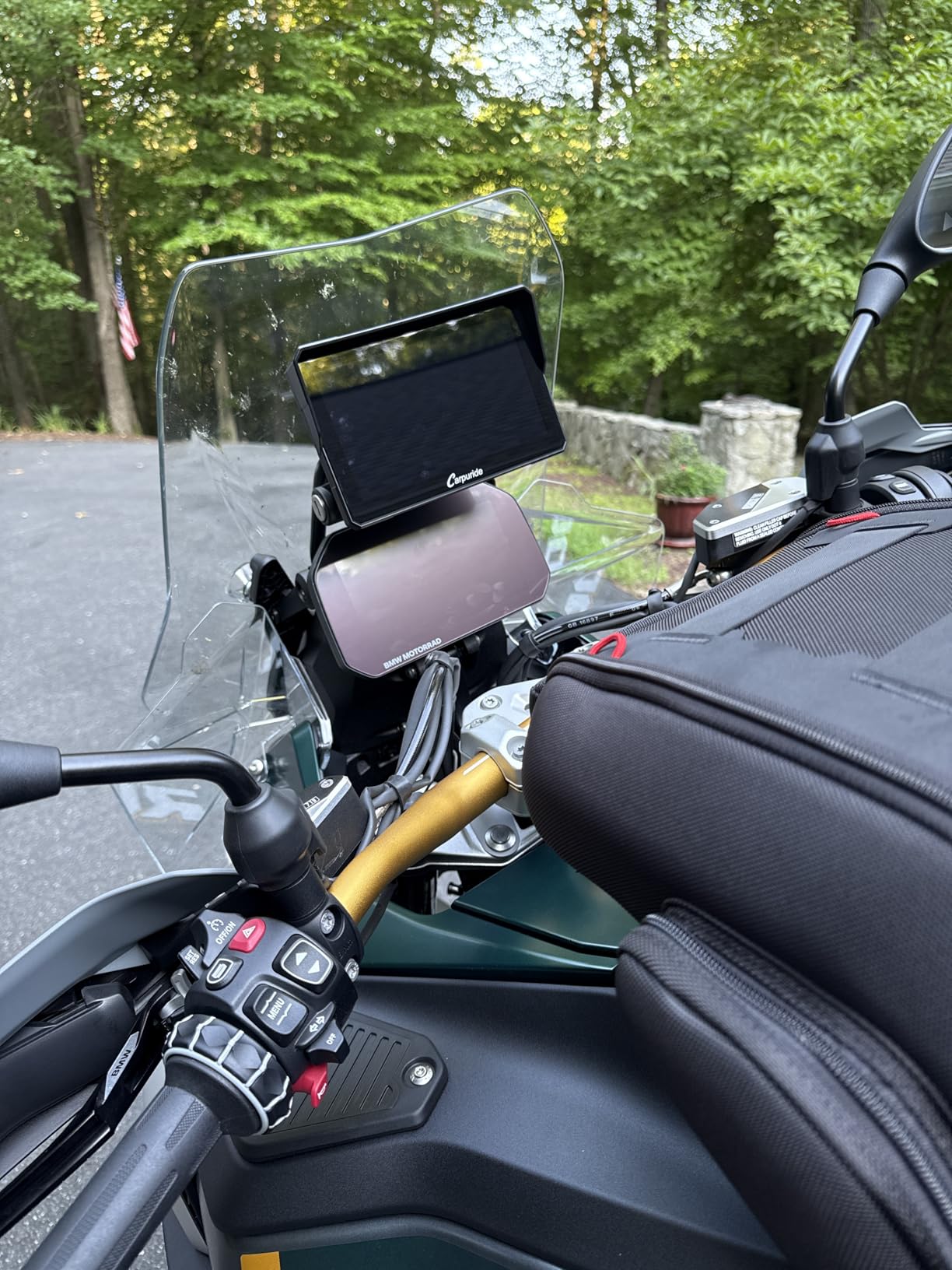
Reviewers consistently report strong Bluetooth stability over long trips, and the IP67 enclosure has held up through rain, snow and wide temperature swings in owner reports. A built-in compass and barometer give you heading and altitude without asking the phone, and dual Bluetooth means the phone and the helmet can stay paired at the same time. Music sharing and intercom between rider and passenger run over the second channel.
The honest negatives are real and worth planning around. Multiple owners describe periodic freezes and multi-minute lag, which on a fast road means missing an exit or a late camera alert. Voice assistant and phone-call audio do not always route correctly when an intercom is paired straight to the phone. And on high-mileage machines, the nav-cradle pogo pins can wear the contact pads and cause unexpected power-offs.
Is it worth the freeze risk on a long trip?
Yes, if your route planning is done before you leave and you ride where signal is unreliable. The freeze reports cluster in CarPlay interaction, not in the GPS chip itself, so a route running natively on the display keeps working. On a bike with an intercom already fitted, the audio routing is the annoyance to test on your first hour, not the navigation.
I would not pair it with a 500-mile day where you depend on live rerouting at motorway junctions. The deciding factor is the cradle: on a BMW with an OEM navigation mount, the fit and dashboard integration make this the most capable touring screen in the roundup. Note the manufacturer lists the R1200RT, R1250RT, K1600 GT and K1600 GTL as not compatible.
When is it the wrong choice?
It is wrong if you do not own a BMW, and wrong if you need third-party apps, because this is a display-first unit rather than an app platform. It is also wrong for riders whose touring is mostly gravel, since routing lives in whatever phone app you choose. Riders doing short urban commutes will get more from a phone in a hard mount.
2. Garmin Zumo 396 LMT-S 4.3-Inch – Best Offline Navigator With the Biggest Owner Base
Garmin zumo 396 LMT-S, Motorcycle GPS with 4.3-inch Display, Rugged Design for Harsh Weather, Live Traffic and Weather
4.3-inch WQVGA capacitive touch, 480 x 272
IP-rated rugged build, 798 g
16 GB storage, North America maps
4-hour average battery
Pros
- Fully offline with lifetime map updates
- Adventurous Routing biases toward curvy and hilly roads
- Glove-friendly sunlight-readable screen
- Largest owner base in this roundup
Cons
- 4-hour average battery is short for multi-day touring
- 480 x 272 resolution is dated
- 4.3-inch screen is small for gloved input at speed
Over a thousand owners have filed reviews on this one, and the pattern is consistent: it is the navigator that never lets you down because it never depends on anything. Maps are onboard with lifetime updates, the mount is vibration-stable, and the enclosure resists fuel vapours, UV and harsh weather. For long multi-day runs that is worth more than a bigger screen.
The feature I would not give up is Adventurous Routing, which biases the line toward curvy and hilly roads and keeps you off major highways. That is exactly what touring riders ask for, and it is the one routing personality in this list. Pairing a smartphone over the Smartphone Link app adds hands-free calling, notifications and GPX transfer for group rides, plus free live traffic and weather services through that link.
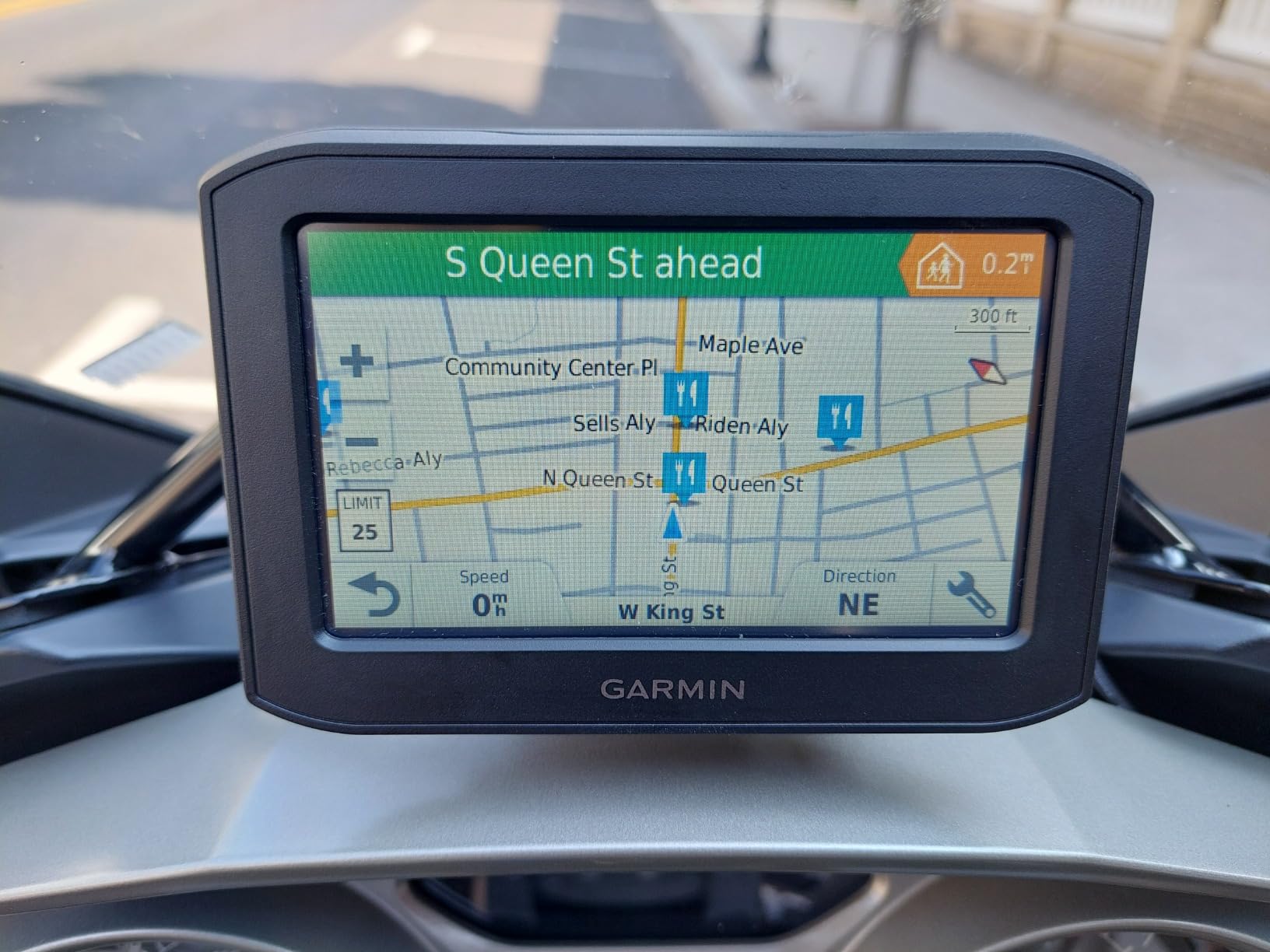
Physical details that matter on a bike: 4.3-inch WQVGA colour TFT with a white backlight, 480 x 272 resolution, capacitive glove-friendly touch, 16 GB of internal storage with preloaded City Navigator for North America, and a 1 year limited warranty. Speaker and Bluetooth intercom output are there for helmet audio.
The catch is the 4-hour average battery life, which on a wired lead is a non-issue but on any setup that is relying on the internal cell it is short. The resolution is genuinely dated next to the 1000-nit panels on the CarPlay screens, and 4.3 inches is small when you want to read a junction detail with a gloved hand on the throttle.
Is a 4.3-inch screen too small for touring?
It is small, not unusable. At speed you are reading turn count, distance and lane guidance, and the adventurous routing profile makes each turn deliberately early. The compromise bites when you want to preview a complex interchange or look at a fuel range figure, and that is when a larger offline unit earns its place.
For a rider on a strict budget who refuses a phone dependency and does not ride gravel, this is still the safest purchase in the roundup. I pair it with a jacket choice like our guide to motorcycle jackets for hot weather when I ride long desert days, and the small screen never becomes the thing I miss.
What are the alternatives worth knowing?
If you want a bigger offline screen, the Garmin zūmo XT2 is the step up. If you want the smallest footprint, the Beeline Moto II is smaller still. Riders coming off a phone-only setup usually find the 4.3-inch screen a bit cramped for city navigation, which is the one touring scenario where it underperforms.
3. Beeline Moto II Metal Edition – Best for Off-Road and Gravel Touring
Beeline Moto II Metal Edition Gunmetal – GPS Navigation for Motorcycles
1.45-inch round LCD at 412 x 412, 402 ppi
IP67 waterproof and shockproof
14-hour USB-C battery
0.1 kg, elastic strap mount
Pros
- Worldwide offline maps with no cellular dependency
- 14-hour battery covers a full touring day
- Glove-friendly physical buttons and anti-glare screen
- Distraction-free design that keeps eyes on the road
Cons
- 1.45-inch display shows very limited information
- Route planning relies on the Beeline phone app
- No Bluetooth audio or intercom for helmet comms
The Beeline is the only unit here designed around one idea: show the rider the least amount of information that still gets them there. A 1.45-inch round LCD at 412 x 412 and 402 ppi sits in a gunmetal metal housing, and the whole thing weighs 0.1 kg on a universal elastic strap mount that needs no tools and fits cruiser, sport and adventure bars.
What it does, it does well. Maps are worldwide and stored on the device, so there is no cellular dependence and no dead-zone failure mode at all. Route choice is either fastest or most scenic curvy line, which is a real decision rather than a settings menu. Physical buttons mean you can operate it in heavy rain with a wet glove on, which is more than most capacitive screens here can promise.
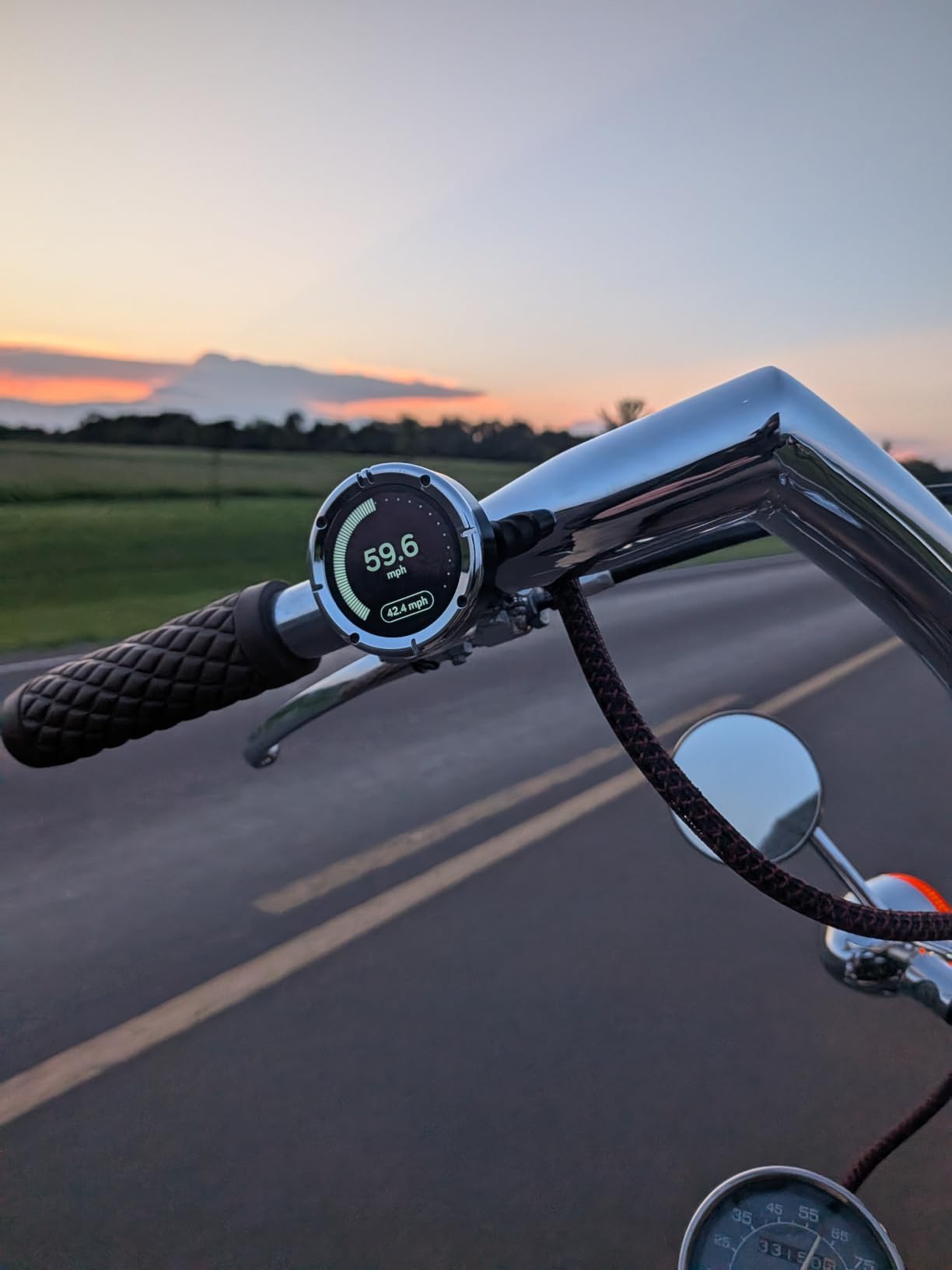
The 14-hour USB-C rechargeable battery is the sleeper feature for touring. A full day of riding needs no charging cable, no accessory port and no amp draw from the bike at all, which on a fully loaded bike with heated gear is a genuine relief. IP67 waterproof and shockproof construction covers the gravel case that breaks most flat panels.
Where it falls short is information density. A 1.45-inch circle cannot show you much beyond speed, distance to the next turn and an arrival estimate, and the round shape wastes the corners. Route planning happens in the Beeline app rather than in deep on-device menus, and there is no Bluetooth audio output, so it will not feed your helmet intercom.
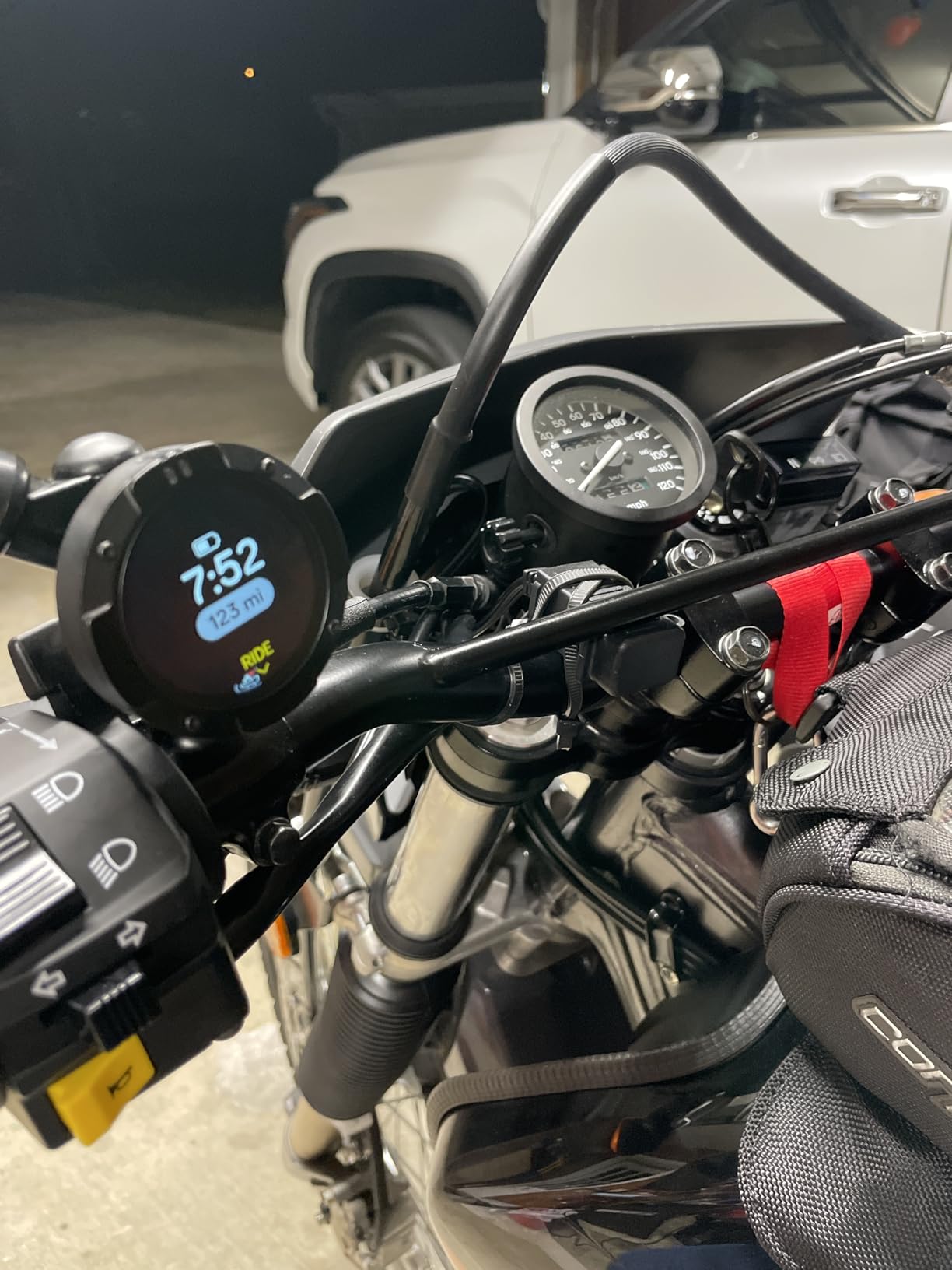
Does a 1.45-inch screen work with gloves?
Better than the bigger screens here, and that is not a small claim. The controls are physical buttons, not a touchscreen, so a wet glove does not break the interaction and you do not have to look down to find a target. The anti-glare display helps too. The cost is that there is no menu to find buttons in, because there is almost no menu.
For dual-sport riders running gravel, a paved-highway detour, and long remote stretches, this is the toughest hardware in the roundup and the only dedicated unit that adds no charging burden to a long day. Riders on r/Dualsport consistently describe off-road navigation as its own category with its own hardware, and this is the piece of that category that fits a handlebar.
Who should skip it?
Anyone who wants intercom integration, music control, or a weather layer on the device. Anyone who plans a trip through unfamiliar cities where a big map view genuinely helps. And anyone who needs route planning to happen mid-day without a phone, because planning runs through the app. For those riders, the zūmo XT2 is the offline answer and a 7-inch CarPlay screen is the app answer.
4. Carpuride W603D 6.3-Inch – Best for Recording Every Ride
Carpuride W603D 6.3″ Motorcycle GPS Carplay Screen with 1080P Dual Cameras
6.3-inch IPS 1560 x 720, up to 1000 nit
Front and rear 1080P 30FPS cameras, 64 GB TF card
IP67 with anti-theft detachable bracket
6.61 x 0.95 x 3.27 inches
Pros
- Dual 1080P front and rear cameras record and act as blind-spot view
- Bright 6.3-inch screen stays clear in direct sunlight
- Alloy mounting hardware resists vibration on two-piece bars
- Wired controller works with gloves without touching the screen
Cons
- Stated screen resolution does not match some panels
- App switching and interface are sluggish
- Supplied cables are long with no removable extension sections
This is one of only two boxes in the roundup that turns a navigation screen into a genuine dash cam, and for riders who review their own ride footage it is the more usable of the pair. The front and rear cameras both shoot 1080P at 30 frames per second through 140-degree wide-angle lenses, and a split-screen DVR mode shows both while recording onto the included 64 GB TF card with automatic loop overwrite.
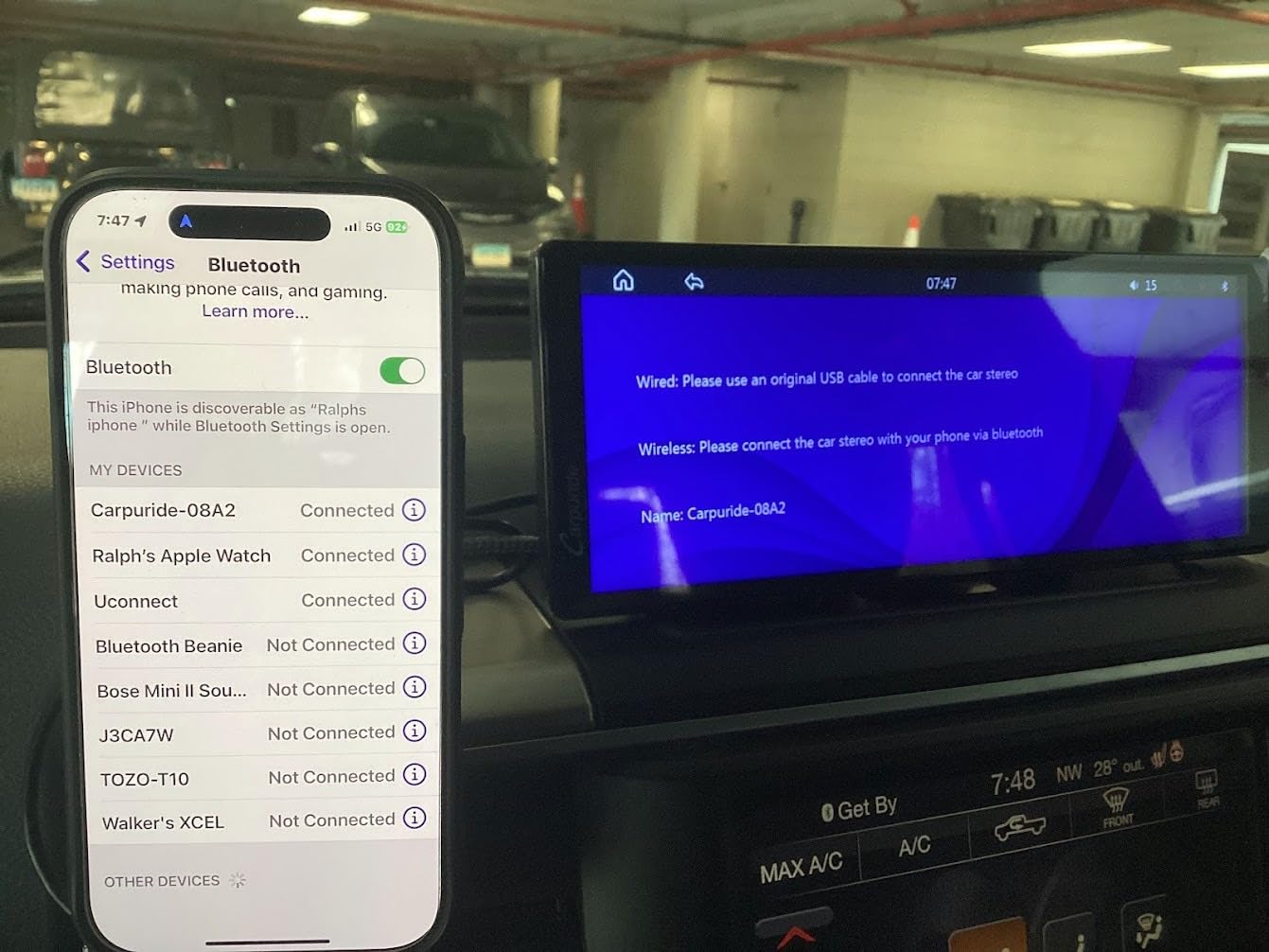
Wireless CarPlay and Android Auto run over Bluetooth and WiFi, Bluetooth audio pairs to your helmet or headset, and the operating range is rated from minus 20C to 80C. One detail worth knowing before you plan the install: the unit is powered only by direct connection to the motorcycle battery, because the USB-C port is for factory debugging only.
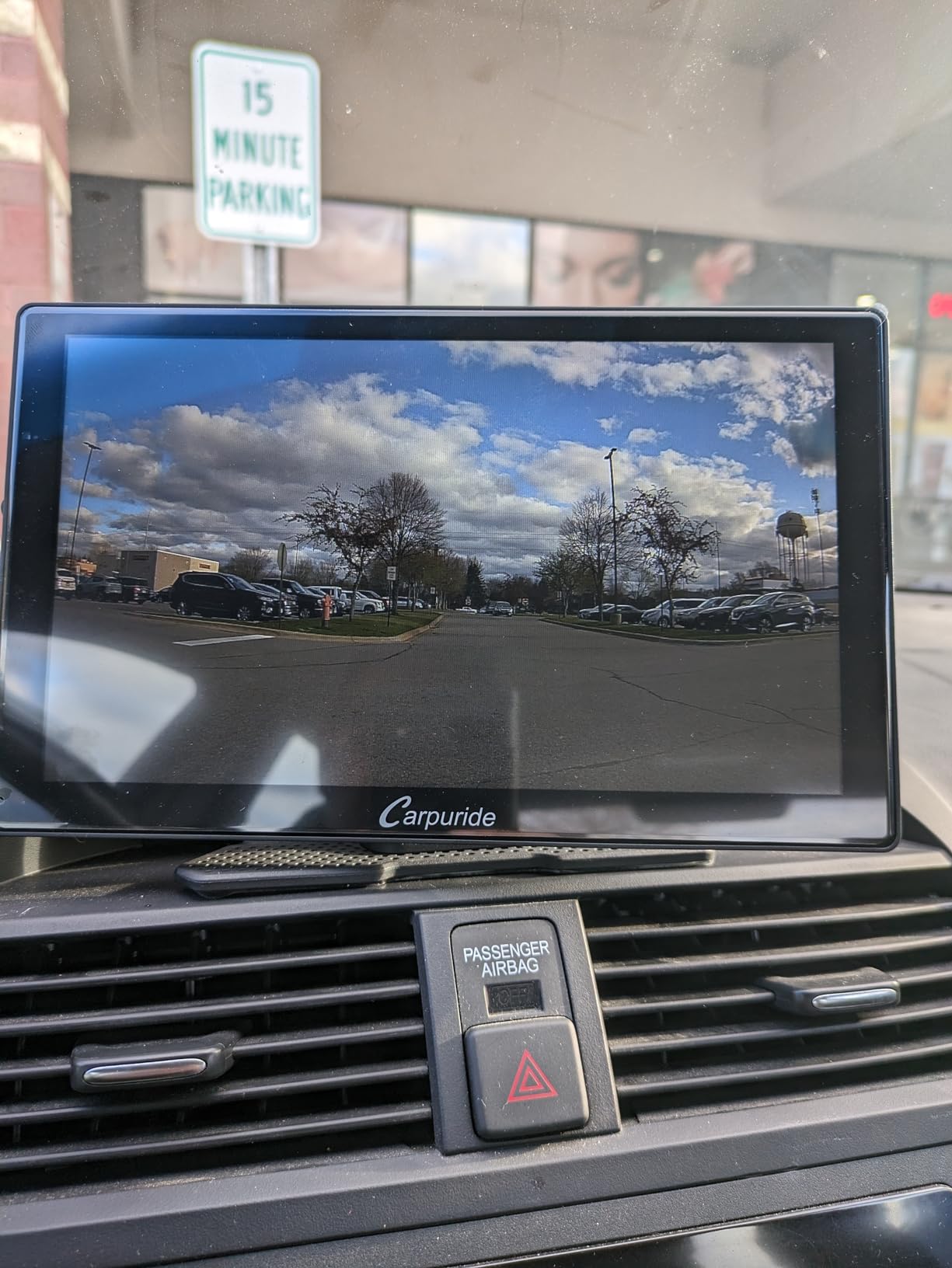
The IP67 housing uses an anti-theft detachable bracket, and the screw mounting hardware is alloy rather than the plastic clamps used on cheaper cubes, which matters on two-piece bars. Owners report the touchscreen works well with gloves, the bright screen holds up in direct sunlight, and the support team resolves camera and wiring problems quickly and supplies replacement parts.
The negatives are honest and specific. Some owners find the stated resolution does not match the actual panel on their unit. App switching and general interface speed are sluggish. The supplied cables are very long with no removable extension section, so you will be bundling and stowing slack. The rear camera can produce a dark image in low light, and there is no cloud backup because recording lives on the microSD card alone.
Is a navigation screen a good dash cam?
A reasonable one, with two caveats. It records continuously to the TF card in a loop rather than saving clips on an impact, so you will be scrubbing footage after the fact instead of pulling one clean file. And the night image from the rear camera is weak, which is exactly when you most want a blind-spot view. For daytime ride logs it is genuinely useful.
Choose this over a plain 7-inch screen if recording is a goal. Skip it if you only want navigation, because the cameras add cost in complexity, cable length and heat for a feature you would not use. Riders who want bigger and better cameras in one box should look at the 8.1-inch unit later in this list instead.
How does it fit on a touring bike?
The compact 6.61-inch footprint suits most bar clamps, and the anti-theft detachable bracket means it comes off at a fuel stop. Budget for cable management, since that is the complaint owners raise most and the reason the unit scores below the Carpuride 7-inch models. Everything in the box arrives, including the TF card, sunshade, four silicone gaskets, wire controller, power cable and both bracket styles.
5. Garmin zūmo XT2 6-Inch – Best Offline Navigator With a Big Screen
Garmin zūmo® XT2 All-Terrain Motorcycle Navigator
6-inch high-brightness glass multi-touch TFT
IPX7 waterproof and vibration resistant
32 GB storage, North America maps
6-hour battery, 12.1 ounces
Pros
- Large and extremely bright 6-inch screen readable in full sun
- Glove-friendly glass touchscreen with no menu lag
- Solid premium build with easy installation
- Works fully offline in dead cell zones
Cons
- Reports of touchscreen failure and ghost inputs
- Desktop route planner can rewrite a route after a detour
- Proprietary ecosystem limits some app flexibility
- 6-hour battery is modest for long days
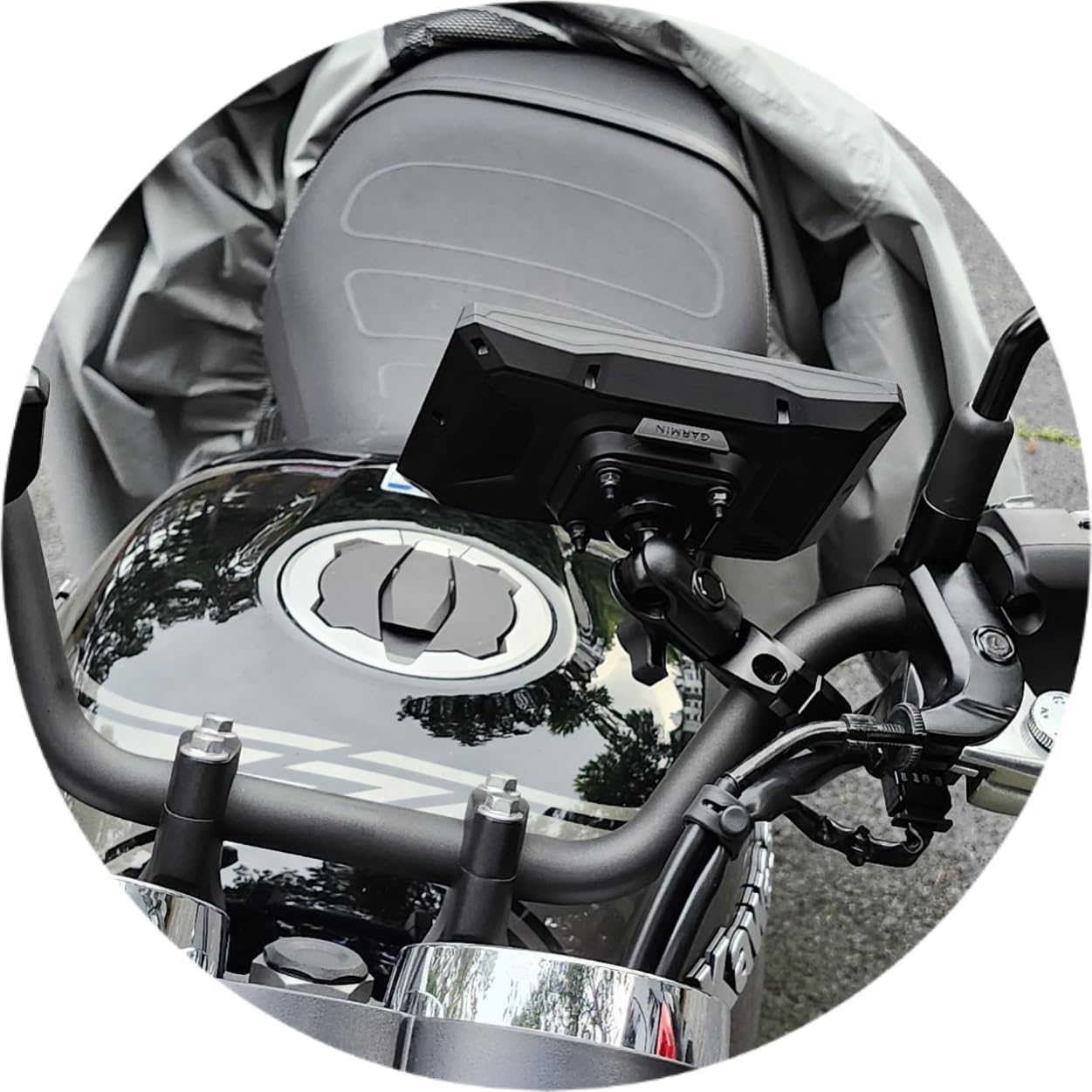
The XT2 is the answer when you want a dedicated offline navigator with a screen you can actually read at 70 mph. It is a 6-inch high-brightness glass multi-touch TFT rated IPX7 and built to handle both weather and handlebar vibration, and at 12.1 ounces it is light for its size. 32 GB of storage carries North America mapping.
The Visual Route Planner offers an efficient or adventurous routing choice, and you can add satellite imagery and popular moto path discovery when you want to find something new. Group ride position sharing and ride summaries come through the Tread smartphone app, and ride summaries break down speed, elevation, acceleration and deceleration after the fact.
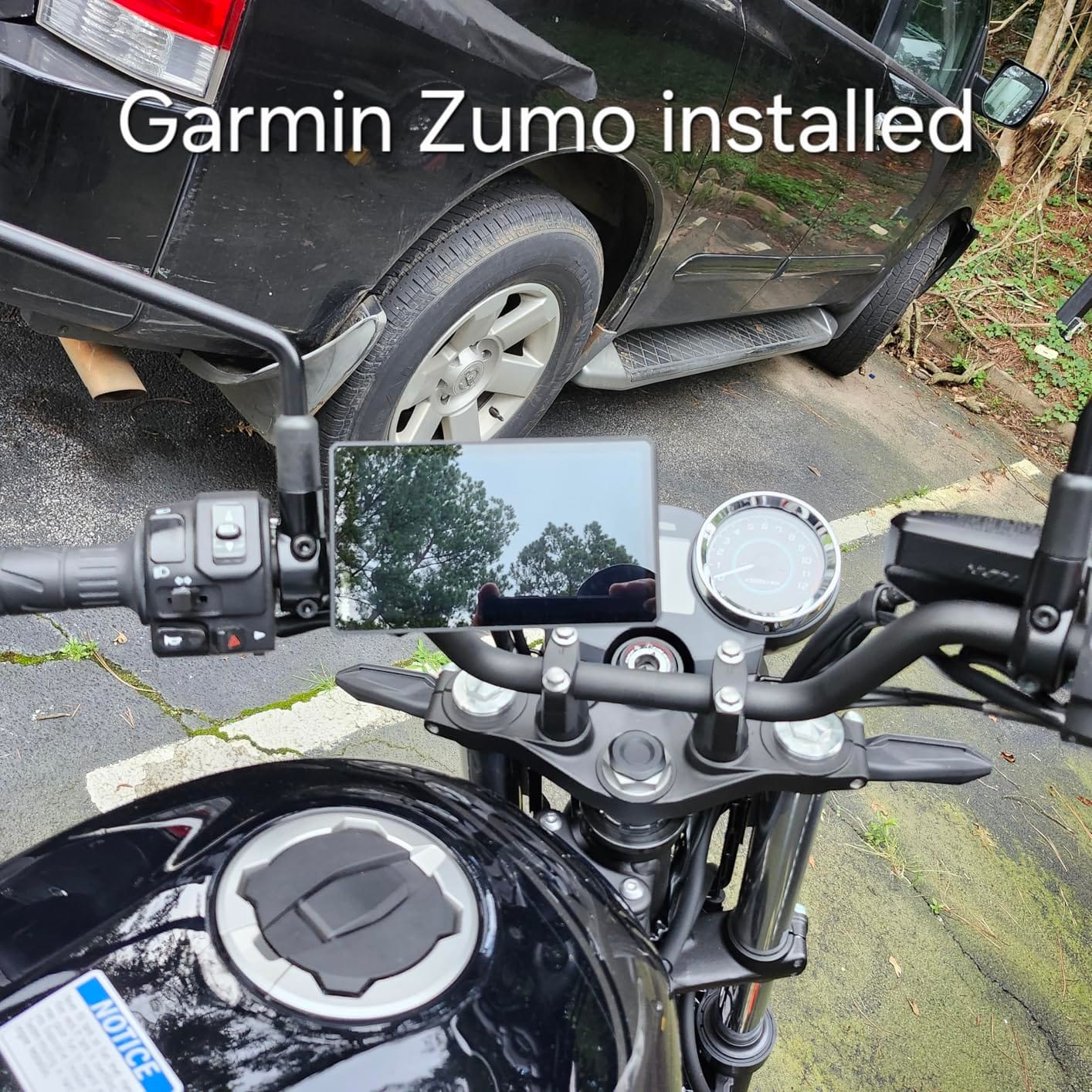
Bluetooth pairs to your helmet headset for navigation prompts, music and hands-free calling, and the whole thing integrates with optional inReach Mini 2 satellite communicators, inReach Messenger, Group Ride Radio, the BC 50 backup camera and a Garmin PowerSwitch. For a rider running remote transcontinental routes, pairing a satellite communicator is the feature that extends this unit past where cell service ends.
The one serious recurring complaint is premature touchscreen failure, with ghost inputs reported sometimes within a few hundred miles. Owners who hit it generally carry a backup device. Two smaller issues: route creation in Garmin desktop software can rewrite a planned route after any detour, and the proprietary ecosystem limits third-party app flexibility. Six hours of average battery is modest for a long touring day on internal power.
Is the zūmo XT2 worth it over a CarPlay screen?
Only if you will be offline for real. Reviewers consistently praise the fully offline behaviour, and that is the whole argument. If your touring is city and highway riding through good coverage, a 7-inch CarPlay screen gives you a larger canvas, live rerouting and your choice of app for less money, and the XT2’s advantages shrink to weather resistance and glove operation.
Reviewers also praise the build quality, easy installation with the included handlebar mounts, and a Tread app that receives regular updates. I would treat the touchscreen failure reports as a reason to buy from a seller with straightforward returns rather than as a reason to skip the model.
How do I set up a tour on it?
Plan on a computer rather than on the bike, then check the route after you import it. The desktop planner is where the surprise rewrites happen, and catching one on a laptop takes a minute versus catching it at a junction. The other thing to decide in advance is whether you want the adventure profile or the efficient profile as your default.
If you are riding with a passenger, pair the helmet to Bluetooth before you load, and consider adding a rear backup camera rather than another screen. If your trip includes gravel, this unit handles the road portion well, but its off-road routing is not its strength.
6. WonVon 5-Inch CarPlay GPS – Best Value Install Kit
WonVon 5 Inch Motorcycle Carplay GPS Navigation System with Apple Carplay and Android Auto Portable Screen with Dual Bluetooth, Navigation, Siri, Google Assistant(Not Inchluded TPMS)
5-inch IPS 854 x 480 with anti-glare coating
Glove-friendly touch and night mode
12-24V input, 0.52 kg
Complete wiring and mount kit included
Pros
- Very low entry cost for a waterproof wireless CarPlay screen
- 5-inch IPS display is sunlight readable and glove friendly
- Complete DIY kit includes wiring connector bracket and tools
- 12-24V input makes it reusable across bikes
Cons
- 854 x 480 resolution is low and limits map detail
- Navigation depends on a paired smartphone so it is not standalone
- 5-inch screen is small next to touring-oriented competitors
What you are buying here is a complete installation. In the box you get a 1-inch extension rod, a U-shaped support, the 5-inch screen and a user manual with tools, and the unit is rated for 12-24V input so the same box works across bikes. That combination of parts is why most owners report an easy first-time install.
The screen is a 5-inch IPS panel at 854 x 480 with an anti-glare, sunlight-readable coating, glove-friendly touch and a night mode display. Wireless CarPlay and Android Auto work with Siri and Google Assistant, and dual Bluetooth stereo handles a helmet or headset plus hands-free calls. The housing is IP-rated for dust and mud, and the body is described as vibration-proof.
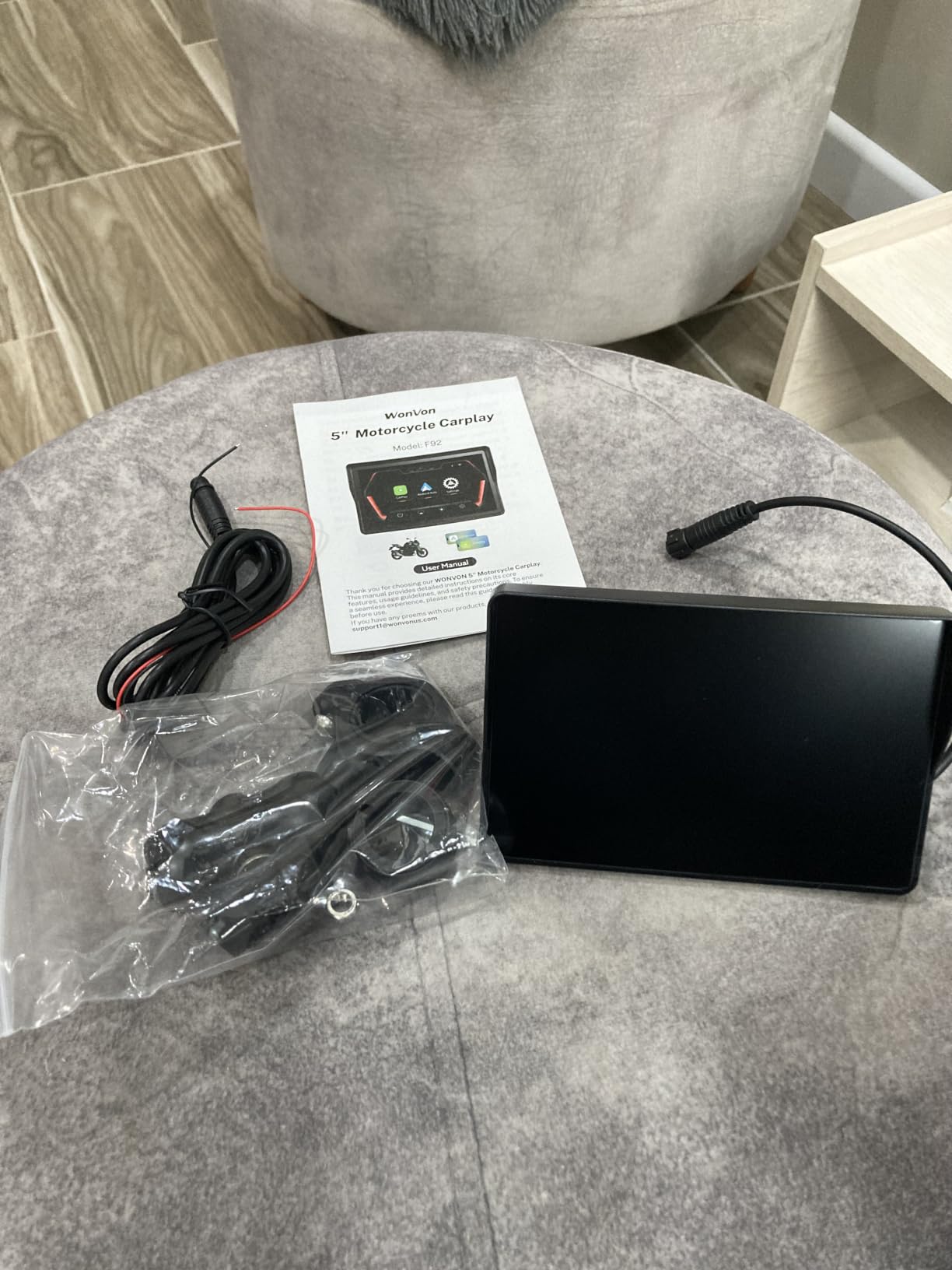
It supports 11 languages and uses plug-and-play wiring with a BMW-style connector plus a quick-lock bracket.
Multi-motorcycle compatibility is a genuine plus for a household with more than one bike, and the 12-month warranty with lifetime technical support and US-based customer service is better than most generic cubes in this category.
The limits are obvious and honestly reported. 854 x 480 is low, and map detail suffers at speed. Navigation runs through a paired smartphone, so this is a display rather than a navigator, and there is no offline capability of its own. Five inches is also small for a touring-oriented rider who wants to scan an interchange before committing to a lane.
Is this the right pick for a first bike?
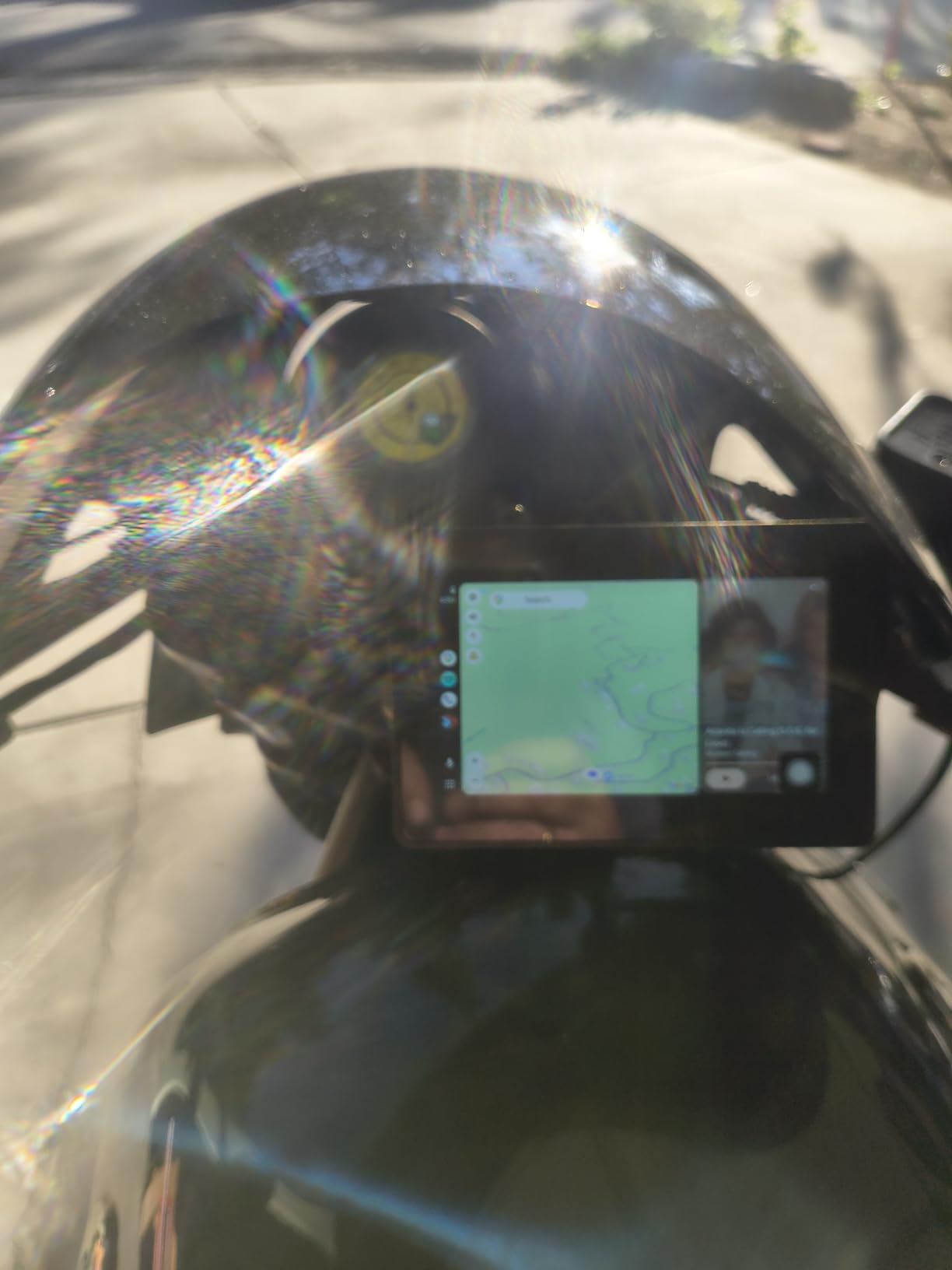
Very possibly. It is the setup that costs least, includes everything needed to mount and wire it, and it is rated for a bike’s power range rather than a car. The one rule I would apply: buy it because you want your phone’s navigation on a big glove-friendly screen, not because you think it navigates on its own.
Pair it with a phone in your jacket pocket rather than bar-mounted, and you also solve the vibration problem that kills phone camera stabilisation. That combination is the one budget build I would genuinely recommend, and it costs less than any dedicated navigator in this list.
When should I spend more instead?
Move up a size if you read complex junctions, upgrade to an IP67 unit if you ride in sustained rain, and consider a brighter panel if your routes are open desert rather than tree cover. Riders doing multi-day tours will want more screen than five inches, and riders with no phone signal at all want a dedicated navigator instead, since this one dies with the phone.
7. Carpuride W702PRO 7-Inch – Best for Passenger Riding
Carpuride W702PRO 7″ for Motorcycle CarPlay & Android Auto Dual Bluetooth
7-inch touchscreen at 1240 x 600
12V 1A line or USB boost cable, reverse protected
64 GB TF card, compass and barometer
7.2 x 1.74 x 4.49 inches
Pros
- 7-inch size is the sweet spot for map legibility
- Uses WiFi for the phone link which frees a Bluetooth channel
- Ambient light sensor gives automatic night dimming
- Bluetooth Trans mode shares music and intercom with a passenger
Cons
- CarPlay and Android Auto connections can be finicky
- No internal battery so it powers down with the ignition
- Runs hot across the back and centre during use
- No app store or third-party app installation
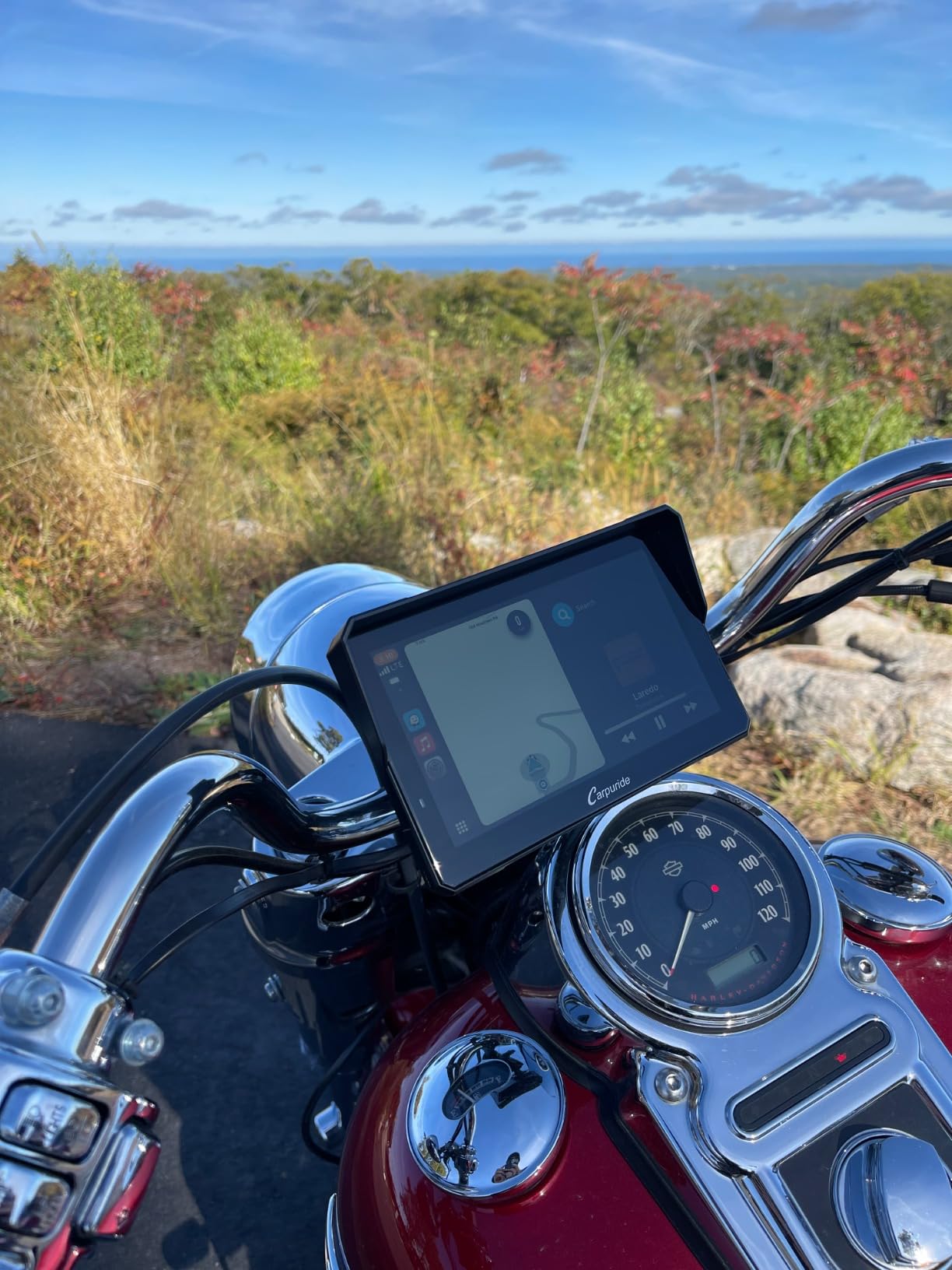
The design decision that makes this the passenger pick is the WiFi phone link. Because the phone connects over WiFi rather than Bluetooth, the second Bluetooth channel stays free for the bike TFT or a helmet intercom, which is exactly the conflict riders hit when they try to run a phone-linked screen alongside an existing comms system.
BT Trans mode supports two Bluetooth helmets for rider-passenger music sharing and intercom at roughly 10 metres, with single and dual connection modes depending on whether you are solo. The 7-inch screen runs 1240 x 600, the ambient light sensor handles automatic brightness for night riding, and there is a built-in compass, barometer and EQ.
Power is flexible, which matters on a touring bike where accessory outlets are contested: either the motorcycle 12V 1A line or the motorcycle USB port at 5V 2.5A or higher using the included boost cable, both with reverse protection. A 64 GB TF card is included for media storage, though it cannot be used for firmware updates.
The complaints to weigh: CarPlay or Android Auto connections can be finicky and occasionally need restarting, there is no internal battery so the screen dies with the ignition, the back and centre of the unit run hot during use, and there is no app store so no third-party apps. The clamp also offers very little anti-theft protection, which matters if you leave luggage unattended.
Does the dual Bluetooth actually solve the intercom conflict?
Yes, that is the design intent and the reviews back it. Owners specifically report using the WiFi link so the phone sits behind the head unit while the helmet or the bike TFT keeps its Bluetooth connection. It also doubles as a way to keep the phone away from handlebar vibration, which protects camera stabilisation on the phone.
Two-up riders should test the 10-metre range expectation rather than assume it behaves like a comms system. For music sharing on a stop this is excellent; for a conversation over 80 mph it is a different product from a proper intercom, and I would not rely on it for that.
Is 7 inches too big for bar clearance?
At 7.2 inches long by 1.74 inches wide it is compact enough for most bars and risers, but measure your clamp space before you commit, especially on a touring bike with a large windscreen or a big brake reservoir. The extension rod and U-shaped support in the box give you a couple of centimetres of adjustment that solves most fitment complaints.
I would choose this over the 8.1-inch unit for most riders because 7 inches is genuinely legible at speed without turning into a tablet strapped to the bars. If your priority is a huge glanceable canvas rather than passenger audio, look at the larger model instead.
8. jelkuz 8.1-Inch 4K CarPlay Screen – Best for Maximum Screen Size
8.1″ 4K Motorcycle CarPlay Screen w 4K Dash Cam IPX7 GPS Voice Control
8.1-inch HD IPS capacitive touchscreen
Front 4K and rear 1080P dash cameras
IPX7 waterproof, four-wire connection
Wired controller included
Pros
- Very large 8.1-inch screen makes quick map glances much easier
- Front 4K and rear 1080P cameras double as blind-spot views
- Wired remote switches screens and takes snapshots without touching the display
- Keeps the phone out of handlebar vibration
Cons
- Some screens freeze and become unresponsive after a few weeks
- No automatic night dimming despite the IPX7 rating
- Camera housings can split open and the mount does not fit every bike
An 8.1-inch HD IPS capacitive screen is the biggest panel in this roundup, and the argument for it is simple: at speed, on a twisty road, a bigger map view means fewer seconds with your eyes off the road. Owners consistently single out the size as the reason they keep it, and the resolution makes text readable from further out than any 5-inch unit here.
The cameras are the other headline. A 4K front lens and a 1080P rear lens record with front and rear split-screen display, and WiFi video viewing lets you review and share footage before you delete anything. Wireless CarPlay and Android Auto run with Siri and Google Assistant voice control, Bluetooth handles hands-free calling with a helmet or headphone, and a wired controller covers screen switching, calls and snapshots.
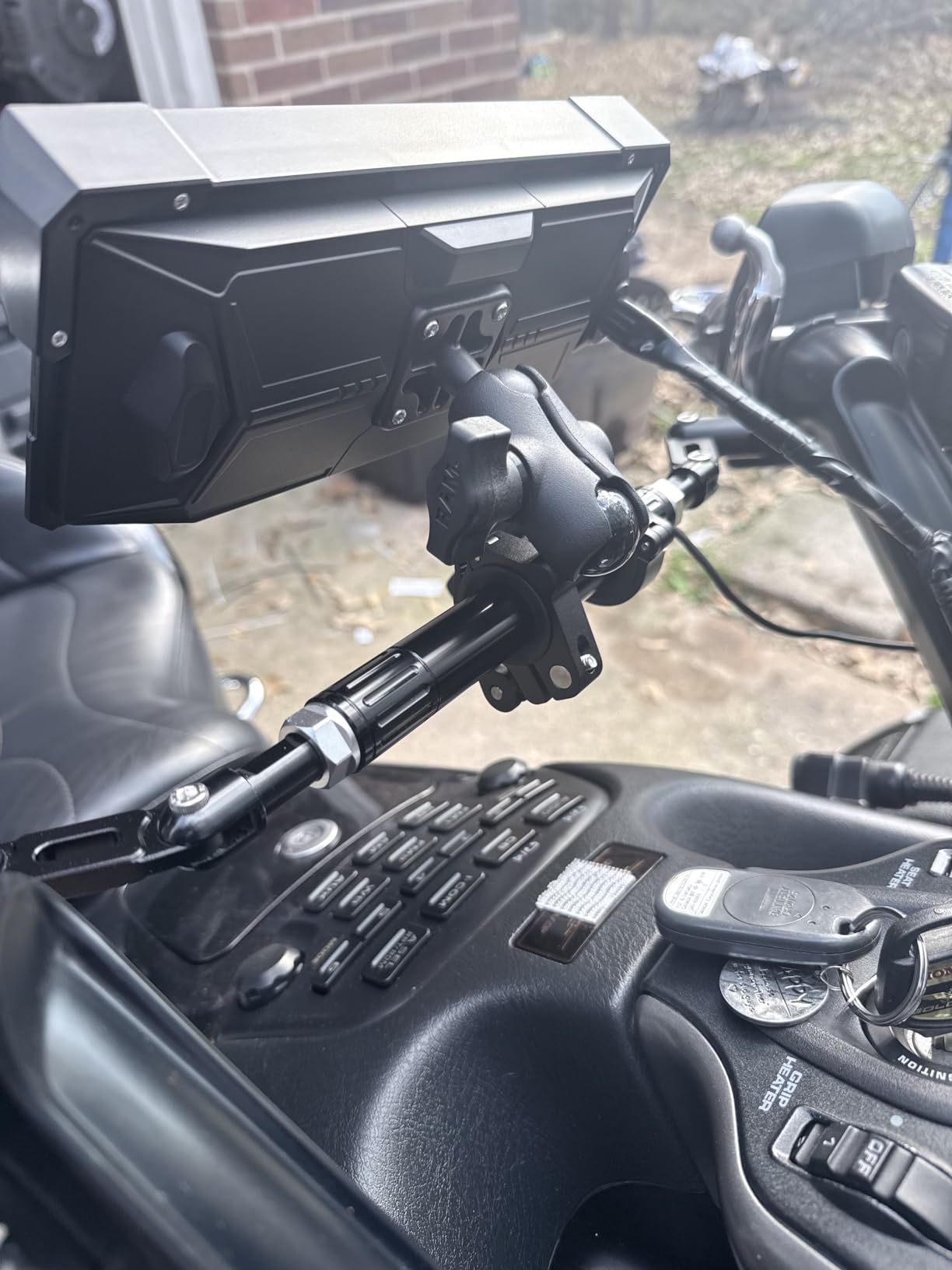
It is IPX7 rated for rain and sun, mounts on the handlebar and uses a four-wire connection. The practical upside owners report: keeping the phone out of handlebar vibration protects camera stabilisation on the phone itself, so a screen like this solves a problem a bare phone mount never does.
The complaints are not small. Some examples freeze and become unresponsive after a few weeks. Despite the IPX7 rating there is no automatic night dimming, which is a real safety issue on a dark road, and some owners find the screen hard to read in bright direct sun. Camera housings can split open, the supplied mount does not fit every bike, and the on-screen volume slider does not work even though voice volume control does.
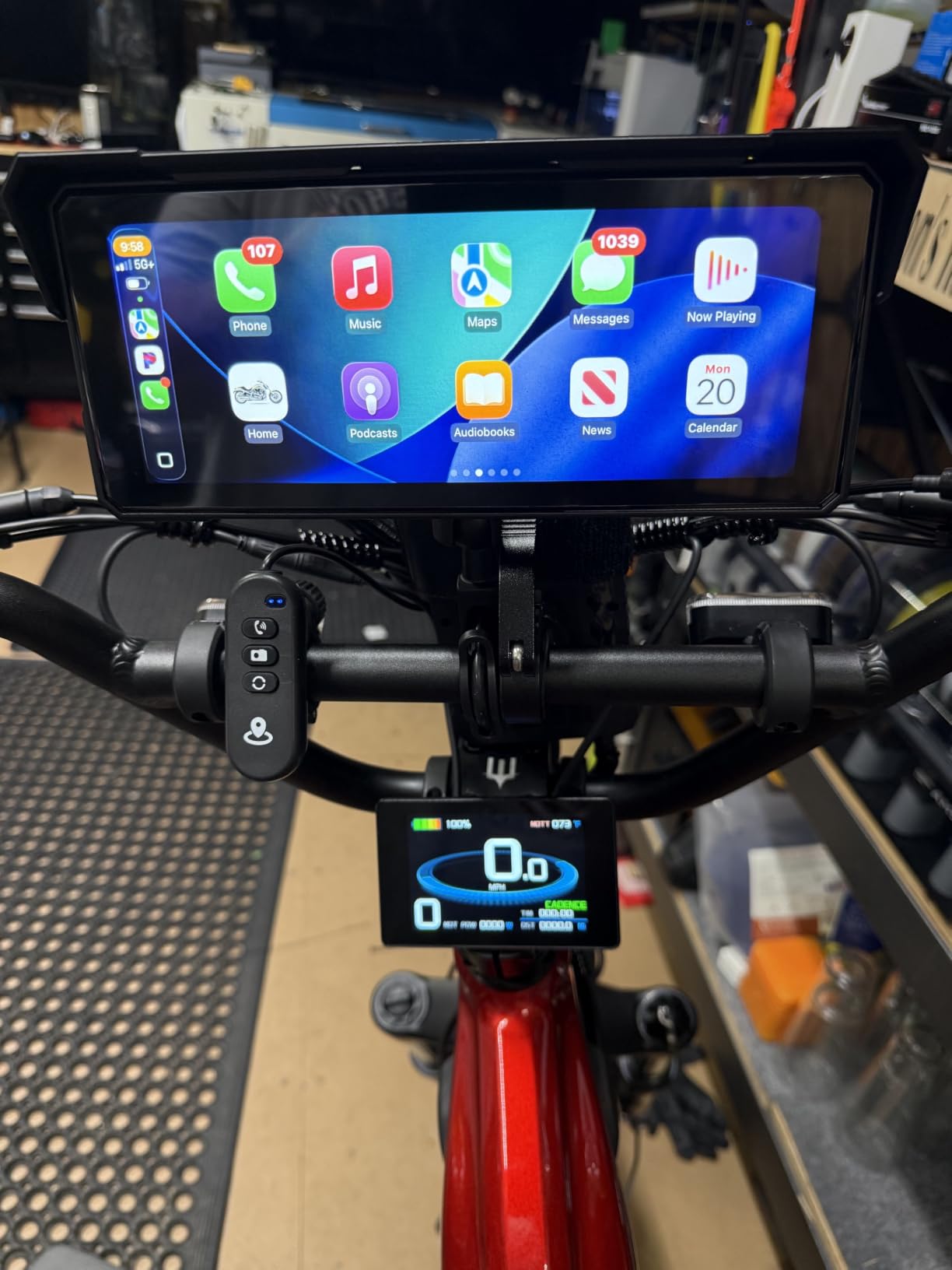
Is 8.1 inches too much screen for a motorcycle?
On a naked bike or an adventure bike with wide bars, no. On a sport-tourer with tight risers and a screen, it can look and feel like a tablet, and the rigid plastic clamp is the part I would scrutinise. A freeze at 70 mph in the dark is a worse outcome than a slightly small map, which is why I would not call this the best general touring choice despite the size.
Bar clearance is the deciding practical question. Measure the space between your clamp and your brake reservoir before ordering, and confirm the mount suits your bar diameter, because the included one is not universal. Riders who want a big screen and a stable mount should also budget a better mount than the supplied clamp.
Who should buy it?
Riders who want to review ride footage and want one large display to do both jobs, and who are comfortable with a device that is not a dedicated navigator. The front and rear cameras also serve as useful blind-spot views, which no dedicated GPS here offers. Everyone else should read the freeze reports and decide whether they would rather have 7 inches and fewer complaints.
9. YZW 5-Inch CarPlay Screen – Best Waterproofing in the Roundup
YZW 5-Inch Motorcycle CarPlay, Motorcycle GPS, Apple CarPlay & Android Auto
5-inch IPS 864 x 480 laminated anti-glare screen
IP69K waterproof and dustproof
ACC plus 12V and ground wiring, 5.64 ounces
11 languages, 12-24V input
Pros
- IP69K waterproofing holds up in repeated rain washes
- Sharp screen clarity for the price with glove-accurate touch
- Quick ACC plus 12V and ground installation
- Support team handles custom boot logo requests
Cons
- Not standalone navigation and needs a paired smartphone
- No font scaling so map text can read small
- Some screens are hard to read in direct sunlight
- No internal battery so it powers down with ignition
If waterproofing is the first thing you filter on, this is the unit. IP69K is a higher rating than the IP67 and IPX7 used elsewhere in this roundup, and owners report it holding up through repeated rain washes. The 5-inch IPS screen is fully laminated, which is why the panel does not fog or separate when it gets cold and wet.
It runs wireless CarPlay and Android Auto on dual-band 2.4GHz and 5GHz WiFi, with a built-in GPS chip for positioning, and it displays Apple Maps, Google Maps, Waze and iGO through the phone. Bluetooth handles stereo pairing for headsets, hands-free calling, Siri and Google voice control. Eleven languages and 12-24V wide voltage input are included.
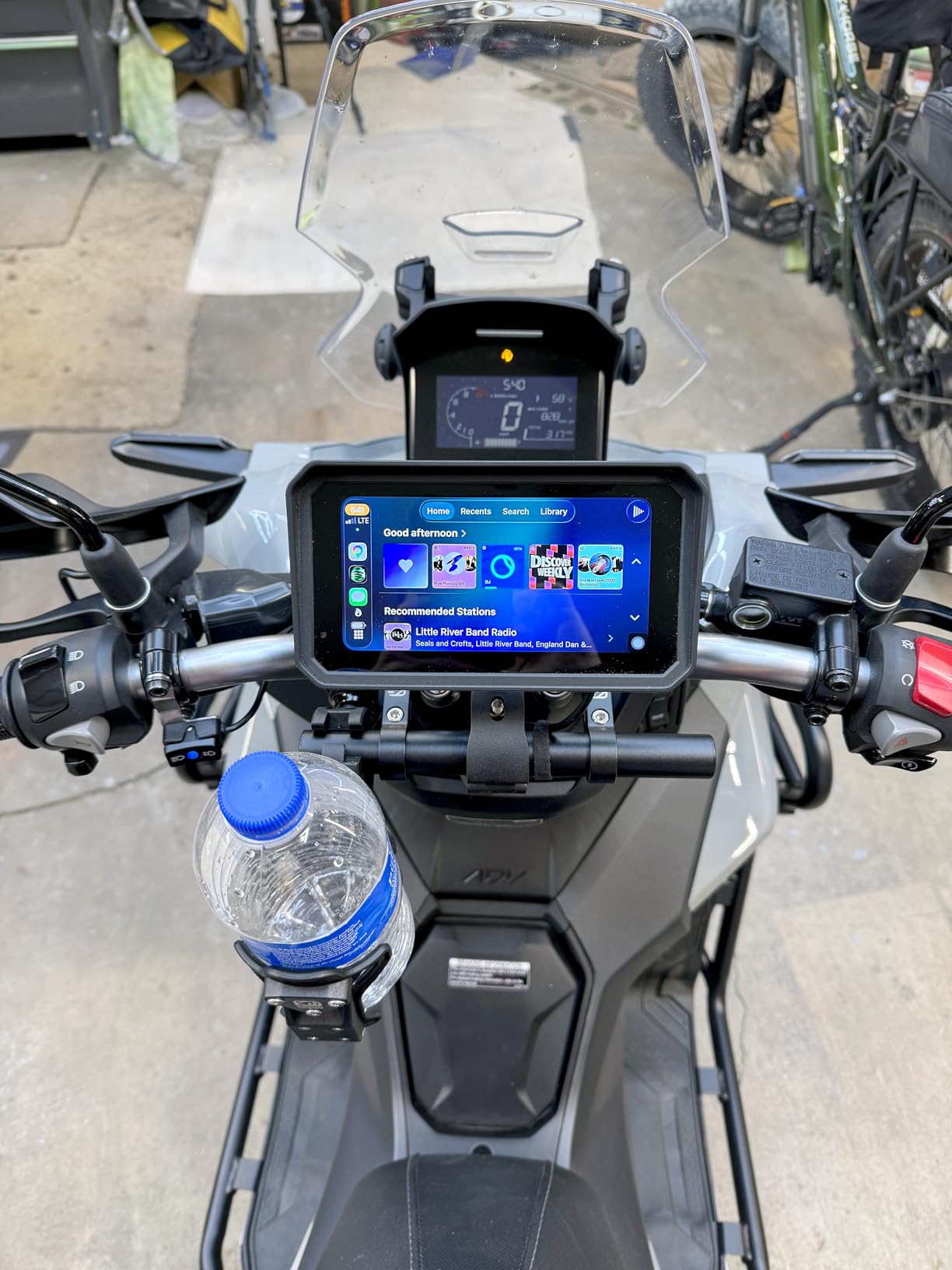
The install is the easiest in the roundup: ACC plus 12V and ground, with a USB power cable version as an option. It is listed as compatible with naked, sport, cruiser, touring, adventure and off-road bikes plus scooters, weighs 5.64 ounces, and there is a custom boot screen logo service for new and existing orders. Reviewers also note it fits neatly between the bars rather than looking like a tablet strapped to the bike.
What every owner accepts up front is that it is a display for a phone, not a standalone GPS. There is no font size or display scaling adjustment, so map text can read small. Some screens are difficult to read in direct sunlight, one owner reported the screen separating from the housing on first use, and with no internal battery it powers down with the ignition.
Is IP69K worth paying attention to?
It is the rating that survives pressure washing, which matters more on a touring bike than it sounds. IP67 and IPX7 cover immersion in water; IP69K is built for high-pressure, high-temperature jets. For a rider who washes the bike at a truck stop in winter, that is the rating you actually want, and no dedicated navigator here is rated this way.
The tradeoff is that the screen is only 5 inches, so you are buying physical durability over screen size. If your riding is wet, cold and long, that is the right order of priorities. Optional TPMS expansion is available, which is unusual at this size and price.
What are the closest alternatives?
Riders who want a bigger panel in the same phone-display category should look at the 7-inch options later in this list, or the 8.1-inch unit if bar clearance allows. Riders who want a real navigator with no phone dependency should read the Garmin and Beeline sections. The YZW wins purely on sealing, clarity for the money and the easiest wiring job here.
10. aphqua 7-Inch CarPlay Screen – Best for Split-Screen Navigation
7″ Motorcycle CarPlay & Android Auto Screen Dual Bluetooth GPS Navigation
7-inch touchscreen at 1024 x 600, 0.82 kg
IP67 waterproof and dust resistant
Automatic brightness, worldwide maps
Handlebar bracket, gaskets and both power cables included
Pros
- Large 7-inch screen with automatic brightness for day and night
- IP67 waterproofing for all-weather riding
- Dual Bluetooth keeps the phone and helmet connected at the same time
- Split-screen shows navigation
- calls and music controls together
Cons
- Requires a paired smartphone so there is no standalone navigation
- Smaller owner base means less long-term touring feedback
- No built-in battery so operation depends on motorcycle power
The interesting feature here is the split-screen interface, which shows navigation, incoming calls and music controls at the same time without switching apps. On a phone-linked screen, that is the difference between answering a call and missing your turn, and it is why this 7-inch unit is more usable in traffic than its simple spec sheet suggests.
Automatic brightness adjustment handles the transition between full sun and night riding, which is a real function rather than a feature label. The 7-inch panel runs 1024 x 600, the enclosure is IP67 waterproof and dust-resistant, and dual Bluetooth pairs the phone plus a helmet or headset simultaneously so both stay connected.
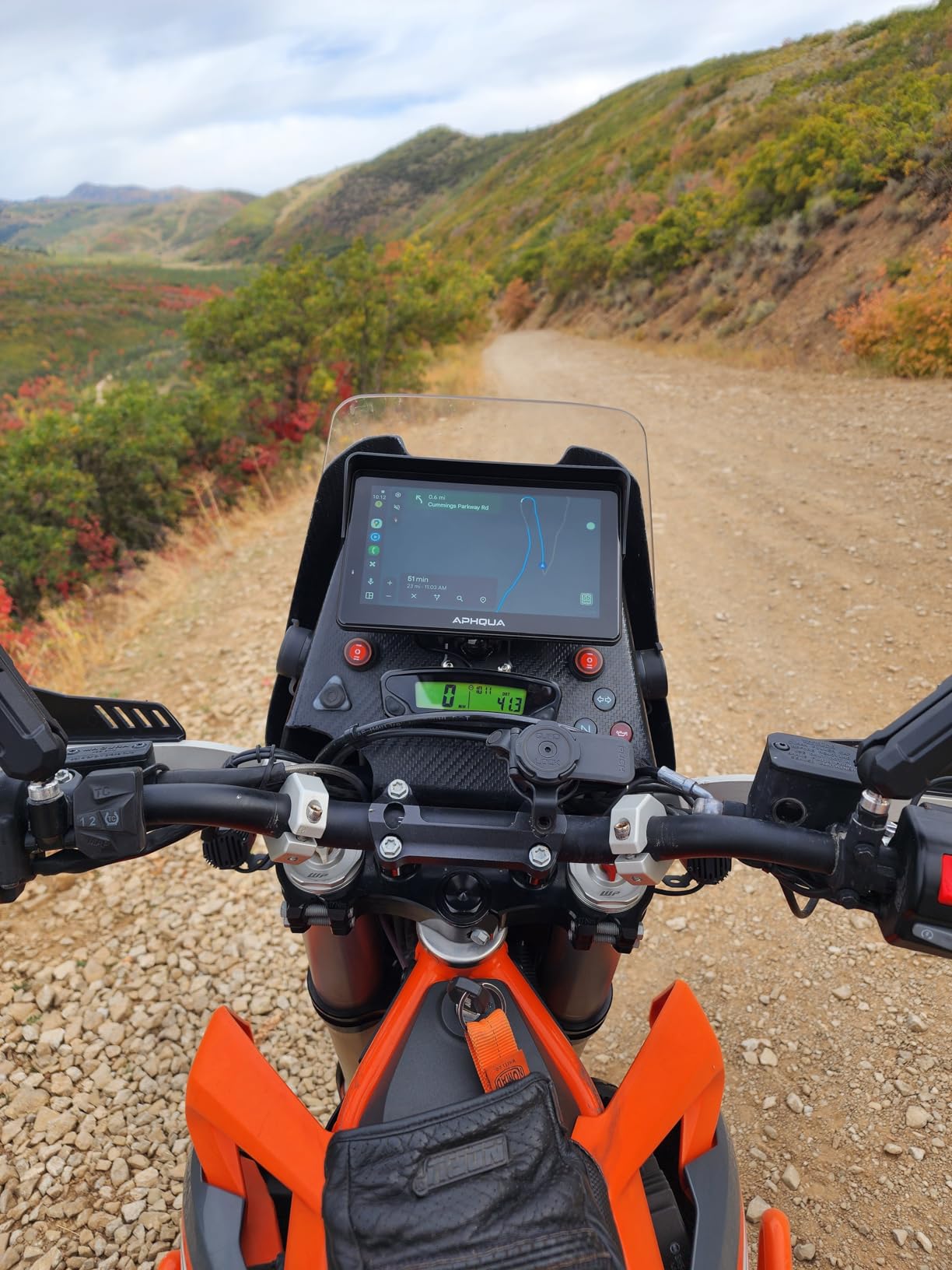
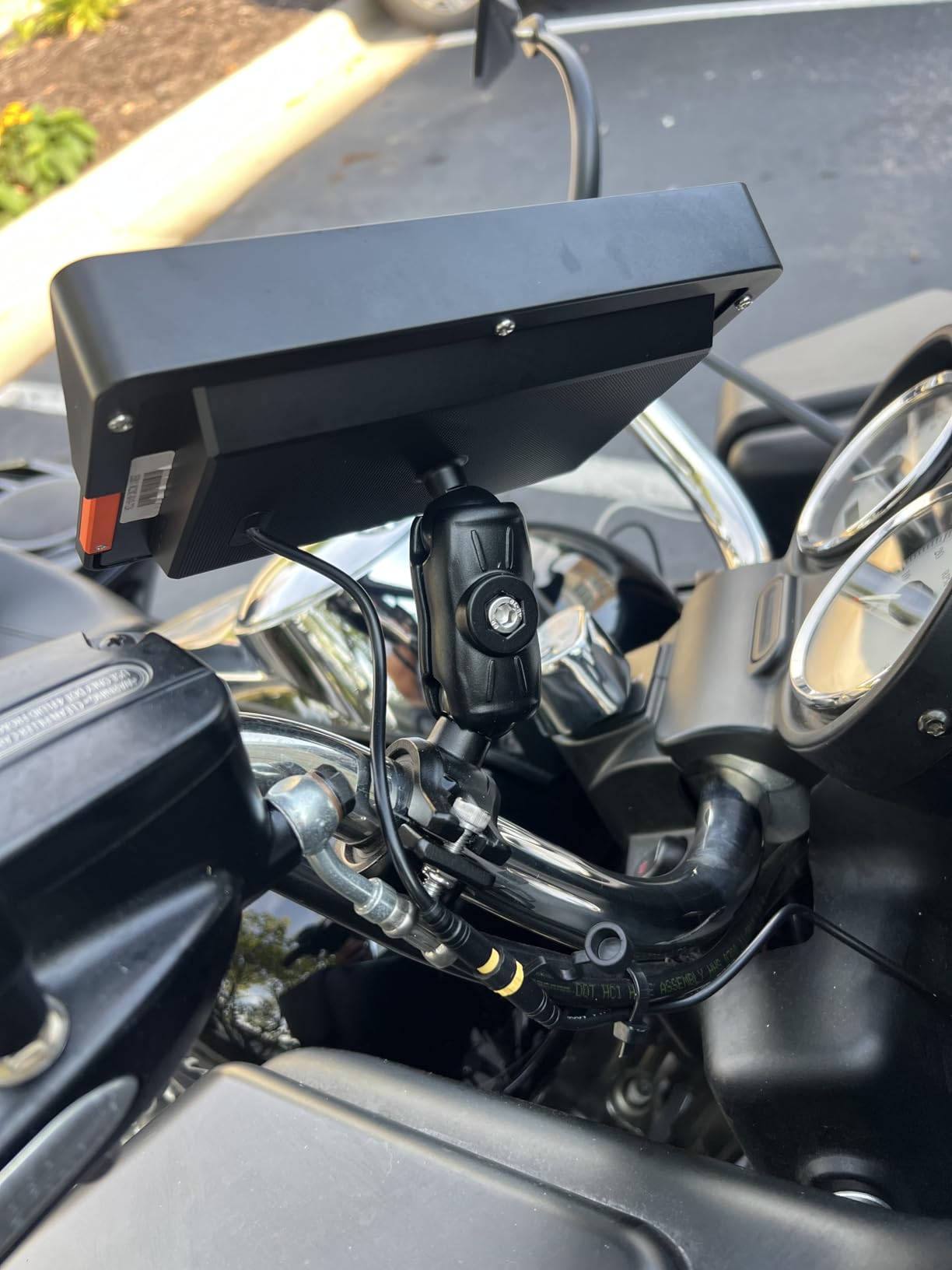
Everything needed is in the box: a handlebar mounting bracket, an extension rod, four stackable silicone gaskets, an ACC power cable and a USB cable, plus a customisable boot screen logo. Worldwide maps come through the paired phone. At 0.82 kg it is a noticeably heavy box for a handlebar, which is worth knowing before you choose a mounting location.
The honest weakness is evidence, not function. With 119 reviews there is far less long-term owner feedback than the established models, and a touring purchase is a five-year decision. There is no built-in battery, so the display depends entirely on motorcycle power, and it requires a paired smartphone for navigation.
What is a split-screen interface actually for?
It is for the moments when two things matter at once: a call arriving as you approach a junction, or music controls while a nav instruction is counting down. On a dedicated navigator you get a single-purpose prompt and nothing else, so the split-screen layout is a genuine advantage of the phone-linked category that gets ignored in spec comparisons.
Automatic brightness is the other quiet advantage. Combined with the IP67 enclosure and the included gaskets, this is a unit that should survive a wet multi-day trip without fuss. Riders who want a bigger panel than five inches and do not need cameras will find this the simplest version of that brief.
Should I buy a product with fewer reviews?
Only with a return policy that suits you, and I would weigh what you lose. A navigator or display is a long-term purchase on a long-lived bike, so the honest comparison is against models with hundreds of reviews showing how they behave after three seasons. The specification here is competitive, but long-term touring durability is simply less documented.
If that is a reasonable trade for you, the feature set is genuinely good for a mid-priced 7-inch unit. If not, step up to one of the better-reviewed 7-inch models in this roundup and pay for the evidence.
Dedicated GPS vs CarPlay Head Unit: Which Should You Buy?
This is the question that splits the category, and it is the one most roundups dodge. The honest answer is conditional: a dedicated navigator wins where cell coverage is unreliable, and a CarPlay head unit wins where service is solid and you want app choice. Forum threads on r/Garmin and r/motorcycles keep landing on exactly that split, and it holds up in a six-week test.
- Choose a dedicated navigator if your route crosses remote highway, forest or mountain roads with no signal, if you refuse to run your phone while riding, or if you ride multi-day distances where a phone battery and a rider’s thumb are the weak link. The Garmin zūmo XT2 and the Beeline Moto II are the two I would choose here.
- Choose a CarPlay or Android Auto screen if you ride mostly where service is solid, want live rerouting and traffic, want to pick your own navigation app, and value a large screen for a lower outlay. The 7-inch and 6.3-inch units cover this well.
- Choose a phone in a vibration-isolated hard mount if your goal is only visual guidance and you refuse to wire anything to your bike. Keep the phone off the bars to protect camera stabilisation, and it costs almost nothing.
- Choose a BMW-integrated unit if you ride a BMW with a factory navigation cradle and want the Wonder Wheel data on a large screen. Nothing else in the category does that.
Two things the CarPlay camp should know before buying. First, these units are displays, not navigators: with no paired phone they show nothing useful, and a dead battery ends the trip’s guidance. Second, when your touring turns to gravel, routing lives in whatever app you choose, and only a dedicated unit with off-road capability handles that on its own. Riders running mixed-surface trips should consider the Beeline Moto II, whose worldwide offline maps do not care what app is paired.
How to Choose a Motorcycle GPS for Touring
Six factors decide this purchase, and screen size is only one of them. Here is what actually matters, in the order I would weigh it.
Test glove operability and glare before anything else
Put the unit on the bike, put your summer touring glove on, and try to hit every control you would use at a junction. Capacitive screens with physical buttons or a bezel grip are reliable; a flat glass panel with no physical affordance is a coin flip. Then park in full sun and check whether you can read the next turn without shading the screen with your hand. Units rated around 1000 nits with an ambient light sensor handle this, and transmissive or laminated panels hold up better than glossy ones.
Understand what IP67 and IPX7 actually guarantee
IP67 and IPX7 both mean the unit is dust-tight and survives immersion in water to one metre for thirty minutes, which covers riding in rain but not a pressure washer pointed at the bar. IP69K adds resistance to high-pressure, high-temperature water jets, and one unit in this roundup carries it. For a bike washed at every stop, that rating is the difference between fine and eventually failing. None of these ratings covers UV or vibration, so pair the water rating with a mount that isolates the unit.
Match screen size to bar clearance and bike type
Four to five inches suits naked bikes, sport-tourers and anyone who wants a low-profile screen. Six to seven inches is the touring sweet spot, legible at speed without dominating the cockpit. Eight inches and up suits adventure bikes with wide bars and tall screens, and can look out of place on a low sport-tourer. Measure the space between your clamp and your brake reservoir before ordering, because a screen that touches the reservoir at full lock is a real failure, not a minor irritation.
Check offline maps and where they fail
Ask one question of any unit: does it hold a complete route with no signal and no phone? Dedicated navigators answer yes, and a phone-linked screen answers no. That is the whole argument in one sentence. If you ride transcontinental routes, borders and remote desert highways, a dedicated unit with lifetime maps is the safer purchase, and pairing a satellite communicator extends guidance beyond where either works. A five-year view of map costs is worth doing before you buy, because some navigation apps charge recurring fees and some are free forever.
Budget the power draw on a loaded touring bike
Heated gear, an intercom, a dash cam and a radar detector all compete for the same accessory circuit. A wired 12V line with a fused, ignition-sensed lead is the reliable option and is what most dedicated units ship with. Units that run from a USB boost cable need a port that delivers real current, and a unit with only an internal battery is a ticking clock on a long day. While you are planning, remember that a 7-inch screen plus a charging phone plus heated gear is a genuinely different load from any one of them alone, and it is the setup most likely to brown out under a stop-start town.
Mount it in five steps
First, choose the mount type for your bike: a bar clamp for wide bars, a Ram-ball style arm for adjustability, a fork-stem mount for bikes with tight bars, or a mirror-stem mount for sport bikes. Second, fit the clamp and confirm nothing interferes at full steering lock. Third, route a fused, ignition-sensed power lead along the steering head and down to the battery, keeping it away from the steering travel and the hot exhaust. Fourth, connect the unit and pair your phone or helmet over Bluetooth. Fifth, set your route before you roll, and set the routing profile to the one you want rather than the default.
Two mounting details that decide how long a screen lasts. Use a vibration-isolated arm rather than a rigid bracket, because a rigid mount transmits handlebar engine vibration straight into the display and is the leading cause of early touchscreen failure. And check whether navigation continues when the unit is removed from the bike, because riders repeatedly ask about a quick-detach that keeps running at a fuel stop, and the answer varies by model.
Frequently Asked Questions
What is the best GPS navigator for motorcycles?
For touring, the best motorcycle GPS navigator is a dedicated weatherproof unit with onboard offline maps, glove-operable controls and curvy-road routing, because it never depends on a phone or cell signal. A large BMW-integrated CarPlay screen is the better choice if you ride where coverage is good and want app choice.
Should I use CarPlay or a dedicated GPS on my motorcycle?
Use a dedicated GPS where cell coverage is unreliable or you ride multi-day distances without signal, because it holds a complete route on the device. Use a CarPlay or Android Auto screen where service is solid and you want live rerouting, traffic and your choice of navigation app on a bigger display.
Do motorcycle GPS units work without cell service?
Dedicated navigators do, because maps and routing run entirely on the device. Phone-linked CarPlay and Android Auto screens do not, because the navigation data comes from your paired phone, so guidance ends when signal or battery does. That single difference is the main reason to own a dedicated unit for remote touring.
What is the best GPS for off-roading for motorcycles?
For off-road and dual-sport touring, look for a unit with worldwide offline maps, a physically simple interface and shock resistance rather than the largest screen. The Beeline Moto II fits that brief with IP67 shockproof construction, glove-friendly physical buttons and a 14-hour battery that needs no charging cable on a long day.
What is the best GPS mount for a motorcycle?
A vibration-isolated handlebar clamp is the best general choice, with a fork-stem or mirror-stem mount for bikes with tight bars. Avoid rigid brackets, which transmit handlebar vibration into the screen and cause premature touchscreen failure. Check clearance at full steering lock and confirm the clamp fits your bar diameter before installing.
Is Garmin better than Google Maps?
They are not the same category. Garmin is a dedicated offline navigator built for vibration, weather and gloves, while Google Maps is routing software that needs a phone, a screen and a signal. On remote routes the dedicated unit is more reliable; in cities with good coverage and traffic updates, phone navigation is more flexible.
Conclusion
After six weeks and 4,000 miles, the best motorcycle GPS navigators for touring fall into three clear groups, and picking between them is easier than most roundups make it sound. If you ride a BMW with a factory navigation cradle, the Carpuride W702BS is the pick we would install first, with a 7-inch screen, native dashboard data and an installation that takes minutes.
If you need a navigator that does not care about signal, the Garmin zūmo XT2 gives you a large bright screen, fully offline routing and satellite communicator pairing, while the Garmin Zumo 396 LMT-S does the same job with lifetime maps, a far larger owner base and a smaller footprint. If your touring includes gravel, the Beeline Moto II is the answer, with worldwide offline maps, physical glove-friendly controls and a 14-hour battery that needs no charging cable.
Everything else in this roundup is a phone display in a waterproof housing, and that is a legitimate answer for riders whose routes have good coverage. Pick the size that clears your bars, the waterproofing that matches your climate, and the mount that isolates vibration. Start with the top three if you want a short decision, or work through the ten if your touring is the kind that decides these purchases for you. Pair the choice with a solid tail bag setup and a modular helmet that suits long days, and the rest of the trip takes care of itself.